
Last verified: October 2026
Planyard is our product. We rank it where it fits, say what it does not do, and checked every other tool’s price on the vendor’s own site.
Search for contractor management software and you get three different kinds of product. Some are all-in-one platforms that run a builder’s jobs. Some are safety systems that check every contractor’s insurance and RAMS before they come through the gate. Some are commercial tools that control what each subcontractor is ordered, valued and paid. All three are sold under the same name.
Below are eight tools that general contractors and main contractors in the UK and US use to manage the firms working on their jobs, with prices checked on each vendor’s site in October 2026, grouped by which of the three jobs they do best.
What Contractor Management Software Means in Construction
For a builder or main contractor, “managing contractors” covers three jobs. Most products are strong at one of them and adequate at the others.
Running the jobs
Schedules, daily logs, estimates, change orders, client updates and job costing. This is where all-in-one platforms such as Procore, Buildertrend, JobTread and Contractor Foreman sit. Subcontractors usually get a free portal to see their schedule and upload files.
Getting contractors through the gate
Prequalification, insurance certificates and their expiry dates, RAMS or job hazard analyses, inductions, permits to work and a record of who is on site. In the UK this is how you meet your duties under CDM 2015. HammerTech, SiteSamurai and Archdesk cover this side.
Controlling what contractors cost
Tenders, subcontract orders, variations, monthly applications for payment, retention, and how each package is tracking against the budget. Planyard and Archdesk are strongest here. Our subcontractor management software guide goes deeper into UK valuations, pay less notices and the CIS split.
If you meant something else
Two other kinds of software use the same name. Freelancer and contractor payroll platforms such as Deel, Rippling and Worksuite handle contracts and payments for independent workers. Supplier prequalification services used by facilities and EHS teams, such as Avetta, ISNetworld, CHAS and Alcumus, check contractors who come onto factories, offices and campuses. This guide does not cover either.
Contractor Management Software Compared
Prices are the regular published price in the vendor’s own currency in October 2026, excluding VAT or sales tax and ignoring introductory discounts. “Quote only” means the vendor publishes no price.
| Software | Best for | Main job | From | Accounting | Verdict |
| Planyard | Main contractors controlling subcontract costs | Controlling costs | £40 / $52 per project manager per month | Xero, QuickBooks, Sage | Best for cost control on top of your accounts |
| Procore | Large general and main contractors | Running the jobs | Quote only (annual fee on construction volume) | Marketplace integrations | The standard for big commercial jobs |
| Buildertrend | US residential builders | Running the jobs | $499 per month | QuickBooks, Xero | Strong client portal, priced for established builders |
| JobTread | Residential and specialty contractors | Running the jobs | $199 per month incl. 1 user | QuickBooks Online | Best value all-in-one |
| Contractor Foreman | Small contractors on a budget | Running the jobs | $49 per month (annual) | QuickBooks Online | Cheapest full platform |
| Archdesk | Growing UK contractors | All three | Quote only | Accounting and ERP sync (ask which) | UK all-in-one with compliance and valuations |
| HammerTech | Large jobs with many trades | Through the gate | Quote only (construction volume and sites) | None needed | Deepest site safety and compliance |
| SiteSamurai | Small UK contractors | Through the gate | £99 per month, unlimited users | Xero, Sage (Professional) | Low-cost UK compliance and RAMS |
"I have probably saved half a day to a day per week due to less manual reporting. Maybe we could even say that it is up to a week per month."
Read more
The 8 Best Contractor Management Software Tools
1. Planyard – Best for Cost Control of Subcontractors on Top of Your Accounting Software
Planyard is construction cost control software for main contractors who keep their books in Xero, QuickBooks or Sage. It covers the commercial side of managing contractors: tenders sent to subcontractors and compared against the budget, subcontract orders with variations and retention, subcontractor payment applications collected through a link, and purchase orders and invoices matched to budget lines. Approved costs sync to your accounting software, and every project shows its forecast margin as costs come in.
A subcontractor database keeps each firm’s categories, bids, orders, valuations and invoices in one record, and project managers rate subcontractors after each job so the next tender goes to the firms that performed. Subcontractors do not need an account. Claire Hill at Brown & Bancroft: “A lot of the other subbies have just jumped straight onto it and clicked the link we sent them.”
Planyard does not track insurance or accreditation expiry, run inductions or hold RAMS, so pair it with a site compliance tool if that is your main gap. It has no takeoff and does not file CIS returns: Xero, QuickBooks or Sage apply the deduction and file. More on the product at contractor management software.
Best for: Main contractors with several live projects who want to control what each subcontractor is ordered, valued and paid, without replacing their accounting software.
Watch out for: Site safety and compliance records are not part of Planyard. The subcontractor payment application and tender features are in the Ultimate plan.
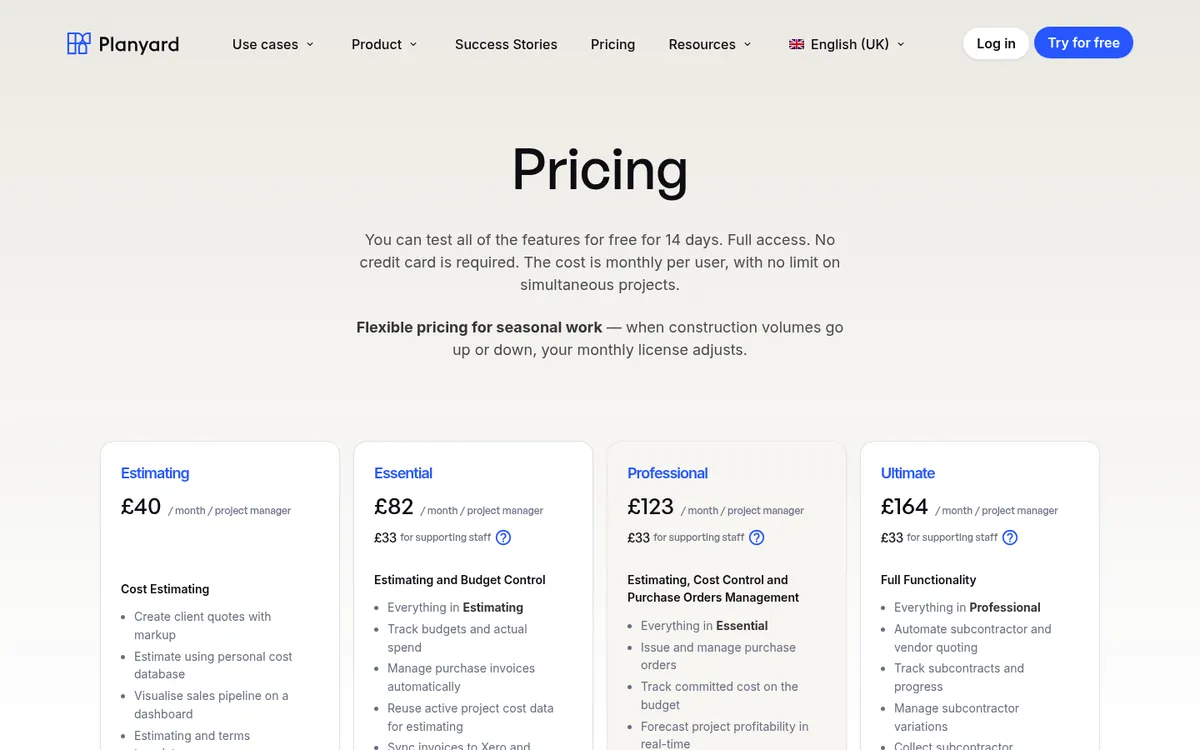
Pricing: Estimating £40, Essential £82, Professional £123, Ultimate £164 per project manager per month (US $52, $105, $158, $210), plus £33 per supporting staff user. Accounting sync from Essential; variations and retention from Professional; subcontractor applications and tenders in Ultimate. 14-day free trial, see pricing.
See every subcontract against the budget
Tender packages, issue subcontract orders, collect applications through a link and post approved costs to Xero, QuickBooks or Sage. 14-day free trial, no credit card.
2. Procore – Best for Large General and Main Contractors

Procore is the platform most large commercial contractors run their projects on: drawings, RFIs, submittals, daily logs, quality and safety inspections. Its financial tools add commitments (subcontracts and purchase orders), change events, and subcontractor invoices that work as payment applications. Compliance documents such as insurance certificates can be tracked against each company.
Users are unlimited, so every subcontractor, consultant and client on a project can work in it without a licence. That makes it the natural choice when your clients or your subcontractors already use it. See Procore vs Planyard and Procore alternatives.
Best for: Contractors running large commercial projects with a document control and commercial team.
Watch out for: Annual pricing on construction volume puts it out of reach for most small firms, and setting up the financial tools well takes time and training. Procore does not calculate CIS, so UK deductions and returns stay in your accounting software.
Pricing: Quote only. Procore charges an upfront annual fee by product, based on the value of construction work you run through it, with unlimited users.
3. Buildertrend – Best for US Residential Builders
Buildertrend is built for home builders and remodelers. It combines scheduling, estimates, budgets, change orders, selections and a client portal where homeowners see progress, approve selections and pay. Subcontractors and suppliers get their own portal to see schedules and respond to bid requests.
Users and projects are unlimited on every plan. Buildertrend says it suits builders who run five or more projects a year. Accounting stays in QuickBooks or Xero. See Buildertrend vs Planyard and Buildertrend alternatives.
Best for: US residential builders and remodelers who want the client relationship and the job in one place.
Watch out for: At $499 a month it costs more than JobTread or Contractor Foreman, and its workflows are designed around residential work, so commercial main contractors will find gaps.
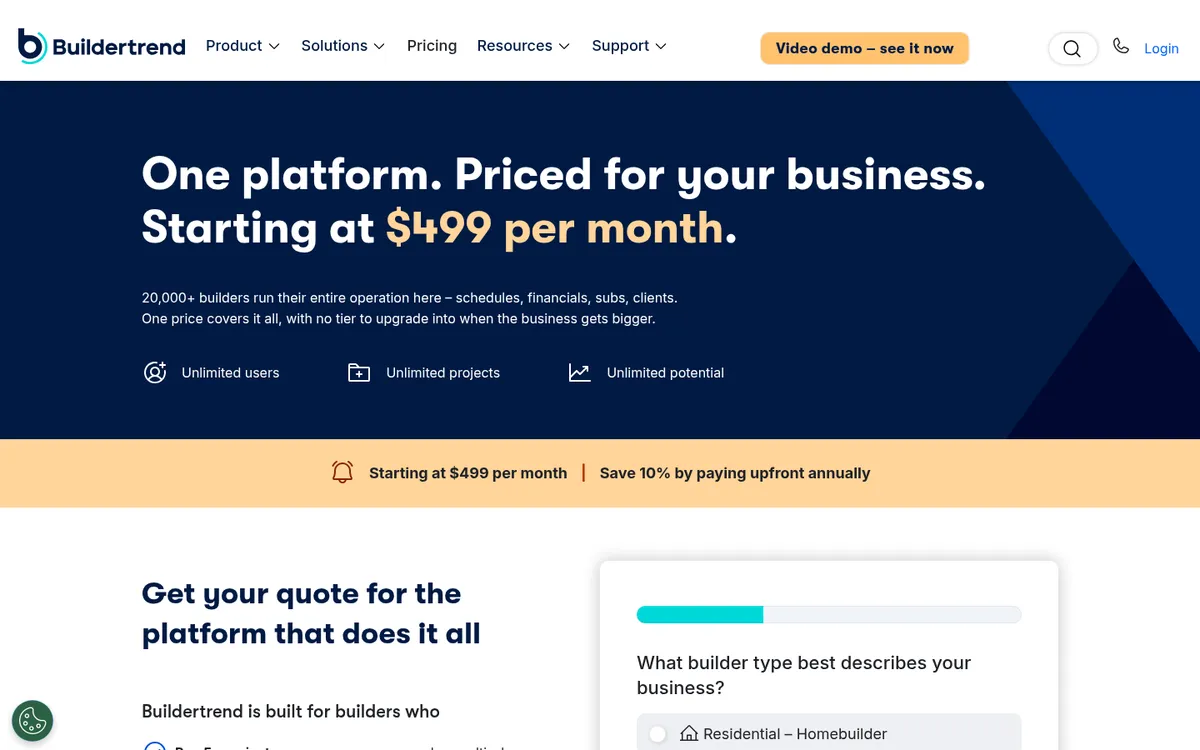
Pricing: Starting at $499 per month, with 10% off when you pay annually upfront. Unlimited users and projects.
4. JobTread – Best Value All-in-One for Residential and Specialty Contractors

JobTread covers sales, estimating, takeoff, contracts with e-signatures, scheduling, daily logs, time tracking and job finances. Vendors, subcontractors and customers get free, unlimited portal access, and bid requests go to subcontractors from the same system. It connects to QuickBooks Online.
Every feature is included in the one plan, so you pay only for internal users. JobTread markets to home builders, remodelers, roofers, pool builders, specialty trades and commercial contractors.
Best for: Small and mid-sized residential and specialty contractors who want one system without a large monthly bill.
Watch out for: Prices are in US dollars and the only accounting integration listed is QuickBooks Online, so UK firms on Xero or Sage should check fit before committing.
Pricing: $199 per month billed monthly, including one internal user; extra users $20 each for users 2 to 10, with lower rates above that. Annual plan $159 per month (billed $1,908). Unlimited free portal users. 30-day money-back guarantee on monthly plans.
5. Contractor Foreman – Best Budget Option
Contractor Foreman packs a lot into a low price: estimates, scheduling with a Gantt chart, daily logs, work orders, permits and inspections, time cards, purchase orders, schedule of values, invoicing and job costing reports. It connects to QuickBooks Online and to other apps through Zapier.
It suits a small firm that needs to organise jobs, crews and subcontractor contacts and does not want to pay for a larger platform. See Contractor Foreman vs Planyard.
Best for: Very small contractors who want a full job management platform at the lowest price.
Watch out for: Plans are capped by user count, and UK main contractors will find no support for JCT valuations or CIS. Monthly billing costs considerably more than the annual price.
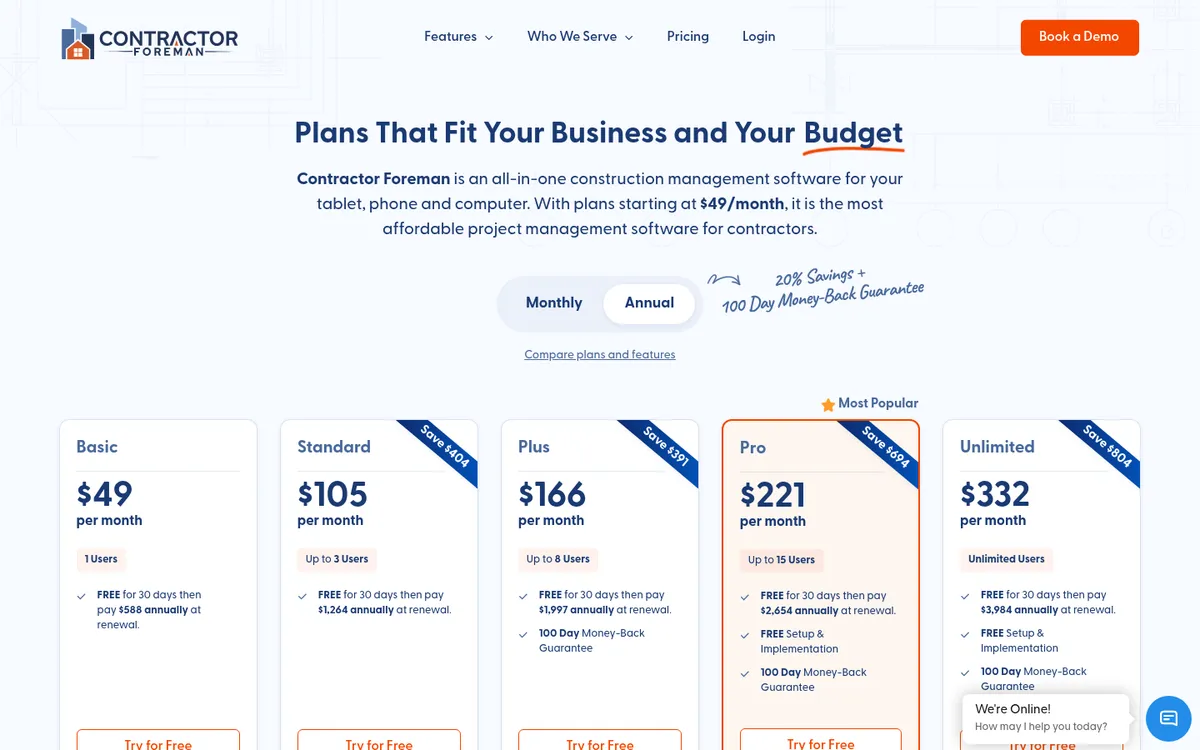
Pricing: Annual plans: Basic $49 per month (1 user), Standard $105 (3 users), Plus $166 (8 users), Pro $221 (15 users), Unlimited $332. Monthly billing starts at $139. 30-day free trial and a 100-day money-back guarantee.
6. Archdesk – Best UK All-in-One with Subcontractor Compliance
Archdesk is a UK construction management platform with more than 30 modules, including estimating, CRM, document control, health and safety, procurement, cost control, CVRs, HR and supplier relationship management. Its subcontractor module tracks insurance and safety accreditations to their expiry dates, reconciles applications for payment against work valued on site and carries retention through to release.
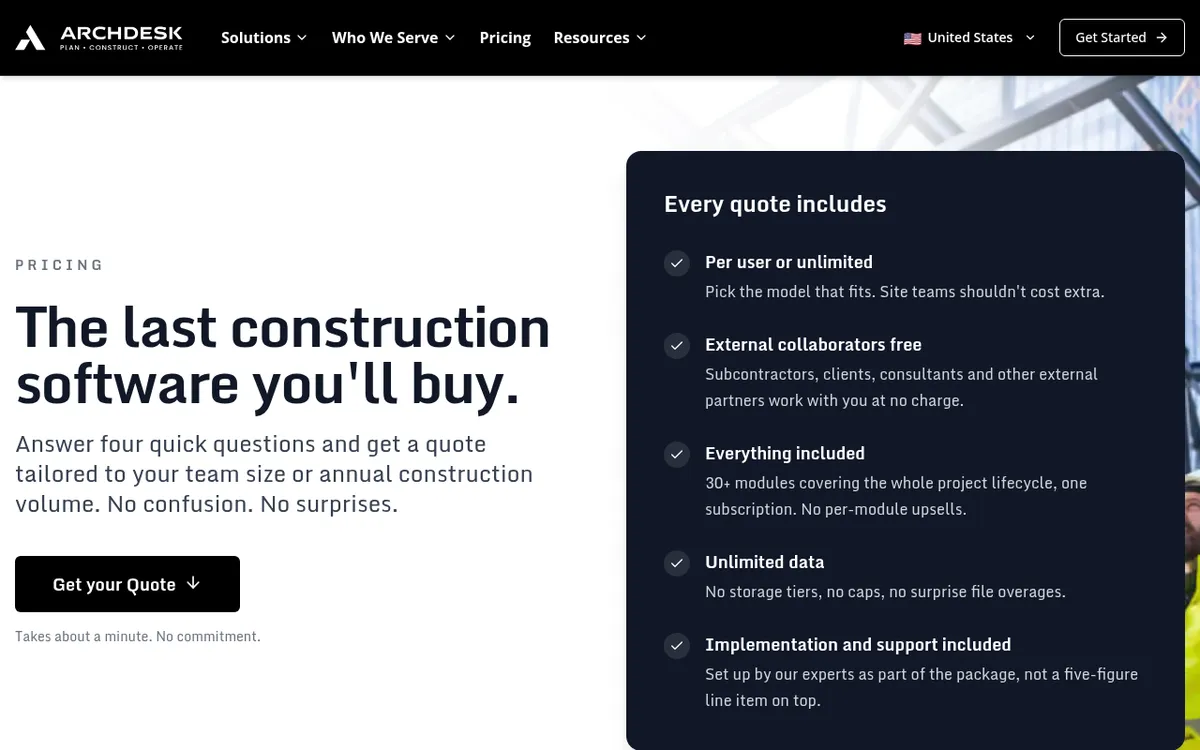
Subcontractors, clients and consultants are free external users, and every quote includes all modules, implementation and support. See Archdesk vs Planyard.
Best for: Growing UK contractors who want compliance, valuations and operations on one platform.
Watch out for: No published prices, and a platform with this many modules needs a proper implementation project before it pays back.
Pricing: Quote only. Priced per user (office and site users counted separately) or on annual construction volume with unlimited users; implementation and support included.
7. HammerTech – Best for Site Safety and Subcontractor Compliance on Large Jobs
HammerTech is a construction safety platform. Subcontractors add their own workers and upload insurance and safety documents through a self-service portal, and HammerTech flags expiring documents and gaps in coverage across every active project. Workers complete orientations once, digitally, and the platform also covers job hazard analyses, pre-task plans, permits, inspections, incidents and site access.
It is free for subcontractors: the general contractor holds the licence. HammerTech says it fits teams managing safety across many active projects and is not the right fit for very small teams or a single project.
Best for: General contractors running several large sites with many trades, where safety and compliance records are the priority.
Watch out for: It does not handle subcontract costs, valuations or payments, so it sits alongside your commercial and accounting systems.
Pricing: Quote only. Priced on annual construction volume, number of active job sites and the level of onboarding, with no per-user fees.
8. SiteSamurai – Best Low-Cost UK Option for Site Compliance and RAMS
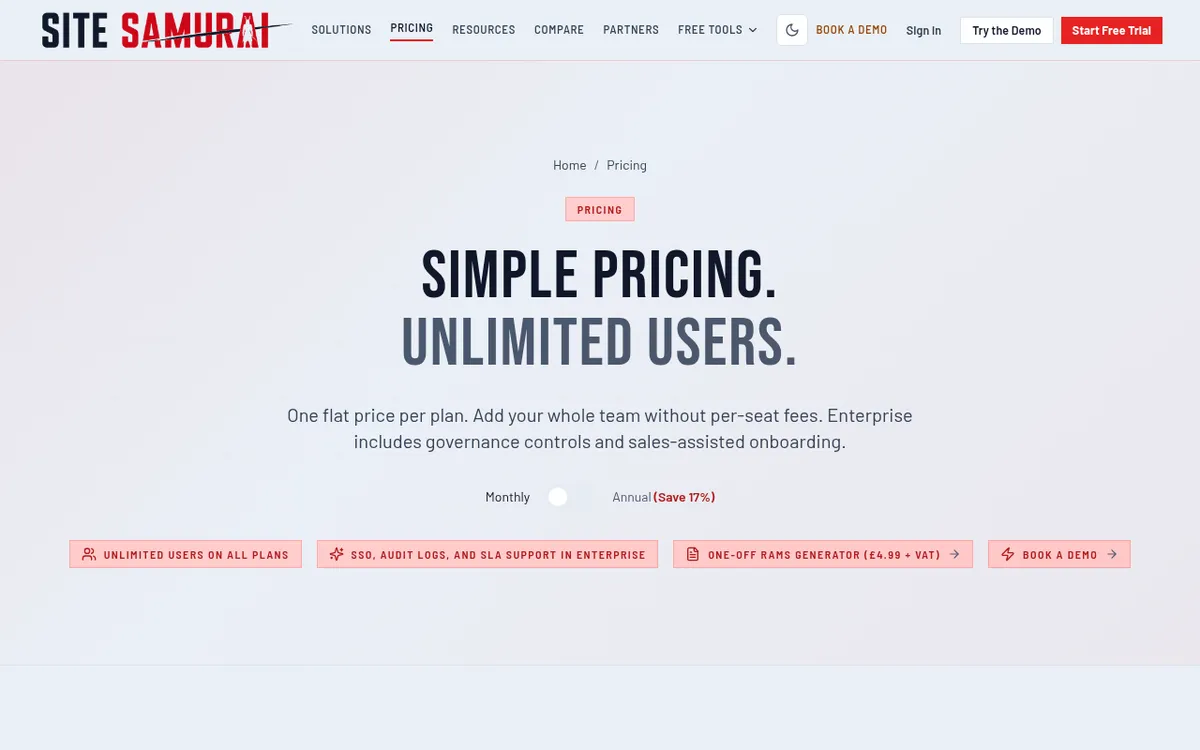
SiteSamurai is a UK platform aimed at contractors that want subcontractor onboarding, compliance records and site operations without an enterprise price. Starter includes subcontractor tracking with CIS compliance, applications for payment and supplier management. Professional adds RAMS, toolbox talks and incidents, tenders, purchase orders, supplier and sales invoices, estimating and a Xero and Sage integration.
Every plan has unlimited users and projects, so site managers and subcontractors can all be added without per-seat fees.
Best for: Small UK contractors and specialist subcontractors who want RAMS, inductions and subcontractor records in one low-cost system.
Watch out for: The safety and commercial modules most contractors want sit in Professional at £199 a month. Ask for references from contractors your size before committing.
Pricing: Starter £99, Professional £199, Enterprise £699 per month, unlimited users; annual billing saves 17%. 14-day free trial.
How We Chose
We started from the search results for “best contractor management software” in the UK and the US, including the r/Construction thread “What’s the best contractor management software for a…” where small builders compare Buildertrend, Procore and JobTread. We left out freelancer payroll and facilities prequalification tools, then picked tools that cover at least one of the three construction jobs above and that UK or US contractors actually buy. For each one we read the vendor’s pricing page and product pages in October 2026. Prices are the regular published price, and where a vendor publishes none we say so.
How to Choose
Small residential builder: JobTread or Contractor Foreman if price matters most, Buildertrend if the client portal and selections are worth $499 a month to you.
UK main contractor whose problem is money: keep Xero, QuickBooks or Sage, and use Planyard for tenders, subcontract orders, applications and the budget. Add SiteSamurai or a similar tool if you also need RAMS and inductions.
Contractor whose problem is site compliance: SiteSamurai for a small UK firm, HammerTech for large multi-trade sites.
Growing contractor that wants one system for everything: Archdesk in the UK, Procore for large commercial work. Both need an implementation project, so budget the time.
If you are still comparing project management platforms in general, our guide to the best construction management software in the UK covers that wider list, and the construction accounting software guide covers the ledger side.
"The team finds the system very easy to use, which makes the approval and payment process much faster. In turn, our subcontractors are happier because their bills flow through the system seamlessly."
Read more
Next Step
Work out which of the three jobs costs you the most today: running the jobs, getting contractors through the gate, or controlling what they cost. Pick the tool that is strongest there and connect it to the systems you already use. If the gap is subcontract costs and payments, Planyard handles that part alongside Xero, QuickBooks or Sage.
Control what every subcontractor costs
Tenders, subcontract orders, payment applications and retention in one place, synced to Xero, QuickBooks or Sage. 14-day free trial.