
For contractors who have outgrown spreadsheet forecasting.
Built for contractors who need a clearer view of project cost, forecast, and margin. Especially relevant for teams using Xero and managing multiple live jobs.
Spreadsheets and accounting reports show the story too late. Planyard gives contractors a live view of committed costs, revised budgets, forecasts, and expected profitability in one place.
Integrates with


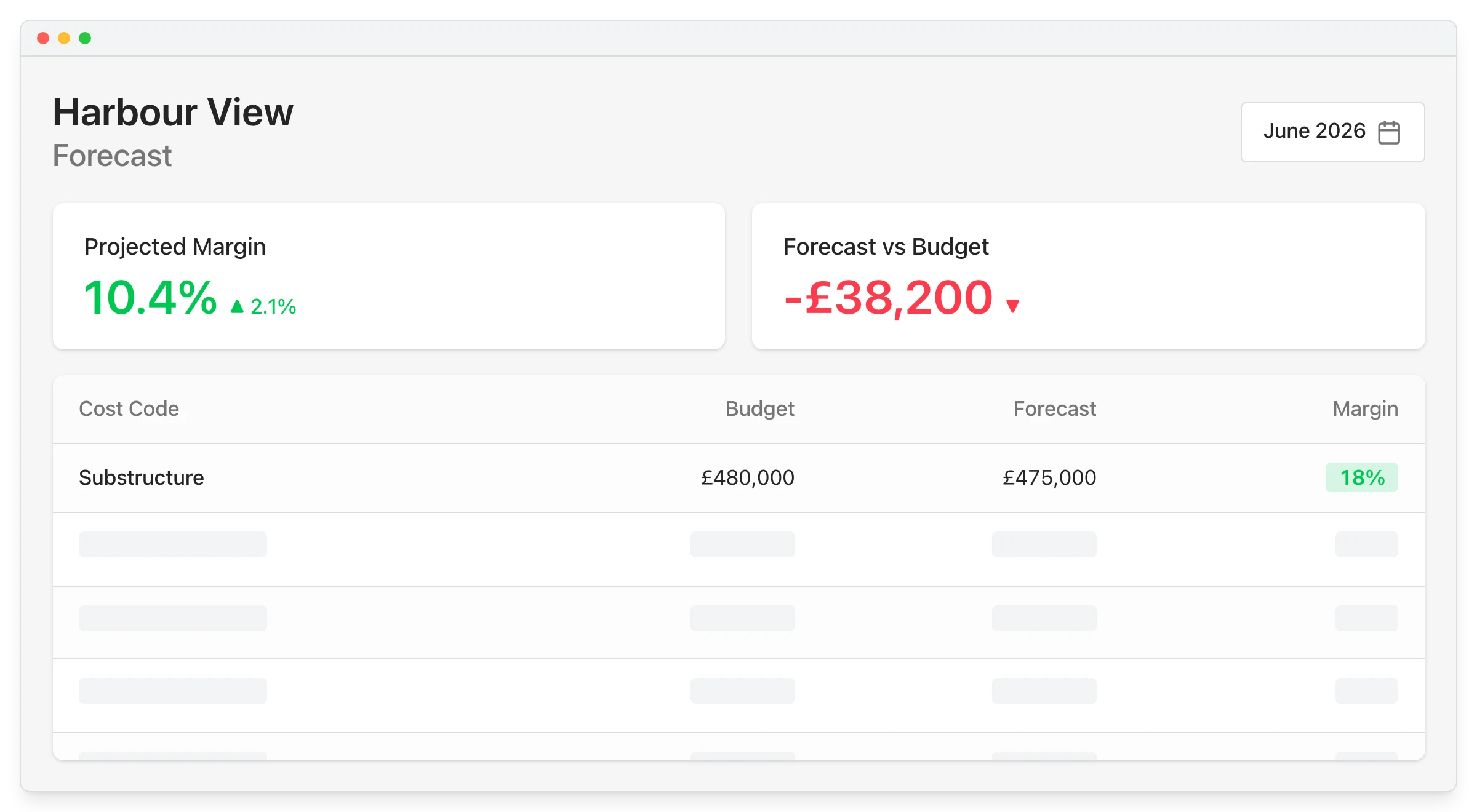
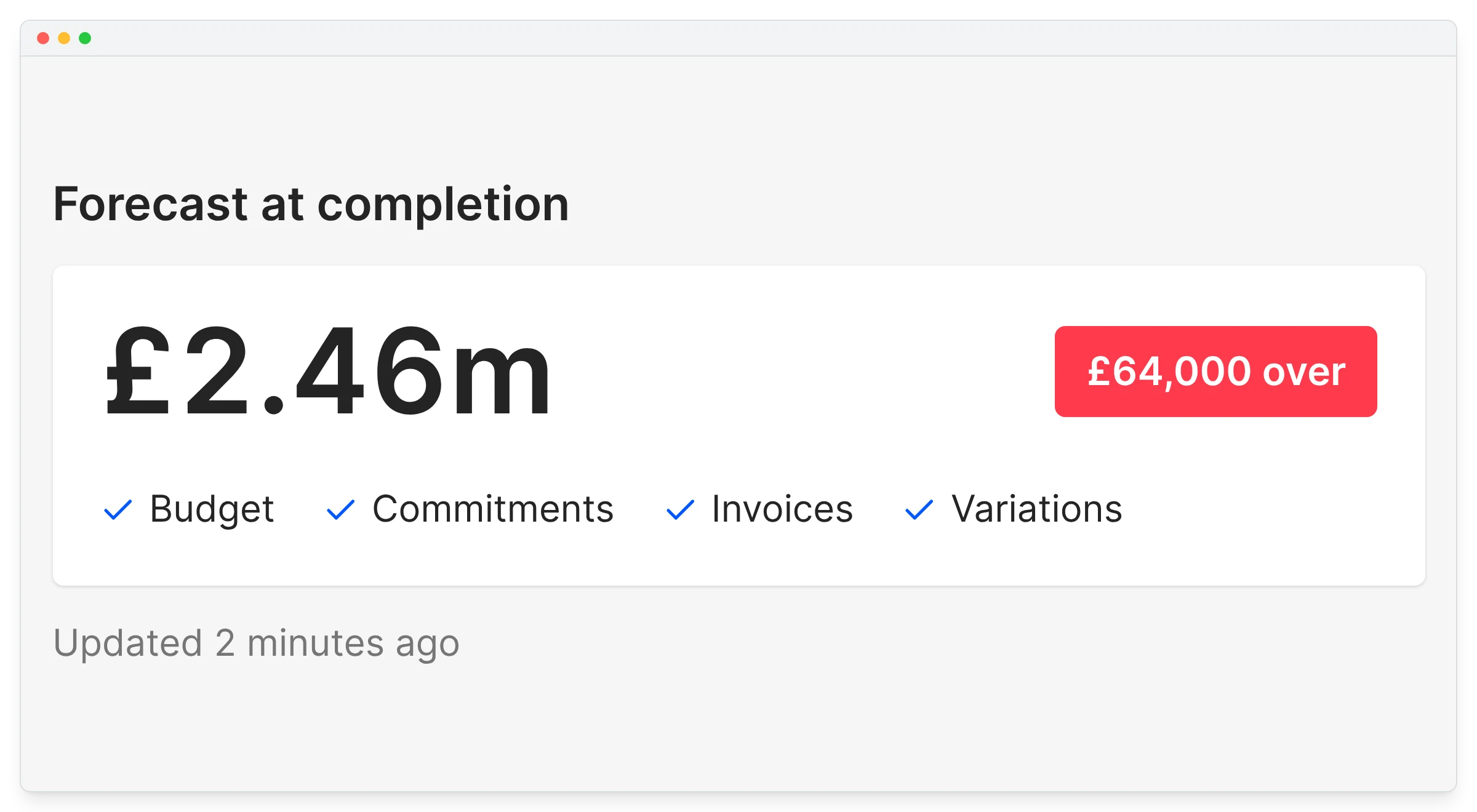
Built for contractors who need a clearer view of project cost, forecast, and margin. Especially relevant for teams using Xero and managing multiple live jobs.
You are still forecasting cost and margin in Excel or across disconnected systems.
You only understand where the project is heading after manual reconciliation.
You want to see committed costs before invoices arrive.
You need a clearer way to connect budget, forecast, CVR, and profitability in one workflow.
"We wanted to know before a project finished whether we were going to make a profit or not. Planyard has allowed us to do that. We can see exactly which jobs are profitable and which ones are not and can make changes on the go."
Read more
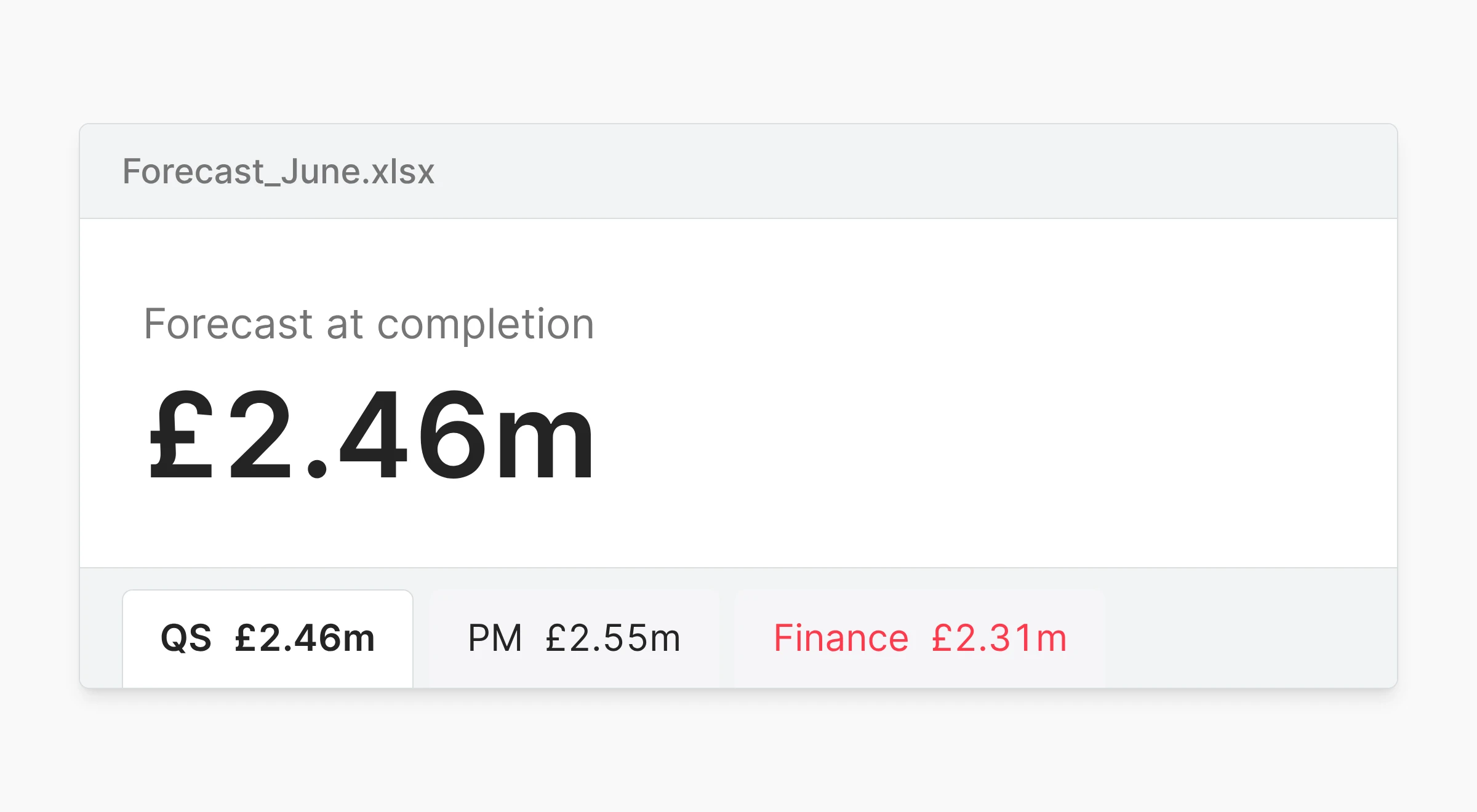
Excel works until forecasting depends on too many moving parts. Then updates slow down, versions split, and the numbers become harder to trust.
"With our old system, all the data we were looking at were yesterday's numbers. Construction works on very tight margins - costs can run away with you quickly. By the time we'd navigated the software and got a report out of it, we could find that our project was making a loss, and it was too late."
Read more
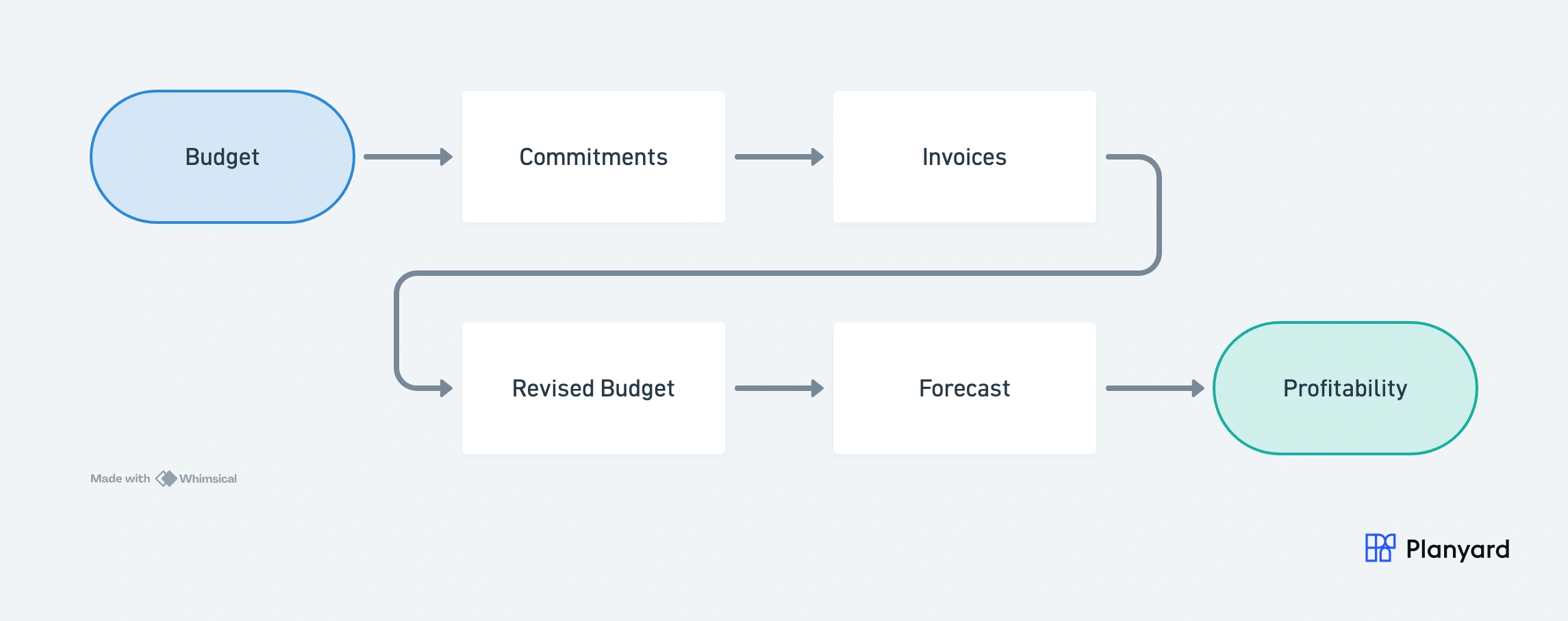
Planyard turns forecasting into a live workflow instead of a month-end reporting task. As the project moves, the forecast moves with it.
"We are now able to forecast and see exactly how we performed against our original estimates. It keeps all of our documents and financial data in one central place, which allows anyone on the team to jump in and instantly see the status of any line item, when it was paid, and the actual documentation behind those payments."
Read more
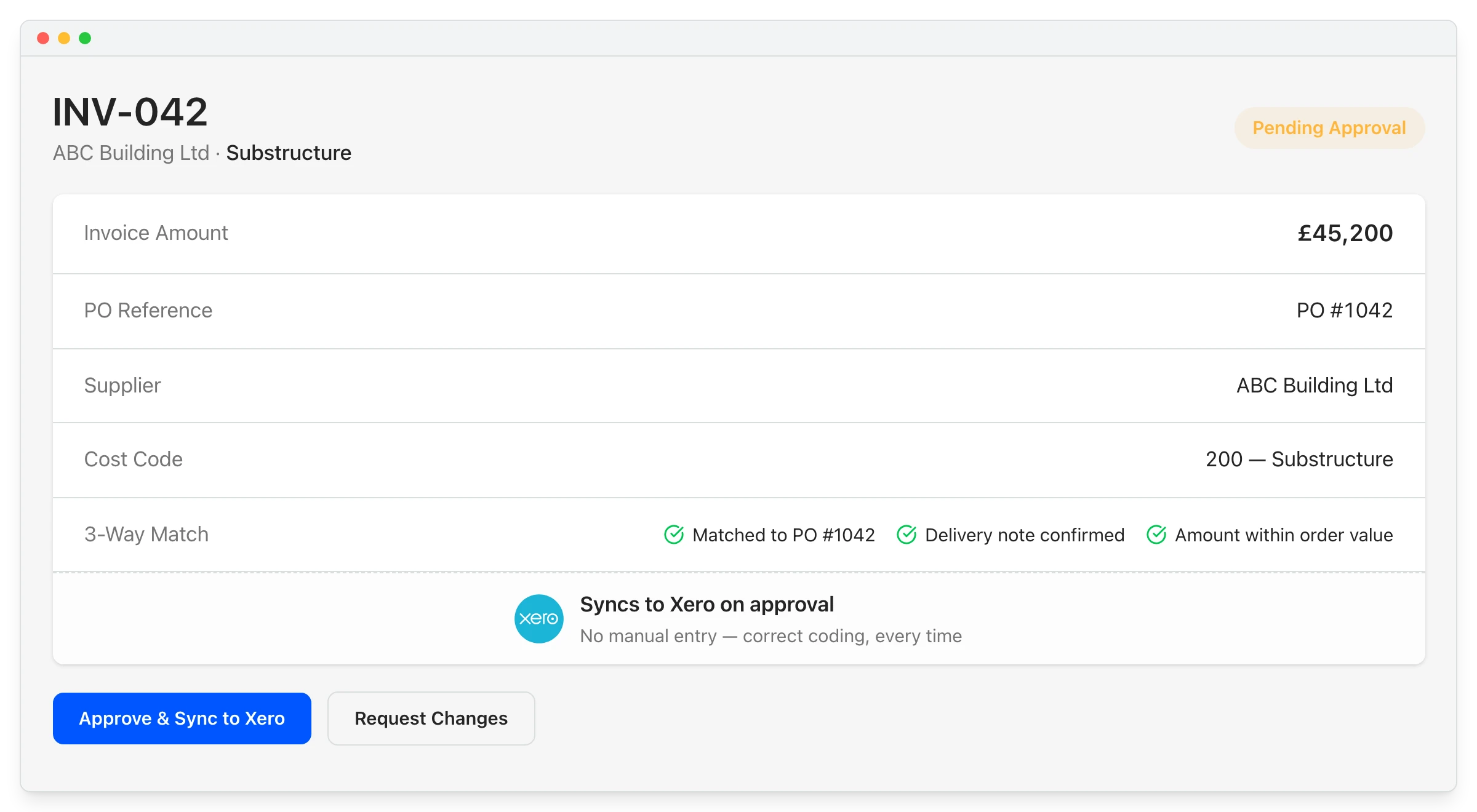
Planyard adds the project forecasting and cost-control layer that Xero does not provide. Manage project financial control first, then sync approved data to accounting.
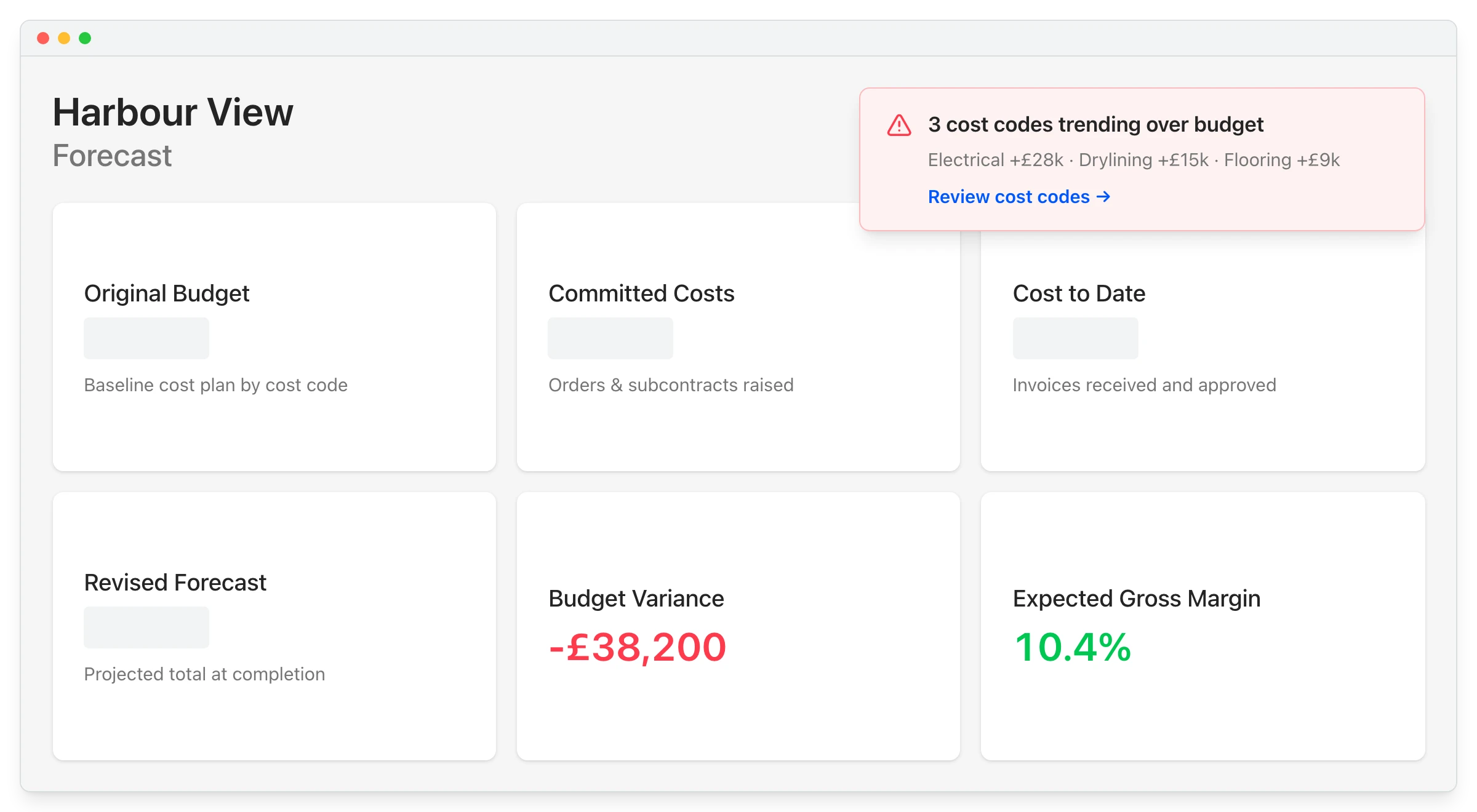
See budget pressure early instead of finding it at month-end or final account stage. Planyard helps teams spot forecast changes while there is still time to act.
"Planyard can save about 15 minutes per subcontractor payment. When I'm dealing with 50 subcontractors, that's 10 to 12 hours a month. Add the CVR reporting and all of a sudden I've got two extra days free."
Read more
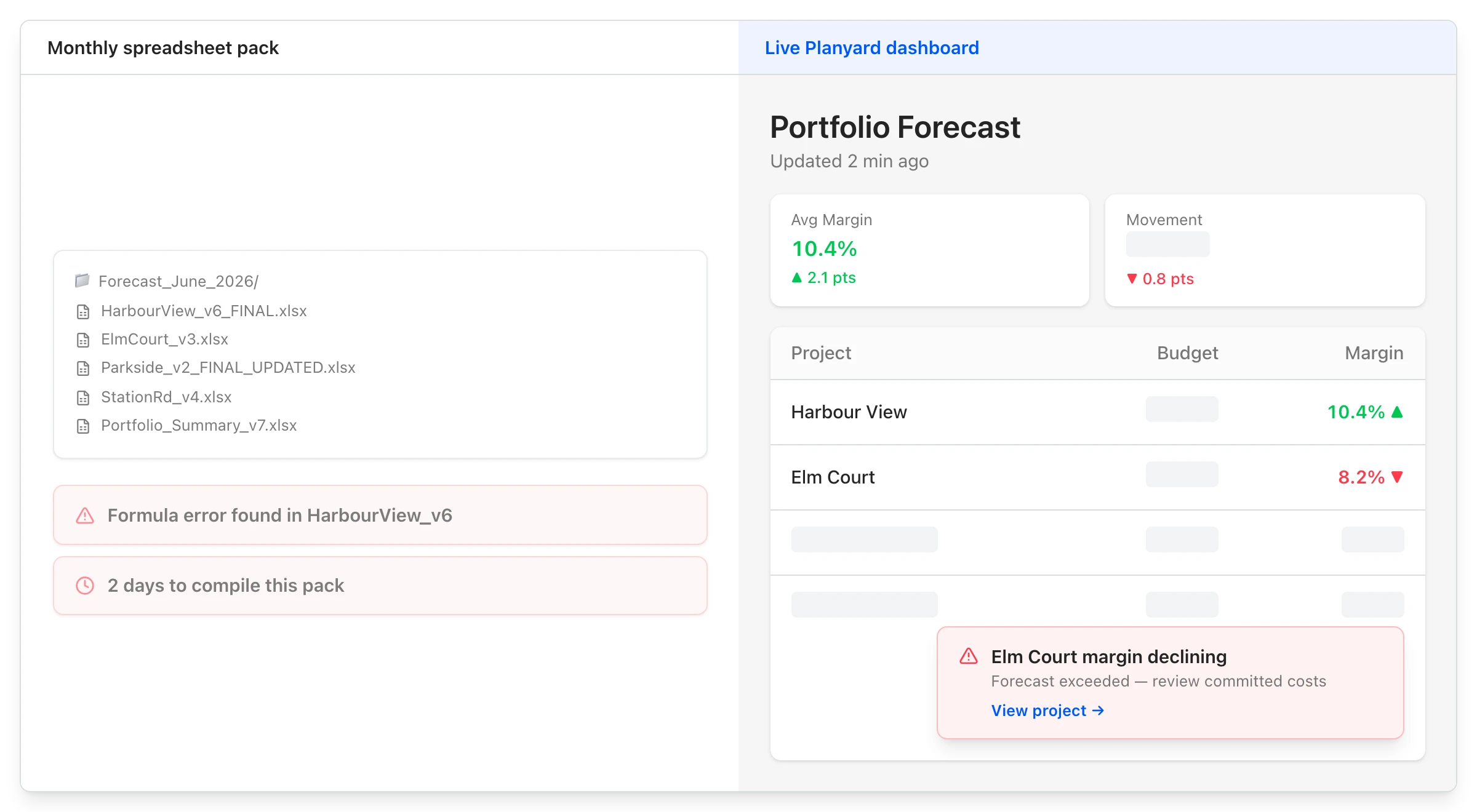
Forecasting should not depend on rebuilding spreadsheets every week. Planyard gives teams a live view that is easier to manage, trust, and act on.
"What makes Planyard so effective is how it presents the critical data. It links cost codes directly to the budget and current costs, while providing a clear forecast for what's ahead. Being able to see the variances between the original budget and the actual spend-to-date at a glance is exactly what we need to stay in control."
Read more

Move to a live view of committed costs, revised budget, forecast, CVR, and project profitability.
We've got your questions covered. If you can't find the answer below, then feel free to contact us via the chat.
Planyard is designed for teams that have outgrown spreadsheets but do not want an oversized ERP. It works for smaller contractors as well as growing teams with more projects and more complexity.
Yes. Teams can start with one project, one champion, and a simple rollout, then expand once the process is working well.
Yes. The Xero workflow includes importing account structure and contacts, then sending approved invoices into Xero with correct mappings and attachments.
Accounting software shows recorded costs. Planyard adds committed costs, revised budgets, and live project forecasting so teams can see where the job is heading earlier.
Yes. That is one of the main benefits. Forecasting becomes much more useful when committed costs are visible before invoices arrive.
Yes. Teams can see how the forecast changes as the project evolves and spot budget pressure earlier.
The goal is the opposite. Planyard reduces spreadsheet maintenance, repeated data entry, and manual reporting work.
Yes. Management can be given visibility into project performance without needing to run the day-to-day workflow.
Yes. It suits contractors managing phased, longer-running, or commercially complex jobs where forecasting needs to stay current.
Teams can use onboarding support, in-app help, and short training resources to get up and running faster.
 Go to site for