
You are running three projects. Your bookkeeper enters subcontractor invoices into Xero every Friday, but you cannot see which job is profitable until month-end.
Last verified: October 2026
CIS returns are manual. Retention is tracked in a spreadsheet tab you have not updated since April. And when your director asks “are we making money on the Greenfield job?” – you genuinely do not know.
Builders need software for two jobs. The ledger does VAT, CIS returns, payroll and the year-end accounts. Job cost control tells you what each job is costing while it is still running. This guide ranks nine options for the ledger, from QuickBooks and Xero to construction ERPs, with current GBP prices and what each one does for CIS and reverse charge VAT. Cost control on top of the ledger has its own section after the ranking.
Planyard is our product. It is not a ledger, so we leave it out of the ranking and cover it in the cost control section, with what it does not do.
Planyard is the construction layer on top of your ledger.
Xero, QuickBooks or Sage keeps doing VAT, payroll and CIS returns. Planyard adds job costing, committed costs, valuations and client invoices, subcontractor and supplier bills, and retention, and syncs both ways with the ledger. For invoicing specifically, see our guide to the best invoicing software for contractors in the UK.
Construction Accounting Software UK: Quick Comparison
Prices are per month, excluding VAT, on monthly billing, as published by each vendor in October 2026. Planyard is priced per project manager; supporting staff are £33 each.
| # | Software | Job | CIS | Job costing | Retention | Integrations | Best for | From (£/mo) |
| 1 | QuickBooks Online | Accounting ledger | Included, contractor returns from Simple Start | Projects feature | No | App marketplace | Small contractors wanting CIS at the lowest price | 16 |
| 2 | Xero | Accounting ledger | Subcontractor CIS included; contractor returns £5 add-on | Tracking categories | No | App marketplace | Sole traders and small builders | 18 |
| 3 | Sage Accounting | Accounting ledger | Included from Standard (£43) | No | No | Sage app marketplace | Small firms that want Sage in the cloud | 20 |
| 4 | Sage 50 | Accounting ledger | Paid module, £11 | Nominal codes | Manual | Sage Payroll, add-ons | Established contractors with an accounts team | 115 |
| 5 | Zoho Books | Accounting ledger | Returns from Professional (£24) | Projects | Retention payments | Zoho apps | Firms on a tight budget | 0 |
| 6 | FreeAgent | Accounting ledger | Contractor and subcontractor included | No | No | Bank feeds | CIS subcontractors | 19 |
| 7 | Access Group (COINS) | Construction ERP | Native | Full ERP | Yes | Own suite | Mid to large contractors (20+ staff) | Quote (typically 500+) |
| 8 | Procore | Construction platform | Limited | Budget level | Yes | Sage, Xero via connectors | Large contractors (50+ staff) | Quote (typically 1,000+) |
| 9 | Buildertrend | Construction platform | No | Basic | No | Xero, QuickBooks | Residential builders | From $499 (USD) |
| Add-on | Planyard | Cost control on top of your ledger | Sets the labour and materials split; your ledger deducts and files | Per project and cost code (Essential); committed costs (Professional) | Yes (Professional) | Xero, QuickBooks, Sage (two-way) | SME contractors on Xero, QuickBooks or Sage | 82 per PM (40 Estimating) |
What Makes Construction Accounting Different?
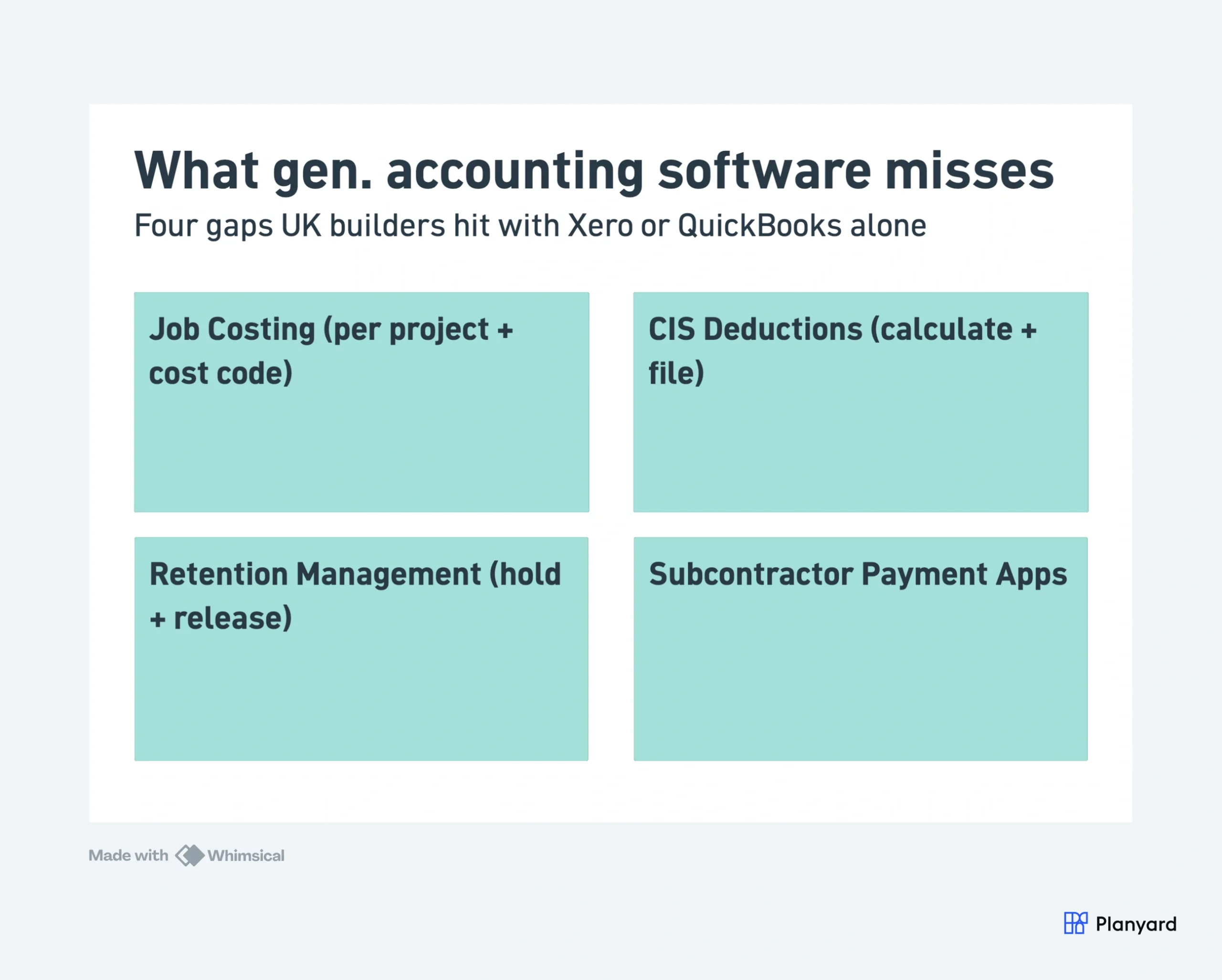
Standard accounting software tracks company-wide income and expenses. Construction accounting needs to go further – breaking everything down by project, package, and cost code. Here is what general tools miss:
- Job costing per project – tracking costs against budget at project level, not just company-wide P&L
- CIS deductions and returns – calculating and reporting Construction Industry Scheme deductions to HMRC
- Retention management – holding and releasing retention amounts across defects periods
- Subcontractor payment applications – receiving, checking, and approving monthly valuations from subcontractors
- Interim valuations – stage payments and applications for payment to clients
- Multiple cost codes per project – separating labour, materials, plant, and preliminaries within each job
If your business does any of the above, a general accounting tool alone will leave you with blind spots. The question is whether you need a standalone construction platform or an add-on that works with your existing accounting software.
"When I have been working on cloud accounting like Xero and Quickbooks they don’t have a specific construction-based costing tool. You have project management costing tools but they are not aimed at the level of what construction companies need so I came across Planyard and I was like finally there is something that solves the problem."

Can Xero or QuickBooks Do the Job on Their Own?
Most builders start with a general accounting tool, and for good reason. Xero and QuickBooks are cheap, your accountant already knows them, and both connect to a long list of other platforms. For construction accounting, the question is how far you can push them before the workarounds cost more than a dedicated tool would.
Where General Tools Hold Up
The usual workaround is to add a handful of construction-specific accounts to your chart of accounts, or a small subset of cost accounts for each project. The other route is a unique account for every job on every project, and that adds so much complexity that few firms keep it up. With a few live projects and a bookkeeper who talks to the site team, the lighter version is enough to see roughly what each job cost.
Where They Break Down
The first problem is coordination. Your bookkeeper has to check with project management on every invoice to confirm which account it belongs to and whether that subcontractor has already been paid for the work. That conversation happens weekly at best, so the ledger always lags the site.
The second is that accounting software records what has already happened. It does not hold your estimate, your forecast, or the progress claims still to come, so project managers end up keeping those in a separate spreadsheet anyway. Committed costs from purchase orders and subcontracts do not appear until the invoice lands.
That delay is the real cost. If the ledger is your only source of truth, you find out a job lost money after it is finished. Companies have gone under with healthy-looking books because nobody could see the forecast.
Before Any Software: Spreadsheets and Email
For a sole trader with a few subcontractors and a handful of invoices a month, a spreadsheet budget and an email inbox are manageable and the risk of mistakes is low. An unread email is a cost still to be dealt with, a read one has probably been entered. If that is where you are, our free construction budget template and cost code structure give you a workable setup until the volume outgrows it.
How We Evaluated These Tools
We assessed each platform against the specific needs of UK builders and contractors running 1-50 projects per year:
- CIS compliance – does it calculate deductions and file returns, or do you still need a workaround?
- Job costing depth – can you track costs per project, per package, and per cost code?
- Integration with Xero, QuickBooks, or Sage – does it sync automatically or require manual export?
- Pricing for small contractors – what does it actually cost for a team of 1-20 users?
- UK support and setup – can you get started without a 6-month implementation project?
CIS, Domestic Reverse Charge VAT and MTD: What Each Tool Handles
HMRC does not recommend any accounting software. It publishes a list of products that are compatible with Making Tax Digital and a separate list of commercial CIS software suppliers. Every general package in this guide is on the MTD list for VAT. For a builder, the choice comes down to three jobs the software has to do.
CIS
Main contractors verify subcontractors, deduct 20% or 30% from the labour part of each payment, file a CIS300 return by the 19th of every month and send deduction statements. Subcontractors record what was deducted so they can claim it back. How CIS works covers the rules in full.
QuickBooks includes contractor filing from Simple Start (£16). Xero calculates subcontractor CIS on every plan and charges £5 a month to file contractor returns. Sage Accounting includes CIS from the Standard plan (£43), and Sage 50 sells it as an £11 module. FreeAgent covers both sides. Zoho Books tracks CIS on the free plan and files returns from Professional (£24).
None of them decides how much of an invoice is labour and how much is materials. Someone keys that split on every bill, and a wrong split means a wrong deduction. Planyard sets it once on the subcontract order and carries it through to each application and invoice, so the bill reaches Xero, QuickBooks or Sage ready for the deduction.
Domestic reverse charge VAT
Since March 2021, VAT-registered subcontractors supplying construction services under CIS to another VAT-registered business do not charge VAT. The customer accounts for it instead, unless they are the end user. Xero, QuickBooks, Sage and FreeAgent all have reverse charge tax rates, but they only apply them to bills that are coded correctly, which brings you back to the same bill-by-bill setup as CIS.
MTD for Income Tax
From 6 April 2026, sole traders with qualifying income over £50,000 must keep digital records and send quarterly updates. The threshold drops to £30,000 in April 2027. Many CIS subcontractors trade as sole traders, so a spreadsheet and a shoebox of statements will not be enough for long. MTD and CIS in 2026 explains what changes.
The 9 Best Accounting Software Options for UK Builders
Ranked for builders on CIS support, project tracking, price, and how many UK accountants work in it.
1. QuickBooks Online – Best Value for Built-in CIS

QuickBooks Online is a strong general accounting platform with growing adoption in UK construction. It offers better project tracking than Xero out of the box, with a dedicated Projects feature that lets you assign income and expenses to jobs.
For contractors already on QuickBooks, it makes sense to stay and add a construction layer on top rather than migrating. QuickBooks handles VAT, bank feeds and basic job costing, and it calculates CIS and files contractor returns to HMRC at no extra cost. For deeper construction features like subcontractor payment apps and proper cost code structures, pair it with a tool like Planyard. QuickBooks Online vs Planyard covers how the two split the work.
Best for: Small UK contractors (1-20 staff) already using QuickBooks who want to stay on the platform and add construction features incrementally.
Key features:
- Built-in Projects feature for job-level tracking
- CIS calculation and contractor returns filed to HMRC, included in the price
- Bank feeds and VAT MTD compliance
- Invoicing with project allocation
- Receipt capture via mobile app
- Integration with construction-specific add-ons
Pricing: Sole Trader Plus £10, Simple Start £16, Essentials £38, Plus £56 and Advanced £123 per month. Contractor CIS filing starts on Simple Start.
Pros: Cheapest way to get contractor CIS filing built in, better native project tracking than Xero, mobile app.
Cons: Project tracking limited to single-level allocation, no subcontractor portal, no retention management.
2. Xero – Best General Accounting for Sole Traders and Small Builders
Xero is the most popular cloud accounting platform for UK small businesses. It handles invoicing, bank reconciliation, VAT returns, and basic reporting. Most UK accountants work with Xero, which makes collaboration straightforward.
For sole traders or very small builders running 1-2 jobs at a time, Xero on its own may be sufficient. You can use tracking categories for basic project allocation. But once you hit 3+ active projects or start managing subcontractor packages, the limitations become clear. Xero vs Planyard shows where each one fits.
Best for: Sole traders and small builders (1-5 staff) with simple project structures who primarily need bookkeeping and VAT compliance.
Key features:
- Bank feeds and automated reconciliation
- Invoicing and payment tracking
- VAT returns filed to HMRC (MTD compliant), with reverse charge tax rates
- Tracking categories for basic project allocation
- Large app marketplace for add-ons
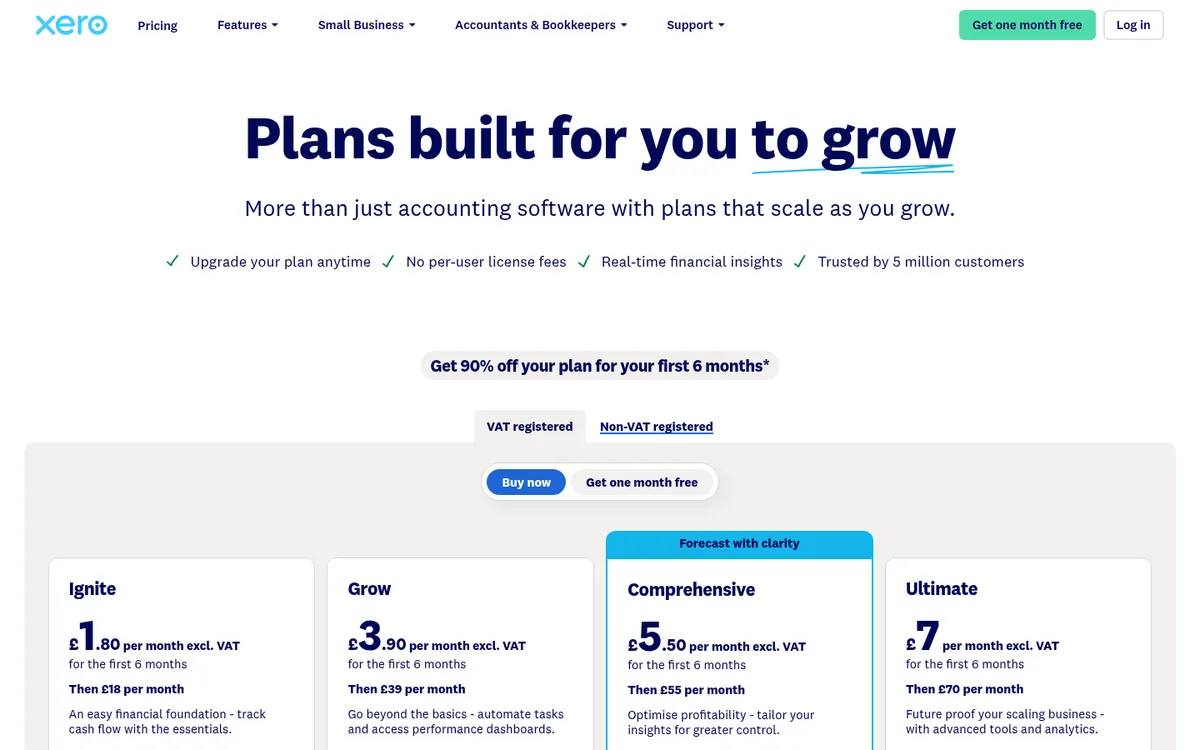
Pricing: Ignite £18, Grow £39, Comprehensive £55 and Ultimate £70 per month. Filing contractor CIS returns is a £5 a month add-on on any plan.
Pros: Affordable, widely supported by UK accountants, excellent bank feeds, large ecosystem of add-ons.
Cons: No per-project job costing, no subcontractor payment workflows, no retention tracking. Subcontractor CIS is included, but contractors pay £5 a month extra to file returns.
3. Sage Accounting – Best for Small Firms That Want Sage in the Cloud
Sage Accounting is Sage’s cloud product and a separate thing from Sage 50. It covers invoicing, bank feeds, VAT and payroll, and Sage says CIS, MTD and domestic reverse charge are built in. CIS starts on the Standard plan, so the entry price is not the price a contractor pays. Sage Accounting vs Planyard compares the two.
Best for: Small contractors who want Sage, because their accountant uses it, without the cost of Sage 50.
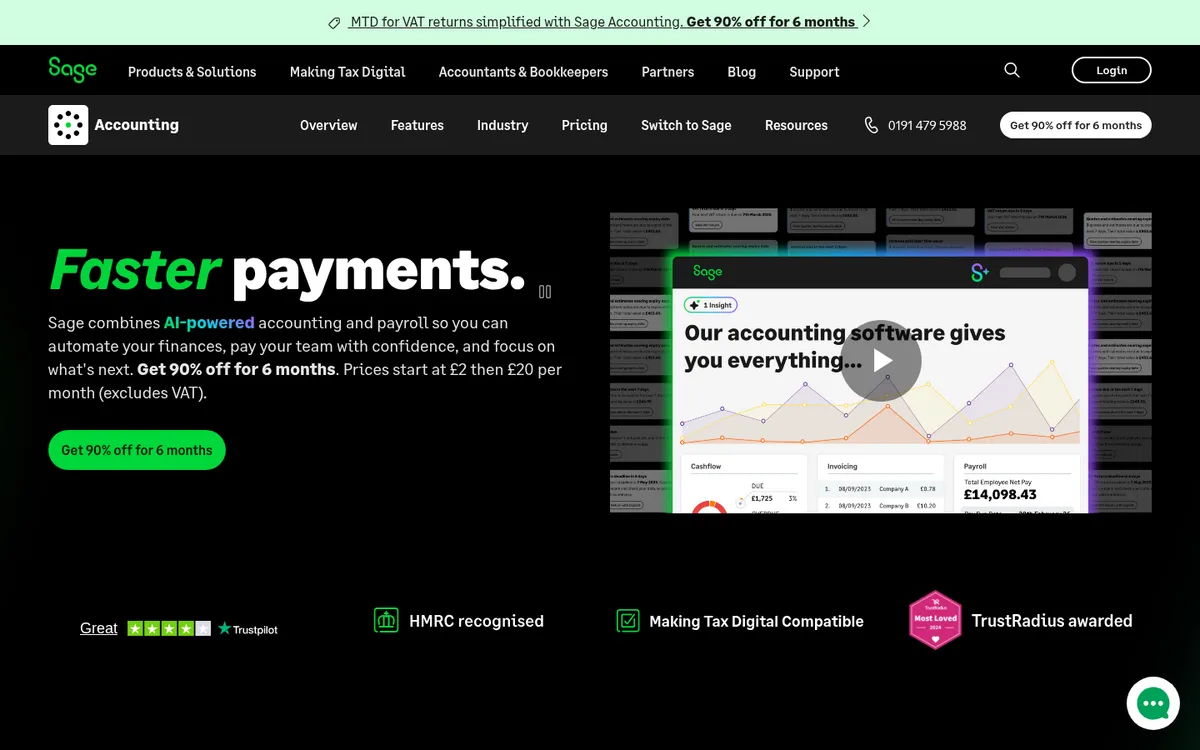
Pricing: Start £20, Standard £43 per month. CIS needs Standard or Plus.
Pros: CIS and reverse charge in the cloud product, payroll included, cheaper than Sage 50.
Cons: No job costing by cost code, no subcontractor applications or retention, and the CIS plan costs more than QuickBooks.
4. Sage 50 – Best for Established Contractors Needing CIS
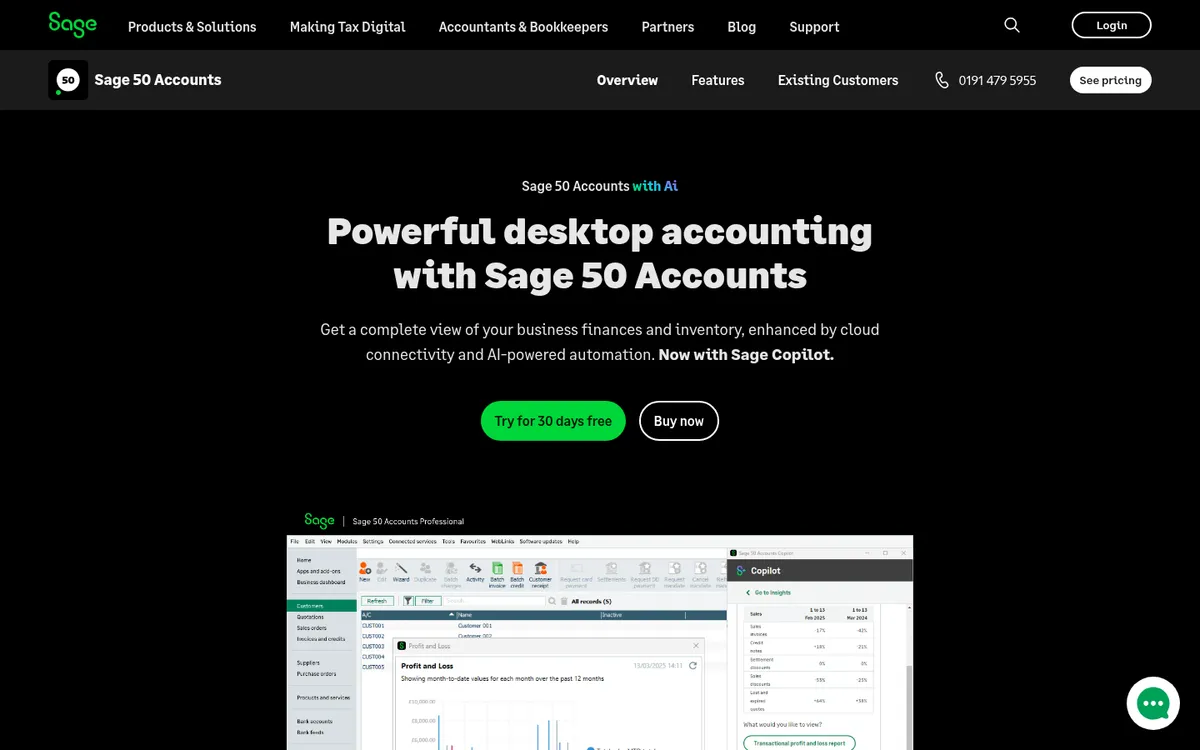
Sage 50 has been the default accounting software for UK construction companies for decades. It handles CIS through a paid module, supports detailed nominal coding for project allocation, and integrates with Sage Payroll for PAYE and pension management.
If your business has used Sage for years and your accountant knows it inside out, switching may not be necessary. With the CIS module, Sage 50 handles deductions, subcontractor statements and HMRC returns. The trade-off is that it is desktop-based (with cloud add-ons), the interface feels dated, and proper job costing requires disciplined nominal code setup. See Sage 50 vs Planyard for the side-by-side.
Best for: Established UK contractors (10-50 staff) with an in-house accounts team already trained on Sage who need CIS and payroll in one place.
Key features:
- CIS deductions and HMRC returns (paid module)
- Detailed nominal coding for project allocation
- Integration with Sage Payroll
- Purchase ledger with batch invoicing
- Bank reconciliation and VAT MTD
Pricing: Standard £115 and Professional £234 per month. The CIS module costs £11 a month on top.
Pros: Full CIS with the module, UK payroll integration, most accountants familiar with it, reliable for compliance.
Cons: Expensive next to the cloud tools, CIS costs extra, desktop-first architecture, dated interface, limited real-time project visibility, job costing requires manual setup and discipline.
5. Zoho Books – Best on a Tight Budget
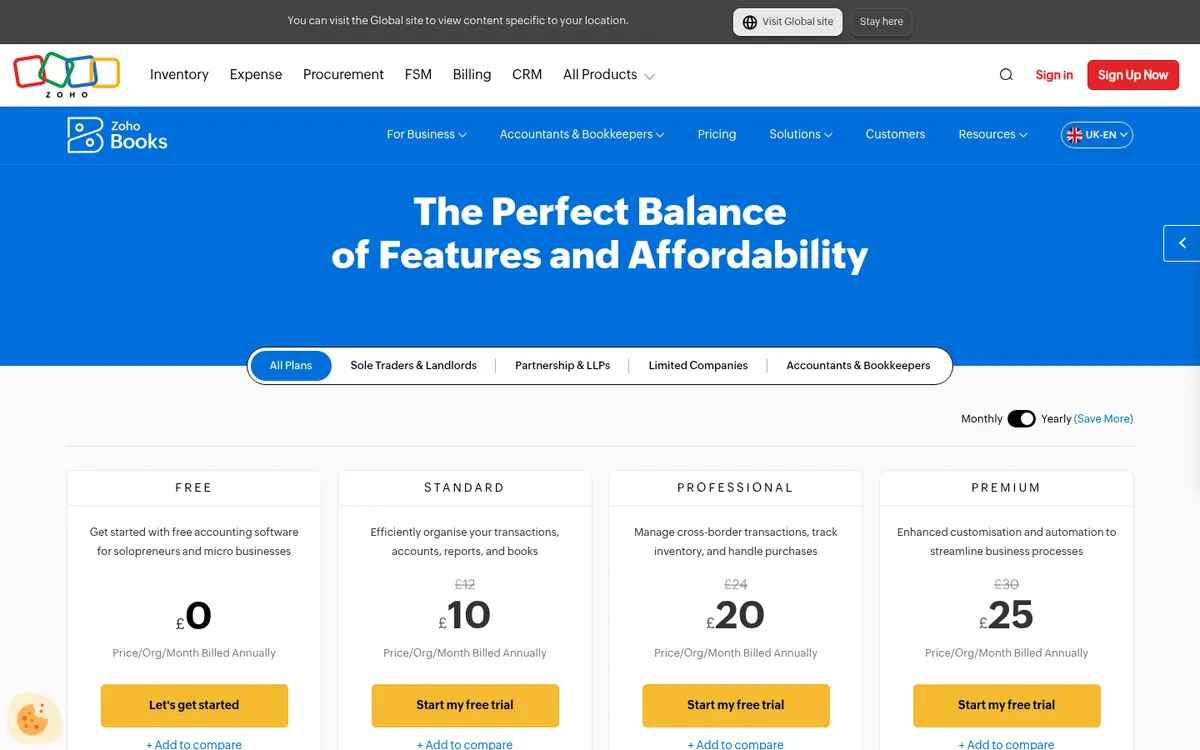
Zoho Books has a free plan for one user that tracks CIS, records retention payments, runs up to three projects and files MTD VAT returns. Submitting CIS returns to HMRC needs the Professional plan.
Best for: Small builders who want CIS tracking and basic retention without a monthly bill, and firms already using other Zoho apps.
Pricing: Free, Standard £12 and Professional £24 per month (£10 and £20 billed annually). CIS returns from Professional.
Pros: Free tier is usable, retention payments built in, CIS filing cheaper than Sage Accounting.
Cons: Fewer UK accountants work with it, project tracking is basic, no subcontractor portal.
6. FreeAgent – Best for CIS-Registered Subcontractors

FreeAgent is designed for freelancers and small businesses in the UK. It handles CIS for subcontractors and, since July 2025, for contractors too – meaning if you are a subcontractor being deducted from, FreeAgent tracks your CIS deductions and helps you reclaim them. It also handles self-assessment, VAT, and basic invoicing.
FreeAgent is not designed for main contractors managing many subcontractor packages. It is best suited for individual tradespeople or small specialist subcontractors who need to track their own CIS deductions and file their own returns.
Best for: CIS-registered subcontractors and sole trader tradespeople who need to manage their own tax affairs and reclaim CIS deductions.
Key features:
- CIS deduction tracking and reclaim
- Self-assessment tax estimates
- Invoicing with automatic payment reminders
- Bank feeds and VAT MTD
- Free with NatWest, RBS, Ulster Bank and Mettle business accounts
Pricing: Sole trader £19, partnership £24 and limited company £33 per month. Free with selected UK business bank accounts.
Pros: Excellent CIS handling for subcontractors, self-assessment integration, potentially free with your bank account, simple interface.
Cons: Not designed for main contractors, no job costing across multiple projects, no subcontractor management features, limited to sole traders and micro businesses.
For sole traders with simple books, Pandle (free, or £5 a month for Pro) and KashFlow are also worth a look. Check that the plan you pick handles CIS on the side you need.
7. The Access Group (COINS) – Best for Mid-to-Large Main Contractors

The Access Group acquired COINS and now offers a construction-specific ERP covering accounting, project management, procurement, and subcontractor management. It is one of the few platforms built specifically for UK construction from the ground up, with native CIS, retention, and certificate management.
Access Construction (formerly COINS) is designed for main contractors with dedicated commercial and finance teams. It handles the full financial lifecycle from tender through to final account. The trade-off is implementation complexity and cost – expect a 3-6 month rollout and dedicated project management. For lighter options, see COINS alternatives.
If you need the site side as well as the money, see our guide to the best construction management software in the UK.
Best for: Mid-to-large UK main contractors (20-500+ staff) who need a single platform for accounting, project management, and subcontractor management with native CIS.
Key features:
- Full construction ERP with native CIS and retention
- Subcontractor management and payment certificates
- Procurement and supply chain management
- Contract and commercial management
- Cloud deployment with mobile access
Pricing: Custom pricing. Typically £500 to £2,000+ per month depending on modules and users. Implementation fees apply.
Pros: Built for UK construction, native CIS and retention, comprehensive subcontractor management, scales to large organisations.
Cons: Expensive, 3-6 month implementation, complex interface, overkill for contractors under 20 staff, requires dedicated admin resource.
8. Procore (Financial Management Module) – Best for Large Contractors

Procore is a project management platform for large construction companies. Its Financial Management module adds budgeting, commitments tracking, payment applications, and change order management on top of Procore’s core project and document management features.
Procore is designed for main contractors running projects above £5 million with large teams and multiple project managers. It is overkill for small-to-mid UK builders, both in complexity and cost. But for organisations managing 20+ concurrent projects with dedicated commercial teams, it provides comprehensive financial oversight.
Best for: Large UK main contractors (50+ staff) running complex, high-value projects who need integrated project management and financial control.
Key features:
- Budget management with change order tracking
- Commitment and payment application workflows
- Integration with Sage, Xero, and other ERPs via connectors
- Document management and project coordination
- RFIs, submittals, and drawing management
Pricing: Custom pricing. Typically £1,000+ per month. Annual contracts with implementation fees.
Pros: Comprehensive project management, strong document control, widely used on large UK projects, good API ecosystem.
Cons: Expensive, long implementation timeline, overkill for small contractors, financial module is add-on (not included in base), limited native CIS support.
One more thing to check before you request a quote: Procore’s pricing includes a revenue-based component, which makes the final figure hard to predict from a seat count. We have written separately about the complexity of the Financials module and what Procore costs.
9. Buildertrend – Best for Residential Builders

Buildertrend targets residential builders and remodellers. It combines project management, client communication, estimating, and basic financial tracking in one platform. Its strength is the client-facing portal where homeowners can view progress, approve selections, and make payments.
For UK residential builders managing extensions, new builds, and renovations, Buildertrend handles the full client lifecycle from estimate to completion. The financial features are lighter than dedicated accounting tools – you will still need Xero or QuickBooks for your actual bookkeeping. For other options, see Buildertrend alternatives.
Best for: Residential builders and remodellers (1-20 staff) who want project management, client communication, and basic financials in one tool.
Key features:
- Client portal with progress updates and selections
- Estimating and proposal generation
- Scheduling and task management
- Basic budget tracking and invoicing
- Integration with Xero and QuickBooks
Pricing: From $499 per month (USD), with 10% off for paying annually upfront. No GBP pricing.
Pros: Excellent client communication tools, good for residential workflow, estimating features, all-in-one for small builders.
Cons: US-focused (limited UK localisation), no native CIS, financial features are basic, still needs separate accounting software, priced in USD.
Construction Cost Control on Top of Your Ledger
Every ledger above records a cost once the bill is entered. None of them holds the budget, the subcontract, the valuation or the retention you owe, so a job’s margin shows up after it is too late to change it. A construction tool on top of the ledger fills that gap and leaves your accountant on the software they know.
Planyard – Best for Job Costing on Top of Xero, QuickBooks or Sage
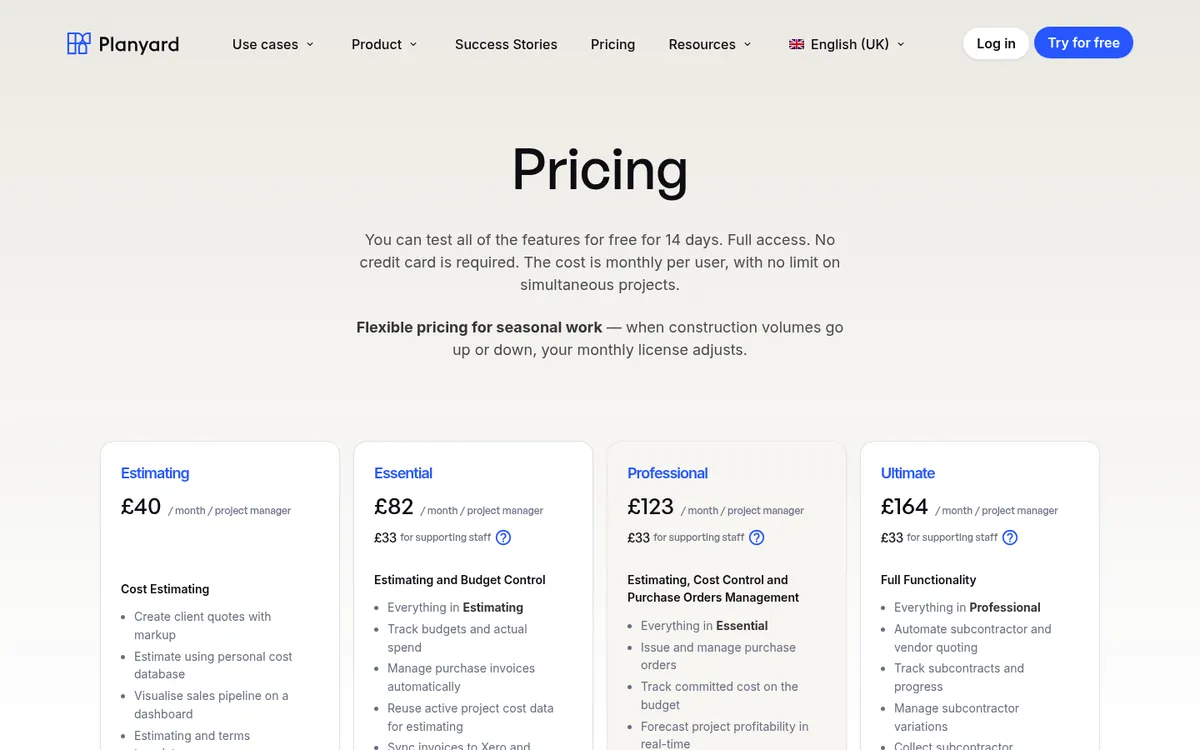
Planyard is a construction-specific cost management platform that sits on top of your existing accounting software. It handles job costing, subcontractor payment applications, purchase orders, and budget tracking – then syncs everything to Xero, QuickBooks, or Sage automatically.
For UK builders already using Xero or QuickBooks but struggling with per-project visibility, Planyard fills the gap without replacing anything. Subcontractors submit their own payment applications through a portal, invoices are matched to purchase orders, and every approved bill carries the labour and materials split, so your accounting package applies the CIS deduction and files the return.
Best for: Small-to-mid UK contractors (5-50 staff) already on Xero or QuickBooks who need construction-specific job costing without a full ERP.
Key features:
- Per-project job costing with multiple cost codes
- Subcontractor payment application portal
- Automated 3-way matching (PO, contract, invoice)
- Two-way sync with Xero, QuickBooks, and Sage
- Real-time budget vs actual dashboards
- Labour and materials split set on the subcontract order, ready for the CIS deduction in Xero, QuickBooks or Sage
- Purchase orders that add committed cost to the budget the moment they are issued
- Invoice capture through an accounts payable email address, with PO reference matching and approval flows
- RFQs with side-by-side bid comparison, plus client contracts, variations, and CVR
Pricing: £82 per project manager per month on Essential (budgets, actuals, invoice import, timesheets and the Xero, QuickBooks or Sage sync), £123 on Professional (purchase orders with approvals, committed costs, profit forecasting, client valuations and invoices, variations and retention) and £164 on Ultimate (subcontract orders, subcontractor applications, RFQs and CVR history). An Estimating-only plan is £40, and supporting staff are £33 each. See pricing. 14-day free trial, no credit card required.
Pros: Fast setup (live in under a day), no replacement of existing accounting, subcontractor portal reduces admin, real-time project margins.
Pair it with: Xero, QuickBooks or Sage for the general ledger, payroll, VAT returns and CIS filing. Planyard does not cover scheduling, field management or CRM either, so add a site app if you need those.
"We had to get our accountant on board and interface it with Xero, so invoices hit the right job number. Now an invoice gets uploaded in Planyard, I sign it off, and it drops into my Xero payment schedule in three or four weeks – it’s perfect."
Read more
See your project costs in real time – without replacing Xero
Planyard connects to your existing accounting software. Set up your first project in under an hour. No credit card required.
Best Accounting Software for Contractors and Subcontractors
Contractors and subcontractors use CIS from opposite ends, so the best accounting software for each is different.
If you pay subcontractors, you file the monthly CIS300 return, and missing one brings automatic penalties. QuickBooks Simple Start is the cheapest option with contractor filing included. Xero plus the £5 add-on suits firms whose accountant is on Xero, and Sage Accounting Standard or Sage 50 with the CIS module suits a finance team already on Sage. Once you run more than a few subcontract packages, the work that goes wrong happens before the bill reaches the ledger: checking applications, holding retention, agreeing the labour split. That is where Planyard sits, on top of Xero, QuickBooks or Sage.
If you are a subcontractor, you need to record deductions suffered, claim them back and, from April 2026, keep MTD records if your income is over £50,000. FreeAgent (£19, or free with NatWest, RBS, Ulster Bank or Mettle), QuickBooks Sole Trader Plus (£10), Xero Ignite (£18) and the Zoho Books free plan all cover this.
Tools Built for North America
Searches for construction accounting software also bring up Sage 300 Construction and Real Estate, JOBPOWER, eSUB, Plexxis, CoConstruct, Knowify and Builder Prime. They are built for US and Canadian contractors. None of them handles CIS or domestic reverse charge VAT, and most price in USD, so a UK firm would still need Xero, QuickBooks or Sage alongside. Sage 300 is a different product from the Sage 50 and Sage Accounting covered above. The trade-focused tools (eSUB, Plexxis, Knowify, Builder Prime) are aimed at specialist subcontractors and residential trades rather than main contractors running subcontract packages.
"It easily saves half of a Quantity Surveyor’s time. When you're looking at a £70,000 annual salary, that level of cost-effectiveness makes the decision to implement the system very simple."
Read more
How to Choose the Right Option
The right accounting software depends on three factors: your company size, your current accounting setup, and your project complexity.
By Company Size
Sole trader or 1-3 staff: Start with Xero, QuickBooks or FreeAgent for bookkeeping and CIS. Add a construction layer later when project volume grows.
5-20 staff, already on Xero or QuickBooks: Add Planyard on top for job costing, subcontractor management, and real-time project margins. Keep your accountant on Xero – everything syncs.
20-50+ staff: Evaluate Sage 50 if you want to keep the accounts on a desktop ledger, or Access Group if you want a full construction ERP. If you would rather keep your current ledger, add Planyard for job costing without a 6-month implementation.
By Current Accounting Setup
Already on Xero: Stay on Xero for your general ledger. Add Planyard for construction-specific job costing. Two-way sync means your accountant sees everything in Xero without changing their workflow. If you are thinking of leaving Xero, see Xero alternatives for construction.
Already on QuickBooks: Keep it for the ledger and CIS, and add Planyard for job costing and subcontractor payments. If QuickBooks no longer fits, see QuickBooks alternatives for construction.
Already on Sage: If Sage 50 meets your needs and your team knows it, stay. If you want better project visibility without migrating, Planyard also integrates with Sage. If you are weighing a move away from Sage, see Sage alternatives for construction.
No accounting software yet: Ask your accountant first. Xero is the most common choice among UK accountants, and QuickBooks is cheaper if you file contractor CIS returns. Add Planyard when you need per-project tracking.
By Project Complexity
Single trade, simple jobs: Xero or QuickBooks alone. You do not need construction-specific software for straightforward work without subcontractor packages.
Multi-package main contractor: You need proper job costing with cost codes, subcontractor payment management, and retention tracking. Planyard on top of your ledger, or Access Group if you want one system for everything.
Large, complex projects (£5M+): Procore or Access Group for full project and financial management. Budget for implementation time and dedicated admin.
Features to Check in a Demo
Whichever tier you land in, the same handful of capabilities separate tools that give you a live picture from tools that record history. Ask to see each one with your own project data.
- Committed costs captured when a purchase order or subcontract is issued, so the forecast moves before the invoice arrives
- Purchase orders and subcontracts linked to budget lines, with approvals in the same workflow
- Variation tracking, since almost every subcontract gets adjusted before it closes
- Budget and cost-to-complete analysis, so you know whether the job will finish in profit and when you might need extra cash
- Invoice collection and approval matched against the purchase order
- Live reporting across all projects of budget against committed against actual, without waiting for month-end
- Access from any device, which in practice means a cloud tool and no server to look after
Practical Steps Before You Sign
Start by writing down your actual problems, in your own words. “We need to see committed costs before invoices arrive” is a requirement. “Better reporting” is a wish. The pain points we hear most often are budgets that drift because commitments are invisible until invoiced, RFQs and purchase orders run through email, the same figures keyed into a spreadsheet, the accounts package, and a report, and a month-end reconciliation between project data and company accounts that nobody enjoys.
Then ask for a trial with your own project data rather than a canned demo, and put your project managers, quantity surveyors, and accounts staff in the room. If the QS and the PM will not use it, the feature list is irrelevant.
Two questions cut through most sales conversations. How long until my team is productive, in hours or in months? And what does it cost in total once you add seats, integrations, and training time? Check as well whether the tool scales from 3 projects to 30 and whether the pricing is published. A low seat price with a six-month rollout is often the expensive option.
"Planyard is exactly what I’m after as a business owner: a good-value system that keeps everything in one place, saves me money and makes sure I’m not losing any money on projects. As a businessman, that’s a no-brainer."
Read more
Stop waiting until month-end to know your margins
Planyard gives you real-time project costs on top of Xero or QuickBooks. 14-day free trial, no credit card, live in under a day.