
Last verified: October 2026
A general contractor makes money in the gap between what the owner pays and what the subs cost. That gap moves every week: a sub’s bid comes in high, a change order gets approved on site but never priced, a pay app bills 60% on a line that is 40% done. Software for a GC does one of two jobs. Some tools run the job: schedules, daily logs, bids, client and sub communication. Others control the money: subcontract commitments, sub pay apps, change orders and job profit. We split the list that way so you can go to the part you need.
Planyard is our product. We rank it only in the money section, where it fits, and we say what it does not do.
Prices are from each vendor’s website in October 2026. UK readers should see our guide to software for UK main contractors.
What a General Contractor Needs From Software
A GC’s commercial work runs on five records. The software should handle most of them or connect to the system that does:
- Subcontractor bids: send invitations to bid, collect numbers in one format and level them before you award.
- Commitments: every signed subcontract and purchase order sits against the budget line it belongs to, so you see committed cost before the invoices arrive. More in why commitments matter for forecasting.
- Change orders: owner change orders and subcontract change orders tracked separately, priced, approved and tied back to the budget.
- Pay applications: billing the owner on a schedule of values, usually on AIA G702 (Application and Certificate for Payment) and G703 (Continuation Sheet), with retainage held and released. Reviewing subs’ pay apps against their contracts is the other half.
- Job costing: actual cost, committed cost and forecast final cost per job and cost code, synced with QuickBooks, Sage or whatever runs your ledger.
Best General Contractor Software Compared
| Job | Software | Best for | Bids to subs | Commitments and change orders | Owner pay apps | From (USD) |
| Control the money | Planyard | Subcontractor costs and job profit on QuickBooks or Xero | Yes (Ultimate) | Yes, with committed cost and job profit | Progress billing with retainage; AIA forms coming soon | $105 per PM a month |
| Control the money | Knowify | AIA billing on QuickBooks | Not a focus | Job costing on Advanced | AIA G702 and G703, retainage | $99 a month (annual) |
| Control the money | Foundation | Construction accounting and payroll | No | POs and subcontracts in the ledger | Progress billing | Quote only |
| Run the job | Procore | Commercial GCs wanting one platform | Yes (Bid Management) | Yes | Yes (Invoicing tool) | Quote, based on construction volume |
| Run the job | Buildertrend | Residential GCs and home builders | Yes | Change orders, POs | Invoicing | $499 a month |
| Run the job | JobTread | Small residential GCs | Yes (bid requests) | POs, work orders, change orders | AIA payment applications | $159 a month (annual) |
| Run the job | Contractor Foreman | Low-cost all-in-one | Tracks your own bids | Change orders, POs | Schedule of values billing | $49 a month (annual) |
| Run the job | BuildingConnected Pro | Bid invites to a large sub network | Yes, core purpose | No | No | Quote only |
Best for Controlling the Money
These tools track what each job will cost and earn: subcontract commitments, sub pay apps, change orders, owner billing and job profit. They sit on top of your accounting system or, in Foundation’s case, replace it.
1. Planyard – Best for Subcontractor Costs and Job Profit
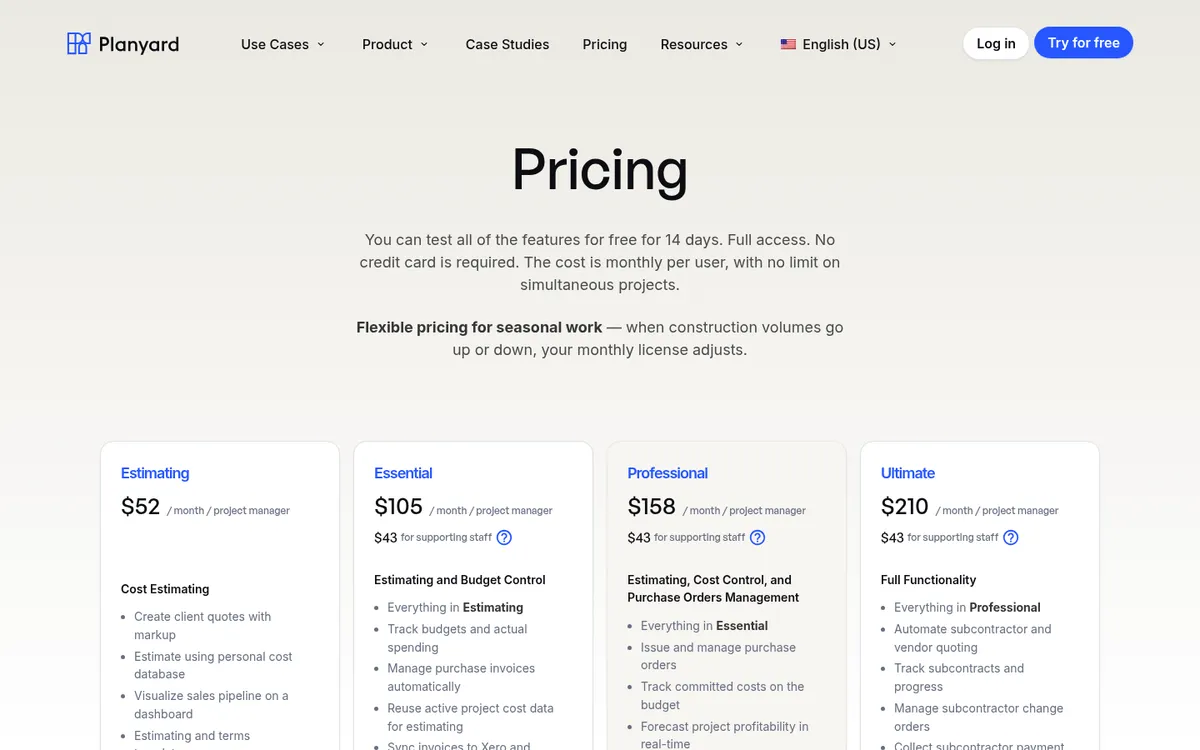
Planyard handles the money side of a GC’s job and leaves the ledger in QuickBooks or Xero. You load the budget by cost code, send bid requests to subs, compare their numbers side by side and turn the winner into a subcontract with its schedule of values. Subcontracts, purchase orders and change orders sit against the budget, so the job report shows committed cost and forecast job profit on any day of the month, not only after the books close. See job costing.
Subs submit their pay apps through a portal, and Planyard checks each line against the schedule of values and previous billing before it goes to approval (pay application software). Approved bills sync to QuickBooks or Xero. Owner billing with retainage sits in the same project, but Planyard does not produce AIA G702 and G703 forms yet; they are coming soon. Compare it with Procore and Knowify.
Best for: GCs running several commercial jobs on QuickBooks or Xero who want subcontract commitments, sub pay apps, change orders and job profit in one place without a full ERP.
Pair it with: A tool from the run-the-job section, such as Procore, Buildertrend or JobTread, for scheduling, daily logs and RFIs. Planyard has no scheduling, daily logs, RFIs, takeoff or payroll. If your owners require AIA forms today, Knowify produces them.
Pricing: Estimating $52, Essential $105 (job costing and accounting sync), Professional $158 (commitments, change orders, owner pay apps and retainage), Ultimate $210 (subcontracts with schedule of values, sub bid requests and sub pay apps) per project manager per month. Supporting staff $43. 14-day free trial, see pricing.
"I would say Planyard is a great way to easily and conveniently track all your job costs in one place. It allows you to compare your projections against real-time costs while streamlining subcontractor bids; you can receive those bids, import them directly into the software, and track them effortlessly as the project progresses."
Read more
2. Knowify – Best for AIA Billing on QuickBooks
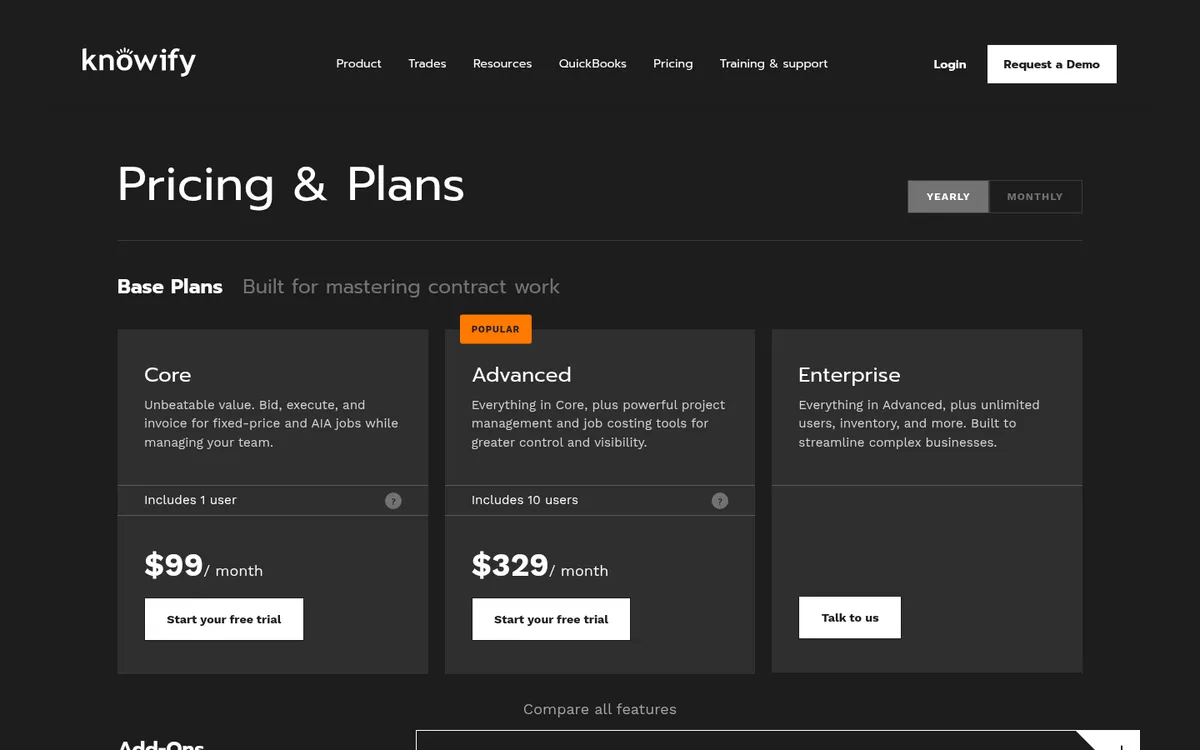
For a GC, Knowify’s strongest feature is AIA billing. It builds G702 and G703 pay apps from your schedule of values, adds approved change orders to the right billing period, tracks retainage by phase and syncs pay app and retainage data to QuickBooks Online. Official branded AIA forms are available through its partnership with AIA Contract Documents. See Knowify vs Planyard.
Knowify markets itself mainly to trade contractors, so the subcontractor management side is lighter than a GC-first tool.
Best for: Smaller GCs and trade contractors on QuickBooks Online whose main pain is AIA pay apps.
Watch out for: Core includes one user; job costing and project management tools need Advanced at $329 a month.
Pricing: Core $99 a month and Advanced $329 a month on annual billing ($149 and $399 month to month). Extra users $29 a month. Enterprise is quote only.
3. Foundation Software – Best Construction Accounting for GCs With Payroll

Foundation is construction accounting software. Job costing, payroll, purchase orders and subcontracts, and accounts receivable come as standard, with add-ons for project management, mobile time tracking and equipment. It suits GCs with union or prevailing wage payroll that QuickBooks cannot handle. Our construction accounting roundup compares it with Sage 100 Contractor.
Best for: GCs whose accounting and payroll have outgrown QuickBooks.
Watch out for: A bigger implementation than the cloud tools above, and the project-side tools are add-ons.
Pricing: Quote only. Pricing depends on the modules you choose.
Best for Running the Job
These tools run the project itself: bids, schedules, daily logs, RFIs and the client side. Most include some job costing, but the field and project work is what they are built for.
4. Procore – Best for Commercial GCs That Want One Platform
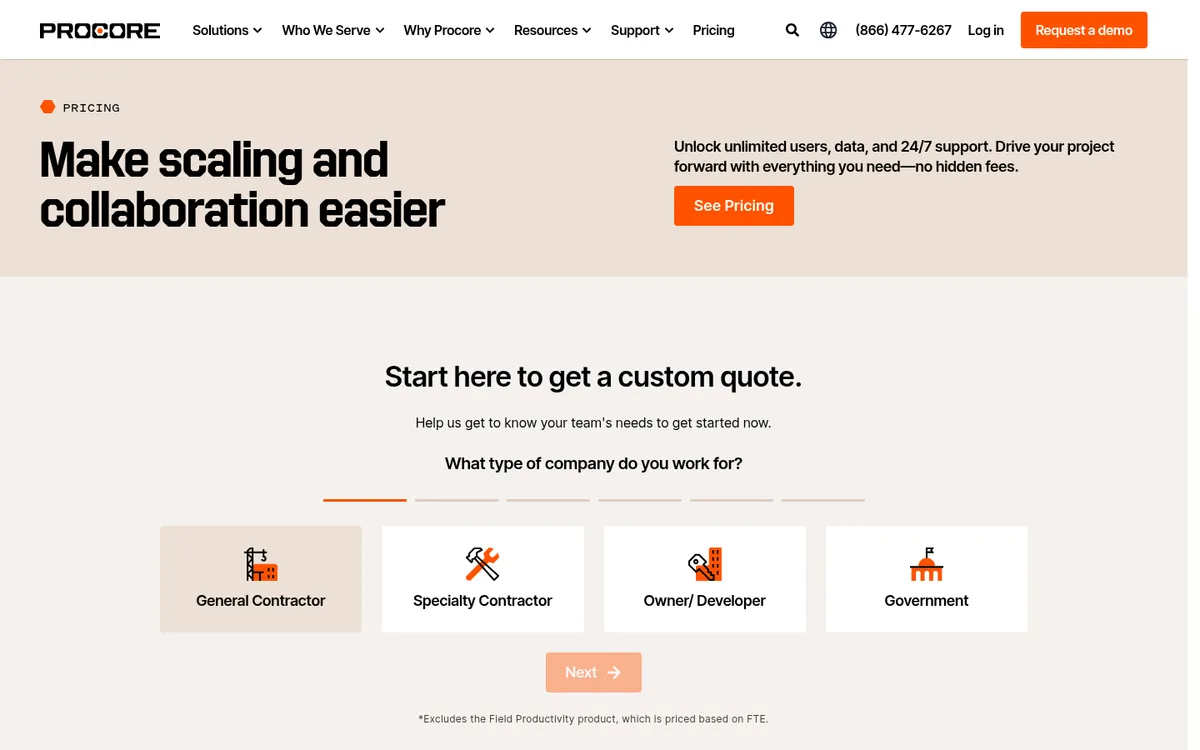
Procore is the default for mid-size and large commercial GCs. Bid management, commitments, change events, budgets and invoicing (subcontractor invoices are raised against commitments) sit next to drawings, RFIs, submittals and daily logs. Users are unlimited, so subs and owners work in it at no extra cost.
You buy products separately and pay an annual fee based on your construction volume, and configuring the financials takes time. See our Procore alternatives and Buildertrend vs Procore.
Best for: Mid-size and large commercial GCs who want field and financial tools in one system.
Watch out for: Expensive for small GCs, annual contracts only, and it still needs an accounting system for the ledger.
Pricing: Quote only. Procore charges an upfront annual fee per product based on annual construction volume, with unlimited users.
5. Buildertrend – Best for Residential GCs and Home Builders
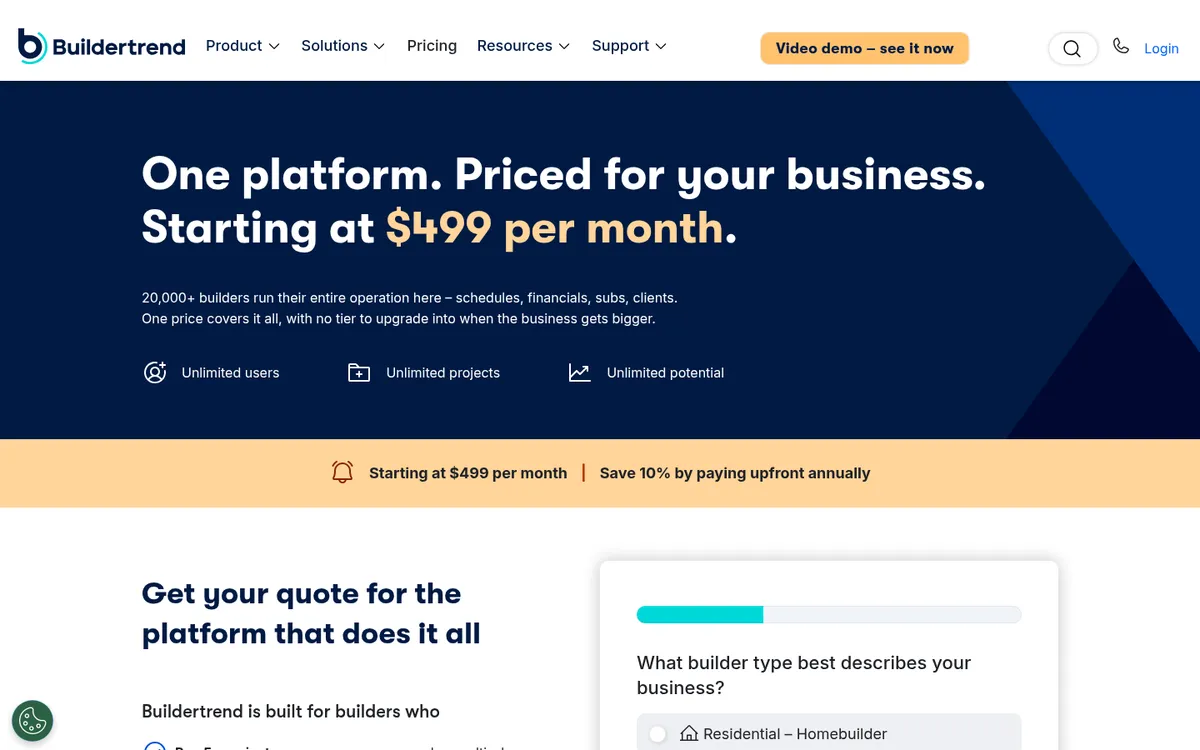
Buildertrend is built for custom home builders and remodelers. Bids, estimates, job costing budgets, change orders, a client portal and a sub portal are all in the subscription, and it syncs with QuickBooks, Xero and Sage Intacct.
Commercial GCs who bill on AIA forms and run large subcontract packages are not its main market. See Buildertrend vs Planyard and Buildertrend alternatives.
Best for: Residential GCs who want sales, client communication and job costing in one system.
Watch out for: The $499 starting price is high for a small firm, and commercial pay app workflows are not its focus.
Pricing: Starting at $499 a month, with 10% off when paying annually upfront.
6. JobTread – Best Value All-in-One for Small GCs

JobTread puts a lot into one flat price: estimating, bid requests to subs and vendors that convert into POs and work orders, change orders, job costing, sub and vendor bills matched to POs, and AIA payment applications. Customer, sub and vendor portal users are free.
It suits residential and light commercial GCs who want one system and do not want to pay per module.
Best for: Small and mid-size GCs who want bids, POs, change orders and AIA pay apps without an enterprise contract.
Watch out for: With every feature included there is a lot to set up, and accounting still lives in QuickBooks or Xero.
Pricing: $199 a month including one internal user, plus $20 per extra user. $159 a month on an annual plan, with volume breaks above 10 users.
7. Contractor Foreman – Best Low-Cost All-in-One
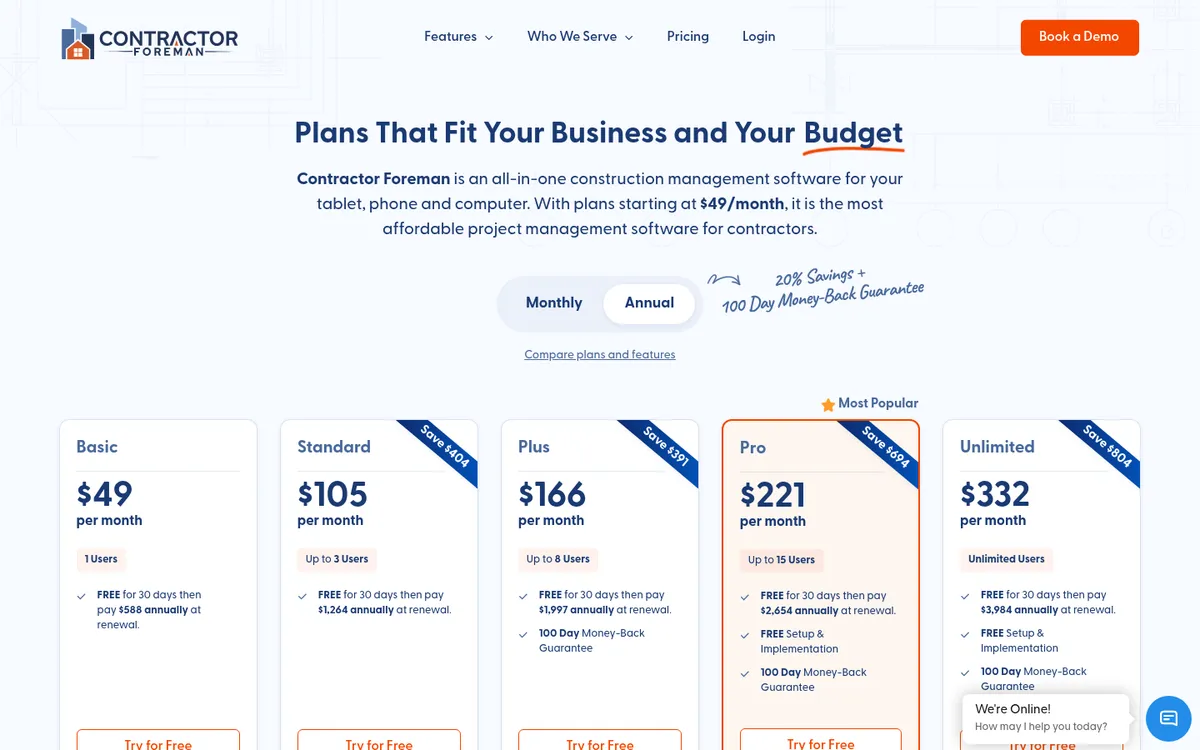
Contractor Foreman is the cheapest broad tool here. It covers bid tracking, estimates, schedule of values, change orders, purchase orders, scheduling, daily logs and time cards, with a 30-day free trial and a 100-day money-back guarantee on annual plans. See Contractor Foreman vs Planyard.
Best for: Small GCs who want field and office tools for under $200 a month.
Watch out for: Committed cost reporting and sub pay app review are basic next to dedicated cost tools. The $49 Basic plan is one user and annual only.
Pricing: Annual plans: Basic $49 (1 user), Standard $105 (3 users), Plus $166 (8), Pro $221 (15), Unlimited $332 a month. Monthly billing starts at $139.
8. BuildingConnected Pro – Best for Sending Bid Invites
BuildingConnected is Autodesk’s bid management network. GCs send invitations to bid from a network of over 1.5 million construction professionals, level bids side by side and keep historical bid data. TradeTapp, sold alongside it, handles subcontractor prequalification.
Best for: Commercial GCs who bid a lot of work and need to reach subs beyond their own list.
Watch out for: It stops at the award: no commitments, change orders or pay apps. You need another tool for the job once it starts.
Pricing: Quote only for GCs. Autodesk offers user, project and account-based pricing and a 30-day money-back guarantee.
Know your margin on every job before month-end
Set up a budget, award a subcontract and log a change order. Planyard shows committed cost and forecast final cost straight away. 14-day free trial.
How We Chose
We scored each tool on the monthly work of a GC: buying out subs, tracking commitments, pricing changes and billing the owner. We read every vendor’s pricing and feature pages in October 2026 and dropped tools that publish too little to check, along with field-only apps. We then grouped the eight by job, controlling the money or running the job, and ranked each group on its own.
Which One Fits Your Company
- Residential GC or custom home builder: Buildertrend, or JobTread if you want a lower flat price.
- Small or mid-size commercial GC on QuickBooks: Planyard for commitments and job costing, or Knowify if AIA billing is the main gap.
- Large commercial GC: Procore, with BuildingConnected for bidding and Foundation or Sage for accounting.
- Tight budget, small team: Contractor Foreman.
Hausers, a general contractor, used to set aside several days each month for project numbers in Excel. With Planyard, costs are processed as they arrive and subs’ progress reports are checked for errors automatically.
"I used to have a calculator on my office table to manually double-check all the calculations in progress reports from subcontractors. There’s no more need for that as Planyard automatically checks for errors and ensures compliance. This has reduced the time spent on the review process a lot."
Read more
Run subcontracts, change orders and pay apps in one place
Planyard connects to QuickBooks, Xero and Sage. Start a 14-day free trial or book a demo with our team.