
It’s a monthly project review, and the commercial manager is presenting to the board. The cost report shows £300K invoiced against a £1M budget – “70% remaining, on track.” But across the desk, the QS knows the real picture: £700K is already committed through subcontracts and POs. Only £300K of budget is actually available. Nobody in the room sees it.
That gap – between what’s been invoiced and what’s been committed – is where forecasts go wrong. This post explains what commitments are in construction cost management, why invoice-based reporting misses them, how they feed the forecast formula, what happens when you ignore them, and how to implement commitment-based forecasting. If you’re new to the topic, start with What Is Construction Forecasting.
The gap in traditional cost reporting
Traditional cost reporting shows you what’s been invoiced. It answers the question: “How much have we been billed so far?”
That’s useful – but it’s not the same as your cost position. Your cost position is: “How much are we obligated to spend?” And the answer to that question includes every subcontract you’ve awarded, every purchase order you’ve raised, and every hire agreement you’ve signed – regardless of whether an invoice has arrived.
On a typical mid-stage project:
- Invoiced to date: £300K
- Committed (subcontracts + POs): £700K
- Budget: £1M
An invoice-based report says “30% spent – on track”. A commitment-based forecast says “70% committed – only 30% of budget remains to cover the rest of the work.” These are drastically different pictures. The second one is true.
"Planyard takes your project budget and puts it very clearly on screen, allowing you to account for all your costs, invoices, and receipts as you process them before they even reach the accounting department. This gives you a live, real-time picture of exactly where your project budget stands at any given point."
Read more
What is a commitment?
In construction cost management, a commitment is a legal or practical obligation to spend money. Specifically:
- Subcontract awards: you’ve let a groundworks package for £150K. The subcontractor will complete the work and invoice you. That £150K is committed.
- Purchase orders: you’ve ordered materials – steel, concrete, windows. The supplier will deliver and invoice. Committed.
- Hire agreements: plant, equipment, temporary works. You’ve signed the hire – committed.
The money hasn’t left your bank account. No invoice has arrived. But the obligation is real. You will pay this money. Your forecast should reflect it today – not in six weeks when the first application comes in.
Note the distinction from accrued costs. An accrual is work done but not yet invoiced (backward-looking). A commitment can include future work too – the subcontract covers work that hasn’t started yet but will happen.
Committed vs invoiced vs forecast: a worked example
Take a real scenario on a £1M project, six months in:
| Metric | Value |
|---|---|
| Project budget | £1,000,000 |
| Subcontracts let + POs raised (committed) | £700,000 |
| Invoiced to date | £300,000 |
| Remaining budget (uncommitted) | £300,000 |
Without commitment tracking: “We’ve spent £300K against a £1M budget. 70% of budget remaining. On track.”
With commitment tracking: “We’ve committed £700K. Only £300K of budget remains for all uncommitted work. Is £300K enough to cover everything we haven’t procured yet?”
The second question is the one that matters. And without commitment tracking, you can’t ask it – because you don’t know the answer.
"When you look at your margin without using Planyard, you might think you’re making 21%. But are you really if things have been missed and you can’t see them? Planyard lets you see a true margin all the time."
Read more
How commitments feed the forecast
The forecast formula becomes simple once you think in commitments:
Forecast Final Cost = Committed Costs + Estimated Uncommitted Remaining
The committed portion is highly reliable – it’s based on agreed prices. The uncommitted portion is the estimate – it’s where uncertainty lives. As the project progresses:
| Project stage | Committed % | Forecast basis | Reliability |
|---|---|---|---|
| Early | ~20% | Mostly estimates | Low – high uncertainty |
| Mid | ~60% | Majority real prices | Moderate – becoming reliable |
| Late | ~90% | Almost entirely known costs | High – very reliable |
This is the “commitment curve” – and tracking it tells you not just where your costs are heading, but how confident you should be in that prediction.
For the full methodology of building this into your monthly process, see our cost-to-complete forecasting guide.
What happens when you don’t track commitments
Three scenarios that happen every day on construction projects without commitment tracking:
Scenario 1: The over-budget letting
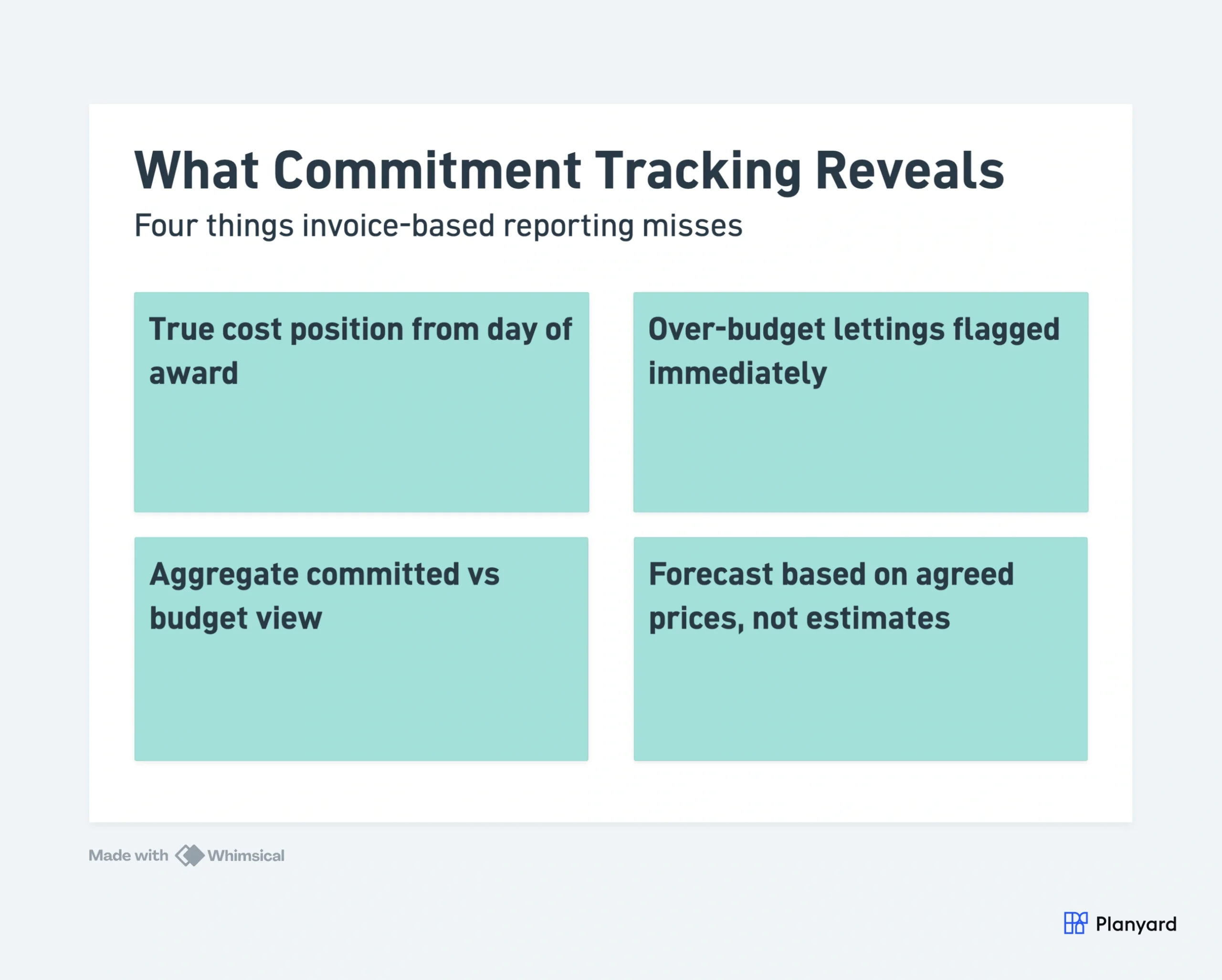
You let the cladding package for £180K. Your budget allowance was £150K. That’s a £30K overrun – but it won’t appear in invoice-based reporting for weeks. In the meantime, your director is told “we’re on budget” because the cost report shows zero against that trade.
With commitments: the £30K overrun is visible on the day of award. Action can be taken immediately.
Scenario 2: The budget breach nobody noticed
You let all your packages over a three-month period. Individually, each one looks close to budget. But cumulatively, total committed exceeds total budget by £80K. Nobody noticed because they were looking at individual invoices, not the aggregate commitment position.
With commitments: a simple budget vs committed comparison shows the aggregate overrun the moment it develops.
Scenario 3: The false confidence report
The MD asks: “Will we hit our margin on Project X?” The QS says yes – based on costs to date looking healthy. But committed costs tell a completely different story. The forecast that doesn’t include commitments is lying by omission.
"The possible errors and over-expenditure are immediately visualized. I get the information at the right time, so I have time to react. The overview is much better than via Excel."
Read more
See your real cost position – not just what's been invoiced
Track commitments from day of award. Know your true exposure before the first invoice arrives.
The commercial manager’s view
From a commercial manager’s perspective, the key report is: “Show me committed vs budget, by trade.”
For each trade heading:
- Committed > budget: problem already exists. Even with zero invoices, you’ve overcommitted. Investigate – was the market higher than estimate? Was scope wrong? Can you recover elsewhere?
- Committed < budget: two possibilities. Either you’ve bought well (the package is complete and came in under) or you haven’t procured yet (the budget is still exposed to market risk). You need to know which.
- Committed = budget: on track for this trade – assuming no anticipated extras or variations.
This simple comparison – committed vs budget – is the earliest and most reliable indicator of project health. It doesn’t rely on invoices (which lag). It doesn’t rely on estimates of remaining work (which involve judgement). It’s based on agreed, signed prices.
Implementing commitment-based forecasting
The discipline is straightforward:
- Record every order immediately. Every subcontract award and PO gets logged against the relevant budget line on the day it’s agreed. Not next week. Not at month-end. Today.
- Update when orders change. Subcontract variations, supplementary POs, scope changes – the committed value updates as soon as the change is agreed.
- Compare committed vs budget at every review. This is your primary health check. Any trade where committed exceeds budget needs attention.
- Forecast = committed + remaining estimate. For committed packages, use the order value (plus anticipated extras). For uncommitted work, estimate remaining based on current information.
- Track the commitment curve. What percentage of the budget is committed? A rising curve means your forecast is becoming more reliable over time.
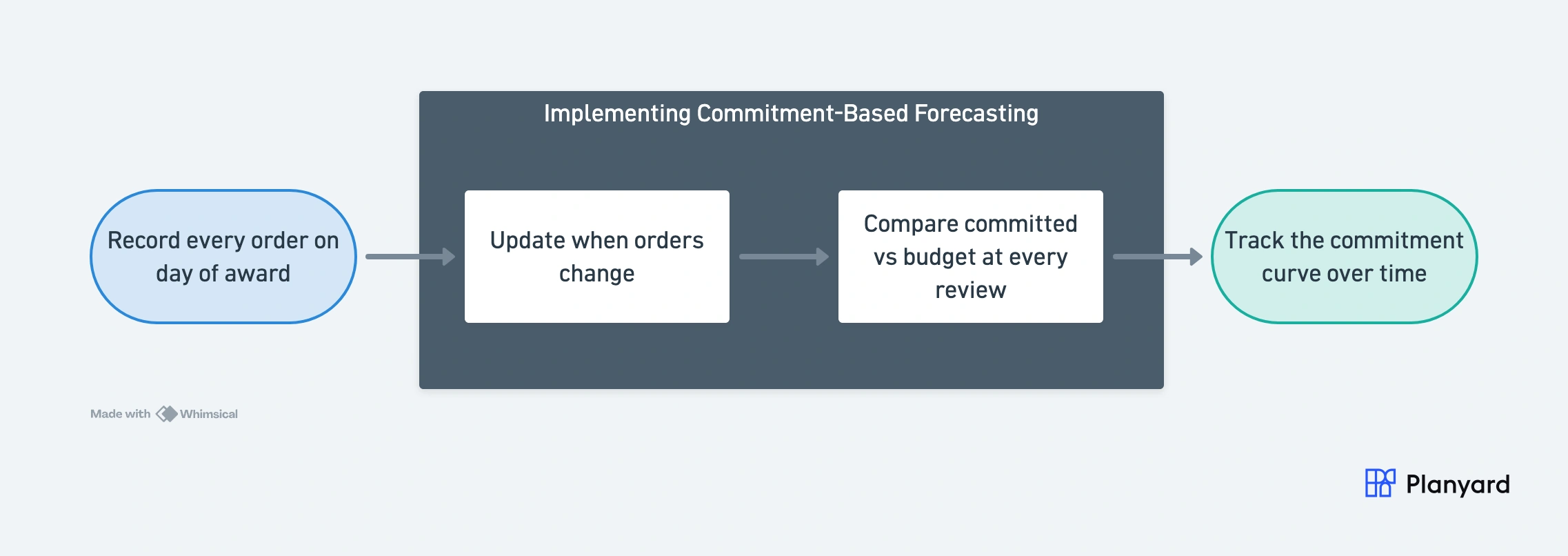
This requires discipline: every order must be logged, every change captured. In a spreadsheet, this is another manual data-entry task. In software, it’s automatic – the PO system feeds the forecast directly.
"The main thing is that actually all the agreements we have made, all the orders, all the financial obligations taken on with this project, run directly into the system…"
Read more
Why this matters for cash flow too
Commitments aren’t just about profitability forecasting. They’re also your best predictor of future cash outflows. If you’ve committed £500K and only paid £200K so far, £300K is coming – you just don’t know exactly when.
This is critical for cash flow forecasting. Commitments tell you the quantum of future payments. Payment terms and application schedules tell you the timing. Together, they give you a reliable cash flow forecast.
The software advantage
Commitment tracking in spreadsheets works – but it’s another manual task in an already manual process. The QS raises a PO in one system, then manually enters it in the forecast spreadsheet. Two data entries for one event. One gets missed, and the forecast is wrong.
Construction forecasting software eliminates this double-handling. When you raise a PO or award a subcontract in Planyard, the committed cost feeds the forecast automatically. The budget vs committed comparison updates in real time.
Teams get up and running in hours and start seeing their real commitment position on their first project. Variances are flagged immediately – no waiting for month-end.
For contractors on Xero, Planyard integrates directly – you keep your accounting workflow unchanged while gaining project-level commitment visibility that Xero alone can’t provide.
"Everything has a PO linked to a job number. No one does a job without a purchase order, so when I look at margin I know it’s the true margin."
Read more
Try this exercise
Open your current cost report for any live project. Now separately add up all your let subcontracts and raised purchase orders. Is the total different from what’s in the cost report?
If yes – that gap is your commitment blind spot. It’s the amount of cost exposure your forecast is currently ignoring. And if that gap exceeds the contingency in your budget, your margin forecast is already wrong.
That’s the power of commitment tracking in one exercise. Once you see the gap, you can’t unsee it.
Close the gap between committed and reported costs
Every PO and subcontract feeds your forecast from day one. See the real picture.