
Last verified: October 2026
A builder with four on the tools and a busy diary prices a rear extension on a Sunday night: a spreadsheet he started in 2019, a merchant price list from March, and a labour rate he hopes is still right. The quote goes out on Monday. If he wins, he finds out in month three whether the numbers were any good.
Estimating software speeds up the Sunday night and makes the number more reliable. This guide compares eight tools that small UK builders actually use, with GBP prices checked on each vendor’s own site in October 2026. They split by how you price. If you work out quantities from drawings, dimensions or a floor plan, go to the takeoff and measurement section. If you price from your own rates and want the won estimate to become the budget you track invoices against, start with the cost database section.
Planyard is our product. We rank it only in the cost database section, where it fits, and we say what it does not do.
Pricing in Australia? See our guide to the best construction estimating software in Australia. US contractors should read the US guide to construction estimating software.
What to Look For in Estimating Software for a Small Building Firm
Where your quantities come from
If you price from architects’ drawings, you want takeoff: measuring walls, floors and roofs on screen so the quantities drop into the estimate. If most of your work is extensions, lofts and refurbs priced from a site visit, templates with built-in quantities will save you more time than takeoff will. Some tools on this list sell takeoff as an extra, so check what the starting price includes.
UK material prices you can trust
A price book from last spring is a risk. Look for live or regularly updated prices from UK merchants, and check whether you can load your own trade prices. EasyEstimate, EstimatorXpress and Buildxact all link to merchant pricing in different ways.
A quote the client can read
Your client wants a clear, branded document with a total, a scope and payment stages. You want the detail behind it to stay internal. Most tools here produce a PDF quote; check whether you can show totals by heading without exposing every line.
What happens after you win
When the job is won, does the estimate become a budget you track costs against, or does it sit in a folder while you start a new spreadsheet? If it links to Xero, QuickBooks or Sage, supplier invoices can be checked against what you priced.
Desktop or cloud, annual or monthly
A couple of the established UK tools are installed Windows programs sold on annual licences. Newer tools run in a browser on a monthly plan you can cancel. The choice decides whether your site lead can open an estimate on a phone, and whether you pay a year up front.
Estimating Software for UK Builders Compared
Prices are as published by each vendor in October 2026 and exclude VAT unless stated.
| Job | Tool | Best for | Starting price | Takeoff | UK price data | Accounting link | After the quote |
| Cost database to budget | Planyard | Keeping the estimate as the job budget | £40 per month (Estimating) | No | Your own cost database | Xero, QuickBooks, Sage (from Essential) | Budget, cost tracking, POs |
| Cost database to budget | esti-mate | Small main contractors pricing tenders | £1,515 (annual licence fee applies) | Add-on (£455) | BCIS libraries (from £410) | Not stated | Subcontract and material enquiries |
| Cost database to budget | PriceBuilder | Fast template quotes | £25 per month (5 quotes) | No | Built-in trade rates | Not stated | Quote only |
| Takeoff and measurement | EstimatorXpress | House builders and extensions | £899 per year | Separate kit (from £1,299) | Templates plus live merchant prices | Not stated | Quote and specification |
| Takeoff and measurement | Buildxact | Residential builders who want one system | £119 per month (£89 billed annually) | Yes | Supplier price files | Xero, QuickBooks, MYOB | POs, schedules, invoicing |
| Takeoff and measurement | EasyEstimate | Budget cloud estimating with live prices | Free, then £39.99 per month | Yes | 60,000+ items, live from UK merchants | Xero, QuickBooks, Zoho Books | Invoicing, stage payments, material orders |
| Takeoff and measurement | Price A Job | Builders who also want building regs and structural calcs | £35.95 per user per month | Yes | Materials, labour and plant library | Own accounting module (£13.86) | POs, payment schedule |
| Takeoff and measurement | RenoCalc | Refurb quotes from a floor plan | First quote free, then £9.99 per quote | AI floor plan scan | Built into the quote pack | Not stated | Excel quote and contract pack |
Best for Estimating From Your Own Cost Database Into the Job Budget
These tools price from rates and libraries you keep. Only Planyard carries the won estimate into a job budget; esti-mate stops at the tender and PriceBuilder at the quote.
1. Planyard – Best for Turning the Estimate Into the Job Budget
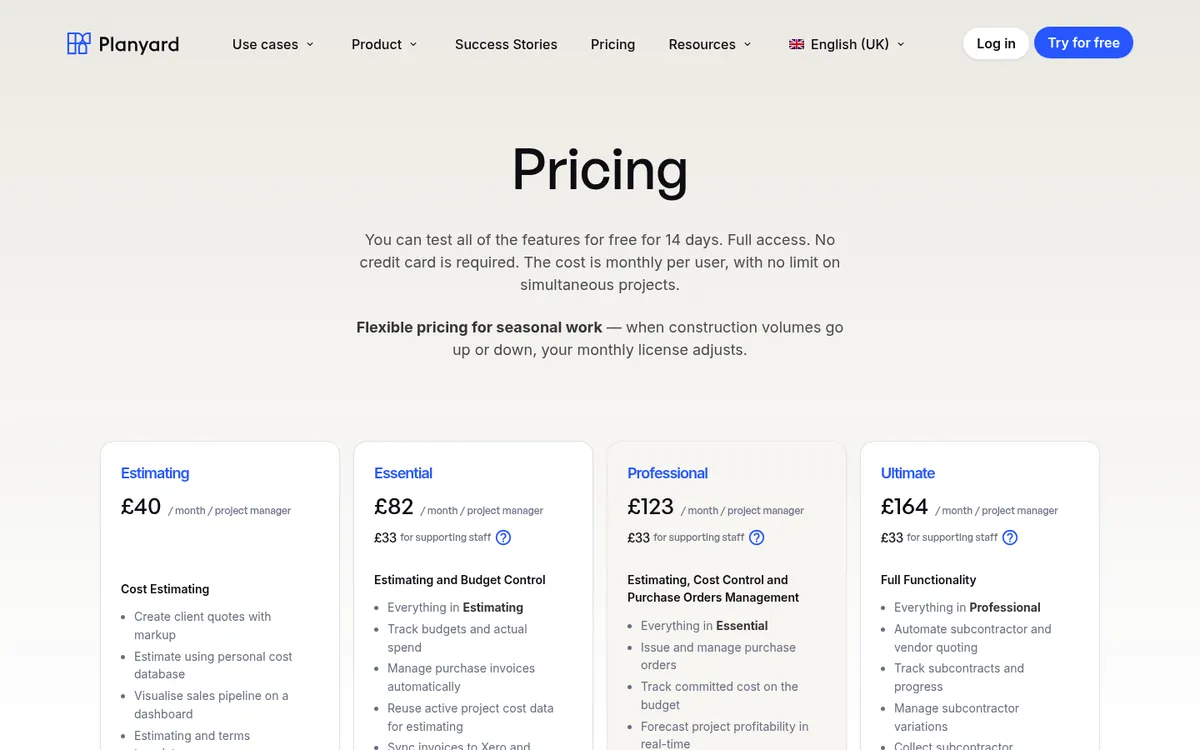
Planyard starts from cost, not drawings. You build the estimate from your own cost codes and rates, work out quantities with volume calculations, add markup, and send the client a proposal. On Professional, each item breaks down into materials, labour and plant, so the estimate gives you a bill of materials to order from. The Estimating plan includes quote markups, templates for quote terms, quote versioning and a sales pipeline that shows which bids are out and which you have won.
From the Essential plan, the won estimate becomes the project budget, supplier and subcontractor invoices are coded against the same lines, and Xero, QuickBooks or Sage stays in sync. You can see whether the job is still making the margin you priced, and you reuse real costs from past jobs on the next estimate. Purchase orders and approval workflows come in on Professional, and subcontract orders with a schedule of values on Ultimate.
Paul Treweek, a quantity surveyor and estimator at DPTQS in Cornwall, estimates in Planyard almost every day and puts the time saved at a day a week. He changes a rate once in the central database and the whole job updates.
Best for: Small main contractors and builders who price from their own rates and want the estimate to carry straight into cost tracking.
Pair it with: a takeoff tool or a template estimator such as EstimatorXpress if measuring is your bottleneck. Planyard has no takeoff and no UK merchant price library.
Pricing: Estimating £40, Essential £82 (estimate to budget, cost tracking, accounting sync), Professional £123, Ultimate £164, all per project manager per month. Supporting staff £33. Ex VAT. 14-day free trial.
"Overall, I would say it saves me a day a week. Because I use Planyard almost every day now for estimating, the time savings are huge. It offers the flexibility I always wanted from Excel, but it does so much more because it actually has the database to back it up, which is a massive advantage."
Read more
2. esti-mate – Best for Small Main Contractors Pricing Tenders
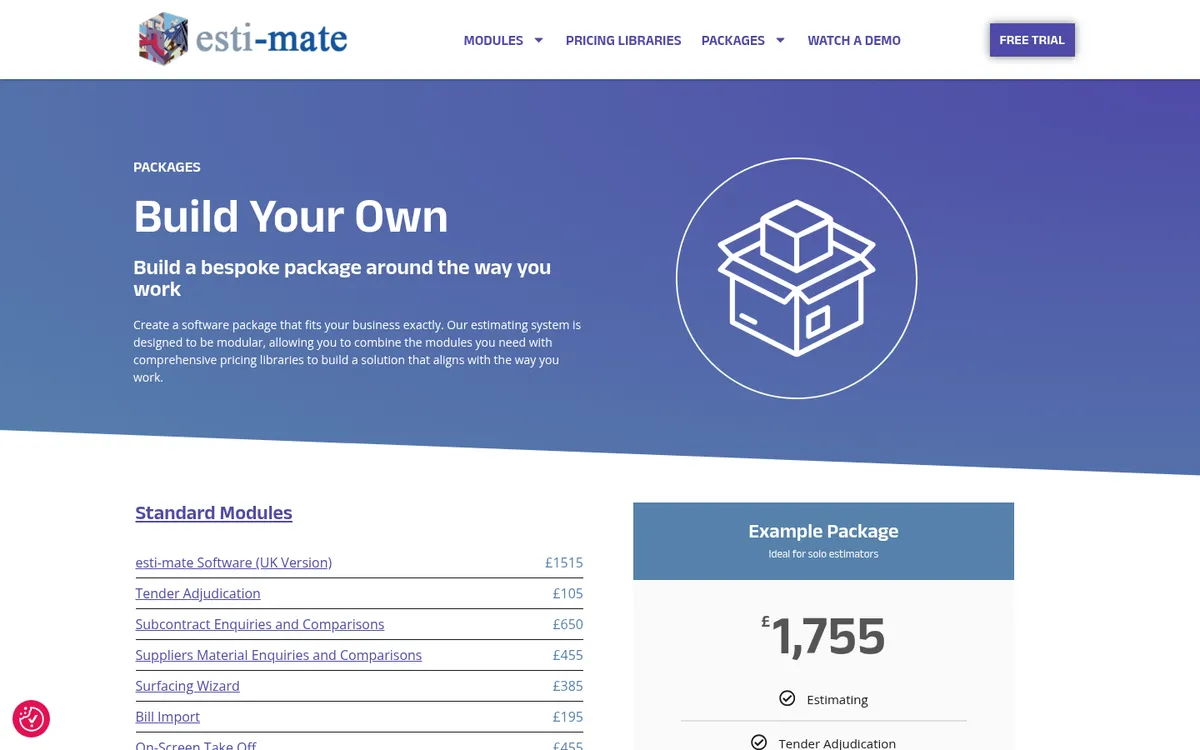
esti-mate is a long-standing UK estimating system (one customer quoted on its site has used it since 2001) aimed more at main contractors and housebuilders pricing tenders than at quick domestic quotes. It is modular: the core estimating software, then on-screen takeoff, tender adjudication, subcontract and material enquiries with comparisons, and bill import.
It works with BCIS pricing libraries (Major Works, Minor Works, Small Works, Alterations and Refurbishment, SMM7 and others), which suits builders who price bills of quantities for commercial clients and local authorities.
Best for: Small main contractors and housebuilders who price bills of quantities and send out subcontract enquiries.
Watch out for: More system than a domestic builder needs, and the package price climbs fast once you add libraries and training.
Pricing: esti-mate Software (UK version) £1,515, On-Screen Take Off £455, BCIS libraries from £410 each. Packages: Main Contractor Standard £2,520, Professional £3,180; Housebuilders Standard £2,595, Professional £3,970. Ex VAT and subject to an annual licence fee. 20-day free trial.
3. PriceBuilder – Best for Fast Template Quotes

PriceBuilder is a quick quoting tool. Trade rates and material costs are built in and regularly updated, you adjust labour rates and set profit separately on labour and materials, and the finished quote goes to the client as a branded PDF.
Pricing is by volume of quotes, and every plan includes every feature.
Best for: Sole traders and small builders who quote standard domestic work and want a professional PDF in minutes.
Watch out for: There is no takeoff and no material ordering, and it does nothing after the quote is accepted.
Pricing: Basic £25 per month (5 quotes), Professional £35 (50 quotes), Unlimited £45 (99 quotes). Ex VAT (£30, £42 and £54 inc VAT). First three quotes free.
Best for Takeoff and Measurement-Led Estimating
These tools work out quantities for you from drawings, dimensions or a floor plan, then price them. We ranked them on their own merits.
4. EstimatorXpress (HBXL) – Best for UK House Builders and Extensions
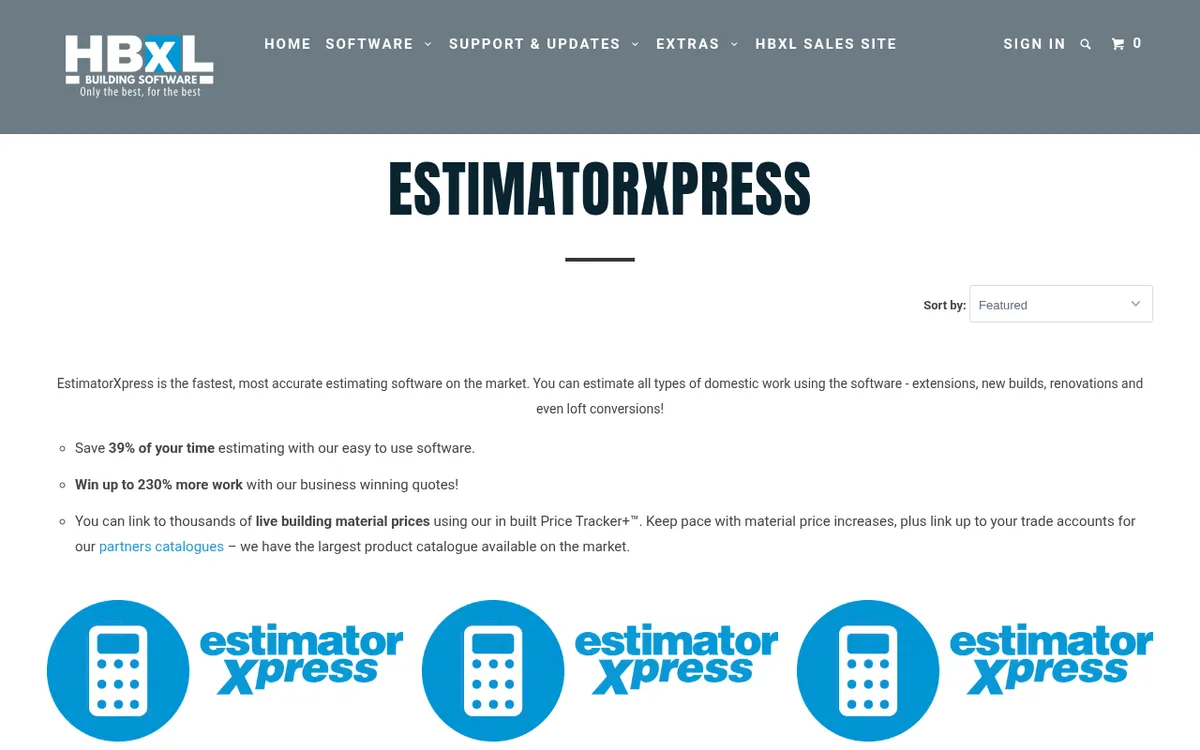
EstimatorXpress from HBXL is the first result in Google for this search, and HBXL says more than 10,000 builders and developers use it. You pick a template (loft conversion, single-storey extension, new build), enter dimensions, adjust the specification, and the workbooks calculate materials, labour, plant and wastage. Hundreds of templates come preloaded with prices, and Price Tracker+ links to live merchant prices and your own trade accounts.
It is Windows software you install. HBXL’s system requirements list Windows 10 or 11, and Mac users need a copy of Windows running on the Mac. On-screen takeoff is a separate product: the Take-off & Estimate Kit, where you trace a plan and EstimatorXpress works out the quantities.
Best for: Domestic builders doing extensions, renovations and small new builds who want detailed, template-driven estimates and do not mind a desktop program.
Watch out for: Takeoff costs extra, it does not run on a phone or in a browser, and the estimate stops at the quote. Tracking costs on the live job happens somewhere else.
Pricing: Essential annual subscription £899, Pro £999. Outright licences list at £1,999 (Essential) and £2,399 (Pro), with 12 months of support included, then a paid Support & Updates renewal. Take-off & Estimate Kit from £1,299. All ex VAT. 14-day free trial.
5. Buildxact – Best All-in-One for Residential Builders
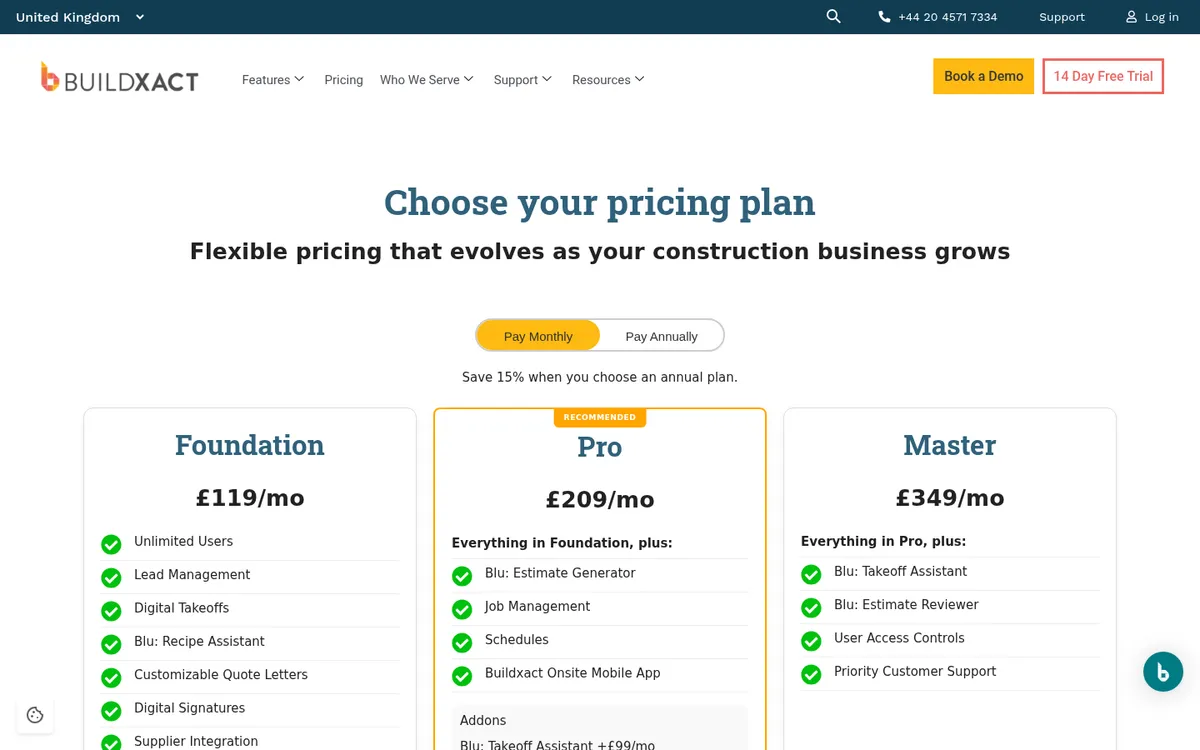
Buildxact covers the whole front end of a residential job: leads, digital takeoff, estimating, quote letters with digital signatures, supplier price integration and purchase orders on the entry plan. Pro adds scheduling, job management and the Onsite mobile app. Every plan includes unlimited users, which matters if your office manager and site lead both need access.
Invoices and purchase orders sync to Xero, QuickBooks or MYOB. Buildxact also sells AI add-ons (it calls them Blu) for generating and reviewing estimates. If you are weighing it against us, read Buildxact vs Planyard.
Best for: Residential builders and renovators who want takeoff, estimating, quoting and scheduling in one browser-based system.
Watch out for: The best prices need a 12-month commitment, and the AI add-ons cost £99 to £149 a month on top. It is a big system to set up if all you want is faster quotes.
Pricing: Foundation £119 per month, Pro £209, Master £349 on monthly billing. Annual plans work out at £89, £160 and £262 per month (£1,060, £1,917 and £3,141 a year). Unlimited users, ex VAT. 14-day free trial.
6. EasyEstimate – Best Budget Option with Live UK Material Prices

EasyEstimate is a Suffolk company that built its tool for small UK builders and trades. It runs in a browser on any device and pulls live prices for 60,000+ materials from UK merchants including Jewson, Travis Perkins and Selco. There are 140+ trade calculators (brickwork, blockwork, roofing, plastering), plan takeoff and a template library.
The free tier is not a time-limited trial: you can build complete estimates, but you cannot send, download or export them until you upgrade. Professional adds branded PDFs, invoices, stage payments and material orders, plus a one-click link to Xero, QuickBooks Online or Zoho Books. EasyEstimate also runs an estimating service if you would rather have its estimators price the job for you.
Best for: Sole traders and small builders who want live merchant prices and a low monthly cost with no contract.
Watch out for: The free tier will not send or export anything, and the Xero and QuickBooks link only comes with Professional.
Pricing: Free tier to build estimates. Professional £39.99 per month or £399.99 per year, ex VAT. No minimum contract.
7. Price A Job – Best for Building Regs and Structural Calcs in the Same Tool
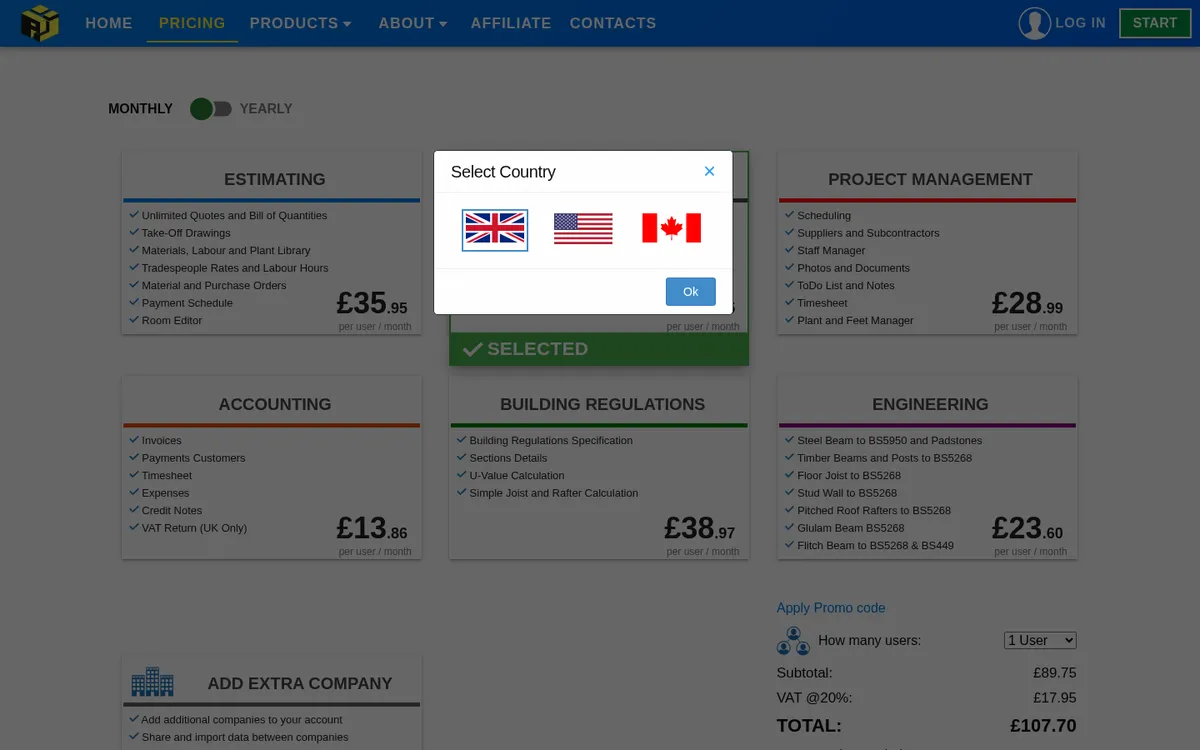
Price A Job is sold as separate modules you can combine. Estimating covers unlimited quotes and bills of quantities, takeoff from drawings, a materials, labour and plant library, labour hours by trade, material and purchase orders, payment schedules and a room editor.
Two modules set it apart. A Building Regulations module writes specification sections and U-value calculations, and an Engineering module sizes steel beams, padstones, timber joists and rafters. Small design-and-build firms can keep the quote, the spec and the simple calcs in one place.
Best for: Domestic builders who want estimating, building regs specifications and simple structural calculations from one supplier.
Watch out for: Each module is priced per user, so the full set adds up quickly, and each user is limited to three devices.
Pricing: Estimating £35.95 per user per month. Accounting £13.86, Project Management £28.99, Building Regulations £38.97, Engineering £23.60. All Included £89.75 per user per month. Ex VAT. Free demo, no card needed.
8. RenoCalc – Best for Refurbishment Quotes From a Floor Plan
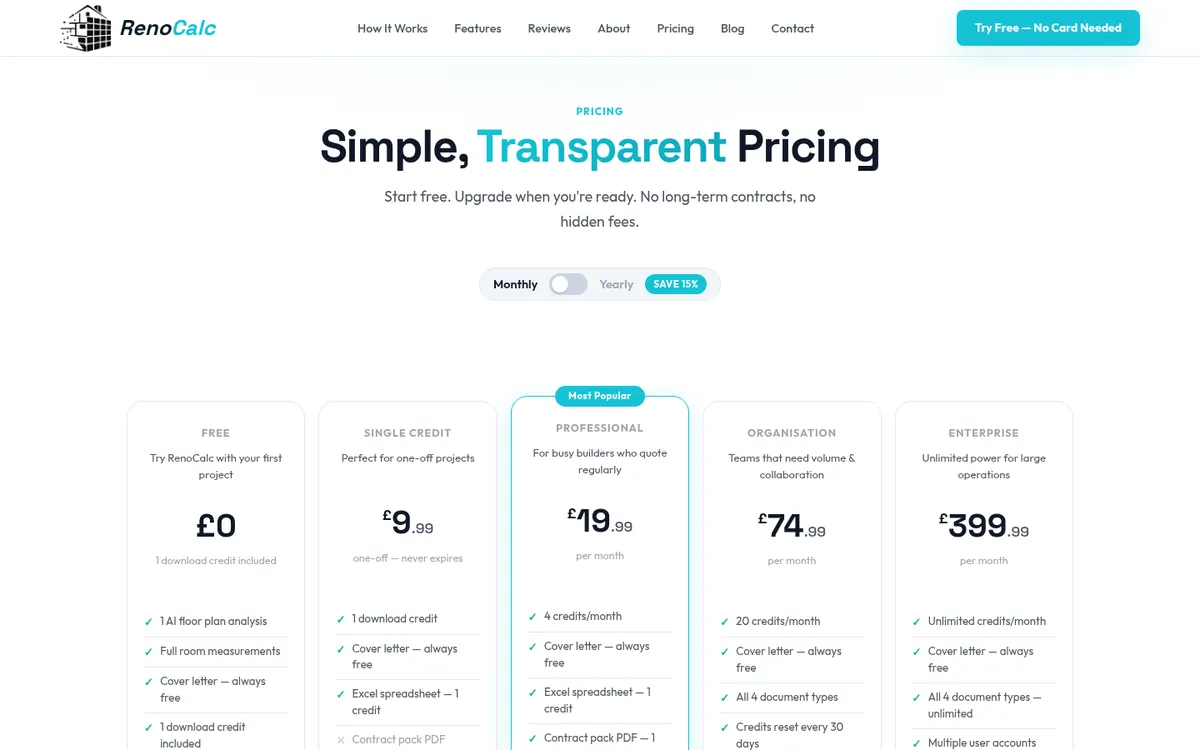
RenoCalc uses AI to read a floor plan (an estate agent PDF, a photo taken on site or a scaled drawing), detect each room and measure it. A few minutes later you get an Excel quote pack with a bill of quantities, materials list, labour breakdown, radiator schedule, schedule of works, method statement, cover letter and contract pack.
It is a web app that also works in a mobile browser, and you pay per quote or by monthly credits.
Best for: Renovation and refurbishment builders who get floor plans rather than full drawings and want a first quote fast.
Watch out for: The output is an Excel file, so your edits and cost tracking happen in a spreadsheet afterwards. Check the AI’s room measurements before the quote goes out.
Pricing: Free first quote. Single credit £9.99. Professional £19.99 per month (4 credits), Organisation £74.99 (20 credits), Enterprise £399.99 (unlimited). VAT treatment not stated on the pricing page.
Your estimate was the plan. See whether the job sticks to it.
Turn the won estimate into a budget, code every supplier and subcontractor invoice against it, and keep Xero, QuickBooks or Sage in sync. 14-day free trial.
What Happens After the Quote
Most estimating tools on this list are built to win the job. Once the client signs, the estimate usually goes into a folder and a new spreadsheet starts, so nobody checks the invoices against what was priced.
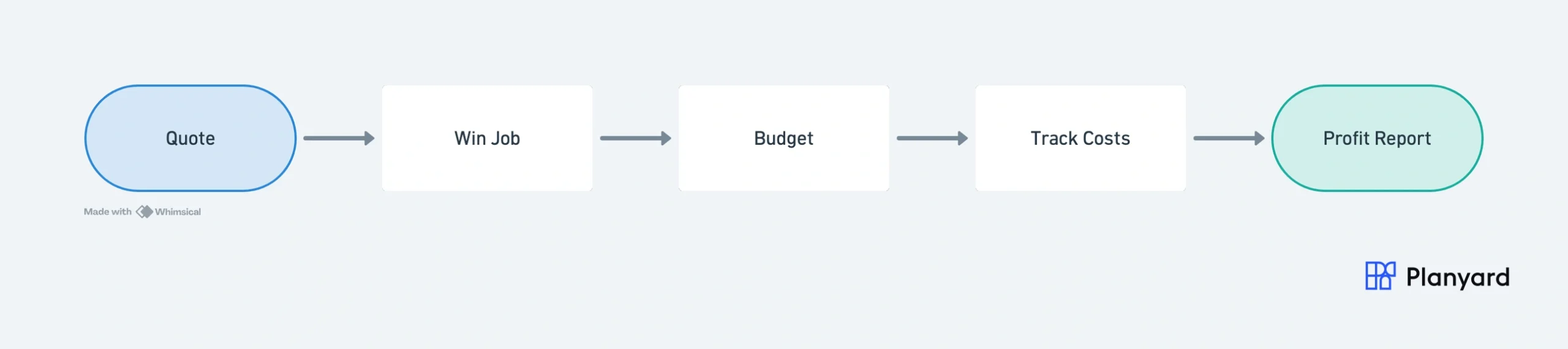
Closing that gap takes four steps:
- Use the accepted estimate as the job budget, line for line.
- Code every supplier and subcontractor invoice to a budget line as it arrives.
- Check committed and actual cost against the budget each week, not at the end.
- Feed the real costs back into your rates for the next estimate.
Buildxact and EasyEstimate cover part of this with purchase orders and invoicing. Planyard is built around it: the estimate becomes the budget and the accounts stay in sync. Our walkthrough of estimating to budget to POs in Xero shows the setup step by step, and the job costing page covers the tracking side.
"When you look at your margin without using Planyard, you might think you’re making 21%. But are you really if things have been missed and you can’t see them? Planyard lets you see a true margin all the time."
Read more
How to Choose by Type of Builder
Sole trader or two-person firm
Start with EasyEstimate’s free tier or PriceBuilder’s three free quotes. Both cost less than £50 a month when you upgrade. If you only price a few jobs a month, a free construction estimating template in Excel is a fair place to start.
Domestic builder doing extensions and lofts
EstimatorXpress if you want ready-made UK templates and are happy on Windows. Buildxact if you want takeoff, quoting and scheduling in the browser with your team. Price A Job if building regs and beam calculations are part of your service.
Small main contractor pricing tenders
esti-mate with BCIS libraries if you price bills of quantities. If takeoff is your main job, the tools in our guide to quantity surveying software go deeper. Our construction bid template helps keep tender submissions consistent.
Builder whose margins slip after the quote
If your estimates are fine but jobs come in under margin, the problem is after the quote. Keep whichever estimating tool you like, or price in Planyard directly, and run the job budget in Planyard on top of your accounting software. Our list of the best construction accounting software covers the accounts side.
How We Chose
We started from the tools that rank and get recommended for UK small builders: vendor sites, UK builder forums, and threads such as r/DIYUK’s “Estimating Software UK Builder”. We kept tools that sell in the UK, publish a GBP price and still exist in October 2026, and checked every price and plan name on the vendor’s own pricing page. We ranked the two groups separately. Planyard is our product and sits only in the cost database group, because it has no takeoff.
Price the job. Then keep the price.
Build estimates from your own rates, turn the won job into a live budget, and track every invoice against it with Xero, QuickBooks or Sage. 14-day free trial.