
Ten minutes into building an estimate in a spreadsheet, you already know how the rest of the week is going to go: a formula breaks, a line item gets forgotten, and the wrong version ends up in a client’s inbox.
Last verified: October 2026
We looked at the construction estimating software that US contractors actually search for and compare: cost databases, digital takeoff, and the newer AI-assisted tools, plus the accounting integrations that decide whether your numbers sync to QuickBooks or Xero or get typed in twice. They fall into two jobs. Takeoff tools such as STACK, Buildxact, PlanSwift and Houzz Pro measure quantities off drawings and price them. Cost database tools such as ProEst, Buildertrend, Procore, Sage and Clear Estimates price from line items and rates you keep, and the better ones carry the estimate into the job budget.
Pricing in the UK? See our guide to the estimating software for small builders in the UK. In Australia, read the best construction estimating software in Australia.
Planyard is our product. We rank it only in the cost database group, where it fits, and we list what it does not do. If you need takeoff, skip to the takeoff section; Planyard is not in it. You can also start from Planyard’s own construction estimating software page to see how the two halves fit together.
The 10 best construction estimating software tools, compared
| Job | Tool | Best for | Starting price (verified October 2026) | Platform | Accounting integrations | Verdict |
|---|---|---|---|---|---|---|
| Cost database to budget | Planyard | Turning a won estimate into a tracked budget | From $52/mo per project manager | Cloud plus iOS/Android app | QuickBooks, Xero, Sage, MYOB | Best for turning the estimate into a tracked budget with purchase orders and job costing |
| Cost database to budget | ProEst (Autodesk Forma) | Flexible, searchable cost databases for detailed estimates | Pricing on request | Cloud | Forma Build; other ERPs via Autodesk partners | Strong database options if you commit to the Autodesk ecosystem |
| Cost database to budget | Buildertrend | Builders who want estimating bundled with scheduling | From $499/mo | Cloud plus mobile app | QuickBooks, Xero | Solid choice when estimating connects straight into scheduling |
| Cost database to budget | Procore Estimating | Large GCs already running Procore | Custom quote | Cloud plus mobile app | Sage Intacct, other ERPs via marketplace | Fits contractors who already standardized on Procore |
| Cost database to budget | Sage Estimating | Heavy civil and large commercial bids | Pricing on request | Windows desktop plus cloud add-ons | Sage 100, Sage 300, Sage Intacct | Trusted database for large bids, built for specialists |
| Cost database to budget | Clear Estimates | Remodelers who want a templated estimate builder | From $59/mo (billed annually) | Cloud | None native; Zapier to CRMs | Fast way to template residential estimates without a full PM system |
| Takeoff and measurement | STACK | Takeoff and estimating in one cloud tool | From $299/mo per user | Cloud plus field app | QuickBooks, Sage Intacct, Acumatica | Best when takeoff and estimating need to live under one login |
| Takeoff and measurement | Buildxact | Residential builders using AI-assisted estimates | From $169/mo (billed annually) | Cloud plus mobile app | Xero, QuickBooks | Good entry point for residential builders on a budget |
| Takeoff and measurement | PlanSwift | Trade contractors who need fast digital takeoff | From $2,000/yr per seat | Windows desktop | None native; Excel export only | Quickest way to get takeoff numbers without a full estimating suite |
| Takeoff and measurement | Houzz Pro | Residential remodelers who want estimates with CRM | From $99/mo | Cloud plus mobile app | QuickBooks Online | Useful when the estimate needs to live next to CRM and marketing tools |
Prices above are the lowest published plan for each tool, in USD, checked directly on each vendor’s pricing page. Several vendors, including ProEst, Procore, and Sage, do not publish pricing and require a sales call for a quote.
How we chose
We started from the vendor pricing pages themselves rather than from marketing copy, checking each tool’s published plans directly on its own site in October 2026 and noting where pricing is not public. We cross-checked which tools contractors actually name in search results and in trade forums like r/estimators and r/Construction, rather than relying only on vendor claims. We looked specifically at whether a tool connects to QuickBooks or Xero, because switching between an estimating tool and bookkeeping software by hand was one of the most common complaints we found. We ranked the two groups separately. Planyard is our product and sits only in the cost database group, because it has no takeoff.
Best for estimating from a cost database into the job budget
These tools price from line items and rates you keep. Most of them also carry the won estimate into a budget, so job costs are tracked against what you priced. Clear Estimates is the exception: it stops at the proposal.
1. Planyard
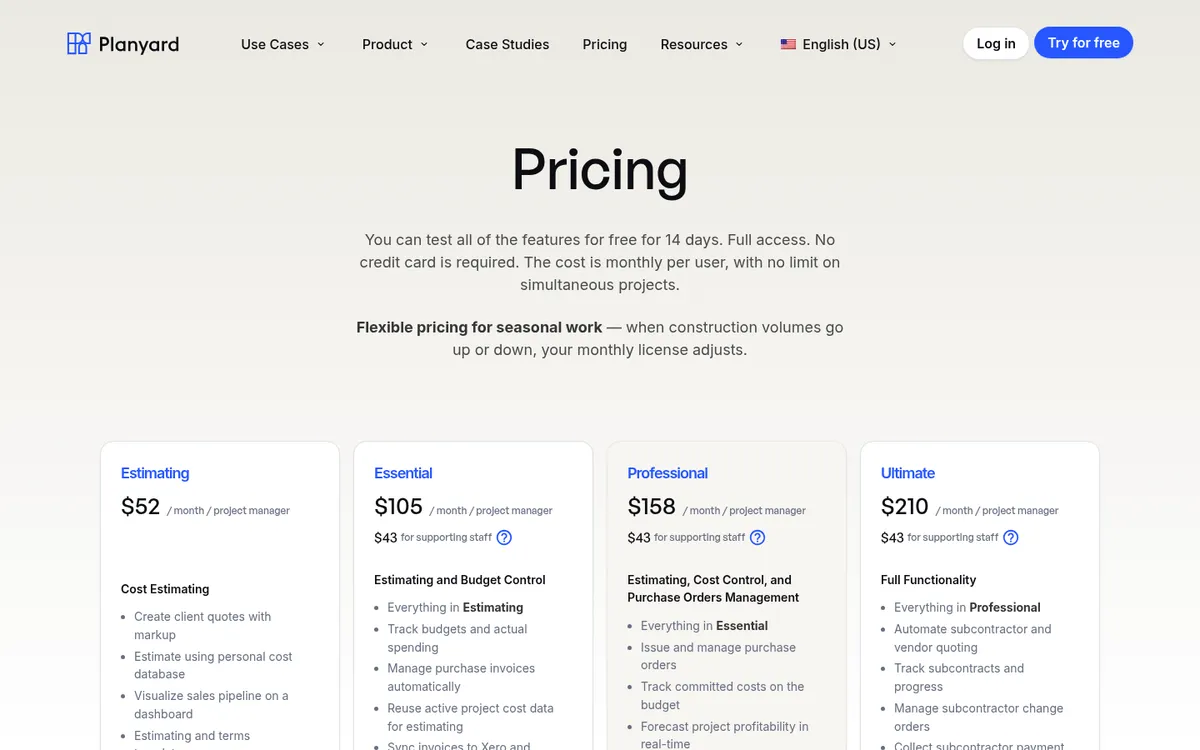
Planyard is for general and specialty contractors who want to turn a won estimate into a tracked budget, with purchase orders and job costing attached to that same budget as the job runs. It has its own cost estimating and client quoting tools: quantities with volume calculations, a bill of materials that breaks each line into materials, labor and equipment, and markup on the client quote. The materials, labor and equipment breakdown comes with the Professional plan. What it does not include is digital takeoff from drawings.
"I think Planyard is the piece of software that I have seen that can revolutionize how SMBs run their business. At the moment they are heavily relying on QSs, expensive QSs. We don’t necessarily need to have that many expensive QSs in the business if you got the automated processes of Planyard that effectively can replace one QS, so all of a sudden you are saving yourself a potential 100 grand in the business."

Price: The Estimating plan starts at $52 per month per project manager. Purchase orders, committed cost tracking, and cashflow forecasts are included from the Professional plan at $158 per month per project manager, and subcontract orders with a schedule of values from the Ultimate plan at $210 (verified planyard.com/pricing, October 2026).
Strengths: purchase orders tie directly to the budget, so committed cost updates as soon as an order goes out, not when the invoice finally arrives; subcontractor bids become subcontract orders with a schedule of values that subs bill against, and change orders stay attached to the original estimate instead of living in a separate file; monthly licensing flexes up and down with how many projects are actually running.
"Planyard can save about 15 minutes per subcontractor payment. When I'm dealing with 50 subcontractors, that's 10 to 12 hours a month. Add the CVR reporting and all of a sudden I've got two extra days free."
Pair it with: a takeoff tool such as STACK or PlanSwift to turn drawings into quantities, then price them from your cost database in Planyard.
2. ProEst (now part of Autodesk Forma for Preconstruction)
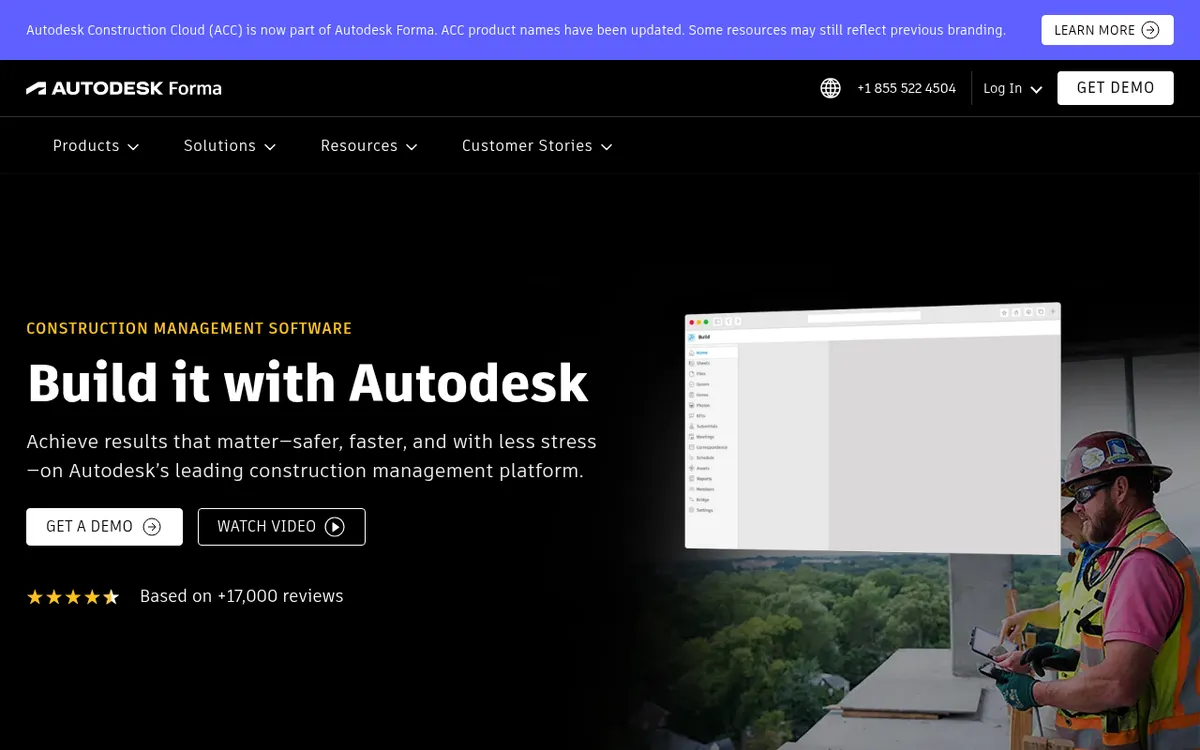
ProEst is built for contractors who want control over their own cost database rather than a fixed template. It is a fit for estimating teams that import a legacy database or build out custom formulas and reports by project, client, or estimator. It is a poor fit if you want a monthly subscription with a price you can check before talking to a salesperson, because ProEst is no longer sold on its own.
Price: Pricing on request. ProEst is only available as part of the Forma for Preconstruction bundle, sold alongside Forma Takeoff, Forma Estimate, and BuildingConnected Pro (verified proest.com and the Autodesk Forma site, October 2026).
Strengths: deep cost database options, including the ProEst Costbook with over 23,000 regionalized line items; converts estimates directly into Forma Build budgets; benchmarking reports by project type, client, or estimator.
Weaknesses: no longer sold as a standalone product, so adopting ProEst means buying into the broader Forma bundle; no public pricing to compare before a sales call.
3. Buildertrend
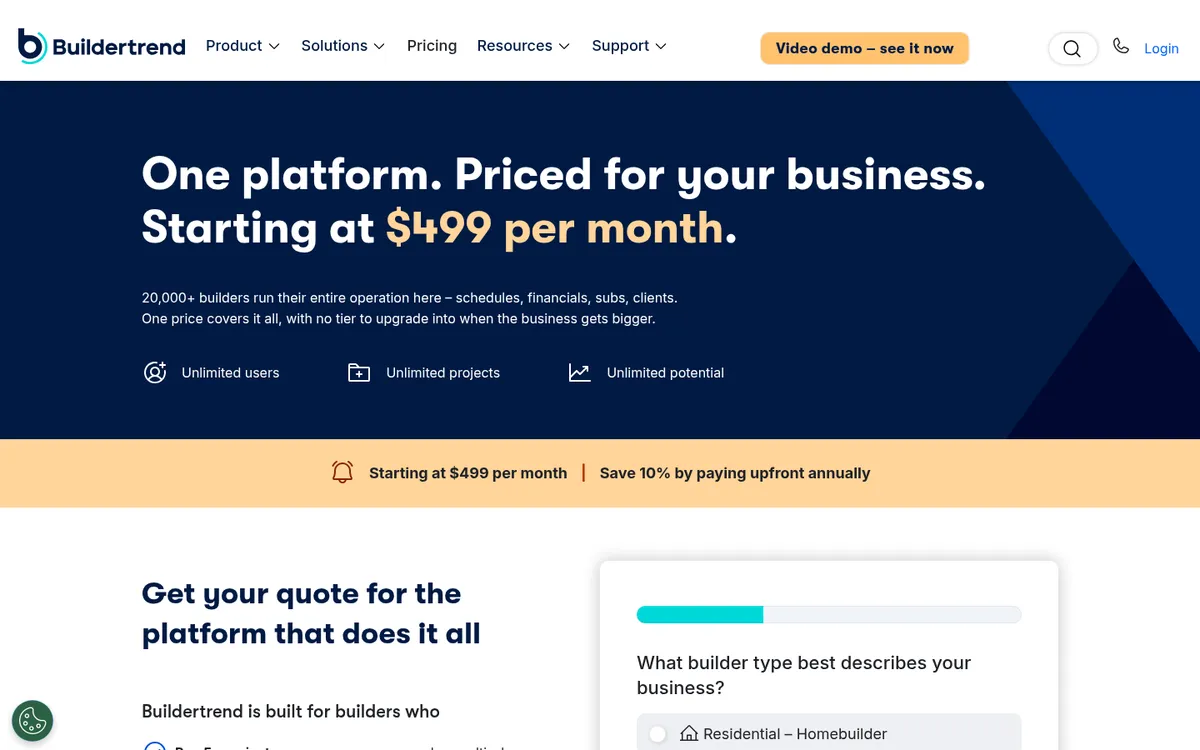
Buildertrend is for residential builders who want estimating bundled with scheduling, daily logs, and a client portal in one subscription. At $499 a month to start, it is a big fixed cost for a contractor who mainly needs estimates and proposals.
Price: From $499 per month, with 10% off for paying annually (verified buildertrend.com/pricing, October 2026).
Strengths: unlimited users and projects on every plan; estimates connect directly to job costing and budget tracking in the same record; QuickBooks and Xero integrations for syncing bills, invoices, and payments.
Weaknesses: the published $499 is a starting price, and the final quote is set on a sales call; estimating is one module inside a much larger platform, so you pay for scheduling and client communication tools whether you use them or not.
4. Procore Estimating
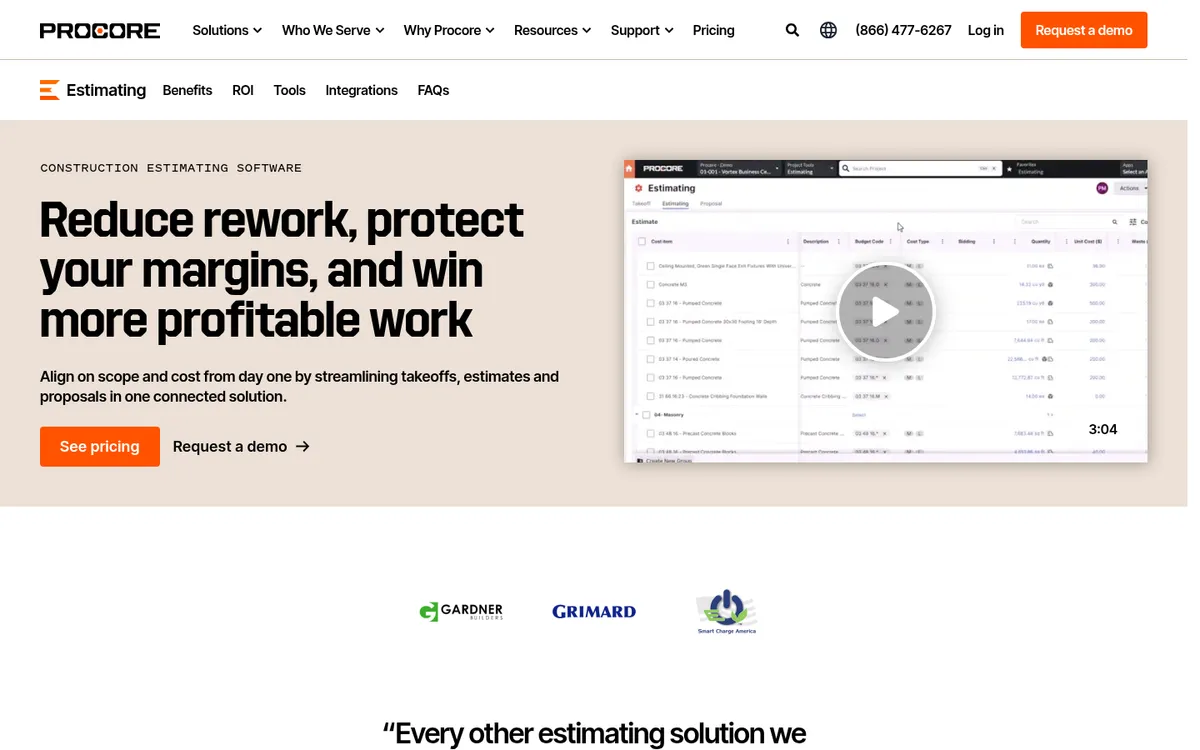
Procore Estimating is for large general contractors who already run Procore for project management and want estimating tied into the same system. It is a poor fit for a small contractor who only needs an estimating tool, since you are paying for a full construction management platform around it.
Price: Custom quote based on your annual construction volume. Procore does not publish a starting price (verified procore.com/pricing, October 2026).
Strengths: assembly takeoff and bid management sit in the same system as budgeting and change orders; unlimited users and data on annual contracts; a Sage Intacct integration for teams running their books there.
Weaknesses: pricing stays opaque until you talk to sales; the estimating module is overkill if your business does not need the rest of the Procore platform.
5. Sage Estimating

Sage Estimating is for heavy civil and large commercial contractors with dedicated estimating teams and trade-specific cost databases to manage. It is not aimed at small contractors or anyone who wants to see a monthly subscription price online.
Price: Pricing on request. Sage does not publish a price for Sage Estimating (verified sage.com/en-us/products/sage-estimating, October 2026).
Strengths: decades of trade-specific cost databases; BidMatrix for subcontractor bid leveling and risk management built in; scales from a single estimator up to a preconstruction team of 200.
Weaknesses: no public pricing anywhere; the software is traditionally desktop-first, so a distributed team needs extra setup to work from it remotely.
6. Clear Estimates
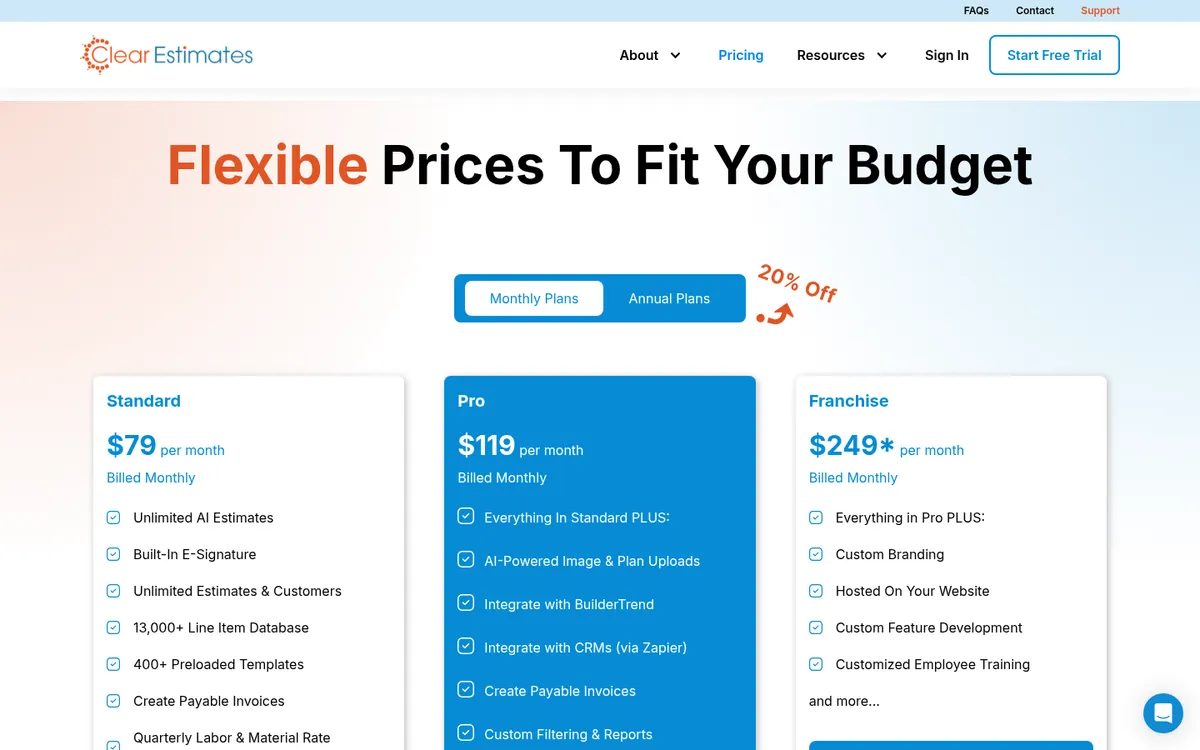
Clear Estimates is for remodelers and small residential contractors who want a templated estimate builder without the overhead of a full project management platform. It is not a fit for anyone who wants their estimates to sync automatically with QuickBooks or Xero, because that connection does not exist.
Price: The Standard plan starts at $79 per month billed monthly, or $59 per month billed annually (verified clearestimates.com/pricing, October 2026). Pair it with a free construction estimating template if you want to standardize line items before you start pricing a job.
Strengths: a database of over 13,000 line items updated quarterly; 400-plus preloaded templates; built-in e-signature for sending quotes.
Weaknesses: no direct accounting sync, so cost data moves to Buildertrend or a CRM through Zapier rather than straight into your books; Franchise-tier customization pricing is not fully public.
Best for takeoff and measurement-led estimating
These tools start from the drawings: you measure on screen and the quantities flow into the estimate. We ranked them on their own merits.
7. STACK
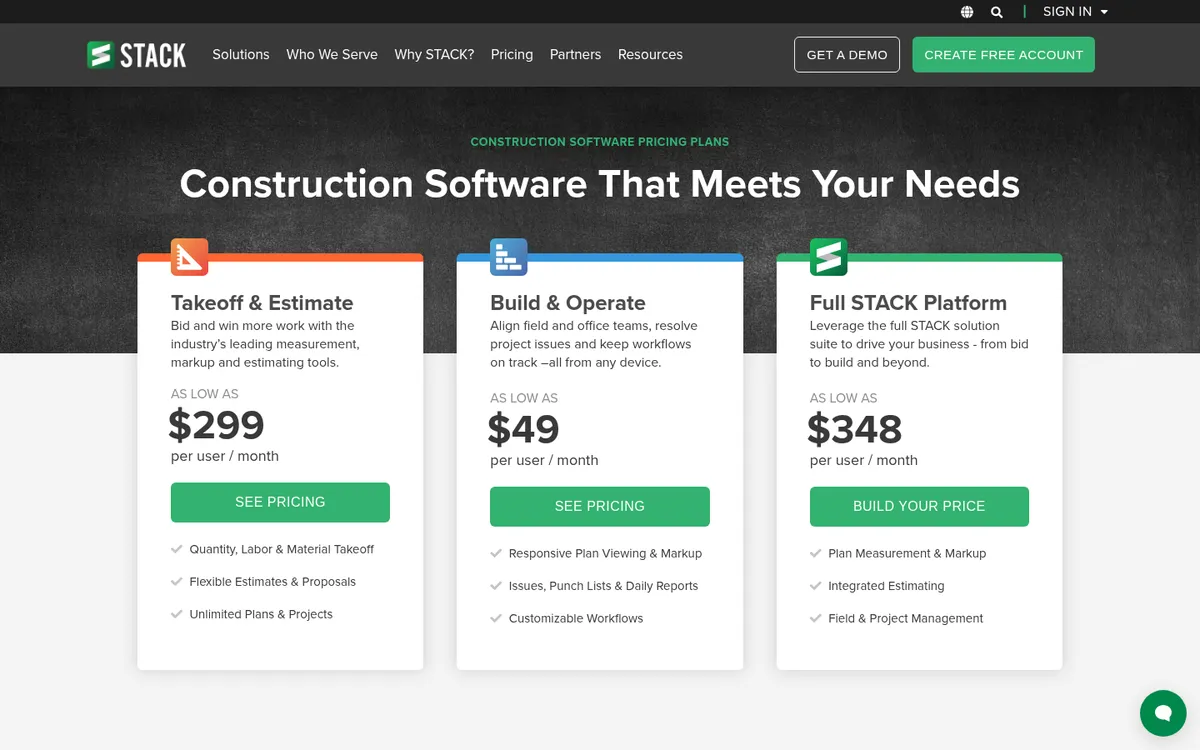
STACK is for subcontractors and general contractors who want digital takeoff and estimating in the same cloud tool, measuring directly off uploaded plans. It is less useful if you already own a takeoff tool and just need a place to build the estimate, since STACK’s estimating features are built around its own takeoff workflow.
Price: The Takeoff & Estimate plan starts at $299 per user per month. Full STACK Platform, which adds field and project management, starts at $348 per user per month (verified stackct.com/pricing, October 2026).
Strengths: unlimited plans and projects on the entry plan; an open API that connects to QuickBooks Desktop, QuickBooks Online, and Sage Intacct; strong reviews for measurement accuracy.
Weaknesses: per-user pricing climbs quickly once you move up to Build & Operate or the full platform tier; estimating is tied closely to STACK’s own takeoff tool rather than working as a standalone estimator.
8. Buildxact
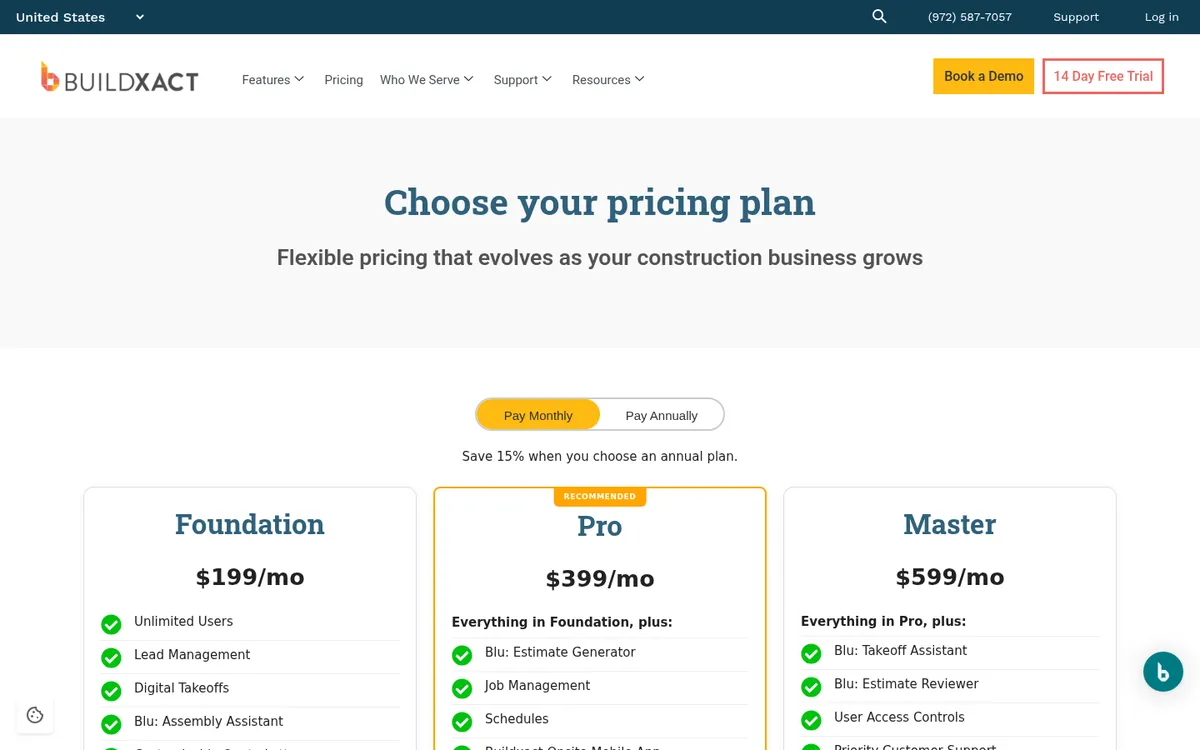
Buildxact is for residential builders and remodelers who want AI-assisted estimates without learning a heavy commercial takeoff tool. It is not built for commercial GCs managing large multi-trade bid packages with dozens of subcontractors per job.
Price: The Foundation plan starts at $169 per month billed annually, or $199 per month billed monthly, with unlimited users (verified buildxact.com/us/pricing, October 2026). The AI estimate generator and advanced takeoff tools are paid add-ons on top of that.
Strengths: Home Depot material ordering built into the quoting flow; the Blu AI assembly assistant speeds up repetitive line items; purchase orders are included from the Foundation plan.
Weaknesses: the AI tools that make Buildxact distinctive cost extra per month on top of the base plan; unlimited users does not mean unlimited features, since Pro and Master tiers gate scheduling and job management.
9. PlanSwift
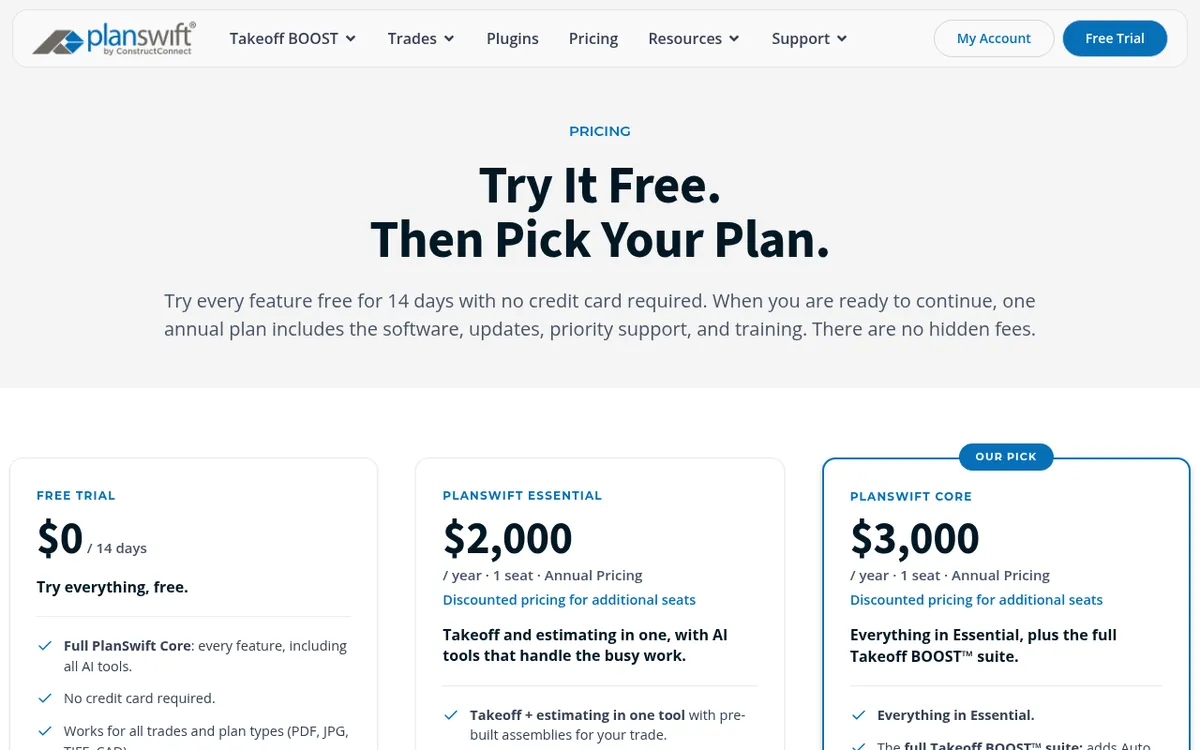
PlanSwift, made by ConstructConnect, is for trade contractors who need fast digital takeoff with pre-built assemblies for their trade: concrete, electrical, drywall, framing, flooring, and more. It is not a fit for anyone who wants takeoff and budget tracking with accounting sync inside one tool, because PlanSwift stops at the takeoff and estimate.
Price: The Essential plan starts at $2,000 per year for one seat. Seats 2 and up are discounted to $1,500 per seat (verified planswift.com/pricing, October 2026).
Strengths: trade-specific plugins for a wide range of work; the Auto Count, Auto Scale, and Auto Bookmark AI tools are included on every paid plan; a Live Excel Link that updates your spreadsheet as the takeoff changes.
Weaknesses: annual per-seat pricing with no month-to-month option; no accounting integration, so numbers move out through Excel rather than syncing to your books.
10. Houzz Pro
Houzz Pro is for residential remodelers and designers who want estimates bundled with a CRM, proposals, and marketing tools aimed at homeowners. It is not built for commercial contractors or anyone estimating large multi-trade jobs with dozens of bid packages.
Price: The Design plan starts at $99 per month for one user. Takeoffs, bid management, and budget tracking require the Pro plan at $199 per month (verified houzz.com/houzz-pro/pricing, October 2026).
Strengths: estimates, proposals, invoices, and online payments all included on the entry plan; 3D floor plans and mood boards for client presentations; a QuickBooks Online integration on the higher tiers.
Weaknesses: the estimating features that matter for construction work, takeoffs and budget management, sit on the Pro plan and above, not the entry Design plan; additional users cost $50 per month each.
Which one should you pick
If you are still measuring quantities off drawings by hand, start in the takeoff section with STACK, Buildxact, or PlanSwift, matched to your trade and project size. If you price from your own cost database and your estimates already come together fine and the real problem starts after the bid is won, when purchase orders, subcontractor payments, and job costs need to stay attached to the budget instead of drifting into a separate spreadsheet, that is the gap Planyard is built to close. You can try it against your own numbers with a 14-day free trial, no credit card required.