
Last verified: October 2026
A remodeler finishes the framing stage, texts the homeowner an invoice from the truck, and gets paid the same day. A commercial sub on the same street sends a pay application to a general contractor, waits for the architect to certify it, swaps lien waivers, and gets paid 45 days later, less 10% retainage. Both would call it invoicing, but an app that handles the first job well has no screen for the second.
This guide compares the invoicing software US contractors use, with October 2026 prices in USD from each vendor’s own pricing page, in two parts: apps for invoicing customers from the truck, and software for contractors who bill owners from pay applications and approve subcontractor and vendor bills.
Planyard is our product. We rank it only in the second part of the list, where it fits, and we say what it does not do.
Invoicing Software for Contractors Compared
Prices are the regular monthly price in USD on monthly billing, from each vendor’s US pricing page in October 2026. Introductory discounts are ignored.
| Job | Software | Best for | From | Progress billing | Accounting sync | Verdict |
| Invoicing customers | QuickBooks Online | Most small contractors | $38 (1 user) | Progress invoices from estimates | Is the ledger | The safe default |
| Invoicing customers | Xero | Contractors who want unlimited users | $27 (20 invoices), $59 unlimited | Standard invoices and quotes | Is the ledger | Cheaper with a bigger team |
| Invoicing customers | Joist | Solo contractors and small crews | $10, or $17 unlimited | Deposits and milestone payments | QuickBooks Online | Cheapest unlimited invoicing |
| Invoicing customers | Invoice2go | Low-volume invoicing on the go | $7.99 (30 invoices a year) | Standard invoices | QuickBooks, Xero from Professional | Cheap if you send few invoices |
| Invoicing customers | Jobber | Service and repair contractors with crews | $49 (1 user) | Batch invoicing, no pay apps | QuickBooks Online, Xero | Strong for recurring service work |
| Invoicing customers | Housecall Pro | Home service businesses | $79 (Basic) | Job invoices, no pay apps | QuickBooks Online | Best for booked home service jobs |
| Pay apps and vendor bills | Planyard | GCs: owner pay apps, sub pay apps, vendor invoices | $105 per project manager | Owner pay apps with retainage (Professional) | QuickBooks, Xero | For the invoices you receive and the pay apps you send |
| Pay apps and vendor bills | Knowify | Commercial subs billing AIA pay apps | $149 ($99 billed yearly) | AIA pay apps, T&M, fixed price | QuickBooks (two-way) | Best AIA billing on top of QuickBooks |
| Pay apps and vendor bills | Buildertrend | Residential builders and remodelers | $499 | Progress invoices from schedule of values | QuickBooks, Xero | Full platform, priced like one |
What a Contractor’s Invoice Has to Get Right
Deposits and progress billing
Service work is usually billed once, at the end of the visit. Remodeling and new construction are billed in stages: a deposit, then progress payments as phases finish. On commercial work, progress billing follows a schedule of values, and each period you bill the percentage complete on every line. If your app cannot show what was billed before and what remains, the owner will ask, and payment slows down.
Pay applications, retainage and lien waivers
On commercial jobs, the bill is usually an AIA G702 application with a G703 continuation sheet, certified by the architect or owner before payment. Retainage, often 5% or 10%, is held back from each payment until completion, and most payers want a conditional or unconditional lien waiver with each draw. How to fill out an AIA G702 walks through the form line by line. Simple invoice apps do not handle any of this.
Change orders and sales tax
Approved change orders must land on the next bill as separate lines, or you lose track of the contract sum. Sales tax on construction depends on the state and the type of contract: some states tax the materials you buy, others tax the finished job. Check with your accountant how your state treats your work before you set up tax rates in any app.
Best for Invoicing Customers from the Truck
These tools send invoices to homeowners and customers, take deposits and card payments, and get the money into your books. They suit solo contractors, remodelers and service businesses, and the two accounting packages are also the ledger a general contractor keeps.
1. QuickBooks Online – Best All-Round Invoicing for Small Contractors
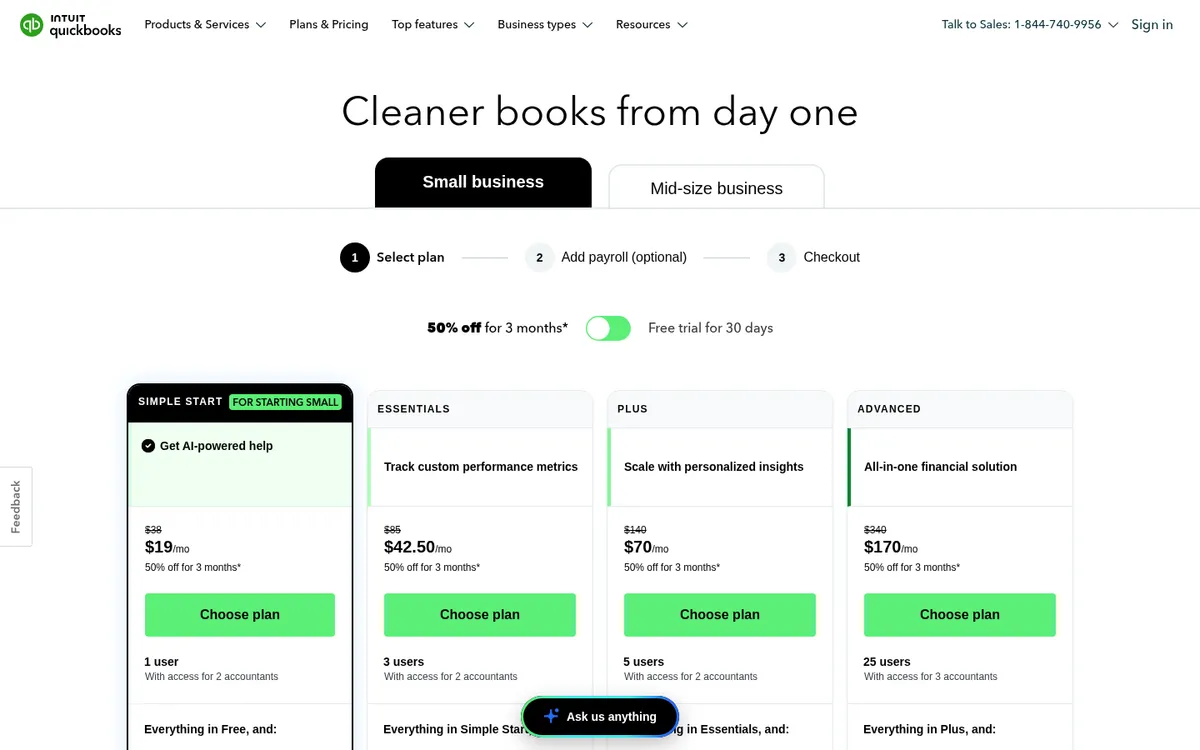
QuickBooks Online is the accounting package most US contractors and their bookkeepers already use, which makes it the default for invoices and books in one place. Estimates convert to invoices, customers pay by card or bank transfer from the invoice, and automatic reminders chase late payers. Progress invoicing lets you bill an accepted estimate in parts and keeps a running total of what has been invoiced.
Essentials adds employee time on invoices and three users. Plus adds project profitability and budgets. Advanced adds batch invoicing and bill approval workflows. QuickBooks Online vs Planyard and QuickBooks alternatives for construction cover where it stops on job costs.
Best for: Small contractors who want invoicing and bookkeeping in one place and whose accountant works in QuickBooks.
Watch out for: Progress invoices are built from estimates, with no retainage or AIA format. Simple Start is one user, and prices rise quickly as you add people.
Pricing: Simple Start $38, Essentials $85, Plus $140, Advanced $340 per month. 30-day free trial.
2. Xero – Best Value for Contractors with a Growing Team
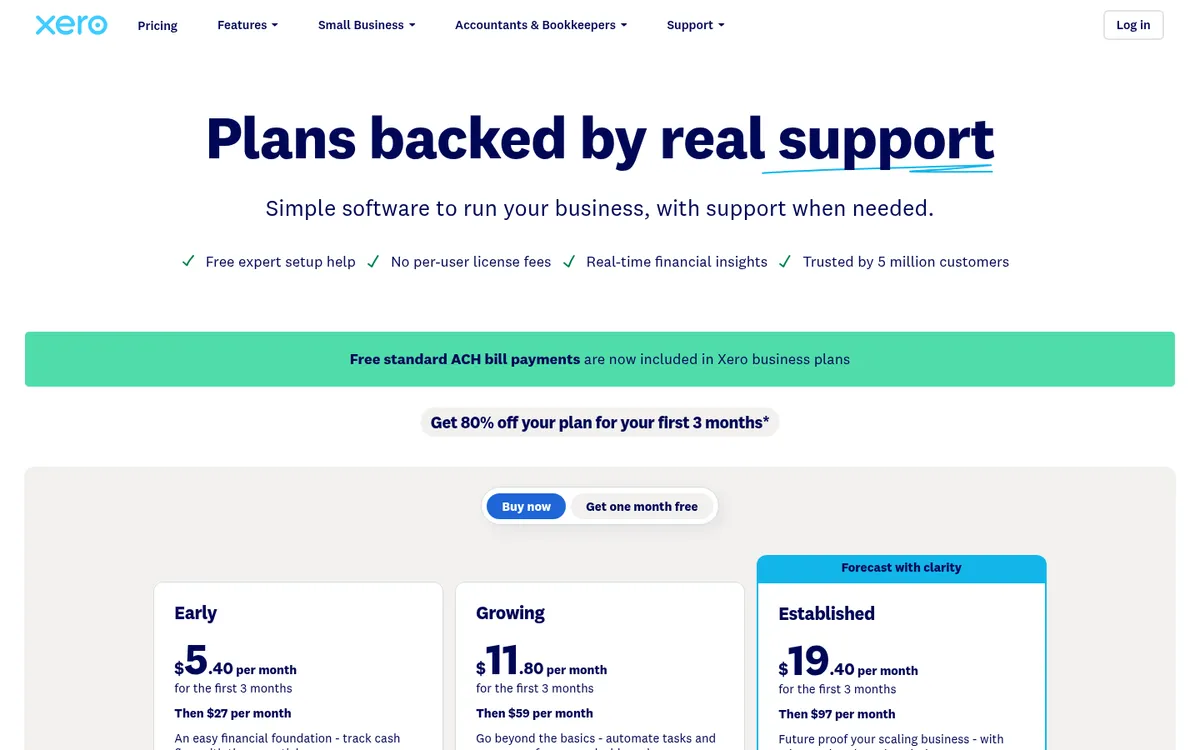
Xero US covers invoices, quotes, online payments, bills and bank reconciliation, with no per-user license fees. That makes it cheaper than QuickBooks once several people need access. Sales tax is included on every plan, and invoices can be sent by text as well as email.
Established adds tracking of time and costs against projects. For construction job costing most contractors pair Xero with an add-on, which Xero vs Planyard and Xero alternatives for construction explain.
Best for: Contractors with an office team who want unlimited users and an accountant who supports Xero.
Watch out for: Early caps you at 20 invoices a month, so Growing is the real starting plan. Fewer US accountants work in Xero than in QuickBooks.
Pricing: Early $27 (quotes and 20 invoices), Growing $59, Established $97 per month.
3. Joist – Best Invoice App for Solo Contractors
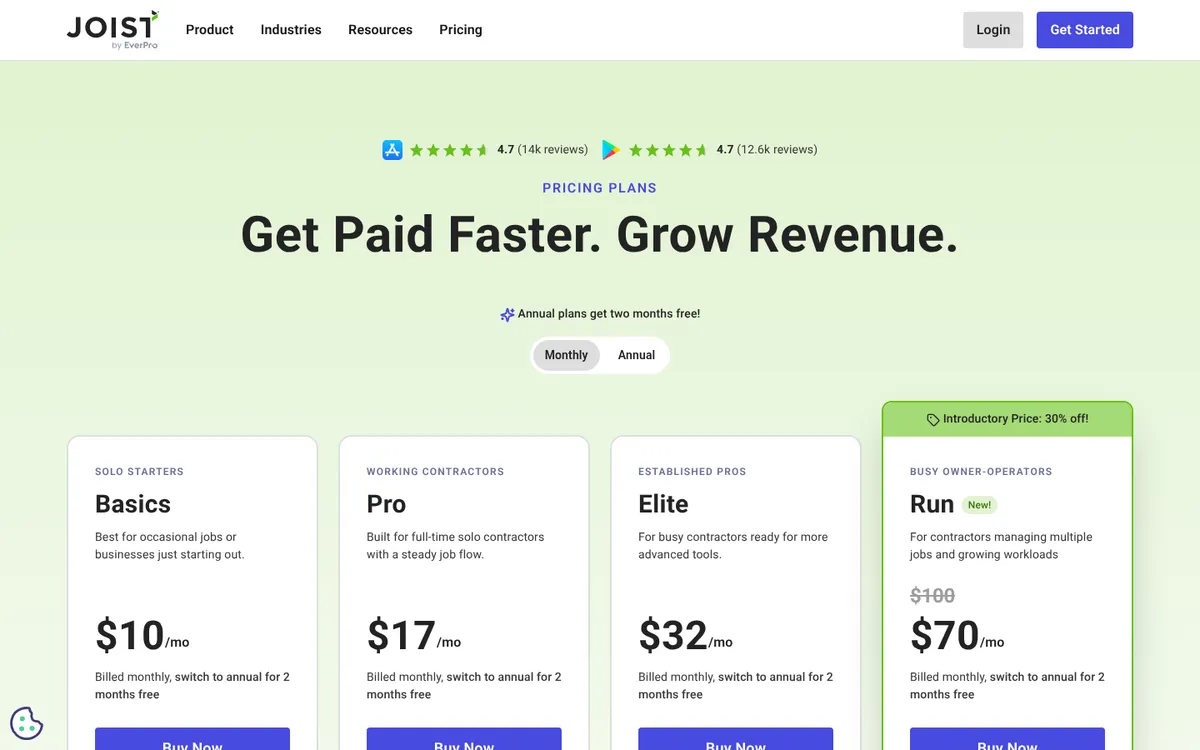
Joist is an estimating and invoicing app built for residential contractors. You write an estimate on site, the customer signs it, and it becomes an invoice in one tap. Customers pay by card, PayPal, Venmo, Apple Pay or Google Pay, and you can take deposits and milestone payments or offer homeowner financing.
Elite adds change orders, license and insurance details on documents, and business reports. Run adds jobs and scheduling. Invoices and estimates sync to QuickBooks Online daily, so your bookkeeper still works in QuickBooks.
Best for: Owner-operators and small remodeling crews who quote and invoice homeowners from a phone.
Watch out for: Basics allows only five documents a month, and Joist is built for homeowner jobs, with no schedule of values or retainage.
Pricing: Basics $10, Pro $17, Elite $32, Run $100 per month (Run is $70 at an introductory price). Two months free on annual billing. 14-day free trial, no credit card.
4. Invoice2go – Best for Contractors Who Send Few Invoices
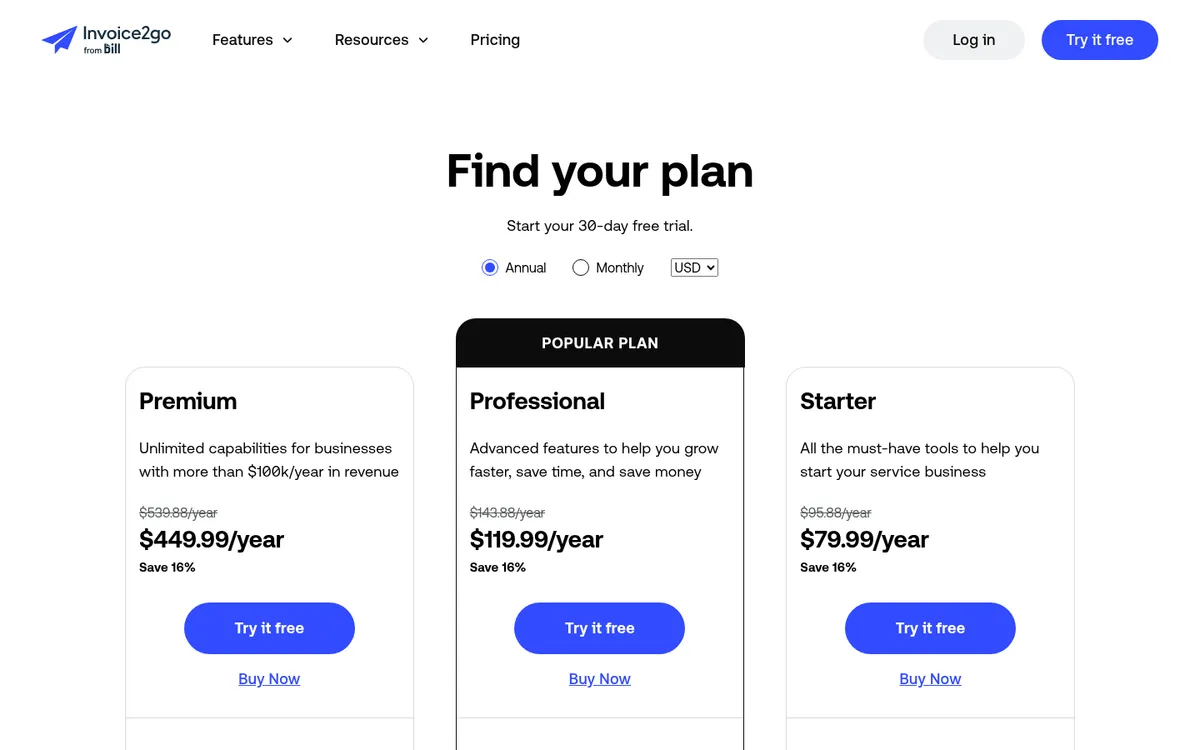
Invoice2go is a mobile invoicing app for small service businesses. It does estimates, invoices, reminders and card or ACH payments, and every plan includes unlimited team members and a no-fee business bank account with a debit card.
Plans are capped by invoices per year rather than users. Professional adds QuickBooks and Xero integration and lower card fees, and Premium adds unlimited and recurring invoices.
Best for: Part-time and one-person contractors who send a handful of invoices a month.
Watch out for: Starter allows 30 invoices a year and Professional 100, which a busy contractor will pass quickly. Card fees run from 2.9% to 3.5% depending on plan, and the trial asks for a credit card.
Pricing: Starter $7.99, Professional $11.99, Premium $44.99 per month ($79.99, $119.99 and $449.99 a year on annual billing). 30-day free trial.
5. Jobber – Best for Service Contractors with Crews
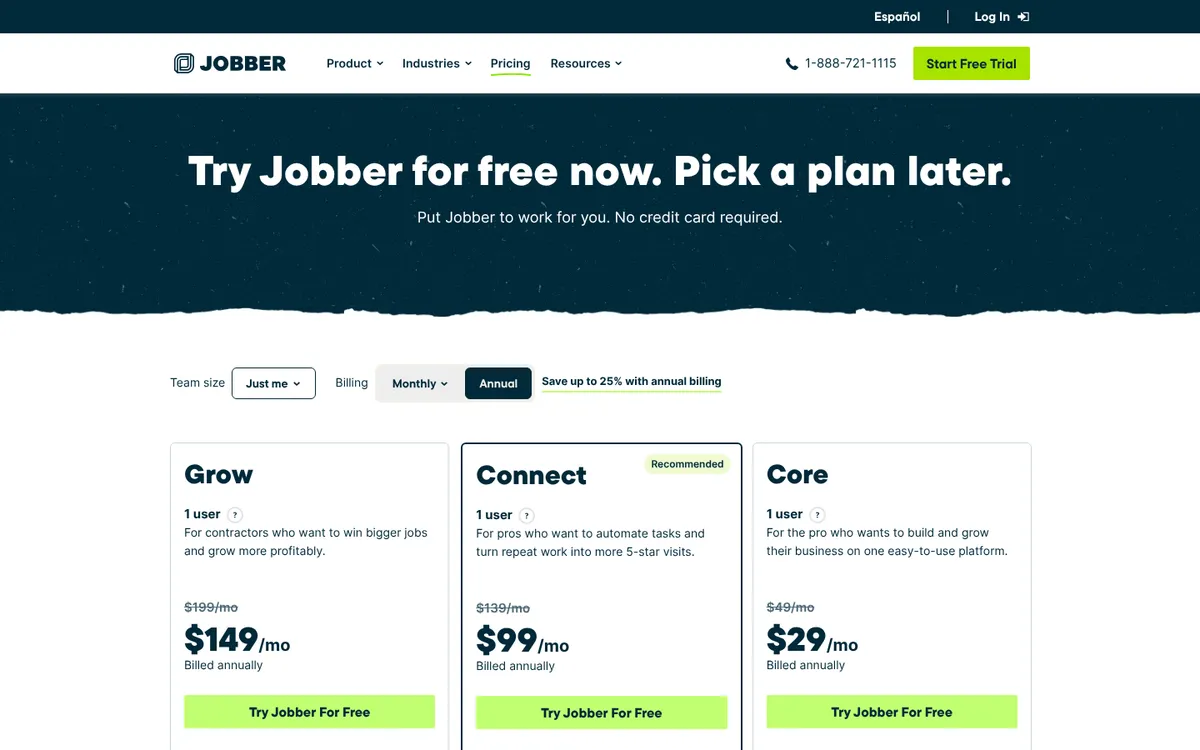
Jobber is field service software for home service and repair businesses. Requests become quotes, quotes become scheduled jobs, and jobs become invoices, with a client hub where customers approve quotes and pay online. Batch invoicing helps when you close out many small jobs at once.
It syncs with QuickBooks Online and Xero, so invoices and payments land in the books without retyping. Higher plans add automations and marketing tools, and team plans include five, ten or fifteen users.
Best for: Electricians, plumbers, HVAC, landscaping and handyman businesses that schedule a crew and invoice on completion.
Watch out for: Built around visits and service jobs, so long contracts with progress billing and retainage do not fit. Prices step up sharply once you add a second user.
Pricing: Core $49, Connect $139, Grow $199 per month for one user on monthly billing. Team plans from $199 for five users. Up to 25% off with annual billing. 14-day free trial.
6. Housecall Pro – Best for Home Service Businesses

Housecall Pro covers online booking, scheduling and dispatch, quotes, invoices and payments for home service trades. Customers can book and pay online around the clock, invoice reminders go out automatically, and technicians take card payments in the field.
Essentials adds tools for growing teams, and MAX includes eight users, a sales proposal tool, and API and Zapier access. It connects to QuickBooks Online.
Best for: HVAC, plumbing, electrical and cleaning companies that run booked service calls.
Watch out for: Housecall Pro says it is designed for home service businesses. Remodelers and builders billing in stages will find little for progress billing.
Pricing: Basic $79, Essentials $189, MAX $329 per month on monthly billing ($59, $149 and $299 billed annually). Extra users on MAX $35 each. 14-day free trial.
Best for Pay Applications and Subcontractor Bills
On commercial and larger residential work, billing runs through a schedule of values: pay applications from your subs, vendor bills checked against commitments, and a pay application or progress invoice to the owner each month with retainage held back. These three tools are built for that, and all three sync with QuickBooks.
1. Planyard – Best for General Contractors Handling Pay Apps and Vendor Invoices
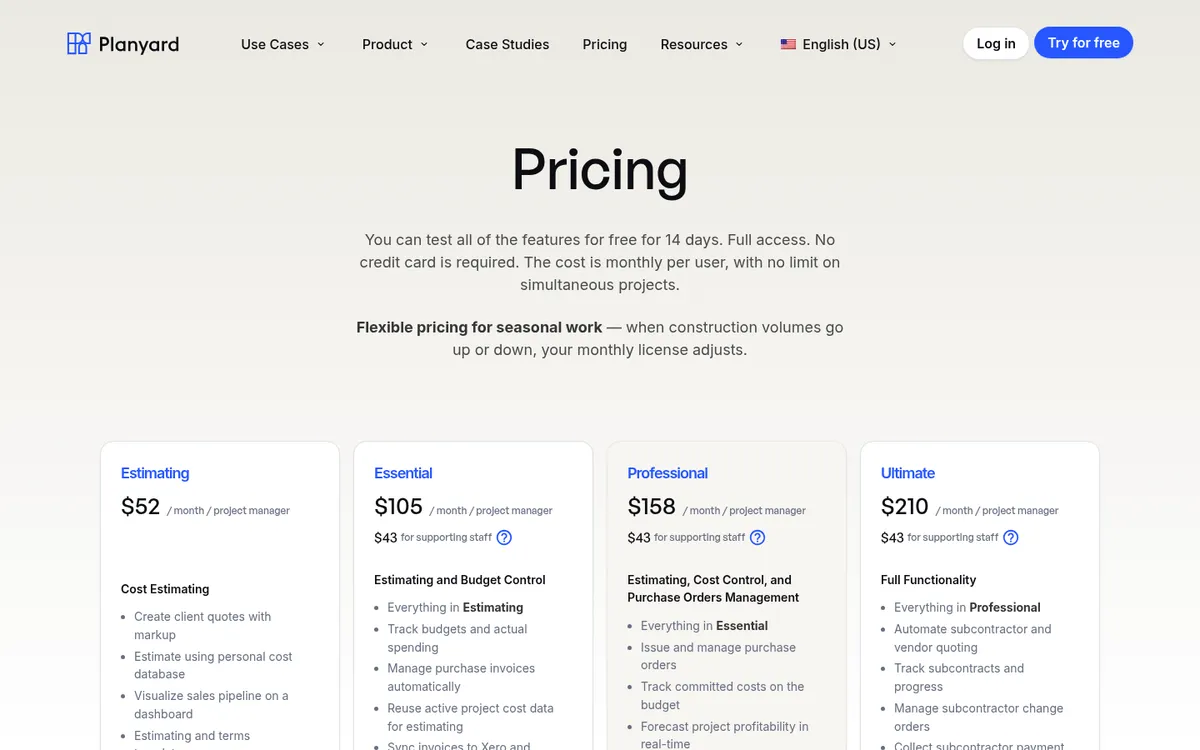
Planyard sits next to QuickBooks or Xero and covers the billing a general contractor spends most time on: money going out to subcontractors and vendors, and pay applications going to the owner, with the owner’s invoice raised from each one. Subcontractors submit pay applications through a web link without an account. Your team compares them with the contract and previous commitments, approves them, and the sub is told exactly what to invoice. Owner pay applications carry retainage and approved change orders.
Vendor invoices arrive by email, through the Outlook or Gmail add-in, or by bulk upload. Planyard reads them, matches them to the purchase order and job, routes them for approval and posts the approved bill to your ledger. See invoice management for the incoming side and construction billing for pay applications to the owner. If approvals are the main problem, our invoice approval software comparison looks at that alone.
Best for: General contractors and specialty contractors with several live jobs, subcontracts and a monthly pay application to the owner.
Pair it with: QuickBooks or Xero for the ledger. Planyard does not produce AIA G702 and G703 forms yet (they are coming), so if your owner requires the AIA format, Knowify does that today. A solo contractor billing homeowners from the truck should use an app from the first part of this list.
Pricing: Essential $105 per project manager per month (invoice import, QuickBooks and Xero sync). Professional $158 adds invoice OCR, approval workflows, owner pay applications, change orders and retainage. Ultimate $210 adds subcontractor pay applications. Supporting staff $43. 14-day free trial.
"We are now able to forecast and see exactly how we performed against our original estimates. It keeps all of our documents and financial data in one central place, which allows anyone on the team to jump in and instantly see the status of any line item, when it was paid, and the actual documentation behind those payments."
Read more
"When everything is set up, it’s just a few clicks and the process is complete. It automatically sends the document and tells the subcontractor exactly what amount to invoice for, making the entire valuation process incredibly easy."
Read more
Check every vendor invoice and pay app before it reaches QuickBooks
Collect subcontractor pay applications, bill the owner with retainage, and post approved invoices to QuickBooks or Xero. 14-day free trial, no credit card.
2. Knowify – Best for AIA Pay Applications on Top of QuickBooks
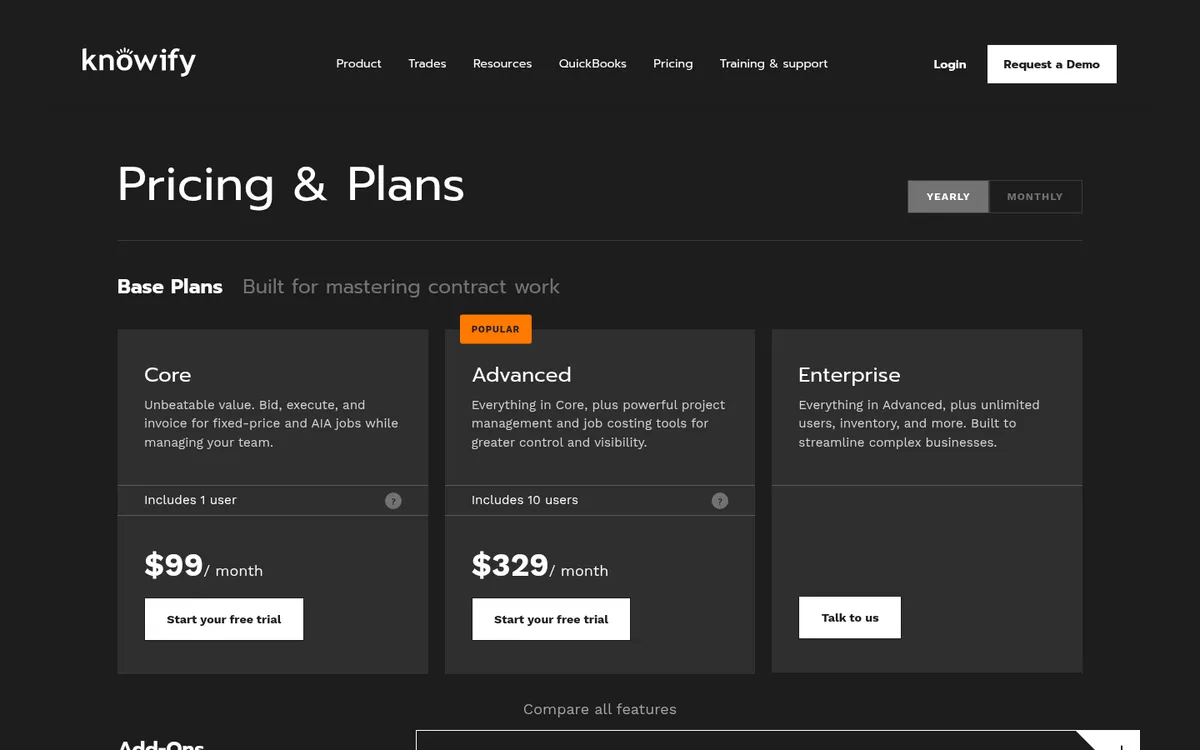
Knowify is built for commercial and specialty contractors who bill against contracts. It sets up each invoice for the contract type: time and materials, fixed price, or an AIA pay application pulled from your estimate or contract. You can track the status of every invoice and pay app in one place, alongside purchase orders, vendor bills and expenses.
The QuickBooks sync is two-way and real time, so your accountant keeps working in QuickBooks Online or Desktop. Knowify vs Planyard compares the two in detail.
Best for: Subcontractors and smaller GCs who submit AIA pay apps and already use QuickBooks.
Watch out for: Its integrations are built around QuickBooks, so check before you buy if your books are in Xero. Core includes one user, and each extra user costs $29 a month.
Pricing: Core $149 per month ($99 billed yearly) with one user. Advanced $399 ($329 billed yearly) with ten users. Enterprise by quote.
3. Buildertrend – Best for Residential Builders Who Want One Platform
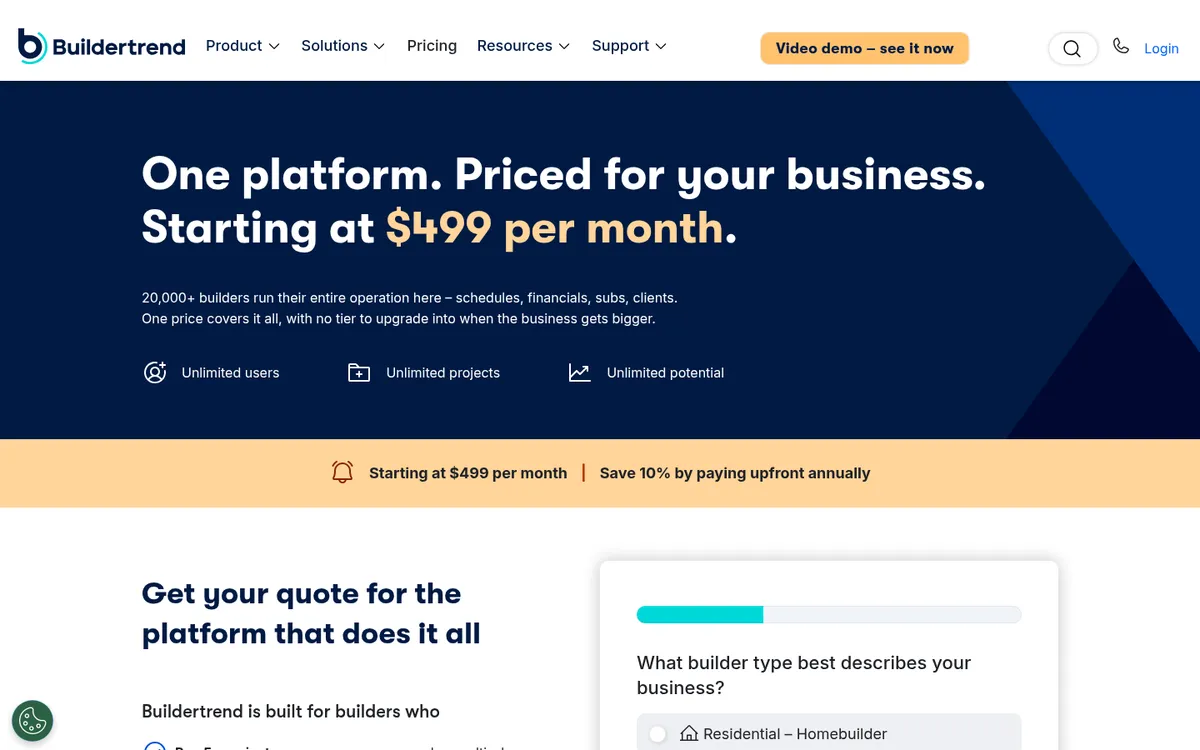
Buildertrend is construction management software for home builders and remodelers, and invoicing is one part of it. Progress invoices pull from your estimate and lay out the schedule of values, showing work completed, prior billings and the remaining balance. Draft invoices can be created from your payment schedule, and clients pay online through their portal by card, ACH or Apple Pay.
Invoices can also be created from bills, purchase orders, selections and change orders, and it syncs with QuickBooks or Xero. Lien waivers can be attached to bills before you pay subs and vendors. See Buildertrend vs Planyard and Buildertrend alternatives.
Best for: Residential builders and remodelers who want sales, scheduling, client communication and invoicing in one system.
Watch out for: At $499 a month it has the highest starting price on this list, and you pay for project management you may not use.
Pricing: Starting at $499 per month, 10% off when you pay annually upfront.
How We Chose
We started from what US contractors search for and ask on forums, including the r/Contractor thread “Estimating and invoicing software, what are you all using” and r/Construction threads on invoice software. For each tool we read the US pricing page and product pages in October 2026 and checked four things: who it is built for, whether it handles deposits and progress billing, whether it can produce pay applications with retainage, and how it connects to QuickBooks or Xero. Prices are the regular monthly price in USD on monthly billing. General invoicing tools with no contractor features, and products we could not price from the vendor’s own site, were left out.
How to Choose
Solo contractor billing homeowners: Joist Pro if you want unlimited estimates and invoices for $17. Invoice2go if you send fewer than 30 invoices a year.
Service business with a crew: Jobber for repair and maintenance work with repeat customers, Housecall Pro for booked home service calls. Both sync with QuickBooks Online.
Remodeler or home builder billing in stages: QuickBooks Online progress invoicing covers simple draws. Buildertrend if you also want scheduling, selections and a client portal and can justify $499 a month.
Commercial sub or GC billing AIA pay apps: Knowify if your books are in QuickBooks and you want pay apps on top. Planyard if you also collect pay apps from your own subs and need vendor invoices checked against commitments before they post, though it does not produce AIA forms yet. Our construction accounting software guide for US contractors covers the ledger side in more depth.
"We had to get our accountant on board and interface it with Xero, so invoices hit the right job number. Now an invoice gets uploaded in Planyard, I sign it off, and it drops into my Xero payment schedule in three or four weeks – it’s perfect."
Read more
Related Guides
Next Step
If you invoice homeowners from the job, pick the app that takes deposits and card payments and syncs to the books your bookkeeper already uses. If most of your billing time goes on pay applications, retainage and checking the invoices that come in, that is the part Planyard handles, alongside QuickBooks or Xero. UK readers can see our UK invoicing software guide.
Pay applications, retainage and vendor invoices in one place
Planyard collects subcontractor pay apps, builds owner pay applications and posts approved invoices to QuickBooks or Xero. 14-day free trial.