
Last verified: October 2026
Planyard is our product. We rank it where it fits, say what it does not do, and checked every other tool’s price on the vendor’s own site.
It is the last week of the month. The accounts inbox has 60 supplier invoices in it, a third of them for plant and materials on two sites, and the payment run goes on Friday. The project managers have to say whether the work was done and whether the price matches the order, but they are on site, and the invoices are sitting in an email folder they cannot see.
Invoice approval software fixes the routing: each invoice goes to the right person, gets signed off, and lands in the accounts already coded. For a construction company there is a second question: does the invoice match the purchase order, the subcontract and what is left in the budget? This guide covers what to look for, a comparison table with October 2026 GBP prices, nine tools ranked for UK contractors, and when a plain accounts payable tool such as ApprovalMax is the better buy. If you are also choosing your ledger, start with our construction accounting software guide. If the gap is raising your own invoices rather than approving suppliers’, see the best invoicing software for contractors in the UK.
What to Look For in Invoice Approval Software for Construction
Routing by project
Generic tools route by value and department: under £1,000 the manager, over £1,000 the finance director. In construction the person who knows whether an invoice is right is the project manager or QS on that job. Look for routing that follows the project, so each invoice reaches the people who were on site.
A check against the order and the budget
Approving an invoice is quicker when it sits next to the purchase order or subcontract it belongs to, with the remaining budget on the same screen. Matching the invoice to the order and the delivery or valuation (a three-way match) catches overcharges before they are paid.
Capture without retyping
Suppliers send PDFs to a shared inbox. The tool should pick them up from email, read the supplier, invoice number, dates and amounts, and flag duplicates, so approvers only check and code.
Email and mobile approval
Site managers approve from a phone between other jobs. Email approval links, a mobile app and reminders matter more than another layer of rules.
A clean handover to Xero, QuickBooks or Sage
Approved invoices should post to the ledger with the right account, tracking category or project code, VAT treatment and attachment. On construction invoices that includes domestic reverse charge VAT and CIS, which Xero, QuickBooks and Sage apply when the bill is posted.
"Timewise, on a single project, I'd probably save 6 to 8 hours—essentially a full day every month. When it comes to processing monthly payments, it saves me a solid day, perhaps even a day and a half, just in sorting through the invoices. Saving a day and a half of my time means the system pays for itself time and time again."
Read more
Invoice Approval Software Compared
Prices are as published in October 2026, excluding VAT. “Construction fit” means whether the tool knows about projects, orders, subcontracts, valuations and retention, or only about bills.
| Tool | Best for | From (GBP) | Accounting sync | Construction fit | Verdict |
| Planyard | Contractors approving invoices against orders and budgets | £123 per PM per month (Professional) | Xero, QuickBooks, Sage | Projects, POs, subcontracts, valuations, retention; CIS applied in the ledger | Best for construction |
| ApprovalMax | Pure AP approval on Xero or QuickBooks | £35.83 per organisation per month, billed yearly | Xero, QuickBooks Online, NetSuite | Bills, POs and Xero budgets; no subcontracts or valuations | Best for pure AP |
| Archdesk | Firms buying a full construction ERP | Quote | Xero, Sage, QuickBooks and others | Three-way match against PO, valuation and delivery note | Strong, but a big rollout |
| Zahara | PO-led approvals for UK finance teams | £159 per month (Teams) | Xero, Sage, QuickBooks, Dynamics | POs and budgets; not construction-specific | Good PO and invoice control |
| Lightyear | High invoice volumes with line-item detail | £130 per month (125 documents) | Xero, Sage, QuickBooks | POs, GRNs and three-way match on Standard | Good for volume |
| Dext | Capture first, simple approvals | £24.17 per month, billed yearly | Xero, QuickBooks, Sage | None; bookkeeping tool | Cheapest capture |
| PaperLess | Sage 50 and Sage 200 users | £76 per month (one full user) | Sage 50, Sage 200, Sage Intacct, Xero, SAP Business One | Approval by project or cost centre | Best on Sage desktop |
| Rillion | Larger finance teams on an ERP | Quote | Dynamics 365, NetSuite, Sage Intacct, Sage X3, SAP Business One | PO matching as an add-on | Mid-market and up |
| Xero bill approval | Starting out | Included (Grow £39 for unlimited bills) | Xero | None | Fine for a few approvers |
The 9 Best Invoice Approval Tools for UK Construction Companies
1. Planyard – Best for Construction Companies
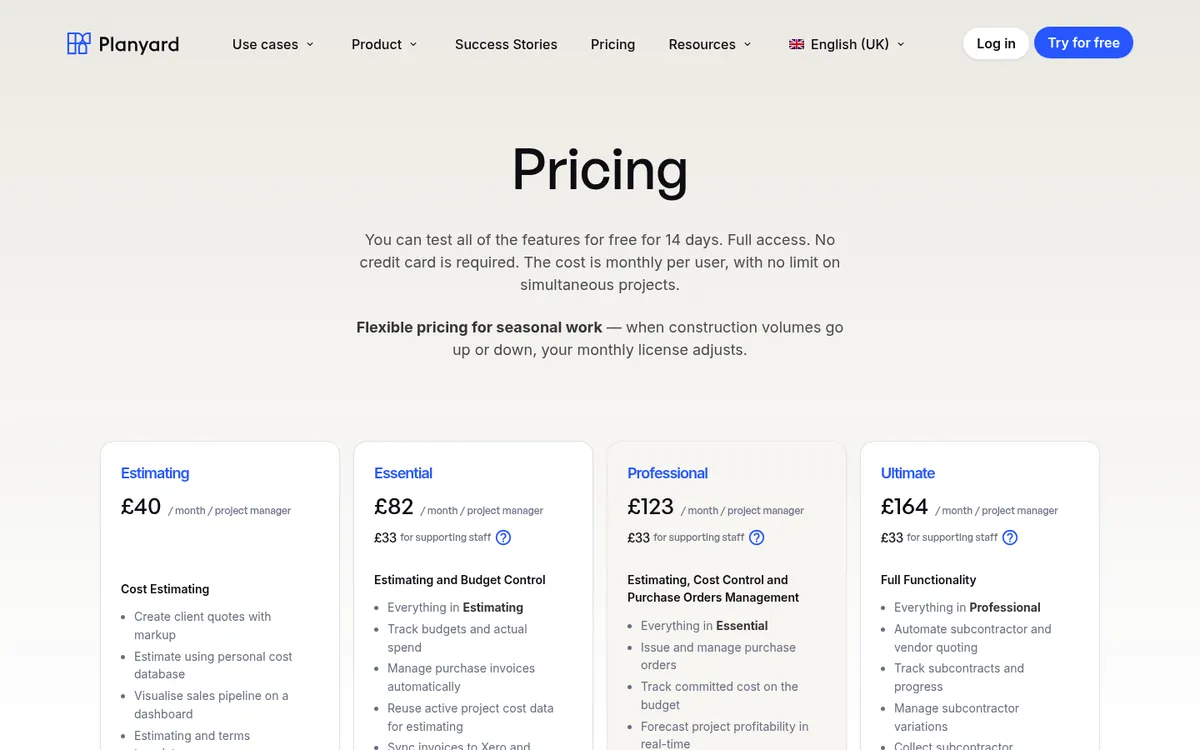
Planyard is construction cost control software with invoice approval built in. Invoices arrive from a purchase ledger inbox or the Outlook and Gmail add-ins, OCR reads the details, and each invoice is matched to its purchase order or subcontract by reference. It then goes to approvers at project level and at central level: typically the site manager or QS confirms the work, and finance releases it. Purchase orders can also pass through several approval stages before they are sent to the supplier.
The approver sees the order, what has already been invoiced against it, and the budget line, so an invoice for more than was ordered stands out before it is approved. Once approved, the cost updates the budget and the CVR, and the invoice syncs to Xero, QuickBooks or Sage with its project coding. Subcontractor payment applications and valuations run in the same system, so the subcontractor invoices the certified amount with retention already set.
See the invoice management features, or the Xero and QuickBooks approval workflow pages.
Best for: Main contractors, subcontractors and developers who want invoices approved against the order and the budget, on Xero, QuickBooks or Sage.
Watch out for: Approval workflows start in the Professional plan, and subcontractor payment applications are in Ultimate. Planyard does not file CIS returns: Xero, QuickBooks or Sage apply the deduction and file. If you only need bills approved, it is more than you need.
Pricing: Invoice import and Xero, QuickBooks or Sage sync from Essential at £82 per project manager per month; invoice and purchase order approval workflows in Professional at £123; Ultimate £164; supporting staff £33. 14-day free trial, see pricing.
"We had to get our accountant on board and interface it with Xero, so invoices hit the right job number. Now an invoice gets uploaded in Planyard, I sign it off, and it drops into my Xero payment schedule in three or four weeks – it’s perfect."
Read more
2. ApprovalMax – Best for Pure Accounts Payable Approval
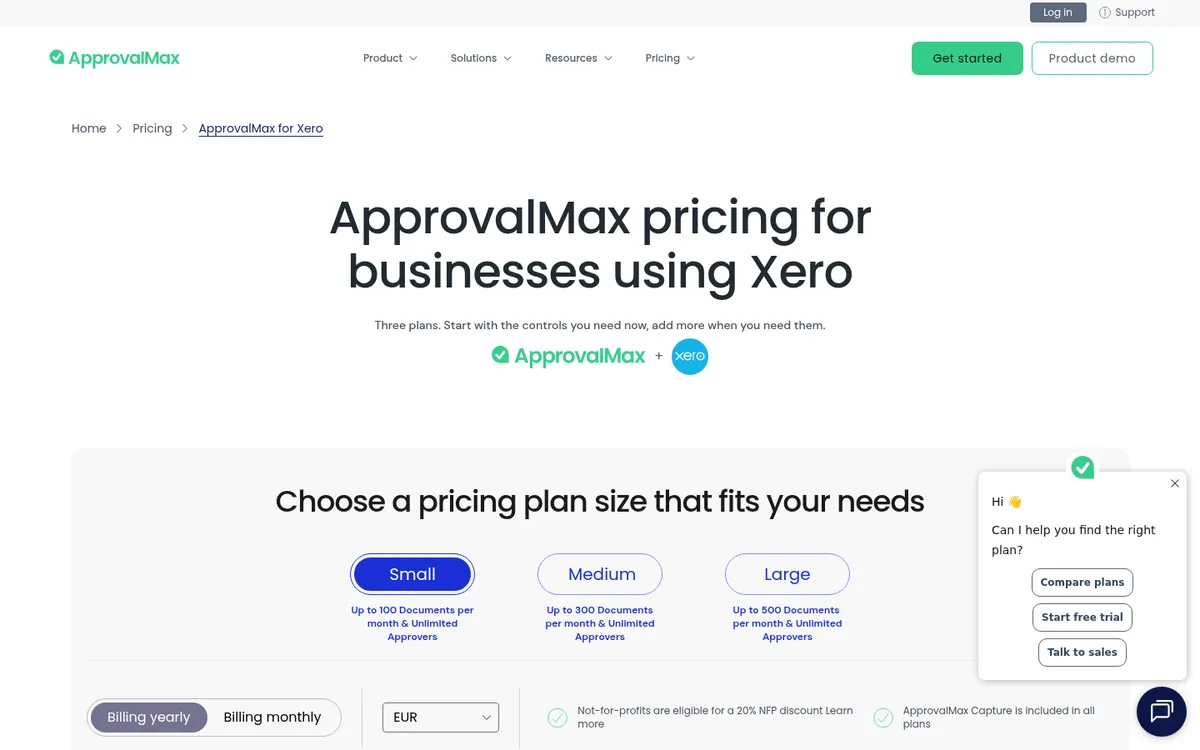
If all you need is to stop bills and purchase orders reaching Xero or QuickBooks without the right sign-off, ApprovalMax is the specialist. It builds multi-step approval workflows for bills, purchase orders and credit notes, matches bills to purchase orders, checks against budgets synced from Xero, and lets approvers act from the mobile app or email. Every plan includes unlimited approvers, which suits firms where many site managers need to sign off.
UK customers on Xero also get ApprovalMax Pay for paying approved bills, and Capture (its OCR) is included in the new usage-based plans. For a finance team whose job ends at “approved and paid”, it is hard to beat on price.
ApprovalMax knows Xero tracking categories and budgets but not subcontracts, valuations, retention or committed cost, so a QS still needs somewhere else to see the job. Our ApprovalMax vs Planyard page sets the two side by side, and the ApprovalMax alternatives post covers other options.
Best for: Finance teams on Xero or QuickBooks Online who want strict, auditable bill and PO approval with any number of approvers.
Watch out for: No construction workflows, and no Sage integration. Since August 2026 the price depends on how many approved documents you process each month, so busy months can bring overage charges.
Pricing: Standard Small from £35.83 per organisation per month billed yearly, or £43 billed monthly; Advanced and Premium cost more, and the plan size follows your approved document volume. 14-day free trial.
3. Archdesk – Best Construction ERP for Three-Way Matching
Archdesk is an all-in-one construction ERP covering CRM, estimating, projects and finance. Its purchase invoice module checks each supplier invoice against the purchase order, the certified valuation and the delivery note before approval, then routes it by your own rules. Invoices sync to Xero, Sage, QuickBooks and other ledgers, coded to the project. See Archdesk vs Planyard for the wider comparison.
Best for: Mid-sized contractors who want one system for everything and have the time to implement it.
Watch out for: A full ERP rollout is a bigger project than adding invoice approval, and pricing is not published.
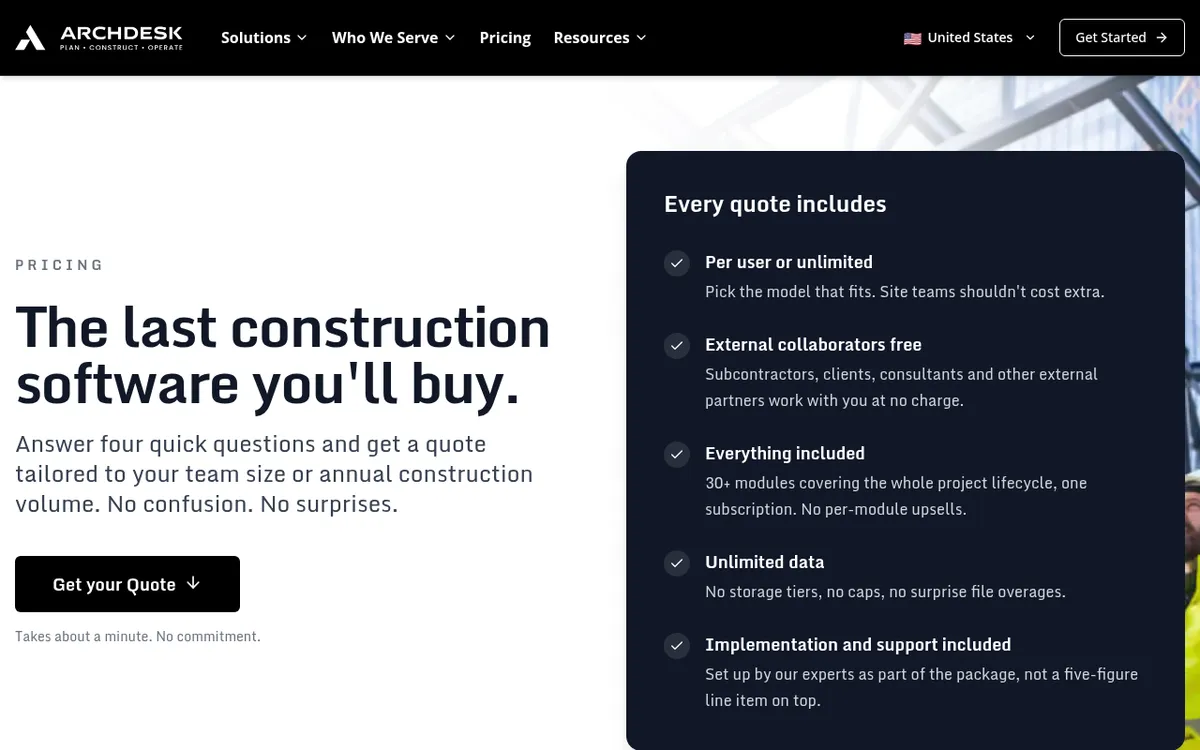
Pricing: Quote only, either per user or with unlimited users priced on annual construction volume.
4. Zahara – Best for Purchase Order Led Approval
Zahara is a UK accounts payable product that starts with the purchase request. Staff raise a request, it is approved and turned into a purchase order, and the invoice is matched and approved against it. Workflows can branch by value, department or supplier, approvers can act from email or the mobile app, and Zara, its AI assistant, tells you who is sitting on an approval. It exports to Xero, Sage, QuickBooks and Microsoft Dynamics.
For a contractor with a central buying function it gives good control over spend before it happens. It has budgets but no construction structure: no subcontracts, valuations or retention.
Best for: Contractors with a central procurement or finance team who want every purchase raised as a PO first.
Watch out for: User limits per plan (10 users on Teams), and read-only approvers count towards them. Onboarding is a separate one-off fee.
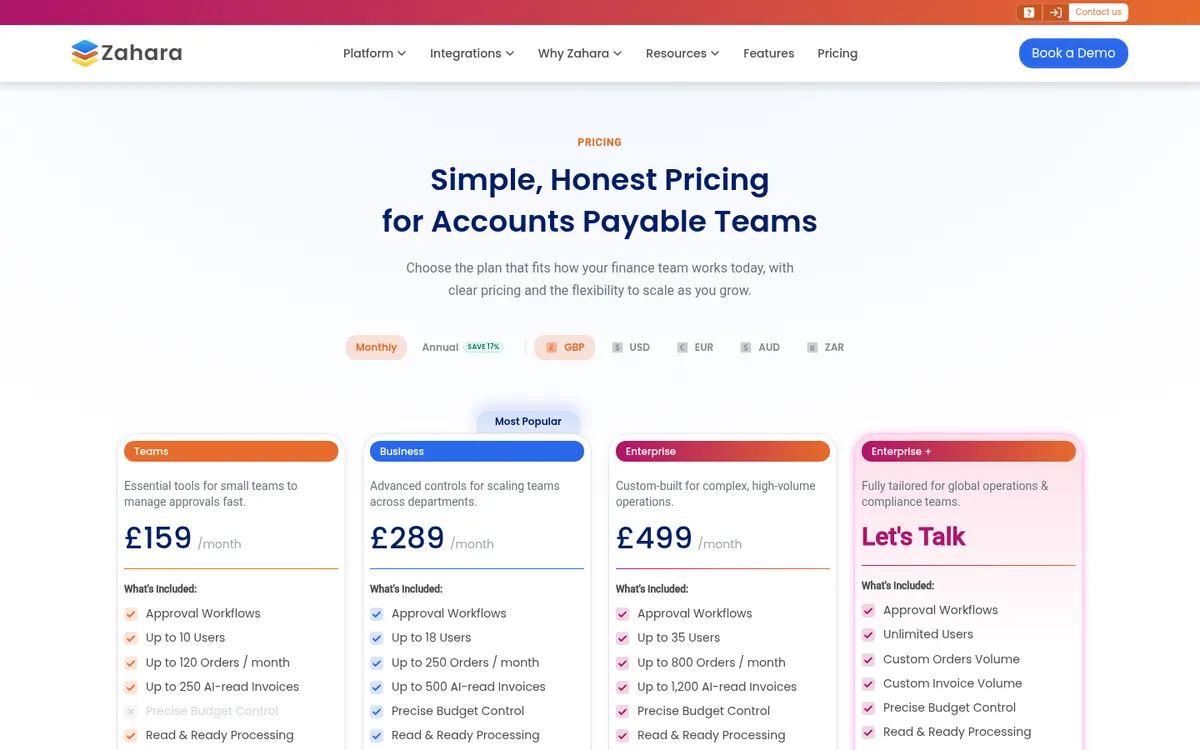
Pricing: Teams £159 per month for 10 users, 120 orders and 250 AI-read invoices a month; Business and Enterprise plans add users and volume. 14-day free trial.
5. Lightyear – Best for High Invoice Volumes
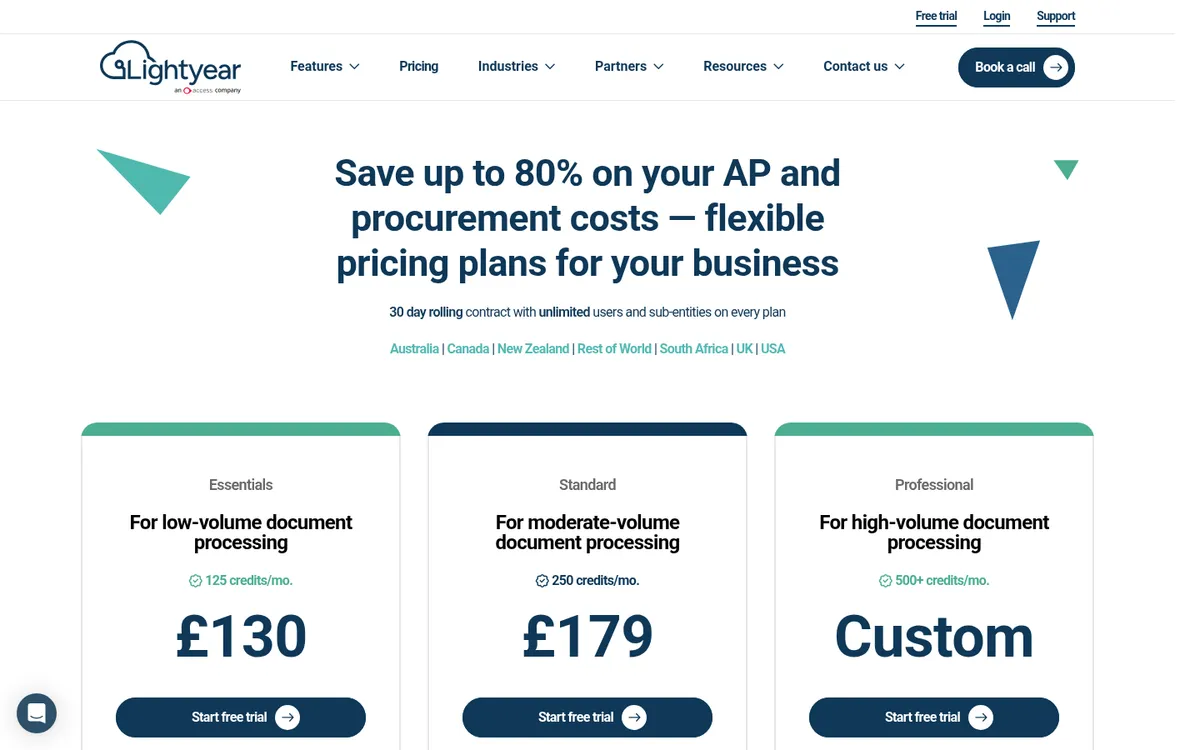
Lightyear reads every invoice down to line items by default, then runs it through automated approval workflows and posts it to Xero, Sage or QuickBooks. It also reconciles supplier statements automatically, which helps with builders merchants who send one statement for dozens of deliveries. The Standard plan adds goods received notes and three-way purchase order matching.
Line-level data is useful when one merchant invoice covers materials for several jobs, but you still have to set up the coding to split it by project.
Best for: Firms processing hundreds of supplier invoices a month that need line-item coding and statement reconciliation.
Watch out for: Pricing is by document credits, and some accounting integrations carry an extra monthly fee. Three-way matching needs Standard.
Pricing: Essentials £130 per month for 125 documents; Standard £179 per month for 250 documents; Professional is custom. 30-day free trial on a monthly rolling contract.
6. Dext – Best for Invoice Capture With Simple Approvals
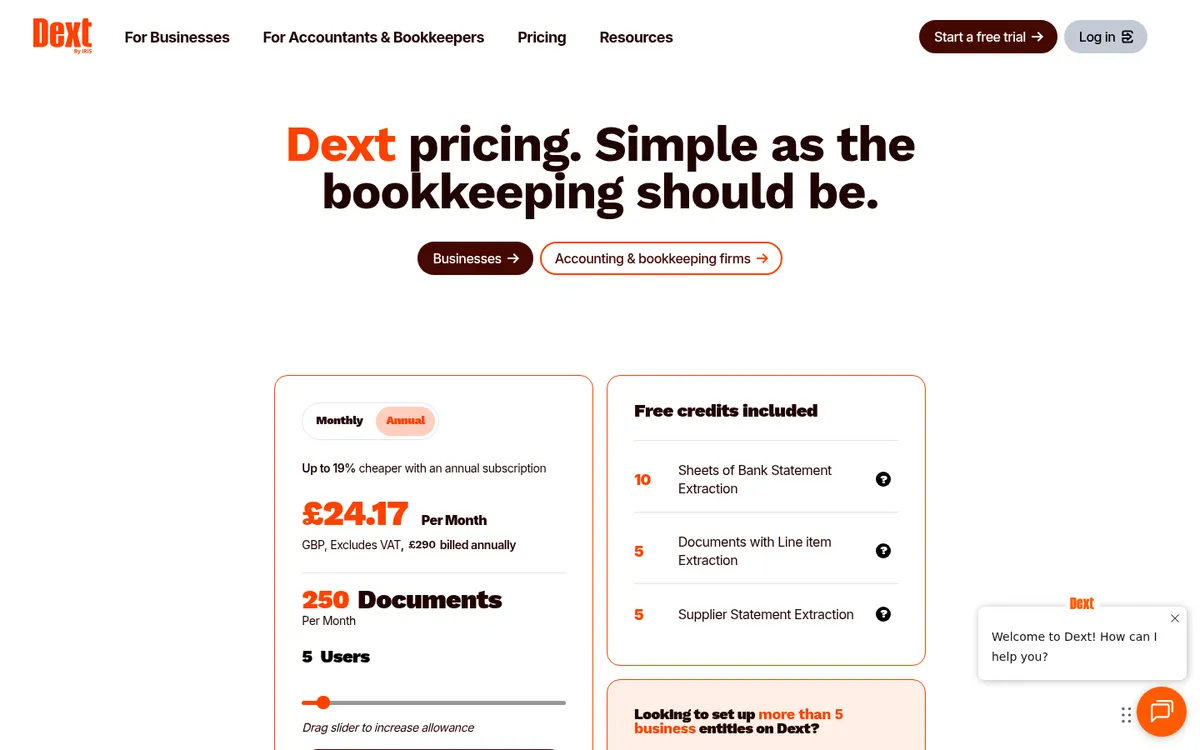
Dext is best known as the bookkeeping capture app that turns receipts and supplier invoices into coded transactions for Xero, QuickBooks or Sage. It also has approval workflows for cost documents: an admin sets the criteria, and documents pass through up to five approval stages before they are published to the ledger.
It is quick to set up and cheap, and many accountants already use it. It does not hold budgets, orders or subcontracts. Read Dext vs Planyard and our Dext alternatives for construction for how it fits alongside a cost control tool.
Best for: Small builders whose main problem is getting paperwork into the accounts, with one or two people approving.
Watch out for: If several people are assigned to an approval stage, only one of them needs to approve. No link between an invoice and a job budget.
Pricing: £24.17 per month billed yearly (£290 a year) for 5 users and 250 documents a month; more documents and add-ons cost extra. 14-day free trial.
7. PaperLess – Best for Sage 50 and Sage 200 Users

PaperLess is a UK AP automation product that sits alongside Sage, with invoice recognition, online invoice approval, purchase order matching and an archive. Approval routes can follow the supplier, department, project or cost centre, and approved invoices post live into Sage with the document attached. It also connects to Sage Intacct, Xero and SAP Business One.
Pricing is by user, not by invoice, which suits firms with heavy volumes and few approvers.
Best for: Contractors on Sage 50 or Sage 200 who want approvals and capture without changing ledger.
Watch out for: A finance tool first, with no subcontract or valuation workflows. Costs rise with each additional user.
Pricing: From £76 per month including one full user; additional users from £12 per month. Free demo.
8. Rillion – Best for Larger Finance Teams on an ERP

Rillion is a Swedish AP automation platform used by mid-sized and large companies. It handles invoice capture, approval workflows with mobile, email and batch approval, and multi-entity setups, and it integrates with ERPs such as Microsoft Dynamics 365, NetSuite, Sage Intacct, Sage X3 and SAP Business One. Every plan includes unlimited users, approvers and entities.
Best for: Groups with several companies on an ERP and a dedicated accounts payable team.
Watch out for: Built for ERPs such as Dynamics and NetSuite, PO matching and invoice capture are add-ons, and there is nothing construction-specific.
Pricing: Quote only, across Essential, Professional and Premium plans based on invoice volume.
9. Xero Bill Approval – Best Free Starting Point
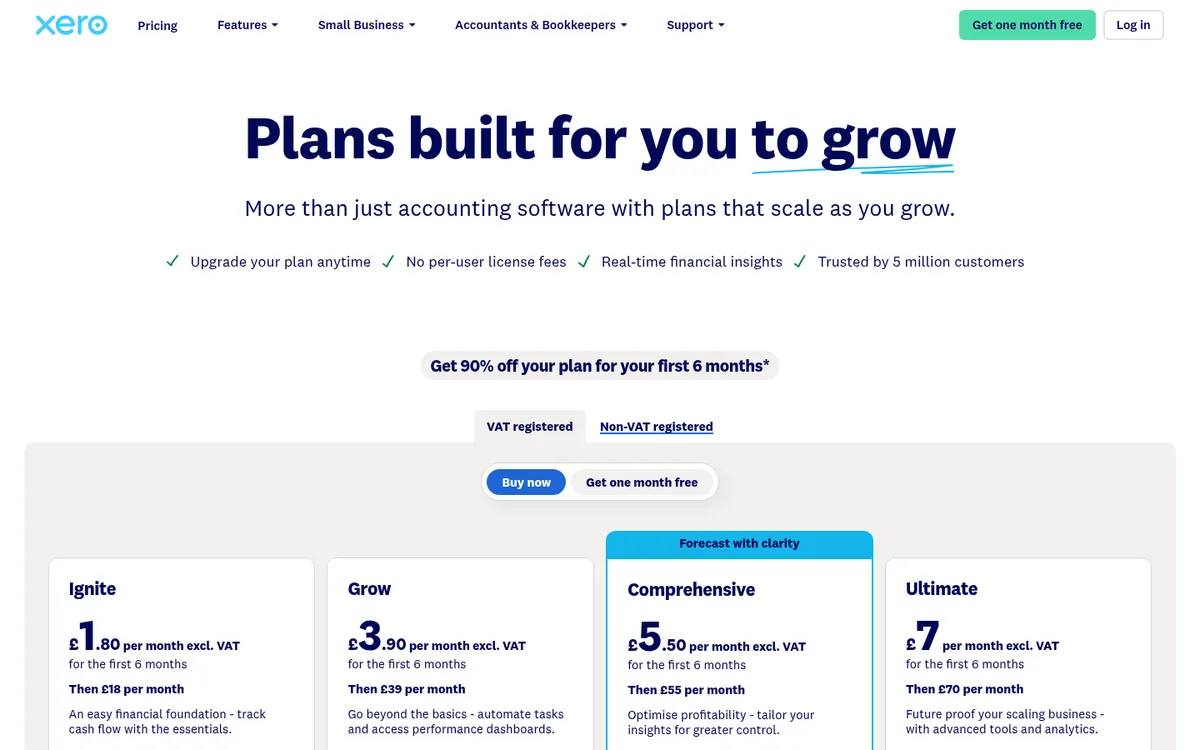
If you already run Xero you have basic invoice approval. Bills are saved as Draft or Awaiting Approval, and a user with approval permission approves them before they go into a payment run. For a small firm where the director approves everything, that is enough. Our Xero vs Planyard page covers what Xero leaves out for contractors.
Best for: Small builders with one or two approvers and low invoice volumes.
Watch out for: One approval step, with no rules by value, supplier or project and no reminders. Ignite lets you enter only 10 bills a month.
Pricing: Included in Xero. Grow at £39 per month is the cheapest plan with unlimited bills; Comprehensive £55, Ultimate £70.
Approve invoices against the job budget
Match each invoice to its order or subcontract, route it to site and finance, and sync it to Xero, QuickBooks or Sage. 14-day free trial.
How We Chose
We started from the tools that rank for invoice approval software in the UK and the ones UK contractors name when they compare options, then read each vendor’s own pricing and product pages in October 2026. Tools were ranked on fit for a construction company: whether invoices can be routed by project, checked against an order or budget, and posted cleanly to Xero, QuickBooks or Sage. Where a vendor publishes no price we say so. Approval Donkey, which used to appear on these lists, has shut down and is left out.
Planyard or ApprovalMax?
Choose ApprovalMax if your finance team owns the process, the question is only “has the right person signed this bill?”, and project costs are tracked elsewhere or not at all. It costs less per month, any number of people can approve, and it does that one job very well.
Choose Planyard if the question is “is this invoice right for this job?” That means checking it against the purchase order or subcontract, seeing what is left in the budget, and having the approved cost show up in the cost report straight away. In Planyard, approval is one step in the job costing flow.
Some firms run both: ApprovalMax for overheads and Planyard for project costs. That works, but most contractors find that once project invoices are approved in Planyard, the remaining overhead bills are few enough for Xero’s own approval.
"Whenever an invoice comes to me through Planyard, I don’t need to waste time going back to the project manager to check if it's okay. I know it is, because they have already added it to the system and approved it before sending it through to finance."
Read more
How to Choose
You approve a handful of bills a month yourself: use Xero’s bill approval, or Dext if the problem is getting paperwork in.
Finance runs AP and needs strict sign-off on Xero or QuickBooks: ApprovalMax. On Sage 50 or Sage 200, PaperLess.
Everything starts with a purchase order and a central buyer: Zahara, or Lightyear if invoice volumes are high.
Project managers and QSs need to approve invoices against the job: Planyard, with purchase orders, subcontracts and the budget in the same place. Archdesk if you want a full ERP and can take on the implementation.
"I don’t need to worry about that piece of paper or invoice again. It’s not only set up correctly against the budget, but it’s also been sent off to accounts, so I don’t have to send any more emails or do any more work for those invoices to be received by the bookkeeper or the accountant."
Read more
Related Guides
- Best Construction Cost Tracking Software for UK Contractors
- Best Purchase Order Software for Construction in the UK
Next Step
If your invoices are approved by email and forwarded to the accounts, set up one live project in Planyard and run a month of invoices through it: match them to the orders, route them to site and finance, and let them sync to your accounting software. The approval workflows page shows how the routing works.
Put the right invoice in front of the right person
Project-level and central approval, matched to orders and subcontracts, synced to Xero, QuickBooks or Sage. 14-day free trial, no credit card.