
Sage Accounting for construction

Sage shows what you have spent. You need to know what each job will make.

In Sage a cost appears only when the invoice is entered, so overspends surface weeks late and job budgets live in spreadsheets. Planyard tracks the budget, orders and margin on every job, then posts approved bills to Sage coded and ready to pay.

Free 14-day full-featured trial. No credit card required.

Sage integration with Planyard construction software

"I found it quite tricky to maintain accurate project records in our accounting software because it was constantly lagging behind the actual reality of the project's finances."

Read more
Ian Holford, Managing Director
Ian Holford Managing Director  ·  Higgihaus Developments  ·  Bristol, United Kingdom

How a supplier invoice gets from site to Sage

Invoices go through Planyard first. Sage receives the approved, coded bill.

Every invoice has a job from the day it arrives

Invoices land in the accounts mailbox, get keyed into Sage, and someone works out later which job they belong to. In Planyard they go to the project inbox, are read automatically and are tied to a job before anyone approves them.

Tied to a job on arrival

Project inbox, bulk upload or the mobile app

No typing in supplier details

Supplier, number, date and totals read for you

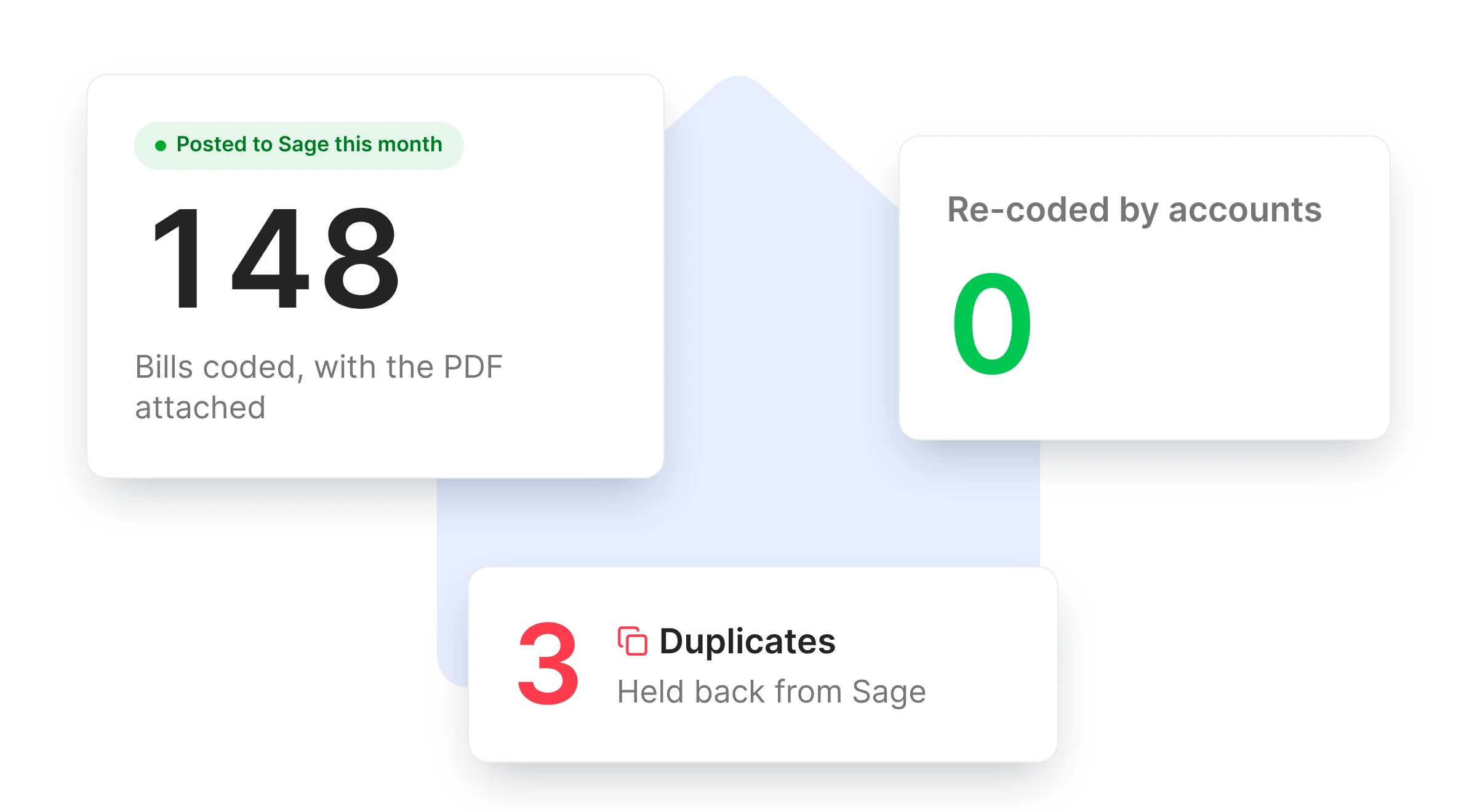
Duplicates caught early

Before anyone approves or pays them

A month of invoices at once

Upload the whole batch in one go

Catch wrong prices before you pay them

Checking an invoice by hand means finding the order, comparing the price and chasing any difference. Planyard pairs each invoice with its order and flags anything that does not match.

Purchase orders

No hunting for order numbers

Invoice and order side by side

Price and quantity differences flagged

Before approval, not after payment

Part-invoiced orders tracked

See what is still to come on each order

Ad hoc invoices handled

Allocated to a budget line on approval

Upload your project budget and follow the financial progress in real-time

No credit card required. No sales or IT support needed.

See an overspend the day it is ordered

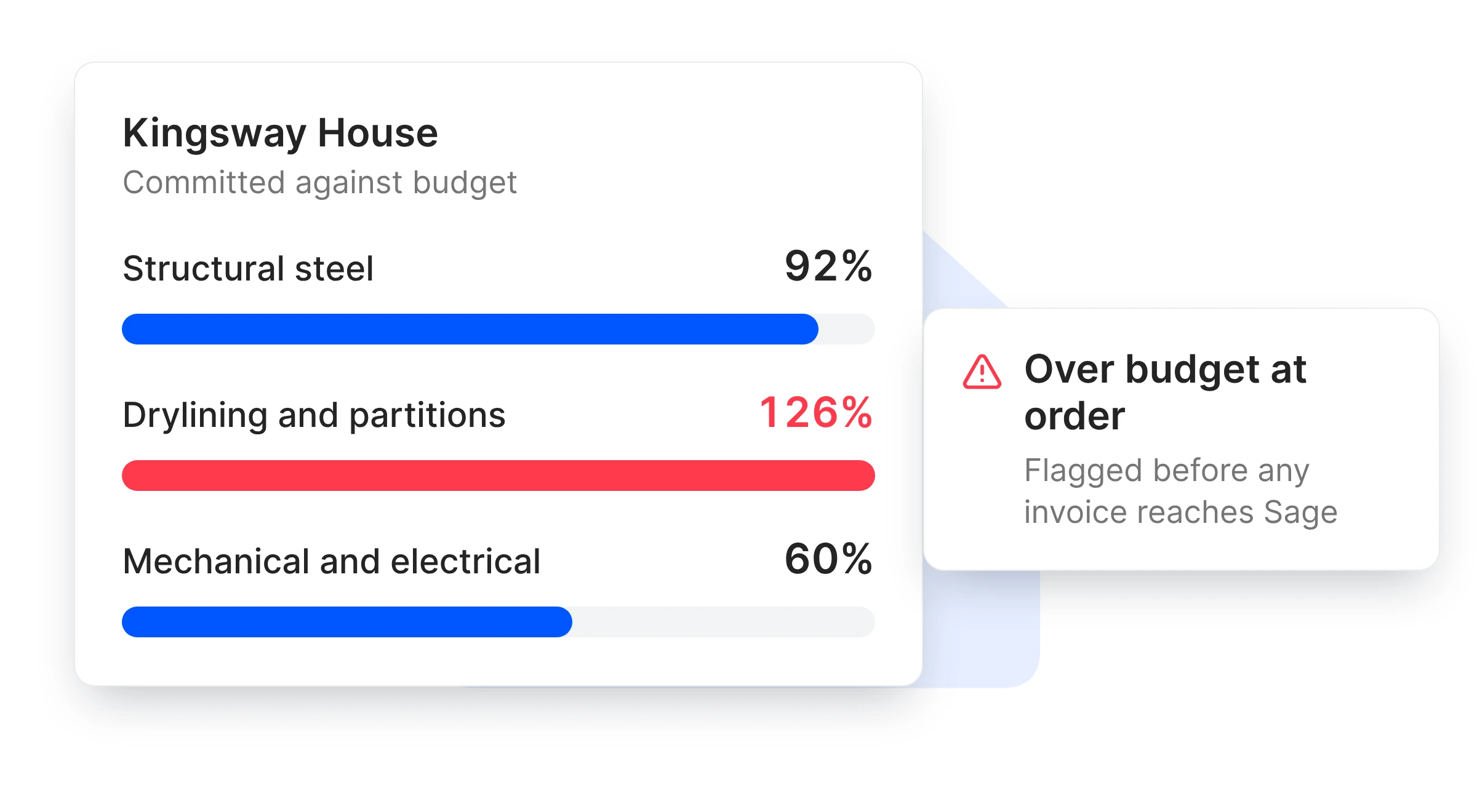
Sage records a cost once the invoice is entered, often weeks after the order went out. In Planyard the QS approves each cost against a budget line, and job costing, committed cost and the forecast update straight away.

Approved by whoever ordered it

Site, QS or director, within their limit

Budget moves on approval

Not when the payment run happens

Committed and invoiced shown apart

So you see what Sage has not seen yet

Lines trending over are flagged

While you can still change the next order

Bills your accounts team does not have to re-key

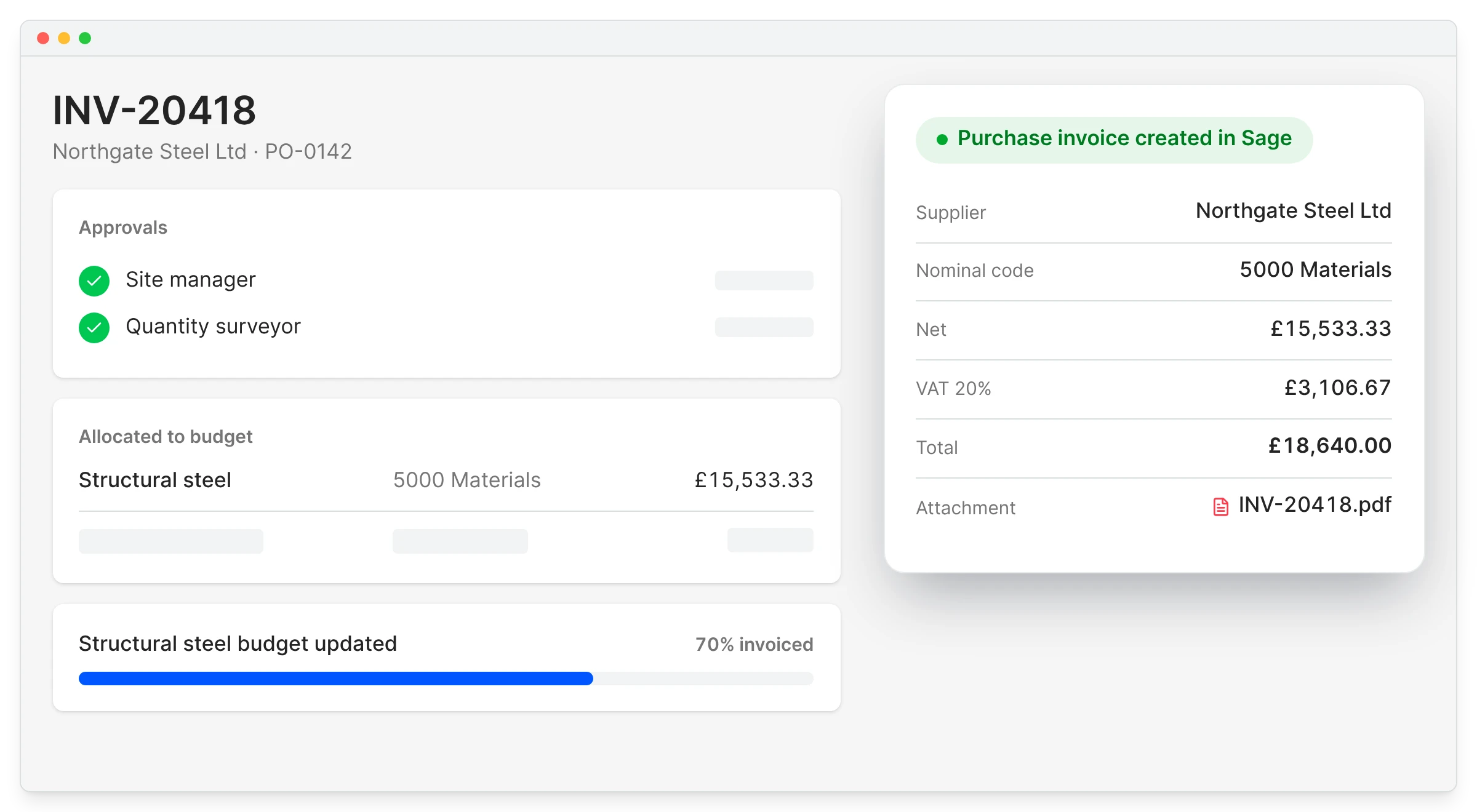
When finance types every invoice into Sage and codes it again, mistakes and duplicates creep in. Approved bills arrive in Sage with the supplier, nominal code, VAT and PDF, ready to pay the way they do today.

Sage Accounting integration

Supplier from your Sage list

Contacts are shared, not duplicated

Nominal code already set

Mapped from the budget line

Original PDF attached

The invoice travels with the bill

Paid in Sage as usual

Payment runs stay with accounts

"Everything has a PO linked to a job number. No one does a job without a purchase order, so when I look at margin I know it’s the true margin."

Read more
Lee Covington, Owner
Lee Covington Owner  ·  E&N Group Ltd  ·  London, United Kingdom

Which Sage do you have?

Sage product How it works with Planyard
Sage Accounting: the cloud version you log in to in a browser, also called Sage Business Cloud or Accounting Online
Full integration: approved invoices post on their own, contacts sync both ways
Sage 50 and Sage 50 Cloud, installed on your own server or desktop Basic: approved invoices emailed to your accounts inbox or exported as CSV
Sage 200 Basic: email forward or CSV export of approved invoices
Sage Intacct Construction
No integration

Not sure which one you have? If you log in to Sage in a web browser and nothing is installed on a server, it is Sage Accounting.

Your accountant keeps Sage and gets time back

Finance should not have to learn a new system or chase site about coding. They keep paying suppliers, filing VAT and CIS returns and reconciling the bank in Sage.

What changes is that bills arrive already approved and coded, and duplicates are stopped before they reach the ledger.

Cost control

Nothing changes for your accountant

Sage stays the ledger

No chasing site about coding

Bills arrive approved and coded

Duplicates stopped

Before they reach Sage

Suppliers set up once

Contacts shared both ways

"The spreadsheet process was prone to errors. If you didn't drag a formula down to include every row, you could suddenly drop £20,000 out of your price without realizing it."

Read more
Graham Eastwood, Office Manager
Graham Eastwood Office Manager  ·  Karringtons Ltd  ·  Kent, United Kingdom

Compare Sage and Planyard

Vale Southern replaced a legacy system and its spreadsheets in one week.

Vale Southern Construction runs projects from a few thousand pounds to £10m as principal contractor on the south coast. Reports meant downloading data from a legacy system and retyping it into Excel.

They moved every live project into Planyard, with costs to date, in about a week. Each job's position is now reviewed from one live view.

Vale Southern Construction Ltd
Portsmouth, United Kingdom
Read the case study →

Keep Sage. Add the project side.

Try it on one live job: budget, orders and approvals in Planyard, with approved bills arriving in Sage coded and ready to pay.