Sage job costing for construction

Find the overspend in week four, not when the job is finished

Sage records invoices by nominal code, so you only see what a job cost after the money has gone. Planyard tracks budget, committed cost and cost to complete for every job and cost code, and posts approved costs to Sage.

Free 14-day full-featured trial. No credit card required.

Sage integration with Planyard construction software

Why overspends only show up after the money has gone

Sage has no budget per job, and you cannot assign a purchase order to a project. A cost appears when the invoice is entered, often weeks after it was committed.

Sage’s Job Costing add-on for Sage 50 lost support in October 2021, and most contractors went back to tracking costs roughly in spreadsheets.

No budget per job

Sage tracks nominal codes, not packages

Orders not tied to projects

Cost shows up with the invoice

Reports look backwards

They show what has already gone

Spreadsheets fill the gap

Updated roughly, when someone has time

"Because it’s such a well-designed system to look at and review, you find yourself using it much more often. It isn’t difficult to understand exactly how a project is performing, which makes staying on top of the details a lot more intuitive."

Read more
Sam Jarman, Director
Sam Jarman Director  ·  Rosetta Contracting  ·  Old Knebworth, United Kingdom

A budget in the trades you priced

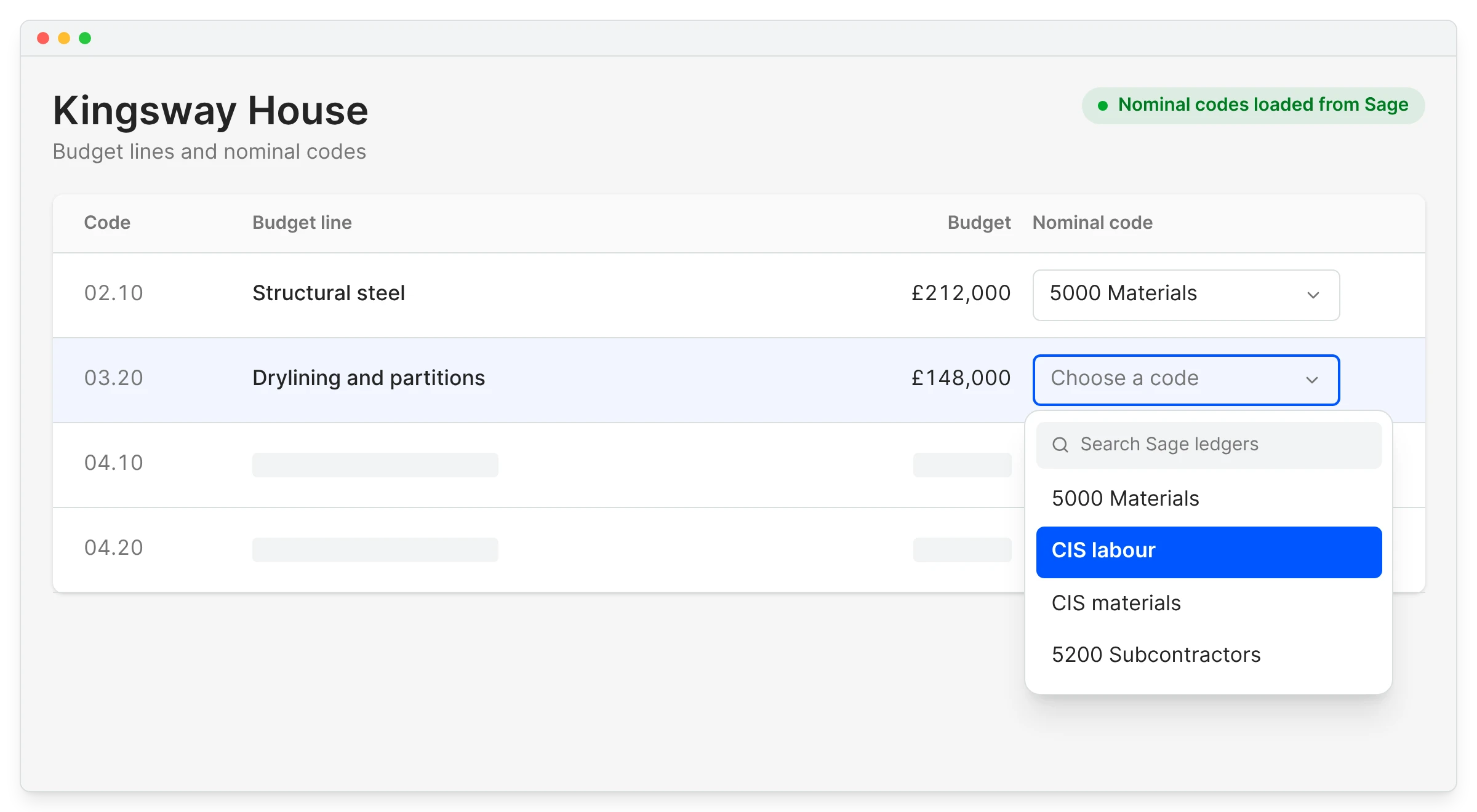
Your QS thinks in packages and cost codes, and accounts think in nominal codes. Import the estimate or an Excel budget with your own headings, and map each line to a Sage nominal code once.

See construction budgeting for Sage users for how the budget is set up.

Budgeting

Start from the estimate

Headings and cost codes come across as they are

Your structure, not the ledger's

Trades for the QS, nominal codes for accounts

Original price always visible

The revised budget is kept separately

The next job starts from the last

Templates for repeat work

"Planyard is much more open in terms of how you can structure a budget and a client contract. That flexibility is probably one of the best things about it."

Read more
Graham Eastwood, Office Manager
Graham Eastwood Office Manager  ·  Karringtons Ltd  ·  Kent, United Kingdom

Know what is committed before the invoice turns up

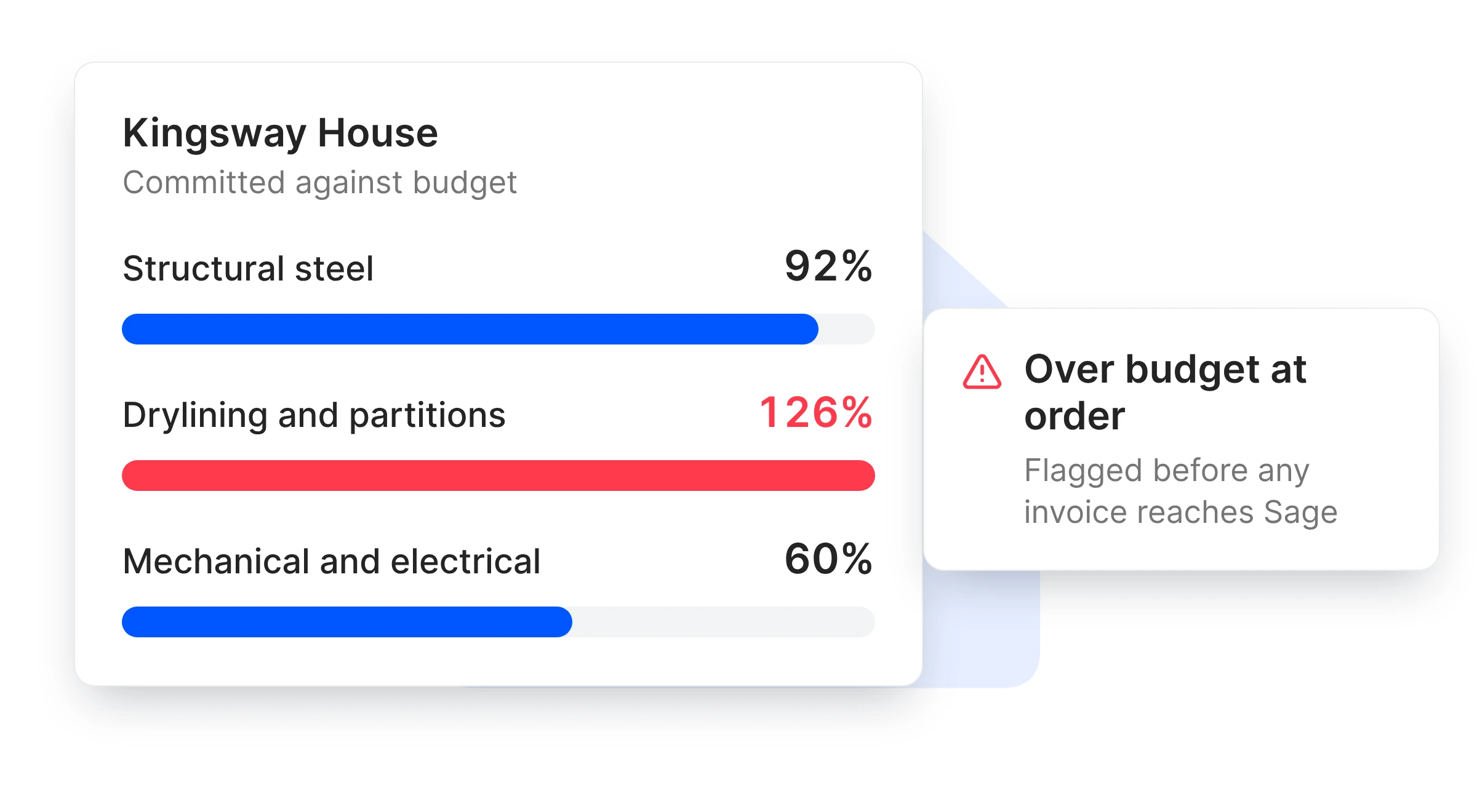
Spending most of the plumbing budget by week four should be obvious in week four. Purchase orders and subcontracts count against the budget the day they are raised, so an over-ordered package shows up straight away.

Purchase orders

Committed from the order date

Not from the day the bill is entered

What is left on every cost code

Before the next order goes out

Warnings when orders go over

Flagged at the order, before the invoice

Variations included

Agreed changes move the budget

"When we used to do our month-end CVRs it could usually take 3-4 days to put them together. It now takes me 10-15 minutes to just quickly go through the jobs and check that I haven’t missed anything."

Read more
Claire Hill, Estimator and quantity surveyor
Claire Hill Estimator and quantity surveyor  ·  Brown & Bancroft Interiors  ·  Bolton, United Kingdom

What you can find out about a job

The question you are asking Sage Accounting alone With Planyard
What is this job’s budget, line by line?
No budget per job
Imported from the estimate
Which purchase orders belong to this job?
Orders are not linked to jobs
Every order has a job and a budget line
Is this package over budget yet?
Only after the invoices are entered
As soon as the order is raised
What will this job make?
Worked out by hand
Expected margin, live with every approval
Who files VAT and CIS?
Sage
Still Sage, from bills that arrive coded

Spot the margin slipping while you can still act

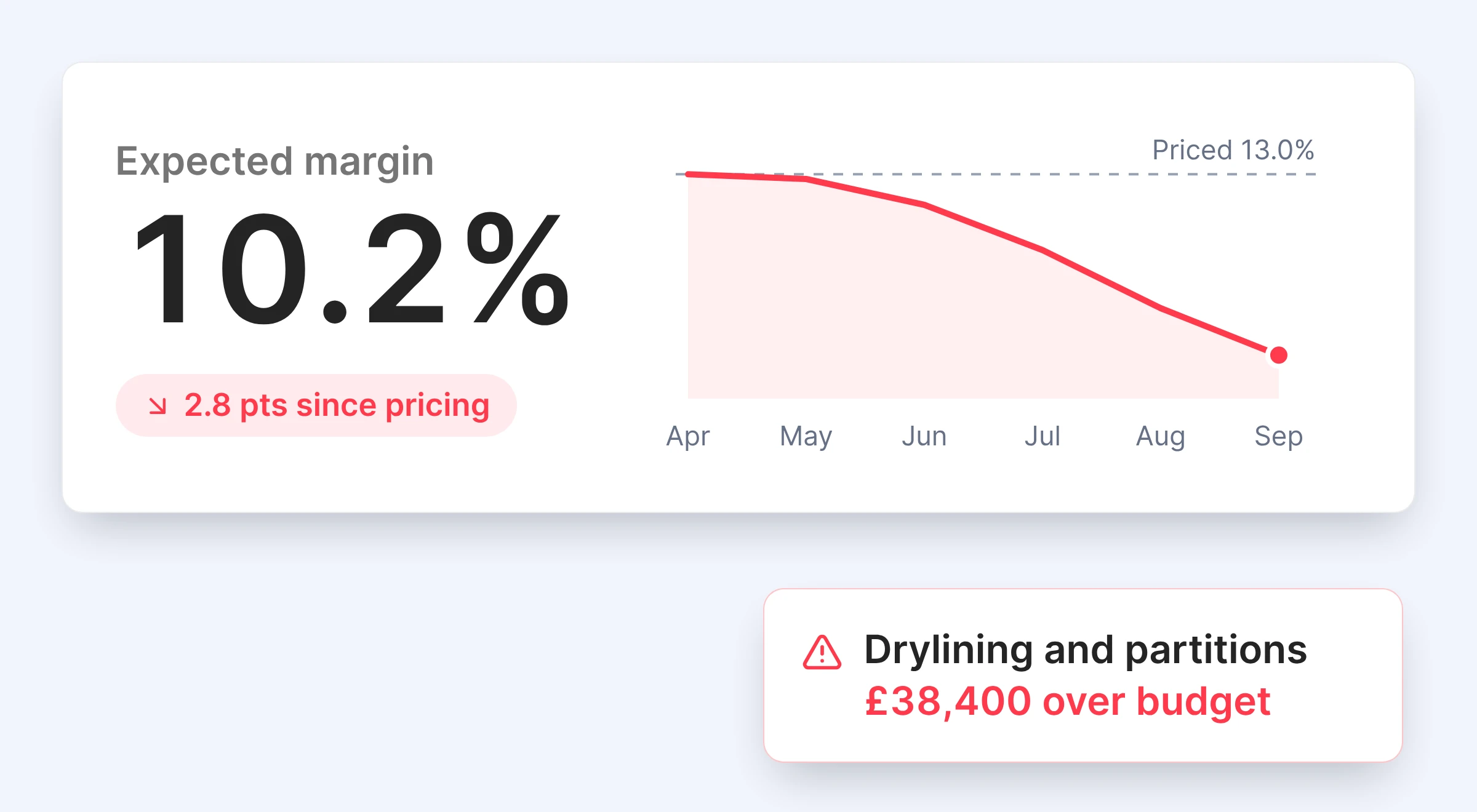
Most jobs make money, and one bad one can wipe out the profit on the rest. Every job shows its expected margin next to the margin you priced, and which cost code is moving it.

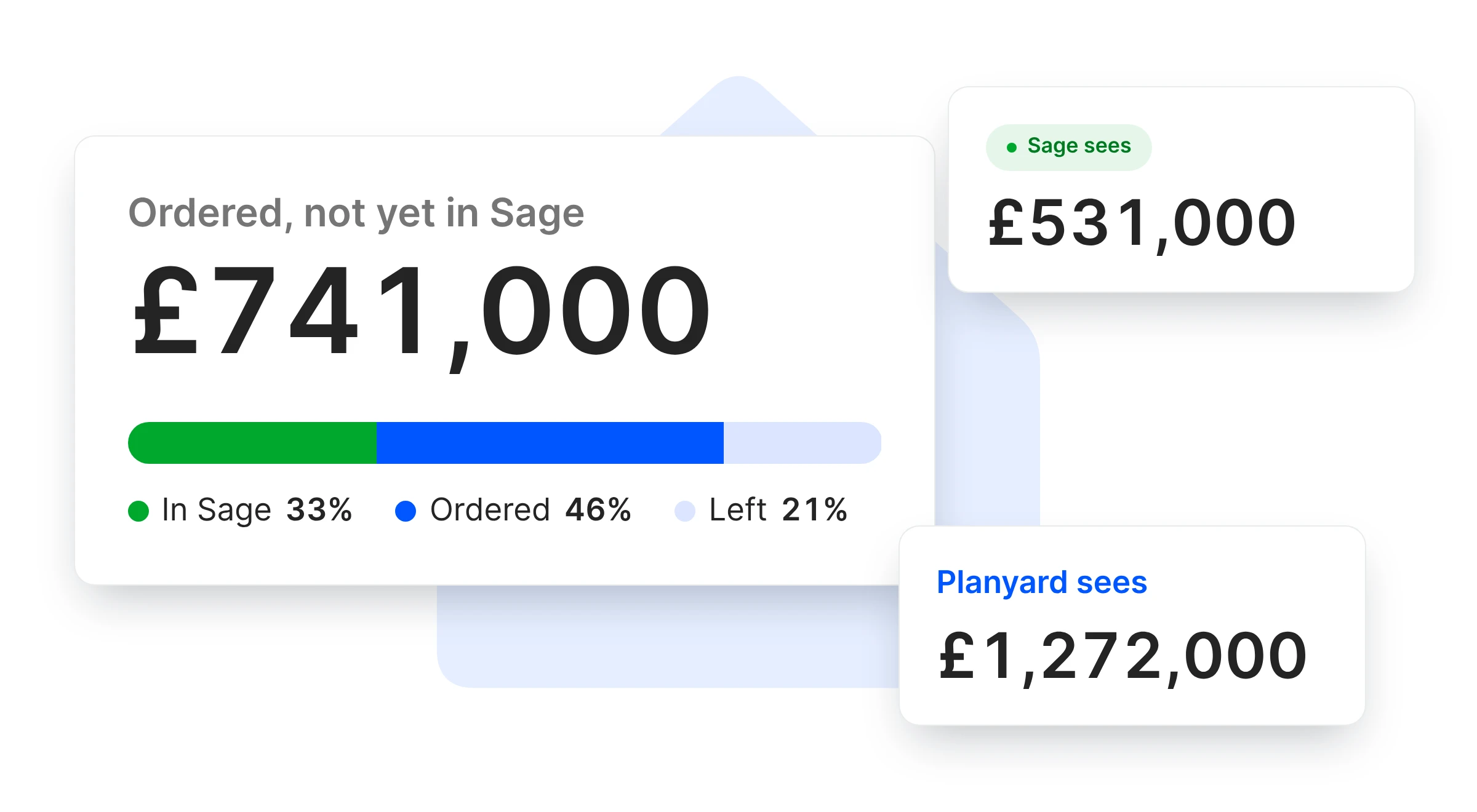
Approved costs post to Sage pre-coded, so both systems work from the same invoices.

CVR reporting

Expected against priced margin

The gap shows as soon as cost is committed

Cost codes behind the fade

Drill to the order or invoice

All jobs in one view

Board reporting without a spreadsheet

Same invoices as Sage

Approved once, posted once

"I found it quite tricky to maintain accurate project records in our accounting software because it was constantly lagging behind the actual reality of the project's finances."

Read more
Ian Holford, Managing Director
Ian Holford Managing Director  ·  Higgihaus Developments  ·  Bristol, United Kingdom

E&N Group was doing one and a half jobs' worth of admin. Now every cost has a job number.

E&N Group is a London principal contractor with jobs up to about £500,000. As turnover grew from nothing to around £2.5m in a year, invoices, valuations and job sheets kept landing on the owner's desk.

Now nothing is ordered without a purchase order, so every cost is tied to a job and the margin they see is the true margin.

E&N Group Ltd
London, United Kingdom
Read the case study →

Find your next overspend in the week it happens

Import a budget, raise a purchase order and approve an invoice on the free trial. Your accountant sees the bill arrive in Sage.