
Last verified: October 2026
A plumber finishes a bathroom on Thursday, sends the invoice from the ute, and finds out a week later that the builder’s accounts team rejected it: the builder’s ABN missing from a $4,000 tax invoice, retention not shown, and the claim was meant to go in by the 25th. The money moves a month later than it should have.
Invoicing for contractors in Australia carries more rules than in most small businesses. The invoice has to meet the ATO’s tax invoice requirements, and GST has to flow into your BAS. On contract work, the invoice often follows a progress claim with retention held back, and the state’s Security of Payment Act sets the deadlines. This guide compares the invoicing software Australian contractors use, with October 2026 prices in AUD, in two parts: apps for invoicing customers from the ute, and software for builders who bill clients from progress claims and approve subcontractor and supplier bills.
Planyard is our product. We rank it only in the second part of the list, where it fits, and we say what it does not do.
Invoicing Software for Contractors Compared
Prices are monthly in AUD from each vendor’s Australian pricing page in October 2026, ignoring introductory discounts. Xero, MYOB and ServiceM8 quote prices including GST, Tradify and Planyard quote them excluding GST, and QuickBooks does not say.
| Job | Software | Best for | From | Progress invoicing and retention | Accounting | Verdict |
| Invoicing customers | Xero | Contractors whose accountant uses Xero | $78 (Grow); Ignite capped at 20 invoices | Progress invoices from a quote; no retention tracking | Is the ledger: GST, BAS, TPAR | The safe default |
| Invoicing customers | MYOB | Sole operators and builders with payroll | Solo $99 a year; Pro $70 | Not as a feature | Is the ledger: GST, BAS (not on Solo) | Cheapest for sole traders, strong on payroll |
| Invoicing customers | QuickBooks Online | Small contractors on a budget | $33 (Simple Start) | Not as a feature | Is the ledger: GST, BAS | Lowest price for project reporting on Plus |
| Invoicing customers | Tradify | Trade teams that quote, schedule and invoice | $48 per user plus GST | Deposits, progress payments and retentions on Pro | Syncs to Xero, MYOB, QuickBooks | Best trade app for progress invoicing |
| Invoicing customers | ServiceM8 | Service trades running many small jobs | Free (30 jobs), then $29 | Deposits and progress invoices from Starter | Syncs to Xero, MYOB, QuickBooks | Best value for job-based trades |
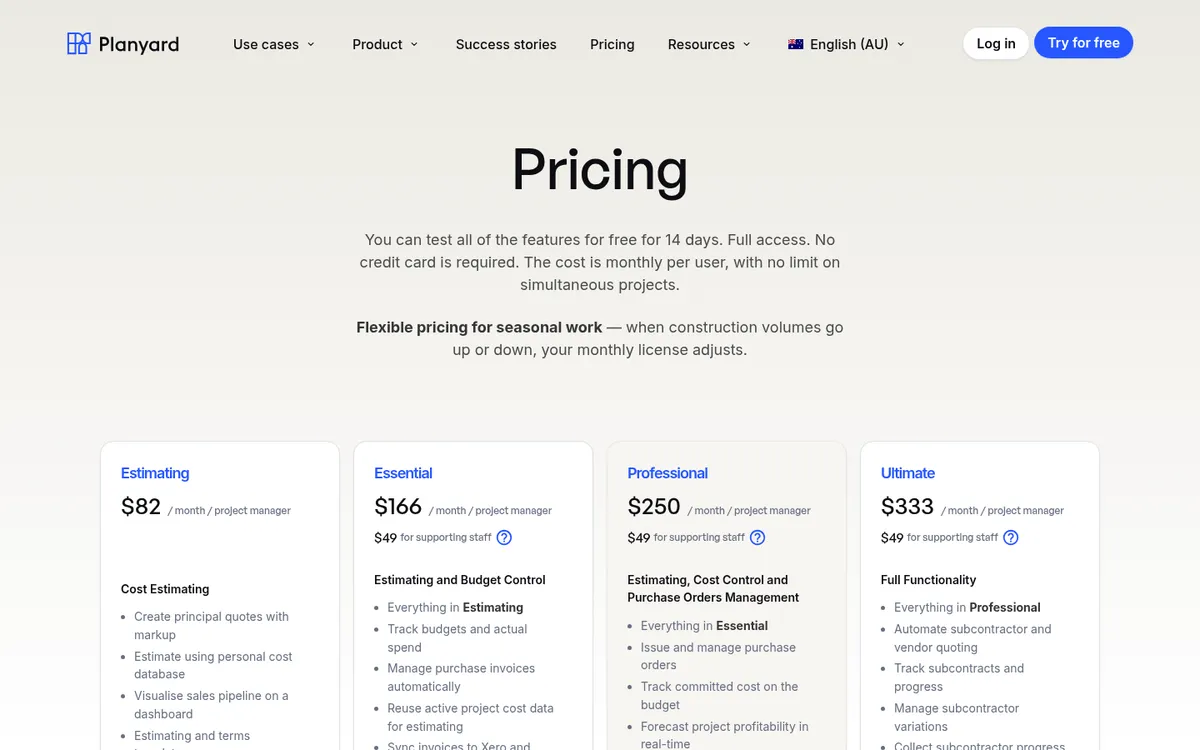
| Progress claims and supplier bills | Planyard | Builders: progress claims, subcontractor claims, incoming invoices | $166 per project manager | Client and subcontractor claims with retention, on Professional and Ultimate | Syncs to Xero, MYOB, QuickBooks | For the claims you assess and the invoices you receive |
What a Contractor’s Invoice Has to Get Right in Australia
A valid tax invoice and GST
If you are registered for GST, the ATO lists what a tax invoice must show: that it is a tax invoice, your name and ABN, the date, a description of what you sold with quantity and price, the GST amount, and how much of the sale is taxable. Sales of $1,000 or more also need the buyer’s identity or ABN. If a customer asks for a tax invoice, you have 28 days to provide one. Every tool in this guide produces a compliant tax invoice once your ABN and GST settings are in, but the GST only reaches your BAS cleanly if the invoice lands in your ledger.
Progress claims and Security of Payment
On contract work, money moves through progress claims. You claim the value of work done to date, less previous claims and retention, and the other party has a fixed time to reply with a payment schedule. Each state has its own Security of Payment Act. In NSW, for example, a payment claim must identify the work, state the amount and say it is made under the Building and Construction Industry Security of Payment Act 1999. Accounting software and trade apps produce the invoice, but they do not track the claim against the contract. Our progress claim software comparison covers the tools that do.
Retention
Builders and head contractors usually hold back a percentage of each claim as retention, released at practical completion and at the end of the defects period. An invoicing app can show a retention line, but someone still has to track what is held, what is due and when. On a few jobs that fits in a spreadsheet. With many subcontracts it needs software.
Best for Invoicing Customers from the Ute
These tools create and send your tax invoices and get the GST into your BAS, either as the ledger itself or through a sync to one. They suit tradies, sole operators and small trade businesses, and the ledgers among them are also where a builder keeps the books.
1. Xero – Best All-Round Invoicing for Contractors with an Accountant
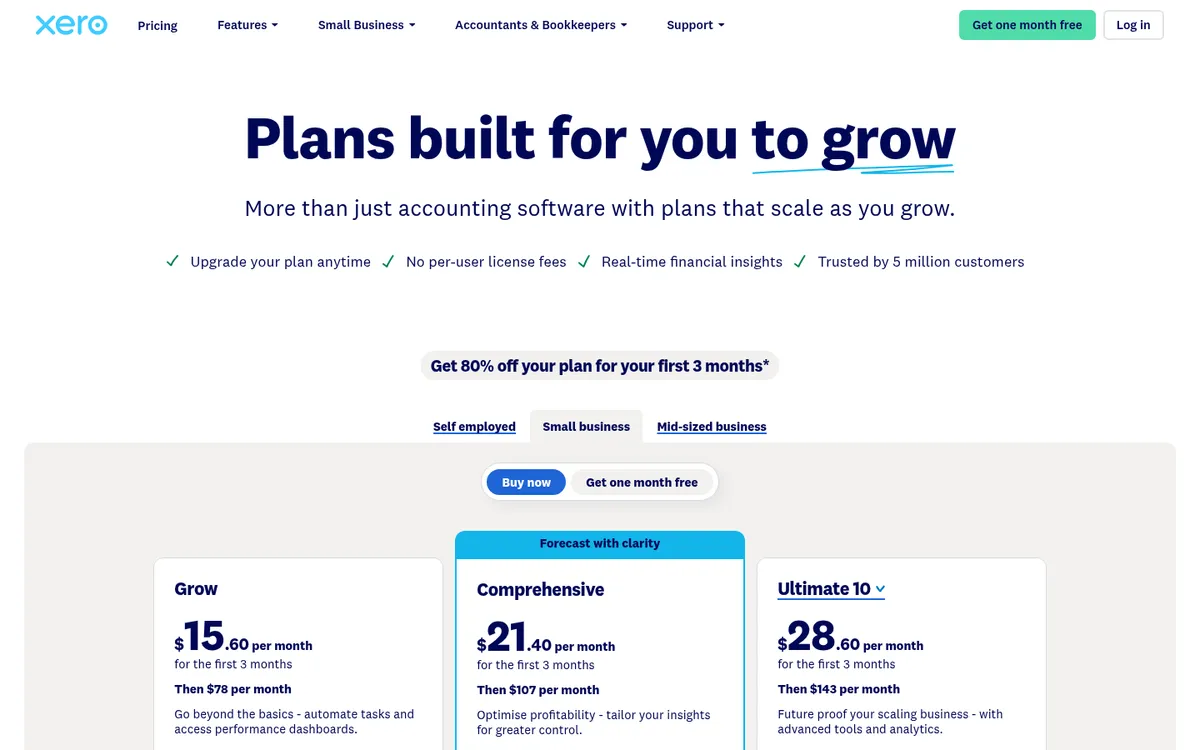
Xero is the ledger a large share of Australian accountants and bookkeepers work in, which makes it the default for contractors who want invoices and books in one place. Every plan sends quotes and invoices, takes online payments, tracks GST and lodges BAS. The Xero Accounting app lets you raise and send invoices from your phone.
Xero can raise a progress invoice from an accepted quote, for an amount or a percentage of the quoted value, which covers deposits and staged payments on smaller jobs. Project tracking for up to 10 users comes with Ultimate 10. Xero has no contract record for claims, variations or retention. Xero vs Planyard and Xero alternatives for construction cover where it stops, and Xero Projects vs Planyard looks at job tracking.
Best for: Contractors and subcontractors whose accountant already works in Xero.
Watch out for: Ignite caps you at 20 invoices, and the limit counts both approving and sending. A busy subcontractor will hit it, so Grow is the realistic starting plan.
Pricing: Grow $78, Comprehensive $107, Ultimate 10 $143 a month including GST. Ignite has a 20-invoice limit. New customers get 80% off for three months.
2. MYOB – Best for Sole Traders and Builders with Payroll
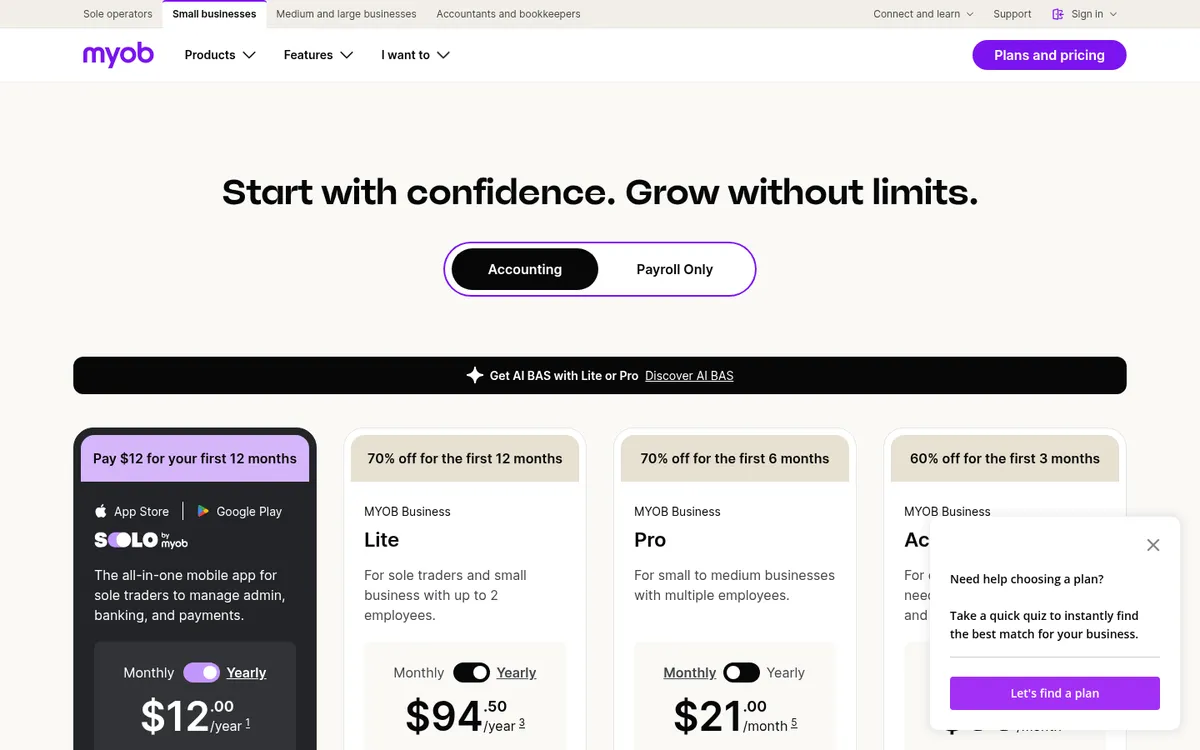
MYOB is the other ledger most Australian accountants know, with plans for sole operators and for larger businesses. Solo by MYOB is a mobile app for sole operators: unlimited quotes and invoices, automatic GST tracking and Tap to Pay for in-person payments, for $99 a year. It tracks GST but does not lodge BAS, so your accountant or a higher plan does that.
MYOB Business Lite and Pro run in the browser, send unlimited invoices, lodge BAS and track profit and expenses per job. AccountRight Plus adds budgets per job, billing by time and unlimited payroll at no extra cost, which is why builders with bigger crews often end up there.
Best for: Sole operators who want the cheapest paid invoicing, and builders on MYOB whose wages bill matters more than job management.
Watch out for: No progress claim or retention tracking on any plan. Job budgets start at AccountRight Plus, and payroll on Lite and Pro costs $3 per employee per month.
Pricing: Solo $99 a year, Lite $315 a year, Pro $70 a month, AccountRight Plus $165 a month, including GST. Introductory discounts apply.
3. QuickBooks Online – Lowest Price for a Full Ledger
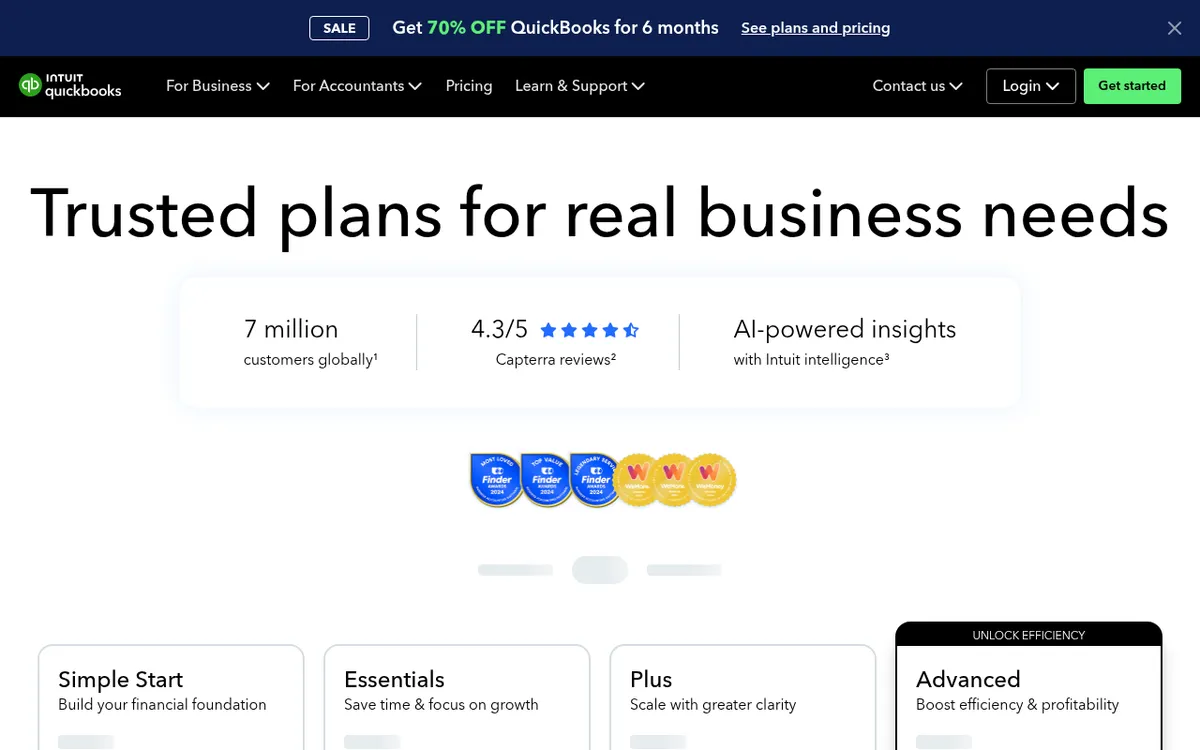
QuickBooks Online sends unlimited invoices and quotes on every plan, tracks GST and lodges BAS. Simple Start covers one user. Essentials adds bill management and recurring transactions. Plus adds project management, budgeting and up to 40 classes and locations, the cheapest route to per-job reporting among the three big ledgers.
Fewer Australian accountants and construction apps start with QuickBooks than with Xero or MYOB, though Tradify, ServiceM8 and Planyard all sync with it. QuickBooks Online vs Planyard explains what it does not cover on project costs.
Best for: Price-conscious contractors who want a full ledger and job profit reports without paying for Xero Ultimate.
Watch out for: Payroll costs extra on every plan. Projects tracks income and costs, not contracts, claims or retention.
Pricing: Simple Start $33, Essentials $60, Plus $84, Advanced $125 a month. New customers get 70% off for six months.
4. Tradify – Best for Trade Teams That Need Progress Invoicing

Tradify is job management software for trades, sold in Australia with AUD pricing and a Sydney office. Enquiries turn into quotes, quotes into jobs, and jobs into invoices, with timesheets and costs logged against the job from the app. Invoices sync to Xero, MYOB or QuickBooks Online on every plan, and customers can pay online by card.
The Pro plan adds progress invoicing for deposits, progress payments and retentions, quote and invoice reminders that chase themselves, bill tracking against the job, and subcontractor scheduling. Plus adds AI bill capture and job tasks.
Best for: Trade businesses with a few staff who want quoting, scheduling, job costing and invoicing in one app, and a ledger behind it.
Watch out for: It is priced per user from the first one, and progress invoicing with retentions needs Pro. It is not a ledger, so you still pay for Xero, MYOB or QuickBooks.
Pricing: Lite $48, Pro $52, Plus $62 per user a month excluding GST. 14-day free trial.
5. ServiceM8 – Best Value for Job-Based Service Trades
ServiceM8 is a job management app for trade and service businesses, built around the job card. Quotes, scheduling, forms, certificates and invoices all live on the job. It syncs clients, items, invoices and payments with Xero, QuickBooks Online and MYOB.
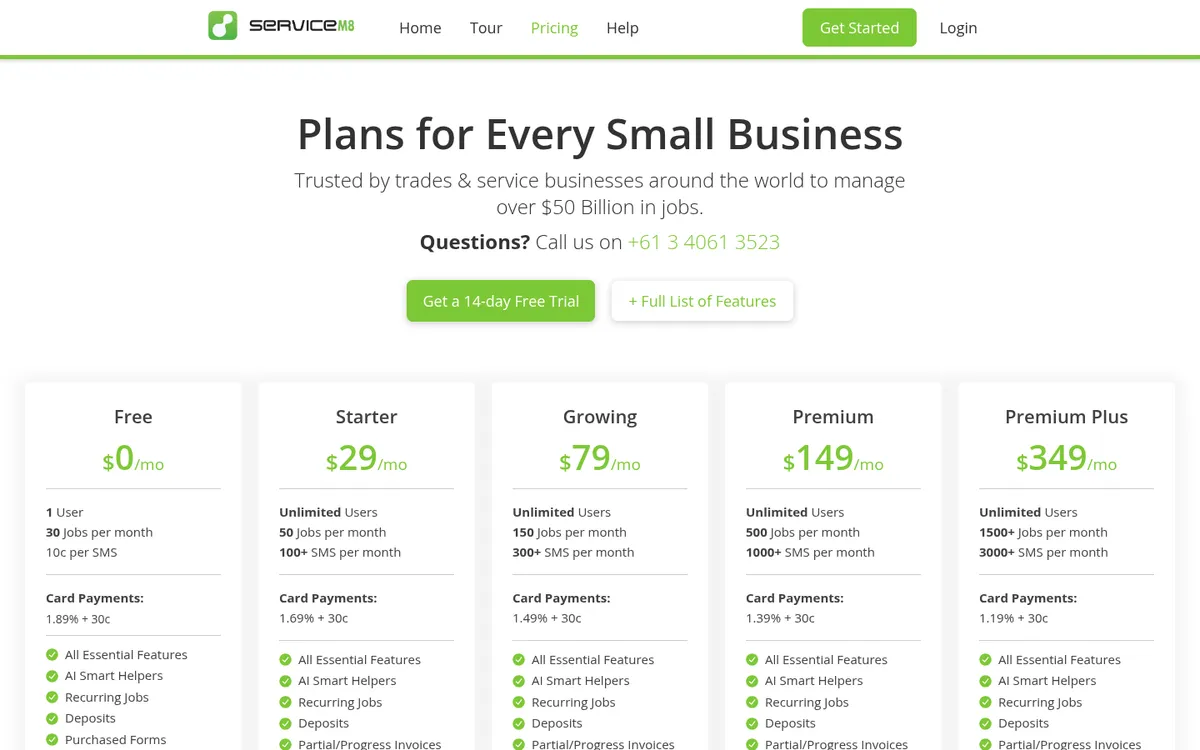
ServiceM8 prices by the number of new jobs a month. The free plan covers one user and 30 new jobs a month, and paid plans from Starter add unlimited users. The feature list includes deposits, progress invoices, supplier invoices emailed straight into the job, and job costing.
Best for: Electricians, plumbers and other service trades running many small jobs, solo or with a team.
Watch out for: It is built for many short jobs, so a builder with a few long contracts and staged claims will find Tradify or construction software a better fit. Extra SMS and card payment fees add to the bill.
Pricing: Free (1 user, 30 jobs), Starter $29 (50 jobs), Growing $79 (150 jobs), Premium $149 (500 jobs), Premium Plus $349 (1,500+ jobs) a month including GST. 14-day free trial.
Best for Progress Claims and Subcontractor Bills
A builder or head contractor with several live jobs spends most of its invoicing time before the tax invoice goes out: subcontractor claims to assess, supplier bills to check against orders, and the monthly progress claim to the client. Xero, MYOB and QuickBooks still hold the bills, GST and BAS; Planyard runs the claims and sends the approved bills to them.
1. Planyard – Best for Builders Handling Progress Claims and Supplier Invoices
Planyard sits in front of your accounting software and covers the invoicing a builder spends most time on: claims and invoices coming in from subcontractors and suppliers, and progress claims going out to the client, with the sales invoice raised from each one. Subcontractors fill in their claim through a link, with no login, against their contracted schedule. You approve it, and they get a PDF with the approved value, retention and variations, then upload their invoice against that amount.
Supplier invoices arrive by email, the Outlook or Gmail add-in, or bulk upload. Planyard reads them, matches them to the order and job, routes them for approval and sends the approved bill to Xero, MYOB or QuickBooks with its cost codes, so GST and BAS stay in the ledger. See invoice management for the incoming side and construction billing for claims to the client.
The Keane Group, a Queensland builder, used to assess subcontractor claims in Excel. With Planyard it issues the assessed claim back to the subcontractor in about 30 minutes and saves roughly two hours per claim.
Best for: Builders and head contractors with several live jobs, subcontract packages and a progress claim to the client each month.
Pair it with: Xero, MYOB or QuickBooks for the ledger, BAS and payroll, which Planyard does not handle. A tradie who invoices homeowners from the ute does not need it; one of the apps in the first part of this list will do.
Pricing: Essential $166 per project manager a month (invoice import, Xero, MYOB and QuickBooks sync). Professional $250 adds invoice OCR, approval workflows, client progress claims, variations and retention. Ultimate $333 adds subcontractor progress claims. Supporting staff $49. 14-day free trial. See Planyard pricing.
"With Planyard, the workflow is significantly more efficient; once the information is loaded, the system automatically generates the progress claim and a professional PDF that can be issued back to the subcontractor within just 30 minutes. Previously, assessing a subcontractor claim manually in Excel was a time-consuming ordeal. Now, we're saving roughly two hours per claim, allowing us to turn around documentation faster and maintain much better momentum on-site."
Read more
"When you're juggling multiple disconnected systems that don't talk to each other, it's incredibly hard to link everything together accurately. Relying on Excel meant we were never quite sure how reliable our data really was, as there was no seamless flow of information between our various tools."
Read more
Assess claims and supplier invoices before they reach Xero or MYOB
Collect subcontractor progress claims, build claims to your client and send approved bills to Xero, MYOB or QuickBooks. 14-day free trial, no credit card.
How We Chose
We started from what Australian contractors search for and ask on forums, including the r/AusElectricians thread where owner-operators compare invoicing and job apps. For each tool we read the Australian pricing page and feature pages in October 2026 and checked four things: whether it produces a valid tax invoice with GST, whether it handles deposits, progress payments and retention, how it connects to Xero, MYOB or QuickBooks, and what it costs at the regular price. Tools that only make a PDF invoice with no ledger connection were left out.
How to Choose
Sole trader invoicing homeowners and builders: MYOB Solo if price comes first, or the ledger your accountant uses (Xero Grow, MYOB Lite or QuickBooks Simple Start) if you want BAS lodged from the same place.
Trade business that quotes, schedules and invoices from site: ServiceM8 if you run many short jobs. Tradify Pro if you need progress payments and retentions on bigger jobs. Both sync to Xero, MYOB or QuickBooks.
Subcontractor claiming against a builder’s contract: your ledger for the tax invoice, plus a claim that follows the builder’s template and your state’s Security of Payment rules. Many builders send you a portal link for that.
Builder or head contractor with several live jobs: keep the ledger, GST and BAS in Xero, MYOB or QuickBooks. Use Planyard for subcontractor claims, the supplier invoices coming in, and client progress claims with the sales invoices raised from them. Our construction accounting software guide for Australia covers the ledger side, and the UK version of this guide covers CIS and reverse charge VAT for UK contractors.
"If I were still relying solely on Excel to track and present the financial positions of our projects, I would be losing significant time every single month. By implementing the streamlined processes that Planyard supports, I’m saving at least three to four days of work every month that would have otherwise been spent on manual data entry and reconciliation."
Read more
Related Guides
- Best Construction Cost Management Software in Australia
- Best Construction Management Software in Australia
- Best Construction Estimating Software in Australia
- Best Accounting Software for Tradies in Australia
Next Step
If you invoice customers from site, pick the app that handles deposits and progress payments and syncs to the ledger your accountant already uses. If most of your invoicing time goes on progress claims, retention and checking the invoices that come in, Planyard handles that part alongside Xero, MYOB or QuickBooks.
Progress claims and supplier invoices in one place
Planyard collects subcontractor claims, builds progress claims to your client and sends approved invoices to Xero, MYOB or QuickBooks. 14-day free trial.