
Last verified: October 2026
It is the 25th of the month at a Queensland builder. Eighteen subcontractor claims have come in by email: PDFs, spreadsheets, one photo of a handwritten sheet. The contract administrator has to check each one against the subcontract, take off retention, sort out which variations are approved and send payment schedules back before the deadline. The builder’s own claim to the principal is due on the same day.
Progress claim software brings that into one place. This guide covers both directions: claims coming in from subcontractors and claims going out to your client or principal. Below you will find a short explainer on how the security of payment laws affect your claims, what to look for in software, a comparison table with October 2026 AUD prices, eight tools ranked for Australian contractors, and an FAQ.
Progress Claims and Security of Payment: What the Software Has to Handle
Every Australian state and territory has its own security of payment legislation, often shortened to SOPA. NSW has the Building and Construction Industry Security of Payment Act 1999, Victoria the Act of 2002, Queensland the Building Industry Fairness (Security of Payment) Act 2017 and Western Australia an Act from 2021. South Australia, Tasmania, the ACT and the Northern Territory have their own. They share a basic structure, but the details differ.
The claimant serves a payment claim for work done. If the respondent intends to pay less than the claimed amount, it must serve a payment schedule that states the amount it will pay and why it is paying less, within the time the Act allows. That time varies by state: 10 business days in NSW and 15 business days in Queensland, or less if the contract says so. Miss the deadline and the respondent can lose the right to dispute the amount, and the claimant can go to adjudication or recover the claim as a debt. Some states also have rules on what the claim must say. In Victoria, for example, the claim has to state that it is made under the Act.
In practice, the software has to record when each claim was served and what it asked for, get payment schedules out on time with reasons for any reduction, and keep everything for a contract in one record in case a dispute goes to adjudication. This is general information, not legal advice: check the Act in the state where the work is done and your contract.
What to Look For in Progress Claim Software
Claims checked against the contract
A subcontractor should not be able to claim more than what is left on the subcontract. Tools that check each line against the contracted schedule and the previous claim catch overclaiming at submission, before someone in the office has to find it.
Retention calculated on every claim
Retention is easy to get wrong by hand: different rates, caps and release at practical completion and at the end of the defects period. Look for retention set once per contract and applied to every claim automatically. Our guide to retention in construction covers how the amounts usually work.
Variations on the same claim
Approved variations should flow into the next claim with the original contract, and pending ones should be visible but not payable. If variations live in a separate spreadsheet, the claim and the contract drift apart.
Payment schedule dates and documents
You need to see which claims are waiting, when each was received and when the response is due. A claim or schedule document generated from the system, with the amount, deductions and reasons, saves retyping and keeps the record consistent.
A link to your budget and your accounts
A claim system without a link to the job budget tells you what you owe this month but not whether the job still makes money. And if approved claims have to be retyped into Xero or MYOB, the double handling comes back at the end.
Progress Claim Software Compared
Prices are as published in October 2026 in AUD. Xero shows prices including GST; Payapps and Buildxact show prices excluding GST. “Claims in” means collecting and assessing subcontractor claims; “claims out” means claiming from your client or principal.
| Tool | Claims in | Claims out | Best for | Starting price |
| Planyard | Yes | Yes | SME builders and developers | $250 per PM per month (claims out), $333 (claims in) |
| Payapps | Yes | Yes (subcontractors) | Tier 1 and 2 builders with many subcontractors | Quote for head contractors; subcontractors from $49 per month |
| Procore | Yes | Yes | Builders already on Procore | Quote, by annual construction volume |
| Lentune | Yes | Yes | Builders who want AP automation and claims together | Typical business from NZD 900 per month |
| Varicon | Not covered here | Yes | Civil contractors | Quote |
| Buildxact | No | Yes | Residential builders invoicing clients | $199 per month; job management from $399 |
| Jobpac Connect | Ask | Yes | Mid-tier contractors that want a full ERP | Quote |
| Xero | No | Basic progress invoices | Small subcontractors with a few claims | Grow $78 per month incl. GST |
"I came from a heavyweight enterprise ERP at a UK Tier 1 contractor, so I saw how bloated software hurts financial control. At an Australian SME I still need that Tier 1 budget discipline, just without the bloat.
Planyard hits the sweet spot: structured budgets, strong cost controls, and a professional ERP-level feel, but simple enough that I set it up myself in a few days. It is now our gatekeeper for purchase orders and handles tax and retention smoothly.
Real financial clarity without the spreadsheet headaches."

The 8 Best Progress Claim Software Tools for Australian Contractors
1. Planyard – Best for Progress Claims Tied to the Budget
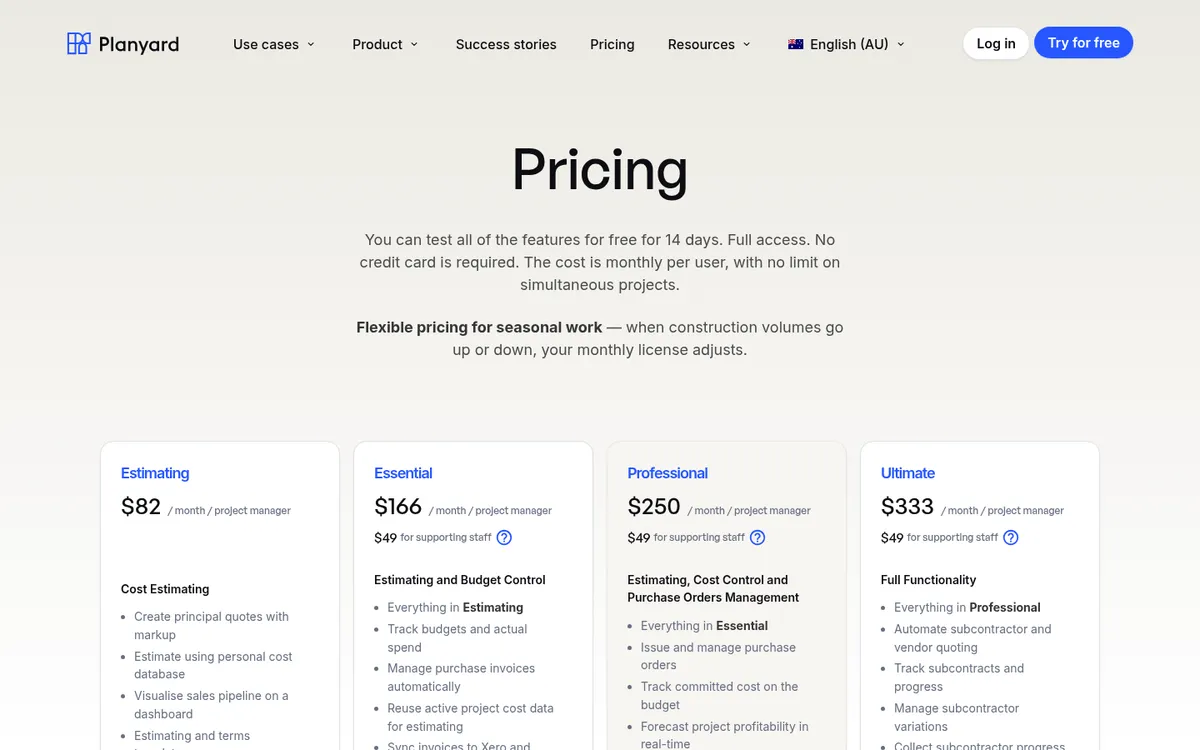
Planyard is construction cost control software for SME head contractors and developers, and it handles claims in both directions. For subcontractor progress claims, it sends each open subcontract its claim template with one click. Subcontractors fill it in through a link, with no login or account, entering progress by percentage, quantity or value against their contracted schedule. They cannot claim more than what is left on the contract, and agreed variations can be added to the claim before it is submitted.
Every submission lands in one review queue with retention and prepayment already calculated. You approve, reject or send it to a site engineer or finance for sign-off, and the subcontractor gets a PDF showing the approved value, retention and variations. They then upload their invoice against the approved amount, and once it matches it goes to Xero, QuickBooks, MYOB or Sage without retyping.
For progress claims to your principal, you build the head contract from rows of the budget and claim against it each period. Planyard tracks previous claims, retention and variations, and the claim downloads as PDF or XLSX. Planyard then raises the sales invoice to the client from the claim. Because both sides sit on the same budget, you see the margin on the job move with every claim in and out.
Best for: SME builders and developers in Australia who want subcontractor claims, the head contract claim and job costing in one system, priced per project manager.
Watch out for: Planyard has no subcontractor network and is not an accounting ledger. Claims to the client need the Professional plan and subcontractor claims need Ultimate. It does not give legal advice on SOPA wording, so check your payment schedule template against your state’s Act.
Pricing: Professional, which includes client progress claims, variations and retention, is $250 per project manager per month. Ultimate, which adds subcontractor progress claims and subcontract variations, is $333. Supporting staff are $49. 14-day free trial, see pricing.
"With Planyard, the workflow is significantly more efficient; once the information is loaded, the system automatically generates the progress claim and a professional PDF that can be issued back to the subcontractor within just 30 minutes. Previously, assessing a subcontractor claim manually in Excel was a time-consuming ordeal. Now, we're saving roughly two hours per claim, allowing us to turn around documentation faster and maintain much better momentum on-site."
Read more
2. Payapps – Best for Large Head Contractors With Many Subcontractors

Payapps, now an Autodesk company, is the dedicated claims platform many large Australian builders use. Subcontractors submit claims in a standard format and the head contractor assesses and approves them. Payapps handles variations and retention, and subcontractor compliance documents have to be verified before a claim can be submitted and approved. Payapps reminds you to approve claims and issue payment schedules, and it is built around the Security of Payment Acts in Australia and the Construction Contracts Act in New Zealand.
Subcontractors can also use it on their own to prepare claims for builders that are not on Payapps. Payapps integrates with construction ERPs and accounting systems, but it is a claims tool: budgets, purchase orders and job costing stay in another system. See our Payapps vs Planyard comparison and Payapps alternatives.
Best for: Tier 1 and 2 head contractors processing hundreds of subcontractor claims a month, and subcontractors whose builders require it.
Watch out for: Head contractor pricing is a custom annual fee. Cost control and forecasting need another system alongside.
Pricing: Head contractors: quote, an annual fee based on the number of projects and claims assessed, with unlimited users. Subcontractors: $65 per claim pay as you go, or $49 (1 contract a month), $120 (3), $150 (5), $230 (10) and $440 (unlimited) per month, excluding GST.
3. Procore – Best for Builders Already on Procore

Procore’s Progress Claiming tool (Invoicing in other regions) handles both subcontractor progress claims against commitments and head contract progress claims. Subcontractors claim against a schedule of values, retention controls are built in, and workflows can route claims for approval. Procore can also fill a head contract claim from approved subcontractor claims and direct costs, though that newer head contract tool is still marked beta in Procore’s Australian support docs.
It makes most sense when the project team already runs drawings, RFIs and site documents in Procore. Bought only for claims, it is a large platform to roll out. See Procore vs Planyard and Procore alternatives.
Best for: Mid-size and large builders who already use Procore for project management and want claims in the same platform.
Watch out for: Pricing is by annual construction volume, so costs grow with turnover. Head contract claiming from subcontractor claims is still in beta.
Pricing: Quote only. Procore charges an annual fee per product based on your annual construction volume, with unlimited users.
Assess subcontractor claims against the contract
Subcontractors claim through a link, retention calculates itself, and approved claims flow to Xero or MYOB. 14-day free trial.
4. Lentune – Best for Claims Plus Accounts Payable Automation

Lentune is a New Zealand construction financials platform that also sells in Australia. Its progress claims module covers claims to your customers and subcontractor claims, with payment schedules, variations, retention and buyer-created invoices in one place. It also does supplier invoice automation, purchase orders and project cost reporting, and integrates with Xero, MYOB and Procore.
Best for: Builders who want claims, supplier invoice processing and cost reporting from one vendor, on Xero or MYOB.
Watch out for: Pricing is published in NZD and covers a bundle; ask for AUD terms.
Pricing: Lentune says a typical business starts from NZD 900 per month with unlimited users, covering invoices, claims and financial reporting. AUD pricing on request.
5. Varicon – Best for Civil Contractors
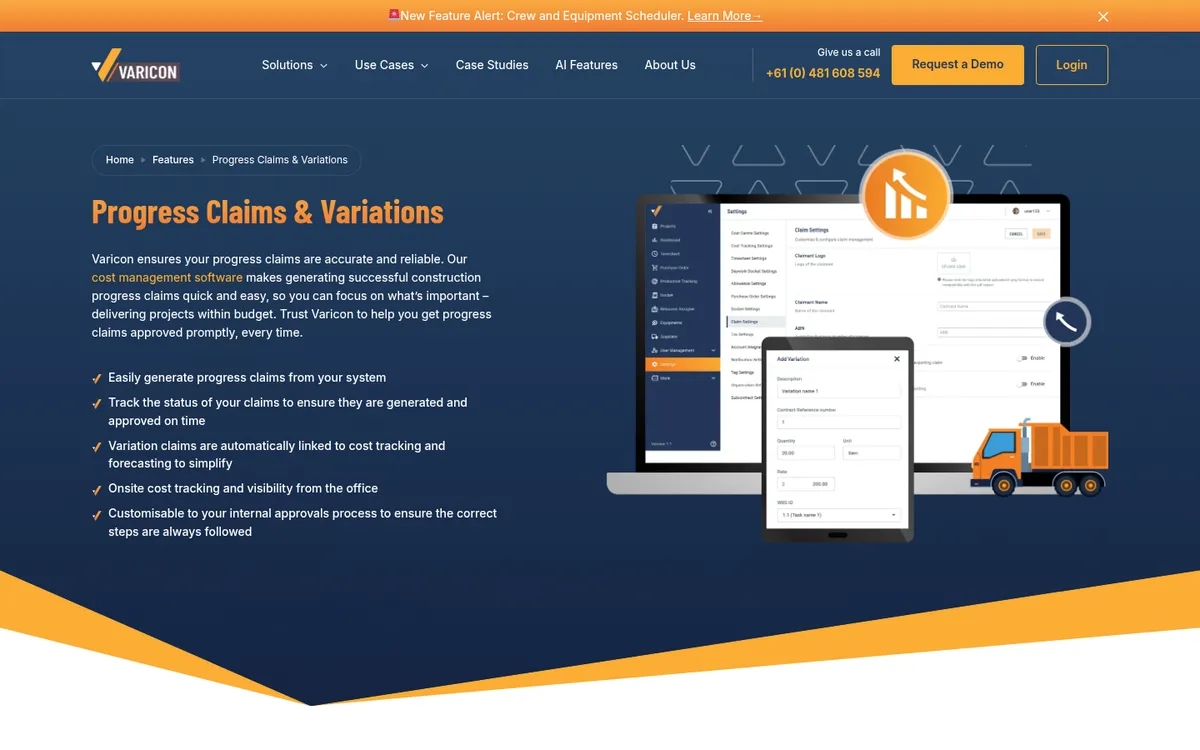
Varicon is built for civil construction, with site dockets, timesheets, plant and cost tracking alongside claims. Its claims module builds each claim from the last approved claim plus variations approved in the period. You enter quantity, percentage or dollar amount and Varicon calculates the rest, with retention and bank guarantees tracked on the contract. Varicon says its claims are designed around the Security of Payment Act in every state.
Best for: Civil contractors who claim from principals by quantity and want site data and claims in one system.
Watch out for: It is aimed at civil work, and no price is published.
Pricing: Quote only.
6. Buildxact – Best for Residential Builders Invoicing Clients
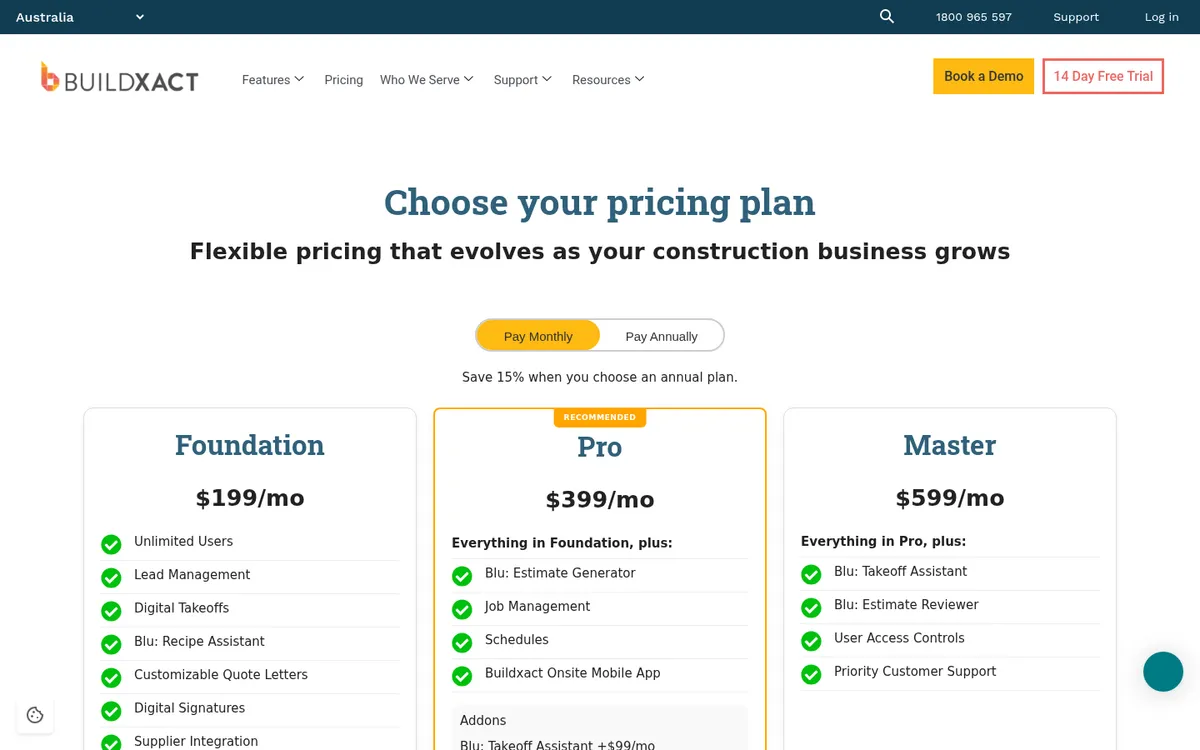
Buildxact is an estimating and job management platform for residential builders and renovators. It invoices clients three ways: contract price (stages), completion percent and cost plus. Completion percent invoicing works like a monthly progress claim: you enter the percentage of each cost category completed and each invoice draws down the remaining balance. Variations sit in their own group, and retention can be held and claimed back on contract price and completion percent jobs.
Buildxact handles the client side only and does not collect claims from subcontractors. See Buildxact vs Planyard.
Best for: Residential builders and renovators who estimate in Buildxact and want the client claim to come from the same job.
Watch out for: No subcontractor claims, so commercial builders with many trades on subcontract need something else for claims in.
Pricing: Foundation $199, Pro $399 and Master $599 per month excluding GST, or 15% less on annual plans. Job management starts on Pro; confirm invoicing is on the plan you choose.
7. Jobpac Connect – Best for Mid-Tier Contractors on a Full ERP
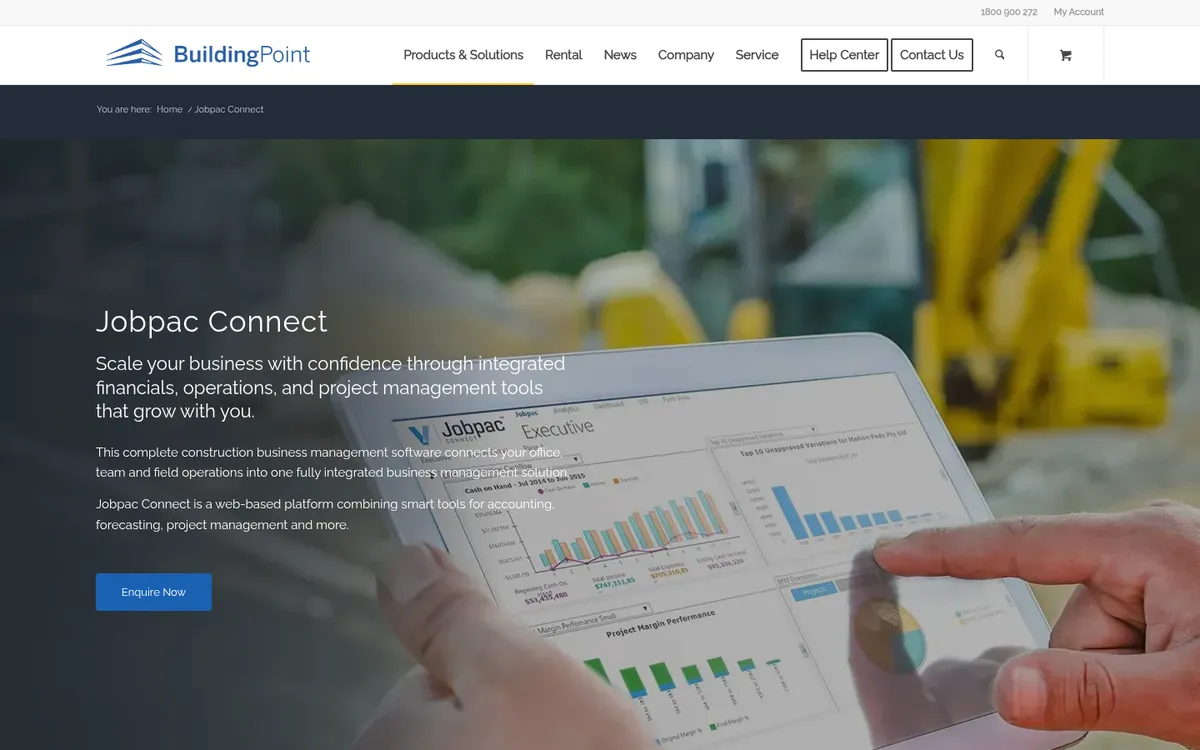
Jobpac Connect, from Trimble and sold through BuildingPoint, is a construction ERP built for Australia and New Zealand. Accounting, forecasting, project management and contract valuation run in one system, and head contract progress claims are prepared by entering quantities against each schedule item. Progress claims come as one module of the ERP rollout.
Best for: Mid-tier head contractors and civil firms replacing their accounting system with a construction ERP.
Watch out for: An ERP project, with implementation time to match. Not a fit if you want to keep Xero or MYOB.
Pricing: Quote only.
8. Xero – Best for Small Subcontractors With a Few Claims
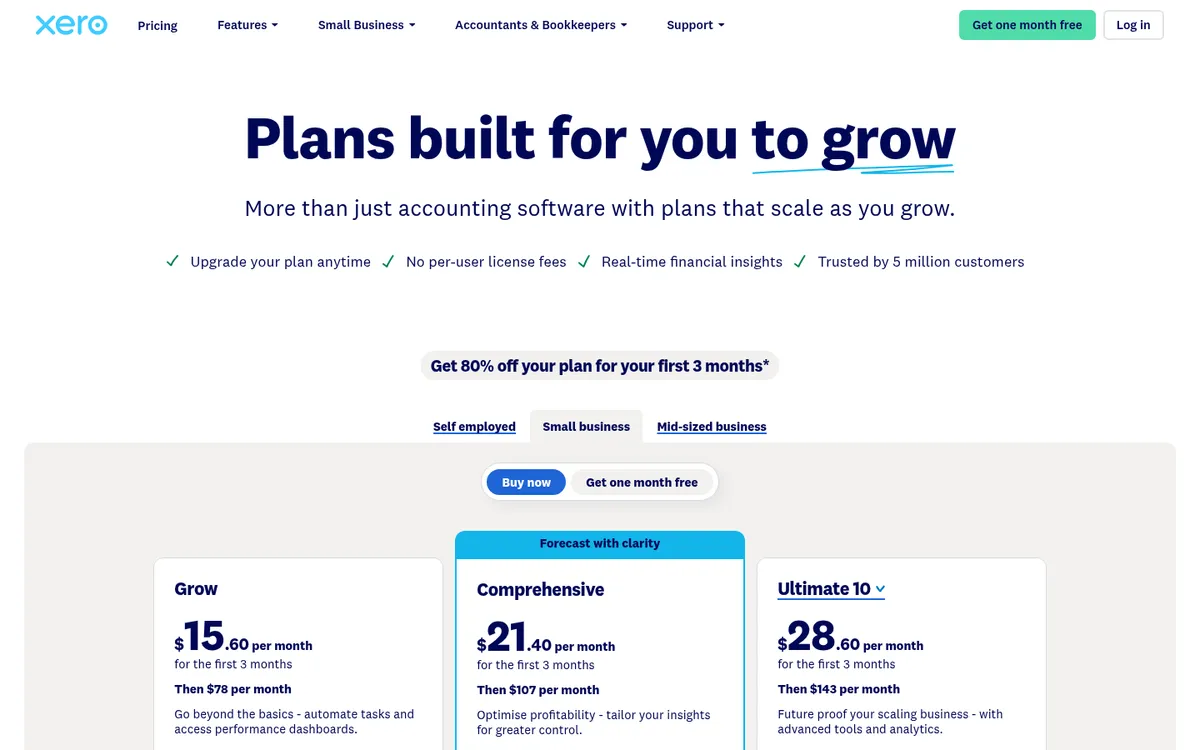
Xero is accounting software, and many small subcontractors run their claims from it. You can turn an accepted quote into an invoice and raise progress invoices for an amount or a percentage of the quoted value. It does not track retention, check claims against a subcontract or manage payment schedules, so it works while you send a few claims a month to a few builders. Compare Xero Projects vs Planyard for where it runs out.
Best for: Sole traders and small subcontractors sending a handful of progress claims a month.
Watch out for: No retention, variation tracking or claim assessment. Head contractors will outgrow it quickly.
Pricing: Grow $78, Comprehensive $107 and Ultimate $143 per month including GST. Project tracking is in Ultimate (10 users).
"If I were still relying solely on Excel to track and present the financial positions of our projects, I would be losing significant time every single month. By implementing the streamlined processes that Planyard supports, I’m saving at least three to four days of work every month that would have otherwise been spent on manual data entry and reconciliation."
Read more
How We Chose
We started from what Australian contractors search for and what ranks: dedicated claims platforms, ERPs and accounting tools. We kept tools that handle progress claims in Australia today and read every vendor’s pricing page and help documentation in October 2026. Where a vendor does not publish a price, we say so. Planyard is our own product. We placed it first because it covers claims in and out with published prices, and we have listed where it is the wrong choice.
Which Progress Claim Software Fits Your Business
- Head contractor with hundreds of subcontractor claims a month on large projects: Payapps, or Procore if the project team is already on it.
- SME builder or developer on Xero or MYOB who wants claims tied to the budget: Planyard, which you can connect to MYOB or Xero.
- Civil contractor claiming by quantity: Varicon, or Jobpac Connect if you are replacing your accounting system.
- Residential builder invoicing homeowners: Buildxact.
- Small subcontractor sending a few claims: Xero, or a Payapps subcontractor plan if your builders use Payapps.
Keane Group, a Queensland builder, moved its claims and job costing from Excel into Planyard. Project manager Jason Escobar says the assessed claim PDF now goes back to the subcontractor within 30 minutes, saving about two hours per claim. The Keane Group case study has the details, and our post on automating subcontractor claims and retention releases shows the workflow step by step.
Related Guides
- Best Construction Accounting Software in Australia
- Best Construction Cost Management Software in Australia
Run your next round of progress claims in Planyard
Collect subcontractor claims through a link and claim from your principal off the same budget. 14-day free trial, no credit card.