
Last verified: October 2026
A builder in Brisbane prices a $480,000 extension in Excel over two weekends. The client signs. On Monday the estimate goes into a folder, a new budget spreadsheet is started from scratch, and the first purchase order goes out by email with a price nobody checks against the allowance. Three months later the job is over on framing and nobody can say exactly when it happened.
This guide compares nine estimating tools that Australian builders, trades and estimators use, with AUD prices checked on each vendor’s site in October 2026. They split into two jobs: measuring quantities off drawings, or pricing from your own cost database and carrying the estimate into the job budget. Go straight to the section that matches how you work.
Planyard is our product. We rank it only in the cost database part of the list, where it fits, and we say what it does not do.
If you are in the US, see our US guide to construction estimating software. UK builders should read our guide to quoting and estimating software for UK builders.
What to Look For in Estimating Software in Australia
Takeoff, or not
If you measure off PDF or CAD drawings every week, built-in takeoff saves the most time. If you price from a bill of quantities, a QS report or your own rates, you may not need it at all, and a takeoff tool you do not use is money wasted.
Your own cost database
Rates for labour, materials and subcontract trades should live in one place, so a price change updates every new estimate. Recipes or assemblies (a square metre of wall, a linear metre of footing) speed things up once they are set up.
GST, markup and a quote the client can sign
You want markup set across the whole estimate or per item, GST calculated correctly, and a clean PDF quote with your terms. Version history helps when the client asks for three options.
Xero or MYOB
Most Australian builders run Xero or MYOB. Check whether the estimating tool syncs cost codes, purchase orders and supplier bills, or only exports a spreadsheet.
What happens after the contract
The estimate becomes the budget the job is measured against. Tools that carry it into purchase orders, committed costs and progress claims save you rebuilding the numbers. Tools that stop at the quote leave that work to a spreadsheet.
Construction Estimating Software in Australia Compared
Prices are the lowest published plan in AUD, per month, excluding GST unless noted. “Quote only” means the vendor does not publish a price.
| Job | Tool | Best for | Starting price | Takeoff | Accounting | After the estimate |
| Cost database to budget | Planyard | Turning estimates into budgets and POs | $82 per project manager/mo (Estimating) | No | Xero, MYOB, QuickBooks (from Essential) | Budget, POs, committed cost, progress claims |
| Cost database to budget | Databuild | Home builders wanting estimating and accounts in one | Quote only | Not confirmed | Built-in accounting, KeyPay payroll | Purchase orders, job cost reporting |
| Cost database to budget | Xero quotes | Simple quotes for small builders | $78/mo incl. GST (Grow) | No | Is the accounting | Quote converts to invoice |
| Takeoff and measurement | Buildxact | Residential builders and renovators | $199/mo (Foundation), unlimited users | Yes | Xero, MYOB AccountRight, QuickBooks | Purchase orders; job management from Pro |
| Takeoff and measurement | Cubit Estimating | Commercial estimators and builders | $204 per user/mo, annual term ($170 billed annually) | Yes, incl. BIM on Enterprise | Xero (cost codes) | Bid levelling in Cubit Select; LiveCosts and Notum sold separately |
| Takeoff and measurement | RIB CostX | Quantity surveyors and BIM takeoff | Quote only | Yes, 2D and BIM | REST API, Excel | Cost plans and revisions |
| Takeoff and measurement | Groundplan | Trades pricing off plans | $99 per seat/mo | Yes | Xero, QuickBooks, Simpro, Fergus, AroFlo | Pushes quantities into your job system |
| Takeoff and measurement | CostMiner | Budget cloud estimating | US$55 per user/mo (US$49 billed annually) | Yes | Xero (beta), QuickBooks | Reports |
| Takeoff and measurement | Bluebeam | PDF markup and measurement | AU$550 per user/yr (Core) | Yes | Excel export | None |
"It was a combination of manual steps that slowed us down. We were doing estimates in one spreadsheet, creating another to manage the budget, and then trying to extract data from Xero to bring back into Excel. From there, we had to somehow match everything up just to understand how the budget was tracking against our actual expenditure. It was a disjointed process that made financial clarity difficult to achieve."
Read more
How We Chose
We started from what Australian builders search for and the tools that rank for it, then checked each vendor’s current pricing and plan names on its own website in October 2026. We kept tools that sell to Australian customers and price in AUD or publish a price we could verify. We judged each one on takeoff, cost database, quoting, Xero and MYOB fit, and how far the estimate travels after the job is won. We ranked the two groups separately. Planyard is our product and sits only in the cost database group, because it has no takeoff.
Best for Estimating From Your Own Cost Database Into the Job Budget
These tools price from rates you keep and carry the estimate past the quote, into a budget, your accounts or an invoice. Xero quotes is the light option in this group: it has no cost database, but the quote turns into an invoice in your books.
1. Planyard – Best for Turning Estimates into Budgets and Purchase Orders
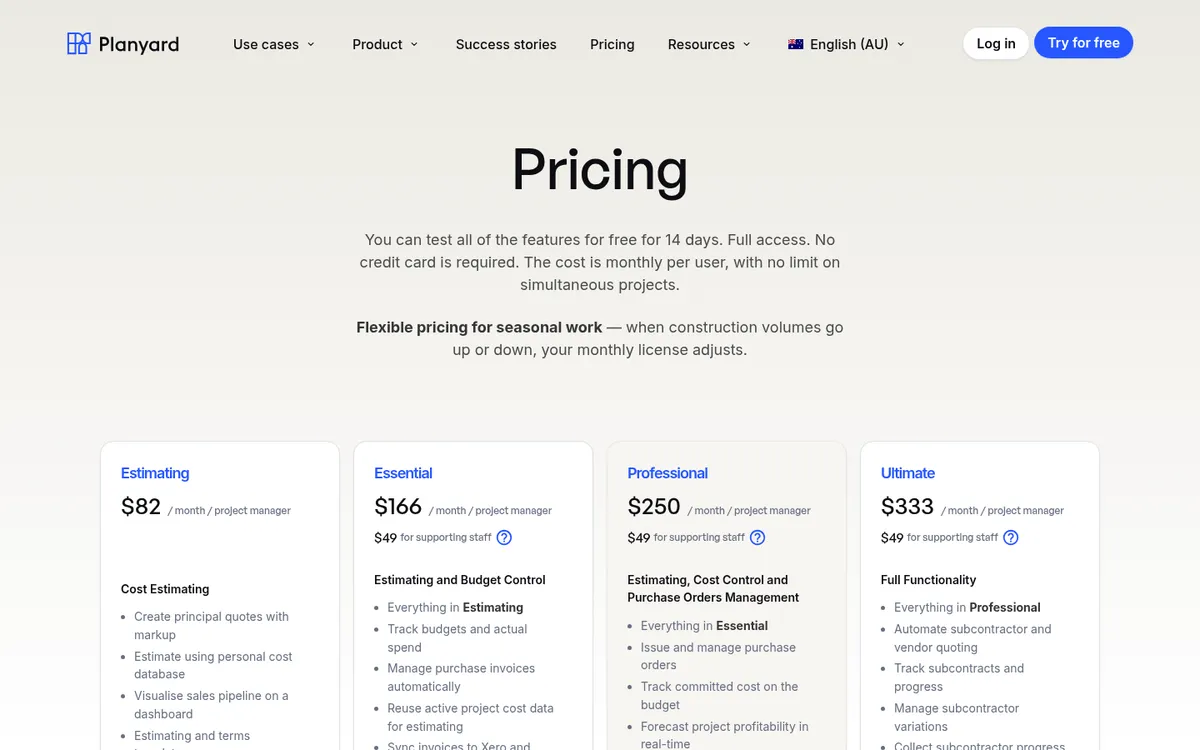
Planyard’s estimating builds principal quotes from your own cost database, with markup and GST set across the estimate or per item, quote templates, version history, a visual sales pipeline and reminders for tender submissions. Quantities can come from volume calculations, and on Professional each item breaks down into materials, labour and plant, which gives you a bill of materials for ordering. It produces a client-ready PDF. It has no takeoff, so you measure elsewhere or price from a BoQ.
Once the client accepts, the estimate becomes the project budget with the same cost codes. Purchase orders are raised against those lines, committed cost shows on the budget as soon as an order is approved, and supplier invoices are matched to orders and synced to Xero, MYOB or QuickBooks. On Professional the same budget runs progress claims to the principal, and on Ultimate subcontract orders carry a schedule of values that subcontractors claim against.
Keane Group in Queensland moved from separate estimate, budget and Xero spreadsheets to this flow. Jason Escobar says setting up a project used to take a week of spreadsheet work and now takes about an hour.
Best for: Builders and developers who already estimate well enough and lose control after the quote: budgets rebuilt by hand, purchase orders off the books, costs found late in Xero or MYOB.
Pair it with: a takeoff tool such as Groundplan, Cubit or Bluebeam if you measure off drawings, since Planyard has no takeoff. The Estimating plan covers quotes; budgets and the accounting sync start on Essential, and purchase orders on Professional.
Pricing: Estimating $82, Essential $166, Professional $250, Ultimate $333 per project manager per month; supporting staff $49. 14-day free trial, see pricing.
"If I were still relying solely on Excel to track and present the financial positions of our projects, I would be losing significant time every single month. By implementing the streamlined processes that Planyard supports, I’m saving at least three to four days of work every month that would have otherwise been spent on manual data entry and reconciliation."
Read more
Keep your estimate as the budget
Turn the accepted estimate into a budget, raise purchase orders against it and sync costs to Xero or MYOB. 14-day free trial.
2. Databuild – Best for Home Builders Wanting One System
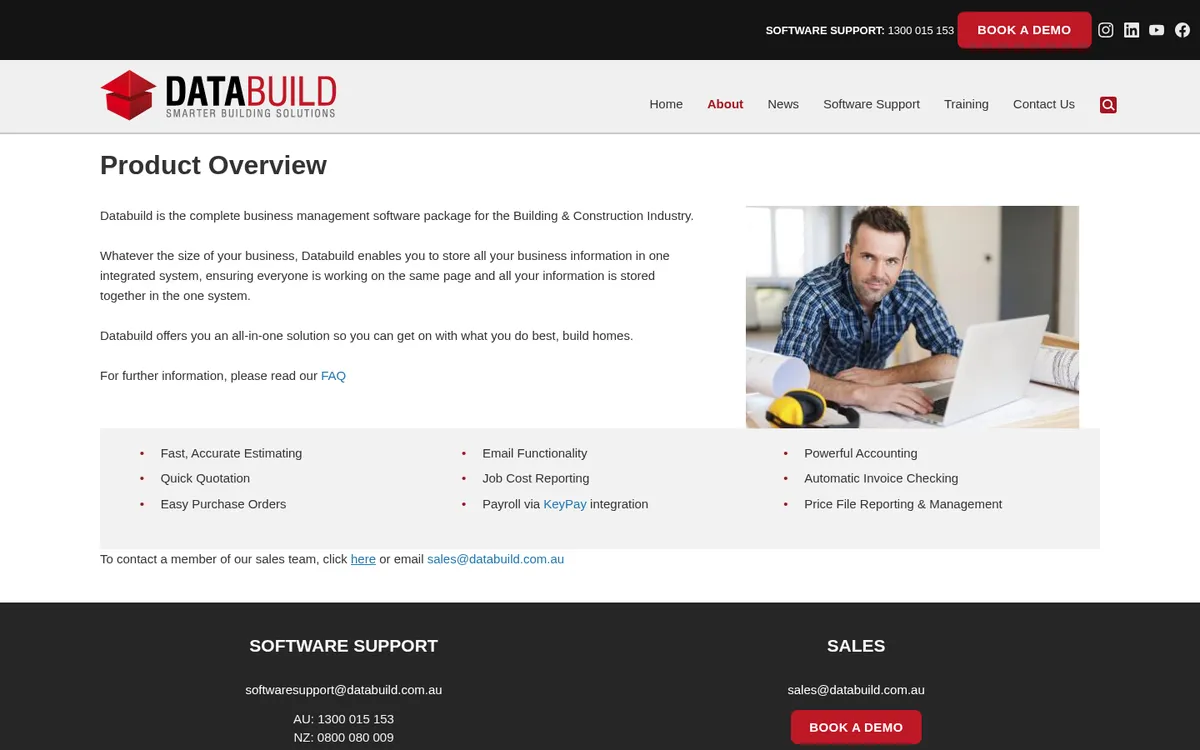
Databuild is Australian building software that puts estimating, quotation, purchase orders, job cost reporting and accounting in one package, with payroll through KeyPay. Its customer stories include volume and project home builders who have used it for 15 to 20 years or more.
Because the estimate, the orders and the ledger share one database, there is no sync to manage.
Best for: Established home builders who want estimating and accounting in one system.
Watch out for: You replace Xero or MYOB rather than connect to it. Pricing is not published, and setup is a bigger project than a cloud estimating tool.
Pricing: Quote only.
3. Xero quotes – Best for Simple Quotes on a Small Budget
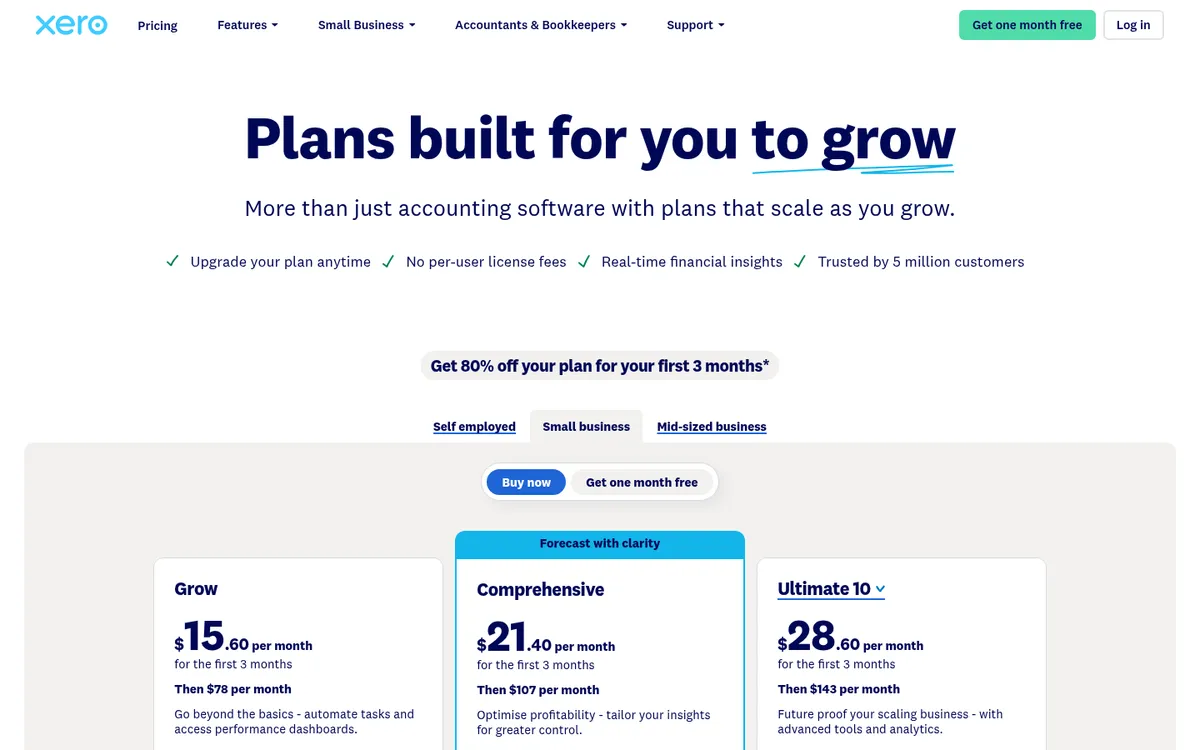
Xero ranks for “estimating software” in Australia, but what it offers is quotes inside the accounting system. You create a quote with line items and GST, send it, and turn it into an invoice when the work is done. Project tracking is only in the Ultimate plan. See Xero vs Planyard for where the line sits.
For a small builder already on Xero, it costs nothing extra.
Best for: Small builders and tradies sending straightforward quotes who are already on Xero.
Watch out for: No cost database, takeoff or budget per job. Once the quote is accepted, costs are tracked by tracking category or not at all.
Pricing: Grow $78 per month including GST (it includes quotes). Comprehensive $107, Ultimate $143 with project tracking for 10 users.
Best for Takeoff and Measurement-Led Estimating
These tools start from the drawings: you measure on screen and the quantities flow into the estimate. We ranked them on their own merits.
4. Buildxact – Best for Residential Builders and Renovators
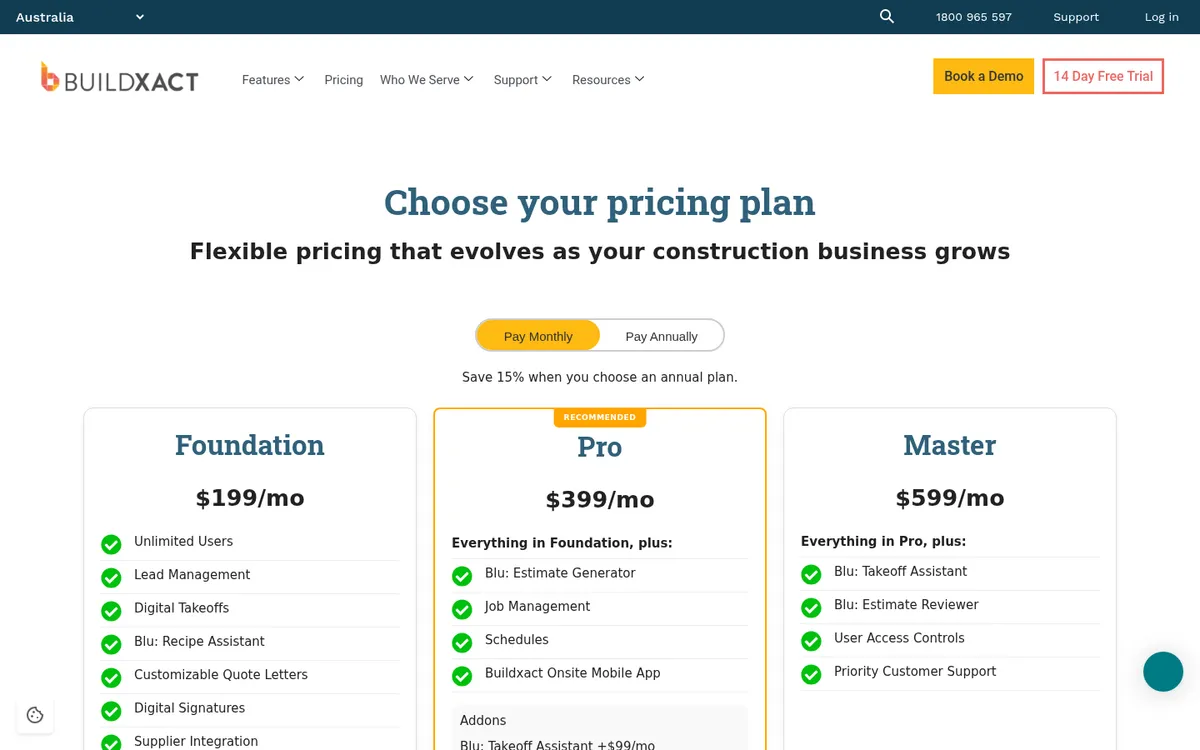
Buildxact is built for residential builders and renovators, and it covers the most ground for a small builder: lead management, digital takeoff, estimating, customisable quote letters with digital signatures, supplier price integration and purchase orders, all on the Foundation plan with unlimited users. Pro adds job management, schedules and the Onsite mobile app. Blu, its AI assistant, comes as add-ons or in higher plans.
It connects to Xero, MYOB AccountRight and QuickBooks Online. Our Buildxact vs Planyard comparison covers the difference in detail: Buildxact starts from the estimate, Planyard from the budget.
Best for: Residential builders and renovators who want takeoff, estimating, quoting and ordering in one system.
Watch out for: Builders who run many jobs at once and enter hundreds of supplier bills a month tell us the post-contract side gets manual. Annual plans need a 12-month commitment.
Pricing: Foundation $199, Pro $399, Master $599 per month ex GST, or 15% less billed annually ($169, $339, $509). Unlimited users. 14-day free trial.
5. Cubit Estimating (Buildsoft) – Best for Commercial Estimators
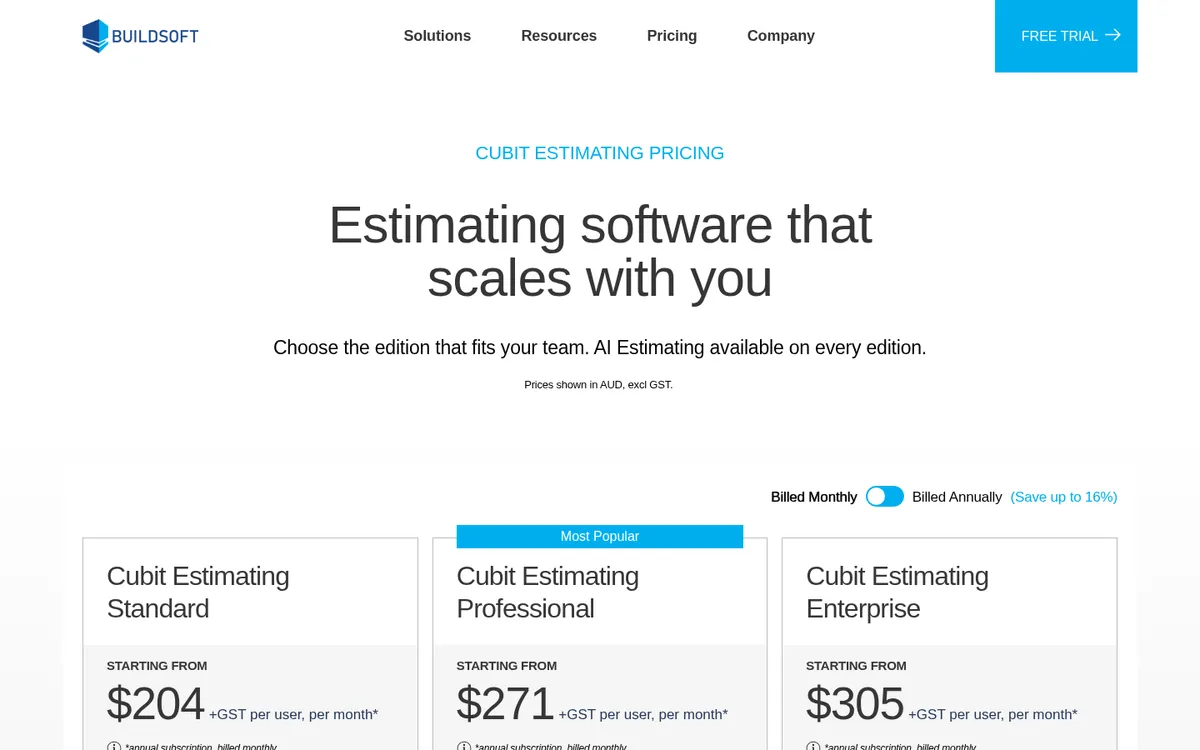
Buildsoft, based in Campbelltown NSW, has developed estimating software for over 40 years. Cubit Estimating puts on-screen takeoff and the estimate on one screen, with rate sheets, price lists and calculation sheets. Professional adds code grouping, BOQs and custom reporting; Enterprise adds multi-user work, full revision management and IFC BIM takeoff. An AI Estimating add-on costs $20 per user per month.
Buildsoft has built a wider family around it: Cubit Select for comparing subcontractor and supplier quotes, Notum for progress claims, and LiveCosts for cost tracking. Cubit connects to Xero to import and map cost codes.
Best for: Estimators at commercial builders and subcontractors who measure and price detailed jobs every week.
Watch out for: Every subscription has a 12-month minimum term, and each extra product is another licence. If you are weighing LiveCosts for cost tracking, see our LiveCosts alternatives.
Pricing: Standard $204, Professional $271, Enterprise $305 per user per month ex GST on an annual term billed monthly, or $170, $226 and $255 billed annually. Cubit Select from $137 per month when bundled. Free trial.
6. RIB CostX – Best for Quantity Surveyors and BIM Takeoff

CostX launched in 2004 with Brisbane quantity surveyors Rawlinsons as its first customer, and it is now part of RIB Software. It measures from PDF, CAD and BIM models, and its workbooks are live-linked to the drawings, so a revised drawing shows what changed and what it does to the cost. It also handles subcontractor comparison and embodied carbon estimates.
It comes in three packages, Complete, Core and Quantify, with standalone or network licences.
Best for: Cost planners, QS firms and commercial estimators working from complex drawings and BIM.
Watch out for: More than a small builder needs, and the price is not published. It stops at the estimate; cost control after award happens in another system.
Pricing: Quote only.
7. Groundplan – Best for Trades Pricing off Plans

Groundplan, headquartered on the Gold Coast, is online takeoff and estimating for trades: electrical, plumbing, fire, HVAC, painting, roofing, plasterboard, landscaping and more. Count Assist finds repeated symbols once you select one, which suits electrical and fire contractors counting fittings across a set of plans.
It hands quantities to the systems trades already use, including Simpro, Fergus, AroFlo, Ascora, Xero and QuickBooks. Licences are concurrent, with no lock-in contract, and training with a trade expert is included.
Best for: Subcontractors and trades who take off from drawings and quote in a job management system.
Watch out for: It is a takeoff and estimating front end. Job costing and claims happen in the system you push to.
Pricing: $99 per seat per month ex GST, with a saving on yearly billing. 7-day free trial.
8. CostMiner – Best Budget Cloud Option
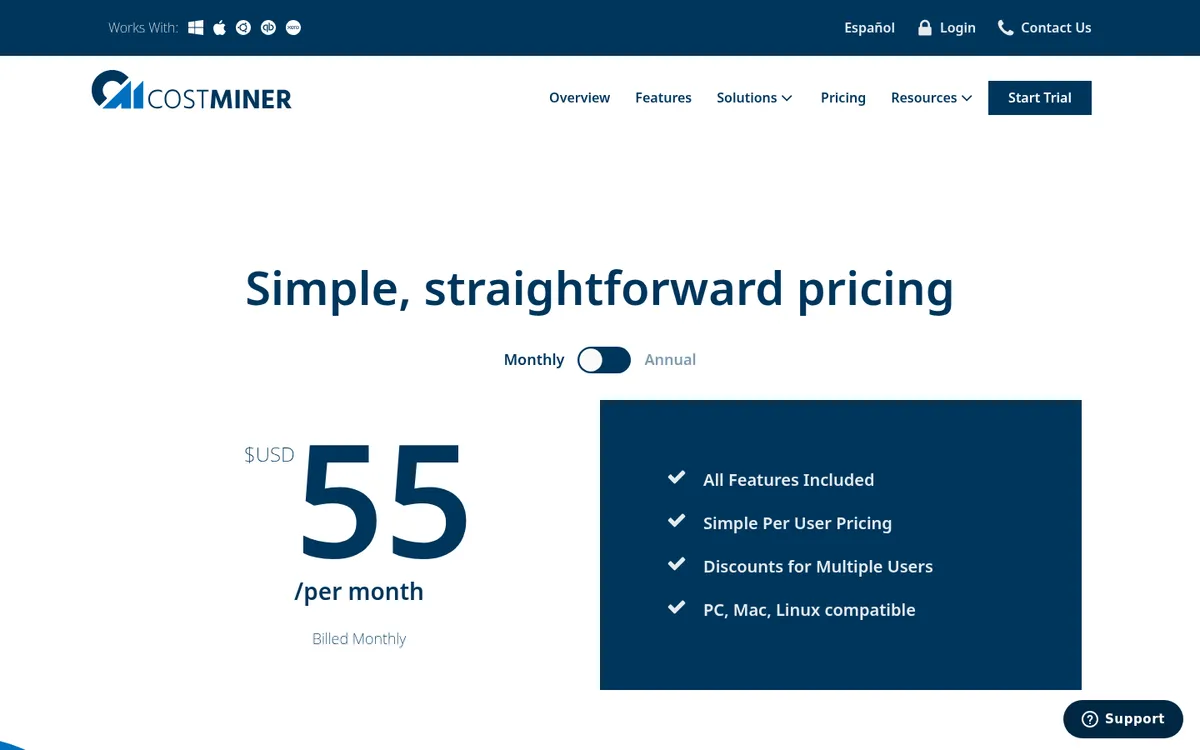
CostMiner is cloud estimating with on-screen takeoff from PDF and DWG files, templates and reports. It runs in a browser on PC, Mac or Linux, and its site describes it as Australian built.
It suits sole traders and small builders who want takeoff and estimating without a large subscription.
Best for: Sole traders and small builders who price from plans.
Watch out for: Prices are in US dollars, and the Xero integration is still in beta.
Pricing: US$55 per user per month, or US$49 billed annually ($588 a year). 14-day free trial, no credit card.
9. Bluebeam Revu – Best for PDF Markup and Measurement
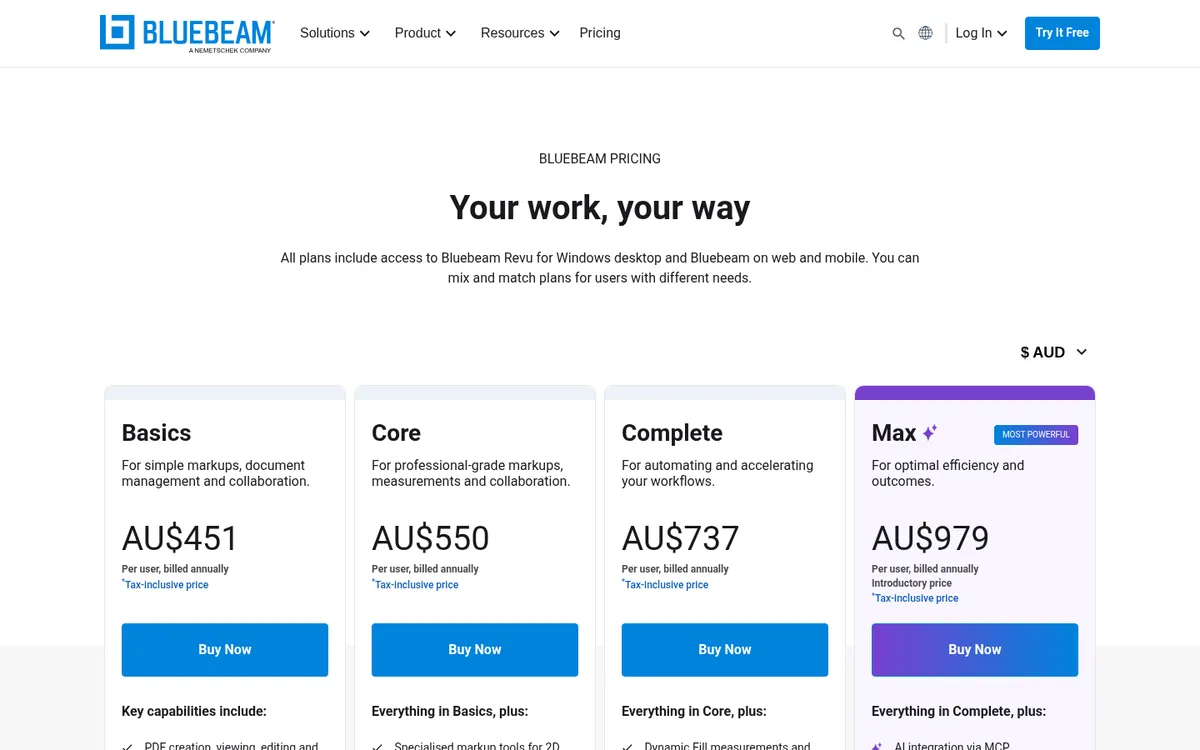
Bluebeam Revu is a PDF markup tool that estimators use for measurement. It measures lengths, areas, volumes and counts on drawings, keeps quantities in a markups list and exports them to Excel, where many firms finish the estimate.
Best for: Estimators who want accurate measurement and markups and price in their own spreadsheets.
Watch out for: It has no cost database or quote output, so it is not an estimating system on its own.
Pricing: Core AU$550 per user per year, billed annually. Basics and Complete are also available.
How to Choose
You build houses and renovations: start with Buildxact. It covers takeoff to purchase orders and connects to Xero and MYOB.
You estimate commercial work or run a QS practice: trial Cubit Estimating and CostX side by side on a real set of drawings.
You are a trade subcontractor: Groundplan for takeoff, feeding Simpro, Fergus or AroFlo.
You price fine but lose margin after the job starts: Planyard keeps the estimate as the budget, puts every purchase order against it and syncs costs to your accounts. Keep your takeoff tool for measuring.
You send a few quotes a month: Xero quotes or a free estimating template will do until volume grows.
What Happens After the Estimate
An estimate is a forecast of cost. Once the contract is signed, that forecast becomes the yardstick, and the useful question is whether each purchase order and supplier invoice is inside its allowance. Most builders lose that link when the estimate stays in the estimating tool and the costs land in Xero or MYOB. Cost control software such as Planyard keeps the two together, and on the same budget runs the progress claims you issue under the Security of Payment Act in your state.
Read how Keane Group replaced its estimate, budget and Xero spreadsheets.
"I came from a heavyweight enterprise ERP at a UK Tier 1 contractor, so I saw how bloated software hurts financial control. At an Australian SME I still need that Tier 1 budget discipline, just without the bloat.
Planyard hits the sweet spot: structured budgets, strong cost controls, and a professional ERP-level feel, but simple enough that I set it up myself in a few days. It is now our gatekeeper for purchase orders and handles tax and retention smoothly.
Real financial clarity without the spreadsheet headaches."

Related Guides
- Best Construction Accounting Software in Australia
- Best Construction Cost Management Software in Australia
- Best Progress Claim Software for Australian Contractors
- Best Construction Management Software in Australia
- Best Accounting Software for Tradies in Australia
Next Step
Keep the estimating tool that measures and prices your work best. If the trouble starts once the job is won, take your next accepted estimate into Planyard as the budget and raise the first purchase orders against it. Approved costs then sync to Xero or MYOB, so the accounts and the budget show the same numbers.
From estimate to budget to purchase order
Quote with your own rates, keep the estimate as the budget and track every order against it. 14-day free trial, no credit card.