
Automate collecting the subcontractor payment applications.

Planyard streamlines the collecting and reviewing process of subcontractor payment applications, also known as progress claims or subcontractor valuations. Filling in the simple online payment application is easy for the subcontractors. It allows the project team to make work life easier by managing the process spreadsheets and data entry free.

Free 14-day full-featured trial. Full access. No credit card required.

Planyard construction budgeting software showing the budget overview screen with real-time updates on project costs, purchase orders, and invoices.

Project managers or site engineers can quickly request the payment application for any open subcontract order on Planyard. Select the corresponding subcontractor orders and click “Send payment application template.” Planyard automatically emails the payment application template to the subcontractor.

In addition, you can let subcontractors issue the payment applications at any time via the payment application submission link, which you may enter on your website or the subcontractor’s legal agreement.

Easy payment application submission for the subcontractors

The subcontractor receives a simple personal email from the project manager to submit the payment application with a big blue button saying, “Submit the payment application.”

The payment application template opens automatically on the browser screen with a click on the button. The subcontractors do not need to create accounts or log in anywhere; they do not need to be trained to submit the payment application.

The payment application web form provides a real-time overview of the subcontract order schedule of values, including the amount previously committed and the amount remaining in the contract.

The subcontractors can easily submit the month’s progress along with the new change orders and variations and easily deduct the prepayment.

Planyard does not allow the subcontractors to overcommit the contracted items, thus preventing overbilling.

Upload your project budget and follow the financial progress in real-time

No credit card required. No sales or IT support needed.

Spreadsheets free payment application review process for the project team

The Planyard displays a simple red notification on the project menu indicating that a new subcontractor payment application has been submitted for review.

The project manager can immediately see the subcontractor-submitted change orders and variations with a click. You can decline or link them with the budget item, automatically updating the corresponding item’s committed costs in the project budget view.

Open the payment application, review the current month’s progress, and “Approve” or “Reject and change” the subcontractor payment application.

You can use the internal approval workflow to request that the site engineers, finance team, or your client review and approve the subcontractor payment application.

Once everything is correct, we click “Approve” and send an automatic confirmation message to the subcontractor. The whole process, including updating the budget and subcontractor order financial performance and managing the variations and change orders, is spreadsheets and duplicate data entry free.

Automatic payment application report

The subcontractor received another simple email confirming the month’s progress was approved. Planyard automatically calculated and created the attached PDF payment application report with automatic calculations.

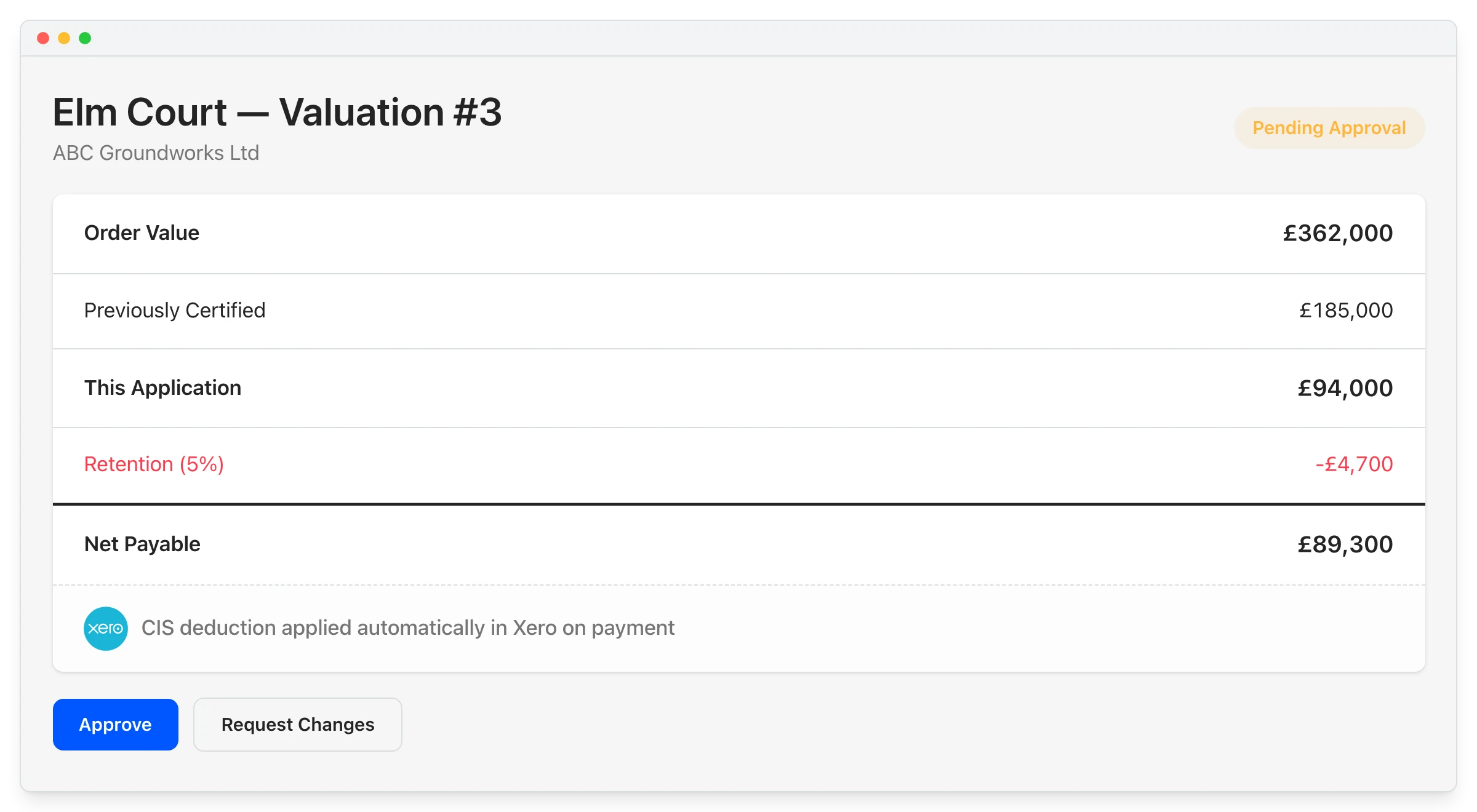
The payment application PDF report states the current total value of the payment application, the amount of retention booked, the amount of prepayment settled, and the amount that needs to be invoiced.

There is another blue button in the emails where the subcontractor can load the purchase invoice so it gets automatically linked to the correct payment application and the subcontractor order, and we have less manual invoice sorting. You can also manually link the payment application to the order for the right subcontractor.

Upload your project budget and follow the financial progress in real-time

No credit card required. No sales or IT support needed.

Processing the purchase invoice for the payment application

Once the project team logs on to Planyard, they see a simple red notification on top of the Costs tab indicating a new purchase invoice waiting for review.

One-click to open the invoice, and you will immediately see the invoice on the right side of the browser screen and the submitted payment application schedule of values and totals on the left side.

It’s easy to double-check that the invoice total matches the payment application totals. Once everything is correct, just hit approve.

Data entry free subcontractor billing and budget updating process

Once the project manager approves the invoice, Planyard processes it through the integration into accounting systems such as QuickBooks, Xero, Sage, MYOB, or email, which means there is no repetitive data entry work for the accounting team.

In addition, Planyard automatically updates the project budget and the subcontractor order and allows tracking of their financial performance, payment summary, all variations and change orders, how much retention is booked and released, and whether the prepayment is settled in real time. The subcontractor order is interlinked with the bid request and all the invoices we have approved for the subcontract order. So, several transactions happen automatically, saving the project team’s time from manual repetitive reporting.

We can be sure that we stay within the budget, the subcontractors can not overbill us, it’s a whole digital process, and we saved quite a bit of time.

Customers testimonials

See how Planyard helps businesses like yours succeed - read their stories in our blog.

"Planyard's integration with Xero has streamlined our project financials, providing clear insights and saving us valuable time. It's easy to use and keeps all commitments organized for seamless financial tracking."

Read more
Sharon Brown, Financial Controller
Sharon Brown Financial Controller  ·  Empower Renewables  ·  Dublin, Ireland

"Planyard is basically a live CVR and saves time by making Excel unnecessary. Once a project’s set up, I can rely on Planyard to stay organized without spreadsheets."

Read more
Claire Hill, Quantity Surveyor
Claire Hill Quantity Surveyor  ·  Brown & Bancroft Interiors  ·  Bolton, United Kingdom

"If there’s some problem with the budget, it just tells you what you need to fix and you’ll be fine. It really just kind of thinks a step ahead for you."

Read more
Jordan Cohen, Project Director & Partner
Jordan Cohen Project Director & Partner  ·  TITN Development  ·  Florida, United States

"Planyard saves us 3-4 days per project by simplifying financial tracking and cutting out double data entry. It’s user-friendly and lets us focus on our main tasks."

Read more
Jason Escobar, Project Manager
Jason Escobar Project Manager  ·  The Keane Group  ·  Queensland, Australia

"Planyard is exactly what I’m after as a business owner: a good-value system that keeps everything in one place, saves me money and makes sure I’m not losing any money on projects. As a businessman, that’s a no-brainer."

Read more
Lee Covington, Owner
Lee Covington Owner  ·  E&N Group Ltd  ·  London, United Kingdom

"I’m confident that we can manage multiple projects effectively. We’re currently running three fairly large ones, and the system makes it very clear and easy to manage all of them at once."

Read more
Graham Eastwood, Office Manager
Graham Eastwood Office Manager  ·  Karringtons Ltd  ·  Kent, United Kingdom

"I chose Planyard because it stood out as the most straightforward and intuitive option on the market. I really wanted a tool that would simplify our existing processes and make everything more efficient, rather than switching to a system that was far too complicated for us to use on a daily basis."

Read more
Grant Collins, Quantity Surveyor
Grant Collins Quantity Surveyor  ·  Skyler Contracting  ·  Kent, United Kingdom

"Planyard has completely replaced my CVR process. Cost Value Reconciliation is essentially about tracking your budget against your actual spend to see exactly what remains, and that functionality is the absolute essence of the central core of Planyard."

Read more
Ian Holford, Managing Director
Ian Holford Managing Director  ·  Higgihaus Developments  ·  Bristol, United Kingdom

"For me Planyard is essentially the go to software for SMBs. There are other software packages out there that are a large investment upfront with a significant monthly cost. These are all potential solutions once you get to a very large business but they are not a solution for SMBs."

Paul Howarth, Experienced FD/Consultant
Paul Howarth Experienced FD/Consultant  ·  Live Management Accounts

"Timewise, on a single project, I'd probably save 6 to 8 hours—essentially a full day every month. When it comes to processing monthly payments, it saves me a solid day, perhaps even a day and a half, just in sorting through the invoices. Saving a day and a half of my time means the system pays for itself time and time again."

Read more
Paul Treweek, Quantity Surveyor & Estimator
Paul Treweek Quantity Surveyor & Estimator  ·  DPTQS Ltd  ·  Cornwall, United Kingdom

Trusted by construction companies globally