
You know the budget exists. You just cannot see where you stand against it until month-end, by which time the overrun has already happened.
Last verified: October 2026
Planyard is our product. We rank it where it fits, say what it does not do, and checked every other tool’s price on the vendor’s own site.
For small contractors running 3-5 projects, this lag between spending and knowing is where margin disappears. A subcontractor package goes 8% over, a material order exceeds the estimate, a variation gets missed, and you only find out when you sit down to compile the CVR.
Cost management software for construction closes that gap. It shows you committed costs, budget variances and forecast margins in real time, so you can act before the money is gone.
We rank 7 cost control tools purpose-built for small teams on ease of use, real-time visibility, accounting integration, and value for money, then compare 13 more tools that cover job costing for specific trades and project types.
"The price disparity between a system like Planyard versus something like Procore or Sage is absolutely vast. For a business of our size, finding a solution that offers this level of professional functionality without the massive overhead of those larger systems is a significant advantage."
Read more
Features to Consider for Your Job Costing Software
- Is it easy to use, and does it help your team save time? If you track job costs on spreadsheets, how much time does the new system help your team save? Does it eliminate the need for duplicate data entry?
- Does it help with forecasting? Simplify project forecasting, visualize risks for over-expenditure early on, make preventive financial decisions, and keep projects profitable.
- Collecting and processing purchase invoices. The most frequent task for managing project costs is processing purchase invoices and orders. Just play with the new system and see how much effort it takes to process the transactions.
- Integration with your accounting system. Use the job closing system, which saves your project team time and your coworkers’ and accountants’ time from duplicate data entry by automatically registering the reviewed invoices in the accounting system, which is immediately ready for accountants to process.
- Purchase and subcontract order management. Easily create and send purchase orders, track committed costs against the budget, visualize financial risks, automate invoice and PO matching, and track order payment summaries.
- Ease of implementation. While classic ERP systems take months or even years to implement, modern software tools for cost control take just a few hours of setup, learning, and training the users.
- How it handles change order (variation) management. Some construction cost control solutions, especially ERP systems and accounting tools, may lack flexibility when managing change orders. You want to select a system that makes it easy.
- The monthly project cost control meetings and reporting. Does it help us take our project cost control meetings to another level? What do the reports look like? Does the team take extra time to prepare them? Do the reports include the project key information?
- Does the core functionality solve your main problem? It is easy to get lost in long feature lists. Check that the everyday workflows address the challenge you are buying the software for.
- Will it still fit if the business grows? Consider whether the software would still suit you if the company were to grow, say, tenfold, and whether there are features you could switch on later when the team is bigger.
- How is support handled once you are live? Ask how support queries are dealt with after go-live and whether the knowledge base is good enough for end users to help themselves.
- Does it match your project type? Residential builders with frequent client contact need customer communication tools alongside cost tracking, and subcontractors need a system built for their side of the contract. The job costing and project tracking tools further down this guide cover those cases.
The Best Cost Management Software for Construction
Here’s our list of the top seven construction cost control solutions:
- Planyard
- Xero Projects
- QuickBooks Online
- MYOB
- Eque2 Construction Cloud
- Sage Intacct
- Trimble Viewpoint
This guide also absorbs our earlier round-ups of construction job costing software and project tracking software for job costing. The tools from those guides, from Procore and Knowify to eSUB and Jobber, are covered after the top seven.
Planyard Construction Cost Control Software: Best for Small Businesses Who Want to Replace Spreadsheets
Planyard is a comprehensive cost control software built for small construction businesses to replace spreadsheets and duplicate data entry with a simple system that saves teams time. It provides a real-time overview of project costs and forecasts.
Planyard is designed to simplify the workflows related to project financial management. All the workflows are developed by project managers and quantity surveyors who want to simplify work life. Some Planyard users claim that saving four work days monthly with the tool helps streamline the project budgeting processes.
For example, processing a material invoice requires just one click to open it, verify if it matches the order, and approve it. Planyard automatically links the invoice with the purchase order, and whenever the project manager approves it, the system automatically updates the budget and purchase order payment summary. It stores the invoice in one database, and there is a ready-to-process invoice in the accounting system, such as Xero or QuickBooks.
The next time you have a weekly project cost control meeting, you’ll be immediately ready to open the project budget and review the project CVR and P&L report numbers in real-time without spending an additional 1-2 days preparing the manual report.
"When we used to do our month-end CVRs it could usually take 3-4 days to put them together. It now takes me 10-15 minutes to just quickly go through the jobs and check that I haven’t missed anything."
Read more

The category or cost head level collapsed budget view allows you to review at the top level how the project cost categories are performing and which are profitable.
In the committed costs column, you can see the value of the raised purchase orders and compare them against your budget.
When you raise the purchase orders, you can identify if a particular cost category is profitable.
You can also identify the risks of exceeding the budget way before the invoices arrive, which gives you additional time to review and replan the budget.
To see how each budget category performs, click the category name; a list of your budget items will open.

The red warning helps you identify budget items at risk of exceeding the budget since the committed costs exceed the item’s estimated costs.
The project manager can revise the budget to remove the error warning. The budget variance column helps you see which items exceed the budget and by how much immediately.
Planyard then automatically updates the project’s overall cost prediction or, as it’s called, the overall revised budget and automatically updates the project profitability forecast.
The projects dashboard provides a comprehensive dashboard for analyzing your portfolio projects.

You’ll have a clear overview of project cost forecast, committed costs, cash flow, profitability forecast and more: all the data you need to run a successful project cost-control meeting.
Planyard is easy to use. It takes just hours to learn the system and get started.
"The learning curve is impressively shallow. Between watching the training videos and simply spending some time exploring the platform, you can realistically be up and running in just two to three hours. It really doesn't take any more than that to feel confident using the system."
Read more
You can upload the starting project budget, assign it to the project managers, and lock the estimates to increase accountability.
You can use Planyard’s e-mail-like purchase order-creating functionality and send it to the vendors. Every purchase order has a unique number, and your custom purchase order terms are automatically added.

Planyard advanced users set up the management approval workflows for purchase orders, subcontractor and vendor bids, payment applications, and invoices.
Once you receive the invoice with the purchase order number as a reference, Planyard automatically links the invoice and the purchase order. This saves your accountants or office managers time from sorting and allows the project managers to one-click open the purchase order immediately linked with the invoice.
Planyard OCR automatically extracts the invoice number, invoice date, and purchase order name, which helps save your team from manual data extraction.

Double-check if the invoice corresponds to the purchase order, track the payment summary to ensure you do not overpay the vendor, add a variation, and hit submit.
Let Planyard update the budget and purchase order, store the invoice, and send the invoice to the accountant for payment via email or straight to Xero or QuickBooks when you have set up the integration.
The Result?
- You’ll have a spreadsheet-free project management process.
- With a single source of data entry, Planyard’s carefully designed workflows automate the reporting for you.
- You do not need to waste time manually preparing CVRs and P&L reports at the end of each month.
- Visualized budget notifications help you prevent project cost overruns and focus on keeping the projects profitable.
- Standardized and efficient processes and real-time financial information open the door to business growth.
What You’ll Love About Planyard Construction Cost Control Software
- Getting started is easy. You upload the budget and go from there. The setup instructions and feature videos help you learn to use the tool in hours, and you do not need to talk to sales or IT support.
- This is a visual and real-time project budget view with estimates against the budget, against the commitments, and the budget variance.
- Planyard provides tools for advanced users to improve the processes further. The tools include cash-flow forecasting, subcontractor and vendor bidding automation, centralized subcontractors and vendors database, and subcontractor payment application digitization.
- The Planyard projects dashboard provides real-time data to run the weekly or monthly project cost control meeting.
- Easy project invoices, purchase orders, and change-orders management processes help keep data up-to-date and accurate.
- Integrations with the most popular accounting tools, such as Xero, QuickBooks, MYOB, Sage, etc, eliminate the need for duplicate data entry.
Planyard Pricing
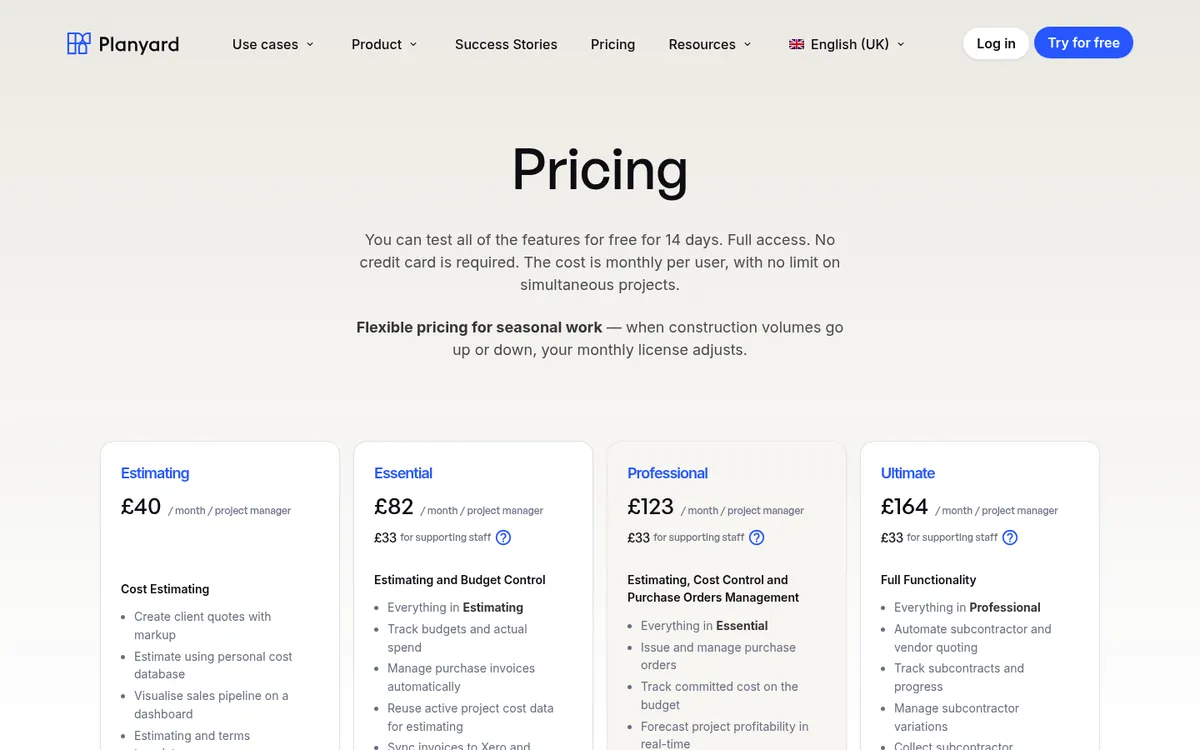
Prices are per project manager per month. Last verified October 2026.
- Estimating: £40 for quotes and the cost database.
- Essential: £82 for budgets, actual costs, invoice import and the Xero, QuickBooks, Sage or MYOB sync.
- Professional: £123 for purchase orders with approvals, committed costs, profit forecasting, variations and client valuations.
- Ultimate: £164 for subcontract orders, subcontractor applications, RFQs and CVR version history.
- Supporting staff: £33.
- You can also try Planyard free for 14 days.
Watch out for: Planyard does not run payroll, file CIS returns or schedule work, so you keep your accounting system and a programme tool alongside it. The committed cost view this guide talks about starts on Professional, not Essential.
Replace your cost control spreadsheets in a day
Upload your budget, issue purchase orders, and see committed costs vs budget in real time. Xero and QuickBooks sync included. 14-day free trial.
Xero Projects: Cloud-Based Job Costing System Fit for Small Construction Companies
Xero projects construction cost control software is a well-known accounting system teams use to track time and costs on a job or project.
Xero project provides a comprehensive feature set to simplify small construction business accounting and help you manage finances and cash flows.
The Xero projects dashboard comprehensively overviews all your portfolio projects and their performance. It also clearly visualizes your project’s financials.
Xero integration with banking accounts helps to access financial data without manual extracting and reporting.
Xero project allows you to create project budgets and track the costs against them.
You’ll have real-time project profitability records at the portfolio and single job level.
You can upload the budget via a spreadsheet or go to the budget and manually add the budget items individually.
Record your time with your mobile Xero app, which works like a start-stop timer and has location-based mobile tracking. You can record a project’s time for real-time job information and link the costs to specific projects or jobs.
Raise purchase orders, batch bills with orders, and track order payment summaries to eliminate the risk of over-expenditure.
Keep track of your project bills and invoices. Assign each bill and invoice to your specific job and line item.
Use the mobile app to edit jobs, add tasks, track time on the move, and keep track of your budget wherever you are.
You’ll love that Xero projects with detailed reporting and project health and compatibility tools allow you to project accounting processes with the necessary details.
Core features of Xero projects you’ll like
- Appstore to access valuable tools such as approvals, inventory, invoice digitization, CRM, etc.
- Real-time overview of accounts payable and accounts billable for cash-flow forecasting
- Integration with banks to upload transactions and track transaction statuses
- Manage staff salaries, payroll, and labor costs
- Option to break down project costs on required detail level
- Reconcile supplier and bank statements.
- Avoid penalties and pay taxes on time.
- Seamless Onboarding: Navigate to your organization avatar and select “Projects” to initiate your journey.
- Creating projects within Xero Projects is as intuitive as it gets. Categorize projects based on type, whether “Design,” “Engineering,” or beyond.
- With features like location-based time entry suggestions, users can manage projects efficiently even while away from the office.
- Xero accounts payable standardizes the accounts payable and purchase orders, while the accounts billable helps raise sales invoices and send them to your clients.
Xero Projects Pricing
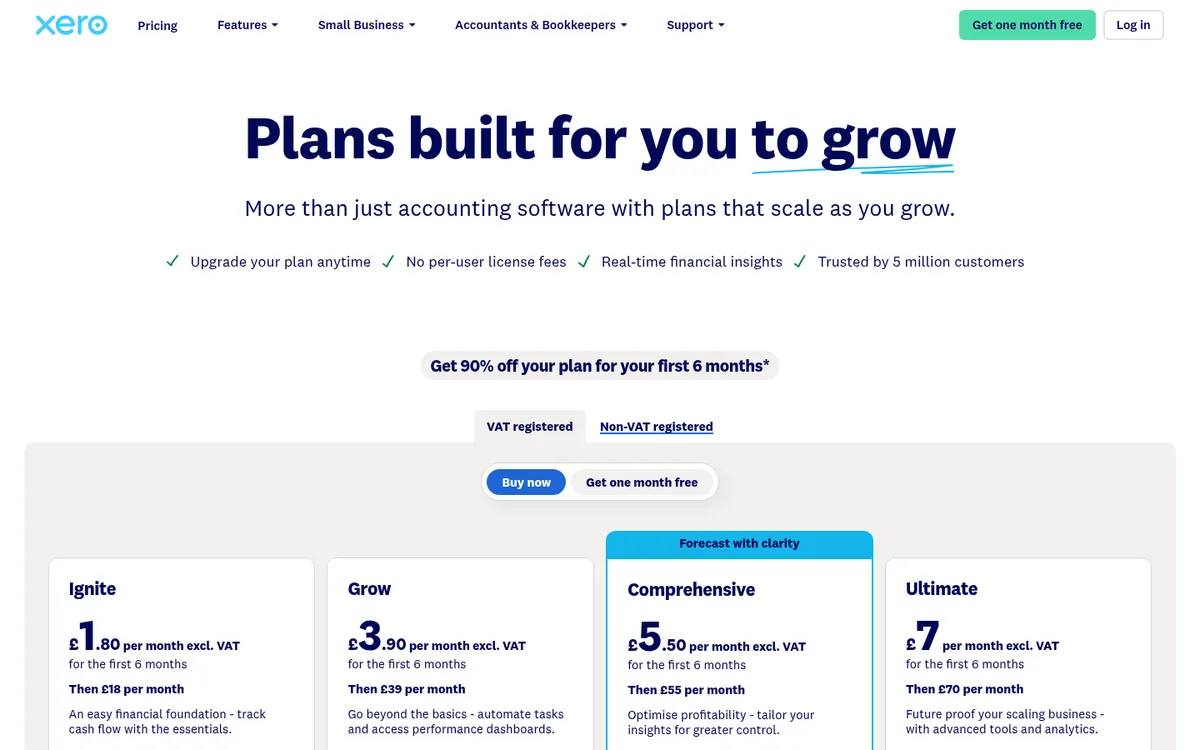
- Projects is only on the Ultimate plan: £70 a month, including 10 project users, then £5 for each extra user.
- Purchase orders are on every Xero plan: Ignite £18, Grow £39, Comprehensive £55.
- A 30-day free trial is available.
QuickBooks Online: Construction Cost Control Software Features
QuickBooks is a simple online accounting software for small businesses widely used by construction professionals worldwide.
Once the accounting software is selected for tax reporting, invoicing, and payroll, executives often start looking to implement job costing features.
To make the process easy and prevent you from sourcing and implementing a new software system, many professionals find it convenient to use QuickBooks project cost control features, available at QuickBooks Online Plus and QuickBooks Online Advanced.
QuickBooks Projects Dash helps you track project costs, budgets, and profits in real time and enables you to make smart financial decisions throughout the project to prevent cost overruns.
QuickBooks allows the implementation of efficient workflows for allocating expenses to specific projects.
Firstly, establish a well-structured chart of accounts that meets your business needs, which is the specially tailored list of items you use in your construction business.
This should ideally be the breakdown of items that you use to quote customers, and once the project starts, this is the list of items that you use to break down costs.
You can do both cost-plus and fixed-fee contracts on QuickBooks.
Break down the chart of accounts into sub-accounts, which are the products and services your company buys on the cost code level, which allows tracking the cost code for a specific job.
QuickBooks Online allows users to conveniently track labor, hours, and job costs effectively. Thus, you can account for every minute or hour your team spends on the site on a detailed level.
You can track time directly on QuickBooks, or the team can use the QuickBooks online time tracking functionality.
There are several industry-specific settings to set up progress reporting for receivables and billables. You can customize how your invoices look like and how you break down the costs.
What you’ll love
- You can talk to your accountant and bookkeeper, who are familiar with QuickBooks and can help you set up and utilize your business’s project cost control feature.
- You can build estimates and send quotes through QuickBooks.
- You can integrate a wide range of real-time reports into your day-to-day decision-making.
Core features of QuickBooks Online you’ll like
- QuickBooks Online continuously develops and adds new features that help you on your job.
- Check the app store to select and integrate QuickBooks with other best-in-class software products.
- Once you use QuickBooks Online for accounting, it’s easy to set up job costing reporting and tracking, which helps you run your business more effectively.
- Several consultants specialize in helping you to set up and utilize QuickBooks tools for construction.
- You can integrate Planyard construction cost control software to improve project costing with your QuickBooks account. You can access Planyard directly from the QuickBooks marketplace.
QuickBooks Online Pricing
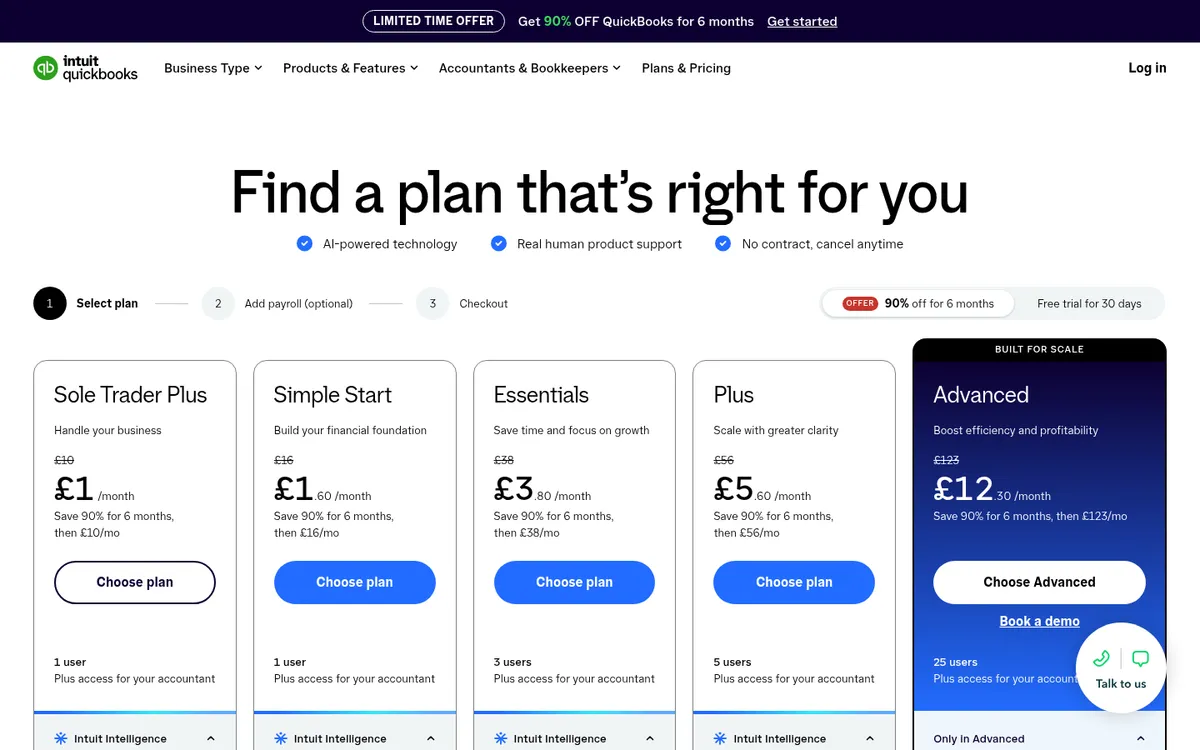
- Simple Start £16, Essentials £38, Plus £56, Advanced £123 a month.
- Project cost tracking needs Plus or Advanced.
- A 30-day free trial is available.
MYOB Construction Software is a Popular Project Accounting Software in Australia
MYOB stands for mind your own business. MYOB accounting lets you manage your projects, from quotes through project budgets to invoices, in one place.
MYOB project accounting provides various tools for managing construction project budgets, such as fixed-contract projects, cost plus, project budgets, revenue budgets, and open budgets.
You can break down the project by tasks and cost codes. You can use the quote and employee timesheets before generating an invoice.
You can decide on which level to track the budget. For some projects, you may need to track income vs. expenses. For other projects, you should track the budget on a granular cost code level for accurate forecasting.
The budget view provides an overview of the project’s original or estimated costs.
The budget may be broken down by cost code or task level or tracked at a lump-sum level.
You’ll have a clear overview of the commitments and actuals, which will help you further. To track the commitments, create time cards and link them with the labor costs straight in the project budget.
There are simple workflows for employees to submit the time cards and manager approvals to approve them.
The budget balances tab helps track where you are in terms of cash flow and project profitability.
Managing commitments such as purchase, subcontractor, and change orders is easy. The intelligent automation tools allow you to prevent cost overruns.
You can run the entire project procurement process through one system, including requisitions, purchase orders, subcontractor orders, and progress claims.
You’ll have commitment payment statuses automatically updated, and there is no risk of overbilling the vendors and subcontractors.
MYOB approval workflows allow you to set up approvals for project quotes, purchase orders, requisitions, change orders, subcontractor orders, progress claims and payment applications, project invoicing, etc.
What you’ll Like About MYOB
- Advanced reports are available that help to lead the projects to profit.
- MYOB app store allows you to utilize industry-specific tools to streamline your processes further easily.
- You’ll be able to consolidate your financial information in one place
- Comprehensive cost and profit reports for managers
- The accounting team likes the process of transactions
- Your team saves time on reporting, and all the valuable information is at your fingertips at any point in time
- The system is customizable with a variety of reporting options
MYOB Construction Software Pricing
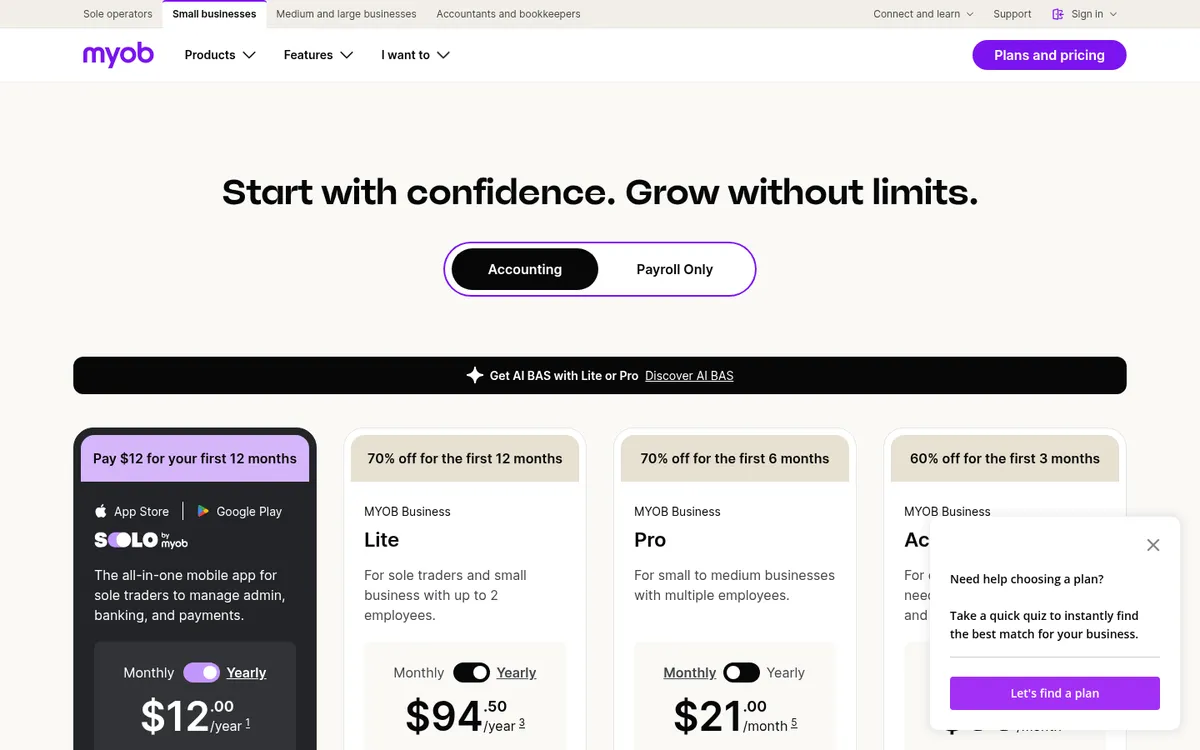
- MYOB Construction does not publish standard pricing on its website.
- You can contact their sales representative to request a quote.
Eque2 Construction Cloud is Specifically Designed for Construction Cost Control

The Eque2 Construction Cloud live overview of your project costs allows you to spot potentially problematic spots on their projects before they materialize.
You’ll have the time needed to reduce the negative impact, and they will still achieve the expected profit margins on their projects.
Real-time access to project financial information eliminates the need for time-consuming spreadsheet reporting and saves time.
You can analyze it on a granular cost-code level. Compare costs against budgets with the option to drill to transactional details.
The work-in-progress dashboard allows you to mark the percentage of jobs completed, adjusting the costs and cash-flow predictions as you go.
The live link between the construction cost control software and Excel reporting allows you to export data and budgets to spreadsheets and create custom Excel-based reports.
The procurement functionality allows for the central management of purchase orders and efficient tracking of where you may exceed the budget.
The item historical price data lets you compare how item costs have performed on past jobs.
You can centralize subcontractor management, automate CIS deductions, submit CIS returns, pay subcontractors, and track insurance policies with automated warnings.
The client billing module lets you automatically record and send payment applications, deduct retentions, and track outstanding and overdue invoices.
What You’ll Love About Eque2 Construction Cloud
- You can streamline the procurement and ensure that all purchase orders and invoices are stored and managed in one system
- The budget warning lights indicate which items may be exceeding the budget
- Compliance commitments and invoices for both payable and receivable
- Integrates with Sage and Xero Accounts
Eque2 Construction Cloud Pricing Information
- We were not able to identify EQUE2 pricing information.
- Contact sales and Get Detailed Eque2 pricing as per your requirements.
Sage Intacct Construction
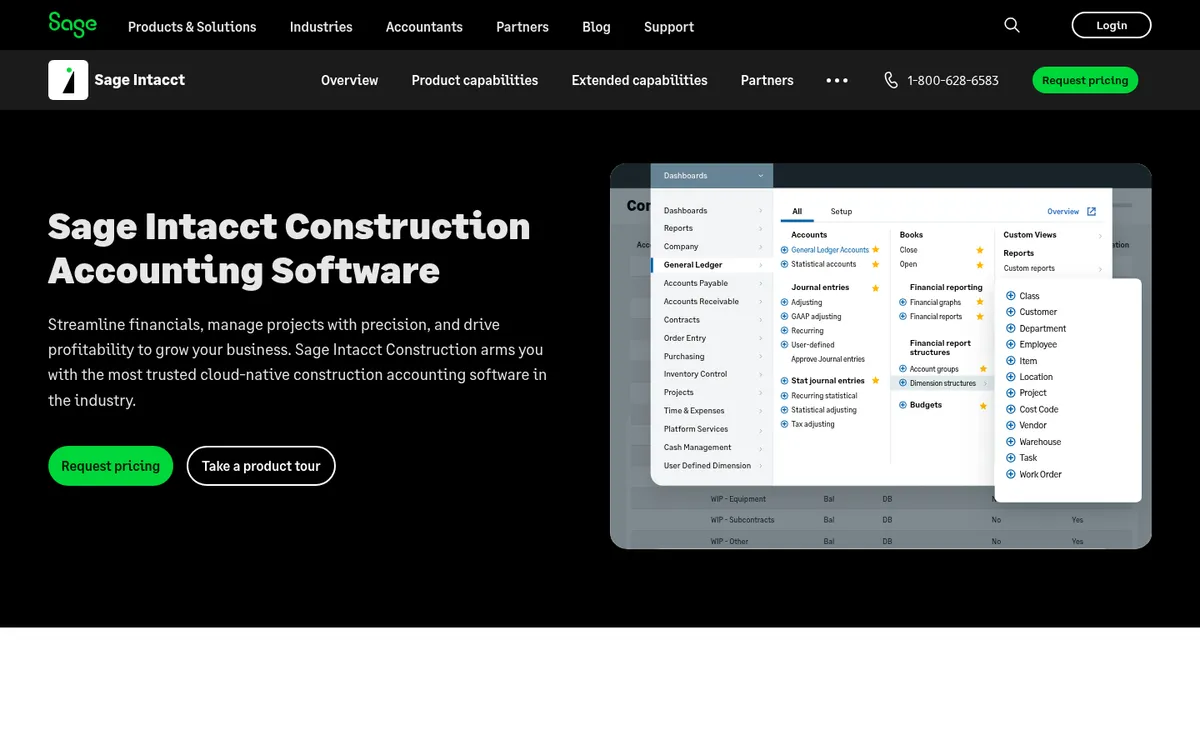
Sage Intacct Construction provides a wide range of tools to manage the financials of construction projects.
The construction cost control software is ideal for contractors who streamline processes and improve project profitability.
The real-time dashboard provides a comprehensive overview of the metrics relevant to your role and is easy to customize.
The performance cards at the top provide a clear overview of the project’s key metrics, such as Project Profit Margin and monthly profit margin.
Sage is accessed via a web browser with various access levels, such as project manager and CEO.
Option to keep internal communication in one place that integrates with Salesforce and e-mail accounts.
What You’ll Love About Sage Construction Management
- The ability to print reports and proposals and select the report templates from a library
- The ability to customize the dashboards and share them with the other users.
- The system is cloud-based, accessible via a web browser, and the data is always current.
- Various security levels to access the platform
- Option to configure favorite features lists for quick access to customize your account
Sage Intacct Pricing information
- The software is completely customizable, allowing you to pay for what you need, and is billed on annual payments.
- You’ll need to contact the sales consultant for the pricing offer.
Trimble Viewpoint Construction Cost Control System

Trimble Viewpoint construction cost control software provides a robust toolset that tracks how business units operate, project profitability, company growth trajectory, subcontractors’ performance, and so forth.
The toolset includes accounts payable, accounts receivable, cash management, document management, HR/Payroll, Equipment Management, Material Management, and Costs and Commitments.
The balance sheet provides a snapshot of the company’s performance at any time. If you want to know your assets or liabilities, just look at the Trimble Viewpoint balance sheet. The job cost ledger provides a detailed breakdown of all project-specific costs.
Viewpoint’s commitments dashboard allows you to track current and remaining costs by job, current and remaining costs by phase, percentage of commitments completed, current and remaining costs by company, and so forth.
What do you like about Trimble Viewpoint accounting
- General ledger and manager reports to analyze all company assets and liabilities.
- Integrates construction and accounting
- Ideal for medium-sized and large contractors
- The service management feature lets you track costs on a department and business unit scale.
Pricing information
- We were not able to identify Trimble Viewpoint pricing information.
- Contact sales and Get Detailed Trimble Viewpoint pricing as per your requirements.
Job Costing Software: What It Does Differently
Job costing and cost control overlap, and most of the tools above do some of both. The distinction matters when you are choosing. Job costing answers the question of what a job actually cost you. It allocates labor hours, material purchases and subcontractor invoices to a job and a cost code so you can compare the actual outcome against the original estimate once the work is done. Cost control starts earlier. It records the purchase order or subcontract as a commitment the moment it is raised, and forecasts the final cost before any invoice arrives.
Spreadsheets are where most small contractors do their job costing. The problem is double data entry. The same invoice gets typed into the spreadsheet, the accounting system and the client valuation. Hours or days go into the spreadsheet each month and inaccuracies still slip through, which is how a job that looked profitable on paper turns out to have lost money. Job costing software removes most of that re-keying and gives you a more accurate basis for forecasting the next job.
Where the tools differ is in which cost they capture best.
- Labor. Time tracking is the core of job costing for service and trade contractors. Xero Projects has a start-stop timer with location-based tracking, QuickBooks Online tracks time directly or through its time tracking functionality, and MYOB links approved time cards to the project budget. Jobber and BigTime are built around field staff logging time against jobs.
- Materials and subcontractors. Planyard, Eque2 and Sage 300 record purchase orders and subcontracts against the budget as they are raised, so committed cost shows before the invoice does. Corecon ties purchase order and subcontractor management to its budget in the same way.
- Reporting on completed jobs. BigTime produces revenue, cost and gross margin reports per job, alongside utilization by month and by staff member. Sage 300 tracks labor, materials and subcontractor costs against budget and lets you adjust forecasts live.
- Subcontractor job costing. eSUB is built for subcontractors specifically, pairing job costing with document control for that side of the contract.
If you already have an accounting system and only need labor and expense allocation per job, the job costing features inside Xero Projects, QuickBooks Online or MYOB may be enough. If subcontractor packages and material orders make up most of your cost, you need the committed cost view, and that is where Planyard, Eque2, Sage 300 and Corecon sit.
More Job Costing and Project Tracking Tools
We previously reviewed the tools below in separate guides to construction job costing software and project tracking software for job costing. Those guides now live here. They serve a specific trade or project type, or sit at the all-in-one end of the market, which is why they are outside the top seven for small contractors replacing spreadsheets.
Procore: All-in-One Platform With a Financial Management Package

Procore is one of the most recognized construction software programs on the market. It offers a wide range of modules with the aim of covering all construction management in one place, and Financial Management is one of those packages. Processes interlink with the budget so you get a live overview of the financial health of a project, and it supports collaborative workflows between the teams involved. Core features include invoice management, tender management, workforce planning and estimating.
Reviewers praise the support and the number of integrations with other software, and like the optional notifications and reminders. The common complaints are that implementation can be cumbersome, that the cost depends heavily on which modules you use, and that the learning curve is steep. See our Procore vs Planyard comparison for a detailed look.
Knowify: Job Costing for Trade Contractors on QuickBooks Online
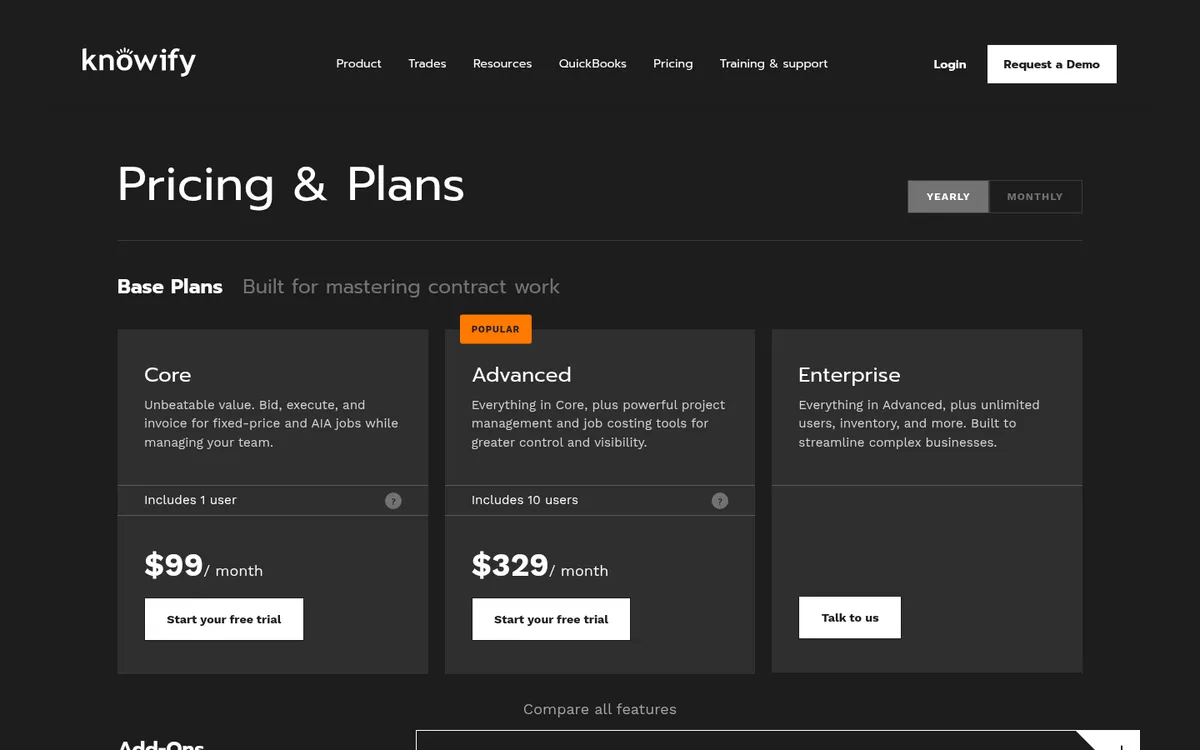
Knowify is built for trade contractors and remodelers. It combines budgeting, job costing, project management and invoicing in one platform, with purchase order and invoice management and time tracking included. Knowify claims to have the best QuickBooks Online integration in the construction industry, which makes it a natural shortlist candidate if your accounts already run on QuickBooks Online. Onboarding and training are unlimited and included in support.
Sage 300 Construction and Real Estate

Sage 300 brings accounting and project management data together and suits companies running projects over a long period. It tracks expenses against budget, lets you adjust forecasts live, and covers labor, materials and subcontractor costs. Change order management and reporting are built in, and automating the accounting and job costing tasks saves significant time compared with spreadsheets.
Reviewers like the flexibility in project costing, the customizable reports and the integrations with other applications. They also say the interface looks dated, that full use requires extensive Sage training, and that the application is complex enough that users struggle to find all its features.
Corecon: Cost Management With QuickBooks and Xero Integration
Corecon is aimed at small to medium-sized businesses. It covers budgeting and forecasting, cost tracking and financial reporting, purchase order and invoice management, and subcontractor management, with project scheduling and document management alongside. It integrates with QuickBooks and Xero and has mobile access for field staff. Its feature list is the closest in this section to Planyard and Eque2: real-time cost tracking with procurement and subcontractor payments linked to the budget.
RedTeam: Commercial General Contractors

RedTeam is designed for general contractors, with the emphasis on commercial projects of medium to large size. Financial management covers budgeting, cost tracking and financial reporting, and the platform also handles bidding and estimating, submittals and RFIs, proposal packages and managed billing. Its strength is collaboration and documentation across field, office and trade workers, and it is highly configurable. If you run large commercial jobs with many stakeholders, it earns a look.
Jonas Premier: Cloud Financial Management
Jonas Premier focuses on accounting and financial management within a construction context and is cloud-based, so the data is accessible from anywhere. It is pitched at construction firms of all sizes that want strong financial tracking and reporting and a system that scales as they grow. It integrates with other systems and is described as easy to use.
eSUB: Job Costing and Project Tracking for Subcontractors
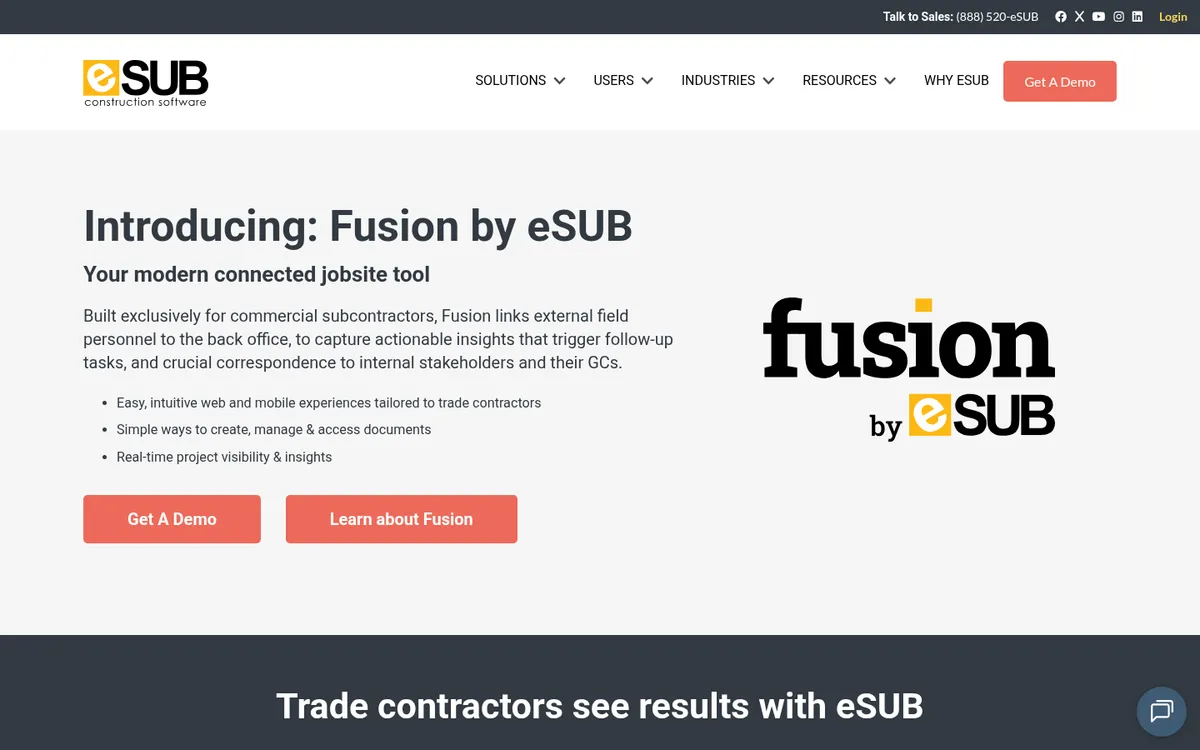
eSUB is built for subcontractors. It pairs job costing with document control and project tracking, covering the specific challenges of working under a main contractor. If you work as a trade subcontractor, it is the one tool in this list designed around your side of the contract.
Buildertrend and CoConstruct: Residential Builders and Remodelers
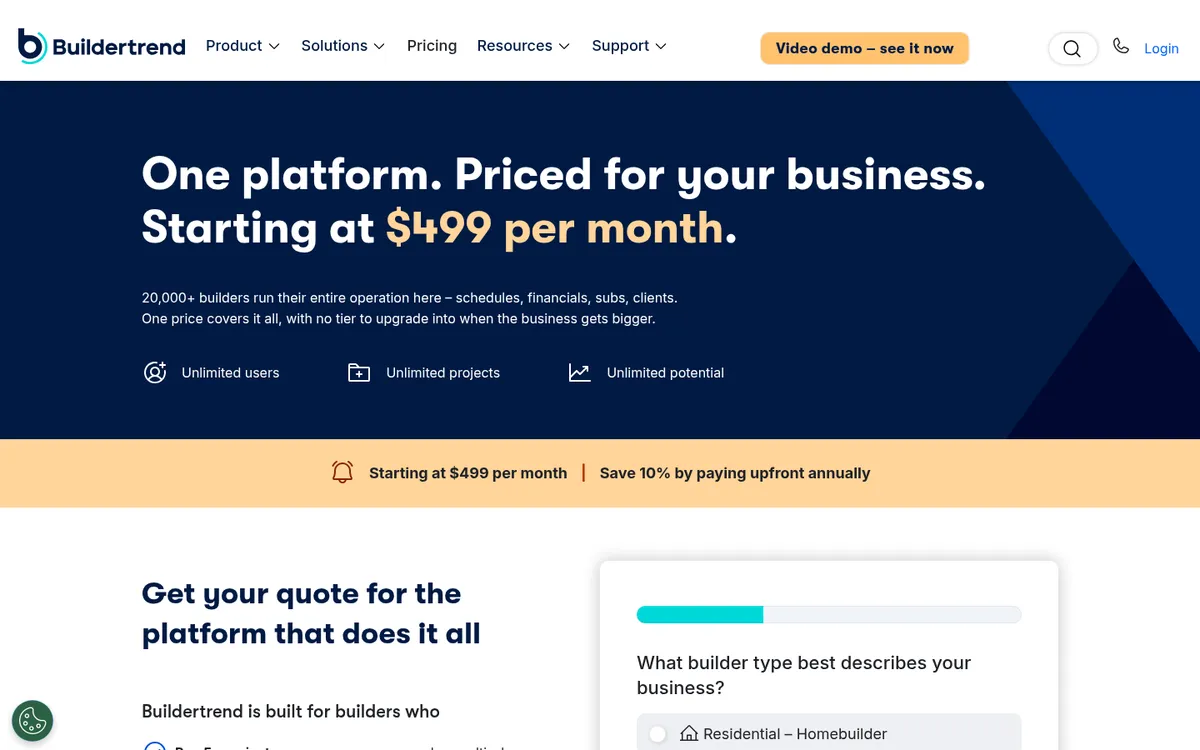
Both tools combine project management with customer management and financial tracking, and both target residential builders and remodelers whose projects involve frequent client interaction. Buildertrend adds scheduling, document storage and proposal tools, and manages project finances alongside. CoConstruct caters to custom builders with budgeting and expense management tools that can be customized to the project, and keeps the client involved and informed throughout the build. Either one makes sense when client communication matters as much as cost tracking.
BigTime: Job Reporting and Labor Utilization
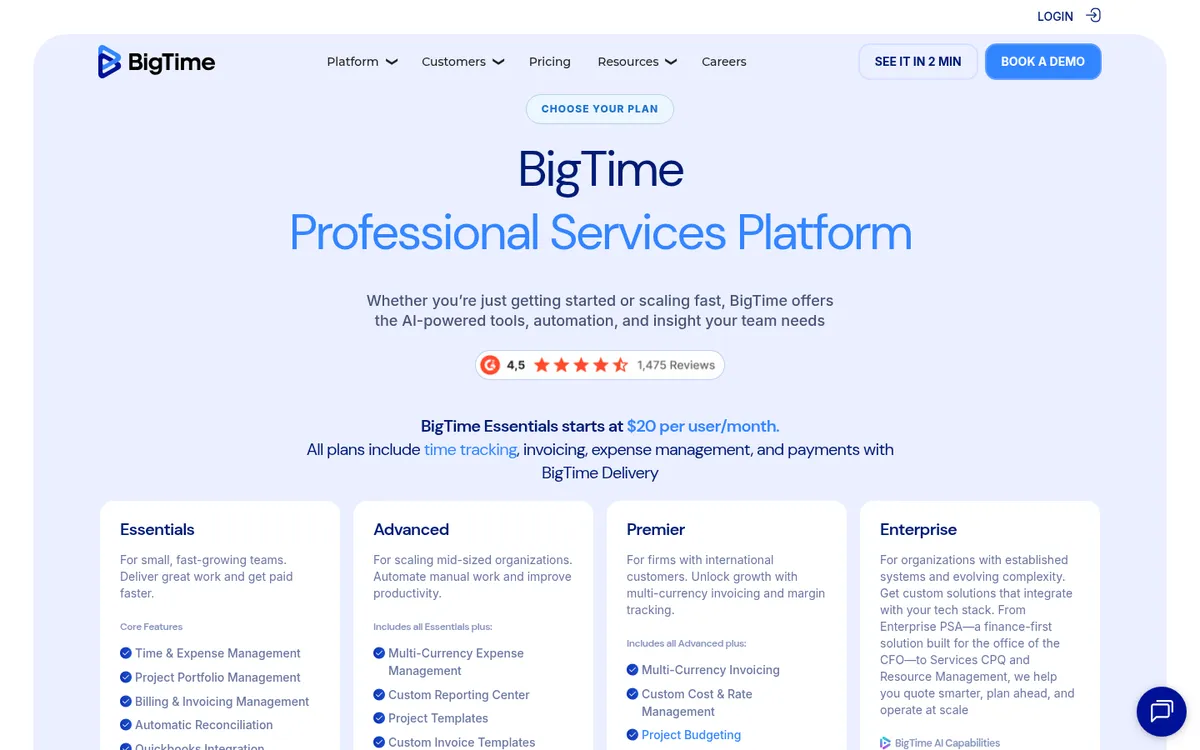
BigTime supplies job costing and detailed job reporting. Its reports cover revenue, costs and gross margins per job, compare results against projected budgets, and show utilization by month and by staff member, which helps firms assess labor utilization across the company. Core features include custom reports, clock-out questions, gate log processing, signature approvals and injury tracking.
Reviewers like the project-based time tracking, the customizable invoicing and the interface. They find the project management features clunky, invoice customization limited for some project types, and the invoice payment features hard to navigate.
Jobber, BigChange and Buildops: Field Service Contractors
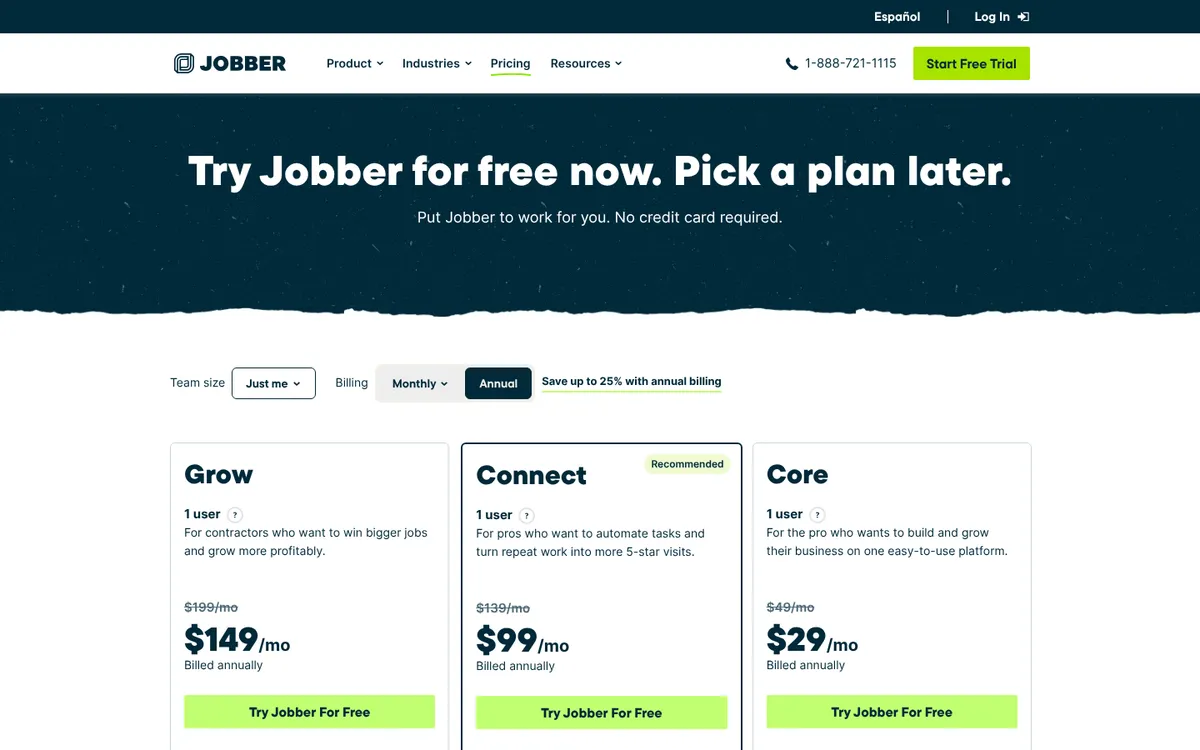
These three serve contractors in the service business, where jobs are short and the field team is dispatched day by day. Job costing here is mostly labor and materials against a quote.
Jobber suits home service companies in plumbing, roofing and electrical work. Client management is its main focus, with quoting, time tracking, expense tracking, invoicing and payments, and budget versus actual reporting. Invoices can be generated from time worked and materials used, so you can compare the projected cost with the actual outcome on completed jobs. Field staff find it easy to log time against jobs. Reviewers say it can be costly for small business owners, that support is not always easy to reach, and that customization is limited.
BigChange provides invoicing, job scheduling, a mobile app and reporting. The mobile app captures billable activity so it gets charged, and the scheduling tools support resource planning and job profitability analysis. Reviewers highlight the job costing and financial reporting and the mobile field service management. They note that setup and customization take time, that there is a learning curve, and that integration with existing systems may be limited.
Buildops targets commercial contracting companies and combines business management, project management, customer management and scheduling. Quotes and invoicing run through the platform, and it integrates with several accounting systems to avoid double data entry. The scheduling view shows field personnel availability for allocating resources. Reviewers value the field-to-office communication and mobile workforce management, and report limited mobile app functionality, limited reporting, and doubts that it scales to very large businesses.
JobNimbus: Roofing Contractors
JobNimbus is a customizable construction management tool for contractors with a particular focus on roofing companies. It combines CRM with project management, and its financial features cover billing and invoice management, integration with popular accounting software, and real-time expense tracking. Visual workflows show where each job stands, built-in text, call and email keep customer communication in one place, and the iOS and Android apps are highly rated.
Job Costing Tools at a Glance
| Tool | Best For | Job Costing Strengths | Accounting Integration |
| Procore | General contractors wanting an all-in-one platform | Budget-linked financial management package | Many integrations |
| Knowify | Trade contractors and remodelers | Job costing, time tracking, PO and invoice management | QuickBooks Online |
| Sage 300 | Long-running projects | Labor, material and subcontractor cost vs budget, live forecasts | Multiple applications |
| Corecon | SMEs wanting PO and subcontractor control | Budgeting, forecasting, PO and invoice management | QuickBooks and Xero |
| RedTeam | Commercial GCs, medium to large projects | Budgeting, cost tracking, managed billing | Not stated |
| Jonas Premier | Firms of all sizes, accounting-led | Financial tracking and reporting | Integrates with other systems |
| eSUB | Subcontractors | Job costing with document control | Not stated |
| Buildertrend / CoConstruct | Residential builders and remodelers | Budget and proposal tools with client communication | Not stated |
| BigTime | Firms tracking labor utilization | Revenue, cost and margin reports per job | Not stated |
| Jobber | Home service trades | Time, expenses and budget vs actual on short jobs | Not stated |
| BigChange | Service businesses | Invoicing, mobile job capture, job profitability analysis | Not stated |
| Buildops | Commercial service contractors | Quotes, invoicing, scheduling | Several accounting systems |
| JobNimbus | Roofing contractors | Billing, invoice management, expense tracking | Popular accounting software |
"For me to get my cost report on Planyard is four clicks of a button, and it's all in one screen – no more going to three different places and rebuilding everything in Excel."
Read more
Comparison Table
| Tool | Best For | Live Cost Tracking | Xero/Sage Sync | Budget Forecasting | Pricing (from) |
| Planyard | Small contractors replacing spreadsheets | Yes, real-time | Xero, QuickBooks, Sage, MYOB | Yes, forecast to complete | £82 per PM/mo; committed costs from £123 |
| Xero Projects | Teams already using Xero | Basic | Native Xero | Limited | £70/mo (Ultimate plan) |
| QuickBooks Online | Simple job costing | Basic | Native QuickBooks | Limited | £56/mo (Plus) |
| MYOB | Australian contractors | Basic | Native MYOB | Limited | Contact sales |
| Eque2 Construction | UK mid-size contractors | Yes | Sage | Yes | Contact sales |
| Sage Intacct | Multi-entity contractors | Yes | Native Sage | Yes | Contact sales |
| Trimble Viewpoint | Large contractors | Yes | Proprietary | Yes | Contact sales |
For small contractors under 50 employees, the choice typically comes down to Planyard (purpose-built cost control with real-time visibility) versus Xero Projects (basic job costing within your existing accounting tool). If you are already outgrowing spreadsheets but not ready for enterprise systems like Sage Intacct or Viewpoint, Planyard fills that gap.
For related comparisons, see our guide to the best construction accounting software and best job costing software. If you are considering whether an ERP is worth it, read why small contractors do not need a construction ERP – these lighter tools replace ERP for most small teams.
"It easily saves half of a Quantity Surveyor’s time. When you're looking at a £70,000 annual salary, that level of cost-effectiveness makes the decision to implement the system very simple."
Read more
See your project margins in real time
Planyard replaces spreadsheet-based cost control with live budget tracking, committed costs visibility, and Xero sync. Set up in hours, not months. 14-day free trial.