
Last verified: October 2026
Most contractors price profit into every tender. Many still finish the year with far less than they priced, and some with a loss. The margin went somewhere between the signed contract and the final account: costs were committed that nobody checked against the budget, variations were done before they were priced, a labour rate was wrong for a year, and turnover grew faster than the office could keep up with.
This guide covers what UK construction companies actually make, where the margin goes after the job is won, nine ways to hold on to more of it, and the tools that track margin job by job. Figures are from published sources checked in October 2026.
What is the average construction company profit margin in the UK?
The most reliable published figures cover the largest firms. The Construction Index Top 100 2026, compiled with Company Watch, puts the average pre-tax margin across the 100 biggest UK contractors at just over 3%, up from 2.4% a year earlier. In the same table, 13 of the 100 were loss-making and a quarter had a pre-tax margin below 2%. Five made double-digit margins and another 29 made more than 4%.
Construction News reaches a similar figure. Its CN100 2026 index of the 100 largest contractors by turnover shows an unweighted average margin of 3.4%, up from 2.1% in the 2024 index and 2.7% in 2025. Those 100 firms turned over £84.88bn between them.
For the specialist end of the market, The Construction Index reports that its top 20 specialist contractors averaged 3.33%, down from 3.69% the year before, and that insolvencies among specialist contractors rose 20% in the second quarter of 2026.
| Source (2026) | Group measured | Average pre-tax margin |
| The Construction Index Top 100 | 100 largest UK contractors | Just over 3% (2.4% the year before) |
| Construction News CN100 | 100 largest UK contractors by turnover | 3.4% (2.7% in 2025, 2.1% in 2024) |
| The Construction Index, top 20 specialists | Largest specialist contractors | 3.33% (3.69% the year before) |
Two cautions when you compare your own business with these numbers. They are pre-tax margins on turnover for firms turning over hundreds of millions, where much of the revenue passes straight through to subcontractors. And no official source publishes an average margin for small and mid-sized UK contractors, so treat any single “average” figure for SMEs with suspicion. What you can measure is your own margin, job by job, and how far the final figure lands from the one you tendered.
Gross margin, net margin and markup
Three numbers get mixed up in construction finance.
- Gross margin is contract value minus direct job costs (labour, materials, plant, subcontractors), as a percentage of contract value. This is the figure each job should be measured on.
- Net margin is what is left after company overheads (office, staff who do not work on site, insurance, vehicles, software) as a percentage of turnover. The league table figures above are close to this.
- Markup is profit as a percentage of cost, used to build a price. A 20% markup on £100,000 of cost gives £120,000 and a gross margin of 16.7%.
If you price in markup and report in margin, every job looks worse than planned before anything goes wrong on site. The guide to contractor overhead and profit covers how to set overhead recovery and markup correctly at tender stage. The rest of this guide is about what happens after the price is agreed.
Why contractors lose margin after the job is won
A contractor can price every job with a healthy margin and still make a loss for the year. When that happens, the price was usually fine and the control was the problem. The leaks are familiar:
- Costs are committed on the phone or by email and only appear when the invoice arrives, weeks later.
- Invoices are paid without being checked against an order, so overcharges, duplicates and work never delivered go through.
- Variations are carried out on an instruction from site and priced at the final account, when the client has the least reason to agree.
- Labour and plant cost more than the rate in the estimate, and nobody finds out until the job closes.
- The cost report is a month or more out of date, so a job that went wrong in month three shows up in month seven.
- Turnover grows faster than the commercial team, so each person is watching more jobs less closely.
"With our old system, all the data we were looking at were yesterday's numbers. Construction works on very tight margins – costs can run away with you quickly. By the time we'd navigated the software and got a report out of it, we could find that our project was making a loss, and it was too late."
Read more
You can fix each of them without winning a single extra job.
How to increase profit margin in construction: 9 ways
1. Recover overheads in every price
Work out your annual overhead as a percentage of expected turnover and add it to every tender before profit. If overhead is 12% of turnover and you price at 10% “margin” on direct cost, you are pricing at a loss. Revisit the overhead rate each year and whenever headcount changes.
2. Track committed cost, not just invoices
Cost to date from the accounts only shows what has been invoiced. The figure that tells you where a job is heading is committed cost: every purchase order and subcontract order placed against the budget, whether invoiced or not. Raise an order for every purchase above a small threshold, link it to a job and a cost code, and compare committed cost with budget every week. Our guide to purchase order software for construction compares the tools that do this.
"When you look at your margin without using Planyard, you might think you’re making 21%. But are you really if things have been missed and you can’t see them? Planyard lets you see a true margin all the time."
Read more
3. Approve every invoice against an order
An invoice that matches an approved order and a confirmed delivery can be paid. One that does not should stop until someone who knows the job has looked at it. Two-step approval (site confirms the work, the office confirms the price) catches overcharges and items that were never fitted. See invoice approval software for construction for the options that link approvals to Xero, QuickBooks and Sage.
4. Know your true labour and plant cost
The hourly rate in the estimate is usually wage plus a guess. The real cost includes employer’s National Insurance, pension, holiday, travel, downtime, vans and tools, and it is often far higher than the estimating rate. Work out the loaded rate from the payroll and use it in both estimates and job costs. Do the same for plant: hire that runs on after the work is done is one of the easiest leaks to miss, because each week is a small invoice.
5. Price and agree variations before the work
Log every instruction, price it, and get it agreed in writing before the work starts where you can. Unpriced variations become arguments at the final account, and the contractor usually concedes some of the value. Keep a live register per job so the expected final value always includes approved and pending changes. The variation glossary entry covers the basics.
6. Forecast the final margin every month
Margin to date can look healthy right up to the point where the expensive work starts. Each month, for each job, estimate the cost to complete, add it to cost to date and compare the total with the expected final value. That gives the forecast final margin, which is the number to manage. Our comparison of construction forecasting software and the guide on how to forecast construction project profitability cover the method in more detail.
7. Code costs so you can compare job types
If every job uses the same cost codes, you can ask questions across jobs: which type of work keeps losing money, which subcontractor runs over, which package was underpriced on the last three tenders. Keep the list short enough that people put costs in the right place. Build it around how you buy the work, not how you price it. The construction cost codes guide has a starter structure.
8. Run a monthly CVR
A cost value reconciliation compares the value earned on each job with the cost incurred, and brings in the forecast to complete. Done monthly, it turns the points above into one report the directors can act on. If it takes a week of spreadsheet work, it will be late and nobody will trust it. Our step-by-step guide on how to prepare a CVR explains the format.
9. Grow turnover only as fast as your control
More turnover at the same margin looks like progress, but it also means more orders, more invoices and more variations for the same commercial team to check. If control does not keep up, the extra work dilutes the margin on everything. Before taking on a bigger pipeline, check that cost reporting, approvals and forecasts are current on the work you already have.
See the final margin on every job, every month
Planyard tracks budgets, purchase orders, invoices and variations against each job and syncs with Xero, QuickBooks and Sage. Start a 14-day trial or book a demo.
Margin tracking tools for UK contractors
Most margin control can start in a spreadsheet, and many small contractors run it there. Once you have more than a handful of live jobs, a tool that pulls costs from your accounting system and orders saves the monthly rebuild. These four cover the common starting points for UK contractors. For a longer list, see our guide to construction cost tracking software.
| Tool | Best for | Starting price (GBP) | Accounting link | Forecast final margin |
| Planyard | Main contractors and specialists who want job margin, POs and CVR on top of Xero, QuickBooks or Sage | £82 per project manager per month (Essential) | Xero, QuickBooks, Sage | Yes, cost to complete per budget line (Professional, £123) |
| LiveCosts | Contractors buying a lot of materials who need PO and delivery control | Quote only | Xero, QuickBooks, Sage | Budget vs actual, WIP and project P&L reports |
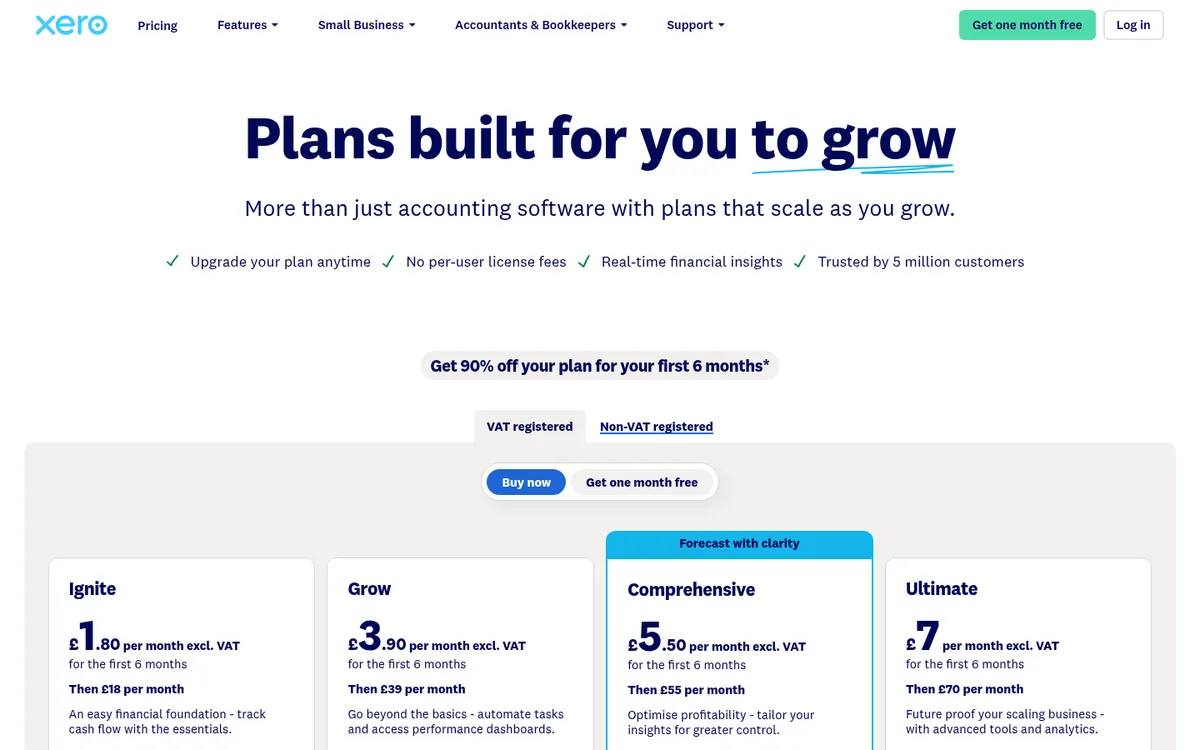
| Xero Projects | Small firms on Xero with simple jobs | Included in Xero Ultimate, £70 per month | Built into Xero | No, budget vs actual on billed costs |
| Excel | One or two live jobs, owner-run firms | £5.40 per user per month (Microsoft 365 Business Basic, web apps) | Manual exports | Only if you build it |
1. Planyard – Best for forecast final margin on top of your accounts

Planyard is construction cost control software that sits on top of Xero, QuickBooks or Sage. Each job has a budget by cost code; purchase orders, subcontract orders, invoices and variations are recorded against it, and the forecast final margin updates as costs come in. Supplier invoices are captured in Planyard, coded to the job and cost code and synced to the accounts, so the cost report stays current without re-keying.
Budget vs actual and the accounting sync start on Essential. Job profitability forecasting, purchase orders, committed cost tracking, invoice and PO approval workflows, and variations are on Professional. Subcontract orders, subcontractor payment applications and budget and CVR version history are on Ultimate. Planyard does not do drawing takeoff, and CIS deductions and returns stay in your accounting software.
Read how it compares with Excel and Xero Projects, or see the construction cost control overview.
Best for: UK main contractors and specialists with several live jobs who want a monthly forecast final margin and CVR without the spreadsheet rebuild.
Watch out for: Purchase orders and approval workflows need Professional, so a firm that wants committed cost tracking should budget for that tier, not Essential.
Pricing: £82 per project manager per month on Essential, £123 on Professional and £164 on Ultimate. Supporting staff are £33 per month, and Enterprise is by quote. 14-day free trial. See pricing.
2. LiveCosts – Best for materials and purchase order control

LiveCosts is a cost tracking tool from Ground Up Software, with offices in Dublin, London and Perth. It covers purchase orders, delivery tracking, invoice management with line-item extraction and three-way matching, labour and plant time, and budget vs actual, WIP and project P&L reports. It integrates with Xero, QuickBooks and Sage. See LiveCosts vs Planyard and LiveCosts alternatives.
Best for: Contractors with high materials spend who want orders, deliveries and invoices matched before anything is paid.
Watch out for: No published prices, so you need a sales call to compare cost. Check how it handles client valuations and the monthly forecast if those matter more to you than purchasing.
Pricing: Quote only. The pricing page asks you to contact sales.
3. Xero Projects – Best for simple jobs already in Xero
Xero Projects is built into Xero. You set a project budget, assign bills, purchases, expense claims and time to the project, and Xero compares actual spend with the estimate on a profitability dashboard. There is nothing to integrate, which makes it the quickest place to start if you already use Xero. For a fuller comparison, see Xero Projects alternatives for construction.
Best for: Small builders on Xero with a few straightforward jobs who want a first look at job profit.
Watch out for: Costs reach a project once a bill, purchase or expense is assigned to it, so the dashboard shows what has been billed, not what has been ordered. There are no construction cost codes, valuations or retention, and Projects is only included in the Ultimate plan.
Pricing: Included in Xero Ultimate at £70 per month excluding VAT, with Projects for 10 users and £5 per month per extra user. Grow (£39) and Comprehensive (£55) do not include Projects. New customers get 90% off for the first six months.
4. Excel – Best for one or two live jobs

A spreadsheet with a budget, a list of orders and a monthly cost-to-complete column is how most contractors start, and for one or two jobs run by the owner it is enough. It becomes hard to trust when several people edit it, when invoices are copied in by hand from the accounts, and when the CVR takes days to rebuild each month. Our free CVR template is a good starting point.
Best for: Owner-run firms with one or two live jobs and a clear head for numbers.
Watch out for: No link to the accounts or orders, so the margin is only as current as the last manual update, and formula errors go unnoticed.
Pricing: Microsoft 365 Business Basic, with web and mobile Excel, is £5.40 per user per month. Business Standard with Copilot, which includes desktop Excel, is £18.10. Both paid yearly, excluding VAT.
How we chose
We picked the four tools UK contractors most often start with when they want to see margin job by job: a spreadsheet, the projects feature in the accounting system they already have, and two construction cost tracking tools that sit on top of it. Prices were checked on each vendor’s own pricing page in October 2026. Planyard is our product; it is listed first because forecast final margin and CVR are what it is built for, and we have stated which tier each feature needs.
"Without real-time cost tracking, it's easy to mistake being busy for being profitable. We needed a system that told us which projects were actually making money before it was too late. With Planyard's seamless integration with Xero, every purchase order, subcontractor payment, and invoice flows directly into our accounting system—giving us instant financial clarity without manual data entry or reconciliation headaches."
Read more
Hold on to the margin you priced
Track committed cost, approvals, variations and the forecast final margin on every job, synced with Xero, QuickBooks or Sage. Start a 14-day trial or book a demo.