
It is the first Monday after month-end. You have a project review on Wednesday. Your director wants the CVR pack for all live jobs. You open the spreadsheet and realise: the subcontractor who agreed a variation three weeks ago is not in there. Two invoices from last week are sitting in someone’s inbox. And the committed cost column does not include the order your PM raised on Friday.
In this guide: A step-by-step guide to preparing a cost value reconciliation on a construction project. Covers gathering cost data, confirming the value position, updating your forecast, and reconciling cost against value – with a worked example. Teams using Planyard skip most of the manual steps because the CVR updates as they work.
Preparing a CVR means pulling together every piece of financial data on a project – budget, costs, commitments, value, and variations – and reconciling them to show where the project stands and where it is heading. Done well, a CVR gives you and your directors the numbers to make decisions before problems become losses. Done badly, it is a three-day admin exercise that produces numbers nobody fully trusts.
This guide walks through the process step by step – what data you need, where it comes from, and what the final reconciliation should look like. If you want the full background on what a CVR is and why it matters, start with our guide: Construction cost value reconciliation explained.
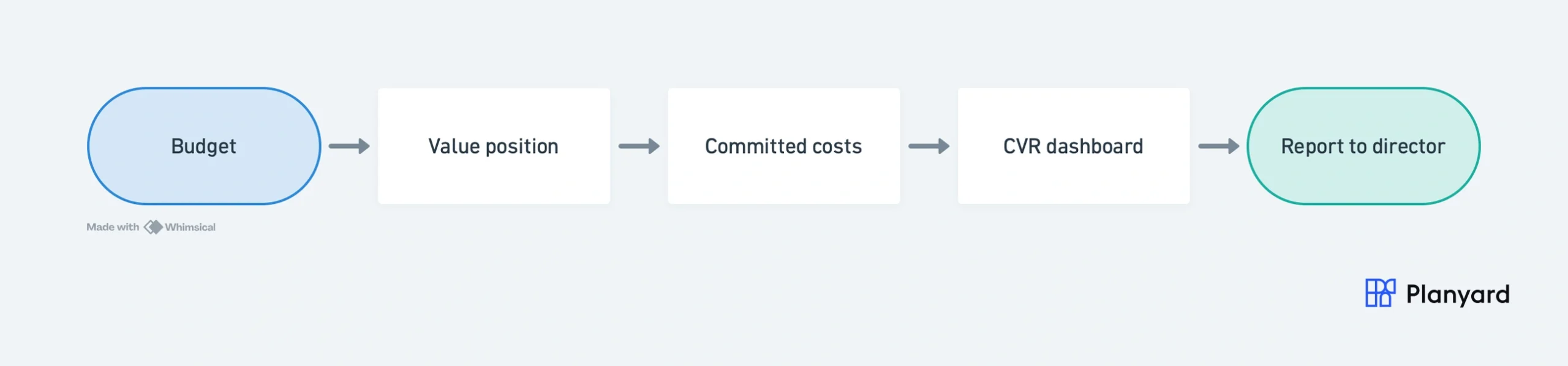
"The contractor would typically send over an email containing a zip file with about 150 invoices every single month. Trying to manually allocate each of those to the correct invoice in Excel, and then further allocate them to specific cost codes within the building to get a reasonable assessment of our spending by category, was an incredibly time-consuming and frustrating process."
Read more
What goes into a CVR
Before you start compiling, know what the finished CVR needs to show. A complete cost value reconciliation brings together four categories of data:
- Budget – the original tender budget plus any post-tender adjustments. This is your baseline.
- Value – what the client has been billed (interim valuations) plus agreed or anticipated variations. This is the income side.
- Costs – actuals (invoices paid), committed costs (orders raised but not yet invoiced), and accruals (work done but not yet billed by the subcontractor). This is the expenditure side.
- Forecast – the expected final cost and margin at project completion, accounting for everything still to come.
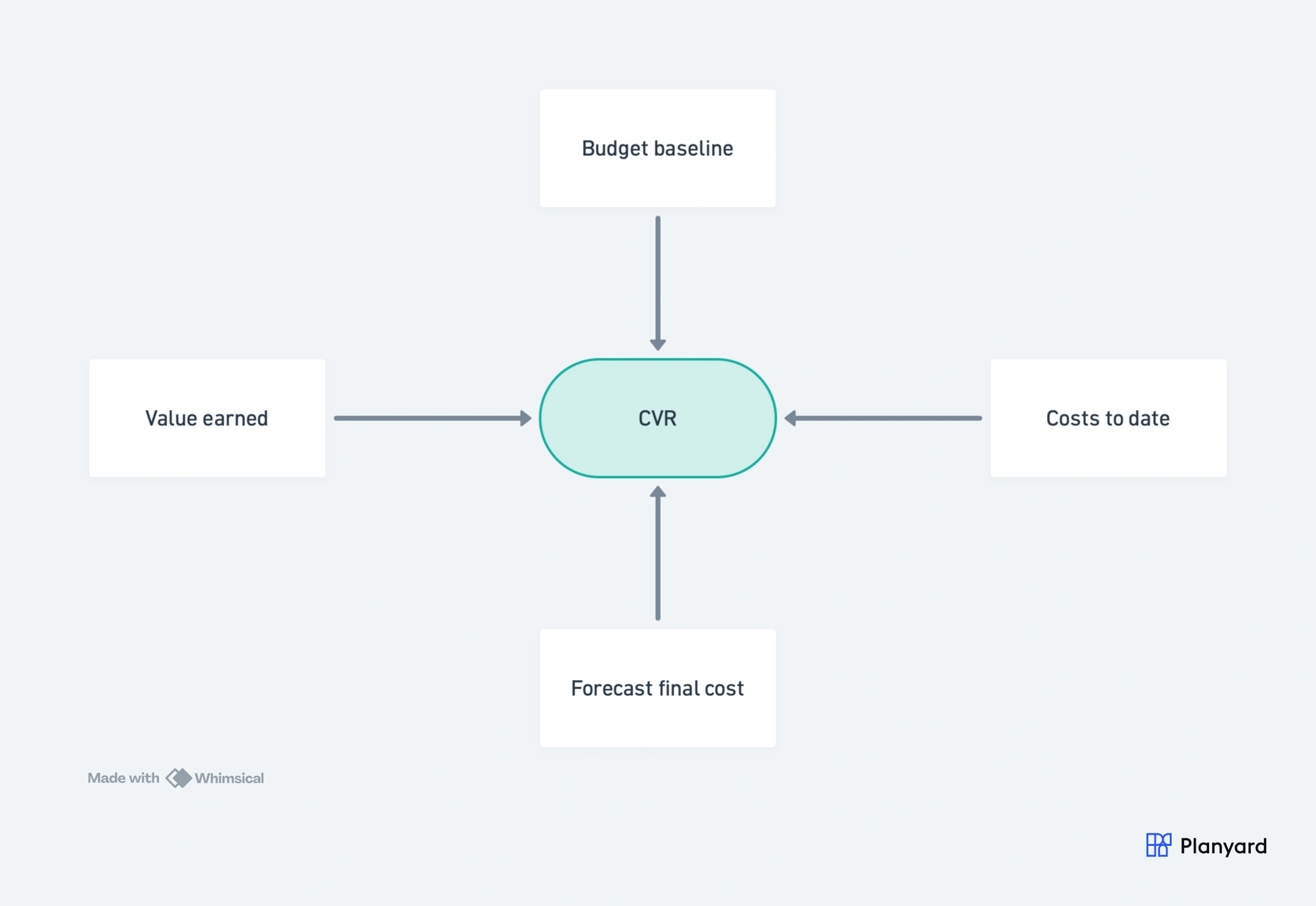
The reconciliation is the process of putting these together and seeing whether the numbers add up – or whether you have a problem.
In most UK contractors, the Quantity Surveyor owns CVR preparation. The commercial manager reviews and challenges assumptions. The project manager validates that reported progress matches site reality. And the finance team reconciles CVR outputs against the accounting ledger. Everyone contributes data – but the QS drives the process. The RICS New Rules of Measurement (NRM) sets out the UK standard for construction cost planning and reporting.
Step 1 – Gather your cost data
This is where most of the time goes. In a spreadsheet setup, gathering cost data means pulling information from multiple places and hoping nothing gets missed.
What you need to collect:
- Actuals from your accounting system. Pull the cost report from Xero, Sage or QuickBooks for the project. Check that every invoice coded to this job is captured, and that nothing has been miscoded to a different project.
- Purchase orders and subcontract commitments. These are costs you have agreed to but have not yet been invoiced for. In a spreadsheet, you need to cross-reference your PO log or order book. This is the piece most QS teams say gets missed.
- Accruals. Work done on site by subcontractors who have not yet submitted their application. You need to estimate the value of work completed but not yet billed.
- Retention held and released. Check retention against each subcontractor and the amounts due for release.
Where things go wrong: The most common error is missing committed costs. If your QS raised a GBP 50,000 subcontract order last week and it is not in the CVR, your forecast is understating the final cost by that amount. As one contractor told us: “Everything has a PO linked to a job number – when I look at margin I know it is the true margin.” That only works when every commitment is captured at the point it is made – not when the invoice arrives weeks later.
"I can not imagine, that I still had to manually track the invoices and enter them one by one on Excel to see my committed costs. That feels like stone-age."
Read more
Step 2 – Confirm the value position
The value side of the CVR tells you what income the project has earned and what you expect to earn going forward.
What you need to confirm:
- Valuations submitted and certified. How much has the client been billed, and how much has been certified and paid? The gap between submitted and certified is your exposure.
- Variations – agreed, submitted, and disputed. Separate these clearly. An agreed variation is income you can rely on. A submitted variation is income you expect. A disputed variation is a risk until resolved. Treating all three the same overstates your position.
- Retention held by the client. This is income earned but not yet received. Track the amount, the release dates, and whether any retention is at risk of being withheld.
- Anticipated future valuations. Based on the programme and remaining work, estimate the value still to be claimed.
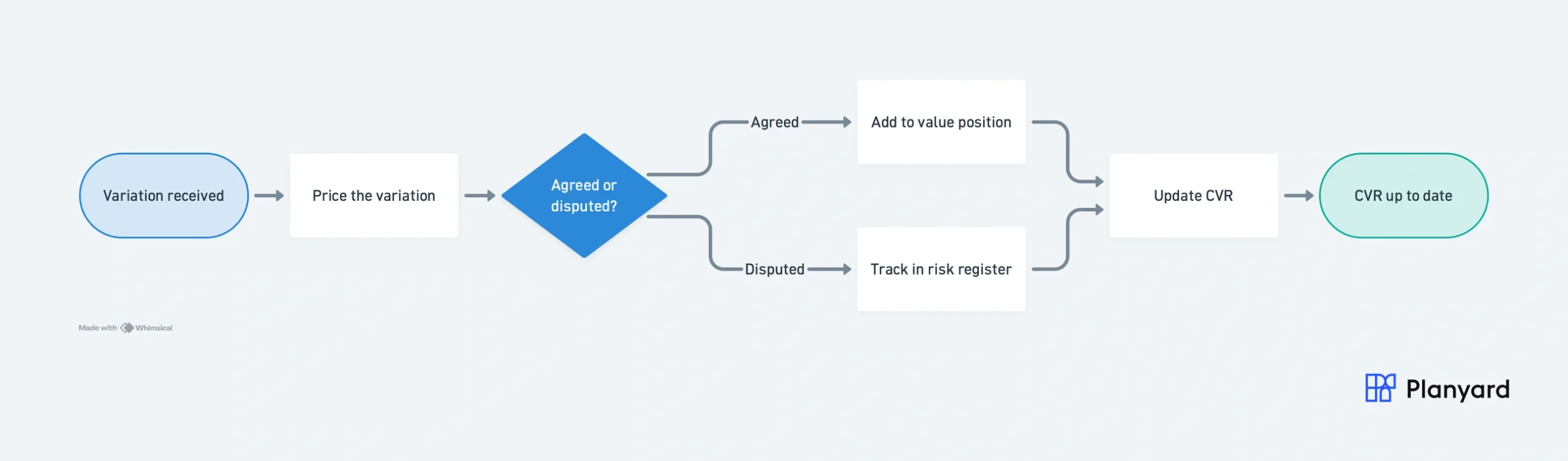
Where things go wrong: Variations are the most common source of CVR inaccuracy. A variation agreed verbally on site three weeks ago but not yet documented will not appear in the value position – which means your margin forecast is understating income. Under JCT standard contracts, variations must be formally instructed in writing to be binding – verbal agreements need written confirmation to be enforceable. Keep a variation register and update it weekly, not just at month-end. For each variation, document the rationale, the financial impact, and whether it affects the programme. That documentation is as important as the number itself.
Step 3 – Update your forecast
This is where a CVR goes beyond a cost report. A cost report tells you what has been spent. The forecast tells you where the project is heading.
For each cost code or package, estimate:
- Cost to complete – how much more will this package cost to finish? Factor in committed orders, anticipated final accounts with subcontractors, and any known cost changes.
- Known risks – material price escalations, programme delays that will increase prelims, outstanding claims from subcontractors.
- Forecast adjustments – any changes since the last CVR that affect the expected final cost. New information should be reflected immediately, not held for the next month-end.
Where things go wrong: The biggest mistake QS teams make is only updating actuals without touching the forecast. If you have received new pricing from a materials supplier that is 8% above estimate, that needs to flow into the forecast now – not when the invoice arrives in six weeks.
As one project manager put it: “Even if a project becomes more expensive, this information should be known to the highest management as early as possible.” A CVR that shows accurate actuals but a stale forecast is worse than useless – it gives directors a false sense of comfort.
Step 4 – Reconcile cost against value
This is the core of the CVR. You are putting together the cost side and the value side to produce the numbers your directors need.
The key calculations:
- Forecast final cost = costs to date + remaining committed costs + forecast adjustments
- Forecast final value = valuations certified + agreed variations + anticipated future valuations
- Forecast margin = forecast final value – forecast final cost
- Variance from budget = original budget – forecast final cost (negative means overrun)
Worked example
Take a GBP 2M substructure package on a residential project:
| Line | Amount |
|---|---|
| Original budget | GBP 2,000,000 |
| Costs to date (invoices paid) | GBP 1,200,000 |
| Committed costs (orders not yet invoiced) | GBP 450,000 |
| Forecast adjustments (known price increases) | GBP 80,000 |
| Forecast final cost | GBP 1,730,000 |
| Client valuations certified | GBP 1,400,000 |
| Agreed variations | GBP 120,000 |
| Anticipated remaining value | GBP 530,000 |
| Forecast final value | GBP 2,050,000 |
| Forecast margin | GBP 320,000 (15.6%) |
| Variance from budget | +GBP 270,000 (under budget) |
This tells you: the project is currently GBP 270,000 under budget with a forecast margin of 15.6%. But if the committed costs are not captured (the GBP 450,000 in orders), you would overstate the remaining budget by that amount – and the forecast would be dangerously optimistic.
Step 5 – Present the CVR to stakeholders
The CVR is not just a spreadsheet exercise. It is the document that tells your directors whether the business is making money.
What directors actually want to see
When a director walks up and asks “where do we stand?”, they want:
- Margin at completion – the single most important number. Is this project going to make money?
- Movement since last report – has the position improved or deteriorated, and why?
- Red flags – which cost codes are trending over budget? Where are disputed variations building up? Is cash exposure growing?
- Portfolio view – across all live projects, where is margin at risk and which jobs need intervention?
"At any point, one of the Directors can walk up to me and in two clicks I have all of the information in front of me."
Read more
Internal CVR vs external CVR
An internal CVR shows the full picture including your margin. An external CVR (shared with the client) typically shows the cost and value position without revealing your profit. Know your audience before presenting.
See all your projects on one screen
Live margin visibility across every project – no spreadsheet consolidation required.
How often should you prepare a CVR?
Monthly is the industry standard, typically timed with the client valuation cycle. But monthly only works if the data is fresh. A CVR prepared from three-week-old invoice data is a history report, not a management tool. Beyond the monthly cycle, prepare an updated CVR after a significant variation is agreed, or before a management review or board meeting. Also prepare one when a cost overrun is emerging that needs a fresh forecast, or ahead of any contractual negotiation where the financial position matters.
The better question is: how quickly can you see a problem? If a subcontractor comes in over budget, do you find out at month-end when you rebuild the spreadsheet? Or do you see it the moment the order is raised?
With CVR reporting software, the data is live. You choose when to review it, but the numbers are always current. Problems get visualised when they happen – not one month later.
Common CVR mistakes to avoid
These are the errors that QS teams and project managers tell us they have made – often for years before switching away from spreadsheets.
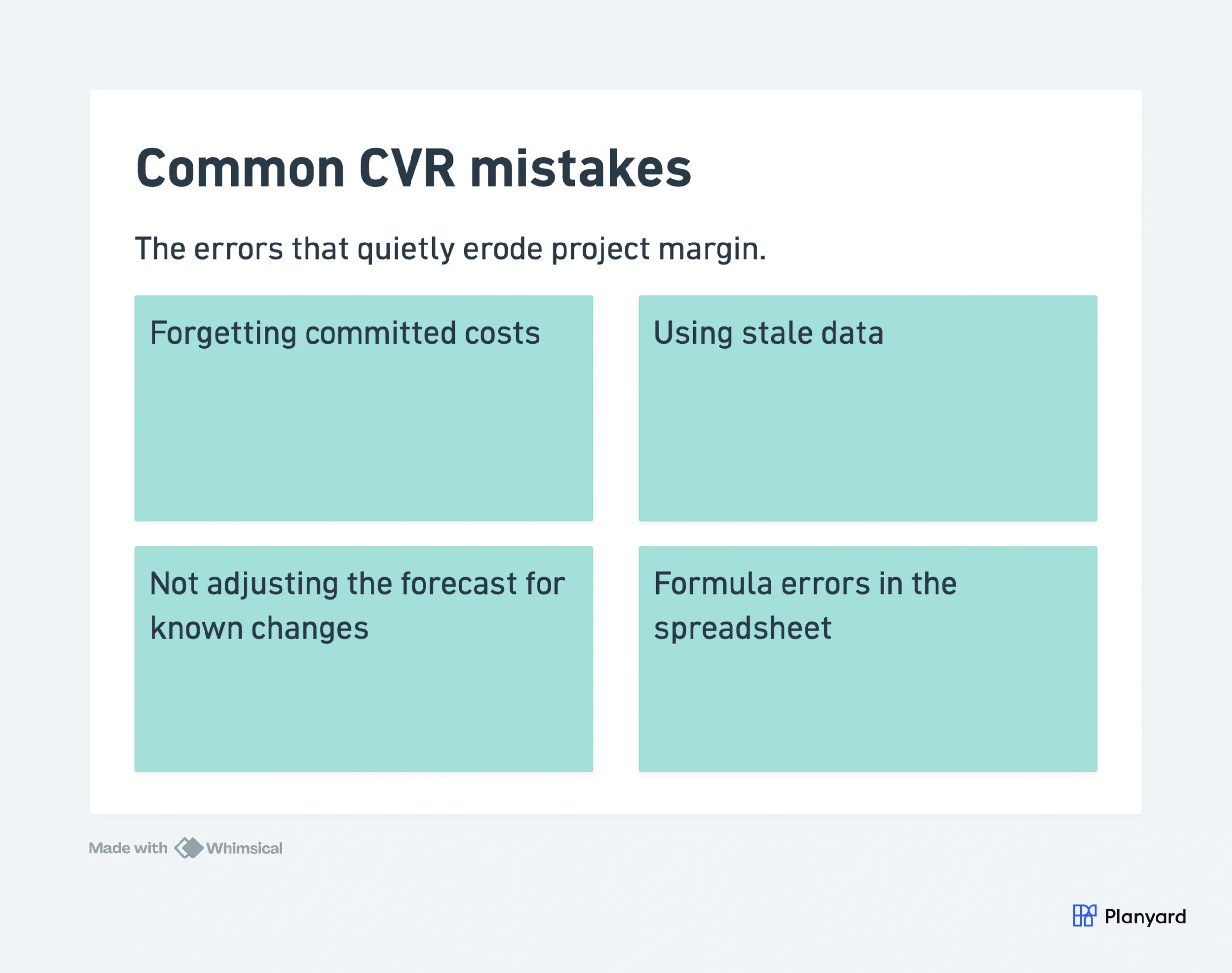
Forgetting committed costs
If a purchase order has been raised but the invoice has not arrived, the cost is real – it just has not been billed yet. Leaving committed costs out of the CVR understates your forecast final cost and overstates your margin. This is the most common and most dangerous mistake.
Using stale data
A CVR built from last month’s accounting data is a rear-view mirror. Costs are accruing and commitments are being made every day. If the data in your CVR is two weeks old, you are making decisions on a picture that no longer reflects reality.
Not adjusting the forecast for known changes
You know the steel price has gone up. You know the programme has slipped two weeks. But the forecast still shows the original estimate because nobody has updated it. A CVR that shows accurate actuals but a stale forecast gives false comfort to everyone who reads it.
Formula errors in the spreadsheet
A deleted row, an unlinked cell, a SUM range that does not cover the new lines you added last week. These errors are silent – you do not know they are there until someone checks the numbers and finds the total does not add up. And by then you may have already reported that figure to a client or director.
"While spreadsheets are good for the tasks they were designed for, you are always open to human error. They serve a purpose, but for project management, they aren't ideal. You might forget to add a row, fail to adjust a formula, or make some other hidden mistake that stays buried in the data."
Read more
Preparing a CVR in Excel vs software
The steps above are the same whether you do them in a spreadsheet or in software. The difference is where the data comes from and how much of the process is manual.
In Excel: you gather the data yourself from emails, accounting exports, PO logs, and subcontractor files. You rebuild the CVR manually each period. Version control is on you. Formula integrity is on you. By the time the report is done, the numbers are already stale.
In CVR software: the budget, orders, invoices, and valuations are already in one system. Committed costs appear the moment a PO is raised. Invoices are matched to orders automatically. The CVR updates as your team works – there is no separate compilation step.
The transition most contractors describe: from spreadsheets to everything in one system. From manual tracking to automatic updates. From delayed visibility to seeing it as you go.
Most teams are up and running with live CVRs in under an hour – upload your existing budget, connect your accounting system, and the CVR starts updating as your team works. No data migration, no IT project.
"When we used to do our month-end CVRs it could usually take 3-4 days to put them together. It now takes me 10-15 minutes to just quickly go through the jobs and check that I haven’t missed anything."
Read more
If you are still running CVRs in Excel, our free CVR resources page has a ready-made template to get your process in order. And if you are ready to see what live CVR reporting looks like, see how Planyard handles CVR.
For a full comparison of what changes when you move from spreadsheets to software, see CVR software vs Excel.
Related guides
- Construction cost value reconciliation explained – what a CVR is, what metrics it provides, and how it fits into project financial management.
- Signs your company has outgrown CVR spreadsheets – a readiness checklist with 10 warning signs.
- Why contractors switch from CVR spreadsheets to software – real customer stories from Brown and Bancroft, E&N Group, Karringtons, and more.
- Best CVR software for contractors (2026) – a side-by-side comparison of the top tools.
- Free CVR template – download a ready-made CVR template for Excel or Google Sheets.
Replace the month-end CVR rebuild
Upload your budget and get live CVR reporting in under an hour. No spreadsheets, no month-end data chase.