Construction CVR Reporting Software

CVR reports that update as you work - not at month-end.

Planyard connects your budget, orders, and invoices so CVR reports update automatically as your team works. No more month-end data gathering from emails, spreadsheets, and accounting systems.

Used by contractors and commercial teams that want accurate CVR reporting without the manual effort.

Integrates with

Planyard construction budgeting software showing the budget overview screen with real-time updates on project costs, purchase orders, and invoices.

What a CVR report includes

A CVR report compares what you planned to spend against what you have committed, spent, and forecast to finish. It gives a complete financial picture of each project at any point in time.

A complete CVR report should show:

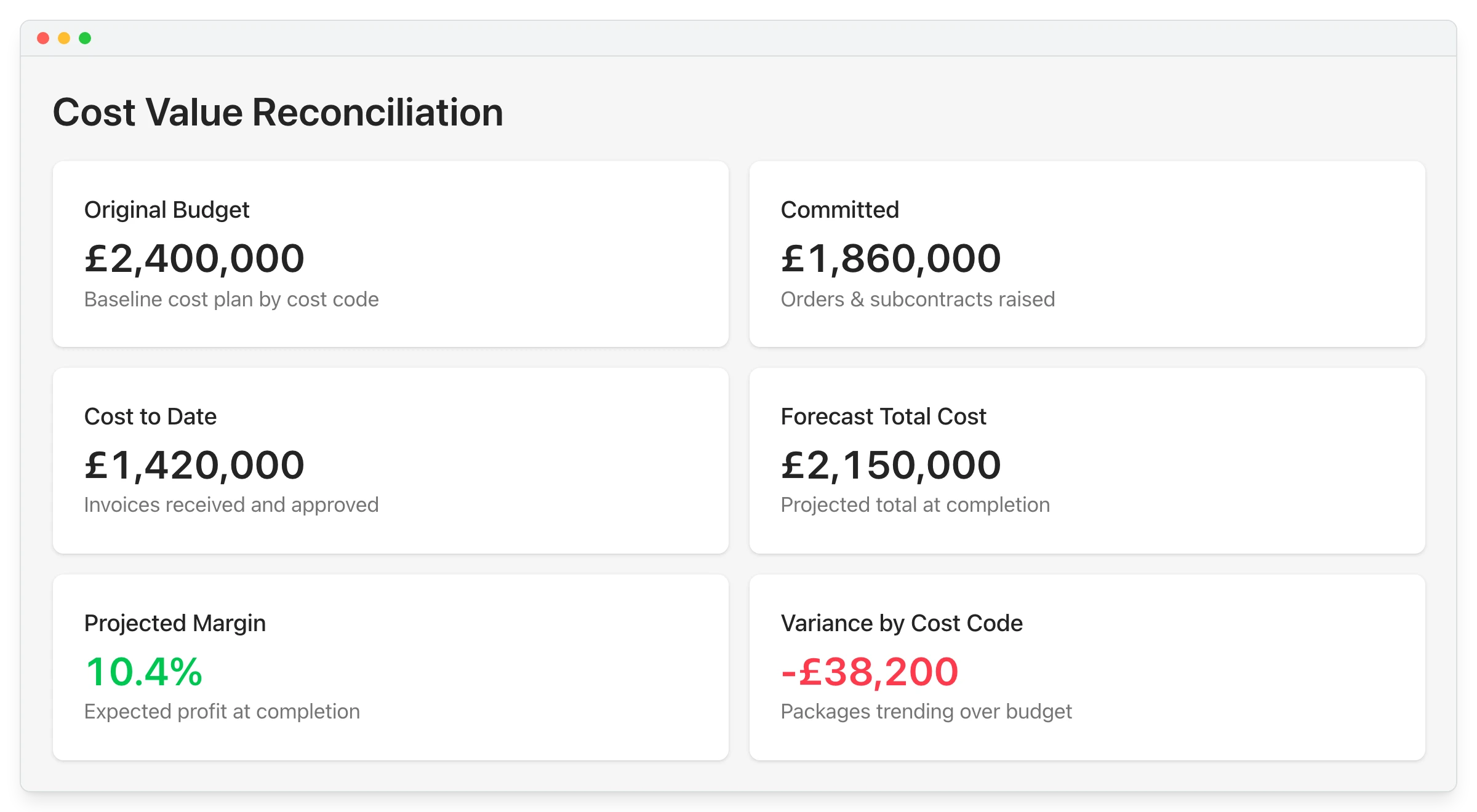
  • Original budget vs actual cost to date – what was expected versus what has been spent.
  • Committed costs – orders and subcontracts raised but not yet invoiced.
  • Earned value – the value of work completed against the contract.
  • Forecast final cost – where the project is likely to finish based on current commitments.
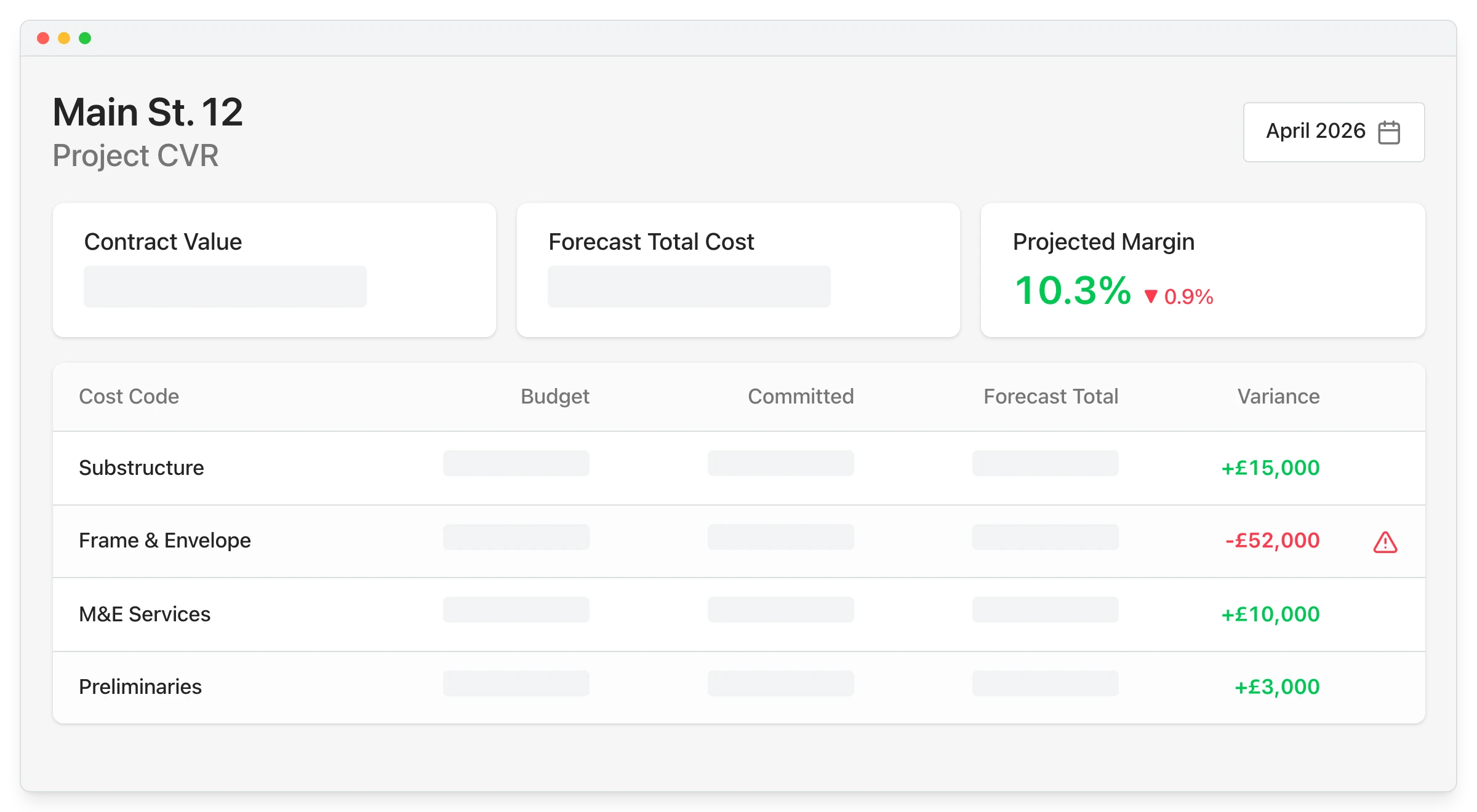
  • Projected margin – the expected profit or loss position at completion.
  • Variance by cost code – which packages or work areas are running over or under budget.

Why CVR reports take days to prepare

The bottleneck is not the report itself. It is the data gathering that comes before it.

Preparing a monthly CVR in spreadsheets usually means:

  1. Chasing invoices from email inboxes and finance teams.
  2. Pulling committed costs from purchase orders stored in separate files or folders.
  3. Cross-referencing accounting software to reconcile what has been coded and paid.
  4. Rebuilding the picture manually in Excel – every single month.
  5. Circulating the report and then answering questions from directors who want a different cut of the data.

By the time the CVR is finalised, the data is already out of date – and the next month-end is approaching.

"When we used to do our month-end CVRs it could usually take 3-4 days to put them together. It now takes me 10-15 minutes to just quickly go through the jobs and check that I haven’t missed anything."

Read more
Claire Hill, Estimator and quantity surveyor
Claire Hill Estimator and quantity surveyor  ·  Brown & Bancroft Interiors  ·  Bolton, United Kingdom

How Planyard produces CVR reports automatically

Planyard keeps budget, orders, and invoices connected in one workflow. The CVR report updates continuously so month-end is a review - not a rebuild.

01

Set the budget - structure the project budget by cost code, package, or phase so every line has a financial baseline.

02

Raise orders and record commitments - subcontracts and purchase orders are raised against the budget before invoices arrive.

03

Approve invoices against commitments - incoming costs flow in automatically, matched to the orders already on record.

04

Review the live CVR report - budget, committed costs, actuals, and forecast final margin are always current.

"Planyard has completely replaced my CVR process. Cost Value Reconciliation is essentially about tracking your budget against your actual spend to see exactly what remains, and that functionality is the absolute essence of the central core of Planyard."

Read more
Ian Holford, Managing Director
Ian Holford Managing Director  ·  Higgihaus Developments  ·  Bristol, United Kingdom

What Planyard shows in your CVR report

Planyard produces a CVR report that shows the complete financial position of every project, updated as your team works – not just at month-end.

At project level, each CVR report includes:

  • Budget vs committed costs vs actuals by cost code or package.
  • Forecast final cost – updated from live commitments, not manual estimates.
  • Projected margin and profit position at any point during the job.
  • Variation tracking and early warning when a cost code is trending over budget.

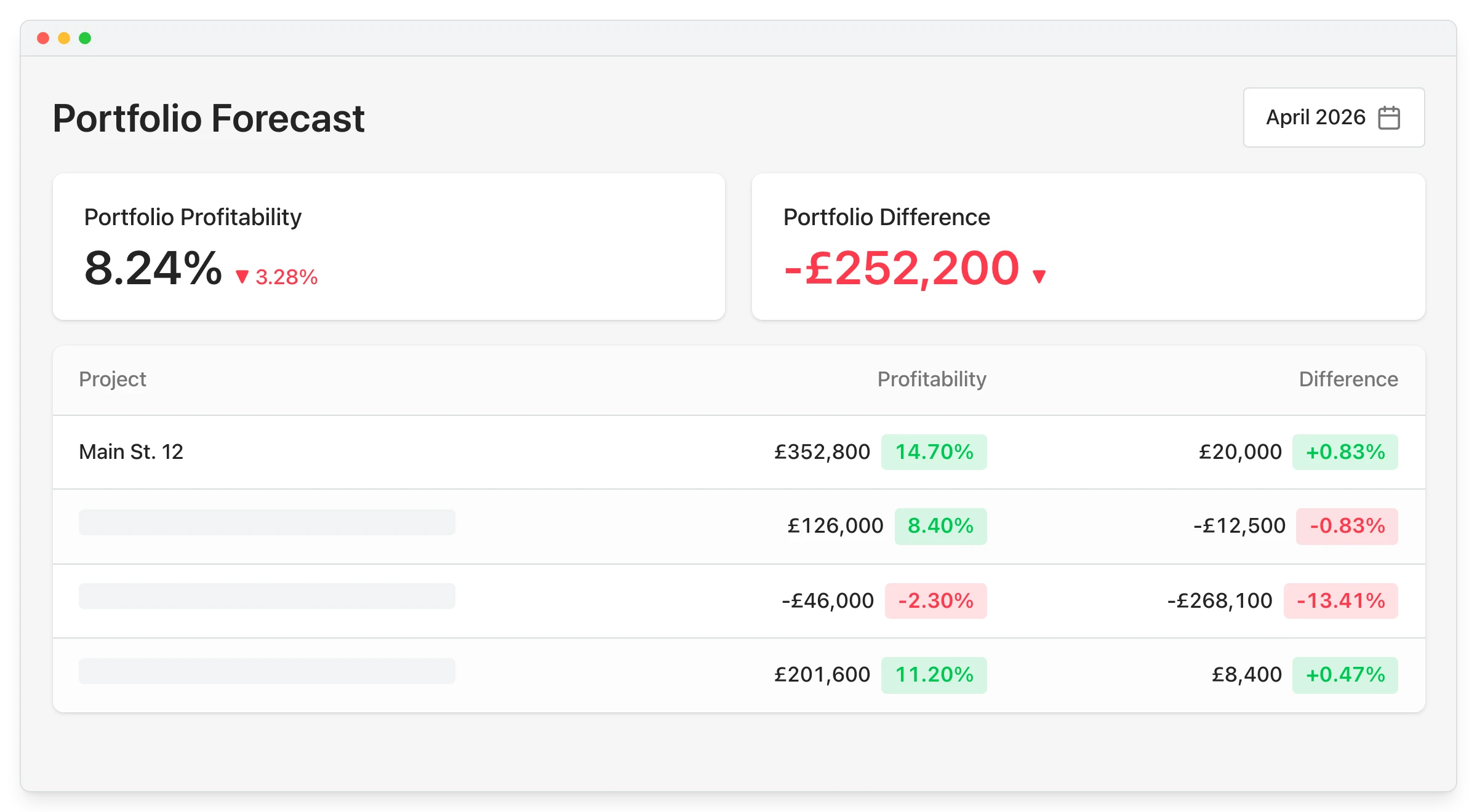
At portfolio level, directors can see:

  • All live projects on one screen with current margin per project.
  • Financial position without asking the commercial team to compile anything.

"At any point, one of the Directors can walk up to me and in two clicks I have all of the information in front of me."

Read more
Claire Hill, Estimator and quantity surveyor
Claire Hill Estimator and quantity surveyor  ·  Brown & Bancroft Interiors  ·  Bolton, United Kingdom

Live CVR reporting vs manual CVR reporting

The difference is not just speed. It is moving from a report that tells you what happened to a tool that helps you manage what happens next.

Manual CVR (spreadsheets) Planyard CVR
Data is chased from emails and inboxes every month.
Data flows in automatically from orders and invoices.
2-4 days to compile the CVR at month-end.
Report is always ready – no compilation step.
Committed costs often missing until invoices arrive.
Committed costs visible from the moment an order is raised.
Separate spreadsheet per project.
All projects visible on one screen.
Directors wait for a report to be prepared and sent.
Directors log in and see live numbers themselves.

"CVRs are so much easier to manage because the information is there and it’s live. It’s reduced mistakes as well because we have the information there at our fingertips and it never gets forgotten about. So it’s saved time and money, really."

Read more
Claire Hill, Estimator and quantity surveyor
Claire Hill Estimator and quantity surveyor  ·  Brown & Bancroft Interiors  ·  Bolton, United Kingdom

CVR reporting for every role

QSs and commercial managers

Pull up any project CVR in seconds. Spend your time reviewing the numbers and acting on them - not gathering data to build the report.

Directors and board

See live profit across all active projects on one screen. No waiting for the monthly pack to understand where the business stands.

Finance teams

Invoices are matched to committed costs before they reach accounting. Less manual reconciliation at month-end, fewer surprises.

Project managers

Understand your budget position in real time. Spot cost overruns earlier - before they become unrecoverable losses.

Why contractors choose Planyard for CVR reporting

No month-end data crunch

Budget, orders, and invoices stay connected. The CVR report is ready at any point - not just when the team has spent days compiling it.

Committed costs visible from day one

See what is financially locked in from the moment an order is raised - not when invoices hit your accounting system weeks later.

Director visibility without manual prep

Directors can see live project margins at any point without asking the commercial team to compile or circulate anything.

Accounting stays where it is

Planyard handles live project cost control above Xero or QuickBooks. Your accountant keeps working in the same system as always.

"Planyard takes your project budget and puts it very clearly on screen, allowing you to account for all your costs, invoices, and receipts as you process them before they even reach the accounting department. This gives you a live, real-time picture of exactly where your project budget stands at any given point."

Read more
Ian Holford, Managing Director
Ian Holford Managing Director  ·  Higgihaus Developments  ·  Bristol, United Kingdom

From 3-4 day month-end CVRs to live project visibility.

Brown & Bancroft used to manage CVRs with spreadsheets and email, which made reporting slower and left more room for missed information. With Planyard, their team now works from live project data and reviews jobs in minutes rather than spending days pulling month-end reports together.

Brown & Bancroft Interiors
Bolton, United Kingdom
Read the case study →

Stop spending days preparing CVR reports.

See budget, committed costs, and project profit in one place - updated as you work.