
Last verified: October 2026
A contractor with ten live jobs closes the month believing every one of them will make 8%. Three months later the final accounts come in, two jobs have lost money, and nobody can say when they turned. The orders were placed, the variations were agreed and the plant hire ran over, but none of it reached the forecast until the invoices did.
Construction forecasting software is meant to close that gap. It keeps the budget, committed costs, actual costs and variations in one place and turns them into a forecast final cost and expected margin for each job, updated as the work happens. This guide compares nine tools that UK contractors use for it, with prices checked on each vendor’s site in October 2026, and explains which one fits which kind of business. If you are new to the subject, what is construction forecasting covers the basics first.
What Construction Forecasting Software Should Do
Forecast from committed costs
An invoice arrives weeks after the cost was committed. A forecast built from the ledger is always late, which is why so many end-of-job surprises are really month-two surprises nobody saw. Look for a tool that records purchase orders and subcontracts against the budget the day they are placed. Why commitments matter for construction forecasting goes into the detail.
Revise the budget when the job changes
Variations, re-measures and buying gains change what a package should cost. The tool should keep the original budget and the revised budget side by side, log each change with a date and a reason, and show the movement in margin. Without that history, a monthly cost review turns into an argument about which spreadsheet is right.
Cost to complete on every line
Forecast final cost per budget line is cost to date, plus committed, plus what is still to come. The first two should fill in automatically. The third needs the QS or project manager’s judgement, so the tool should make it quick to enter and easy to review. Why construction forecasts are always wrong lists the usual reasons this number drifts.
Final margin across the portfolio
Directors need one view of every job: contract value, forecast final cost, forecast margin and how it moved since last month. If you have to open ten spreadsheets to get that, the month-end review will stay a two-day job. How to forecast construction project profitability explains the numbers behind that view.
Fit with your accounts
Most SME contractors in the UK run Xero, QuickBooks or Sage. A direct sync of approved invoices and payments keeps the forecast and the ledger on the same numbers. A CSV export means someone rekeys them every month.
How We Chose
We kept tools that forecast cost or margin at project level for UK contractors, plus two company cash flow tools often paired with them and Excel as the baseline. Scheduling and earned value tools aimed at owners and large US programmes (HCSS, 4castplus, Primavera P6, Mastt) are left out. Every price was read on the vendor’s own pricing page in October 2026; where a vendor publishes no price, we say quote only. Planyard is our product, and we have tried to say where it falls short as plainly as for anyone else.
Construction Forecasting Software Compared
Prices exclude VAT and are as published in October 2026.
| Tool | Best for | What it forecasts | Starting price | Accounting sync | Valuations and CVR | Verdict |
| Planyard | SME contractors on Xero, QuickBooks or Sage | Revised budget, committed cost, forecast final cost and margin, project cash flow | £123 per PM per month (Professional); £82 for budget vs actual | Xero, QuickBooks, Sage | Valuations, variations, retention; live CVR | Leads for budget revision and final margin |
| Archdesk | Contractors wanting one system for everything | WIP, cost to complete, CVR | Quote only | Xero, QuickBooks Online, Sage 50, Dynamics, SAP | Payment applications, CVR reports | Broad ERP-style platform |
| Eque2 Construct | Contractors on Sage or Xero wanting job costing | Costs, commitments and profit per job, cost to complete | Quote only | Sage Accounting, 50, 200, Intacct; Xero | Applications and contract billing | Established UK choice for Sage users |
| Procore | Larger contractors already on Procore | Forecast to complete, estimated cost at completion | Quote only (annual, by construction volume) | Xero, Sage 50 Accounts Cloud, QuickBooks | Payment applications | Strong, priced for scale |
| Bauwise | Main contractors and developers with version-controlled forecasts | Forecast to complete, estimate at completion, cash flow | Quote only | API and custom integrations | Applications for payment, retention | Detailed forecasting, no public price |
| Buildxact | Residential builders and renovators | Budget vs actual against the estimate | £119 a month, or £89 a month billed annually | Xero, QuickBooks | Not its focus | Estimating first, light forecasting |
| Xero | Short-term company cash view | 30 to 180 day company cash flow, budgets | £55 a month (Comprehensive, 90-day forecast) | Is the ledger | No | Not a project forecast |
| Float | Company cash flow scenarios | 13-week and 12 to 36 month cash flow | £99 a month, or £79 billed annually | Xero, QuickBooks Online | No | Pair with a project tool |
| Excel | One or two jobs | Whatever you build | Included in Microsoft 365 | Manual | Manual | Fine until the job count grows |
"When you look at your margin without using Planyard, you might think you’re making 21%. But are you really if things have been missed and you can’t see them? Planyard lets you see a true margin all the time."
Read more
The 9 Best Construction Forecasting Software Tools
1. Planyard – Best for Budget Revision, Cost to Complete and Final Margin
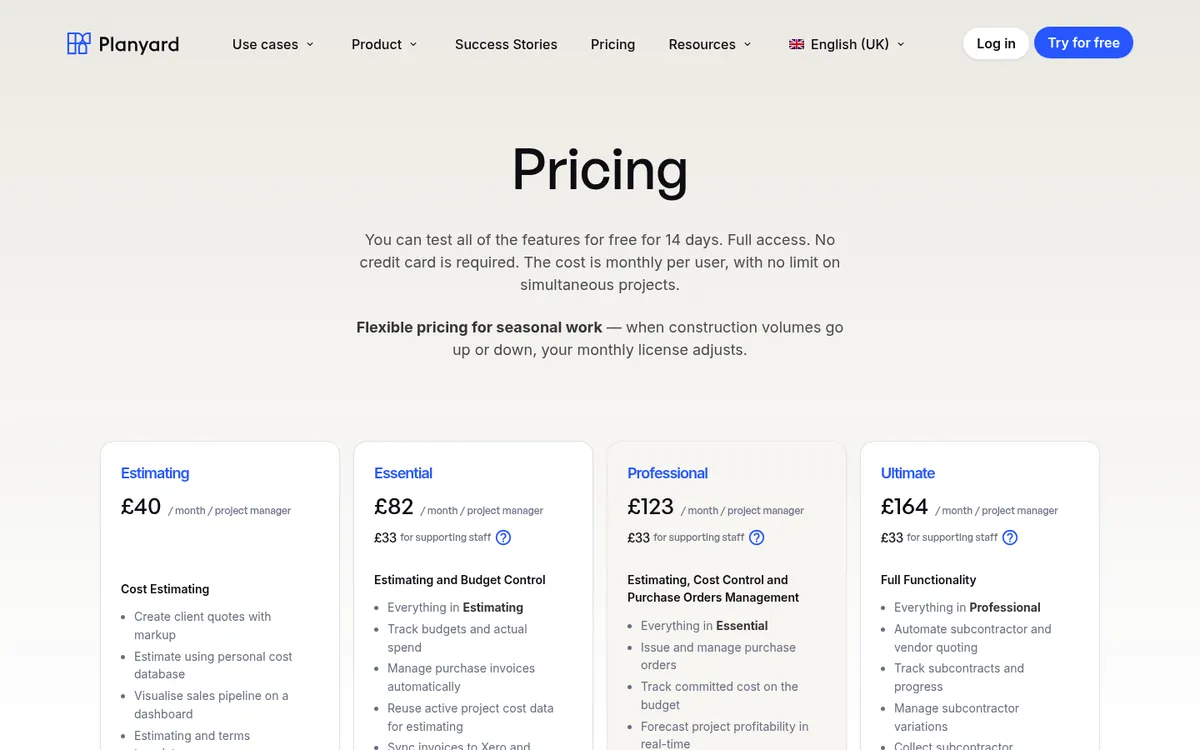
Planyard is cost control software for SME contractors that sits on top of Xero, QuickBooks or Sage. You import the budget, then every order, subcontract, invoice and variation is recorded against a budget line. Committed costs appear on the budget the moment an order is raised, before any invoice arrives, and the forecast final cost and expected margin update with them.
Revising the budget is part of the normal workflow. The original target budget and the revised budget sit side by side, so a monthly cost review shows which packages moved, by how much, and what that does to the final margin. On Ultimate, every budget and CVR version is kept, so you can compare this month’s position with any earlier one. The same data feeds a project cash flow forecast by invoice date, order or budget line, and the CVR comes from the same numbers instead of a separate spreadsheet.
Lee Covington, owner of E&N Group in London, put it this way: you might think a job is making 21%, but without the missed costs in front of you, you do not know. With Planyard he sees the true margin all the time.
Best for: SME main contractors, specialist contractors and developers running several live jobs who want a live forecast and CVR on top of Xero, QuickBooks or Sage. Cost and profit forecasting and the Sage forecasting page show the workflow.
Watch out for: Planyard has no takeoff, no programme or Gantt scheduling and no earned value. Its cash flow forecast is per project and across projects; it does not model the company bank balance with overheads, VAT and loans the way Float or Xero do.
Pricing: Committed costs, real-time profitability forecasting and cash flow forecasts start on Professional at £123 per project manager per month. Essential at £82 tracks budget against actual spend and syncs invoices to Xero and QuickBooks. Ultimate at £164 adds subcontractor valuations and budget and CVR version history. Supporting staff are £33, and there is a 14-day free trial. See pricing.
2. Archdesk – Best All-in-One System with CVR and WIP Reporting
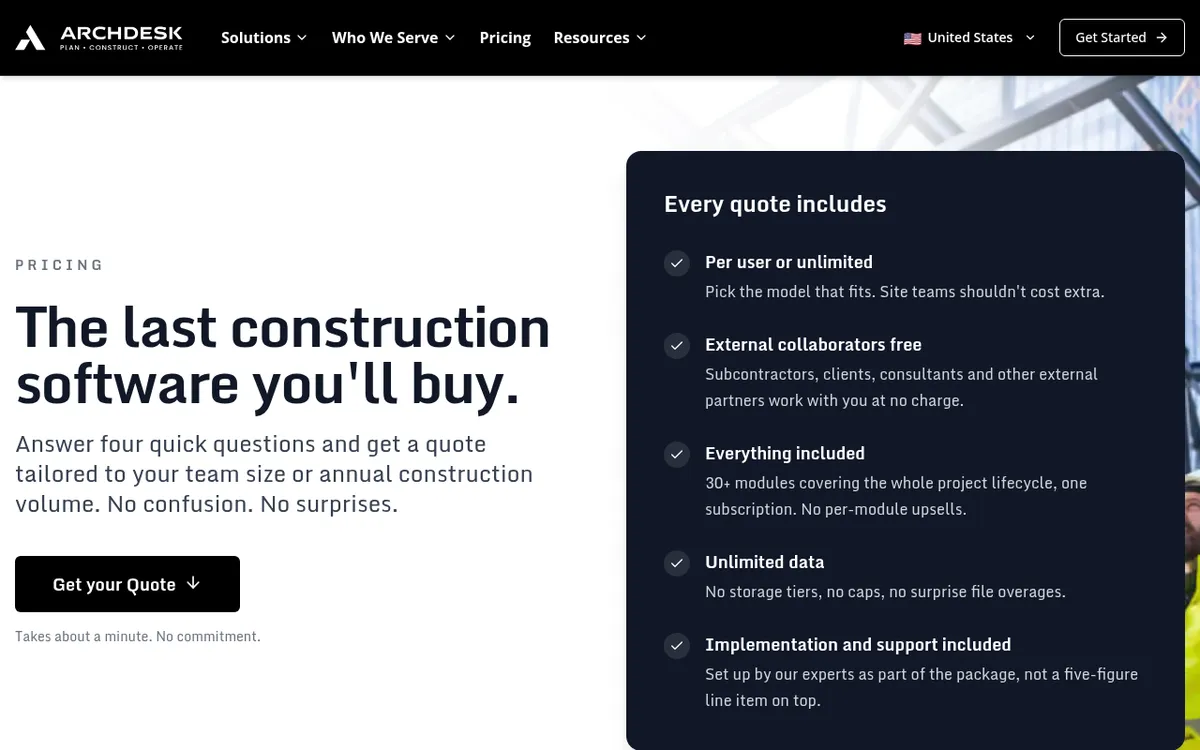
Archdesk is a broad construction platform with more than 30 modules, from estimating and scheduling through procurement, document control, HR and CRM. On the cost side it covers project budgets, job costing, payment applications, change orders and WIP reporting with cost to complete across live projects, plus CVR reports that combine project and accounting data.
Every quote includes all modules, implementation and ongoing support, and external users such as subcontractors and clients are free. It syncs with Xero as a certified partner, QuickBooks Online, Sage 50, Microsoft Dynamics and SAP.
Best for: Mid-size contractors who want to replace several systems with one and have the time to set it up.
Watch out for: Archdesk is an ERP-style system, and rolling it out takes longer than a single-purpose tool. If forecasting and cost control are the only gaps, a narrower tool is quicker to get running. See Archdesk vs Planyard.
Pricing: Quote only. Pricing is per user (office and site users counted separately) or unlimited users priced on annual construction volume.
3. Eque2 Construct – Best for Job Costing and Cost to Complete on Sage

Eque2 Construct adds construction job costing and contract management to the accounts package you already run. It tracks costs, budgets, commitments and profit at project level, handles applications and contract billing, and Eque2 describes the goal as a clear line of sight on cost to complete. It is cloud-based and integrates with Sage Accounting, Sage 50, Sage 200, Sage Intacct and Xero, and every new customer gets an onboarding specialist for the first three months.
Best for: Growing UK contractors and housebuilders on Sage who want job costing from a long-standing UK vendor.
Watch out for: Pricing is not published, so you will need a demo before you know the cost. See Eque2 alternatives.
Pricing: Quote only.
4. Procore – Best for Larger Contractors Already on Procore

Procore’s financial tools include a budget with a forecast to complete feature: for each budget line you choose automatic calculation, itemised or lump-sum manual entry, or monitored resources that draw down over time, and add a note explaining the figure. Procore then shows the estimated cost at completion as projected costs plus the forecast to complete, and portfolio views show finances across projects.
In the UK it connects to Xero, Sage 50 Accounts Cloud and QuickBooks, plus a long list of ERP integrations. Contracts include unlimited users and storage.
Best for: Mid-size and large contractors who already run documents, drawings and site work in Procore and want the money in the same place.
Watch out for: Procore is priced as an annual fee per product based on your construction volume, which is hard to justify for a small team that only needs forecasting. Setting up the budget views and forecast methods takes time. See Procore vs Planyard and Procore alternatives.
Pricing: Quote only. Annual upfront fee by product, based on annual construction turnover.
See the final margin on every job, every day
Import a budget, raise an order and watch the forecast update. Works with Xero, QuickBooks and Sage. 14-day free trial, no credit card.
5. Bauwise – Best for Version-Controlled Cost and Cash Flow Forecasts
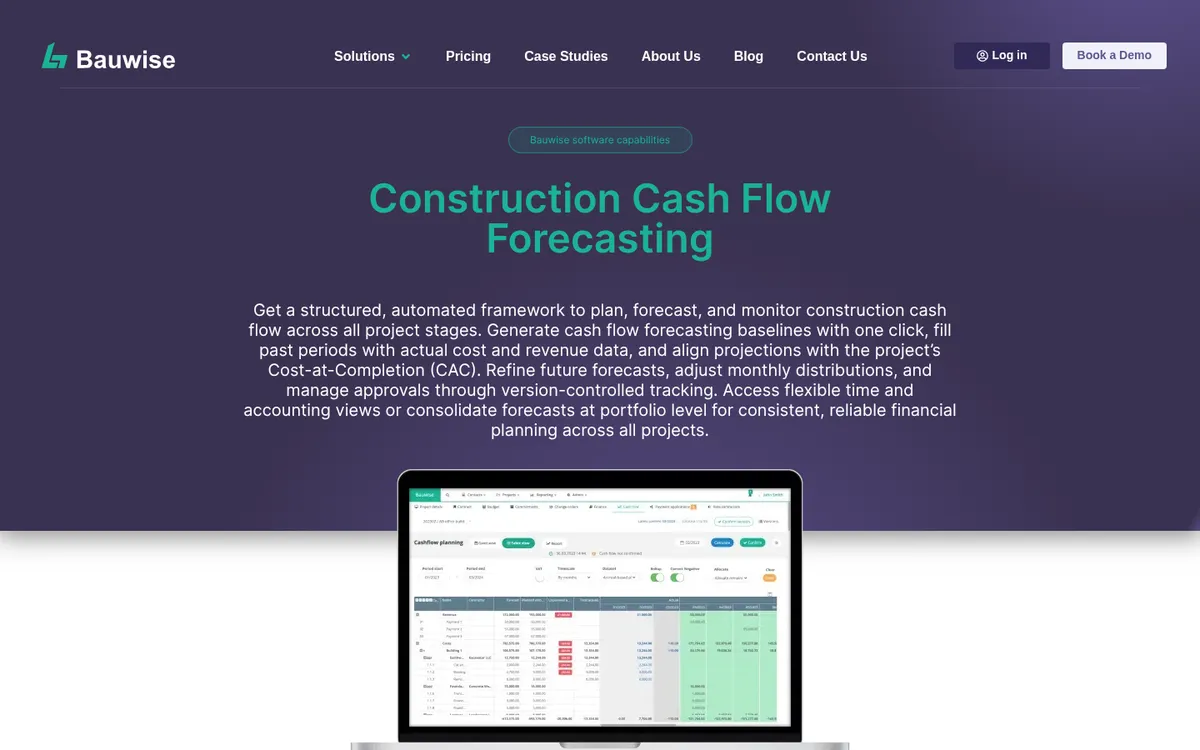
Bauwise is a construction cost management tool built around the budget. It tracks forecast to complete and estimate at completion per line, controls budgets through versions and approval locks, and manages accruals. Its cash flow module generates a baseline from the distributed budget, fills past periods with actuals and keeps future periods aligned with cost at completion, with version-controlled approvals.
It also covers orders raised from budget lines, change orders, applications for payment with retention and a portfolio dashboard. Integration with accounting or ERP software runs through an API and custom integrations.
Best for: Main contractors and developers who want detailed, approved forecast versions and project cash flow in one system.
Watch out for: All four plans (Essential, Advanced, Professional, Enterprise) are quote only. There are no off-the-shelf connectors listed for Xero, QuickBooks or Sage, so check how the integration with your accounts would be built.
Pricing: Quote only.
6. Buildxact – Best for Residential Builders Tracking Budget Against the Estimate
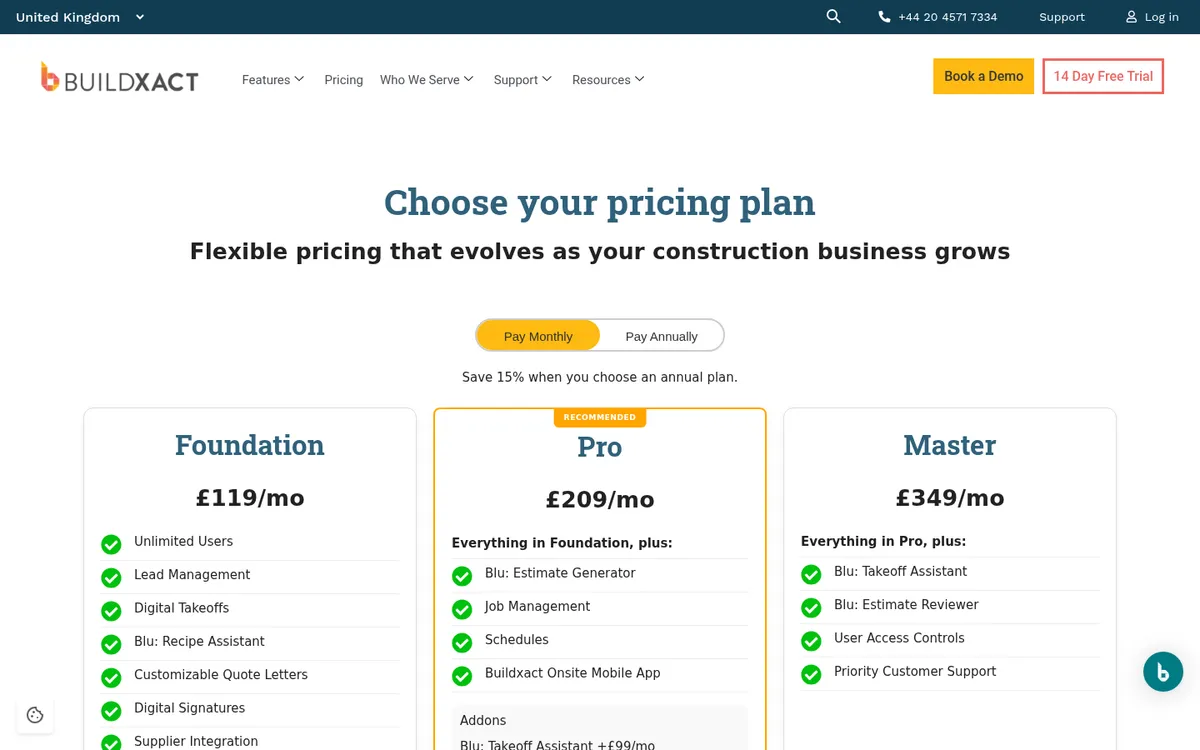
Buildxact is estimating and job management software for residential builders and renovators. The budget is built straight from the estimate, and as purchase orders and costs come in, colour-coded budget lines show which tasks are running over. It integrates with Xero and QuickBooks.
It is strongest before the job starts: takeoff, estimating, quoting and supplier pricing. Job management and schedules are on the Pro plan.
Best for: Small residential builders and renovators who want estimating and a simple budget check in one tool.
Watch out for: Its UK pages describe budget against actual, not a forecast final cost, cost to complete or revised budget history. Contractors who need a monthly CVR will outgrow it. See Buildxact vs Planyard.
Pricing: Foundation £119 a month, or £89 a month billed annually. Pro £209 a month, or £160 a month billed annually. Unlimited users and a 14-day free trial.
7. Xero – Best for a Short-Term Company Cash View
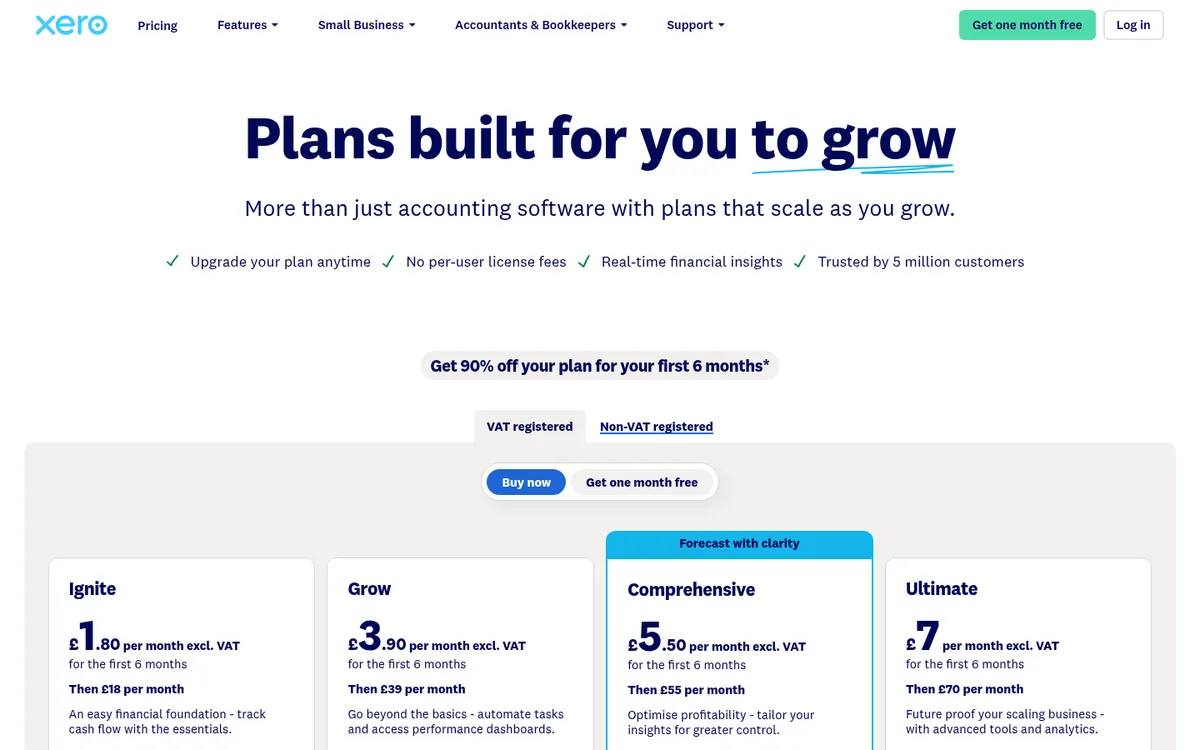
Xero forecasts the company bank balance from bills and invoices already in the ledger: 30 days on Ignite, 60 on Grow, 90 on Comprehensive and 180 on Ultimate. Comprehensive and Ultimate add budgets with smart suggestions, and Ultimate tracks time and costs on projects for up to 10 users and adds KPI analysis and industry benchmarks.
That tells a contractor whether it can pay everyone next month. It cannot say what a job will make, because Xero has no committed costs, no revised budget and no cost to complete per package.
Best for: Every contractor on Xero, as the company cash view next to a project forecasting tool.
Watch out for: Forecasts only cover what is already invoiced or billed, so committed costs from orders and subcontracts are missing. Xero Projects is time and cost tracking, not construction forecasting. See Xero vs Planyard and Xero alternatives for construction.
Pricing: Comprehensive (90-day forecast) £55 a month; Ultimate (180-day forecast and projects) £70 a month. Contractor CIS returns are a £5 add-on.
8. Float – Best for Company Cash Flow Scenarios on Xero or QuickBooks
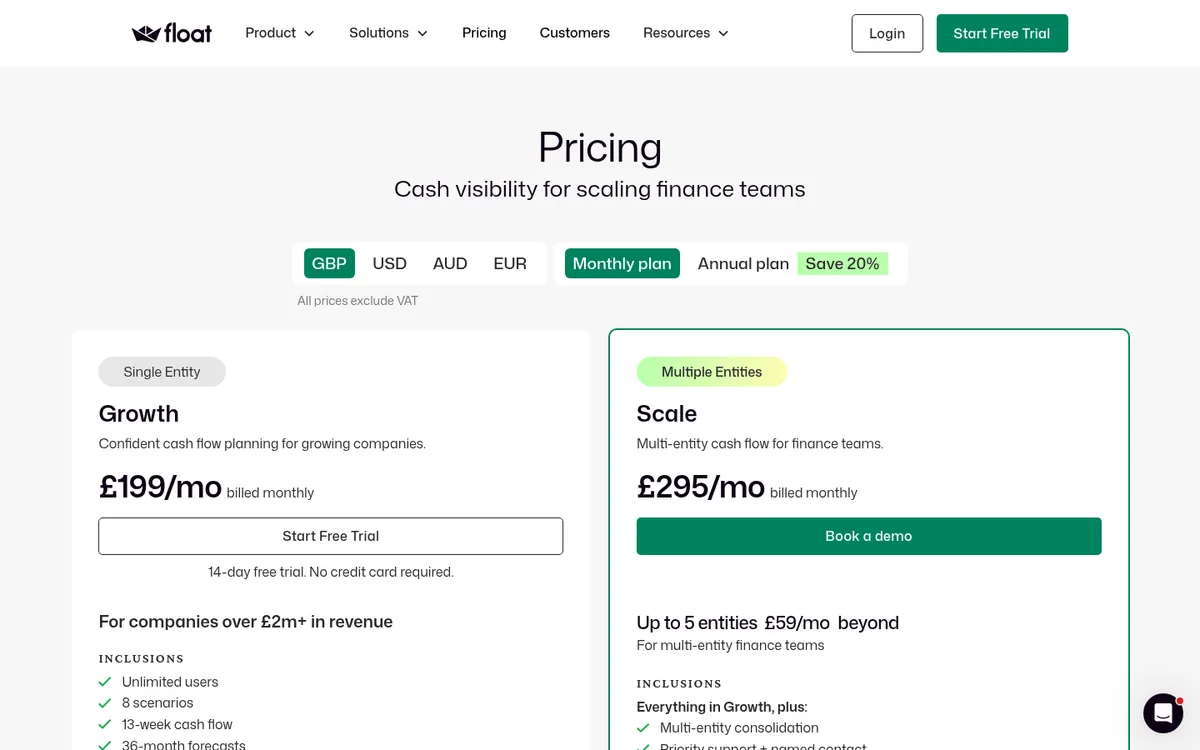
Float connects to Xero or QuickBooks Online and builds a 13-week cash flow and a monthly forecast from the ledger, with up to eight scenarios. A contractor can model what happens if a big valuation is paid late or a new job starts in March. All plans include unlimited users.
Best for: Finance directors and owners who want company-level cash scenarios and already have a project tool for job margins.
Watch out for: Float knows nothing about budgets, commitments or variations, so it cannot forecast job margin. It connects only to Xero and QuickBooks Online; a Sage Intacct connection has a waitlist.
Pricing: Essentials (companies under £2m revenue, 12-month forecasts) £99 a month, or £79 billed annually. Growth (36-month forecasts) £199, or £159 annually. Scale (multi-entity) £295, or £235 annually. 14-day free trial.
9. Excel – Best for One or Two Jobs
On one or two jobs a sheet per job with budget, committed, actual, cost to complete and margin works fine. It breaks down as jobs multiply. Committed costs live in someone’s inbox, invoices get rekeyed from the accounts, versions split, and the forecast is only as current as the last time the QS updated it.
Best for: New or very small contractors who run a handful of jobs a year.
Watch out for: No audit trail on budget changes and no link to orders or the ledger, so the forecast lags reality by a month or more. See Excel vs Planyard.
Pricing: Included in Microsoft 365.
Project Forecasting vs Cash Flow Forecasting
The two questions sound alike and need different tools. Project forecasting asks what a job will cost and earn by the end; it lives on the budget and needs commitments, variations and cost to complete. Cash flow forecasting asks when money will leave and arrive; at company level it lives in the ledger, at project level it spreads the forecast cost and the valuations across the programme.
A common setup for a UK SME contractor is a project tool such as Planyard for margin and project cash flow, plus Xero’s own forecast or Float for the company bank balance. Forecasting cash flow in construction covers the project side in more depth.
Which Tool Fits Your Business
Small builder or renovator
If most of your time goes into pricing jobs, Buildxact covers estimating with a simple budget check. If you already price elsewhere and the problem is knowing which jobs make money, start with Planyard Essential and move to Professional when you want committed costs and live forecasts.
SME main contractor on Xero, QuickBooks or Sage
This is where Planyard fits best: valuations, variations, commitments and a monthly budget revision feeding a live forecast and CVR, with the accounts staying in Xero, QuickBooks or Sage. If you are on Sage and want a long-established UK vendor, Eque2 Construct is the other option to demo.
"With our old system, all the data we were looking at were yesterday's numbers. Construction works on very tight margins – costs can run away with you quickly. By the time we'd navigated the software and got a report out of it, we could find that our project was making a loss, and it was too late."
Read more
Growing contractor replacing several systems
Archdesk and Procore both cover far more than forecasting. Choose them when you want documents, site records and money in one platform and have a team to run the rollout. Bauwise fits contractors and developers who want approved forecast versions and cash flow in a dedicated cost tool.
"Estimators, estimating is a big area where there is always a mistake on a job. When we think we will be making 10 to 15% and something a ball had been dropped and suddenly we are in the process of making 5%"

Related Guides
- Best Construction Cost Tracking Software for UK Contractors
- Best Purchase Order Software for Construction in the UK
- Best Invoice Approval Software for Construction Companies
- How to Increase Profit Margin in Construction
Where to Start
Pick your two largest live jobs and write down the margin you expect on each. Then check how much of that number comes from orders and subcontracts already placed and how much is still a guess. If the honest answer is “we will know when the invoices arrive”, try Planyard’s construction forecasting software on those two jobs during the free trial and compare the forecast with your spreadsheet.
"Without a proper system, you are essentially flying blind. You wouldn't know if there was a problem until it was too late, and you wouldn't truly know if you had made a profit until the project was already finished."
Read more
Know where the final margin will land
Planyard keeps committed costs, revised budgets and the forecast current on every job, and syncs with Xero, QuickBooks or Sage. 14-day free trial.