
Last verified: October 2026
It is the third week of the month, and the director of a 25-person contractor is looking at a job that showed a healthy margin in last month’s report. The scaffold and plant hire invoices have only just landed, the groundworker’s variation is still sitting in an email, and nobody can say what the job will make.
Cost tracking is the bit of cost control that happens day to day: getting every order, timesheet, hire and invoice against the right budget line as soon as it happens. If you want the month-end view (CVR, forecasting, margin reporting), our guide to construction cost control software covers that. If you only need costs posted to jobs from your accounts, see the job costing software comparison. This guide looks at how eight tools capture costs, what each costs in GBP, and which one suits which kind of UK contractor.
What to Look For in Construction Cost Tracking Software
Where each cost gets captured
Tools differ most on this. Some record a cost when the order is raised, some when goods are delivered to site, some when a timesheet is approved, and some only when the invoice reaches the accounts. The earlier the capture, the earlier you see the problem. Ask every vendor to show you a cost going in at the earliest point and following it to the invoice.
Committed costs
A subcontract signed today may not be invoiced for six weeks. If your system only counts invoices, the budget looks healthy for those six weeks. Committed cost tracking adds the order value to the job the day it is placed, which is why it matters so much for forecasting.
Labour and plant, the costs that drift
Materials usually come with an order and a delivery note. Labour and plant hire do not. Hours get recorded late or against the wrong job, and hired plant stays on hire for weeks after it was needed because no one called it off. A good tool gives site staff a quick way to book hours to a cost code and makes open hire orders visible to the person paying for them.
Cost codes that match how you buy
If the budget is coded one way and orders are coded another, the variance report means nothing. Use a short list of codes that match the packages you actually let, and check that the software makes it hard to post a cost without one. Our cost codes guide covers how to set them up.
A link to your accounts
Most UK contractors keep Xero, QuickBooks or Sage as the ledger. A direct sync of approved invoices, with the CIS labour and materials split already set, saves keying every invoice twice. An ERP replaces the ledger instead, which is a much bigger decision.
A price you can see before the demo
Four of the eight tools below are quote only. That is normal for ERPs, but it makes shortlisting slow for a contractor with five live jobs. Check for a free trial and whether the price is per user, per project manager or per company.
"With our old system, all the data we were looking at were yesterday's numbers. Construction works on very tight margins – costs can run away with you quickly. By the time we'd navigated the software and got a report out of it, we could find that our project was making a loss, and it was too late."
Read more
Construction Cost Tracking Software Compared
Prices are as published by each vendor in October 2026, per month and excluding VAT unless stated.
| Tool | Best for | Costs captured at | Committed costs | Labour | Accounting | UK valuations and retention | Price |
| Planyard | SME main contractors and developers on Xero, QuickBooks or Sage | Order, timesheet, invoice | Yes (Professional and up) | Timesheets by email, SMS or WhatsApp | Xero, QuickBooks, Sage | Yes, from Professional | £82 to £164 per PM; £40 Estimating |
| LiveCosts | Contractors who want site teams logging deliveries and hours | Order, site delivery, timesheet, invoice | Yes | Labour hours and wages | Xero, Sage | Not its focus | Quote only |
| Archdesk | Growing contractors wanting one all-in-one platform | Order, subcontract, timesheet, invoice | Yes | Labour cost tracking | Accounting and ERP integrations | Payment applications, CVR | Quote only |
| Buildxact | Residential builders who estimate and track in one tool | Estimate vs actuals, purchase orders | Purchase orders | Timesheets, Deputy and QuickBooks sync | Xero, QuickBooks | No | £119 to £349 (15% less annually) |
| Bauwise | Developers, owners and main contractors running subcontract-led projects | Contract, order, application for payment, invoice | Yes | Not listed | Via API to ERP or accounting | Applications for payment, retention | Quote only |
| Access Coins Evo | Large contractors and housebuilders needing a full ERP | Inside the ERP | Yes | ERP modules | Its own ledger | Yes, in the ERP | Quote only |
| Xero Projects | Small firms on Xero tracking time and expenses by job | Time entries, bills, expenses | No | Time tracking | Inside Xero | No | Xero Ultimate £70, 10 project users |
| Excel | One or two jobs, one person keeping it up to date | Whenever someone types it in | Only if keyed | Manual | Manual | Manual | £10.80 per user (Microsoft 365 Business Standard) |
How we chose: we started from the tools UK contractors name when they compare cost tracking options, and the ones ranking for the term in the UK. Each was judged on where it captures costs, whether it tracks commitments, how it handles labour and plant, its link to UK accounting software, and whether the price is published. Prices and plan names come from each vendor’s own pricing page, checked in October 2026. Planyard is our product, and we have said where other tools do a job better.
The 8 Best Construction Cost Tracking Software Tools
1. Planyard – Best for Committed Cost Tracking on Top of Xero, QuickBooks or Sage
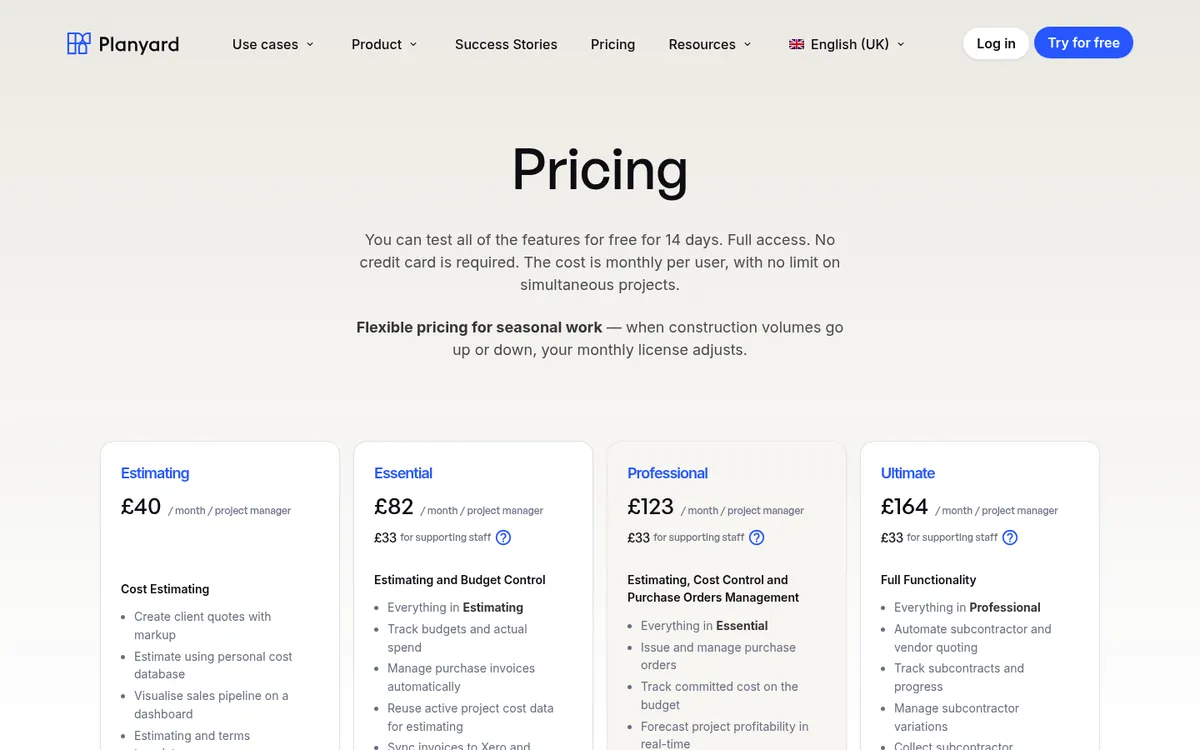
Planyard tracks cost from the moment it is committed. You import the budget, then purchase orders and subcontract orders are raised against budget lines, so the committed cost shows on the job straight away. Supplier invoices come in through email, Outlook or Gmail add-ins and OCR, are matched to the order they belong to, and go through an approval step before they sync to Xero, QuickBooks or Sage.
Labour goes in the same way. Crews submit timesheets by email, SMS or WhatsApp against a cost code, so hours reach the budget without someone retyping a paper sheet. Each budget line shows budget, committed, invoiced and remaining, and the forecast final cost updates as orders and variations are approved.
At Brown & Bancroft, month-end CVRs used to take Claire Hill three to four days; now she spends 10 to 15 minutes checking the jobs. Lee Covington at E&N Group puts the saving at half a quantity surveyor’s time, on a salary of around £70,000.
Best for: SME main contractors and developers running several projects at once who want live job costs without leaving Xero, QuickBooks or Sage.
Watch out for: Commitment tracking, purchase orders and invoice approvals start on Professional, so Essential tracks actuals against budget only. Planyard is not a site management tool: there are no daily logs or site diaries. It has no takeoff either.
Pricing: £82 per project manager per month on Essential, £123 on Professional and £164 on Ultimate. Estimating only is £40, supporting staff £33. Client valuations, variations and retention start on Professional; subcontractor applications and budget version history are on Ultimate. 14-day free trial, see pricing.
"Without real-time cost tracking, it's easy to mistake being busy for being profitable. We needed a system that told us which projects were actually making money before it was too late. With Planyard's seamless integration with Xero, every purchase order, subcontractor payment, and invoice flows directly into our accounting system—giving us instant financial clarity without manual data entry or reconciliation headaches."
Read more
2. LiveCosts – Best for Site Teams Logging Deliveries and Labour
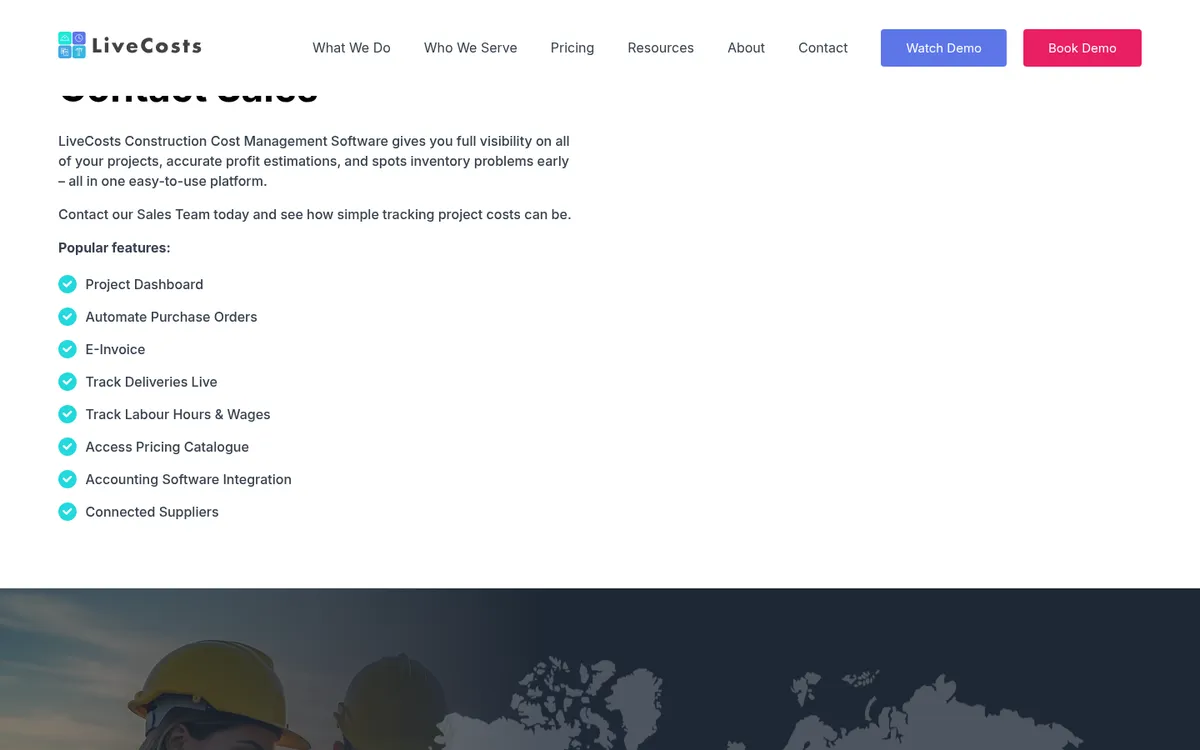
LiveCosts, from Ground Up Software with offices in Dublin, London and Perth, ranks at the top of UK search for this exact term. Its strength is the site end: digital purchase orders, deliveries tracked as they arrive, labour hours and wages, a pricing catalogue and connected suppliers, with supplier invoices matched against the order and the delivery.
It connects to Xero, where it has been listed on the Xero App Store since 2020, and to Sage. Teams that want full valuations, retention and cost-to-complete forecasting often keep those in spreadsheets alongside it. See LiveCosts vs Planyard and LiveCosts alternatives.
Best for: Contractors and specialist trades with a lot of material deliveries who want site staff to record what arrives against each order.
Watch out for: No published price, and less on the commercial side: client valuations, retention and the monthly CVR are not what people buy it for.
Pricing: Quote only, through a request form on the LiveCosts website.
3. Archdesk – Best for an All-in-One Platform With Cost Control
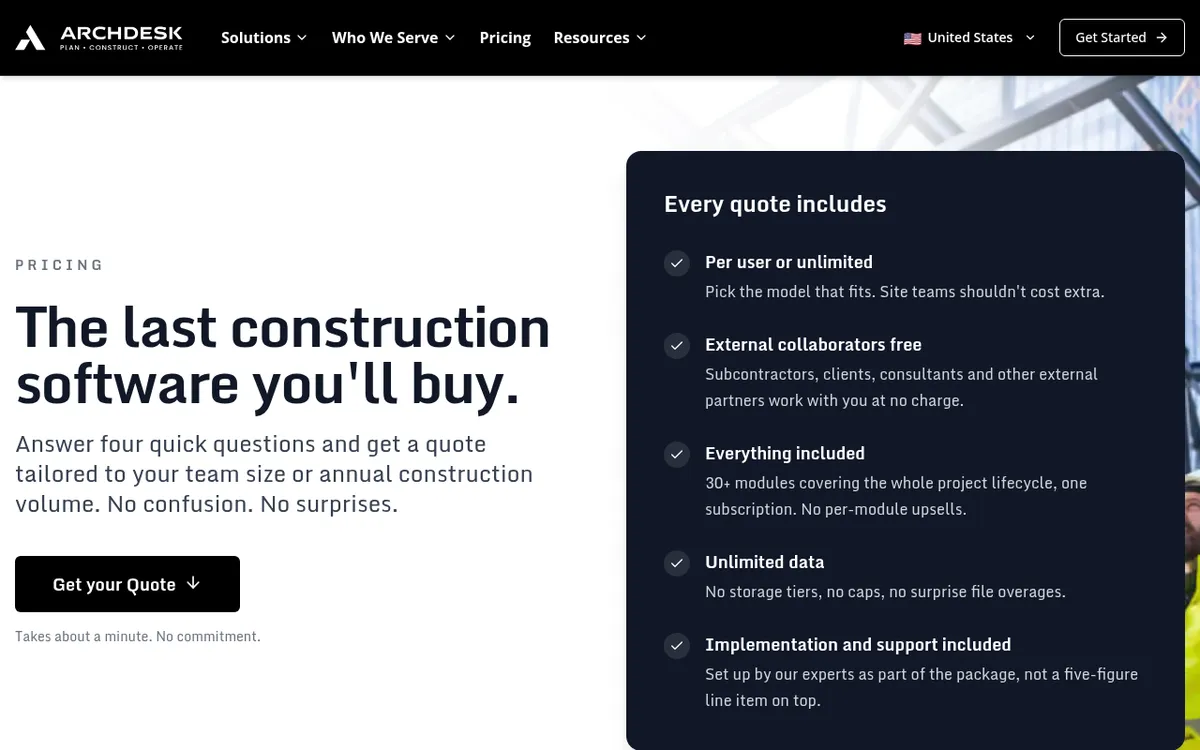
Archdesk is a construction management platform with more than 30 modules: estimating, document control, health and safety, scheduling, procurement, CRM and HR, with cost control in the middle. Orders and subcontracts are captured at the point of commitment and coded, labour hours are tracked against the estimate, and the CVR and work-in-progress reports come from the same records.
Its mobile app covers site forms and timesheets. The trade-off is scope: setting up 30 modules takes longer than setting up a cost tracking tool. See Archdesk vs Planyard.
Best for: Growing contractors who want one system across office and site, and have time for a proper implementation.
Watch out for: A platform this broad needs a proper implementation project, and there is no public price.
Pricing: Quote only. Archdesk prices either per user, with office and site users counted separately, or as unlimited users on your annual construction volume. External collaborators are free, and implementation and support are included.
4. Buildxact – Best for Residential Builders Who Estimate and Track in One Tool
Buildxact is built for residential builders and renovators. You measure and price the job with its takeoff and estimating tools, then track actual costs against the estimate line by line or by category as the build goes on. Purchase orders are included on every plan, and supplier price lists keep rates current.
It syncs with Xero and QuickBooks, and with Deputy and QuickBooks for timesheets. Its invoicing is aimed at homeowner jobs; JCT valuations and retention are not on its published feature list. See Buildxact vs Planyard.
Best for: Small residential builders and renovators who want quoting, ordering and cost tracking in one place.
Watch out for: Built around the estimate and the homeowner job, not subcontract packages, applications or JCT valuations, so commercial contractors outgrow it.
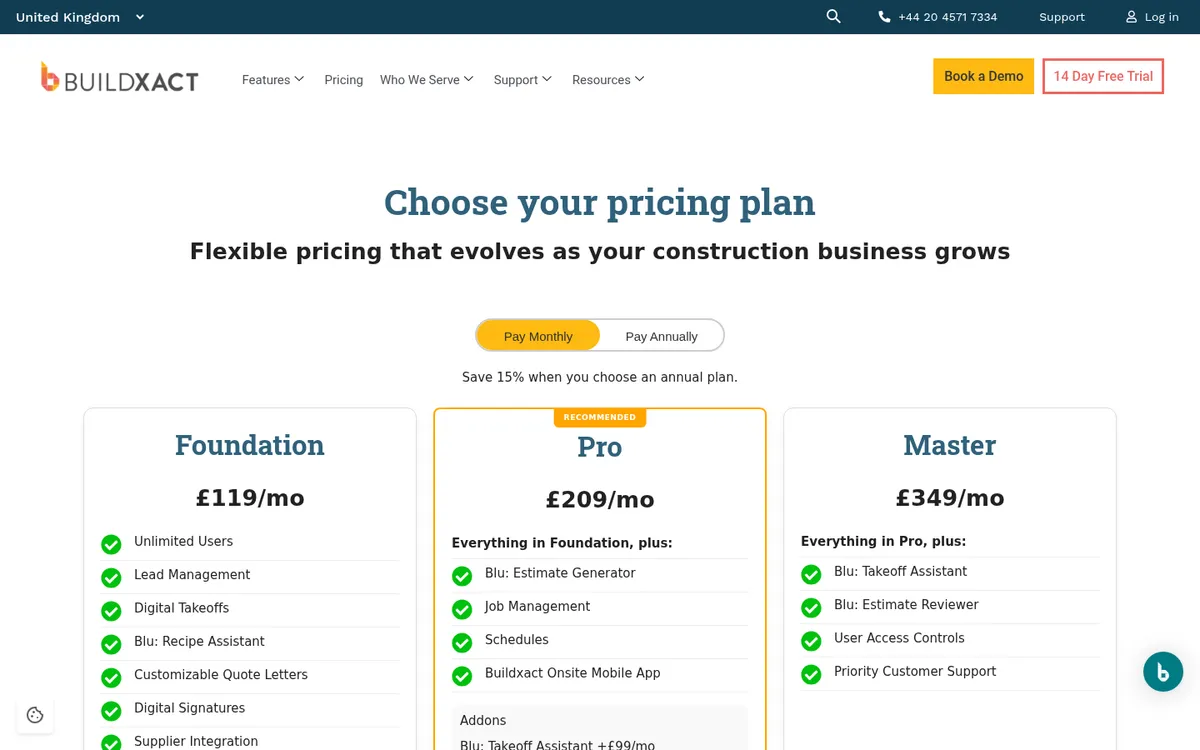
Pricing: Foundation £119 per month, Pro £209 and Master £349, all with unlimited users; annual billing saves 15% (£89, £160 and £262 a month). Job management and the Onsite mobile app start on Pro. 14-day free trial.
See committed costs on the job before the invoices arrive
Raise orders against the budget, match invoices, sync to Xero, QuickBooks or Sage. 14-day free trial, no credit card.
5. Bauwise – Best for Developers and Owners Running Subcontract-Led Projects
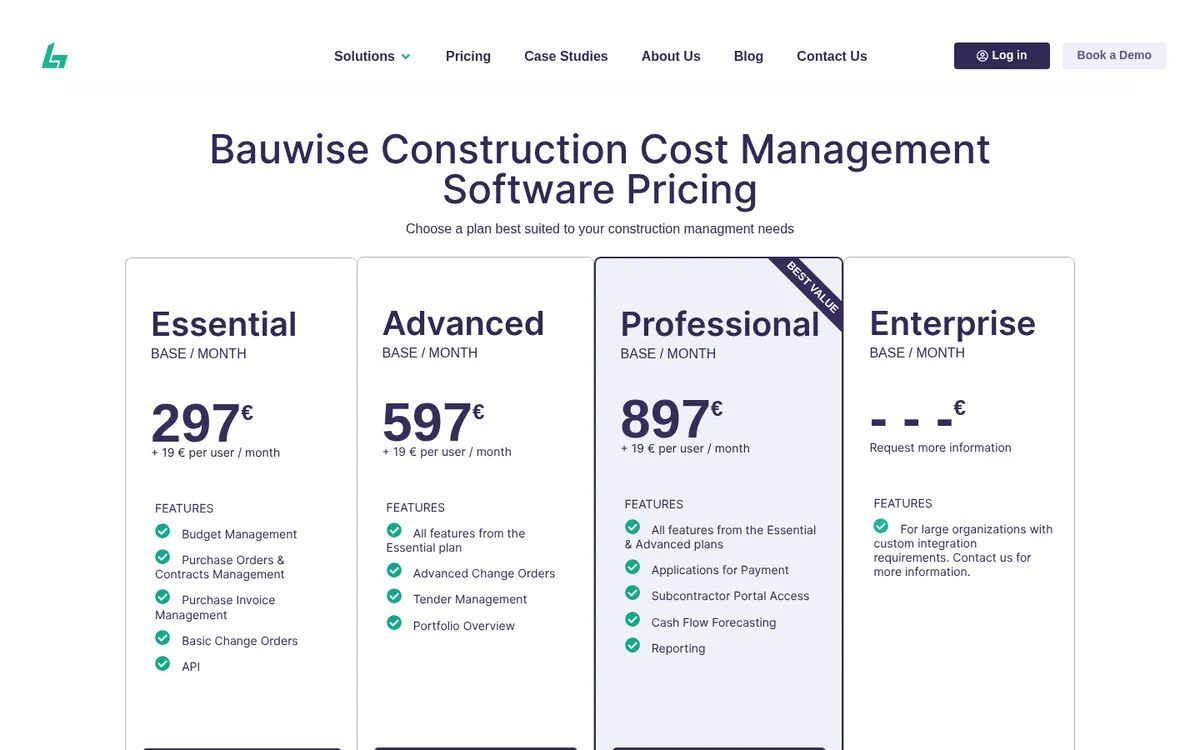
Bauwise tracks cost for the people who let the contracts: main contractors, real estate developers and owners. Budgets can be split by building or stage and locked by version; contracts and purchase orders are raised from budget lines; applications for payment carry variations, retention and back charges; and invoices go through approval and back to the ERP or accounting system with the cost allocation attached.
It has an Excel-like interface, cash flow forecasting, tender management and a mobile app, and connects to accounting or ERP systems through an API.
Best for: Developers, owners and main contractors who need portfolio-level control of contract value, variations and cost to complete.
Watch out for: All four plans (Essential, Advanced, Professional, Enterprise) are quote only, and integrations go through an API rather than off-the-shelf Xero or Sage connectors.
Pricing: Quote only.
6. Access Coins Evo – Best for Large Contractors and Housebuilders Needing an ERP
Access Coins Evo is a construction ERP: finance, commercial, procurement, plant and project delivery in one system with its own ledger. The Access Group says 43 of the top 75 UK homebuilders use it. Cost tracking happens inside the ERP, with subcontractor applications, retention and CIS posting straight to the financials.
Access describes it as most commonly deployed by mid-market and enterprise contractors and homebuilders. See Access Coins vs Planyard and Access Coins alternatives.
Best for: Large contractors and housebuilders that want finance and operations in one system and have a finance team to run it.
Watch out for: Implementation is scoped and quoted separately, and it replaces your accounting software rather than sitting next to it.
Pricing: Quote only, priced on business size, modules and users.
7. Xero Projects – Best for Small Firms Tracking Time and Expenses Inside Xero
Xero Projects tracks time and costs by job inside Xero. You add time entries, assign bills and expenses to a project and see a profit figure per job. For a small builder already on Xero, it is the quickest step up from no job costing at all. Our post on whether Xero can do job costing goes into the detail.
It works from time entries, bills and expenses, so a subcontract or order does not show on the project until it is billed, and there are no valuations or retention. See Xero Projects vs Planyard.
Best for: Sole traders and small builders on Xero who mainly need hours and expenses by job.
Watch out for: Costs show only once the bill is in Xero, so overruns appear late.
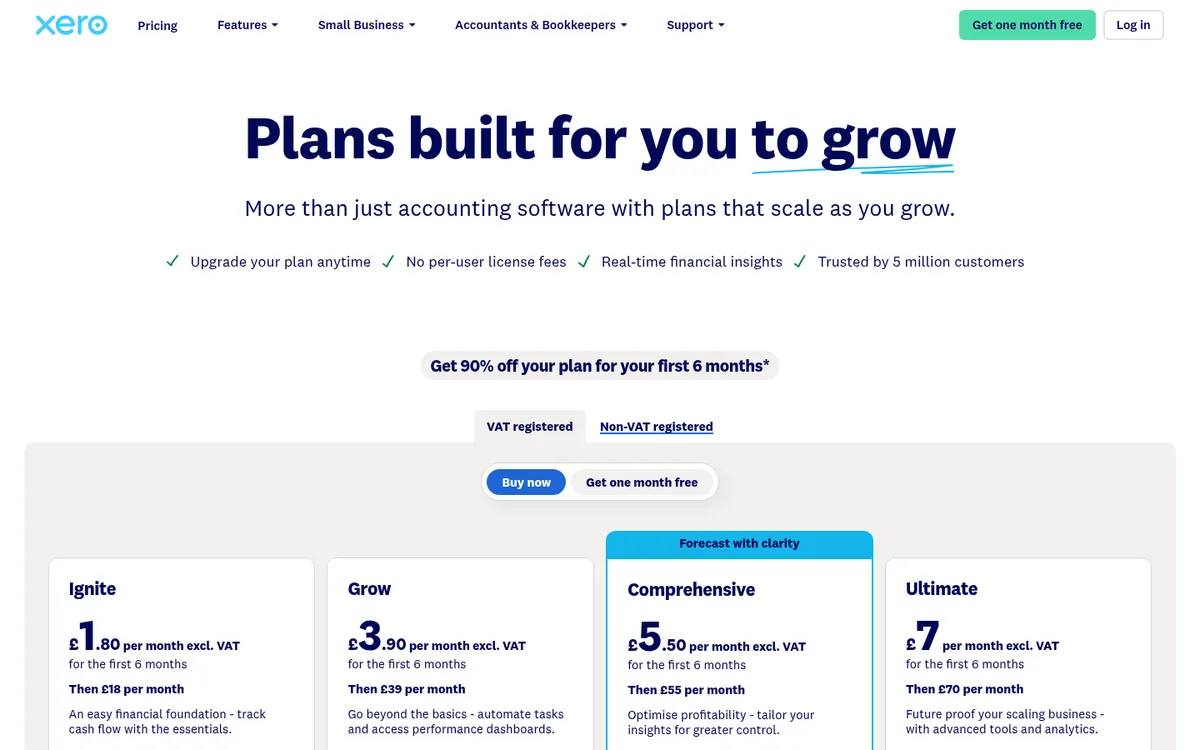
Pricing: Projects is part of Xero Ultimate at £70 per month, which includes project tracking for 10 users; extra users are £5 each per month.
8. Excel – Best for One or Two Jobs Kept by One Person

Most contractors track costs in Excel before they buy anything, and for one or two jobs it is fine. Start with a budget by cost code, a column for each order, a column for each invoice, and a variance. Our free construction budget template is set up that way.
It stops working when several people update it, invoices are keyed into both Excel and the accounts, and orders placed by phone never reach the sheet.
Best for: Small firms with one or two live jobs and one person who keeps the sheet up to date.
Watch out for: No committed costs unless someone types them in, no audit trail and no link to the accounts.
Pricing: Microsoft 365 Business Standard, with desktop Excel, costs £10.80 per user per month paid yearly. Business Basic, at £5.40, has the web and mobile versions only.
Where Cost Tracking Slips: Labour, Plant and Materials
Most overruns build up over a job from small amounts nobody saw at the time, and three places account for most of them.
Labour. If the day rate in the budget is the agency rate, but the real cost includes travel, supervision and the days a gang stood idle, the job looks better than it is. Booking hours to cost codes weekly, against the actual rate, shows the gap while there is time to price it into a variation or change the gang.
Plant hire. Hire is ordered quickly and called off slowly. A machine left on hire for an extra fortnight on each job adds up, and the invoice arrives a month later. Raising a hire order with an expected off-hire date, and checking open hire orders every week, catches it.
Materials. Without a purchase order for every delivery, invoices arrive for goods nobody can trace to a budget line. “No PO, no payment” is the simplest rule in cost tracking, and the rest of the numbers depend on it. Our guide to construction cost overruns covers the other causes.
"Now, I can just go into my material budget and see exactly how much we've ordered across every purchase order in one single view."
Read more
How to Choose
You run one or two jobs at a time
Start with Excel and a budget template, or Xero Projects if you are on Xero Ultimate already. Move on when invoices start getting keyed twice.
You are a residential builder who prices from drawings
Buildxact keeps the estimate and the cost tracking together.
You are an SME main contractor on Xero, QuickBooks or Sage
Planyard tracks committed costs, labour and invoices against the budget and keeps your ledger where it is. LiveCosts is the other strong option if site delivery logging matters more to you than valuations and the CVR. The construction cost control guide explains the process around either tool.
You want one system for everything
Archdesk for a growing contractor, Bauwise if you are a developer or owner, Access Coins Evo if you are large enough to need an ERP with its own ledger.
"Planyard takes your project budget and puts it very clearly on screen, allowing you to account for all your costs, invoices, and receipts as you process them before they even reach the accounting department. This gives you a live, real-time picture of exactly where your project budget stands at any given point."
Read more
Related Guides
- Best Purchase Order Software for Construction in the UK
- Best Invoice Approval Software for Construction Companies
Next Step
Pick one live job, put its budget into a cost tracking tool, and raise every order for the next month through it. By month end you will know whether the margin you report is the margin you are making. Vale Southern Construction did this to replace a legacy system and Excel CVRs, and Rosetta Contracting to see which jobs were really making money.
Track every cost against the budget as it happens
Orders, timesheets and invoices on one budget, synced to Xero, QuickBooks or Sage. 14-day free trial, no credit card.