
Last verified: October 2026
A builder running six jobs out of a Brisbane office has Buildxact for quotes, a site diary app on the supervisors’ phones, Xero for the books and a spreadsheet nobody trusts for job costs. Every month the same question comes up: should one system do all of it?
Builders who search for construction management software usually need one of two jobs done. Running the job means quotes, schedules, site diaries, safety and drawings. Controlling the money means budgets, committed costs, supplier bills and progress claims, kept on top of Xero or MYOB. This guide splits nine tools along that line, with AUD prices checked on each vendor’s site in October 2026, so you can go straight to the half that matches your problem.
How We Chose
We started from what Australian builders search for and what the current rankings list, then checked every tool on its own website: current plan names, published AUD prices, the accounting packages it connects to, and whether it handles progress claims and retention. Where a vendor does not publish a price, we say so. Prices are per month in AUD as published by each vendor in October 2026. Planyard is our product. We rank it only in the cost control half of the list, where it fits, and say what it does not do.
What to Look For
Start with the problem that costs you most
If quotes take your evenings, you need estimating. If the site team loses paperwork, you need a site platform. If jobs finish and you only learn the margin when the accountant closes the year, you need cost control. Very few tools are strong at all three, and the ones that try are usually priced for companies with a systems person on staff.
MYOB or Xero, and what flows between them
Almost every Australian builder already runs Xero or MYOB for GST, BAS and payroll. Check which one the tool connects to, which direction data moves, and what lands in the ledger: approved supplier bills coded to the job, client invoices, or just contacts. An ERP such as Jobpac or Cheops replaces Xero or MYOB entirely, which is a bigger decision than buying an app.
Progress claims, variations and retention
Commercial work runs on progress claims, payment schedules under your state’s security of payment act, variations and retention. Look for claims that pull from the contract and approved variations, and retention that is tracked per contract until it is released. Builders who also pay subcontractors need the same in reverse: collecting and assessing subcontractor claims.
Price model
Some tools charge per business (Buildxact), some per user (Fieldwire, Planyard) and some by quote on annual contracts (Procore, Simpro, Jobpac, Cheops). Count who actually needs a seat. A site supervisor who only uploads photos is cheap on some models and expensive on others.
Best Construction Management Software for Running the Job
These tools run the work itself: estimates and quotes, schedules, site records, safety and drawings. Several also invoice clients. They are ranked best first for an Australian builder.
| Software | Best for | Starting price | Accounting | Progress claims and retention | Verdict |
| Buildxact | Residential builders and renovators | $199 a month, unlimited users ($169 billed annually) | Xero, QuickBooks, MYOB | Yes, percent-complete invoicing with retention | The default for small residential builders |
| Procore | Large commercial head contractors | Quote only, annual contract | Xero and MYOB via partner connectors | Budgets, commitments and changes | Most complete platform, priced for big projects |
| Buildlogic | Small and mid-sized Australian builders | Quote only; Capterra AU lists from $110 per user | Xero, MYOB, QuickBooks | Yes | Australian all-in-one with local support |
| BuildPass | Site safety, compliance and field admin | Quote only | Premier, Adaptive; API | In the Pay add-on, rolling out | Strongest on inductions, SWMS and site records |
| Simpro | Electrical, plumbing, HVAC and fire trades | Quote only, plus setup fee | Xero, MYOB, QuickBooks | Yes | Field service first, projects second |
| Fieldwire | Field teams, drawings and tasks | Free for 5 users; $61 per user billed annually | None listed | Change orders and budget on Business Plus | Best free start for site coordination |
1. Buildxact – Best for Residential Builders and Renovators
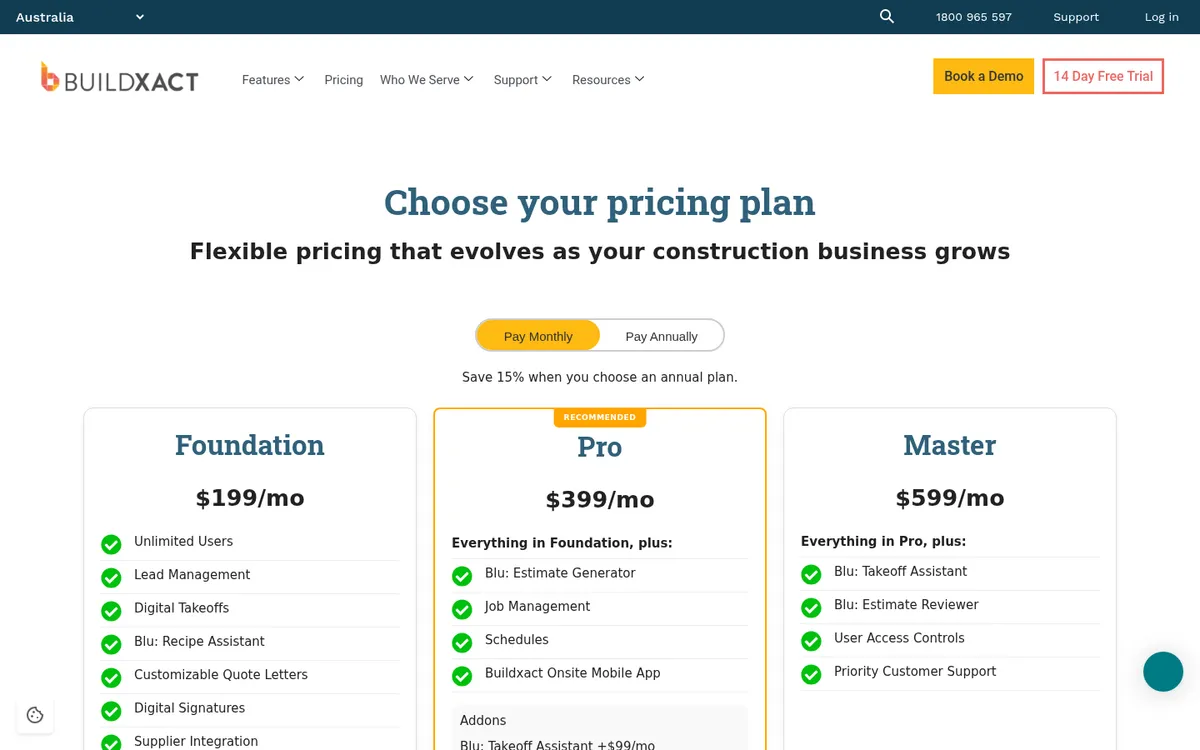
Buildxact is an Australian estimating and job management platform used by residential builders and renovators. It covers digital takeoff, estimating with supplier price files, quotes with digital signatures, purchase orders, schedules, timesheets, invoicing and a client portal. Its AI assistant, Blu, adds estimate generation and takeoff help as paid add-ons on the lower plans.
Invoicing supports percent-complete claims with retention held per invoice, and the accounting sync is strongest with Xero and QuickBooks. MYOB is supported, with fewer sync features. Every plan includes unlimited users, which is unusual on this list.
Where builders tend to outgrow it is commercial work with many subcontracts, committed cost tracking and month-end forecasts. Buildxact vs Planyard covers that line.
Best for: Residential builders, renovators and small trade businesses who quote a lot of jobs and want estimating, scheduling and invoicing in one system.
Watch out for: Schedules and job management start on Pro, not Foundation. Forecasting a commercial job’s final cost is not what it is built for.
Pricing: Foundation $199, Pro $399 and Master $599 a month excluding GST, unlimited users. Annual plans save 15% ($169, $339 and $509 a month). 14-day free trial.
2. Procore – Best for Large Commercial Head Contractors
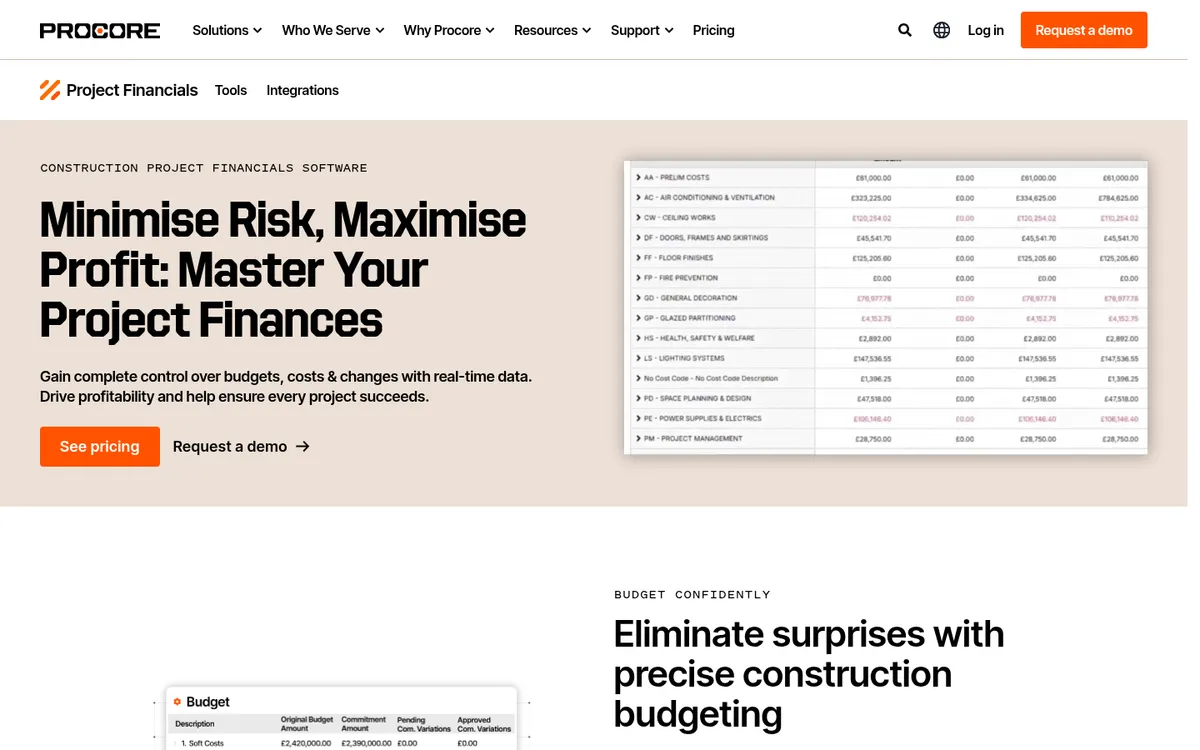
Procore is a construction platform with its own Australia and New Zealand site and local support. It covers drawings, RFIs, submittals, quality and safety, and project financials: budgets updated with field data, committed costs, pending changes and cost-to-complete forecasts. Pricing includes unlimited users, so subcontractors and consultants can work in it at no extra cost.
Xero and MYOB connect through OneCore, a partner connector listed on Procore’s Australian site. For tier 1 and tier 2 head contractors that is fine. For a builder turning over a few million a year, the annual contract and implementation are usually more than the business needs. See Procore vs Planyard and Procore alternatives.
Best for: Commercial head contractors running large projects with many parties who all need access to drawings, RFIs and documents.
Watch out for: Annual contracts, quote-only pricing and a real implementation project. Accounting integration in Australia depends on a third-party connector.
Pricing: Quote only, on annual contracts with unlimited users.
3. Buildlogic – Best Australian All-in-One for Small and Mid-Sized Builders
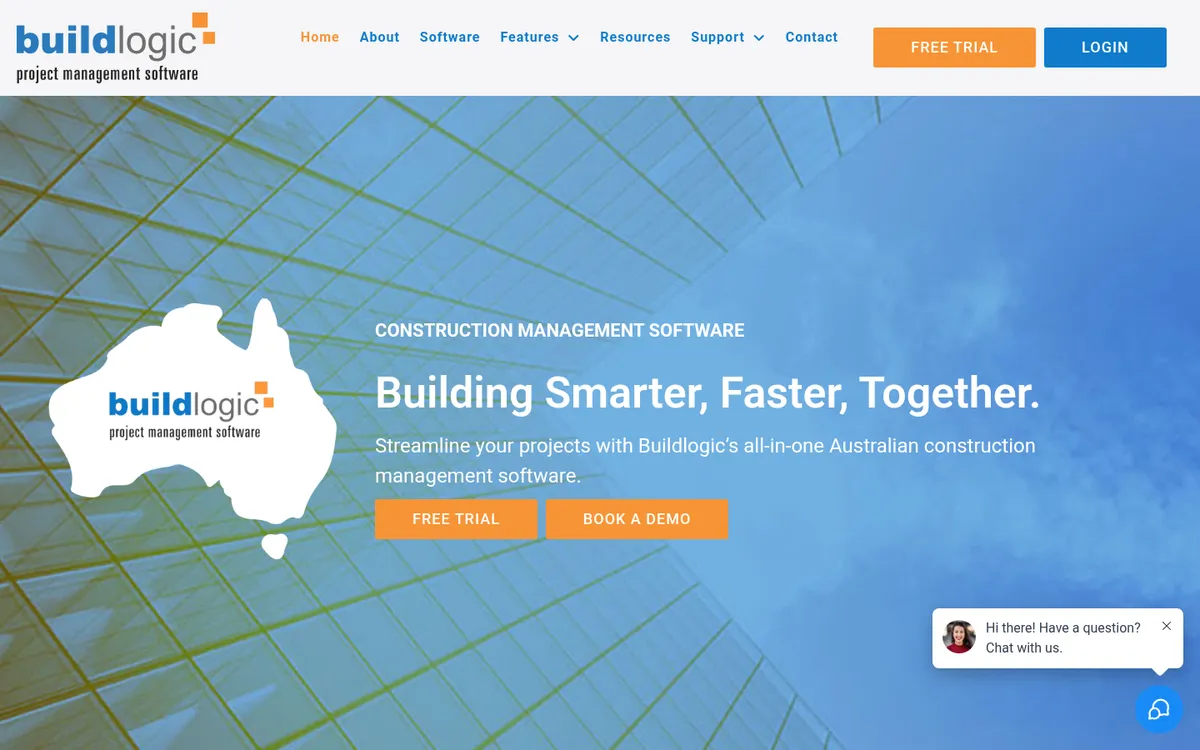
Buildlogic is built in Brisbane and sold to residential and commercial builders, developers and contractors. It covers estimating and quoting, project planning, budget management, purchase orders, progress claims, document management and contractor management, with a mobile app for site staff. It is modular, so a solo builder can start small and add provisional sums, cash flow tracking and other modules later.
It integrates with Xero, MYOB and QuickBooks, and has offices in Sydney, Melbourne, Brisbane and Perth. Buildlogic is part of JDM Technology Group, the same group that owns Cheops.
Best for: Australian builders who want one local system for estimating, planning, claims and documents, and value local phone support.
Watch out for: No published price on its own site, and as a broad all-in-one its cost reporting is less deep than a dedicated cost control tool.
Pricing: Quote only on Buildlogic’s site. Capterra AU lists a starting price of $110 per user per month. 14-day free trial.
4. BuildPass – Best for Site Safety and Compliance
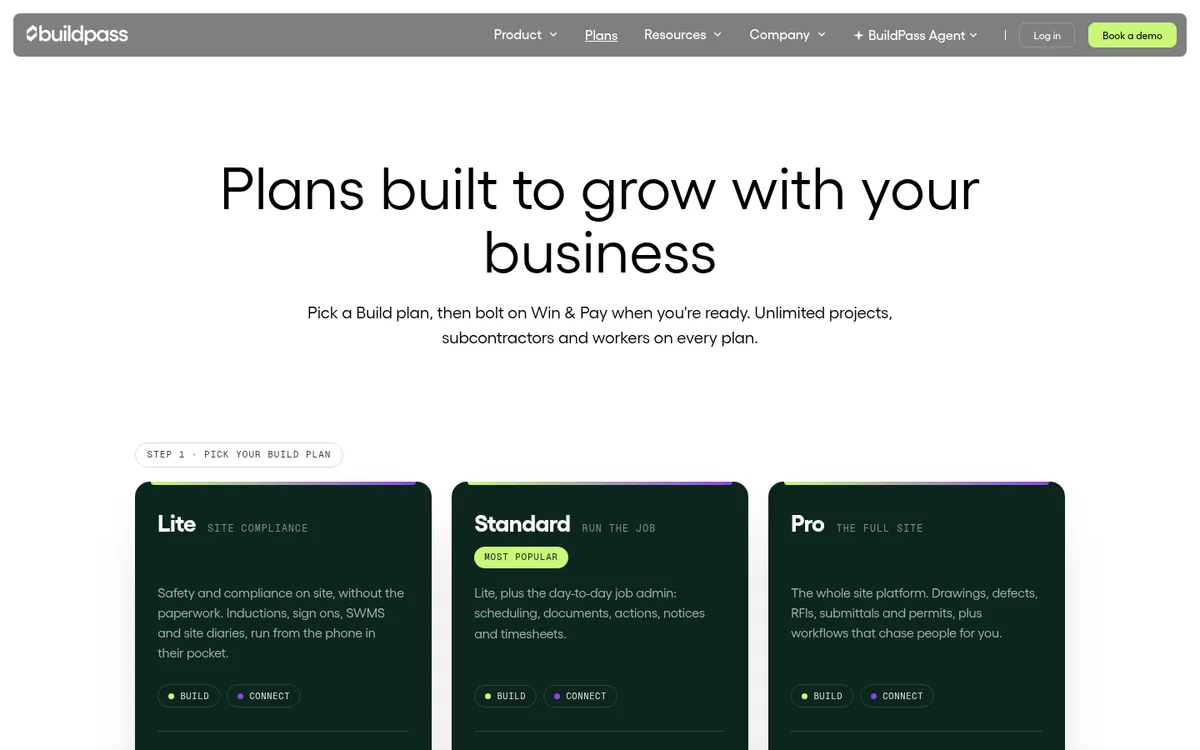
BuildPass started as a site operations platform for Australian builders and is still strongest there: inductions, sign-ons, SWMS, site diaries, forms and checklists, with unlimited projects, workers and subcontractors on every plan. Standard adds scheduling, documents, notices and timesheets. Pro adds drawings, defects, RFIs, submittals and permits.
In 2026 BuildPass relaunched as four products. Win (takeoff, estimates, RFQs) and Pay (budgets, purchase orders, subcontracts, progress claims and variations) bolt on to any plan, and were still rolling out when we checked. It integrates with Procore, Premier, Adaptive and Buildxact.
Best for: Builders whose biggest headache is site compliance and paperwork across many workers and subcontractors.
Watch out for: No published prices, and the finance side (Pay) is new. Check what is live today before you rely on it for claims.
Pricing: Quote only. Plans are Lite, Standard and Pro, with Win and Pay as add-ons and an Enterprise tier.
5. Simpro – Best for Electrical, Plumbing and HVAC Trades

Simpro is a field service and job management platform used by electrical, plumbing, HVAC, security and fire protection businesses. It covers quoting and estimating, scheduling and dispatch, inventory and purchasing, and invoicing, and its project tools add progress claims, retention, variations captured on site and WIP reporting.
It connects to Xero, MYOB and QuickBooks. It is a better fit for a trade contractor juggling service calls and projects than for a builder managing subcontractors. See Simpro vs Planyard.
Best for: Trade contractors with field crews, stock and a mix of service and project work.
Watch out for: Pricing is by quote with a setup fee, and builders who mainly manage subcontracts will use little of the field service side.
Pricing: Quote only, monthly or annual billing, plus an initial setup fee for onboarding and data migration.
6. Fieldwire – Best Free Start for Field Teams

Fieldwire, owned by Hilti, is a field management app for drawings, tasks, punch lists, inspections and forms. The free Basic plan covers up to five users and three projects. Paid plans add reports, sheet comparison, custom forms and a BIM viewer, and Business Plus adds RFIs, submittals, change orders and a budget tool.
It is site coordination software and lists no Xero or MYOB integration. See Fieldwire vs Planyard.
Best for: Site teams that need drawings and tasks on a tablet, and small teams that want to start for free.
Watch out for: Per-user pricing adds up for large site teams, and job costing needs another tool.
Pricing: Basic free for up to 5 users and 3 projects. Pro $61, Business $100 and Business Plus $139 per user per month, billed annually.
Already on Xero or MYOB? Add cost control on top.
Load a live job's budget, raise a purchase order and see committed costs update. 14-day free trial, no credit card.
Best Software for Job Cost Control and Commercial Management
These tools control what each job costs and earns: budgets, purchase orders, subcontracts, supplier bills, progress claims and the forecast margin. Planyard sits on top of Xero or MYOB. Jobpac Connect and Cheops are construction ERPs that replace them, which suits larger contractors with a finance team.
| Software | Best for | Starting price | Accounting | Progress claims and retention | Verdict |
| Planyard | Cost control on top of Xero or MYOB | $166 per project manager; $82 estimating only | Xero, MYOB, QuickBooks | Yes, from Professional; subcontractor claims on Ultimate | Best for margin and job costing; no site tools |
| Jobpac Connect | Mid-tier ANZ contractors | Quote only | Built-in accounting and payroll | Yes, contract valuations | A full ERP that replaces your accounts |
| Cheops | Civil, mining and commercial contractors | Quote only | Built-in financials and payroll | Yes | ERP for contractors that outgrew Xero and MYOB |
"If I were still relying solely on Excel to track and present the financial positions of our projects, I would be losing significant time every single month. By implementing the streamlined processes that Planyard supports, I’m saving at least three to four days of work every month that would have otherwise been spent on manual data entry and reconciliation."
Read more
1. Planyard – Best for Cost Control on Top of Xero or MYOB
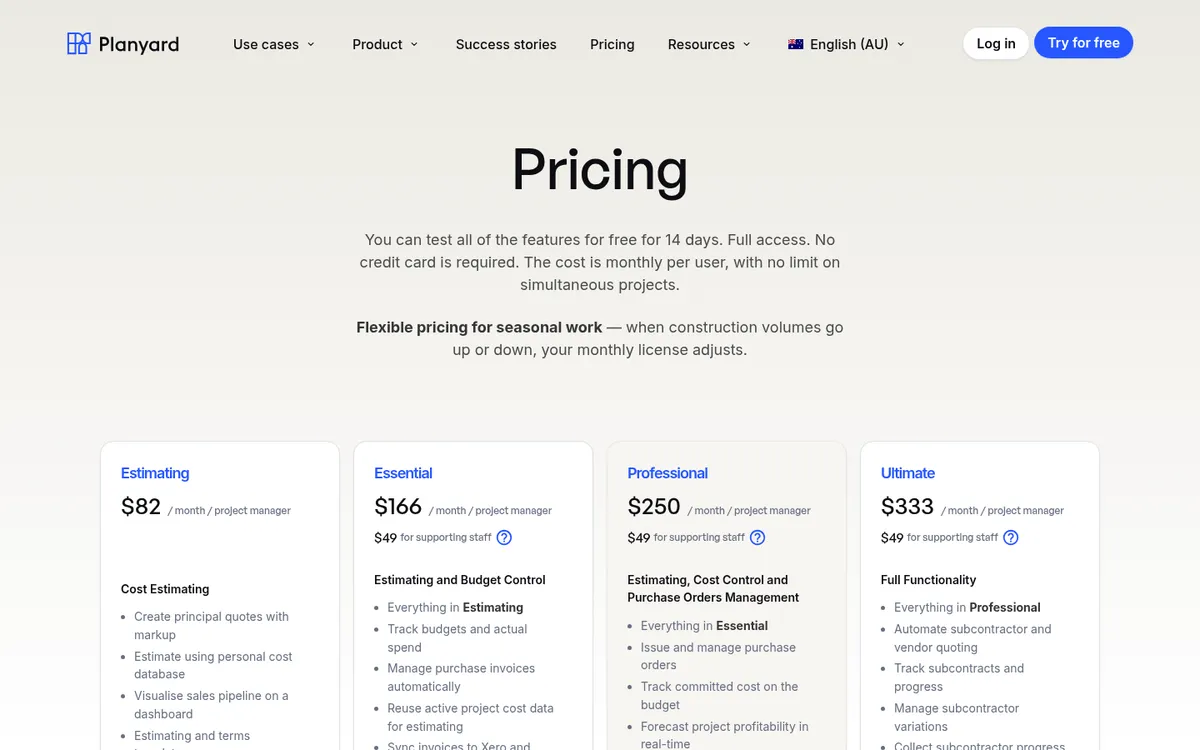
Planyard is cost control software for builders and contractors, and it does not try to run the site. You set up the budget per job, and every commitment goes through it: purchase orders, subcontracts, variations and supplier invoices matched to the order they belong to. Committed and actual costs show against each budget line as they happen, so the forecast final cost and margin are current on any day of the month. Approved bills sync to Xero, MYOB or QuickBooks, which keep doing GST, BAS and payroll.
On the income side, Professional adds head contracts with progress claims, client invoices, variations and retention, plus cash flow forecasts. Ultimate adds subcontractor quoting and collects subcontractor progress claims through a link, with no login needed on their side.
Jason Escobar at Keane Group in Queensland used to spend two or three days a month working out the financial position of one project from Excel and Xero exports. He now saves three to four days a month, and about two hours on each subcontractor claim he assesses.
Best for: Builders and contractors on Xero or MYOB who run several jobs at once and want live job costs, committed costs and claims without moving to an ERP.
Pair it with: A site app such as BuildPass or Fieldwire for scheduling, site diaries and safety forms, and Buildxact if you need takeoff. Planyard does not handle drawings or takeoff.
Pricing: Estimating $82, Essential $166, Professional $250 and Ultimate $333 per project manager per month, with supporting staff at $49. MYOB and Xero sync from Essential; purchase orders, progress claims and retention from Professional. 14-day free trial, see pricing.
"I came from a heavyweight enterprise ERP at a UK Tier 1 contractor, so I saw how bloated software hurts financial control. At an Australian SME I still need that Tier 1 budget discipline, just without the bloat.
Planyard hits the sweet spot: structured budgets, strong cost controls, and a professional ERP-level feel, but simple enough that I set it up myself in a few days. It is now our gatekeeper for purchase orders and handles tax and retention smoothly.
Real financial clarity without the spreadsheet headaches."

2. Jobpac Connect – Best ERP for Mid-Tier ANZ Contractors
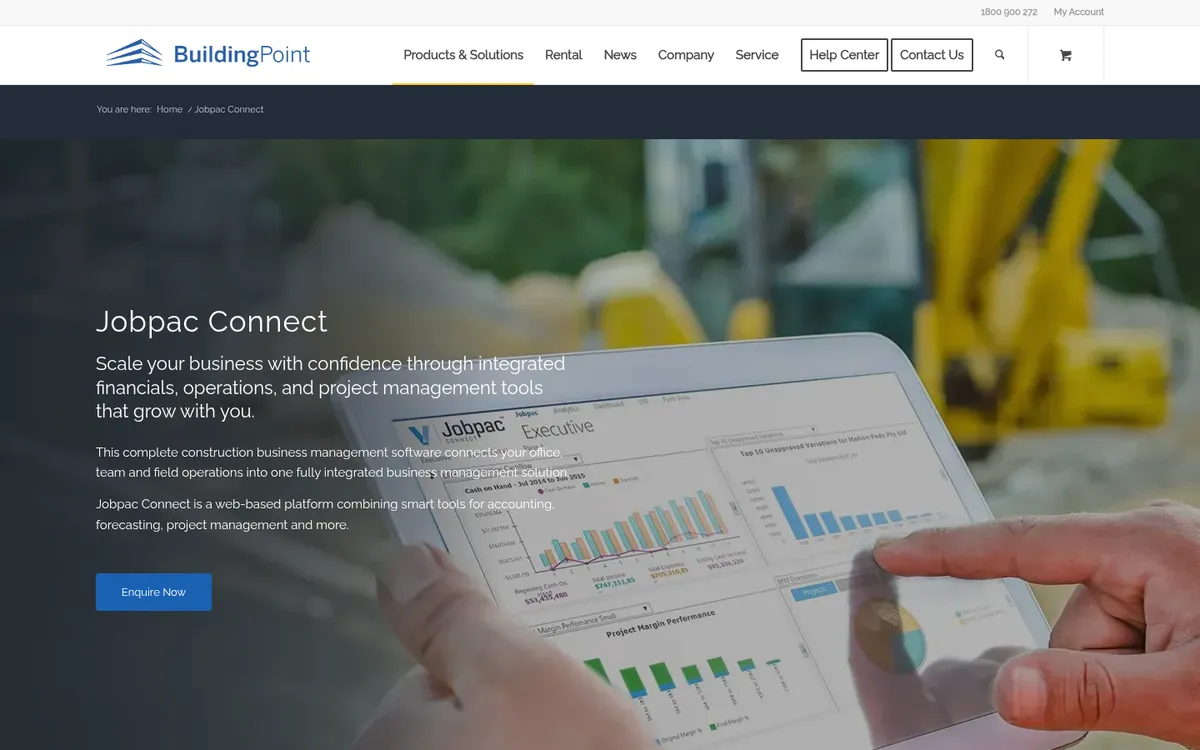
Jobpac has been sold to Australian and New Zealand contractors for more than 40 years and is now part of Trimble Viewpoint. Jobpac Connect is web-based and combines accounting, payroll, project management and forecasting, with contract valuations reconciled automatically to the financial ledger and work-in-hand and cash flow forecasts years ahead.
Because it is the general ledger, choosing it means leaving Xero or MYOB. That makes sense for a contractor with a finance team and payroll across many sites, and is too much for most small builders.
Best for: Mid-tier commercial and civil contractors that want accounting, payroll and project financials in one ANZ-built system.
Watch out for: A full ERP rollout, quote-only pricing and a learning curve for project staff.
Pricing: Quote only, through Viewpoint and its Australian partners.
3. Cheops – Best ERP for Civil, Mining and Commercial Contractors

Cheops is made by CSSP in Adelaide and sold as an integrated construction ERP for civil, mining and construction contractors. Job costing, contract management, financial accounting and payroll sit in one system, with optional modules, mobile apps for project managers and field staff, and time capture that feeds payroll.
Like Jobpac, it replaces your accounting package. It is aimed at established contractors with detailed job costing needs rather than small builders.
Best for: Established civil and commercial contractors that need ERP-level job costing and payroll in one system.
Watch out for: Quote-only pricing and the scope of an ERP project. Overkill if Xero or MYOB still works for your books.
Pricing: Quote only.
Which Tool Fits Your Business
Residential builder or renovator
Start with Buildxact or Buildlogic. Both cover estimating, quoting, scheduling and invoicing, and both connect to Xero and MYOB. Add BuildPass if site compliance takes most of your supervisors’ time.
Commercial builder turning over $5m to $50m
This is where margin slips without anyone noticing until the job is finished. Keep Xero or MYOB, add cost management software such as Planyard for budgets, purchase orders, subcontracts and progress claims, and use a site app for the field. Our cost control software guide compares tools for that job.
"With Planyard, the financial data is live, meaning you have a real-time view of where the project stands at any moment. When I was relying on Excel, I could only manage that kind of insight once a month. The transition from monthly snapshots to a live dashboard has completely changed how we monitor our project health."
Read more
Large head contractor
Procore for project collaboration, with Jobpac Connect or Cheops if you are ready to replace your accounting package with a construction ERP.
Trade contractor
Simpro if you run service work and projects with field crews and stock. Fieldwire if your main need is drawings and tasks on site.
Related Guides
- Best Construction Accounting Software in Australia
- Best Construction Cost Management Software in Australia
- Best Progress Claim Software for Australian Contractors
- Best Construction Estimating Software in Australia
- Best Accounting Software for Tradies in Australia
Where to Start
Write down the one problem that costs you most each month, trial the two tools on this list that are built for it, and run a real job through each. If that problem is not knowing where a job’s margin stands until it is too late, start a Planyard trial with a live budget and see job costing with real numbers.
Know your margin on every job, every day
Planyard tracks budgets, committed costs and progress claims and syncs with Xero or MYOB. 14-day free trial.