
Last verified: October 2026
A general contractor in Texas running ten jobs has QuickBooks for the books, a group text for each crew, drawings in a shared drive and a job cost spreadsheet the PM updates when somebody remembers. Someone says it is time for “real construction management software”, and the shortlist ends up with Procore, a home builder app and a free field tool on it.
Those products do two different jobs. Running the job means drawings, RFIs, schedules, daily logs, punch lists and client communication. Controlling the money means budgets, committed costs, change orders, vendor bills and billing, kept on top of QuickBooks or Xero. In a long r/ConstructionManagers thread asking for construction management software recommendations, the first answer calls Procore the best and suggests a cheaper alternative for smaller budgets. This guide splits ten tools along that line, with USD prices checked on each vendor’s site in October 2026, so you can go straight to the half that matches your problem.
How We Chose
We started from what US contractors search for and what ranks today, then checked every tool on its own website: plan names, published USD prices, the accounting software it connects to, and how it handles change orders, progress billing and retainage. Where a vendor does not publish a price, we say so. Prices are per month in USD, as published by each vendor in October 2026, before sales tax. Planyard is our product. We rank it only in the job cost control half of the list, where it fits, and say what it does not do.
What to Look For
Start with the problem that costs you most
If estimates eat your evenings, you need estimating. If the field loses paperwork and punch lists drag on, you need a field app. If jobs finish and you only learn the margin when the CPA closes the year, you need job cost control. Tools that try to do all three are usually priced for companies with a systems person on staff.
QuickBooks or Xero, and what flows between them
Most small and mid-sized US contractors run QuickBooks Online, QuickBooks Desktop or Xero. Check which one the tool connects to, which way data moves, and what lands in the ledger: approved vendor bills coded to the job, customer invoices, or only contacts. Some tools sync one way only. Our guide to construction accounting software for contractors covers that layer.
Change orders, progress billing and retainage
Commercial work runs on schedules of values, AIA-style pay applications, change orders and retainage held until closeout. Look for billing that pulls from the contract and approved change orders, retainage tracked per contract, and the same in reverse for subcontractors: their pay applications checked against what they are owed. See how Planyard handles change orders and pay applications.
Price model
Some tools charge per company (Buildertrend, JobTread’s base fee, Houzz Pro Teams), some per user (Fieldwire, Autodesk, Planyard), some in user bundles (Contractor Foreman, Knowify, Buildern), and Procore charges on annual construction volume. Count who needs a seat. A superintendent who only uploads photos is free on some models and a full seat on others.
Best Construction Management Software for Running the Job
These tools run the work itself: drawings, RFIs, schedules, daily logs, client portals and punch lists. Most of the residential tools here also estimate, invoice and track a job budget. They are ranked best first for a US contractor.
| Software | Best for | Starting price | Accounting | Change orders, billing and retainage | Verdict |
| Procore | Commercial general contractors | Quote only, annual fee based on construction volume | QuickBooks Online connector; ERP integrations | Budgets, commitments, change events | Most complete platform, priced for big projects |
| Buildertrend | Home builders and remodelers | From $499 a month, unlimited users | QuickBooks Online, Xero | Change orders, bids, job costing budget | The residential standard, CoConstruct’s new home |
| JobTread | Residential builders on a budget | $199 a month with 1 user ($159 billed annually) | QuickBooks Online | Change orders, customer and vendor portals | All features on one plan, cheap to add users |
| Autodesk Forma Build | Teams already on Autodesk design tools | $100 per user (Essentials); $175 per user (Build) | Integrations with accounting systems such as Sage | Cost management on Forma Build | Strong on documents, models and RFIs |
| Fieldwire | Field teams, drawings and tasks | Free for 5 users; $39 per user billed annually | None listed | Change orders and budget on Business Plus | Best free start for site coordination |
| Contractor Foreman | Small contractors wanting many features cheaply | $49 a month billed annually | QuickBooks Online | Schedule of values, change orders, job costing | Most features for the money |
| Houzz Pro | Remodelers and design-build firms | Free plan; Pro $199 a month | QuickBooks Online (one way) | Change orders and budgets on Pro | Design, selections and marketing in one |
| Buildern | Small custom home builders | $225 a month for 2 seats, billed annually | QuickBooks, Xero | Budgets, POs, bills and invoices | Estimating to job costing for small builders |
1. Procore – Best for Commercial General Contractors
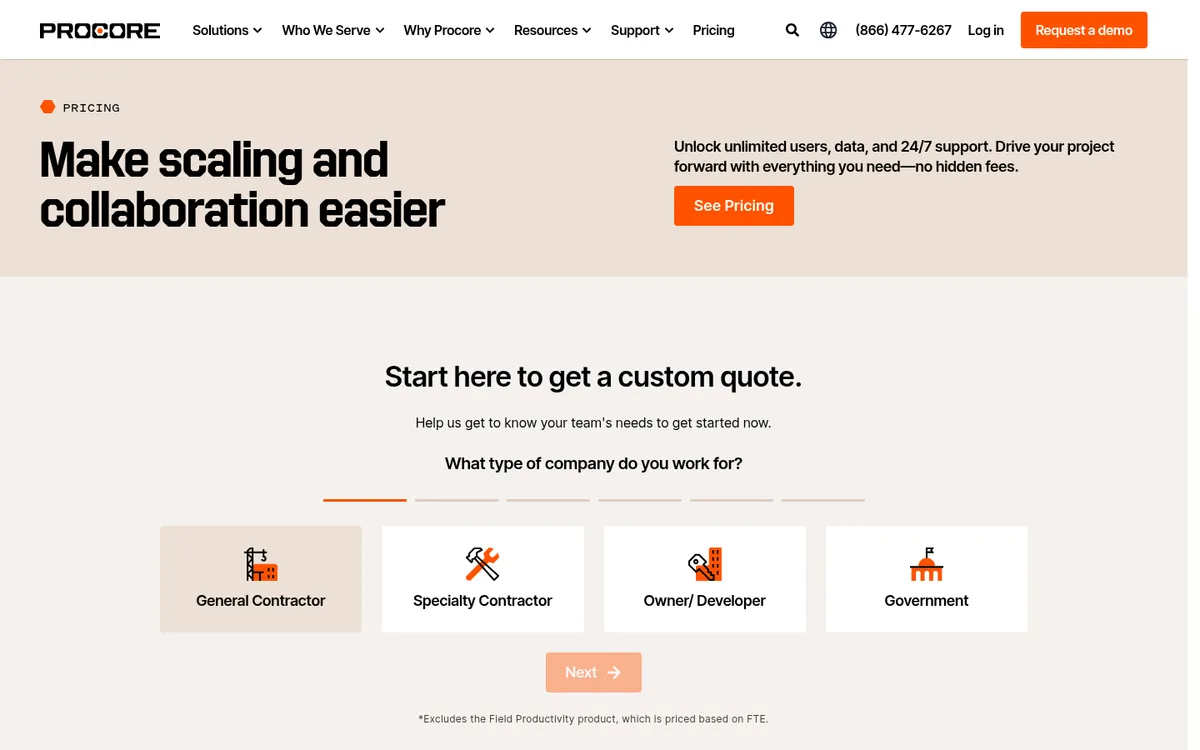
Procore is one of the most widely used construction platforms in the US, with more than 3 million users across owners, general contractors and specialty contractors. It covers drawings, RFIs, submittals, quality and safety, and project financials: budgets, commitments, change events and forecasts. Every contract includes unlimited users, unlimited data and 24/7 support, so subcontractors, architects and owners can all work in it.
Accounting stays outside Procore. It has a QuickBooks Online connector, and a paid ERP Integrations product for systems such as Sage 300 CRE and Sage Intacct. For a contractor doing a few million a year, the annual contract and implementation are usually more than it needs. See Procore vs Planyard and Procore alternatives.
Best for: General contractors and owners running large commercial projects with many parties who all need drawings, RFIs and documents in one place.
Watch out for: Annual contracts, quote-only pricing and a real implementation project. It is overkill for a small builder.
Pricing: Quote only. Procore charges an upfront annual fee by product, based on your annual construction volume (the total dollar value of work you run through it), with unlimited users. Field Productivity is priced per full-time employee.
2. Buildertrend – Best for Home Builders and Remodelers
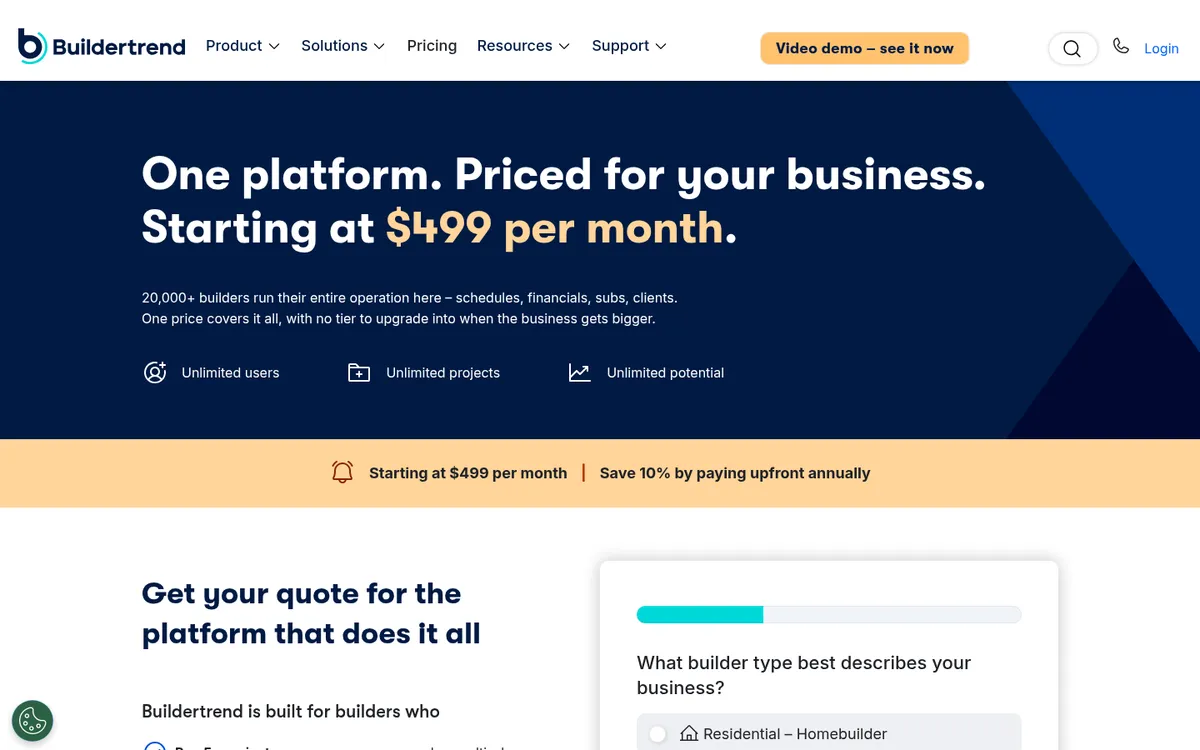
Buildertrend is the best-known platform for residential builders and remodelers. It covers the sales side (CRM, proposals and a client portal), project management (schedules, change orders, daily logs, plans and specs), financials (bids, estimates and a job costing budget) and a subcontractor portal. Every plan includes unlimited users and projects.
Buildertrend bought CoConstruct in 2021 and is moving CoConstruct customers onto its own platform. It syncs with QuickBooks Online and Xero. See Buildertrend vs Planyard, Buildertrend alternatives and our Buildertrend vs Procore comparison.
Best for: Home builders and remodelers who want sales, client communication, scheduling and job costing in one system.
Watch out for: The starting price is high for a small remodeler, and commercial contractors with subcontract-heavy jobs find it residential in shape.
Pricing: Starting at $499 per month, with 10% off when you pay annually upfront. Unlimited users and projects.
3. JobTread – Best for Residential Builders on a Budget

JobTread is a Texas-based all-in-one for residential builders and remodelers. Every feature sits on one plan: estimates, schedules, job management, time tracking, reports, customer portals, selections and allowances, online payments and warranty management. It connects to QuickBooks Online and to suppliers such as Home Depot and SRS Distribution.
Customers, vendors and subcontractors use free portals, and field crew who only upload photos, log daily notes and check off tasks can be added as free users. Implementation, training and support are included at no extra cost.
Best for: Residential builders and remodelers who want Buildertrend-style coverage for less, with a small office team.
Watch out for: Built for residential work. Commercial contractors running subcontracts with retainage and pay applications will want something deeper on costs.
Pricing: $199 a month billed monthly, including one internal user; users 2 to 10 cost $20 each, with lower rates above that. Annual plan $159 a month (billed $1,908). Unlimited free portal users. No contract or setup fees, and a 30-day money-back guarantee on monthly plans.
4. Autodesk Forma Build – Best for Teams Already on Autodesk Design Tools
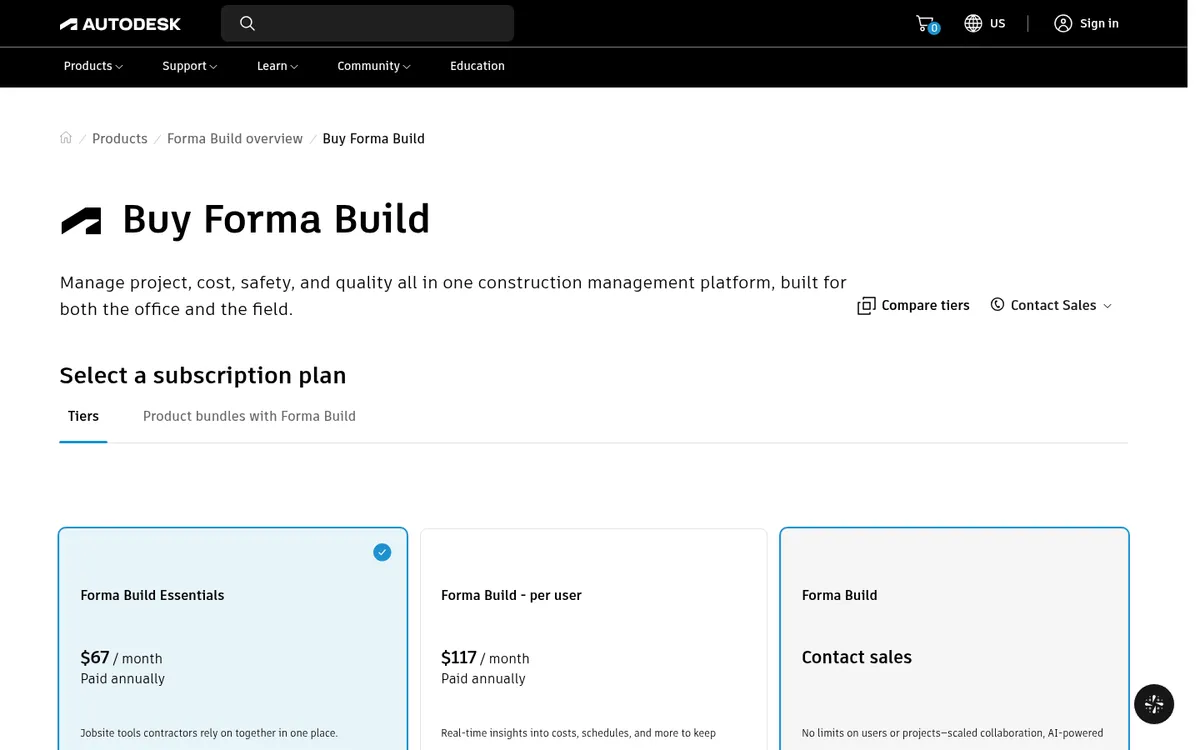
Autodesk renamed Autodesk Construction Cloud to Autodesk Forma in March 2026, so Autodesk Build is now Forma Build. Forma Build Essentials covers the field: issues, forms, photos, sheets, files, punch lists and daily reports on web and mobile. Forma Build adds project management (RFIs, submittals and specifications), cost management, reporting, insights and Autodesk AI, and includes Forma Data Management.
It fits contractors whose architects and engineers already work in Autodesk tools, since the same company makes both sides. Cost management integrates with accounting systems such as Sage.
Best for: Commercial contractors with design-heavy projects who want models, sheets and RFIs tied to the Autodesk design tools their partners use.
Watch out for: Per-user pricing adds up for large teams, and the full product needs setup and training. Unlimited-user plans are quote only.
Pricing: Forma Build Essentials $100 per user per month or $800 per user per year. Forma Build $175 per user per month or $1,400 per user per year. Unlimited-user plans through Autodesk sales.
5. Fieldwire – Best Free Start for Field Teams
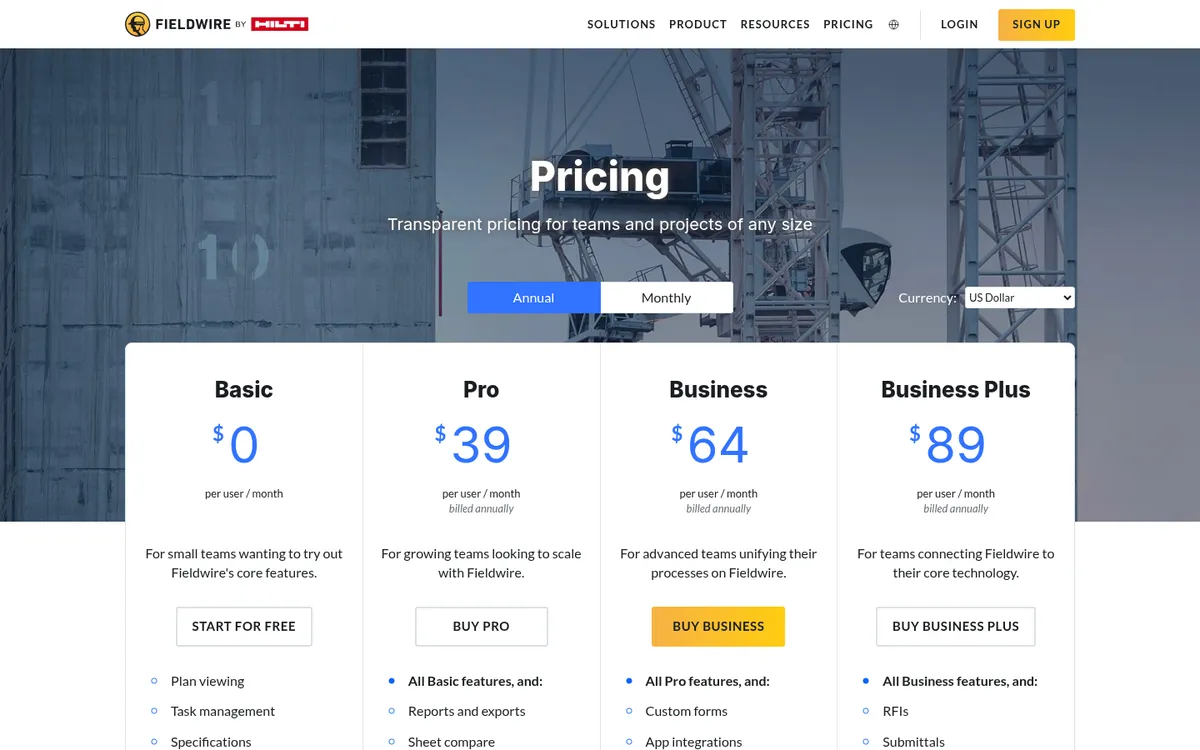
Fieldwire, owned by Hilti, is a field management app for drawings, tasks, punch lists, inspections and forms. The free Basic plan covers up to five users, three projects and 100 sheets. Pro adds reports, sheet compare and project templates. Business adds custom forms, integrations and a BIM viewer, and Business Plus adds RFIs, submittals, change orders and a budget tool.
Pair it with a cost tool for budgets and accounting. See Fieldwire vs Planyard.
Best for: Field teams that need drawings and tasks on a tablet, and small teams that want to start for free.
Watch out for: Per-user pricing adds up for large crews, and there is no accounting integration.
Pricing: Basic free for up to 5 users and 3 projects. Pro $39, Business $64 and Business Plus $89 per user per month, billed annually.
6. Contractor Foreman – Best Value All-in-One for Small Contractors
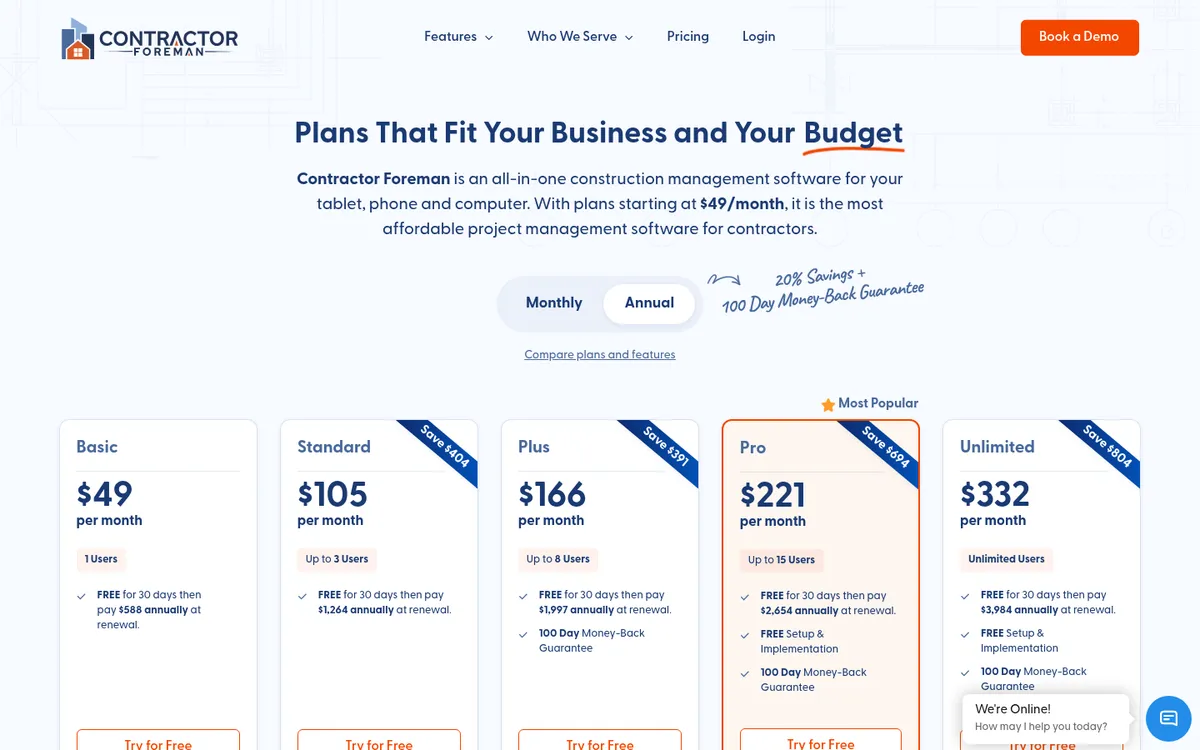
Contractor Foreman packs a lot into a low price: projects with schedules and costs, opportunities for tracking bids, punch lists, schedules of values, work orders for small jobs, estimates, job costing and a material database. It connects to QuickBooks Online, CompanyCam for jobsite photos, and Angi for leads.
Plans are sized by users and training sessions, so a growing company moves up a plan as it adds office staff. See Contractor Foreman vs Planyard.
Best for: Small general contractors and remodelers who want broad coverage at a low monthly price.
Watch out for: Each module is lighter than a dedicated tool, and local material pricing is only on higher plans.
Pricing: Annual plans: Basic $49 per month (1 user), Standard $105 (3 users), Plus $166 (8 users), Pro $221 (15 users), Unlimited $332. Monthly billing starts at $139. 30-day free trial and a 100-day money-back guarantee.
7. Houzz Pro – Best for Remodelers and Design-Build Firms
Houzz Pro comes from the Houzz home design marketplace and is aimed at remodelers, home builders and interior designers. Design covers 3D floor plans, selections, mood boards, CRM, estimates, invoices and online payments. Pro adds takeoffs, bid management, change orders, budget management, contracts, schedules and daily logs. Teams adds unlimited users, marketing tools and dedicated support.
It syncs proposals, estimates, invoices and change orders one way to QuickBooks Online. Advertising on Houzz is sold separately, from $499 a month.
Best for: Remodelers and design-build firms that sell on design and want client-facing visuals, estimates and project tools in one place.
Watch out for: Extra users cost $50 a month each on Design and Pro, and the accounting sync is one way.
Pricing: Free plan. Design $99 and Pro $199 a month with one user each, extra users $50 per user per month. Teams from $399 a month with unlimited users. 30-day free trial on Design and Pro.
8. Buildern – Best for Small Custom Home Builders
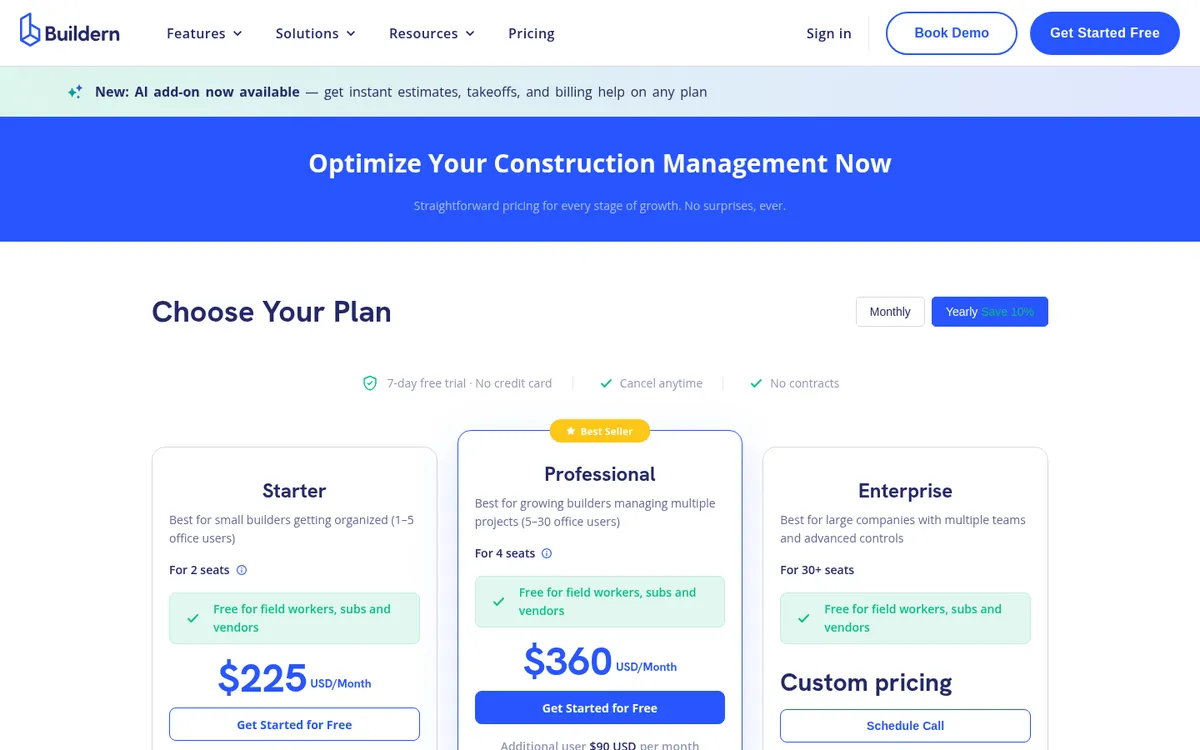
Buildern is an all-in-one for small builders that keeps estimating, budgets and cost tracking connected. Starter covers estimates and proposals, budgets, purchase orders, bills, invoices, schedules and QuickBooks or Xero integration. Professional adds takeoff from plans, timesheets, RFIs, submittals, client selections and advanced roles.
Field workers, subcontractors and vendors are free on every plan. See Buildern vs Planyard.
Best for: Small custom home builders who want estimates to flow into budgets and job costs without a large platform.
Watch out for: Prices are billed annually, and the free trial is only 7 days.
Pricing: Starter $225 a month for 2 seats (extra office users $81 a month), Professional $360 a month for 4 seats (extra users $90), billed annually. Enterprise is custom. 7-day free trial, no credit card.
Already on QuickBooks or Xero? Add job cost control on top.
Load a live job's budget, raise a purchase order and watch committed costs update. 14-day free trial, no credit card.
Best Software for Job Cost Control and Commercial Management
These tools sit on top of QuickBooks or Xero and control what each job costs and earns: budgets, purchase orders, subcontracts, change orders, vendor bills and billing.
| Software | Best for | Starting price | Accounting | Change orders, billing and retainage | Verdict |
| Planyard | Job cost control on top of QuickBooks or Xero | $105 per project manager; $52 estimating only | QuickBooks, Xero | Change orders, progress billing and retainage from Professional | Best for job costs and margin; no field tools |
| Knowify | Trade and specialty contractors | $99 a month billed annually ($149 monthly) | QuickBooks Online; QuickBooks Desktop on Enterprise | Fixed-price and AIA billing | Built around QuickBooks and AIA jobs |
"Our previous systems didn't track job costs in a way that aligned with how our projects actually run. We needed a tool to handle purchase orders and provide a clear view of every project—showing exactly where we stood at any moment, what costs were still to come, and exactly where we had already spent."
Read more
1. Planyard – Best for Job Cost Control on Top of QuickBooks or Xero
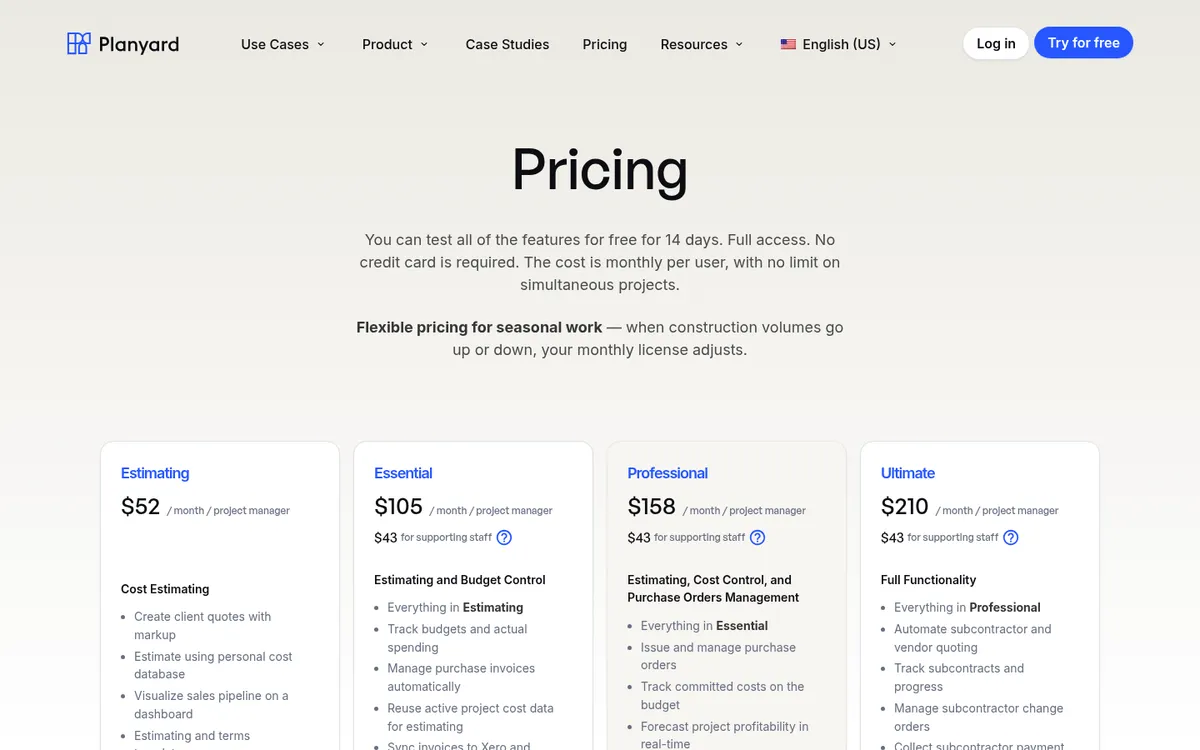
Planyard is job costing software for general contractors and builders. You set up the budget per job, and every commitment runs against it: purchase orders, subcontracts, change orders and vendor bills matched to the order they belong to. Committed and actual costs show against each budget line as they happen, so the forecast final cost and the margin are current on any day of the month. Approved bills sync to QuickBooks or Xero, which keep doing payroll, 1099s and taxes.
On the income side, Professional adds client contracts with progress billing, customer invoices, change orders and retainage, plus cash flow forecasts. Ultimate adds subcontractor bid packages, subcontracts and subcontractor pay applications collected through a link, with no login needed on their side.
At TITN Development, a South Florida developer and builder, Jordan Cohen interviewed five to seven software vendors and ran two-week trials with two or three of them before picking Planyard, because QuickBooks could not show where each job stood or what was still to be paid. At E&N Group, a UK contractor, Lee Covington says the two people on the finance side save 10 to 12 hours a day between them.
Best for: General contractors and builders on QuickBooks or Xero who run several jobs at once and want live job costs, committed costs, change orders and forecasts without moving to an ERP.
Pair it with: A field app such as Fieldwire for scheduling, daily logs, punch lists and drawings. Planyard has no takeoff, and AIA G702 and G703 forms are not available yet.
Pricing: Estimating $52, Essential $105, Professional $158 and Ultimate $210 per project manager per month, with supporting staff at $43. QuickBooks and Xero sync from Essential; purchase orders, progress billing and retainage from Professional; subcontractor pay applications and bid packages on Ultimate. 14-day free trial, see pricing.
"Many competitors are too bloated, offering thousands of features that just get in the way. While other systems try to do everything at once and end up doing nothing well, Planyard is laser-focused on job costing. It ensures that critical part of the business is completely under control, doing one thing exceptionally well instead of fifty things poorly."
Read more
2. Knowify – Best for Trade and Specialty Contractors
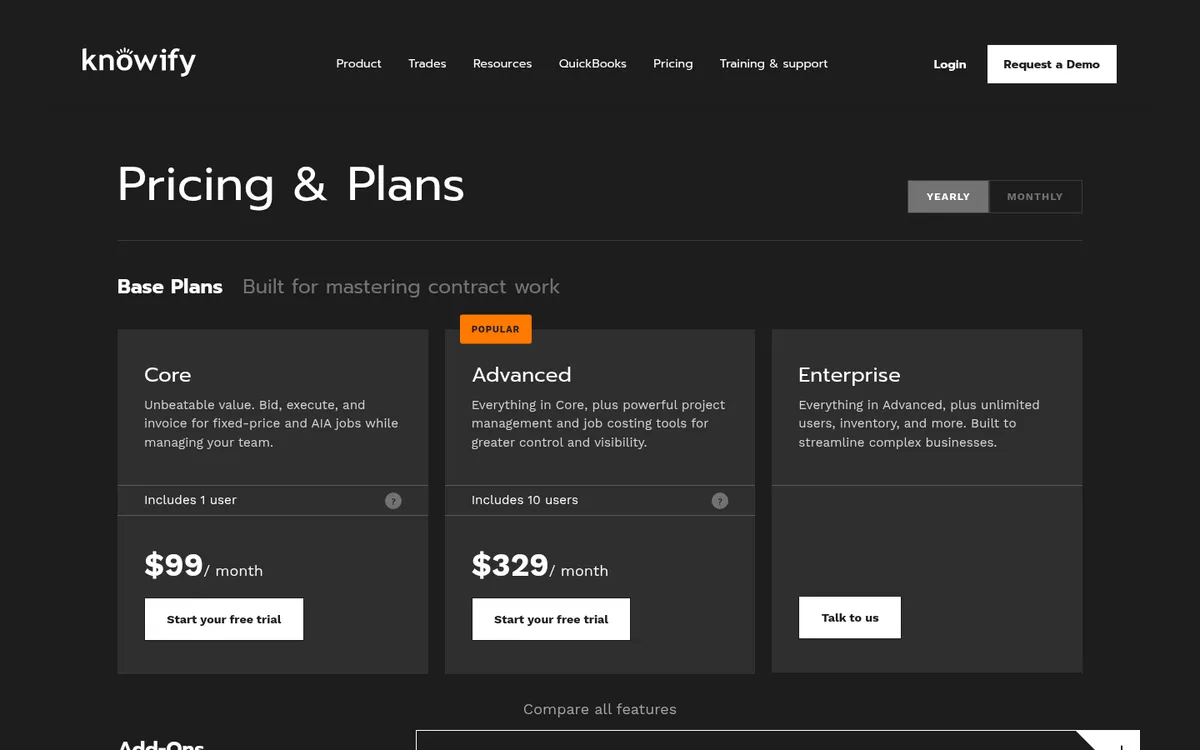
Knowify is built for trade contractors such as electricians, HVAC, plumbing, painting and concrete companies. Core covers bidding, running and invoicing fixed-price and AIA jobs. Advanced adds project management and job costing, and a Service Pro add-on adds dispatching and equipment history for service work.
Its QuickBooks Online integration syncs clients, vendors, bills, payments and projects both ways. QuickBooks Desktop sync is on the Enterprise plan only. See Knowify vs Planyard.
Best for: Specialty contractors on QuickBooks who bill AIA-style and also run some service work.
Watch out for: Job costing sits on Advanced, not Core, and Core includes only one user.
Pricing: Core $99 a month and Advanced $329 a month on annual billing ($149 and $399 month to month). Core includes 1 user and Advanced 10; extra users are $29 a month. Enterprise is quote only.
Which Tool Fits Your Business
Remodeler or home builder
Start with Buildertrend or JobTread for sales, schedules and client communication. Houzz Pro suits firms that sell on design, and Buildern suits small custom builders who estimate a lot. Add Fieldwire if drawings and punch lists take most of your time.
General contractor turning over $3m to $50m
This is where margin slips without anyone noticing until the job is finished. Keep QuickBooks or Xero, add cost management software such as Planyard for budgets, purchase orders, subcontracts, change orders and forecasts, and use a field app such as Fieldwire for the site. Our job costing software guide goes deeper on that job.
"I believe too many companies currently rely on spreadsheets or feel forced to purchase massive, bloated software that takes months—if not a year—to learn, only to use about 10% of the features. Smaller to mid-size companies would be much better off focusing on Planyard. It allows you to integrate quickly and track job costs effectively without wasting time, manpower, and money trying to figure out 5,000 different features you don't actually need."
Read more
Large commercial contractor
Procore for project collaboration across owners, designers and subcontractors, or Autodesk Forma Build if your partners already design in Autodesk tools. Both connect to a construction ERP for accounting.
Trade or specialty contractor
Knowify if you bill AIA-style and run service work alongside projects. Contractor Foreman if you want the widest set of features for a small team.
Building outside the US? See our guides to the best construction management software in the UK, with GBP prices and Sage and CIS support, and the best construction management software in Australia, with AUD prices and MYOB support.
Where to Start
Write down the one problem that costs you most each month, trial the two tools on this list that are built for it, and run a real job through each. If that problem is not knowing where a job’s margin stands until it is too late, start a Planyard trial with a live budget and see job costing with real numbers.
Know your margin on every job, every day
Planyard tracks budgets, committed costs, change orders and forecasts and syncs with QuickBooks or Xero. 14-day free trial.