Last verified: October 2026
It is the last week of the month. The QS has three CVRs to finish before the board meeting on Friday, the subcontractor applications are still coming in, and half the supplier invoices are sitting in someone’s inbox instead of the cost report. By the time the figures reach the directors, they describe the job as it was two weeks ago.
CVR software builds the cost value reconciliation from the orders, invoices, valuations and variations your team records anyway, so the margin on each job is current whenever someone asks. This guide compares ten options for UK contractors, from cost control tools that sit on top of Xero, QuickBooks or Sage to full construction ERPs, with prices checked on each vendor’s site in October 2026.
"Planyard is a live overview of your projects. How they are performing financially and it is basically a CVR that is live all the time. It has up-to-date data."
Read more
What to Look For in CVR Software
Where committed cost comes from
A CVR built from paid invoices tells you what the job has already cost. The forecast final cost needs what you have agreed to spend as well: every subcontract order, purchase order and approved variation, entered at the moment it is placed. Ask each vendor where committed cost comes from and how soon it appears in the report.
Valuations, variations and retention
Value is the other half of the reconciliation. Check that the tool handles cumulative client valuations, retention and variations in the way JCT and NEC contracts work in the UK, and that a subcontractor’s application lands against the right order without being keyed twice.
Your accounts package
Decide early whether you want to keep Xero, QuickBooks or Sage. Some products on this list sit on top of them and sync approved invoices. Others are full ERPs with their own ledger, which means moving finance, payroll and CIS onto the new system. Both can work, but the second is a much bigger project.
How long until the first real CVR
Ask how long it takes to get one live project reporting, and who does the setup. A tool you can try on a single job alongside your current spreadsheet tells you more in a month than a demo does in an hour.
A price you can find
Only two of the ten options publish a price. For the rest, ask for the licence cost, the implementation fee and the minimum term in writing before you compare them.
How We Chose
We started from the tools that UK contractors search for and evaluate when they look for CVR software, plus the vendors ranking for the term in the UK. Each product had to produce a cost value reconciliation from project data. We checked features, integrations and prices on each vendor’s own site in October 2026 and left out any claim we could not confirm there. Planyard is our product, and we have placed it first because live CVR for contractors on Xero, QuickBooks or Sage is what it was built for. The entries below say where other tools fit better.
CVR Software Compared
Prices as published by each vendor in October 2026, excluding VAT.
| Tool | Best for | Starting price | Accounting | Valuations and retention | Verdict |
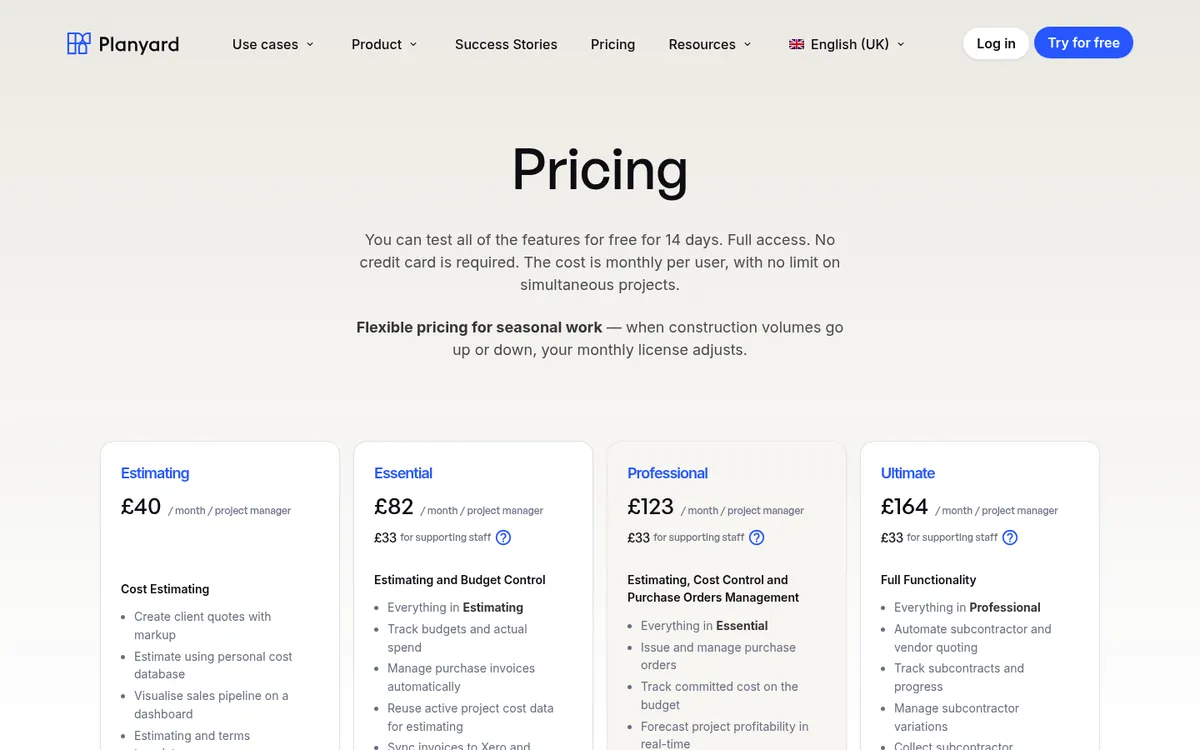
| Planyard | SME contractors on Xero, QuickBooks or Sage | £82 per project manager per month; 14-day trial | Xero, QuickBooks, Sage sync | Client valuations, variations and retention from Professional | Live CVR without changing your accounts |
| Eque2 Construct | Sage and Xero users wanting job costing | Quote only | Sage Accounting, 50, 200, Intacct; Xero | Applications, valuations, retentions | Strong UK fit, sold with onboarding |
| Causeway Project Accounting | Large contractors with commercial departments | Quote only | Oracle, Sage, Xero | Payment applications in the project workbench | Built for large contractors, with a long rollout |
| Xpedeon | Contractors replacing accounts with an ERP | Quote only | Own ledger | Applications, variations, retentions | CVR inside a full ERP |
| StoneRise | Main contractors wanting a commercial module | £120 per user per month | Ask vendor | Payment applications, variations | Published price, newer product |
| Archdesk | Firms wanting one platform for everything | Quote only | Accounting and ERP sync | Payment applications, WIP reporting | Broad, with implementation included |
| Procore | Contractors already using Procore on site | Quote only | Xero connector, ERP integrations | Through Procore Financials | Best if Procore is already your platform |
| Evolution Mx | Contractors wanting construction accounting in one system | Quote only | Own ledger, CIS and payroll | Within the platform | Replaces Sage or Xero |
| 4PS Construct | Mid-sized and large firms on Microsoft | Quote only | Own ledger on Business Central | Within the ERP | Full ERP project |
| Excel | One or two small jobs | Free template | Manual | Manual | Workable until projects multiply |
The 10 Best CVR Software Options for UK Contractors
1. Planyard – Best for Live CVR on Top of Xero, QuickBooks or Sage
Planyard starts from your budget. You import it from a spreadsheet, then every commitment goes through the system: subcontract orders and purchase orders against budget lines, supplier invoices matched to the order they belong to, client valuations with retention and variations, and subcontractor applications submitted through a secure link with no login. Because the data is already there, the CVR updates as the team works. Committed cost shows the moment an order is raised, and the forecast final cost is current on any day of the month.
Approved invoices sync to Xero, QuickBooks or Sage with the labour and materials split set, so your accounts package applies the CIS deduction and files the return. Planyard does not replace the ledger and does not file CIS itself. Invoices can be uploaded in bulk and read automatically, which matters when a supplier sends a month of invoices in one zip file.
Claire Hill, estimator and QS at Brown & Bancroft, used to spend three to four days putting the month-end CVRs together. Now she checks the jobs in 10 to 15 minutes, and when a director asks how a job stands, the answer is two clicks away.
Best for: Main contractors, developers and contractor QS teams running several live projects on Xero, QuickBooks or Sage who want a live CVR without moving their accounts.
Watch out for: Planyard has no takeoff and is not an accounting system. Client valuations, variations and retention start on Professional; subcontractor applications, tenders and CVR version history are on Ultimate.
Pricing: £82 per project manager per month on Essential, £123 on Professional and £164 on Ultimate. Estimating only is £40 and supporting staff are £33. Enterprise by quote. 14-day free trial, see pricing.
"When we used to do our month-end CVRs it could usually take 3-4 days to put them together. It now takes me 10-15 minutes to just quickly go through the jobs and check that I haven’t missed anything."
Read more
2. Eque2 Construct – Best for Sage and Xero Users Wanting UK Job Costing

Eque2 Construct is cloud job costing for growing UK contractors and housebuilders. It covers commitments, applications, variations and CVRs alongside your existing accounts, with approval limits on spend, and Eque2 says CVR and WIP reports are generated from live project data. It integrates with Sage Accounting, Sage 50, Sage 200, Sage Intacct and Xero, plus Sage and Xero payroll. Eque2 also sells Evision, built in Microsoft Dynamics 365 Business Central, for larger groups that need multi-company reporting and CVR version control.
Every new Construct customer gets a dedicated onboarding specialist for the first three months. See Eque2 vs Planyard and Eque2 alternatives for a closer comparison.
Best for: UK SME contractors who want construction job costing next to Sage or Xero from a long-established UK supplier.
Watch out for: No published price, and Construct and Evision are separate products, so check which one your quote covers.
Pricing: Quote only.
3. Causeway Project Accounting – Best for Large Contractors With Commercial Departments
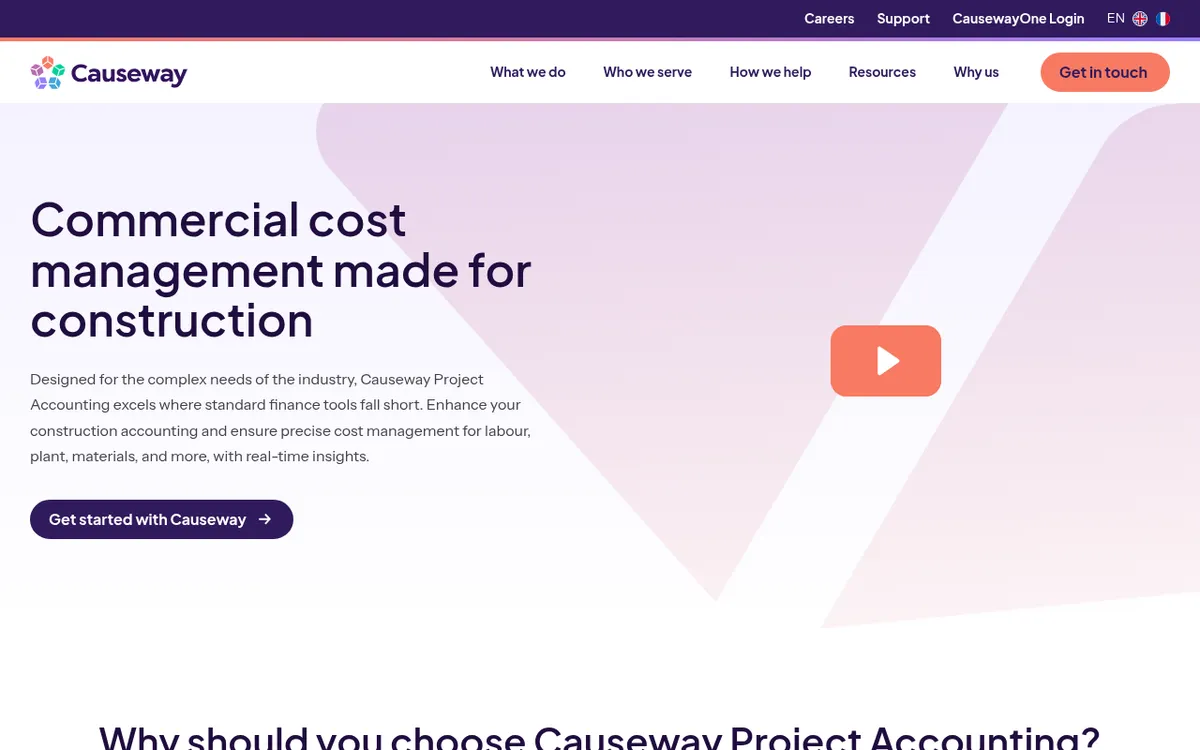
Causeway Project Accounting pulls cost data into project workbenches so the commercial team can produce a CVR and payment applications without rebuilding spreadsheets. It integrates with back-office finance systems including Oracle, Sage and Xero, and with Causeway’s own estimating, tendering and supply chain products. Causeway says the product manages 1,350 projects and £2bn of project value a year.
Best for: Tier 1 and tier 2 contractors with dedicated commercial and finance teams, especially those already using other Causeway products.
Watch out for: Pricing and rollout are aimed at larger firms. A small contractor with one QS will be paying for more than it uses.
Pricing: Quote only.
4. Xpedeon – Best for CVR Inside a Full Construction ERP

Xpedeon is a construction ERP with finance, procurement, subcontract management, HR and payroll in one platform. Its CVR dashboard tracks cost against earned value by project and drills from group P&L down to a cost code, and a surveyor’s view shows actuals, commitments, cost-to-complete and forecast margin. Because the general ledger is part of the system, WIP postings and month-end accruals come from the same data. It handles NEC, JCT and bespoke contracts.
Best for: Contractors and housebuilders ready to replace their accounts package and run finance and commercial in one ERP.
Watch out for: Expect a full ERP implementation, with your finance team moving off its current accounts package.
Pricing: Quote only. Xpedeon does not publish prices.
If your CVR still lives in a spreadsheet, the free CVR template is a reasonable place to start, and how to prepare a CVR walks through it line by line.
See your margin on any day of the month
Import your budget, raise the first order and watch the CVR update. 14-day free trial, no credit card.
5. StoneRise – Best for a Commercial Module With a Published Price
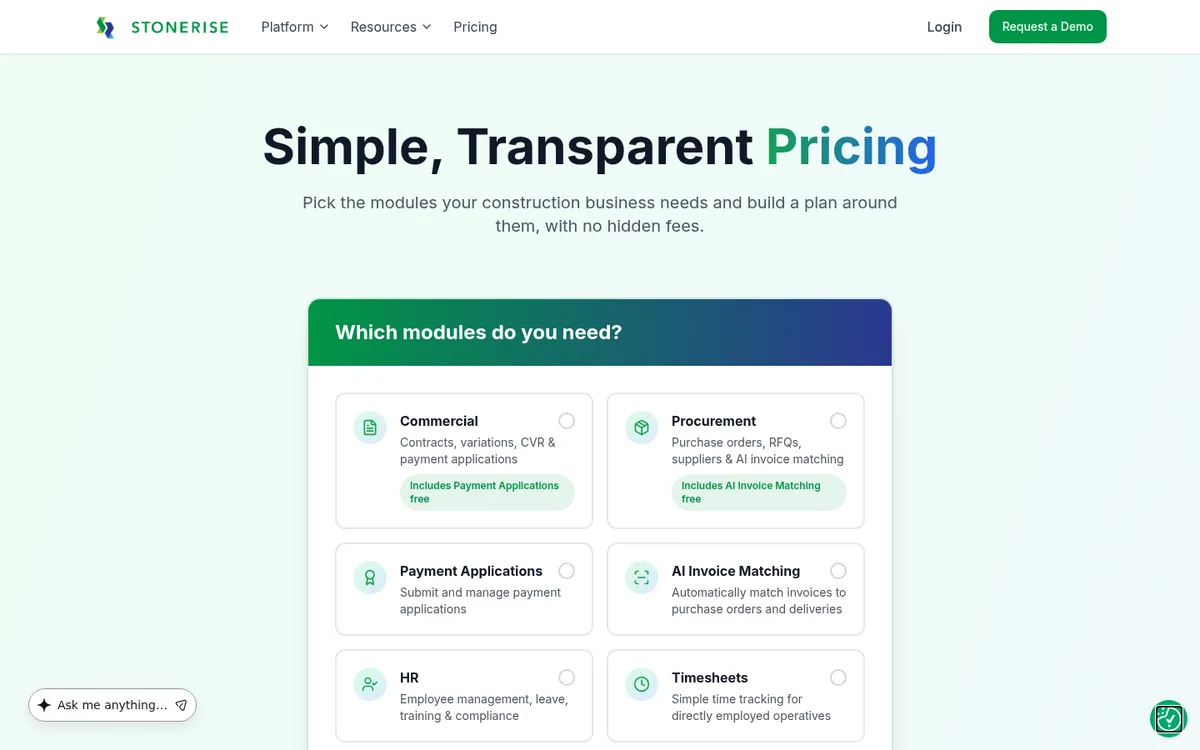
StoneRise is a UK construction platform whose commercial module produces CVRs from live contract data at any point in the month. Committed cost comes from subcontract orders, approved variations and certified payment applications, and each CVR shows current margin, forecast final margin and unrecovered variations. It is one of the few products in this space with a public per-user price.
Best for: Main contractors who want contract management, variations and CVR in one commercial tool and like to see the price first.
Watch out for: Accounting integrations are not listed publicly, so ask how approved costs reach your ledger. It is a newer name with fewer published case studies than the established vendors.
Pricing: Commercial Management £120 per user per month; Enterprise by quote. Extra storage £6 per 100GB per month.
6. Archdesk – Best for One Platform Across Estimating, Projects and Finance
Archdesk covers more than 30 modules, from estimating and document control to job costing, payment applications, WIP reporting, change orders and CVRs. It syncs with accounting software and ERPs to avoid double entry. Pricing is either per user or an unlimited-users package based on your annual construction volume, and implementation and support are included. External collaborators such as subcontractors and clients are free.
See Archdesk vs Planyard.
Best for: Mid-sized contractors that want one system across the business and are prepared to configure it.
Watch out for: Archdesk covers a lot, so expect configuration. If CVR is the problem you are trying to fix, check how much of the platform you need to set up before the first report is reliable.
Pricing: Quote only, via a quote wizard on Archdesk’s site. No public price list.
7. Procore – Best for Contractors Already Running Procore on Site
Procore is a construction management platform covering documents, quality, safety and project financials. Its financial tools hold budgets, commitments and change events, from which a CVR can be reported, and Procore lists a connector on the Xero UK App Store alongside its ERP integrations. Pricing includes unlimited users.
Compare Procore vs Planyard or see Procore alternatives.
Best for: Contractors who already use Procore for site and document management and want financials in the same place.
Watch out for: Many UK commercial teams still finish the CVR in Excel. If commercial control is the main need, a whole platform is a lot to roll out for it.
Pricing: Quote only, based on a custom estimate.
8. Evolution Mx – Best for Construction Accounting and CVR in One System
Evolution Mx from Integrity Software, part of JDM Technology Group, is construction accounting software used by more than 1,000 firms in the UK and Ireland. It covers real-time job costing, CIS and payroll, and custom reports and dashboards, and Integrity describes its CVR features as automating much of the reconciliation. It is HMRC-recognised and Making Tax Digital compliant, and comes in Lite, Standard and Enterprise editions.
Best for: Contractors who want accounts, CIS, payroll and job costing in one construction-specific package.
Watch out for: It replaces Sage or Xero rather than working beside them, so migration and finance team retraining are part of the decision.
Pricing: Quote only.
9. 4PS Construct – Best for an ERP Built on Microsoft Business Central

4PS Construct is a construction ERP built on Microsoft Dynamics 365 Business Central, covering finance, project management, planning, plant, service and estimating. Margin monitoring and forecasting sit inside the ERP. 4PS says it has completed more than 600 ERP implementations, and it won Construction Management Software of the Year at the 2025 Construction Computing Awards. See 4PS Construct vs Planyard.
Best for: Mid-sized and large contractors already on Microsoft who want one ERP for the whole business.
Watch out for: A full ERP implementation with Business Central licences on top. Overkill if you only need the CVR fixed.
Pricing: Quote only.
10. Excel – Best for One or Two Small Jobs
Most CVRs in the UK are still built in Excel, and for a contractor with one or two jobs a good template does the job. The trouble starts when projects multiply: several versions of the same file, formulas that miss a new row, invoices re-keyed from the accounts, and a report that is only as current as the last time someone updated it. Excel vs Planyard and signs you have outgrown CVR spreadsheets set out where the line usually falls.
Best for: Small contractors and sole QS practitioners with one or two live projects.
Watch out for: No link to orders or invoices, no audit trail, and the CVR goes stale between updates.
Pricing: Free CVR template. Excel itself comes with Microsoft 365.
"While spreadsheets are good for the tasks they were designed for, you are always open to human error. They serve a purpose, but for project management, they aren't ideal. You might forget to add a row, fail to adjust a formula, or make some other hidden mistake that stays buried in the data."
Read more
Which CVR Software Fits Your Business
Keep Xero, QuickBooks or Sage
Most UK SME contractors want to keep their accounts package and fix the commercial side. Planyard and Eque2 Construct are built for that, and Causeway integrates with Xero and Sage at the larger end. The finance team keeps working in the ledger, and the costs that reach it have already been matched to an order and a budget line.
Replace the accounts package
If your accounts system is the bottleneck too, an ERP puts finance, CIS, payroll and CVR on one database. Xpedeon, Evolution Mx and 4PS Construct all take this route. Budget for the implementation, data migration and training, not just the licence.
A QS practice or a one-person commercial team
Paul Treweek, the QS and estimator behind DPTQS in Cornwall, says Planyard saves him six to eight hours a month on a single project, and up to a day and a half when he processes monthly payments. For a small team, a tool that removes the invoice sorting matters more than an enterprise feature list.
"Timewise, on a single project, I'd probably save 6 to 8 hours—essentially a full day every month. When it comes to processing monthly payments, it saves me a solid day, perhaps even a day and a half, just in sorting through the invoices. Saving a day and a half of my time means the system pays for itself time and time again."
Read more
Directors who want the portfolio view
If the question from the board is which jobs are losing money right now, look for a portfolio view across all live projects that does not wait for individual CVR packs. Read construction cost value reconciliation explained if you are setting up the report format for the first time.
"At any point, one of the Directors can walk up to me and in two clicks I have all of the information in front of me."
Read more
Where to Start
Pick one live project and run it in the new tool alongside your current spreadsheet for one valuation cycle. If the two CVRs agree and the new one took a fraction of the time, switch the next project over too. To try that with Planyard, start a trial with your existing budget, or read more about CVR software in Planyard.
Stop rebuilding the CVR every month
Planyard keeps committed costs, valuations and variations live and syncs with Xero, QuickBooks or Sage. 14-day free trial.
 Go to site for