
Last verified: October 2026
It is the end of the month. The bills are in Xero or MYOB, BAS is under control, and the director still cannot say whether the warehouse job is making money. That answer lives in a spreadsheet someone updates when they get a chance, built from an export of the ledger.
Accounting software for Australian builders has two jobs. The ledger handles GST, BAS, payroll, super and the TPAR. Job costing, progress claims, variations and retention need something that knows about contracts. This guide ranks eight ledgers and construction systems, with AUD prices checked on each vendor’s site in October 2026, then covers cost control on top of the ledger in its own section and says which combination suits which size of business.
Planyard is our product. It is not a ledger, so we leave it out of the ranking and cover it in the cost control section, with what it does not do.
Planyard is the construction layer on top of your ledger.
Xero, MYOB or QuickBooks keeps doing GST, BAS, payroll and TPAR. Planyard adds job costing, committed costs, progress claims and client invoices, subcontractor and supplier bills, and retention, and syncs both ways with the ledger.
Construction Accounting Software Australia: Quick Comparison
Prices are the standard monthly rate after any introductory offer. Xero, MYOB and Reckon publish prices including GST, Buildxact and Planyard exclude GST, and the other vendors do not say on their pricing pages. Planyard is priced per project manager.
| # | Software | Type | Job costing | Progress claims and retention | GST, BAS, TPAR | Works with | From (AUD/mo) | Verdict |
| 1 | Xero | General ledger | Projects on Ultimate ($143) | Progress invoices only | Yes | App marketplace | 37 | Best ledger for most small builders |
| 2 | MYOB Business | General ledger | Job tracking; job budgets on AccountRight Plus | No | Yes | MYOB app marketplace | 70 (Pro), 165 (AccountRight Plus) | Best for builders with bigger crews on payroll |
| 3 | QuickBooks Online | General ledger | Projects and budgeting on Plus ($84) | No | Yes | App marketplace | 33 | Lowest price for project tracking |
| 4 | Reckon One | General ledger | Projects on Premium ($46) | No | GST and BAS | Reckon add-ons | 24 | Cheapest ledger with projects |
| 5 | Buildxact | Estimating and job management | Estimate-based job costing (Pro) | Invoicing | Through your ledger | Xero, QuickBooks | 199 + GST | Best for residential builders who quote a lot |
| 6 | Premier | Construction ERP | Yes | Check in a demo | Yes | Own ledger | Quote | Best all-in-one for mid-size builders |
| 7 | Jobpac Connect | Construction ERP | Yes, with forecasting | Contract valuations | Yes | Own ledger | Quote | Best for established commercial and civil contractors |
| 8 | Sage Intacct Construction | Cloud financials | Committed and actual cost per project | Billing on fixed price, cost-plus and T&M | Yes | Construction app ecosystem | Quote | Best for multi-entity groups with a finance team |
| Add-on | Planyard | Cost control on top of the ledger | Per job and cost code (Essential); committed cost and forecast (Professional) | Client progress claims, variations, retention (Professional); subcontractor claims (Ultimate) | Through your ledger | Xero, MYOB, QuickBooks | 166 per PM (82 Estimating) | Best for job cost control with Xero or MYOB |
What Australian Builders Need from Accounting Software
Job costing you can read mid-job
Every dollar of labour, materials, plant and subcontract cost has to land on the right job and cost code, with committed costs from purchase orders and subcontracts counted before the bill arrives. General ledgers track actual spend per job at best. Job costing with Xero explains where tracking categories and Projects stop.
"It was a combination of manual steps that slowed us down. We were doing estimates in one spreadsheet, creating another to manage the budget, and then trying to extract data from Xero to bring back into Excel. From there, we had to somehow match everything up just to understand how the budget was tracking against our actual expenditure. It was a disjointed process that made financial clarity difficult to achieve."
Read more
Progress claims and Security of Payment
Builders claim in stages against a contract, and subcontractors claim against you. Each state’s Security of Payment Act sets deadlines for responding to a payment claim with a payment schedule. Accounting software records the agreed invoice. Assessing the claim against the contract value, previous claims and approved variations happens before that, and on most small jobs it still happens in Excel.
Retention
Retention held by your client and retention you hold from subbies both need tracking per contract until practical completion and the end of the defects period. In a general ledger that usually means a liability account and a reminder in someone’s calendar. See what retention is and how it works.
GST, BAS, payroll and TPAR
The ledger handles this part. Xero, MYOB and QuickBooks Online all handle GST, lodge BAS, run Single Touch Payroll with super, and produce the Taxable Payments Annual Report that building and construction businesses must lodge by 28 August for payments to contractors. Do not pick a construction tool that tries to replace this unless you have a finance team to run it.
How We Chose
We looked at what ranks for construction accounting searches in Australia, what builders ask about on r/AusRenovation and r/AustralianAccounting, and which ledgers Australian accountants work in. Each tool was checked on its vendor’s own Australian site in October 2026 for plan names, prices and what the plan includes. We left out tools sold mainly to the US market and tools with no Australian presence. Planyard is our own product, so its section says what it does not do as well as what it does.
The 8 Best Construction Accounting Software Options for Australian Builders
1. Xero – Best Ledger for Most Small Builders
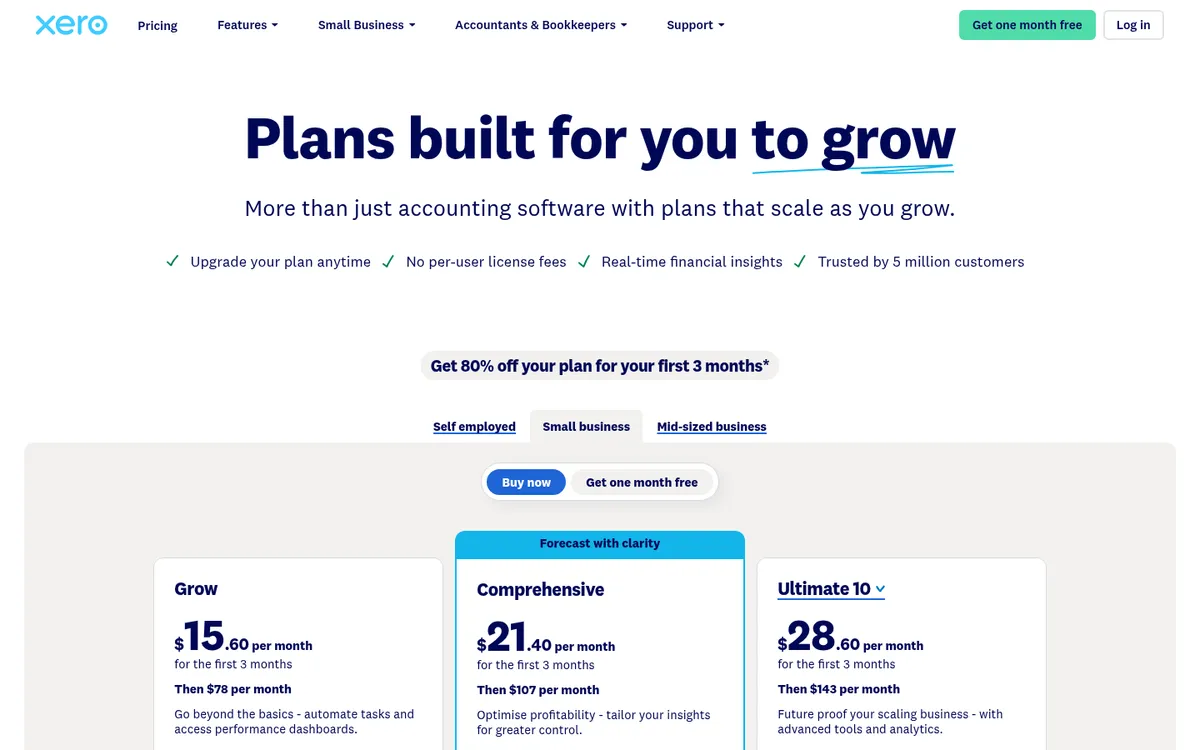
Xero is the default for a large share of Australian accountants and bookkeepers, which matters because your accountant will want to work in the file. Every plan tracks GST and lodges BAS, payroll covers Single Touch Payroll and super, and the TPAR report is built in.
Job tracking is the weak spot below the top tier. Projects, with time and cost tracking per job and progress invoicing, comes with Ultimate 10 at $143 a month for up to 10 users, then $7 per extra user. On cheaper plans builders use tracking categories, which show spend per job but nothing about budgets, commitments or contracts.
Best for: Sole traders and small builders whose accountant works in Xero.
Watch out for: Ignite limits how many invoices you can approve and send. Projects tracks spend, not contract value, claims or retention.
Pricing: Ignite $37, Grow $78, Comprehensive $107, Ultimate 10 $143 a month including GST. New customers get 80% off for three months. Compare Xero and Planyard or see Xero alternatives for construction.
2. MYOB Business – Best for Builders with Bigger Crews on Payroll
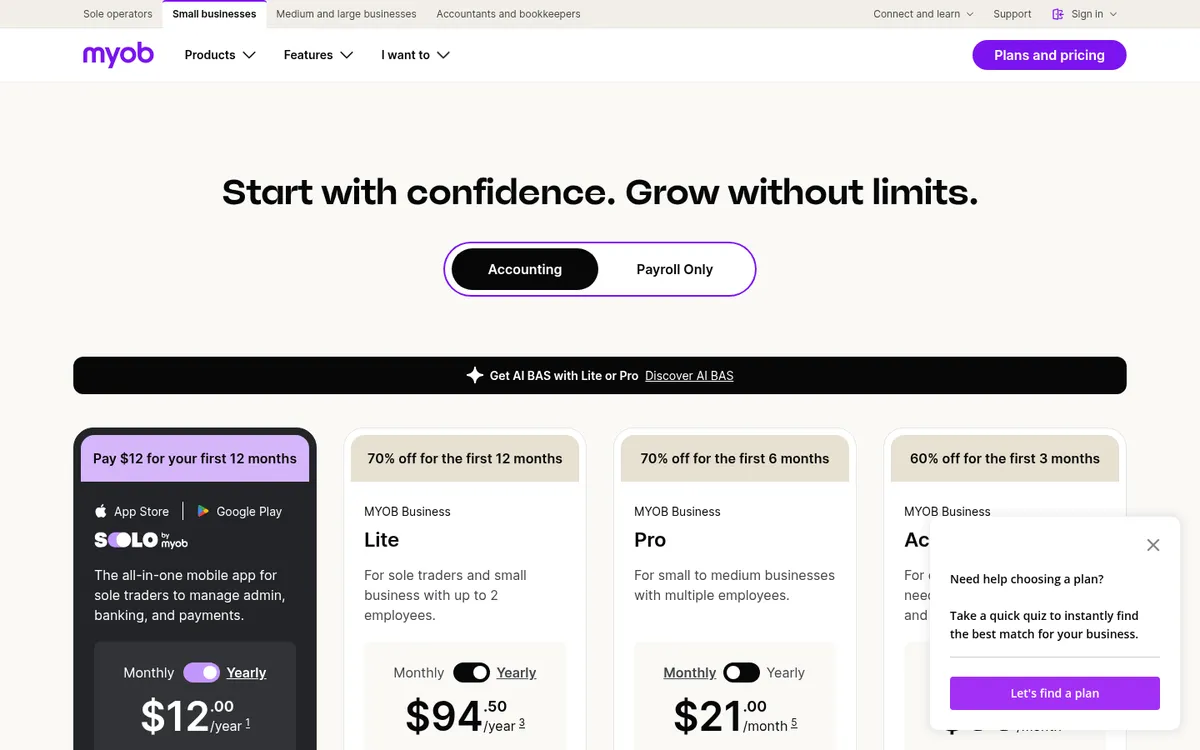
MYOB is the other ledger most Australian accountants know. Business Lite and Pro run in the browser and track job progress, profit and expenses per job. AccountRight Plus adds a budget per job, billing by time, unlimited inventory and unlimited payroll at no extra cost, which is why builders with a large wages bill often end up there.
AccountRight Plus and Premier include software that installs on Windows computers, and some features are still desktop only. Payroll on Lite and Pro costs $3 per employee per month, and MYOB has announced payroll price changes from 1 November 2026.
Best for: Builders with ten or more people on the books and an accountant who works in MYOB.
Watch out for: Job budgets only from AccountRight Plus. No contract, claim or retention tracking.
Pricing: Lite $315 a year, Pro $70 a month, AccountRight Plus $165 a month, including GST. Payroll on Lite and Pro is $3 per employee per month. Introductory discounts apply.
3. QuickBooks Online – Lowest Price for Project Tracking
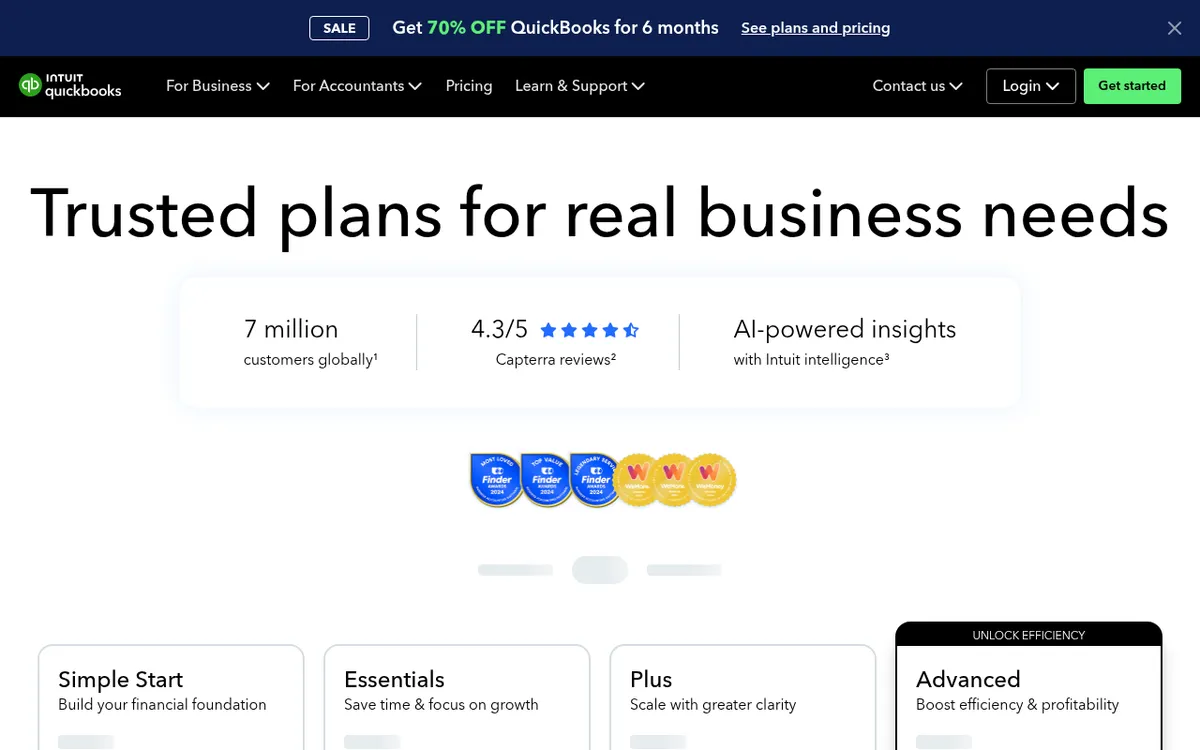
QuickBooks Online covers GST, BAS lodgement and TPAR on every plan, with payroll added through QuickBooks Payroll powered by Employment Hero at extra cost. The Plus plan adds project management, budgeting and up to 40 classes and locations, which is the cheapest route to per-job reporting among the big three ledgers.
Fewer Australian accountants and construction apps default to QuickBooks than to Xero or MYOB, so check that your accountant and the tools you plan to add support it.
Best for: Price-conscious builders who want job profit reports without paying for Xero Ultimate.
Watch out for: Payroll costs extra on every plan. Projects tracks income and costs, not contracts or retention.
Pricing: Simple Start $33, Essentials $60, Plus $84, Advanced $125 a month, with 70% off for six months for new customers. See QuickBooks Online and Planyard compared.
4. Reckon One – Cheapest Ledger with Projects
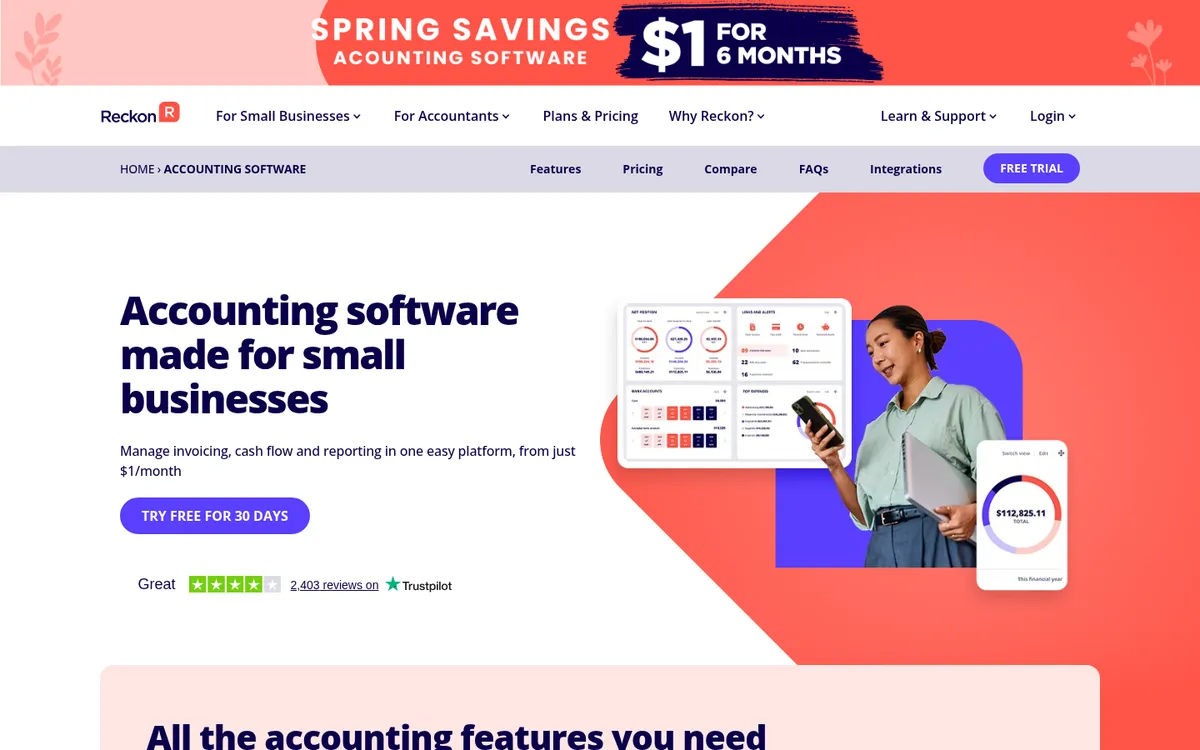
Reckon is an Australian company and Reckon One is its cloud product. Accounting Plus covers invoicing, bank feeds, budgets and GST for BAS. Accounting Premium adds timesheets and unlimited project tracking, with sub-projects for larger jobs. Payroll is a separate subscription.
Best for: Small builders and trades on a tight budget who want job profitability reports.
Watch out for: Smaller app ecosystem than Xero, MYOB or QuickBooks, and fewer bookkeepers who know it.
Pricing: Accounting Plus $24, Accounting Premium $46, Ultimate $85 a month. Payroll from $16 a month. Long introductory offers apply.
5. Buildxact – Best for Residential Builders Who Quote a Lot
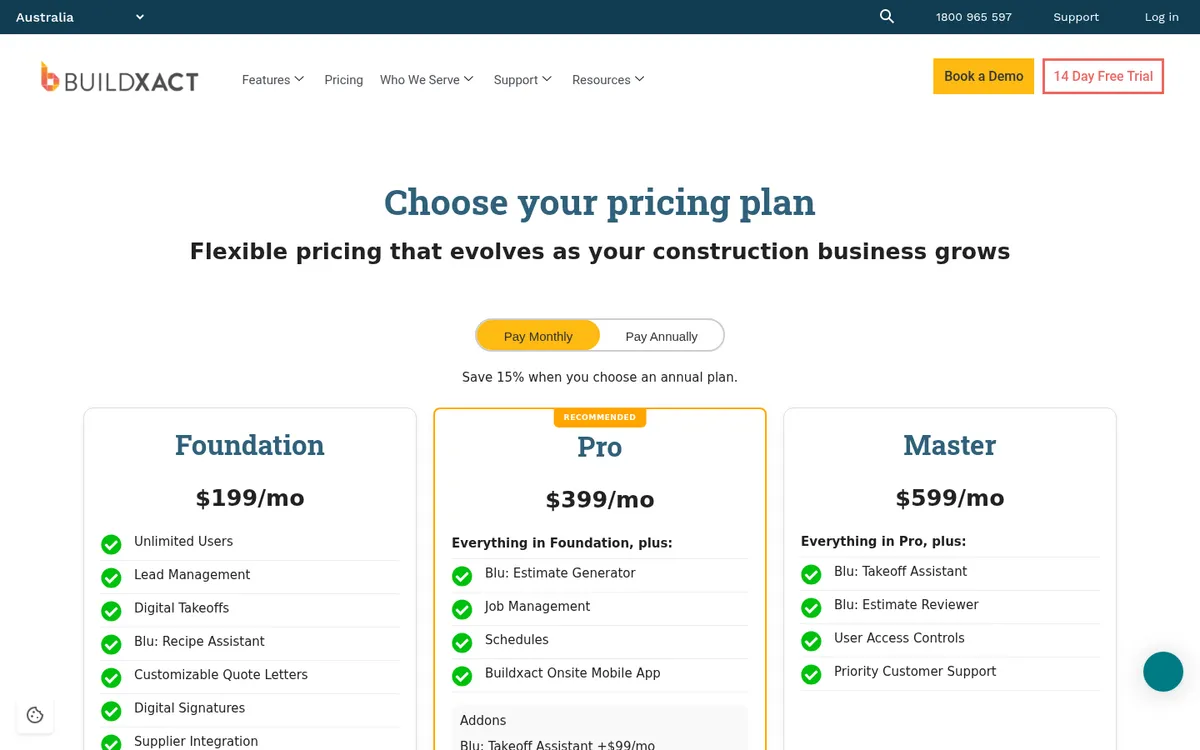
Buildxact is an Australian estimating and job management tool for residential builders and renovators. It starts with takeoff and estimating, and from the Pro plan adds job management, schedules and a sync of purchase orders and invoices to Xero or QuickBooks. Job costs are reported against the same tasks used to build the estimate.
You still need a ledger alongside it, and its strengths are in winning and running residential work more than in commercial contract administration.
Best for: Residential builders and renovators who want estimating, quoting and scheduling in one place.
Watch out for: Accounting sync needs the Pro plan. Pricing is per business, but the entry price is high if you only want job costing.
Pricing: Foundation $199, Pro $399, Master $599 a month plus GST, with 15% off on annual plans. Unlimited users. See Buildxact and Planyard compared.
6. Premier Construction Software – Best All-in-One for Mid-Size Builders
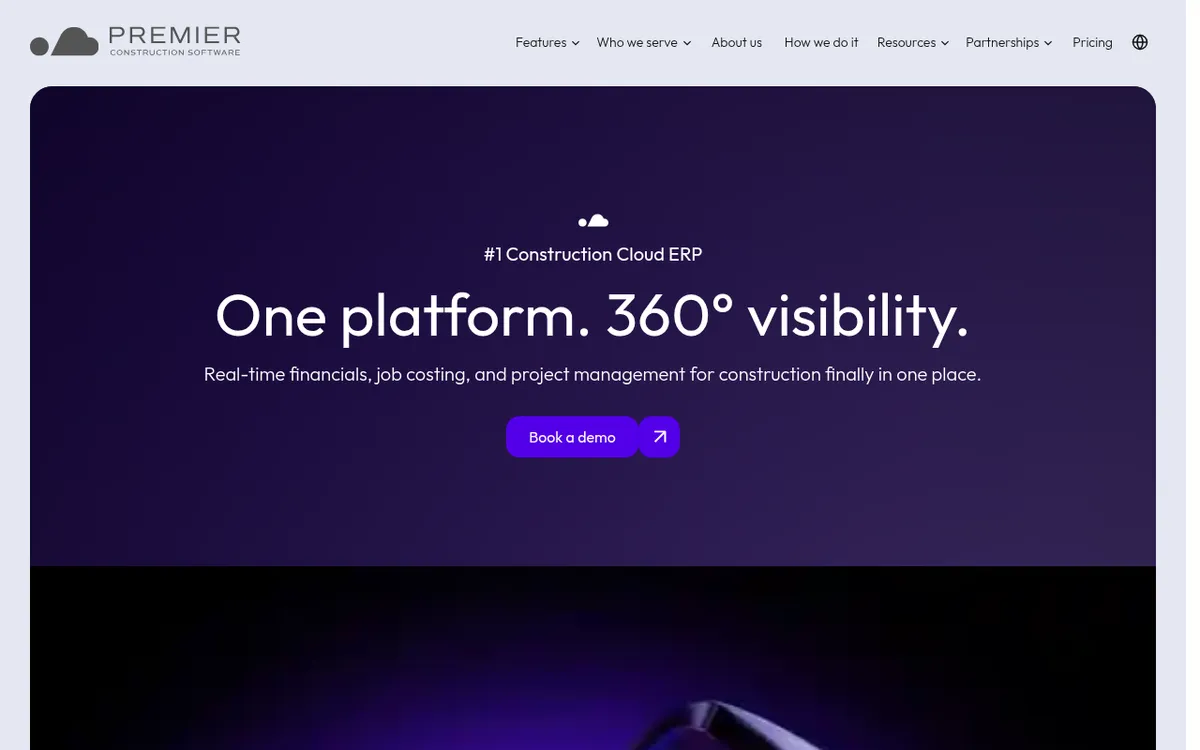
Premier is a cloud construction ERP sold in Australia, New Zealand, North America and the UAE. It puts accounting, job costing, project management and field operations in one system, with GST, labour cost tracking and super handled inside it, so it replaces your ledger rather than sitting next to it.
Best for: Builders and fit-out contractors who want one system for accounts and jobs and are ready for an implementation project.
Watch out for: You move off Xero or MYOB, and pricing is not published.
Pricing: Quote only.
7. Jobpac Connect – Best for Established Commercial and Civil Contractors
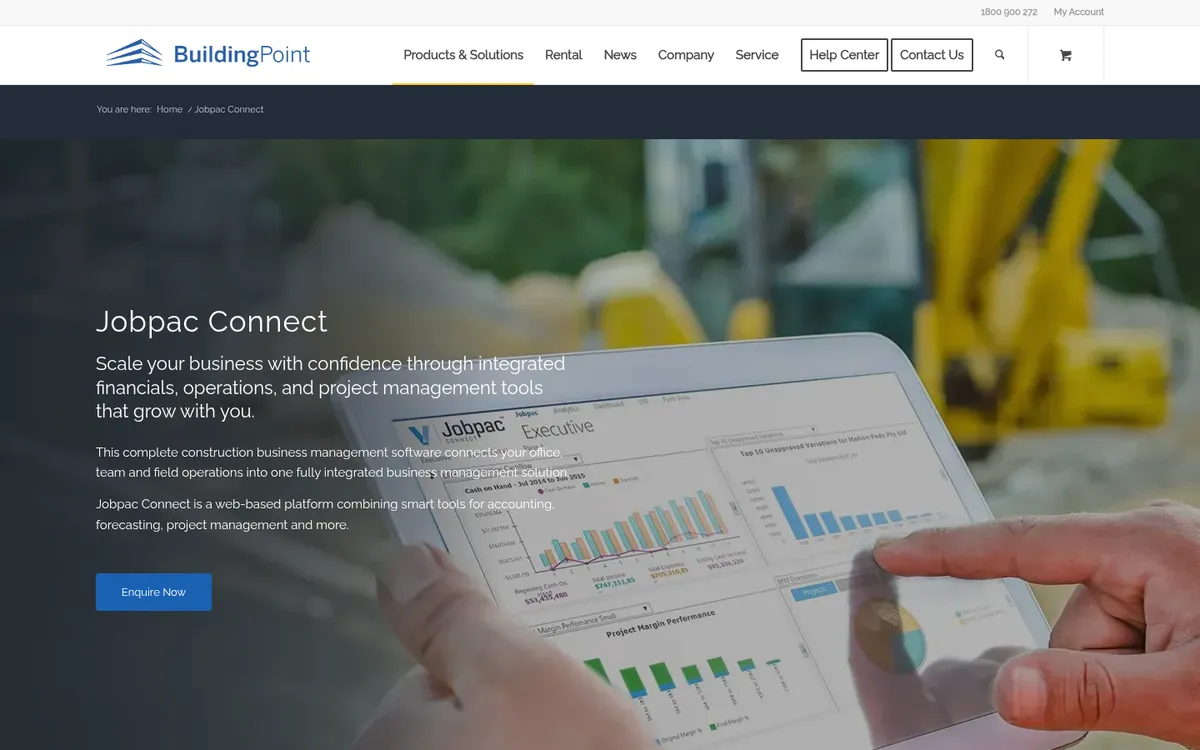
Jobpac Connect is a web-based construction ERP built for the Australian and New Zealand market, sold locally through BuildingPoint Australia. It combines construction accounting, contract valuation and forecasting reconciled to the financial ledger, cash flow and work-in-hand forecasting, and a mobile app for timesheets.
Best for: Commercial builders and civil contractors with a finance team and many concurrent contracts.
Watch out for: A full ERP implementation, sized for larger firms. Overkill for a builder with a handful of jobs.
Pricing: Quote only.
8. Sage Intacct Construction – Best for Multi-Entity Groups with a Finance Team
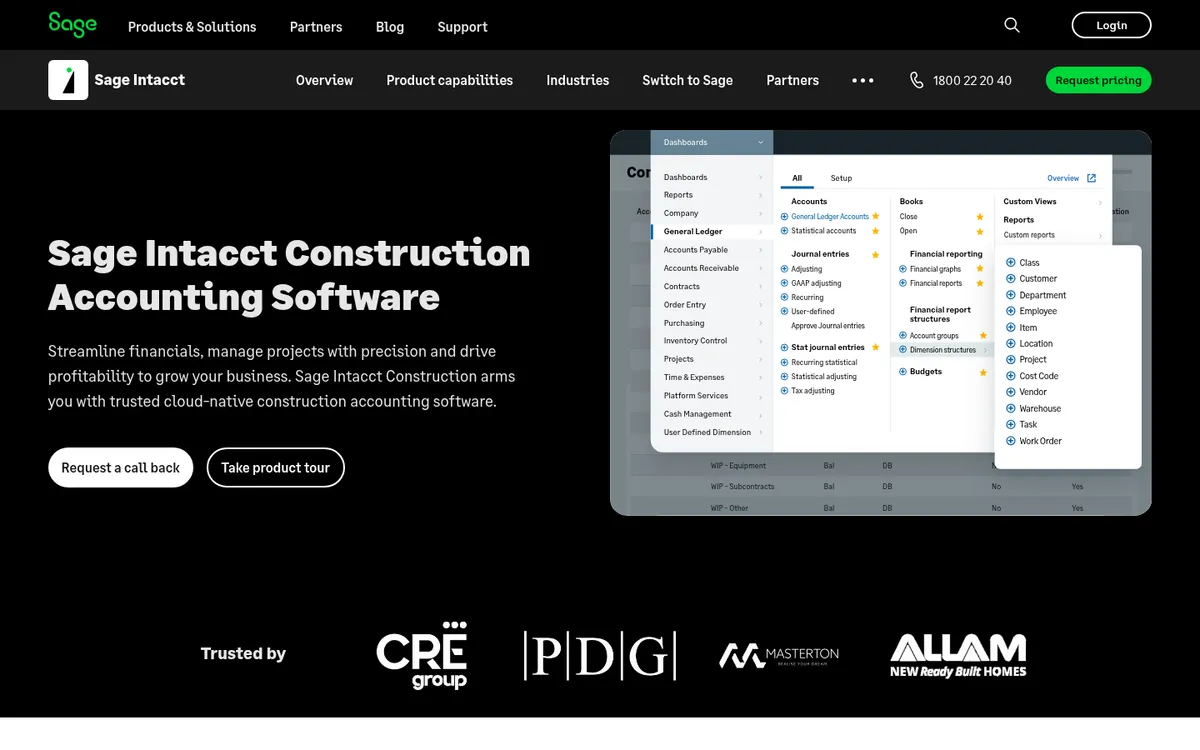
Sage Intacct is cloud financial software with a construction edition sold in Australia. It tracks actual and committed cost per project, bills on fixed price, time and materials and cost-plus contracts, and handles multiple entities. Sage positions it as the financial core that construction-specific tools connect to.
Best for: Groups with several entities, a CFO or financial controller, and a budget for implementation.
Watch out for: Built for finance teams, not project managers. Long sales cycle and implementation partner needed.
Pricing: Quote only. See Sage Intacct Construction and Planyard compared.
Construction Cost Control on Top of Your Ledger
The ledgers above record a bill once it is entered. They do not hold the contract, the claims to date or the retention, so job margins end up in a spreadsheet. A cost control tool on top of Xero, MYOB or QuickBooks takes that over and leaves BAS and payroll where they are.
Planyard – Best for Job Cost Control on Top of Xero, MYOB or QuickBooks
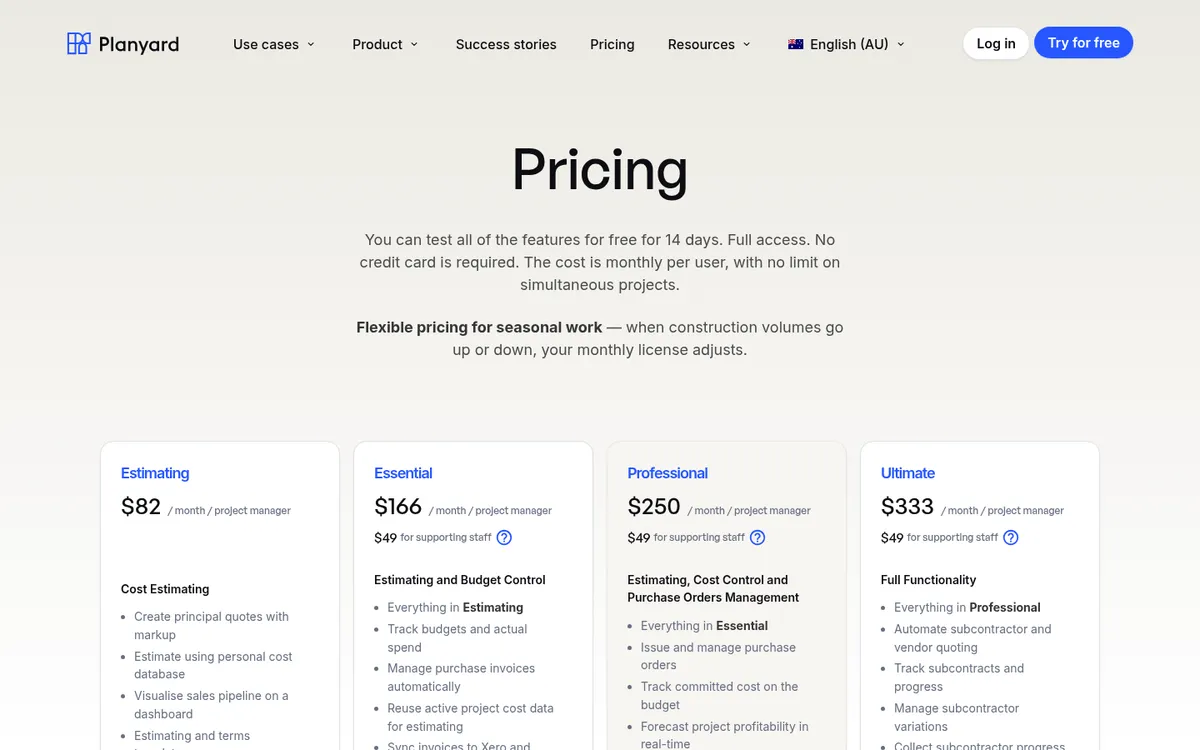
Planyard sits between site and accounts and leaves the ledger where it is. It handles budgets by cost code, purchase orders and subcontracts as committed cost, supplier bills approved by the project manager against the budget, and a forecast of the final margin on every job. Approved bills sync to Xero, MYOB or QuickBooks with their cost codes, so the bookkeeper stops re-keying and GST and BAS stay in the ledger.
On Professional it adds client contracts with progress claims, variations and automatic retention. Ultimate adds subcontractor quoting, subcontracts and subcontractor progress claims that subbies submit online. For MYOB, budget lines are mapped to MYOB accounts first; Xero and QuickBooks work without that step.
The Keane Group, an industrial builder in Queensland, moved from Xero exports and Excel and now saves three to four days a month on project reporting, and about two hours per subcontractor claim assessed.
Best for: Builders and contractors running 2 to 30 jobs who want live job margins without leaving Xero, MYOB or QuickBooks.
Pair it with: Xero, MYOB or QuickBooks for payroll, BAS and TPAR, and a takeoff tool if you measure from drawings. The Estimating plan alone does not sync to accounting.
Pricing: Per project manager per month, excluding GST: Estimating $82; Essential $166 (budgets, actuals, bill import and the Xero, MYOB or QuickBooks sync); Professional $250 (purchase orders, committed costs, forecasting, progress claims, variations and retention); Ultimate $333 (subcontracts, subcontractor claims and tenders). Supporting staff $49. Enterprise on quote. 14-day free trial. See Planyard pricing.
"If I were still relying solely on Excel to track and present the financial positions of our projects, I would be losing significant time every single month. By implementing the streamlined processes that Planyard supports, I’m saving at least three to four days of work every month that would have otherwise been spent on manual data entry and reconciliation."
Read more
See every job's margin without leaving Xero or MYOB
Planyard sits on top of your accounting software. Set up your first job in an hour. 14-day free trial, no credit card.
Xero or MYOB for a Small Building Company?
This is the most common question builders ask when they start out, and it matters less than it seems. Both handle GST, BAS, STP payroll, super and TPAR. Ask your accountant which one they use and go with it, because a file your accountant knows costs less to look after.
If you are choosing from scratch: Xero has more apps and is easier for a bookkeeper to pick up. MYOB AccountRight Plus suits a builder with a large crew, because payroll for any number of employees is included and you can set a budget per job. Neither tracks contracts, claims and retention, so the question that decides your setup is what you add on top.
How to Choose
By company size
- Sole trader or tradie: Xero Ignite or Grow, MYOB Lite, QuickBooks Simple Start or Reckon One. A ledger is all you need.
- Builder with 2 to 10 jobs running: Xero or MYOB plus a cost-control tool such as Planyard, or Buildxact if your work is residential and quote-heavy.
- Contractor with 10 to 30 jobs and a QS or contract administrator: Xero or MYOB plus Planyard Professional or Ultimate, for claims, variations, retention and subcontractor claims.
- Commercial or civil contractor with a finance team: Jobpac Connect, Premier or Sage Intacct Construction.
By what breaks first
If month-end reporting takes days, the problem is job costing. If claims and payment schedules are late, it is contract administration. If BAS is late, it is the ledger or the bookkeeping. Construction accounting software covers the cost-control side in more detail, and our job costing software guide compares tools for that job alone.
"I came from a heavyweight enterprise ERP at a UK Tier 1 contractor, so I saw how bloated software hurts financial control. At an Australian SME I still need that Tier 1 budget discipline, just without the bloat.
Planyard hits the sweet spot: structured budgets, strong cost controls, and a professional ERP-level feel, but simple enough that I set it up myself in a few days. It is now our gatekeeper for purchase orders and handles tax and retention smoothly.
Real financial clarity without the spreadsheet headaches."

Related Guides
- Best Construction Cost Management Software in Australia
- Best Progress Claim Software for Australian Contractors
- Best Construction Accounting Software for UK Builders
Keep Xero or MYOB. Add the job costing they are missing.
Planyard tracks budgets, commitments, progress claims and retention per job, and syncs approved bills to your ledger. 14-day free trial, no credit card.