Construction cost control software for Xero users

Add live project cost control on top of Xero

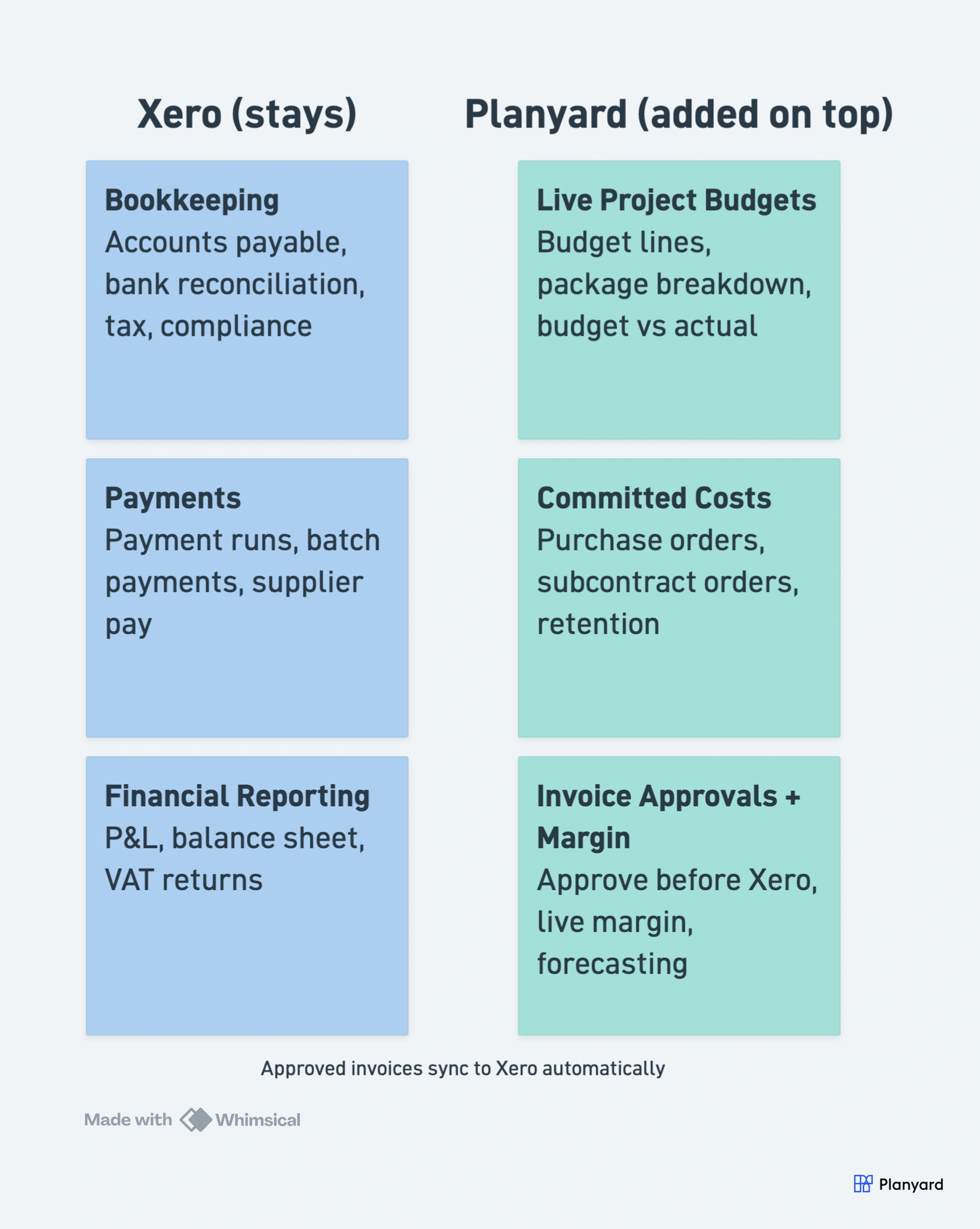
Planyard helps teams manage budgets, committed costs, invoice approvals, and profitability while keeping Xero as the accounting system.

Free 14-day full-featured trial. No credit card required.

Integrates with

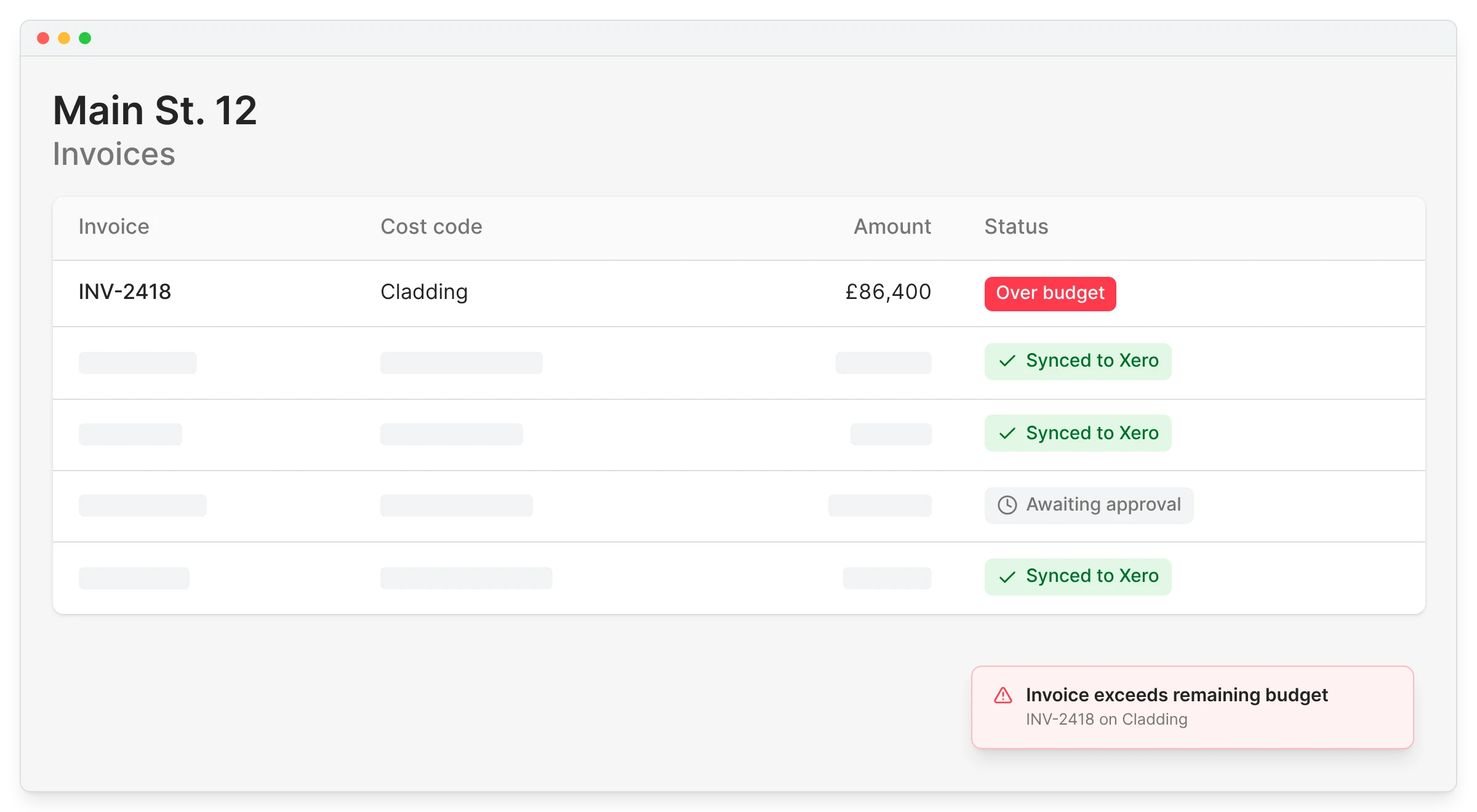
Planyard invoice list with Xero sync status pills, showing an over budget cladding invoice alongside invoices synced to Xero and one awaiting approval

Why Xero users start looking for construction cost control software

The issue is not that Xero is bad at accounting. The issue is that project teams need more detailed, live commercial visibility than accounting software is designed to provide. Once budgets, cost tracking, and invoice checks start spilling into spreadsheets, it becomes much harder to stay in control.

If you are weighing up your options, the guide to construction cost control covers the essentials, and Planyard’s construction cost management software shows how it works alongside your accounting system.

Xero handles bookkeeping, not live project budget control

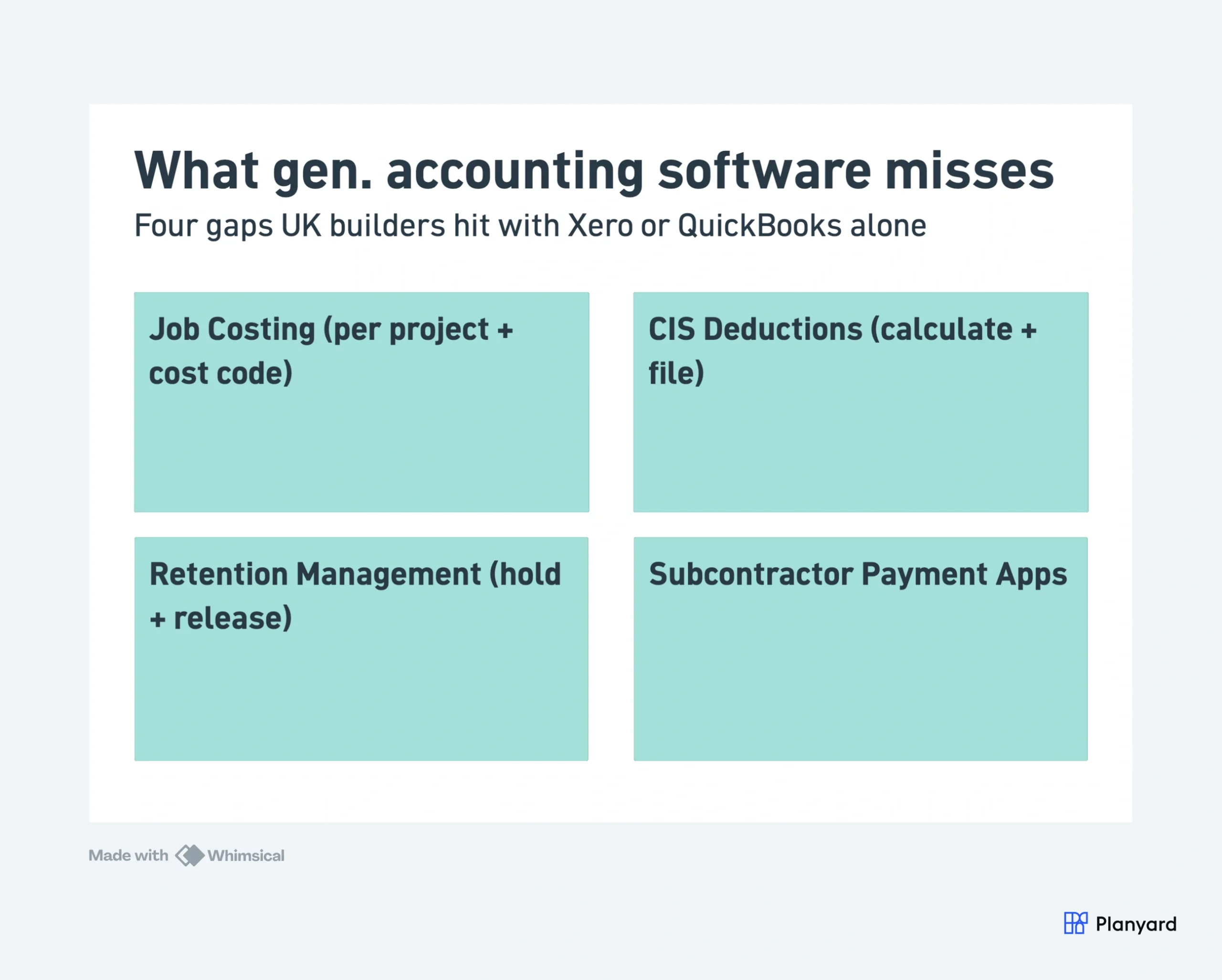
Built for accounting, not job costing

Project teams still need detailed cost visibility during the job

Not just at month-end

Spreadsheets often end up filling the gap

Manual, fragile, hard to keep current

It becomes harder to trust the live financial picture

Numbers drift between files and exports

"We use Xero to manage the company’s bookkeeping and finances, but it doesn't provide the detailed project information we need to manage our projects effectively."

Read more
Sharon Brown, Financial Controller
Sharon Brown Financial Controller  ·  Empower Renewables  ·  Dublin, Ireland

Add the construction costing layer Xero is missing

Planyard gives project teams one place to manage costs instead of juggling spreadsheets and accounting exports. It is built for how construction teams actually handle budgets, commitments, orders, and invoices.

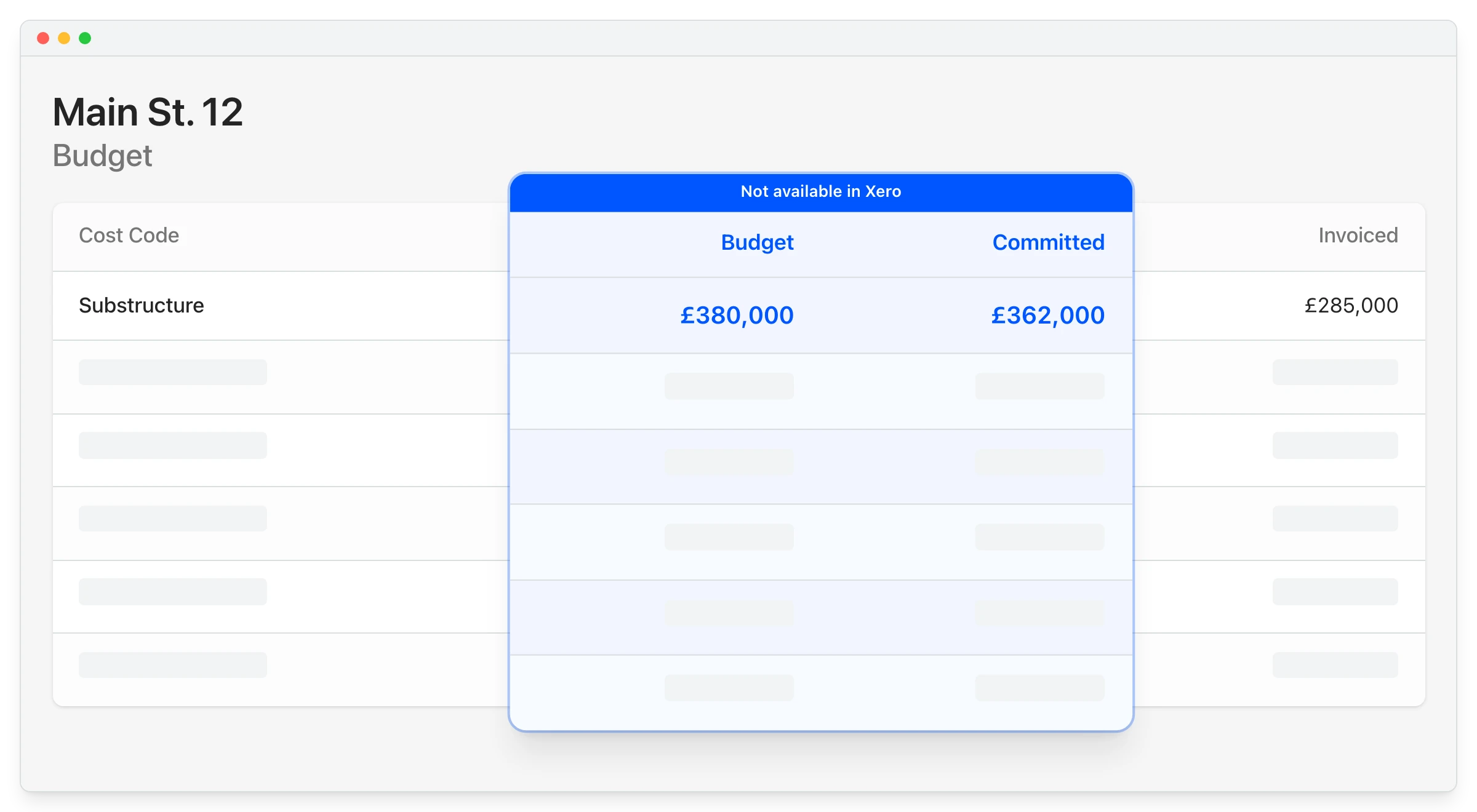
Manage project budgets and live costs in one place

One live view of the job

Track committed costs before invoices arrive

Know your position early

Review and approve costs before they reach Xero

Control at the project level

Keep project controls aligned with accounting

Approved costs flow through cleanly

"When I have been working on cloud accounting like Xero and Quickbooks they don’t have a specific construction-based costing tool. You have project management costing tools but they are not aimed at the level of what construction companies need so I came across Planyard and I was like finally there is something that solves the problem."

Paul Howarth, Experienced FD/Consultant
Paul Howarth Experienced FD/Consultant  ·  Live Management Accounts

Move from Xero plus spreadsheets to one connected workflow

For many contractors, the real pain is not Xero itself. It is the manual process built around Xero.

Xero + spreadsheets Planyard + Xero
Estimates, budgets, and actuals managed across separate files
Budgets, costs, and approvals connected in one workflow
Data pulled from Xero and matched manually in Excel
Project costs reviewed live before they land in accounting
Hard to see how the budget is tracking clearly
Clear view of budget versus actual expenditure
Financial clarity depends on manual reconciliation
Financial clarity comes from one connected process

"It was a combination of manual steps that slowed us down. We were doing estimates in one spreadsheet, creating another to manage the budget, and then trying to extract data from Xero to bring back into Excel. From there, we had to somehow match everything up just to understand how the budget was tracking against our actual expenditure. It was a disjointed process that made financial clarity difficult to achieve."

Read more
Jason Escobar, Project Management / Systems & Process Dev
Jason Escobar Project Management / Systems & Process Dev  ·  The Keane Group  ·  Queensland, Australia

Let project teams manage costs while Xero handles payments

Contractors do not need one system to do everything. They need the right split between project cost control and accounting. Planyard lets project teams handle approvals, budget control, and margin visibility before costs hit the accounting system. Then Xero stays focused on what it does best, while management still gets a clearer view of project performance.

Book a demo

Sign off invoices before they hit Xero

Approvals happen at the project level

Push approved costs to the right job number

Correct accounting context every time

Keep payment workflows simple in Xero

No extra process for your finance team

Check margins in Planyard

Instead of piecing them together manually

"We had to get our accountant on board and interface it with Xero, so invoices hit the right job number. Now an invoice gets uploaded in Planyard, I sign it off, and it drops into my Xero payment schedule in three or four weeks - it’s perfect."

Read more
Lee Covington, Owner
Lee Covington Owner  ·  E&N Group Ltd  ·  London, United Kingdom

Works on top of the accounting tools you already use

Planyard is the live project cost-control layer on top of your accounting system. Approved invoices flow through to Xero, QuickBooks, and more.

Empower Renewables kept Xero for finance and added Planyard for live project cost control.

Empower Renewables ran their bookkeeping in Xero but it could not give them project-level cost detail. With Planyard on top, they track budgets and committed costs live and approved invoices flow straight through to Xero, so finance and project teams finally work from the same numbers.

Empower Renewables
Dublin, Ireland
Read the case study →

Keep Xero for accounting. Add Planyard for live construction cost control.

Manage budgets, committed costs, invoice approvals, and margin visibility in one live workflow while keeping Xero as the finance system.