
Construction budgeting software is what contractors use to track budget, committed costs, forecasts, and project profit – without rebuilding spreadsheets at month-end. It keeps budgets, purchase orders, invoices, forecast changes, and profitability connected in one workflow so teams can act earlier and with more confidence. Instead of waiting for the accountant to reconcile last month, project teams see where the money stands while the work is still happening.
What construction budgeting software does
At a basic level, construction budgeting software helps you create a project budget and track costs against it.
In practice, contractors want to see what has been committed, what has been approved, what is still coming, and whether the project is heading toward profit or loss. That means the software needs to give a live view of project cost and margin – not a month-end summary that arrives too late to act on.
- Track the working budget for each project
- See committed costs before invoices arrive
- Forecast where the final cost is heading
- Understand project profitability before it is too late to react
"You can analyze costs at both a budget and subcontract level, making it easy to see exactly what has been ordered against your total commitments. That visibility filled a huge gap we had previously; Planyard completely solved that problem for us."
Read more
Why contractors search for construction budgeting software
Most buyers do not begin with a software search because they love new tools. They start searching after hitting a real pain point that spreadsheets can no longer solve.
The three most common triggers are:
- They cannot clearly see where the budget stands right now – the numbers are scattered across files and inboxes
- Their spreadsheets and manual workflows no longer scale with the size of the work or the number of people involved
- They want to know whether the job is still profitable before the project finishes – not three weeks after
At that point, rebuilding a spreadsheet each month feels like a reporting exercise rather than a control mechanism. That is when contractors start looking for software that gives them a live answer instead of a delayed one.
"Planyard takes your project budget and puts it very clearly on screen, allowing you to account for all your costs, invoices, and receipts as you process them before they even reach the accounting department. This gives you a live, real-time picture of exactly where your project budget stands at any given point."
Read more
What good construction budgeting software should include
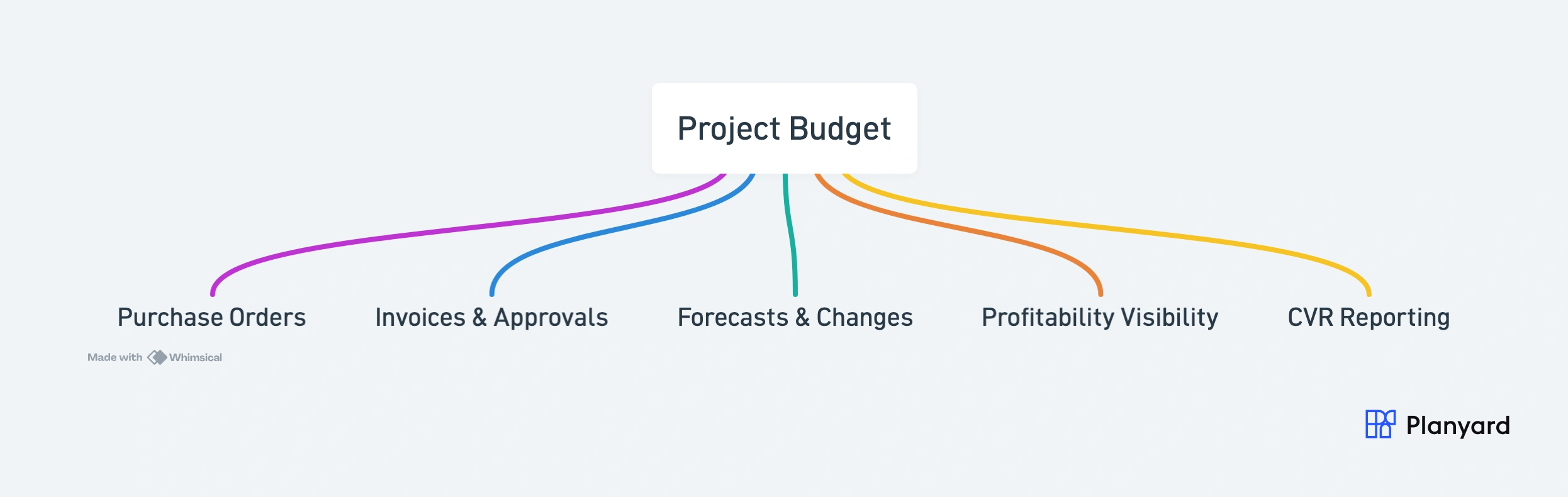
Good construction budgeting software should do more than record historic costs. It should connect budget, commitments, invoices, revised budget, forecasting, and financial reporting in a way that is simple enough for project teams to use and strong enough for leaders to trust. See our guide to the best construction budgeting software for a comparison of options.
- Budget structure by phase, package, cost code, or category
- Purchase orders and subcontract commitments linked to budget lines
- Invoice matching and approvals tied back to the budget
- Forecasting and revised budget tracking
- CVR and profitability visibility
- Reporting that helps teams explain what changed and why
How construction budgeting software works in practice
The best way to explain the category is through the workflow. Instead of treating budgeting as a separate reporting exercise, the software updates the commercial picture as project activity happens.
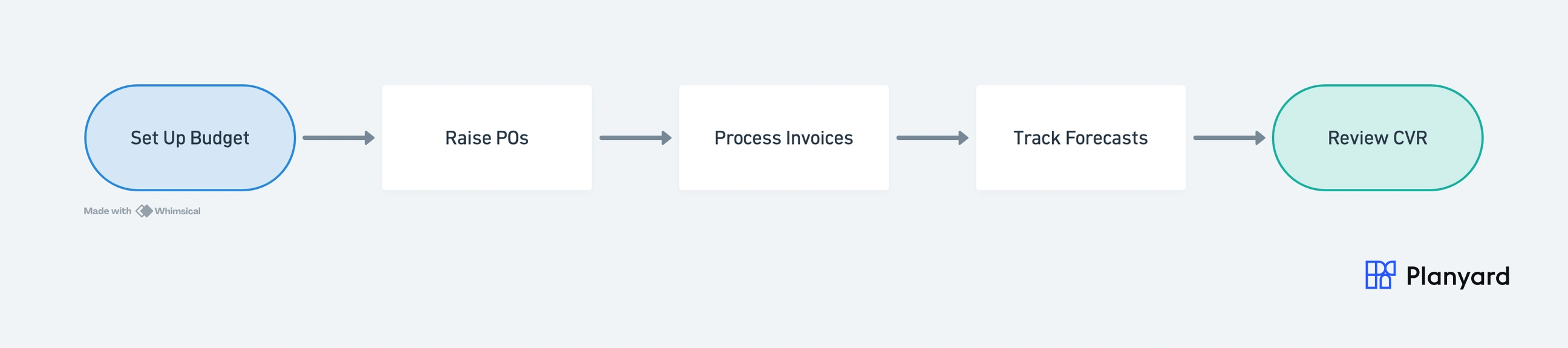
Here is the typical flow once a project starts:
- Import or set up the project budget – either from your estimate or from a spreadsheet you already have
- Raise purchase orders or subcontract commitments against that budget – so committed costs appear immediately
- Process invoices and receipts against orders and budget lines – matching them to what was agreed
- Track revised budget and forecast movement – as scope changes or costs shift
- Review CVR and profitability as the numbers update – without waiting for month-end
The point is that nothing sits in a separate file. Every action – raising an order, approving an invoice, adjusting a forecast – feeds back into the same budget view automatically.
"Planyard is a live overview of your projects. How they are performing financially and it is basically a CVR that is live all the time. It has up-to-date data."
Read more
Construction budgeting software vs spreadsheets
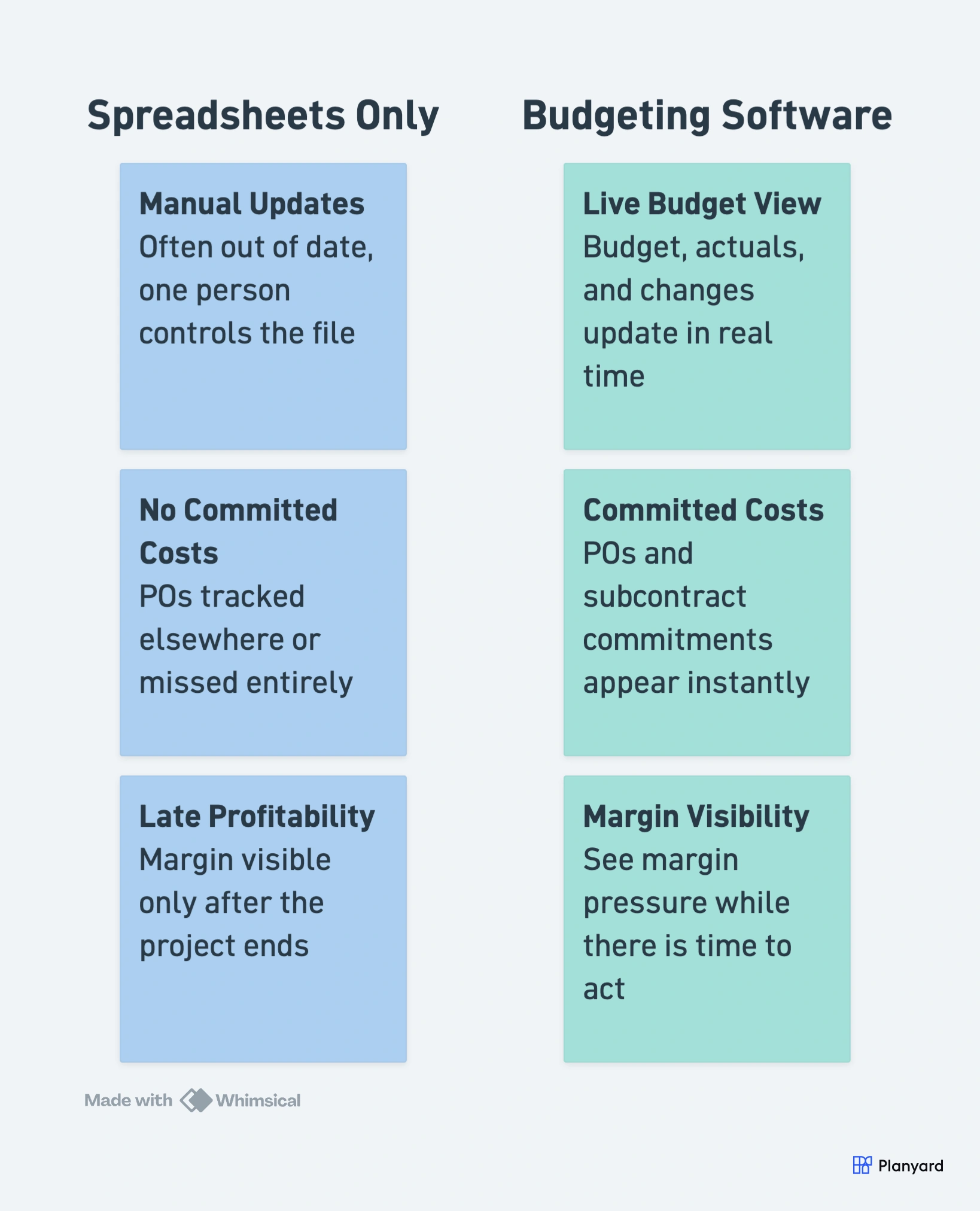
Spreadsheets can work when the process is simple and one person controls everything. They start to fail when the team needs live committed-cost visibility, shared workflows, clean approvals, and reliable forecasting across multiple people and multiple projects.
| Spreadsheets | Construction budgeting software | |
|---|---|---|
| Best for | Basic cost tracking on simple projects | Live project budget control across active jobs |
| Budget visibility | Manual updates, often out of date | One current view of budget, actuals, and changes |
| Committed costs | Usually tracked outside the main budget or missed entirely | Tracks purchase orders and subcontract commitments against budget lines |
| Forecasting | Usually retrospective and slow to update | Helps teams track revised budget and forecast final cost earlier |
| Profitability | Hard to see accurately until late in the project | Shows whether the project is still on margin while there is time to act |
| Team workflow | Multiple files, handovers, and duplicate entry | One connected workflow across project, commercial, and finance teams |
| Xero integration | Often relies on exports and manual reconciliation | Supports a cleaner workflow between project budgeting and accounting |
"With Planyard, the financial data is live, meaning you have a real-time view of where the project stands at any moment. When I was relying on Excel, I could only manage that kind of insight once a month. The transition from monthly snapshots to a live dashboard has completely changed how we monitor our project health."
Read more
See what construction budgeting software looks like in practice
Track budgets, commitments, invoices, and profitability in one live workflow. No spreadsheets required.
Why Xero users often need construction budgeting software on top
Xero is strong as an accounting system, but many contractors still need a commercial layer for project budgeting, commitments, approvals, forecasting, and live cost visibility. Xero handles the books. It does not handle the day-to-day project budget control that commercial teams need.
This is why many Xero users add construction budgeting software on top rather than trying to replace their accounting system:
- Keep project budgeting and cost control in a contractor-friendly workflow – without forcing it into accounting categories
- Push approved invoice data into Xero instead of re-entering it manually – reducing double-handling and errors
- Give project teams and finance one clearer view of the numbers – so both sides trust the same data
The result is that Xero stays exactly as it is – possibly even simpler – while the construction budgeting layer for Xero handles everything the accounting system was never designed to do. Learn more about how Planyard works alongside Xero for construction financial management.
Why construction budgeting software matters for profitability
The goal is not cleaner reporting. The real goal is to know whether the project is still on margin while there is still time to do something about it.
This is why forecasting, committed costs, and live visibility matter more than historic cost totals alone. A report that tells you the project lost money after it finished is not useful. A system that shows margin pressure while work is still happening gives you a chance to act.
- See where the margin is slipping earlier – before it becomes a write-off conversation
- Catch cost pressure before the invoice lands – because committed costs show what is coming
- Make commercial decisions with current data, not delayed reports that are already out of date
"We wanted to know before a project finished whether we were going to make a profit or not. Planyard has allowed us to do that. We can see exactly which jobs are profitable and which ones are not and can make changes on the go."
Read more
Want to see what construction budgeting software looks like in practice?
See how Planyard helps contractors manage budgets, commitments, invoices, forecasts, and profitability in one live workflow.