
Commercial management in construction covers budgets, procurement, contracts, valuations, and profitability. Most teams still run on fragmented tools and manual processes. These are the five challenges we hear most from QSs and commercial managers.
New to the discipline? Start with our guide to what commercial management in construction covers.
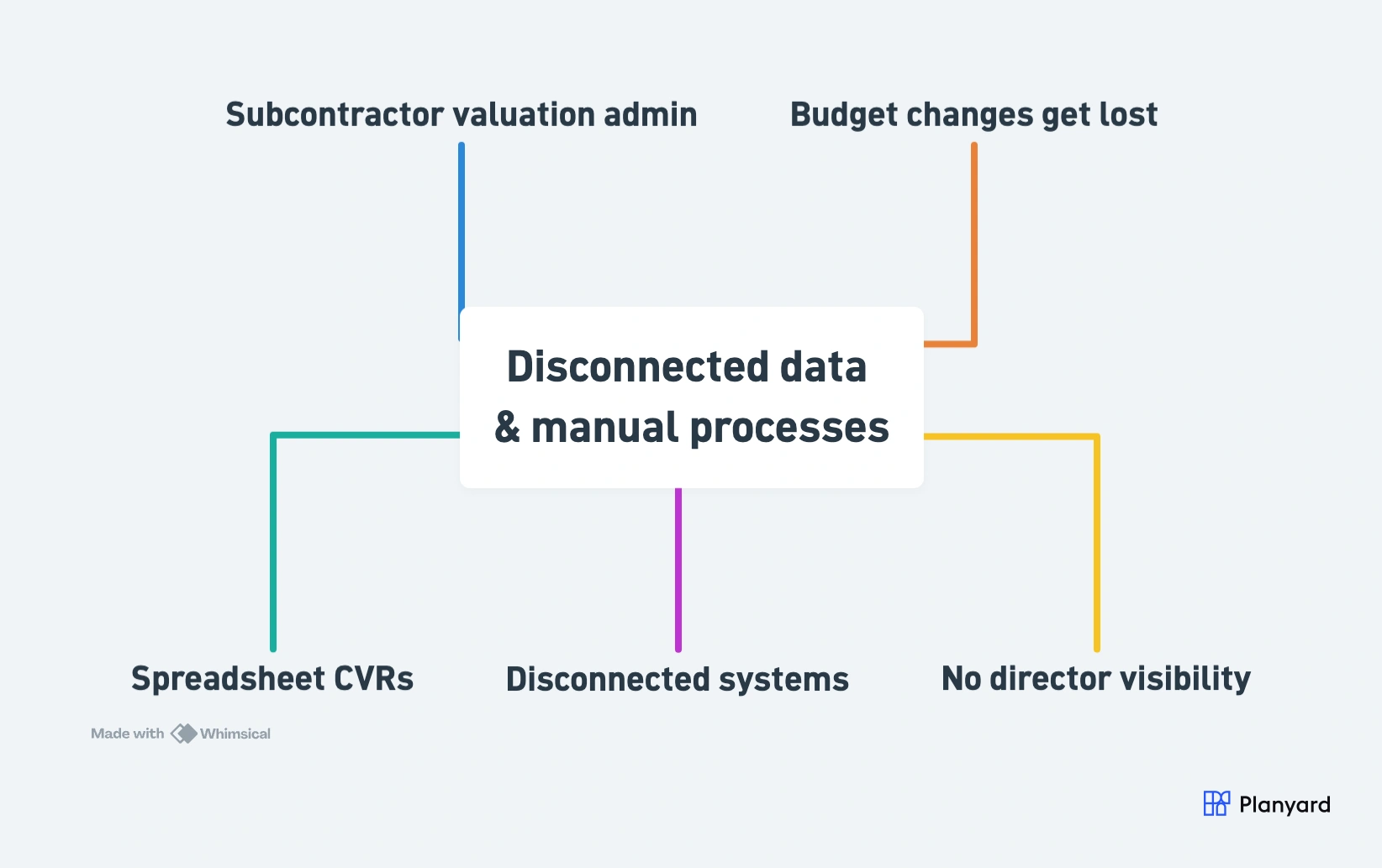
- Spreadsheet CVRs – manual assembly, version conflicts, stale data
- Disconnected systems – site, commercial, finance run separate tools
- No director visibility – portfolio data doesn’t exist in one place
- Valuation admin – paper certificates, manual approvals, slow sign-off
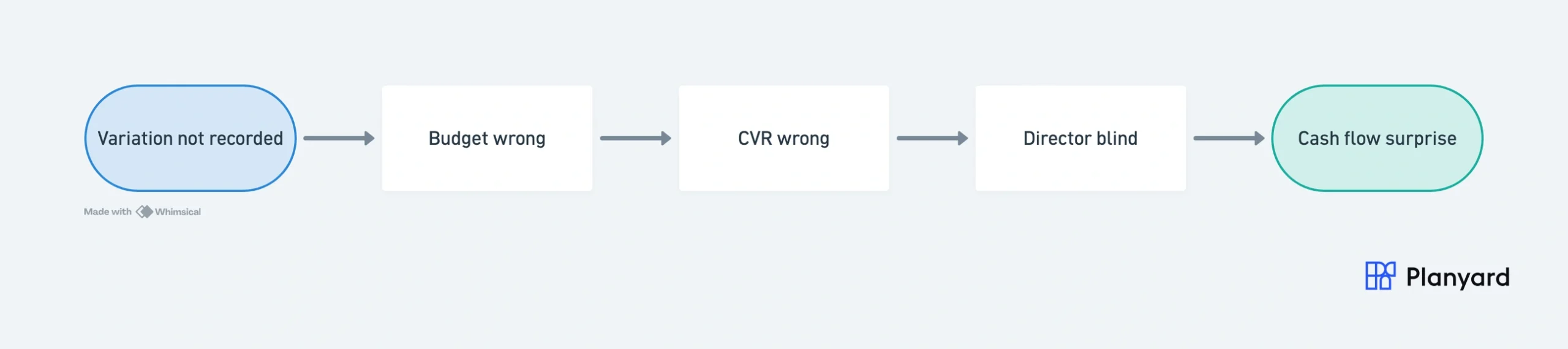
- Variations get lost – tracked in separate registers, never hit the budget
Challenge 1: Spreadsheet-Based CVR Reporting
The Problem
Monthly CVR reporting still lives in Excel for most UK contractors. Multiple people edit the same workbook – version conflicts nobody notices until numbers don’t add up. Data from subcontractor certificates, POs, and invoices all entered manually into a spreadsheet that’s only accurate the day it’s compiled.
A mid-size project QS spends two to five days each month assembling the CVR. Dragging formulas, checking cell references, cross-referencing source documents – not managing costs.
The Impact
- Directors make decisions on stale data – by the time the CVR is reviewed, it’s already three weeks old
- Manual entry errors go undetected – a missed formula or wrong cell reference can drop thousands from the position
- QSs spend 40%+ of time on admin – not commercial strategy, not managing risk, not negotiating with subcontractors
What Good Looks Like
A live CVR that updates automatically as costs are committed and invoiced. No version conflicts. No month-end assembly exercise. The numbers are current every day – not just the day someone finishes building the spreadsheet.
"The spreadsheet process was prone to errors. If you didn't drag a formula down to include every row, you could suddenly drop £20,000 out of your price without realizing it."
Read more
For a detailed breakdown of what CVR covers and how it should work, see construction cost value reconciliation explained.
Challenge 2: Disconnected Systems (Site, Commercial, Finance)
The Problem
Site teams use one system (or paper) for deliveries and progress. Commercial tracks budgets and orders in spreadsheets. Finance runs Xero or Sage with no visibility of committed costs. Data gets re-keyed between all three – nobody owns the gap.
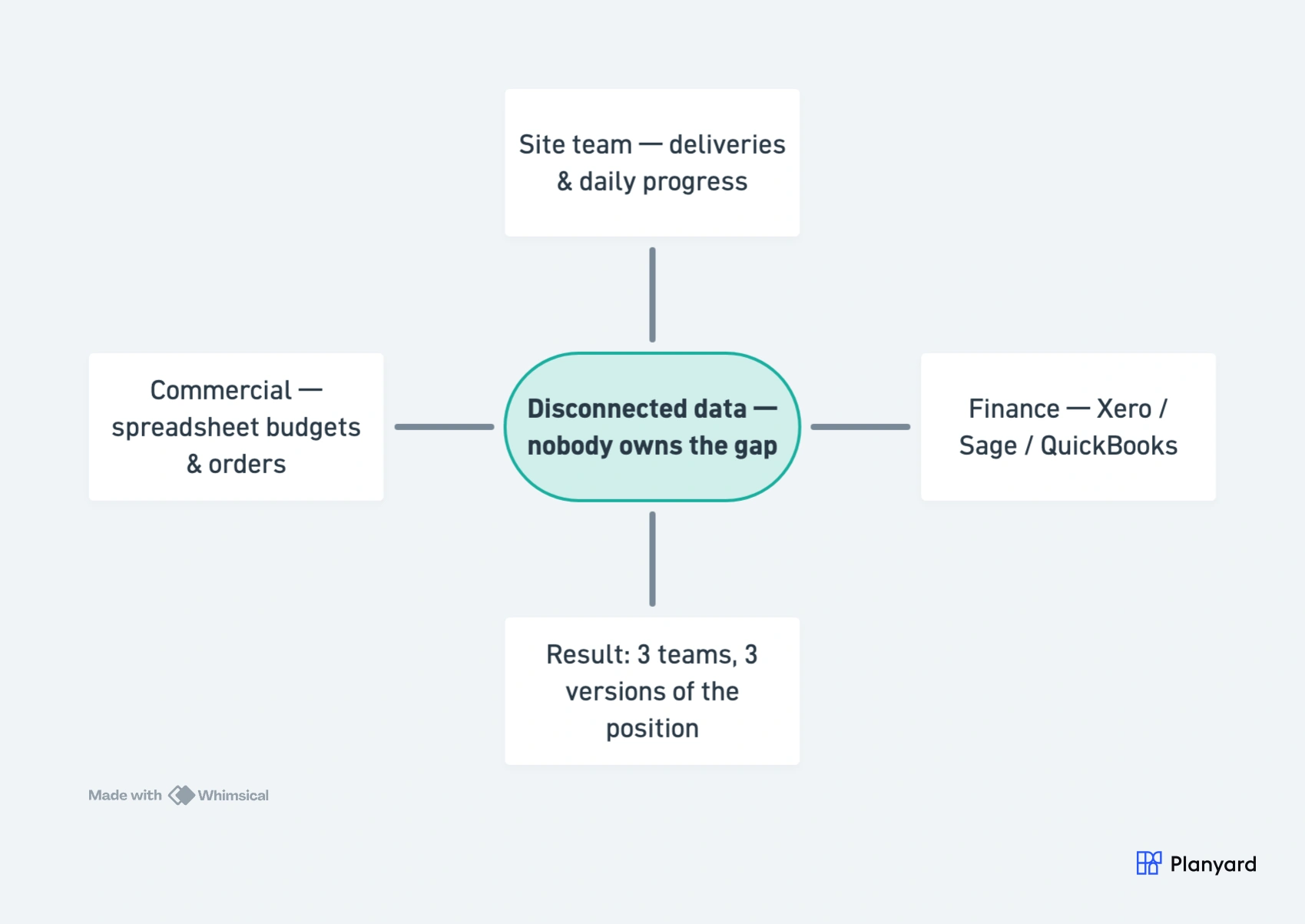
The result: invoices that don’t match POs. Finance posts costs commercial hasn’t approved. Nobody has a single view of committed vs actual vs forecast – because that view doesn’t exist in any one system.
The Impact
- Invoices don’t match POs – disputes with subcontractors and internal confusion
- Finance posts unapproved costs – the ledger doesn’t reflect commercial reality
- No single source of truth – three teams, three versions of the project position
What Good Looks Like
Approved commitments flow from the commercial team directly into the accounting ledger – automatically. Finance sees what’s coming before invoices arrive. No re-keying, no reconciliation meetings, no surprises.
"It was a combination of manual steps that slowed us down. We were doing estimates in one spreadsheet, creating another to manage the budget, and then trying to extract data from Xero to bring back into Excel. From there, we had to somehow match everything up just to understand how the budget was tracking against our actual expenditure. It was a disjointed process that made financial clarity difficult to achieve."
Read more
Challenge 3: No Real-Time Visibility for Directors
The Problem
Commercial directors rely on monthly reports from individual QSs – each in their own format, their own template, their own interpretation. Consolidating ten or more projects takes days. By the time the board sees the picture, it’s already outdated.
Problem projects only surface at month-end – when the damage is done and options are limited.
The Impact
- Problem projects aren’t flagged early – margin erosion stays hidden until month-end review
- Cash flow surprises – commitments and exposures aren’t visible at portfolio level
- Inaccurate business-level forecasting – can’t forecast company profit when project data is fragmented
What Good Looks Like
A director-level dashboard showing all projects in real time. Budget health, margin trajectory, and cash flow across every live project – visible any day of the month, not just after the reporting cycle. Exception-based alerting when margins erode or budgets overrun.
"There is nothing more important to management than a real-time overview of what's happening in the business, and that’s exactly what Planyard provides."
Read more
Get live visibility across all your projects
Replace month-end spreadsheet marathons with real-time CVRs and budget tracking. No credit card required.
Challenge 4: Subcontractor Valuation Admin
The Problem
Subcontractors submit applications on different dates, in different formats. The QS manually checks each against the order, progress, and retention terms. Certificates generated in Excel. Retentions tracked separately. CIS calculated manually.
Multiply across fifteen or twenty subcontractors per project – the admin is enormous, especially when the same QS is also managing the budget and producing the CVR.
The Impact
- Payment delays – compliance risk under the Construction Act and Housing Grants Act
- Retention errors – leading to disputes and cash flow miscalculations at project end
- CIS miscalculations – flagged by HMRC, creating penalties and admin overhead
What Good Looks Like
Subcontractors submit applications directly against their order in one system. Retention, CIS, and domestic reverse charge are calculated automatically. Certificates are generated and synced to accounts – no re-keying, no separate retention spreadsheet, no manual CIS lookups.
"When everything is set up, it’s just a few clicks and the process is complete. It automatically sends the document and tells the subcontractor exactly what amount to invoice for, making the entire valuation process incredibly easy."
Read more
Challenge 5: Budget Changes and Variations Get Lost
The Problem
The original budget is set at tender. Then reality starts: client variations, scope changes, design development, unforeseen conditions. Every change affects the position – but changes live in emails, meeting minutes, or the QS’s memory. No clear audit trail from tender to current forecast. Under NEC contracts, compensation events require early warning and formal notification – yet many teams track them informally.
At final account, this becomes serious. When the client disputes a variation, the QS needs to demonstrate exactly how the position changed. Without a clear trail, money gets left on the table.
The Impact
- Final account disputes – “that was never agreed” becomes impossible to disprove without records
- Invisible margin erosion – small changes accumulate without anyone noticing the overall impact
- No forecast history – can’t demonstrate how the position evolved over time
What Good Looks Like
Every budget change logged with a reason, an approver, and a date. A clear audit trail from tender budget through to current forecast. Variations tracked with status (pending, agreed, rejected) and their impact on the overall position – visible at any point in the project lifecycle.
"Creating contracts and connecting them with the budget is less time-consuming than doing it in Excel. Plus I have a clear overview of all change orders. It's easy to follow my contract performance and all the contracts are accessible from one place."
Read more
How Commercial Teams Are Solving These Challenges
These five challenges share a common root: disconnected data and manual processes. Fixing one in isolation still leaves gaps – because spreadsheet CVRs, disconnected systems, poor visibility, valuation admin, and lost variations all feed into each other.
The commercial teams that have moved past these problems share a few characteristics:
- Single source of truth – budgets, orders, valuations, and invoices all in one system
- Real-time updates – the position updates as work happens, not at month-end
- Accounting integration – approved data flows to Xero or Sage automatically
- Director dashboards – portfolio visibility without chasing individual QS reports
- Audit trail – every change recorded with who, what, when, and why
The goal isn’t to add another system to the pile. It’s to replace the patchwork of spreadsheets, emails, and workarounds with one workflow that connects budgets, procurement, contracts, and reporting – so QSs can spend their time on commercial strategy instead of data assembly.
Further Reading
- What is Commercial Management in Construction?
- Construction Cost Value Reconciliation (CVRs) Explained
- Free CVR Template for Excel
- Commercial Construction Management Software
Built for construction commercial teams
Planyard gives QSs and commercial managers live budget, CVR, and subcontractor data – replacing the spreadsheet patchwork with one connected workflow.