
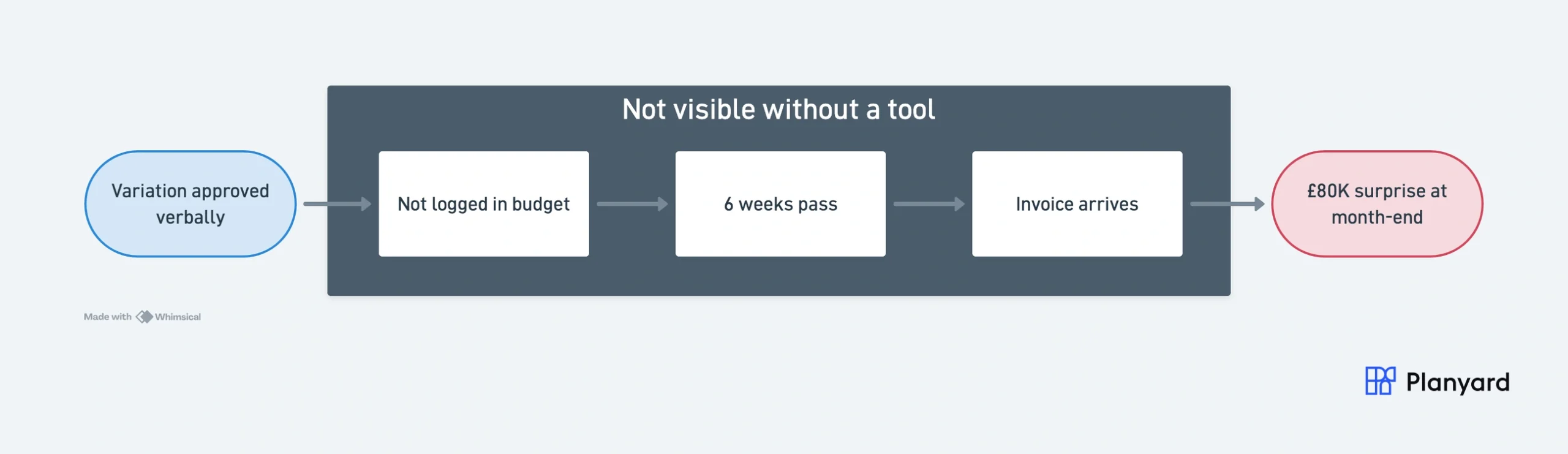
You’re three months into a £2M fit-out. The project feels on track — subcontractors are progressing, your client is happy. Then your QS finally reconciles last month’s invoices against the spreadsheet budget and discovers you’re already £80K over on M&E. The commitment was made six weeks ago when a variation was approved verbally but never logged. Sound familiar?
This is the scenario that plays out on construction projects every week — and it’s entirely preventable. Budget tracking isn’t just good practice; it’s the mechanism that turns financial guesswork into financial control.
Why budget tracking matters more than estimating accuracy
Most construction firms invest heavily in getting the estimate right. But the estimate is only the starting point. Projects change — scope grows, materials fluctuate, subcontractors submit variations. Without continuous tracking, even a perfect estimate becomes fiction within weeks.
The real value of budget tracking lies in what it prevents:
- Cost overruns surfacing too late to fix. When you only reconcile monthly, committed costs are already locked in before they appear on any report.
- Margin erosion you can’t explain. Without tracking commitments against budget lines, your reported margin is always wrong — sometimes dangerously optimistic.
- Crisis meetings that shouldn’t exist. Every budget “surprise” at month-end is a failure of visibility, not a failure of the project team.
"I have not participated in a single crisis meeting in the last three years where costs have gone over budget… because the cost accounting is so much more accurate, and employees already anticipate the risk areas."
Read more
The shift from recording costs to managing commitments
Traditional budget tracking — the kind done in spreadsheets — is backwards-looking. You record invoices after they arrive, compare to the estimate, and react. By then, the money is already spent.
Modern budget tracking flips this. It captures committed spend — purchase orders, signed subcontracts, approved variations — the moment decisions are made. This gives you a live “anticipated final cost” that tells you where the project is heading, not where it’s been.
The difference is dramatic:
| Monthly spreadsheet tracking | Real-time commitment tracking |
|---|---|
| See costs 4-6 weeks after commitment | See costs the moment a PO is raised |
| Budget vs actual only (invoices) | Budget vs committed vs actual |
| Forecast updated once per month | Forecast updates automatically |
| Variations tracked informally | Every change order linked to budget |
| Month-end reconciliation takes days | Position always current |
"We can spot the budget risks several months in advance and have a real-time forecast for end costs and profitability."
What effective budget tracking looks like in practice
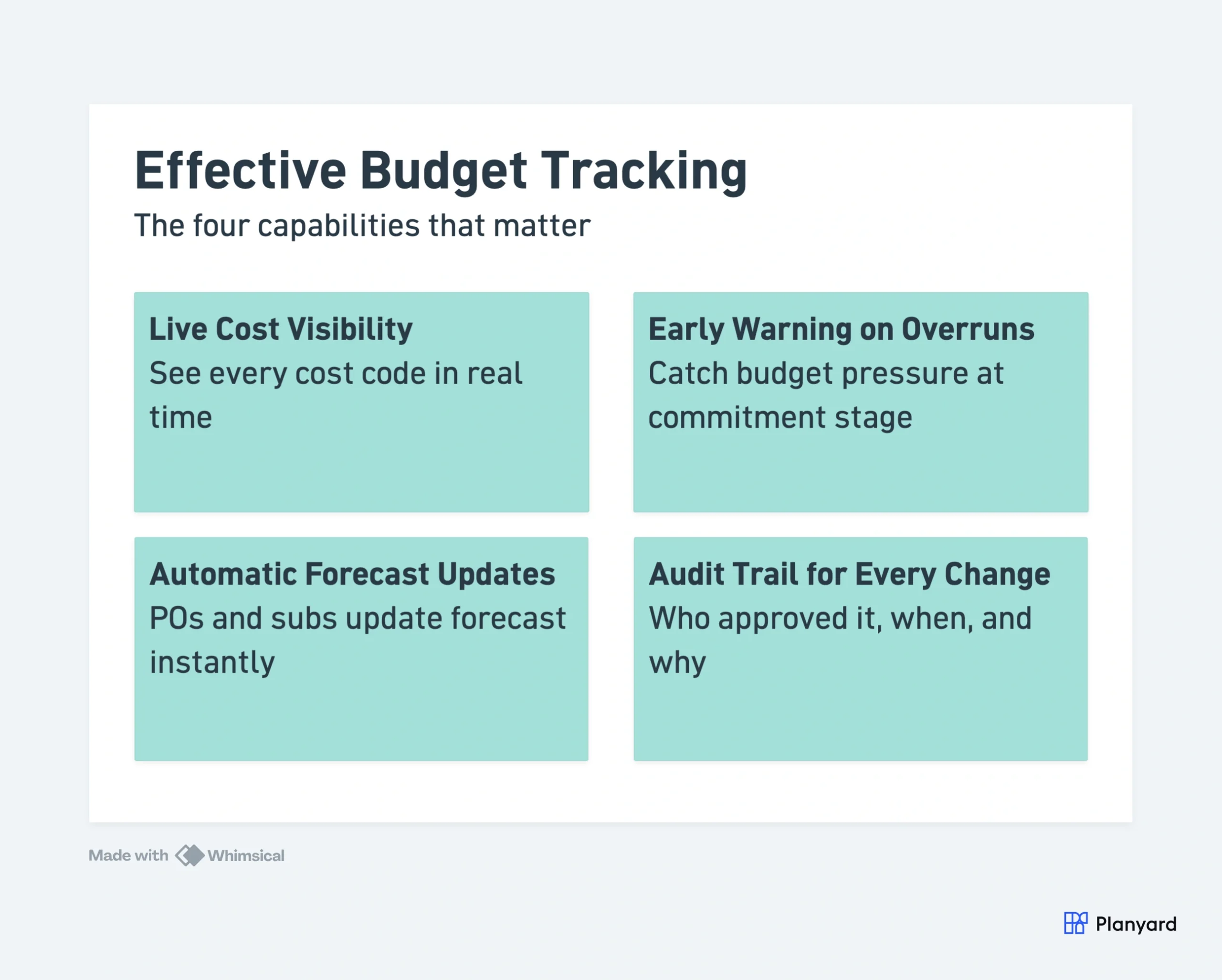
1. Live cost visibility against every budget line
Each cost code shows estimated cost, committed cost (from POs and contracts), invoiced cost, and forecast final cost — updated in real time. No waiting for month-end. No chasing the accountant for figures.
This matters because the gap between “committed” and “invoiced” is where budget surprises hide. A signed subcontract is a future cost whether or not an invoice has arrived — and your budget should reflect that immediately.
2. Early warning on overruns
When committed costs exceed the budget for any line item, you see it immediately — not after the invoice arrives. This gives you weeks of lead time to negotiate, re-scope, or reallocate contingency.
On a typical 12-month project, this early warning can mean the difference between a 2% margin hit you manage proactively and a 10% blowout you discover at completion.
3. Automatic forecast updates
When a subcontract is signed or a variation approved, the forecast for that budget line updates automatically. No manual data entry. No formula errors. The number you see is always the number you can trust.
This eliminates the most common source of budget errors — stale data. When your QS logs a variation on Monday, the commercial director sees the impact on Tuesday morning, not at the next monthly review.
4. Audit trail for every change
Every budget movement is logged — who approved it, when, and why. This protects you in disputes, satisfies Building Safety Act requirements, and means handovers between project managers don’t lose critical context.
It also simplifies end-of-project closeout. Instead of reconstructing decisions from emails and meeting notes, the full story of every cost change is already documented in one place.
"In Planyard the budget is always up to date and the costs are trackable by line items (cost codes). Additionally, I see immediately when I start to exceed the budget for any of the items and can do corrections."
Read more
The cost of not tracking: real numbers
Industry data shows that 27% of construction projects exceed their budget (Harvard Business Review). But the root cause isn’t usually bad estimating — it’s delayed visibility. By the time month-end spreadsheets reveal a problem, the commitment was made weeks ago.
Construction teams using real-time budget tracking report:
- 3+ days saved per month on budget administration and reconciliation
- Zero budget crisis meetings because overruns are caught and addressed early
- True margin visibility — no gap between “project margin” and “accountant margin”
"Using Planyard gives me a lot more certainty that the figures we are looking at are accurate and reflect the true status of the budget."
Read more
When spreadsheets stop working
Excel works for a single small project. It breaks down the moment you’re running multiple projects, have more than one person updating costs, or need to report to stakeholders without spending days pulling data together.
The tipping point usually comes when:
- You’re managing 3+ active projects simultaneously
- Multiple people need to see or update budget data
- Your accountant’s figures and your PM’s figures never match
- You spend more time maintaining the spreadsheet than making decisions from it
"Before Planyard, all construction budgets and cost reporting were in Excel, updated monthly by accounting, and all cost forecasting by project managers also happened in Excel."
Read more
What to look for in budget tracking software
Not all construction software actually solves the budget tracking problem. Many project management platforms focus on scheduling or document management and bolt on financials as an afterthought. When evaluating tools, focus on these capabilities:
- Commitment-based forecasting — The system should update your forecast the moment a PO is raised or subcontract signed, not when an invoice arrives weeks later.
- Budget import from Excel — You shouldn’t need to restructure your cost codes to fit the software. Upload your existing budget and start immediately.
- Subcontractor workflow integration — Payment applications, variations, and retentions should feed directly into the budget rather than being managed separately.
- Accounting software integration — Real-time sync with Xero, QuickBooks, or Sage eliminates double entry and ensures your project figures match company accounts.
- Multi-project portfolio view — Directors and commercial managers need to see all projects at a glance, not open 15 separate spreadsheets.
The test is simple: can you open the software and know within 30 seconds whether any project is trending over budget? If the answer is no, you’re still doing spreadsheet-level tracking with extra steps.
Start tracking budgets properly
Budget tracking doesn’t need to be complicated. The best systems let you upload your existing spreadsheet budget and start tracking commitments against it immediately — no re-structuring, no lengthy implementation.
Planyard gives contractors real-time budget tracking with commitment-based forecasting, automatic updates from subcontracts and POs, and integration with Xero, QuickBooks, and Sage. Teams typically onboard in hours, not months.
Stop chasing spreadsheets. Start tracking budgets in real time.
Upload your existing budget structure and see committed costs, forecasts, and margin on day one.