
You searched for “construction ERP” because you need better financial visibility across your projects.
But a full ERP means 100,000+ GBP implementation, 12 months of disruption, and features you will never use. Most UK contractors running under 30 million GBP in revenue get better results from specialized tools that connect to their existing accounting software.
This guide compares 7 ERP alternatives that give you job costing, subcontractor management, and financial reporting – without the ERP price tag or implementation timeline.
Why Contractors Search for ERP (and What They Actually Need)
The ERP promise is appealing: one system for everything, one source of truth, all departments connected. For large organisations with hundreds of employees and dedicated IT teams, this makes sense.
But when a 20-person contractor searches “construction ERP,” they usually mean something more specific. They need:
- Live job costs per project (not waiting until month-end to know margins)
- A proper system for processing subcontractor invoices and payment applications
- Budget vs actual tracking without maintaining spreadsheets
- Forecasting to predict cost at completion
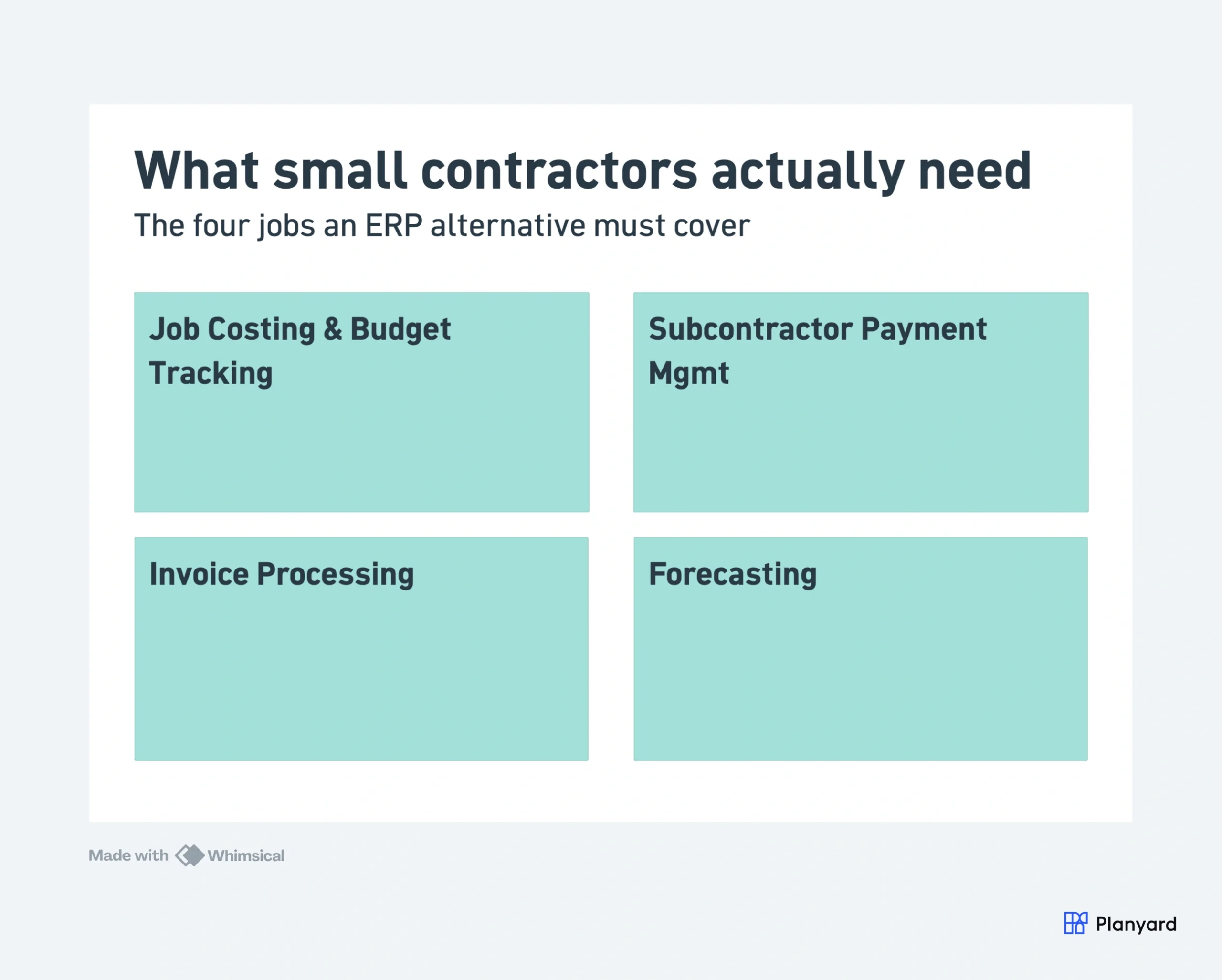
None of these require an HR module, a plant management system, or a full general ledger. They require a construction-specific financial tool that integrates with your existing accounting software. That is what ERP alternatives provide.
For a detailed breakdown of why full ERPs fail for SME contractors, see our guide on why small contractors do not need a construction ERP.
What to Look for in an ERP Alternative
A good ERP alternative covers the construction-specific functions that general accounting tools miss – without trying to replace everything else:
- Job costing and budget tracking per project with multiple cost codes
- Subcontractor and purchase order management from tender through to payment
- Invoice processing and approval workflows with 3-way matching
- Integration with Xero, Sage, or QuickBooks (adding to your setup, not replacing it)
- Real-time reporting and forecasting without building custom reports
- Fast implementation – days or weeks, not months or years
- Affordable per-user pricing – not enterprise-level contracts
7 Best ERP Alternatives for Small Construction Companies
1. Planyard – Best Overall ERP Alternative
Planyard replaces the core ERP functions that small contractors actually need: job costing, budget tracking, subcontractor payment management, and invoice processing. It connects two-way with Xero and QuickBooks, meaning your accounting stays where it is while you get construction-specific cost management on top.
Replaces ERP modules: Job costing, procurement (POs), subcontractor management, invoice approval, financial reporting.
Does not replace: General ledger, payroll, HR, scheduling, document management.
Best for: UK contractors (5-50 staff) on Xero or QuickBooks who need construction cost control without a full system overhaul.
Pricing: From 79 GBP per month. 14-day free trial.
Setup time: 1 day to first project live.
Strengths: Deep job costing, subcontractor portal, native Xero/QBO sync, fast setup, UK-focused.
Limitations: Not a full project management platform (no scheduling, drawings, or RFIs).
"I came from a heavyweight enterprise ERP at a UK Tier 1 contractor, so I saw how bloated software hurts financial control. At an Australian SME I still need that Tier 1 budget discipline, just without the bloat.
Planyard hits the sweet spot: structured budgets, strong cost controls, and a professional ERP-level feel, but simple enough that I set it up myself in a few days. It is now our gatekeeper for purchase orders and handles tax and retention smoothly.
Real financial clarity without the spreadsheet headaches."

2. Archdesk – Best for Growing Contractors Wanting Operations + Finance
Archdesk is a UK-based construction management platform that combines CRM, project management, and financial tracking. It targets growing contractors who want one system for operational coordination alongside basic cost management.
Replaces ERP modules: CRM, basic project management, resource planning, basic financials.
Does not replace: Deep job costing, subcontractor payment workflows, full accounting.
Best for: Growing UK contractors (10-50 staff) who want operations management alongside financial tracking.
Pricing: By quote, from around 690 GBP per month for small teams.
Strengths: Combines CRM + PM + finance, UK-based, good for growing businesses.
Limitations: Financial features lighter than dedicated tools, no subcontractor portal, limited payment application workflow.
3. Buildern – Best for Residential Builders
Buildern targets residential builders and remodellers with a combined platform for project management, client communication, estimating, and basic financial tracking. It replaces the client-facing and coordination aspects of ERP while leaving deeper financial management to other tools.
Replaces ERP modules: Estimating, client management, scheduling, basic budget tracking.
Does not replace: Job costing (construction-level depth), subcontractor payment management, CIS, accounting.
Best for: Residential builders (1-15 staff) who want client-facing features and project coordination.
Pricing: From approximately 80 GBP per month.
Strengths: Client portal, estimating, scheduling, all-in-one for residential work.
Limitations: Not for main contractors, limited UK localisation, no CIS, basic financial features.
4. Buildxact – Best for Estimating-Focused Contractors
Buildxact is an estimating and job management platform for small builders. If the main reason you were considering ERP was estimating accuracy and bid management, Buildxact handles takeoffs, estimates, and proposals without the rest of the ERP overhead.
Replaces ERP modules: Estimating, bid management, basic scheduling, supplier price lists.
Does not replace: Job costing during delivery, subcontractor payment management, financial reporting, accounting.
Best for: Small builders (1-10 staff) who need professional estimating and takeoffs.
Pricing: From 149 AUD per month (approximately 80 GBP). UK pricing available.
Strengths: Strong estimating features, UK supplier integrations, good for pricing work accurately.
Limitations: Weak on post-contract cost management, no subcontractor payment workflows, limited reporting during project delivery.
Get ERP-level cost control without the ERP price tag
Planyard gives you job costing, sub payment management, and live margins on top of Xero or QuickBooks. Set up your first project in under a day.
5. Knowify – Best for US-Based Contractors on QuickBooks
Knowify is a job costing and project management tool designed specifically for QuickBooks users. It sits on top of QuickBooks Online and adds construction-specific features like job costing, change orders, and AIA billing.
Replaces ERP modules: Job costing, change order management, project financials.
Does not replace: Subcontractor payment applications (UK-style), CIS, scheduling, accounting.
Best for: US-based contractors on QuickBooks Online who need job costing.
Pricing: From 149 USD per month.
Strengths: Deep QuickBooks integration, AIA billing, change order tracking.
Limitations: US-focused, no UK localisation, no Xero integration, no CIS support. Not suitable for UK contractors.
6. LiveCosts – Best for On-Site Cost Tracking
LiveCosts is an Irish construction cost tracking app designed for site-level use. It captures costs as they happen on site – deliveries, labour, plant – and gives project managers real-time budget visibility without waiting for head office to process invoices.
Replaces ERP modules: On-site cost capture, basic budget tracking, delivery management.
Does not replace: Full commercial control – subcontractor valuations, retentions, and cost-to-complete forecasting (teams often still export to Excel for these).
Best for: Site managers and PMs who need real-time cost data from the field.
Pricing: By quote (demo required); plans not listed publicly.
Strengths: Site-focused, mobile-first, good for capturing costs at source.
Limitations: Limited to cost capture (not full cost management), no subcontractor payment workflows, no accounting integration depth.
7. Contractor Foreman – Best Budget Option
Contractor Foreman is the most affordable construction management platform on this list. It covers basic project management, scheduling, estimating, and invoicing at a price point accessible to sole traders and very small contractors.
Replaces ERP modules: Basic scheduling, estimating, invoicing, document management.
Does not replace: Deep job costing, subcontractor payment management, financial reporting, proper accounting.
Best for: Very small contractors (1-5 staff) on a tight budget who need basic project organisation.
Pricing: From approximately 40 GBP per month.
Strengths: Very affordable, covers basics, easy to start.
Limitations: Basic across all features, no subcontractor portal, limited UK localisation, limited accounting integration.
ERP Alternatives Comparison Table
| Tool | Replaces ERP Module | Xero/Sage Sync | Pricing (GBP/mo) | Best For |
| Planyard | Job costing, subs, invoices, POs | Xero + QBO (two-way) | From 79 | UK SME contractors (5-50 staff) |
| Archdesk | CRM, PM, basic finance | Basic | From ~200 | Growing contractors (10-50) |
| Buildern | Estimating, client mgmt, scheduling | No | From ~80 | Residential builders (1-15) |
| Buildxact | Estimating, bid mgmt | Xero | From ~80 | Estimating-focused (1-10) |
| Knowify | Job costing, change orders | QBO only | From ~120 | US contractors on QBO |
| LiveCosts | On-site cost capture | Limited | From ~85 | Site managers (cost tracking) |
| Contractor Foreman | Basic PM, scheduling, estimating | No | From ~40 | Very small contractors (1-5) |
When to Use an ERP Alternative vs. a Full ERP
| Factor | Choose ERP Alternative | Choose Full ERP |
| Company size | 5-50 employees | 50+ employees |
| Revenue | Under 30M GBP | Over 50M GBP |
| IT resource | No dedicated IT | Dedicated IT team |
| Implementation budget | Under 10,000 GBP | 50,000+ GBP |
| Timeline tolerance | Need it working this month | Can wait 6-18 months |
| Current accounting | Happy with Xero/QBO/Sage | Willing to replace everything |
| Business structure | Single construction entity | Multiple divisions/business units |
If you are on the right side of this table, see our guide to the best construction ERP software. If you are on the left, keep reading.
How to Build Your Construction Tech Stack Without ERP
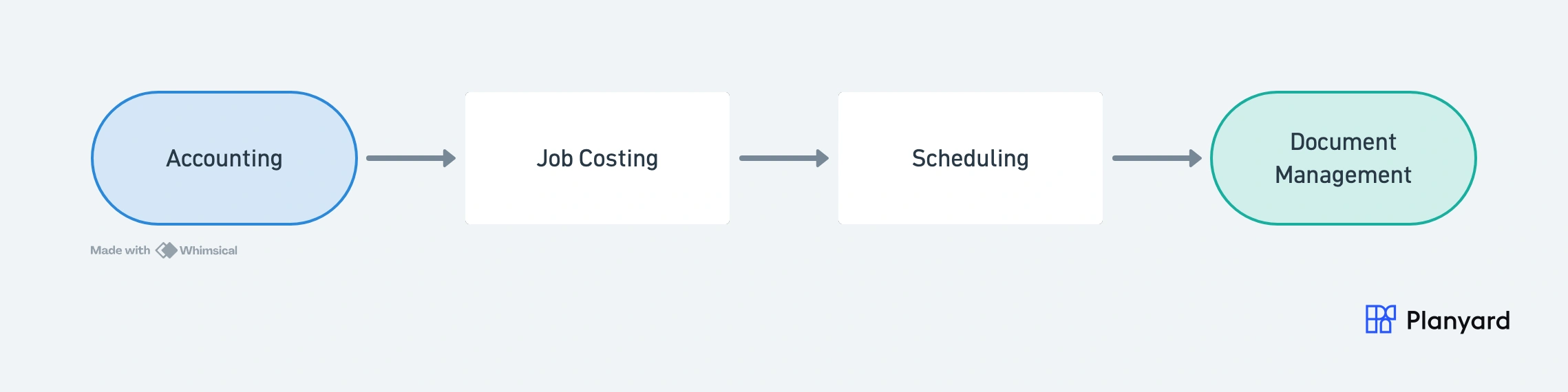
Sole trader or micro builder (1-3 staff)
Before: Xero + spreadsheets for tracking costs.
After: Xero + Planyard. You get per-project job costing and invoice management while your accountant stays on Xero. Total cost: under 100 GBP per month.
Small main contractor (5-20 staff)
Stack: Xero (accounting) + Planyard (job costing, subs, invoices) + your existing scheduling tool (MS Project, Asta, or similar).
Planyard handles the commercial management that an ERP would cover – subcontractor tenders, purchase orders, payment applications, budget tracking – and syncs everything to Xero automatically. Total cost: under 200 GBP per month for the construction-specific layer.
Growing main contractor (20-50 staff)
Stack: Sage or Xero (accounting) + Planyard (commercial management) + dedicated scheduling if needed.
At this scale, you might also benefit from Archdesk if you need CRM and resource planning alongside cost management. Or keep Planyard for the financial side and use a separate PM tool for scheduling and document control.
"The transition from making the decision to getting our first project live in the system took only about one day of work. Even for a large, complex project, we were able to get everything fully set up and operational within that single day."
Read more
"It easily saves half of a Quantity Surveyor’s time. When you're looking at a £70,000 annual salary, that level of cost-effectiveness makes the decision to implement the system very simple."
Read more
Skip the ERP. Get the cost control.
Planyard gives you per-project job costing and subcontractor management on top of Xero or QuickBooks. 14-day free trial, live in under a day.