Sage Accounting construction integration

Stop entering every supplier invoice twice

Most contractors key invoices into Sage, then again into a job spreadsheet, and still cannot say what a job has cost. Planyard connects to Sage Accounting, so each invoice is approved once against the job and posts to Sage with the supplier, nominal code, VAT and PDF.

Free 14-day full-featured trial. No credit card required.

Sage integration with Planyard construction software

One route for invoices, so nothing is keyed twice

Most double entry starts in the accounts mailbox. An invoice is keyed into Sage, paid, then entered again against the job, if it reaches the job at all.

With Planyard, invoices land in Planyard first and the project team approves them before they post to Sage.

One route for every invoice

Project inbox, bulk upload or the mobile app

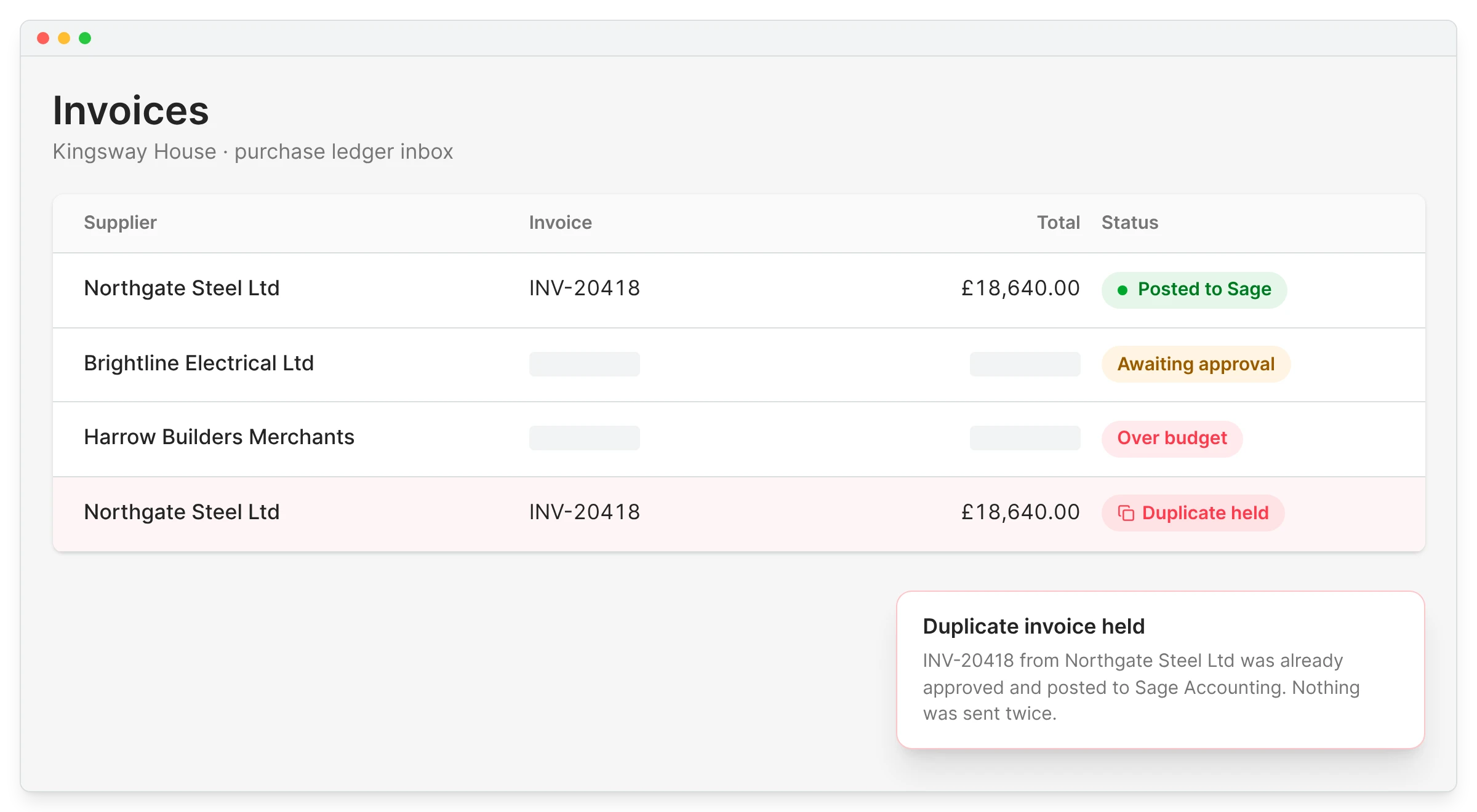
Duplicates held back

The same invoice never posts twice

Checked by whoever ordered it

Site or QS approves before accounts sees it

Entered once

Used in both systems

"I don’t need to worry about that piece of paper or invoice again. It’s not only set up correctly against the budget, but it’s also been sent off to accounts, so I don’t have to send any more emails or do any more work for those invoices to be received by the bookkeeper or the accountant."

Read more
Ian Holford, Managing Director
Ian Holford Managing Director  ·  Higgihaus Developments  ·  Bristol, United Kingdom

Bills arrive in Sage ready to pay

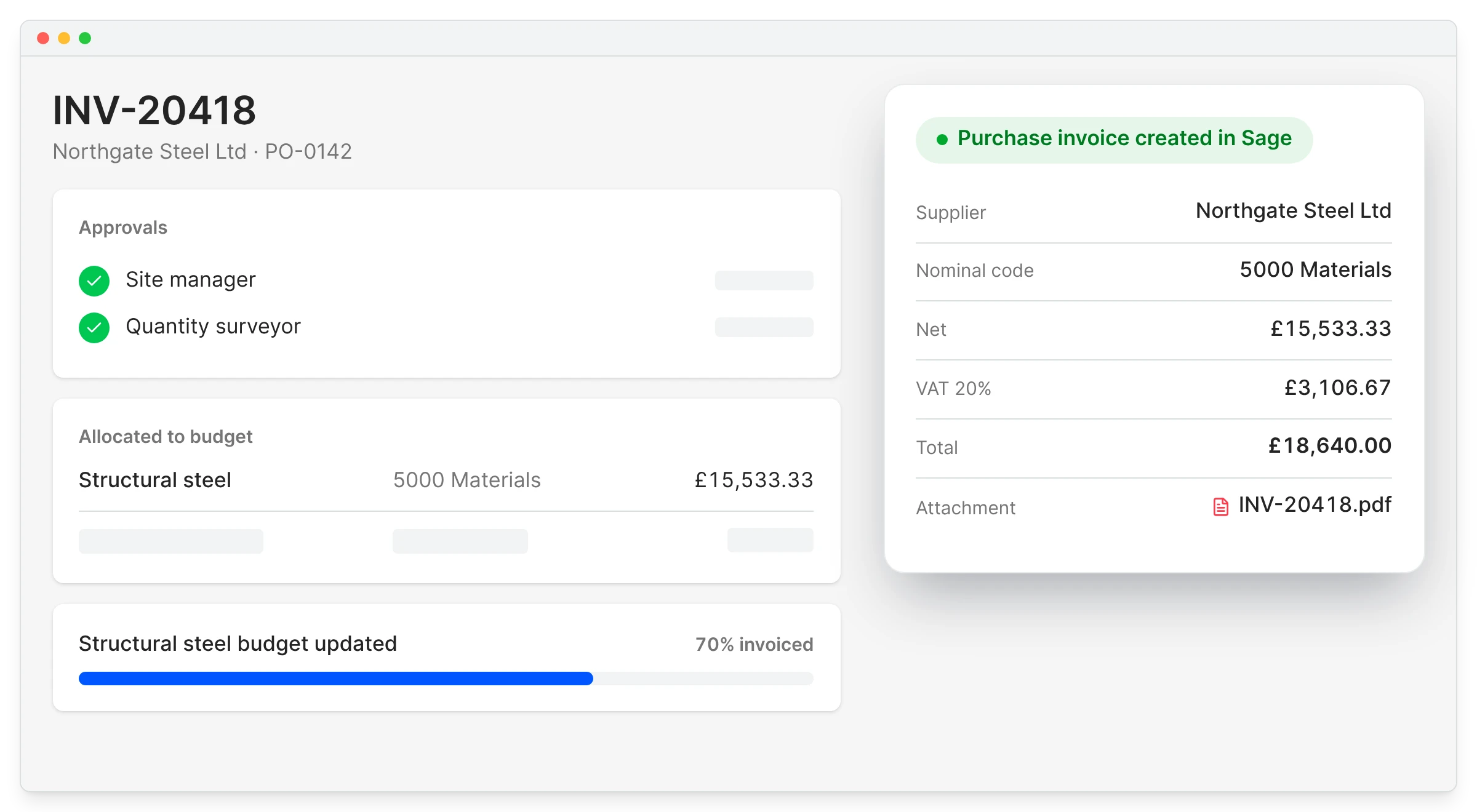
Accounts should not have to chase site to find out which job a bill is for or which nominal code to use. On approval, Planyard creates the purchase invoice in Sage with the supplier, nominal code, VAT and the original PDF.

Your accounts team pays it in Sage as usual, and the job budget has already moved.

Sage job costing

No chasing site for coding

Supplier and nominal code arrive set

Original PDF attached

Evidence stays with the bill

A link back to Planyard

Each bill references its Planyard document

Paid in Sage

Payments stay with your accounts team

"I really like the way the entire process flows. It effectively eliminates a huge amount of manual errors because you aren't stuck inputting the same data into two different systems that don't talk to each other."

Read more
Sam Jarman, Director
Sam Jarman Director  ·  Rosetta Contracting  ·  Old Knebworth, United Kingdom

Keep your cost codes without changing your nominal codes

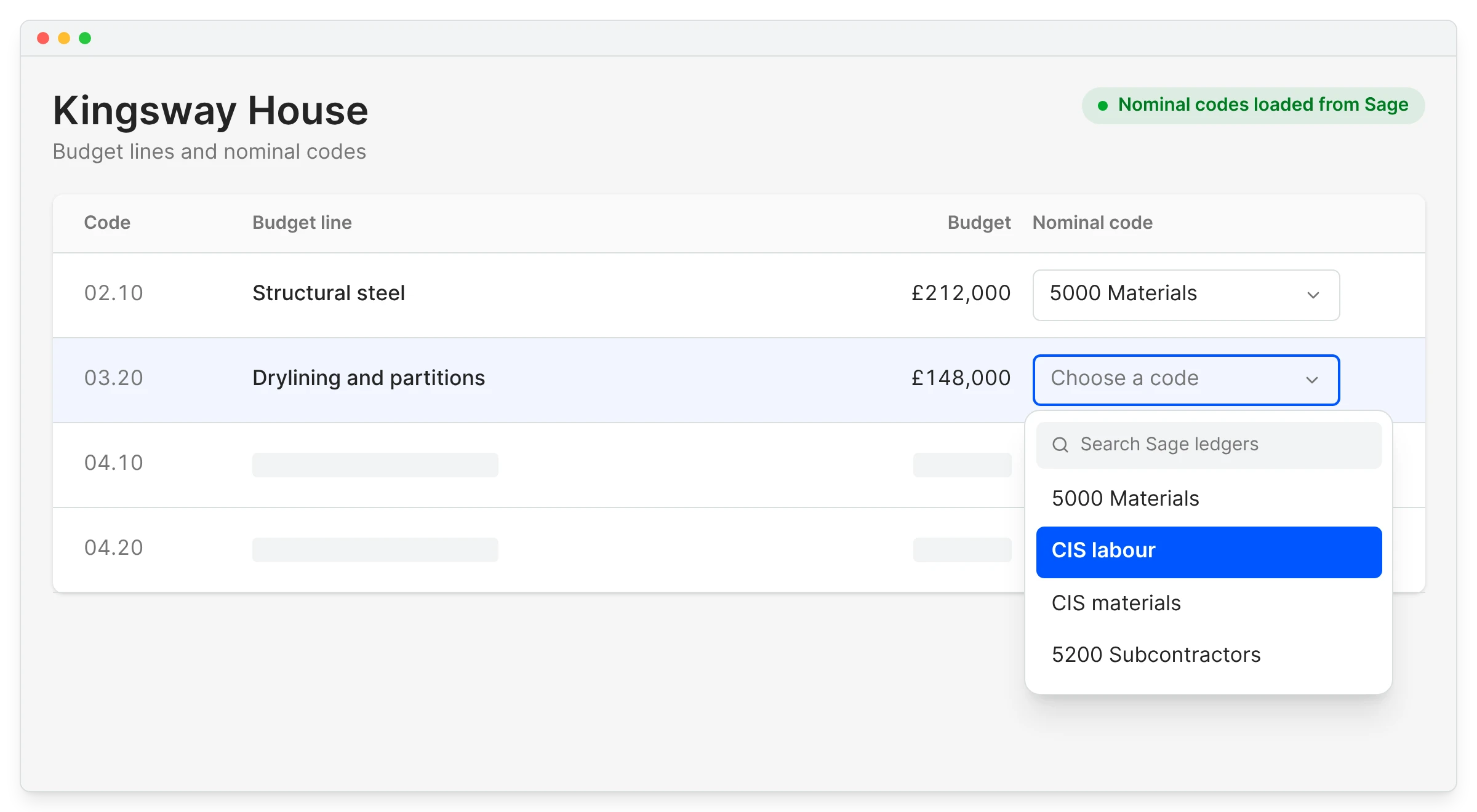
The QS wants twenty lines for materials, while Sage has one nominal code for them. You should not have to choose between detail on the job and a tidy ledger.

Many budget lines can point at the same nominal code, mapped once per project and in bulk if you like. The CIS labour and CIS materials ledgers are in the list too.

CIS and reverse charge

Nominal codes loaded from Sage

No typing codes in by hand

Many lines to one code

Cost code detail stays in Planyard

Set once per project

Bulk assign by heading

CIS ledgers included

Labour and materials kept apart

"Since implementing the system, I haven't had a single complaint or support call from our subcontractors. Not one person has had trouble submitting their valuations, and no one has had to chase me for a payment outside of the system. It’s been completely seamless."

Read more
Lee Covington, Owner
Lee Covington Owner  ·  E&N Group Ltd  ·  London, United Kingdom

What goes to Sage, and what stays in Planyard

Posts to Sage Accounting Stays in Planyard
Approved purchase invoices and credit notes Estimates, budgets and forecasts
Supplier, nominal code, VAT and the invoice PDF Purchase orders, subcontracts and variations
A reference back to the Planyard document Applications, certificates and retention
Suppliers and customers, in both directions Approval history and the audit trail

On Sage 50 or Sage 200? There is no API sync for those, so approved invoices are emailed to your accounts inbox or exported as CSV.

Set suppliers up once for both systems

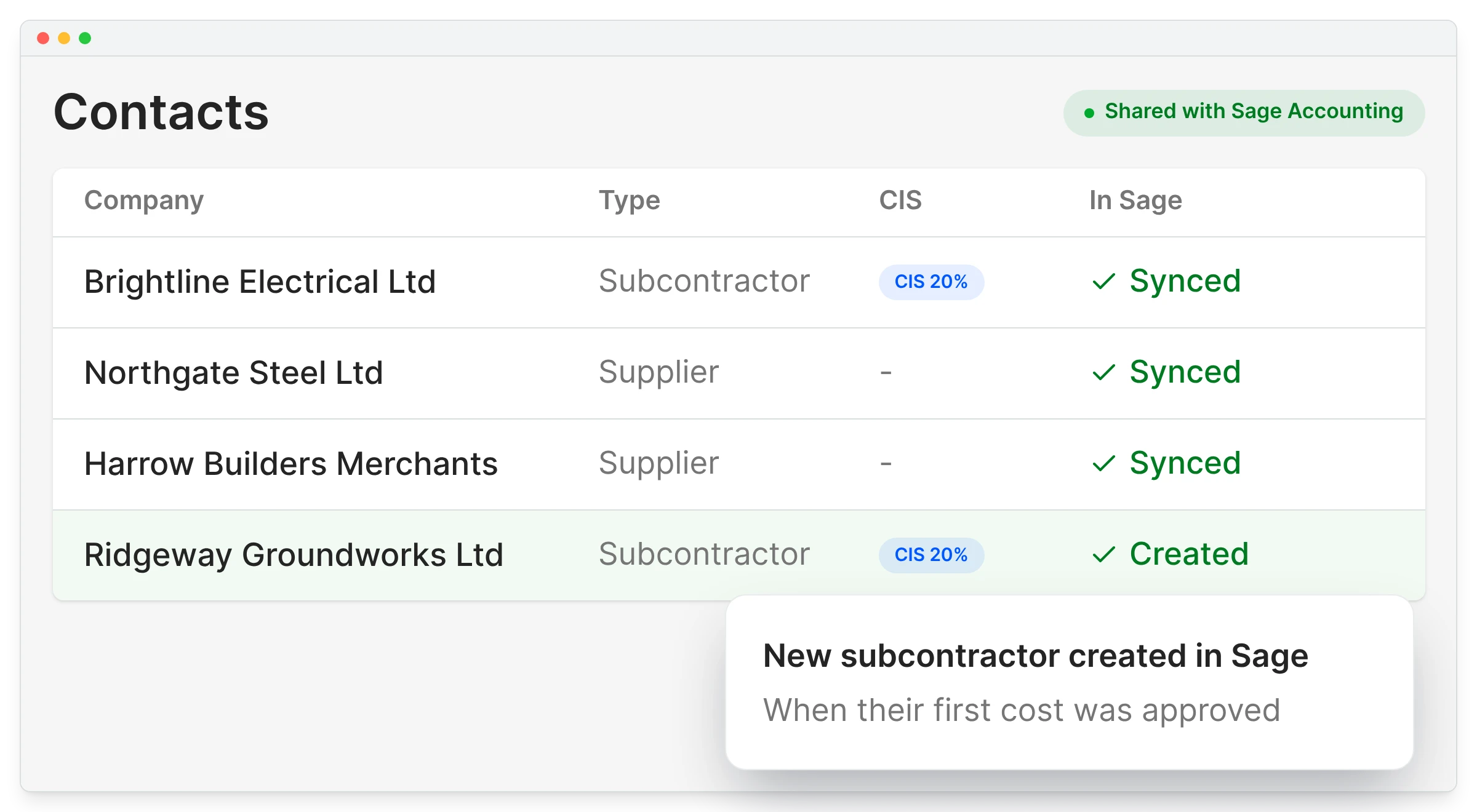
Keeping two supplier lists in step is tedious, and one typo creates a duplicate contact in Sage. Connecting Sage loads your suppliers into Planyard, and a contact added in Planyard is created in Sage when its first cost is approved.

CIS status stays where you set it today, in Sage, and Planyard uses the same record.

Subcontractor valuations

Suppliers load on connection

Nothing to import by hand

New contacts pushed to Sage

When their first cost is approved

CIS status from Sage

Verified once, used everywhere

One record per company

No duplicates between systems

"The implementation process is remarkably quick, allowing you to gain a firm handle on your project budgeting and financial management almost immediately. Having that level of control is absolutely critical for any project; that’s what I’d say."

Read more
Graham Eastwood, Office Manager
Graham Eastwood Office Manager  ·  Karringtons Ltd  ·  Kent, United Kingdom

DPTQS used to allocate 150 invoices a month by hand. Now it saves about a day a week.

Paul Treweek, a quantity surveyor and estimator in Cornwall, used to receive a zip of around 150 invoices every month and allocate each one to a budget line in Excel.

Now he uploads the batch and Planyard reads the invoice details, which he says saves him about a day a week.

DPTQS Ltd
Cornwall, United Kingdom
Read the case study →

Connect Sage in a few minutes

Company, Integrations, Connect under the Sage logo, then log in to Sage. Map your nominal codes and the first approved invoice posts straight away.