A software vendor just demo’d their construction ERP to your team.
It does everything – estimating, scheduling, accounting, HR, document management, plant tracking. The price tag: 50,000+ GBP to implement, 6-12 months to go live, plus monthly per-user fees. You have got 15 employees and run 5 projects at a time.
Do you actually need all this?
This article explains why most contractors under 50 employees are better off with specialized tools, what ERP actually costs in practice, and when it genuinely makes sense to invest in one.
What a Construction ERP Actually Is
ERP stands for Enterprise Resource Planning. In construction, it means a single software platform that attempts to handle every business function:
- Finance and accounting – general ledger, accounts payable/receivable, CIS
- Procurement – purchase orders, supplier management, materials ordering
- Project management – scheduling, resource allocation, document control
- HR and payroll – employee records, timesheets, PAYE
- Compliance – health and safety, environmental reporting, audit trails
- Plant and equipment – asset tracking, maintenance scheduling
Examples include Sage 200, SAP Business One, Oracle Construction and Engineering, CMiC, and The Access Group (COINS). These are large, complex systems designed for organisations with hundreds of employees and dedicated IT departments.
The premise is compelling: one system, one source of truth, everything connected. The reality for small contractors is usually different.
The Real Cost of ERP for Small Contractors
ERP vendors rarely publish pricing. Here is what contractors actually pay based on industry data and case studies:
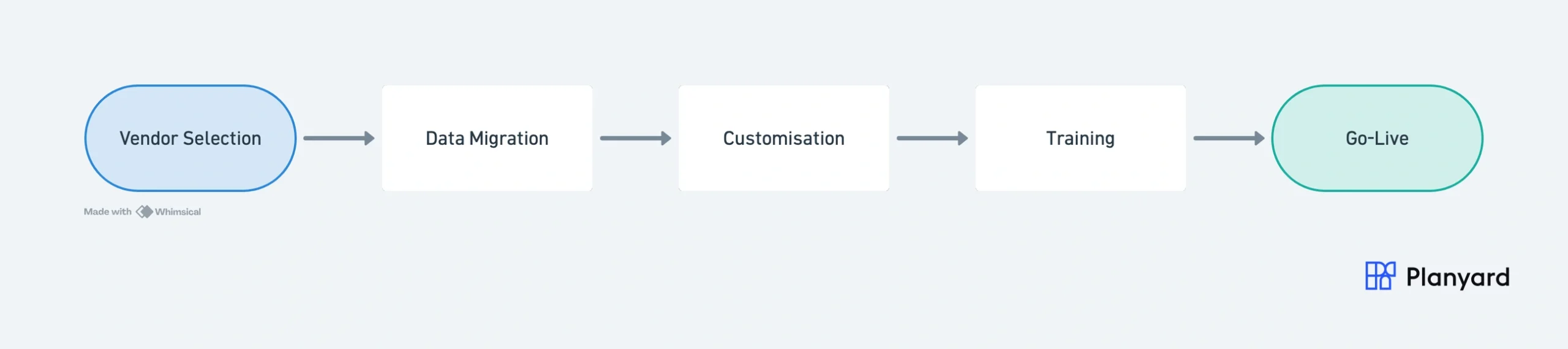
Implementation costs
For a 20-person contractor, expect 50,000-150,000 GBP in year one. This covers consultant fees for configuration, data migration from your existing systems, custom report building, and training. Larger organisations pay 200,000-500,000+ GBP.
Timeline
6-18 months from contract signing to full deployment. During this period, you are running two systems in parallel – your old tools and the new ERP – which doubles the admin burden on your team.
Ongoing costs
Per-user licensing runs 50-150 GBP per user per month. For 20 users, that is 12,000-36,000 GBP per year before any support or maintenance fees. Annual upgrade consultancy adds another 5,000-20,000 GBP.
Hidden costs
The biggest hidden cost is internal resource drain. Someone on your team – usually your best commercial person – needs to dedicate significant time to the implementation. For 6-12 months, they are part project manager, part data migration lead, part training coordinator. That is time they are not spending on actual construction projects.
5 Reasons ERP Fails for SME Contractors
Industry research consistently shows 60-70% of ERP implementations in construction are considered failures or significantly over budget. Here is why small contractors are disproportionately affected:
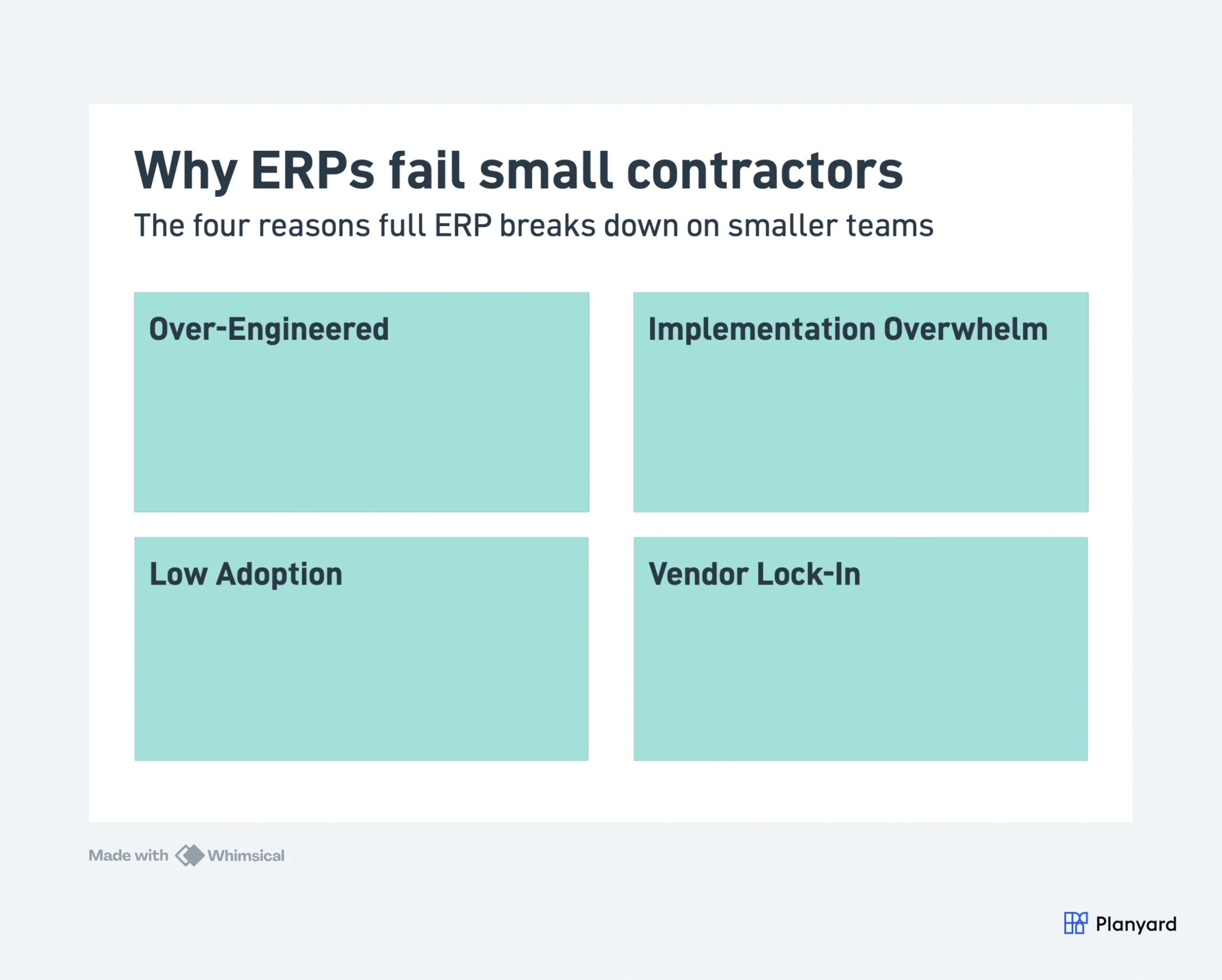
1. Over-engineered for the problem
You need job costing and invoice approval. The ERP gives you an HR module for 12 people, a plant management system for 3 vans, and a compliance engine designed for Tier 1 contractors. You are paying for – and navigating around – features that have nothing to do with your actual challenges.
2. Implementation overwhelm
Large organisations have dedicated IT teams who can spend 12 months on a rollout. A 15-person contractor does not have a spare person to manage data migration, attend weekly vendor calls, and coordinate training. The implementation stalls because nobody owns it full-time.
3. Low adoption
Field teams and project managers resist complex systems. If your site manager needs 3 days of training before they can raise a purchase order, they will find a workaround – usually a phone call and a spreadsheet. The ERP becomes an expensive system that only the finance team uses.
4. Rigid workflows
ERPs assume you will conform to their process. If the system expects a 5-step approval chain but your business runs on a 2-step process, you either add bureaucracy or spend thousands on customisation. Small contractors need tools that fit their workflow, not the other way around.
5. Vendor lock-in
Once your data is in an ERP, switching costs are enormous. Migration alone can take 6 months and cost tens of thousands. This means you are committed even if the system does not work well for you. With specialized tools, swapping one component is a weeks-long project, not a years-long one.
"I came from a heavyweight enterprise ERP at a UK Tier 1 contractor, so I saw how bloated software hurts financial control. At an Australian SME I still need that Tier 1 budget discipline, just without the bloat.
Planyard hits the sweet spot: structured budgets, strong cost controls, and a professional ERP-level feel, but simple enough that I set it up myself in a few days. It is now our gatekeeper for purchase orders and handles tax and retention smoothly.
Real financial clarity without the spreadsheet headaches."

When You Actually Need an ERP
This is not an anti-technology argument. ERPs exist because some organisations genuinely need them. You should seriously consider a construction ERP if:
- 50+ employees with dedicated IT and finance teams who can own the system
- Multiple business units – construction, property development, maintenance, or facilities management all under one group
- Complex payroll with many direct employees across multiple PAYE schemes, pensions, and CIS categories
- Regulatory requirements demanding integrated audit trails (e.g., publicly listed companies, PFI/PPP projects)
- Revenue above 50 million GBP with institutional reporting needs and multiple stakeholders requiring consolidated data
If you tick three or more of those boxes, an ERP may be the right investment. If you tick one or none, you are likely buying a system designed for a company you are not.
For contractors who do decide they need an ERP, we have reviewed the best construction ERP software options in a separate guide.
What SME Contractors Actually Need Instead
When you strip away the ERP marketing, most contractors under 50 employees need 4-5 core capabilities:
- Job costing and budget tracking – knowing whether each project is making or losing money, in real time. Not a full general ledger.
- Subcontractor payment management – receiving, checking, and approving payment applications from subs. Not a full HR module.
- Invoice processing and approval – matching invoices to purchase orders and routing for approval. Not a full accounts payable suite.
- Forecasting – predicting cost at completion and cash flow. Not a full business intelligence platform.
- Integration with existing accounting – syncing with Xero, QuickBooks, or Sage rather than replacing them.
Each of these is a specific, solvable problem. You do not need a monolithic system to solve them. You need the right specialized tool connected to your existing setup.
Get the job costing and budget control you need – without an ERP
Planyard connects to Xero or QuickBooks and gives you per-project cost tracking, sub payment management, and real-time margins. Live in under a day.
The Modular Approach: Specialized Tools That Connect
The alternative to ERP is not “no system.” It is a modular stack of best-of-breed tools that each solve one problem well and connect through integrations.
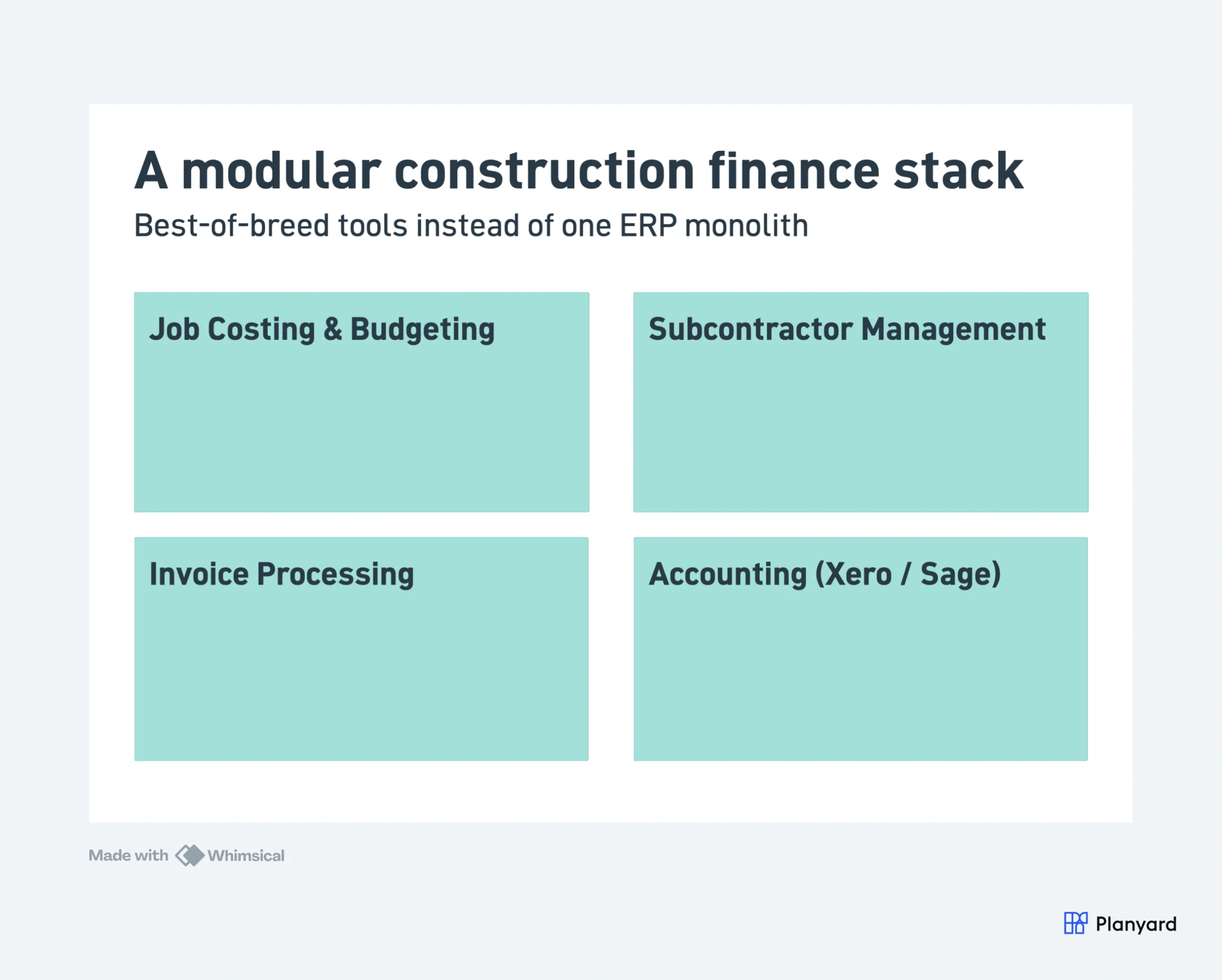
An example stack for a 15-person UK contractor:
- Accounting and VAT: Xero (your accountant already uses it, MTD compliant)
- Job costing, budgets, and sub payments: Planyard (two-way Xero sync, live in a day)
- Scheduling: Your existing tool (MS Project, Asta, or even a well-structured spreadsheet)
- Document management: SharePoint, Google Drive, or your existing setup
Total cost: under 200 GBP per month for the construction-specific pieces. Total setup time: days, not months. And if one tool stops working for you, swap it out without a 6-month migration project.
"The price disparity between a system like Planyard versus something like Procore or Sage is absolutely vast. For a business of our size, finding a solution that offers this level of professional functionality without the massive overhead of those larger systems is a significant advantage."
Read more
ERP vs Specialized Software – Side-by-Side
Here is how the two approaches compare for a contractor with 10-30 employees:
| Factor | Full ERP | Specialized Tools (e.g., Planyard + Xero) |
| Implementation time | 6-18 months | 1-2 weeks |
| Cost (year 1) | 50,000-200,000+ GBP | 2,000-10,000 GBP |
| Training required | Days to weeks per user | Hours |
| Adoption risk | High (60% failure rate) | Low |
| Flexibility | Rigid, vendor-dependent | Swap tools as needed |
| Depth per function | Broad but often shallow | Deep in core areas |
| Best for | 50+ employees, 50M+ GBP revenue | 5-50 employees, 2M-30M GBP revenue |
| IT resource needed | Dedicated IT admin | None – managed by commercial team |
"The transition from making the decision to getting our first project live in the system took only about one day of work. Even for a large, complex project, we were able to get everything fully set up and operational within that single day."
Read more
"The learning curve is impressively shallow. Between watching the training videos and simply spending some time exploring the platform, you can realistically be up and running in just two to three hours. It really doesn't take any more than that to feel confident using the system."
Read more
FAQ
Do small construction companies need an ERP?
Most contractors under 50 employees do not need a full ERP. The core problems – job costing, subcontractor payments, and budget tracking – are solved more effectively by specialized tools that integrate with your existing accounting software. ERPs make sense when you have 50+ staff, multiple business units, and dedicated IT resources.
What is the failure rate of ERP implementations in construction?
Industry research consistently shows 60-70% of construction ERP implementations are considered failures or significantly over budget. Common causes include underestimated implementation timelines, poor user adoption among field teams, and scope creep during customisation. Small contractors are disproportionately affected because they lack dedicated IT staff to manage the rollout.
How much does a construction ERP cost?
Implementation typically costs 50,000 to 500,000+ GBP depending on company size and customisation. Ongoing costs include per-user licensing (50-150 GBP per user per month), annual maintenance fees, and consultant costs for upgrades. Total cost of ownership in year one for a 20-person contractor is typically 80,000-150,000 GBP.
What is the alternative to ERP for small contractors?
A modular approach using specialized tools that connect. For example: Xero for accounting and VAT, Planyard for job costing and subcontractor management, and your existing tools for scheduling or document management. This gives you depth in the areas that matter without the complexity and cost of a monolithic system.
Can you use Xero instead of a construction ERP?
Xero alone cannot replace an ERP because it lacks construction-specific features like job costing and subcontractor payment management. But Xero paired with a construction-specific tool like Planyard covers the financial management that 90% of small contractors actually need – at roughly 5% of the cost of an ERP.
When should a contractor upgrade to an ERP?
Consider ERP when you have 50+ employees, multiple business units, dedicated IT staff, complex payroll for many direct employees, and revenue above 50 million GBP. If you are below these thresholds, specialized connected tools will serve you better with lower risk and faster time to value.
What is the difference between ERP and construction management software?
ERP aims to be a single system for everything – finance, HR, procurement, project management, compliance, and plant. Construction management software focuses on specific functions like job costing, budget tracking, or subcontractor management and integrates with your existing tools. The modular approach gives you deeper functionality in core areas without forcing you onto a single vendor’s platform.
Construction cost control without the ERP headache
Planyard gives you job costing, sub payment management, and real-time budgets on top of Xero or QuickBooks. 14-day free trial, live in under a day.