Catch the overrun when you order.
Purchase orders and subcontract orders count as committed costs the moment they go out. A red warning shows on any budget line where orders already exceed the budget, before a single invoice arrives.
 4.8/5 · 45 reviews


You were brought in to get the margin under control. Planyard shows committed costs the moment an order goes out, checks every invoice against its order and budget line, and runs a live CVR on every job, on top of Xero or QuickBooks.
Find the leak while you can still act on it, without hiring more QSs and administrators to chase the numbers.
Free 7-day trial · No credit card
Integrates with


"Last year we didn't quote anything without profit in it, and we still finished the year with a loss. That's not the quote being wrong. That's the control being wrong."
You own the money side of every job, from the first order to the final account, and you answer for numbers that other people enter. Planyard covers each part of the job, with the figures live instead of rebuilt at month end.
Planyard is built for UK main contractors, specialist subcontractors and fit-out contractors, typically £5–30M turnover.
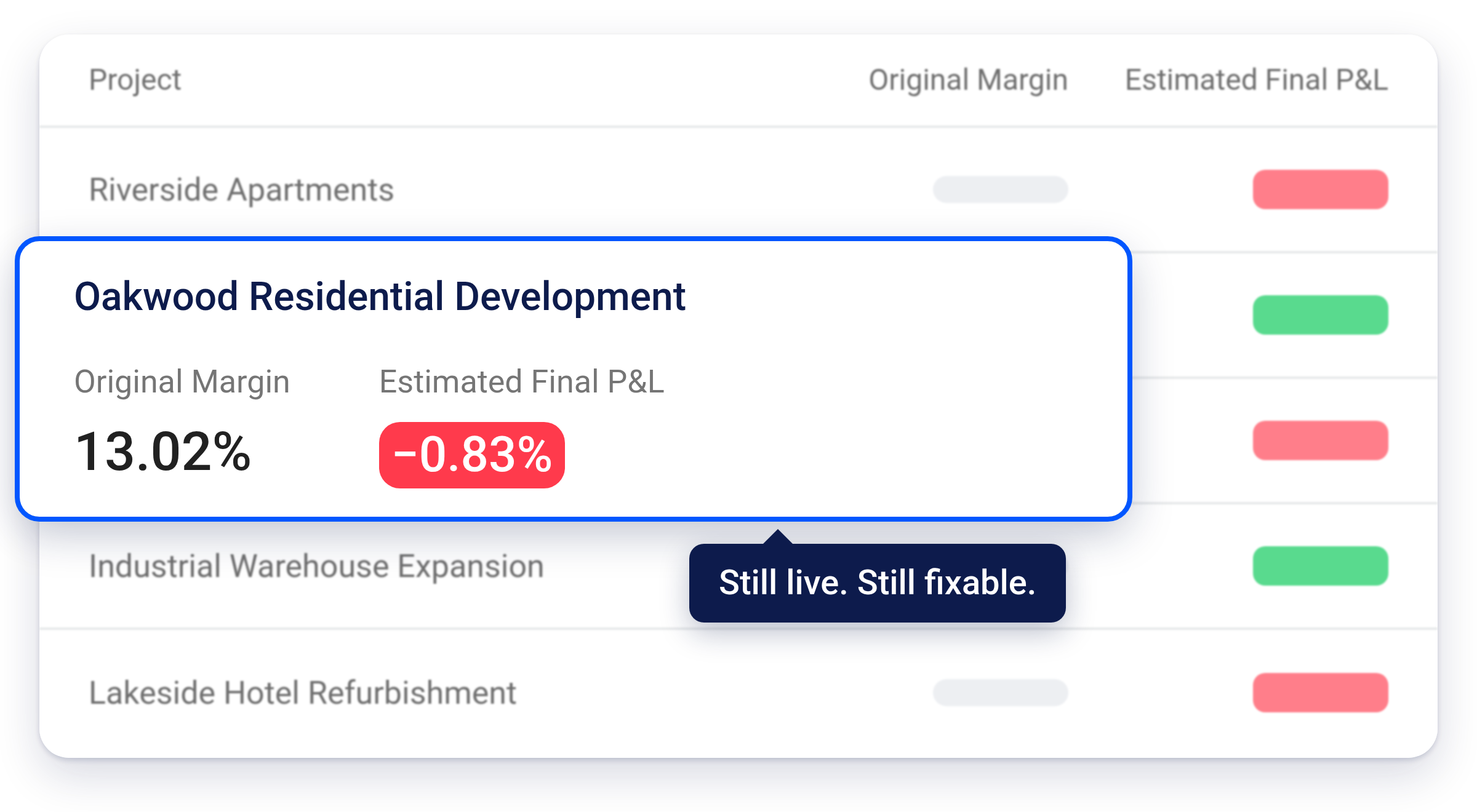
Most jobs are won with profit in the price. The margin goes missing between the first order and the final account, in places the monthly spreadsheet CVR only shows weeks later, when it’s your name on the report.
Your CVR says the job is on track. The invoices, arriving weeks after the orders, say otherwise.
A subcontractor claims the full order value, including the sockets nobody fitted, and the invoice matches the PO.
A project manager instructs extra work on site. The cost gets paid, the client never gets billed.
One point of margin on £5m of turnover is £50,000. None of these leaks shows up in the tender. All of them show up in the year-end accounts.
Budgets, orders, subcontractor valuations, invoices and forecasts in one system, so the CVR you take to the board is the real position on every job.
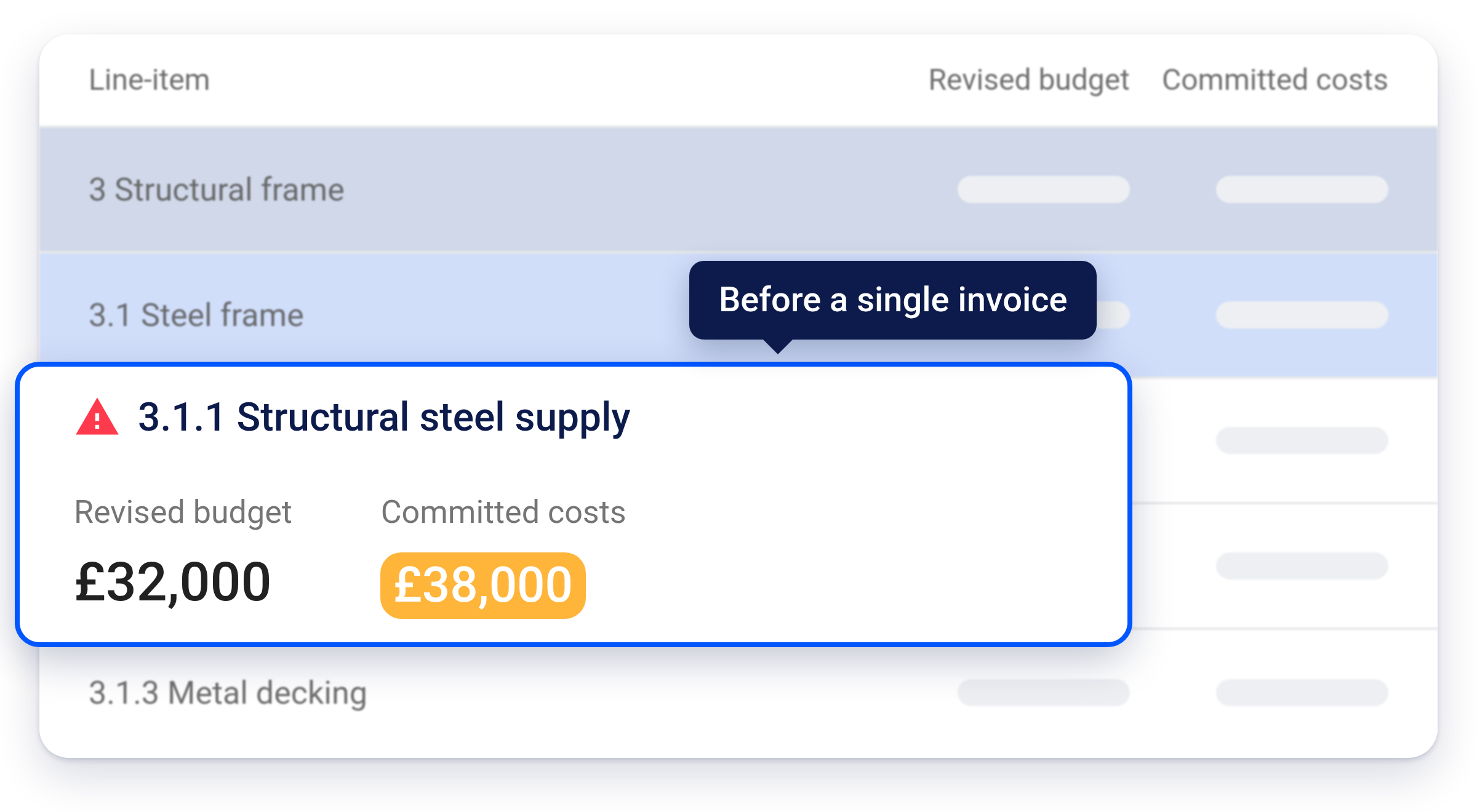
Purchase orders and subcontract orders count as committed costs the moment they go out. A red warning shows on any budget line where orders already exceed the budget, before a single invoice arrives.
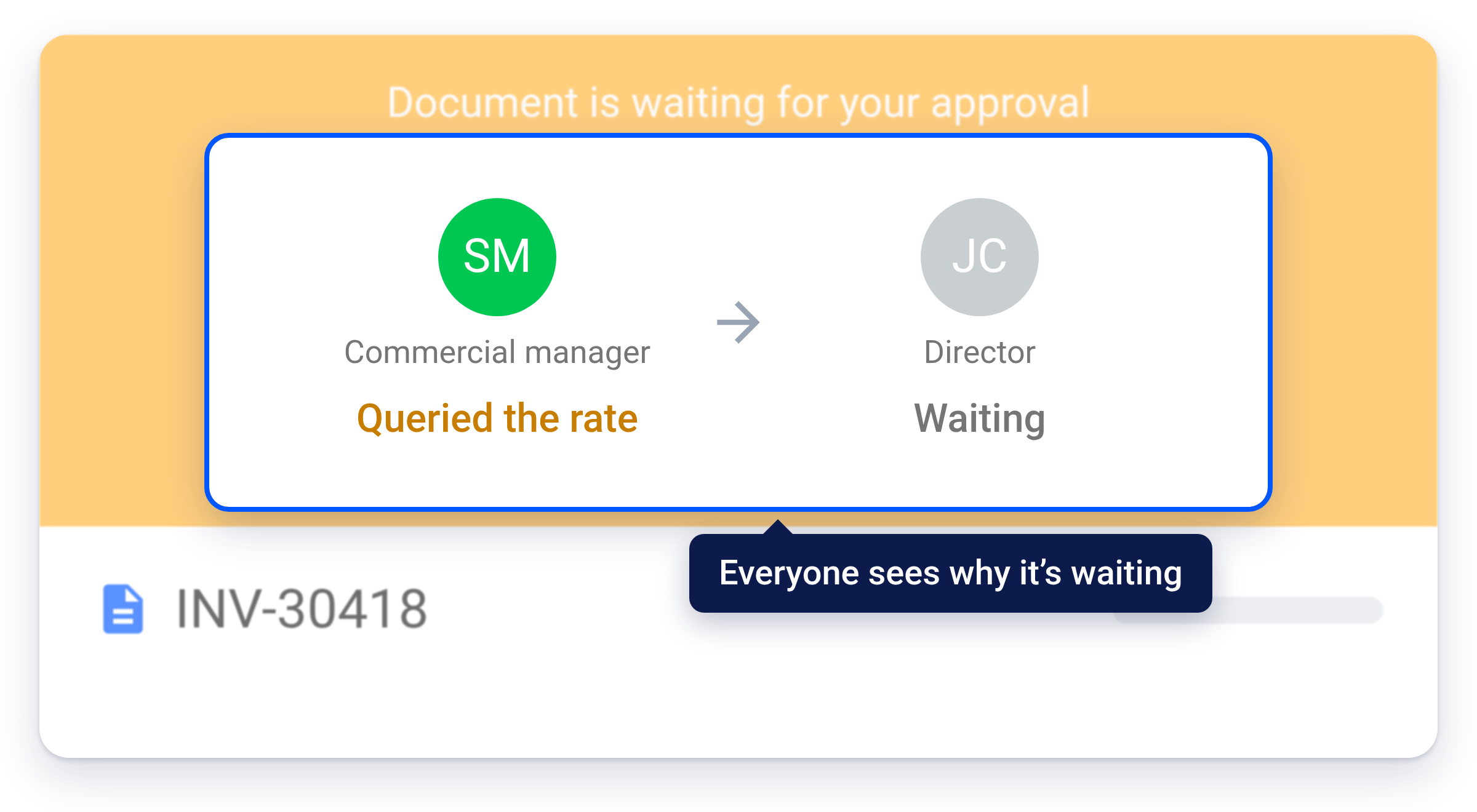
You check the value, the cost code and the project on every order and invoice. Above the values you set, a director gives the second sign-off. Query a rate and your comment goes with the document, so nobody has to chase you to find out why it’s waiting.
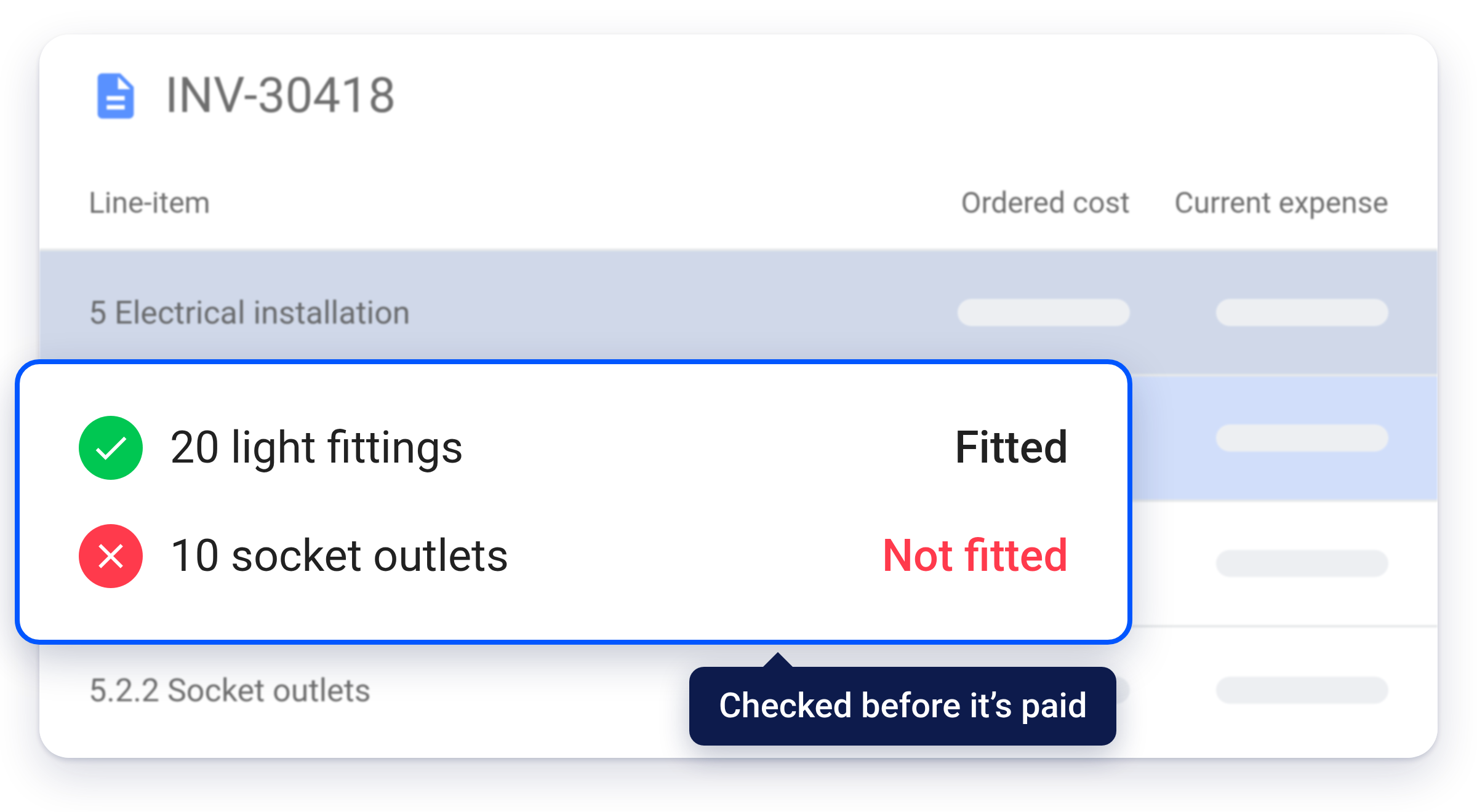
Every invoice is matched to its order and budget line, then approved by the people who know the job before it reaches your accounts. The ten sockets that were never fitted get picked up.
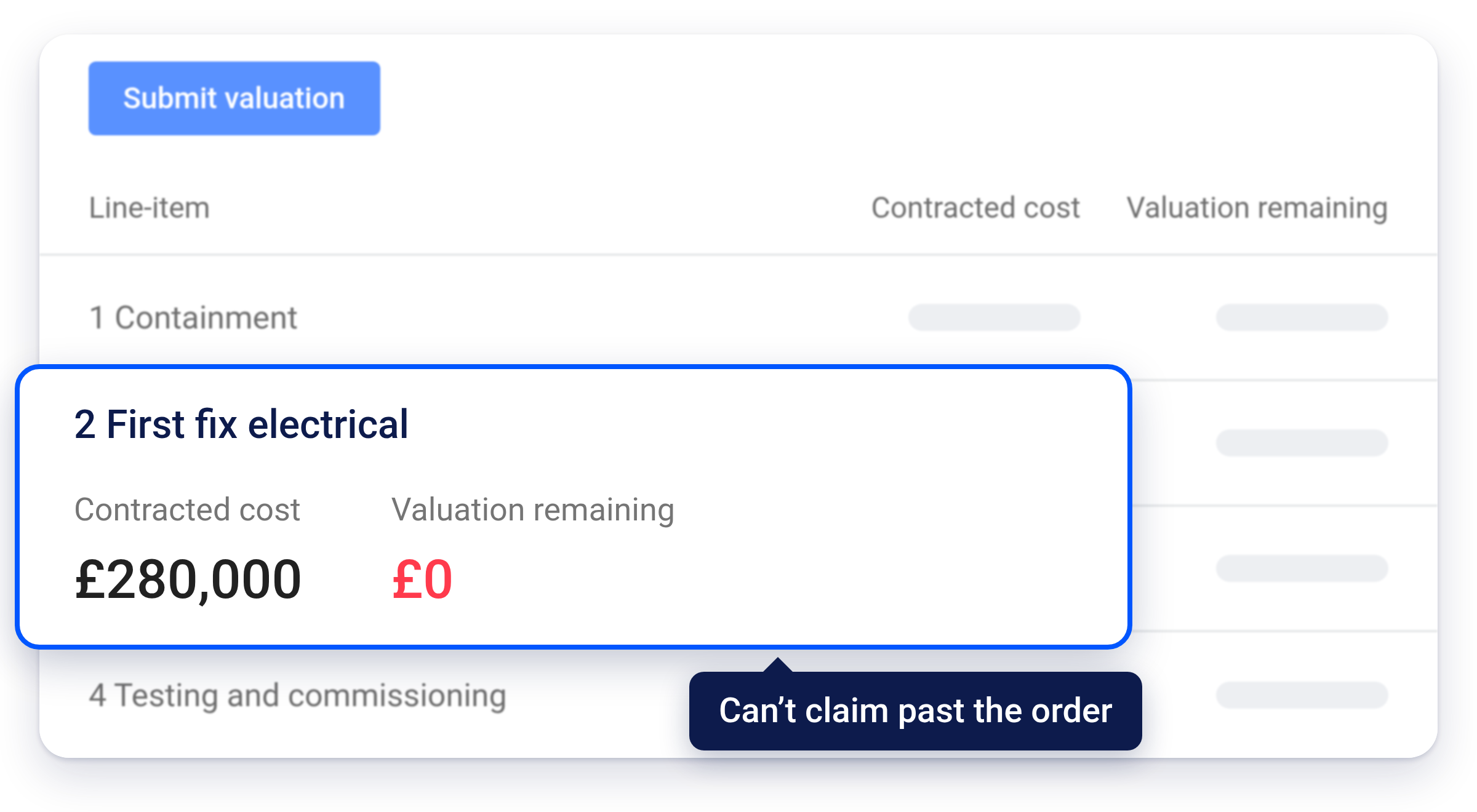
Subcontractors submit valuations through an email link, no login needed. No line can be claimed beyond its order value, so the valuation you certify is one you can stand behind.
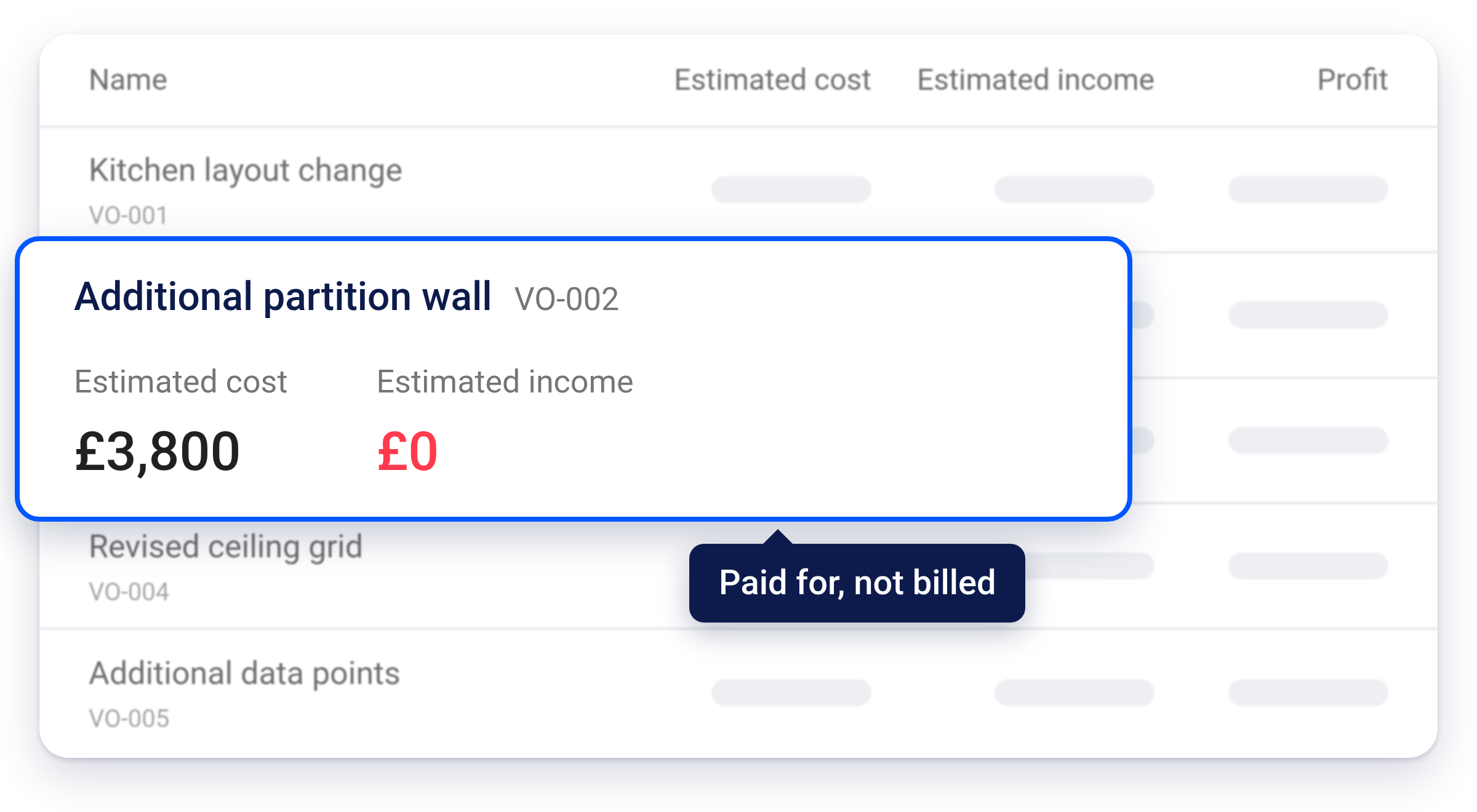
Every variation carries its own cost and its own income, with the profit beside them. One that has cost on it and nothing to bill stands out in the list, while there is still time to agree it with the client.
You also see how many variations each subcontractor raises, job by job.
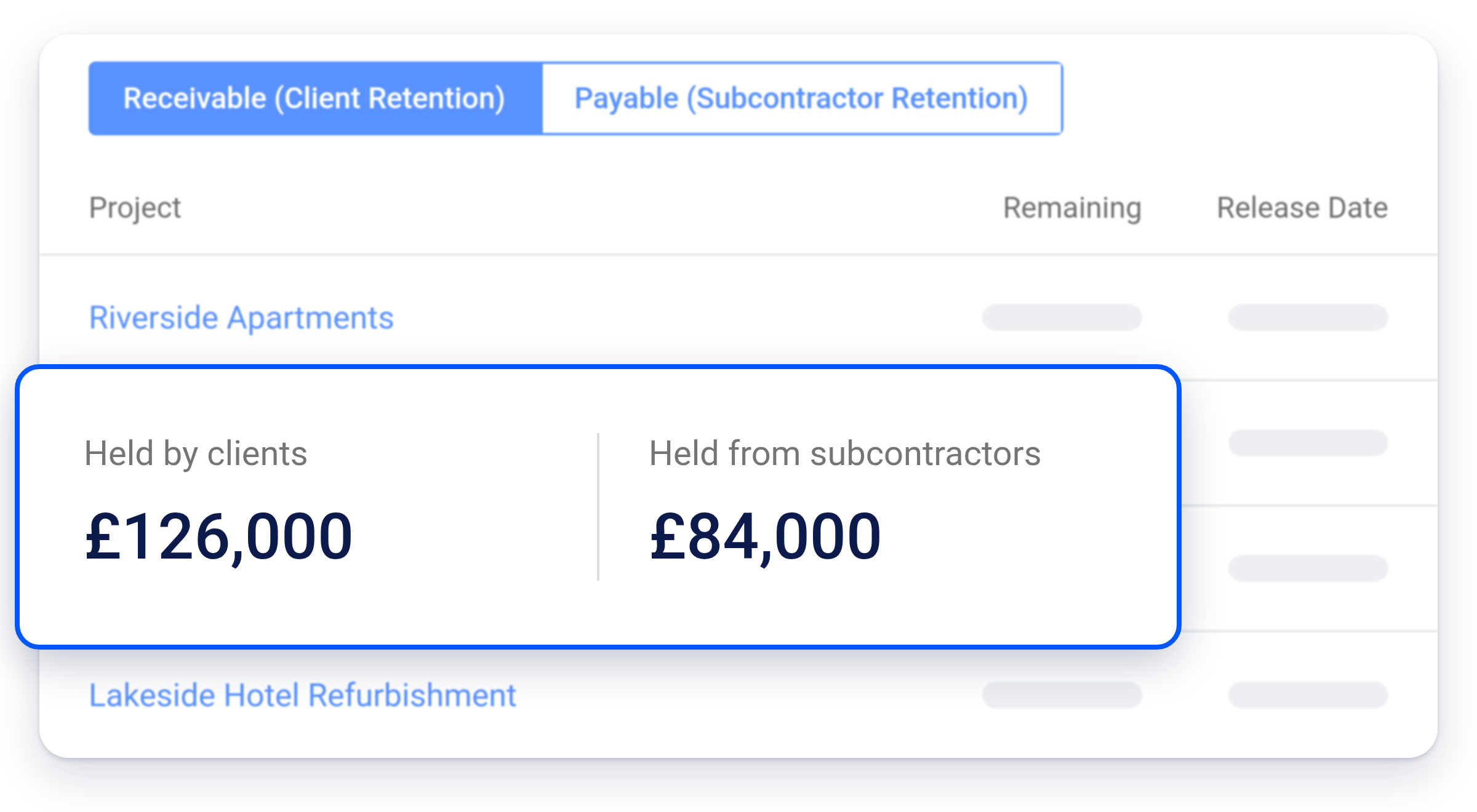
One dashboard shows the retention your clients hold and the retention you hold from subcontractors, by project and contract, with what has been released, what remains and the release date. Nothing waits in a spreadsheet to be remembered a year later.
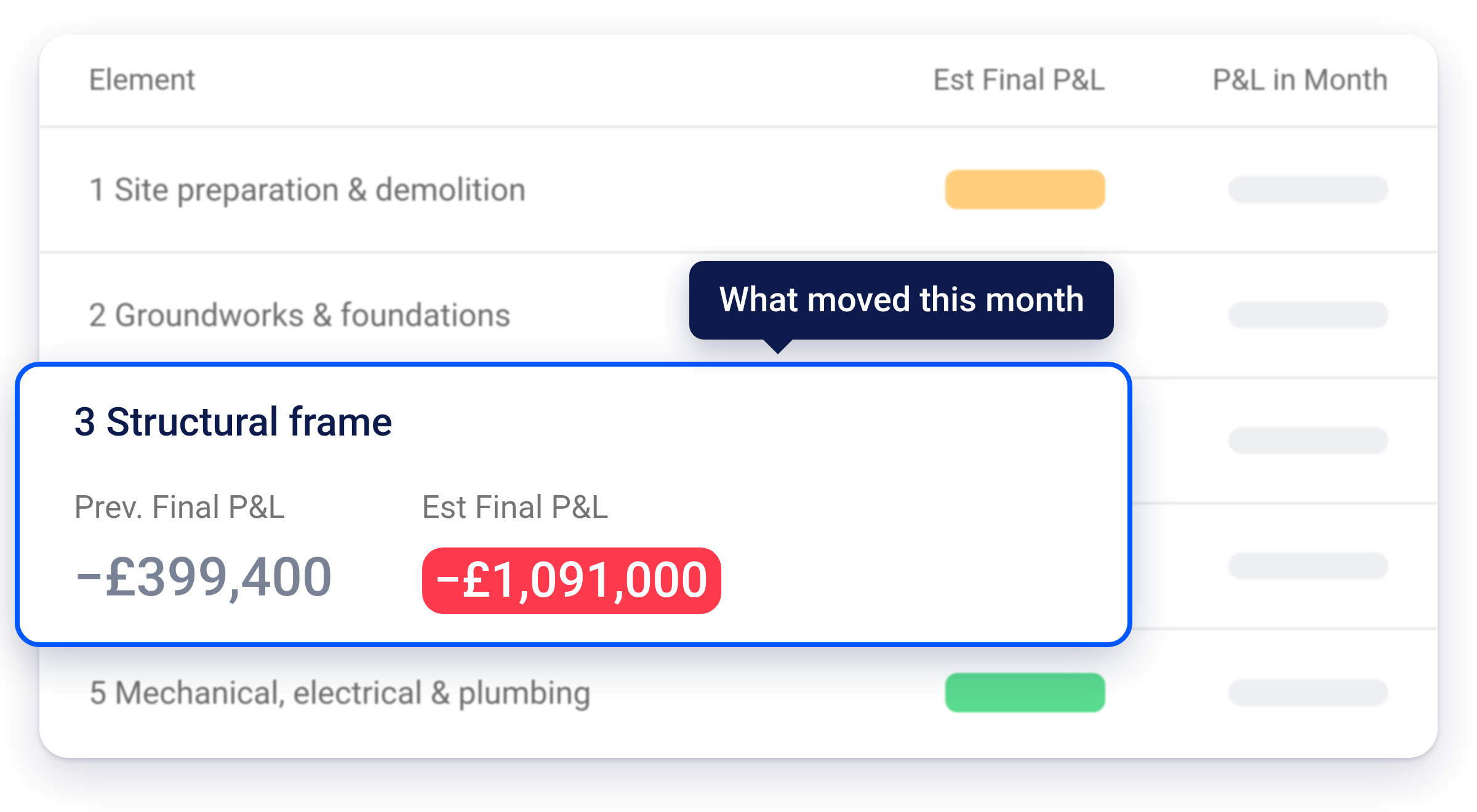
Sit down with each project manager, go through the live jobs line by line and revise the forecast where it has moved. The report shows last month’s forecast against this month’s for every element, so the conversation is about why, not about whose spreadsheet is right.
“Knowing where the final margin is going to land is what lets us make decisions,” says Ben Kirby, Head of Commercial at Parias.
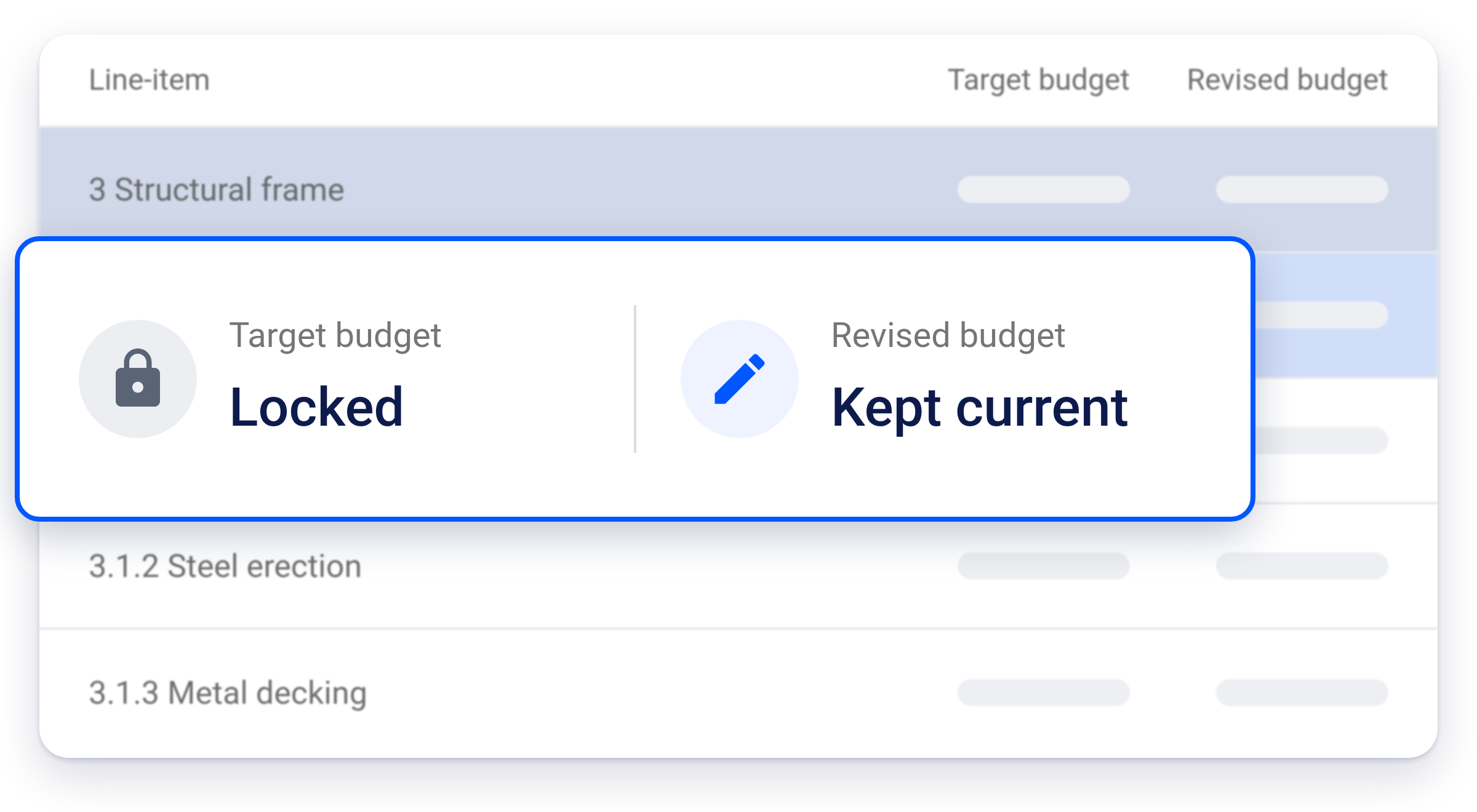
The original and target budgets are locked. Project managers and QSs update only the revised forecast, so the margin on the dashboard is the margin you’ll get.
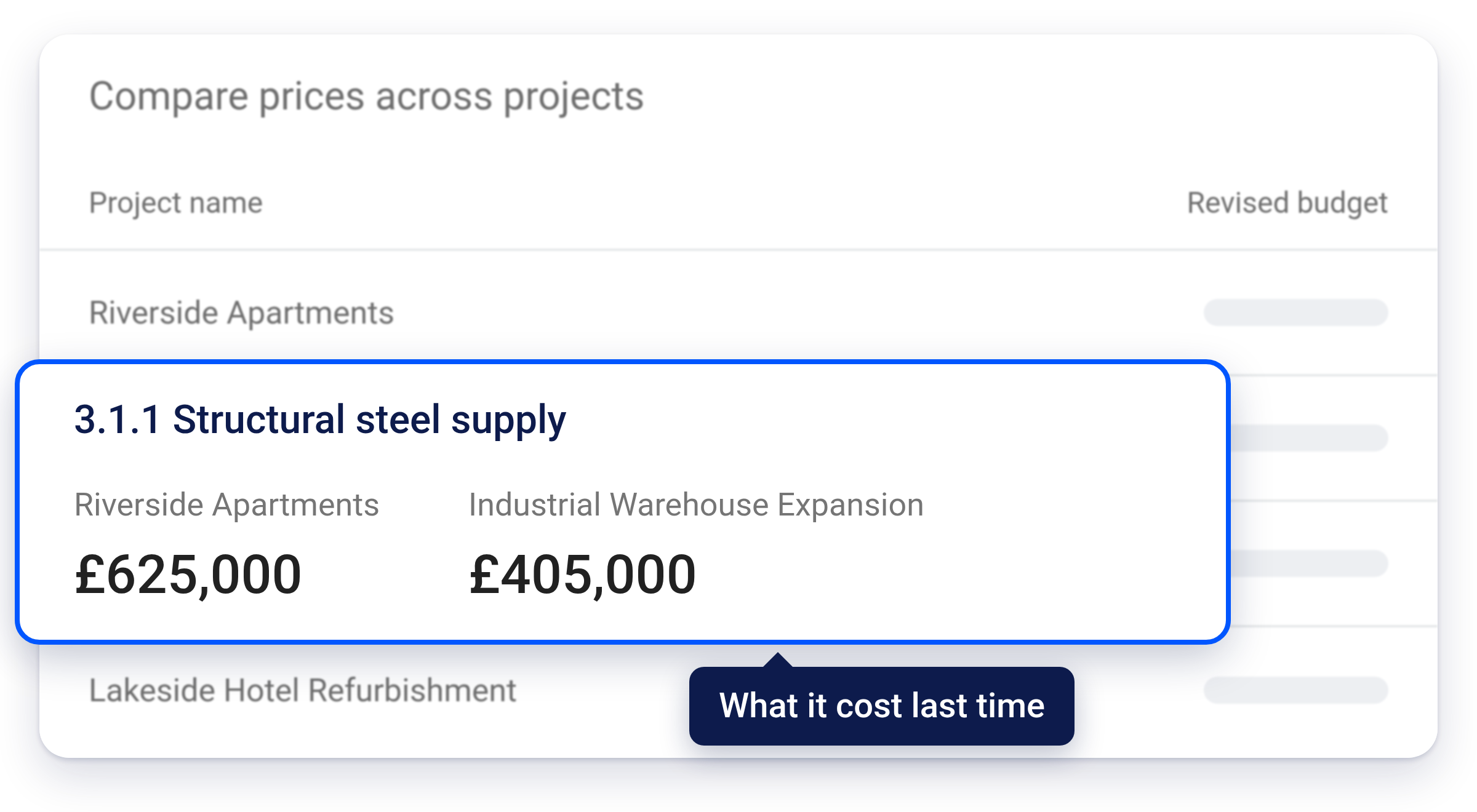
You decide which work is worth chasing and at what margin. Compare one cost code across all your projects and see which kinds of job make money and which never do.
On Parias’ Plymouth job, seeing the away costs before work started was the difference between a 5% profit and breaking even. Working-away jobs are now priced on what they really cost.
"Having everything nailed in Planyard meant we went into the final account meeting and could say straight away: we can't accept that, but we can accept that. We went from a four-day argument over every line item to knowing we'd made 5% on the job, being happy with it, and moving on."
Your numbers are only as good as what the team puts in, and you can’t stand over every order. In Planyard each person has a clear part in one process, so you spend your time checking and deciding, not chasing and re-keying.
Raise purchase orders and log invoices against the right job and cost code. Calls on rates and scope go to the people who know the job.
See the budget and committed costs on their own jobs, and own the forecast you go through with them each month.
Run subcontract orders, valuations and variations by package. A new QS picks it up after a couple of goes.
Check the value, cost code and project on every order and invoice, and see the forecast margin across every job.
Give the second sign-off above the values you set, and see every job’s margin on one dashboard without asking for a report.
Receive approved invoices in Xero or QuickBooks as drafts with the project reference. Nothing is keyed twice.
“Process beats skill,” says Ben Kirby, Head of Commercial at Parias. Approval workflows →

Parias gets job-level cost information that would otherwise have taken five more people, and the profit with them.
Read the case studyReCom is three directors and two designers, with no QS, office administrator or accounts person. Two of the directors run the whole office side between site visits.
Read the case studyVale Southern’s commercial manager saves that much on subcontractor payments and monthly reporting.
Read the case studyYou will make the case; the owners will sign it off. This is what changes for them.
The forecast margin on every job on one dashboard, and how it moved since last month.
A second sign-off on orders and invoices above the values they choose.
At Parias an owner spends about an hour a day checking and asking the right questions, and has the rest of the day for growth.
“I sign off on every order myself, because once it goes out, we’re liable for it,” writes Marcus, one of the owners of Parias, in his review on the Xero App Store.
Something to forward: the Parias case study →
This is how Parias set up, starting from a half-hour call with their Planyard account manager. Start with one live job and add the rest as you go.
Build cost codes around the packages you buy, not the lines you sell.
Once a job is won, code the estimate and upload it as the budget.
Set who raises orders, who checks them and who signs off, by value.
Connect Xero or QuickBooks so approved invoices arrive as drafts.
Review every live job with its project manager once a month.

"We don't have a QS or an extra person in accounts. We are the quantity surveyor, doing it as we go, and Planyard is what makes that possible."
Xero or QuickBooks stays your accounting ledger. Budgets, orders, valuations and forecasts are managed per job in Planyard. Only approved invoices reach your accounts, as drafts with the project reference, and CIS and VAT are handled for you.


See how Planyard helps businesses like yours succeed - read their stories in our blog.
"To get this level of information without Planyard, we'd have had to take on five more people. And then you've wiped your profit out again."
Read more: Parias Construction & Interiors Ltd
"A company of five employees, and Planyard has probably saved us three: an office administrator, a quantity surveyor and an extra accounts person. That's well over £100k a year in salaries, before employer's NI and pension on top."
Read more: ReCom Fire Protection Ltd
"Planyard lets the two of us do so much that we can be selective about who we hire, instead of taking a risk on the next person. Without it, 70 live jobs is too much for two people."
Read more: ReCom Fire Protection Ltd
"Planyard gives me more time to look into negotiations or reviewing actual progress on site rather than rushing through admin. I can focus on the live stuff instead of copying numbers between systems."
Read more: Vale Southern Construction Ltd
We've got your questions covered. If you can't find the answer below, then feel free to contact us via the chat.
A construction commercial manager is responsible for the financial performance of a contractor’s jobs: procurement and subcontract orders, subcontractor valuations and payments, variations, client valuations, monthly cost value reconciliations (CVRs), forecasting and final accounts. The job is to protect the margin a project was won at, from the first order to the final account. In larger contractors a commercial director leads that work across every job and reports the position to the board.
Planyard gives you the live cost position on every job: budget, committed costs from orders and subcontracts, actual costs and forecast final margin. Every order and invoice goes through one approval process, so overruns, overclaims and unbilled variations show up while the job is still running.
Everyone who touches project money. Administrators raise orders and log invoices, project managers and QSs manage their jobs and packages, you check and approve, directors sign off above the values you set, and accounts receives approved invoices in Xero or QuickBooks. Each person sees only what their role needs.
Usually fewer than you’d expect. Parias’ Head of Commercial says the same level of information without Planyard would have taken five more people. ReCom Fire Protection runs 70 live jobs with five people and no QS, office administrator or in-house accounts person. Planyard doesn’t replace commercial judgement, but it removes the re-keying, chasing and spreadsheet building that those hires would otherwise be doing.
Start with what it costs not to see the margin: one point on £5m of turnover is £50,000. Then show them what they get, which is the forecast margin on every job without waiting for a report, and the final sign-off on every commitment. The Parias case study is written for exactly this conversation, and a free trial on one live job gives you your own numbers to show.
The daily work is simple: raise an order, log an invoice, approve or query it. Vale Southern’s commercial manager expects a new QS to pick it up after a couple of goes, and subcontractors need no login at all. One process with clear roles is easier to follow than five people’s spreadsheets.
Most teams start with orders and invoice approval, then add subcontractor valuations, variations and the monthly review. That order works: each step makes the next one more accurate. Our team helps you plan the stages during set-up, so it doesn’t stay a purchase order tool.
Yes. The forecast and CVR reports are live on screen for every job and for the whole portfolio, and budgets and reports can be exported. If your board expects a fixed layout of its own, check that in the trial before you rely on it.
Most teams have their first job running in a few hours. Parias had a half-hour call with their account manager, then built a cost code list and set up the first job in a couple of hours. You can upload your existing Excel budget to start.
Build them around the packages of work you order, such as groundworks, partitions or electrical, not around the lines you quote. Keep them few and clear: too few and you can’t see what a package really cost, too many and invoices land in the wrong place. Our team helps with this during set-up.
Yes. Budgets, orders, valuations and invoices feed the CVR automatically, so there is no monthly spreadsheet to rebuild. The monthly review becomes a conversation about the forecast, not a week of collecting numbers.
No. Xero or QuickBooks stays your ledger. Planyard is the commercial layer on top and sends approved invoices to your accounts as drafts with the project reference, so nothing is entered twice.
No. Subcontractors get an email link, submit their valuation in the browser and can’t claim more than their order value.
Yes. Start with one job, get the process right, then add the rest. Many commercial managers start with the job they’re most worried about.
Planyard covers cost control and forecasting without an ERP rollout, and a small commercial team can run it day to day. Ben Kirby at Parias used COINS for years before joining: “Planyard is really Apple, in the way Apple is user friendly.” Planyard as an Access COINS alternative →
Yes, a free 7-day trial with all features and no credit card. You can also book a demo and we’ll walk you through it on one of your own jobs.
You don’t need an ERP rollout to get started. Put one live job in and see its margin while you can still do something about it.
 Go to site for