
In UK construction most cost control still lives in Excel. It is on every computer. Everyone knows how to use it. It feels free.
That works while you have enough people to keep the sheets tidy. It stops working when the business shrinks. One of the contractors we spoke with went from about 15 million in revenue to about 5 million. They made redundancies. Suddenly the old way of doing cost control was too manual. They still had spreadsheets everywhere. They still had invoices going to one shared inbox. They still needed CVRs. Only now there were fewer people to fix mistakes.
This article shows why spreadsheet errors appear so often in construction. It also shows why those errors turn into real money problems. At the end we look at how construction finance software like Planyard removes most of this risk.
Why UK construction teams still use Excel
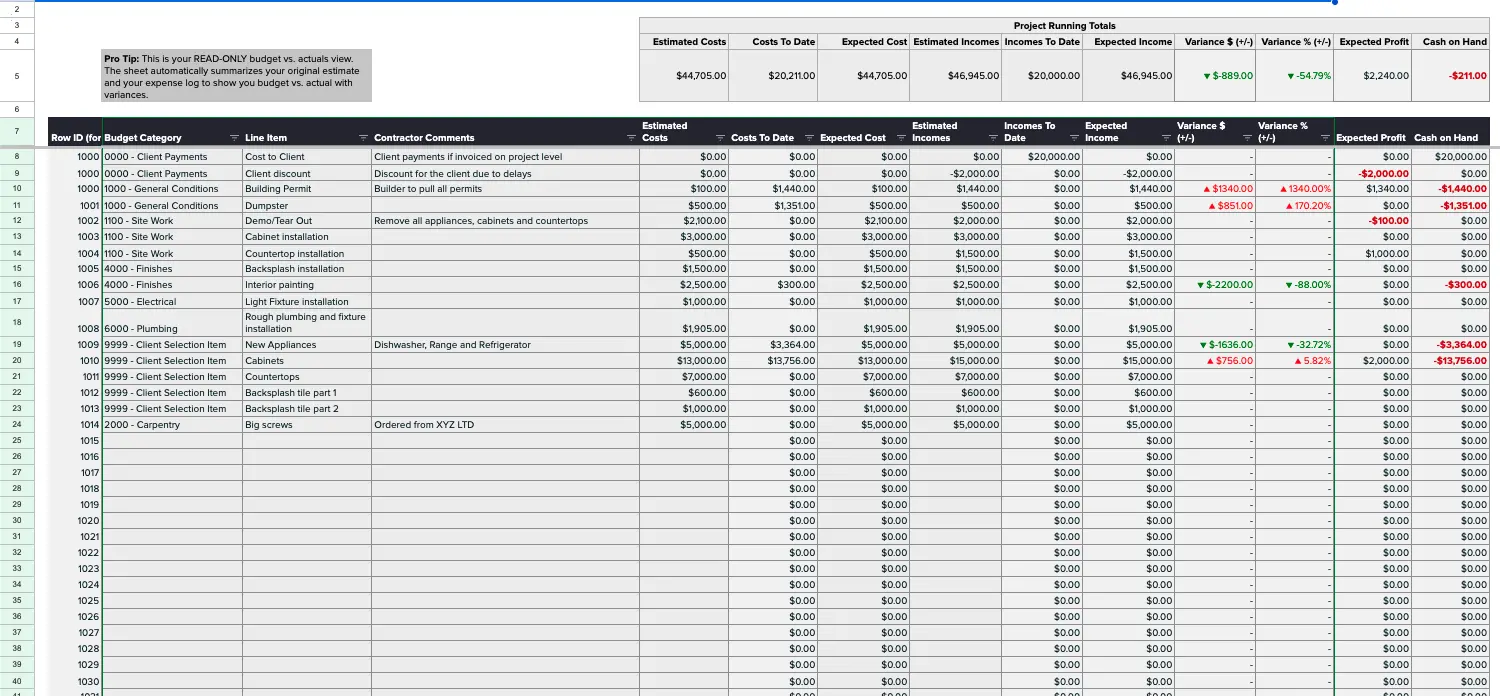
There are a few simple reasons.
- Excel is already installed.
- Older templates exist in the business.
- People can figure it out in 20 minutes.
- It looks cheaper than software.
Many teams also run Xero and have one central AP inbox for all invoices. In that setup it feels natural to open a spreadsheet and type the cost onto the job. It is fast on day one. The problem is that nothing is enforced. There is no workflow. There is no audit trail. There is no warning if someone uses the wrong version.
So the thing that felt quick turns into extra work for finance and for project managers.
The 5 spreadsheet mistakes that become finance problems
This is where construction runs into trouble. The errors are boring. They are not big formula bugs. They are small human steps that Excel cannot control.

1. Variations that are not linked to the client contract
In Excel it is easy to record a variation on a separate tab. It is also easy to forget to link it back to the contract. The project then looks less profitable than it really is. Or the opposite. It looks fine even though the client has not approved the change.
In a finance tool the variation sits on the contract. In a spreadsheet it sits wherever someone pasted it.
2. Late or missing internal labour entries
A lot of firms collect time in sheets. Staff fill it in weekly. Sometimes monthly. If someone forgets to enter time then the job looks on budget. Finance later has to touch the file and add the hours. That is not finance work. That is catching up with Excel.
3. Invoices that arrive in a shared inbox but never reach the project
The typical flow is. Supplier sends invoice to accounts@company. Someone opens it. Someone copies the line into a spreadsheet. Someone sends it to Xero or ApprovalMax. Any step can be missed. If you miss it the cost appears in accounting. It does not appear in the project sheet. Your CVR is now wrong.
4. Reused or outdated templates
Construction loves to copy old sheets. That is how hidden errors move from one project to the next. A wrong formula in one cell becomes 20 wrong projects. No one knows who changed it. No one gets notified.
5. No audit trail and no single truth
Two people can open the same file on SharePoint or on their desktop. They can both make changes. You now have two truths. Finance has to decide which one is real. That takes time. Time is money. Especially after a restructure.
From one bad spreadsheet to a cost overrun
Here is a very common chain.
- PM updates the project spreadsheet once a month.
- A variation or an invoice is missing.
- The month end CVR says the project is fine.
- A week later a big invoice is posted in accounting.
- Now the project looks bad.
- Management asks what happened.
- Someone has to go through spreadsheets to explain.
The real problem is timing. Excel does not tell you that committed costs have passed the revised budget. A construction finance tool does. So a small data entry mistake can stay invisible until it grows into a cost overrun.
The Excel error no one talks about. Retention.
This came up very clearly in the calls. UK contracts have retention held on both sides. You hold retention from subcontractors. The client holds retention from you. You need to remember future dates. You do not always know practical completion when you start. Sometimes the defect period is set later. So someone has to remember to raise the claim.
Spreadsheets do not remember.
So you get money trapped in the contract. Cashflow is tighter than it should be. A director looks at cash and at overhead. Then asks where to cut.
What people asked for was very simple. A dashboard that shows all retention in and out. Color coded. At 60 days out. Across projects. That is exactly the kind of thing a system like Planyard can show because retention is entered in a structured way. In Excel it lives in separate tabs or in someone’s head.
When margins shrink, overhead goes next
This is the part most online articles do not say. They stop at “Excel causes errors.” In real businesses the next step is “So we need to cut.”
If your turnover drops from 15 million to 5 million you probably reduce site teams. You also reduce QS and finance. Now you have fewer people to chase timesheets. Fewer people to correct invoices. Fewer people to rebuild damaged spreadsheets.
That is why spreadsheet risk actually gets worse after downsizing. You removed the human safety net. You did not remove the manual process.
A better process is one where the data goes in right away. Variations are attached to the contract. Invoices are routed to the right project. Retention has dates. Then finance can focus on reporting and not on repairs.
Excel vs construction cost management software (Planyard)

Excel has helped a lot of UK contractors get off the ground. It is flexible, it is on every laptop and it is good enough for a few jobs. But once you are running multiple projects, routing invoices from a shared inbox, tracking retention and trying to give management a reliable margin number, Excel starts to show its limits.
This is the point where it makes sense to compare the spreadsheet you built yourself with a spreadsheet alternative built for cost control. The job is the same. You still need to link budgets, contracts, variations and invoices. The difference is that Planyard does it in a controlled workflow so people cannot quietly break the numbers.
Routing invoices from a shared inbox
Excel. Someone opens the email. Someone pastes the numbers. If they are off sick it waits.
Planyard. You forward the email to Planyard. You link it to the project. You send it to Xero as a bill.
Keeping contracts and variations in sync
Excel. Easy to miss.
Planyard. Variations sit on the same contract so the profitability you see is real.
Timesheets and work orders
Excel. Extra sheet. Easy to forget.
Planyard. People record work against the project. The cost hits the budget right away.
Retention
Excel. Manual reminders. Easy to forget.
Planyard. Can be shown on a dashboard and filtered by due date.
Audit and approvals
Excel. None.
Planyard. Approvals are part of the workflow so you know who did what.
Closing
Spreadsheets are not the enemy. Uncontrolled spreadsheets are. Construction is thin margin by nature. If you let small data entry mistakes sit in Excel they will show up later as cost overruns. After a restructure that can easily be the difference between keeping the team you have and cutting again.
Add structure. Add approvals. Add reminders. If you want that without hiring more people then it is time to move the job costs out of Excel and into construction finance software. That’s where Planyard comes in – the all-in-one construction accounting software that gets you out of Excel.
