Sage construction purchase order software

Stop finding out what was ordered when the invoice arrives

In Sage you cannot assign a purchase order to a project, so spend only shows up when the bill does. Planyard raises every order against a job budget with approval limits, and posts only the matched, approved invoice to Sage.

Free 14-day full-featured trial. No credit card required.

Sage integration with Planyard construction software

Replace the one generic PO per site

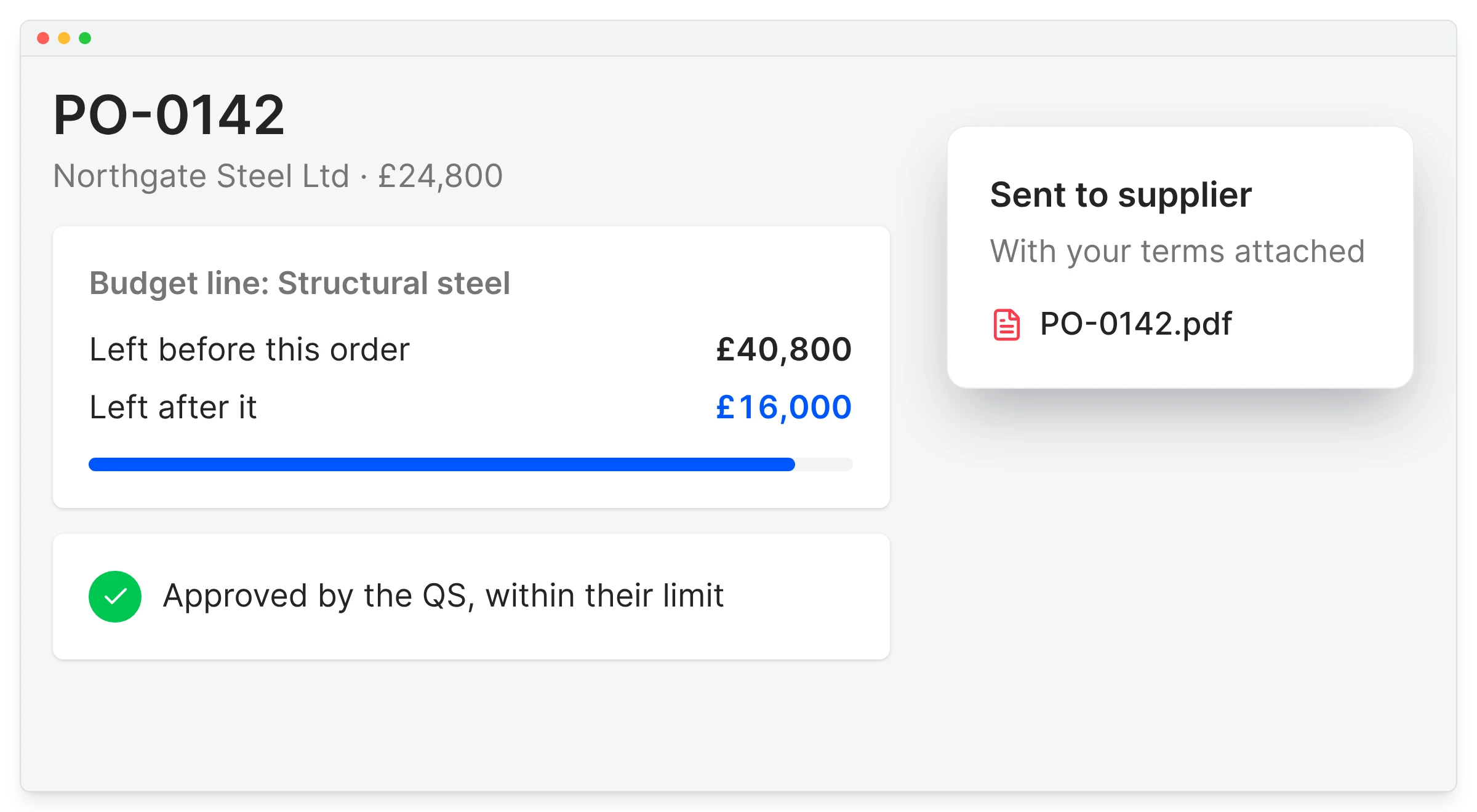
A single order number per site tells you nothing about what was bought, from whom or against which budget. In Planyard every order has a job, a budget line and a supplier, and goes out with your terms attached.

Set limits per project, so an order over budget or over someone’s authority waits for sign-off.

Every order belongs to a job

And to a line in its budget

Limits by person and project

Over-budget orders wait for sign-off

Your terms on every order

Sent as a PDF from Planyard

Small site purchases covered

Merchant runs get an order too

"Everything has a PO linked to a job number. No one does a job without a purchase order, so when I look at margin I know it’s the true margin."

Read more
Lee Covington, Owner
Lee Covington Owner  ·  E&N Group Ltd  ·  London, United Kingdom

See spend the day it is committed

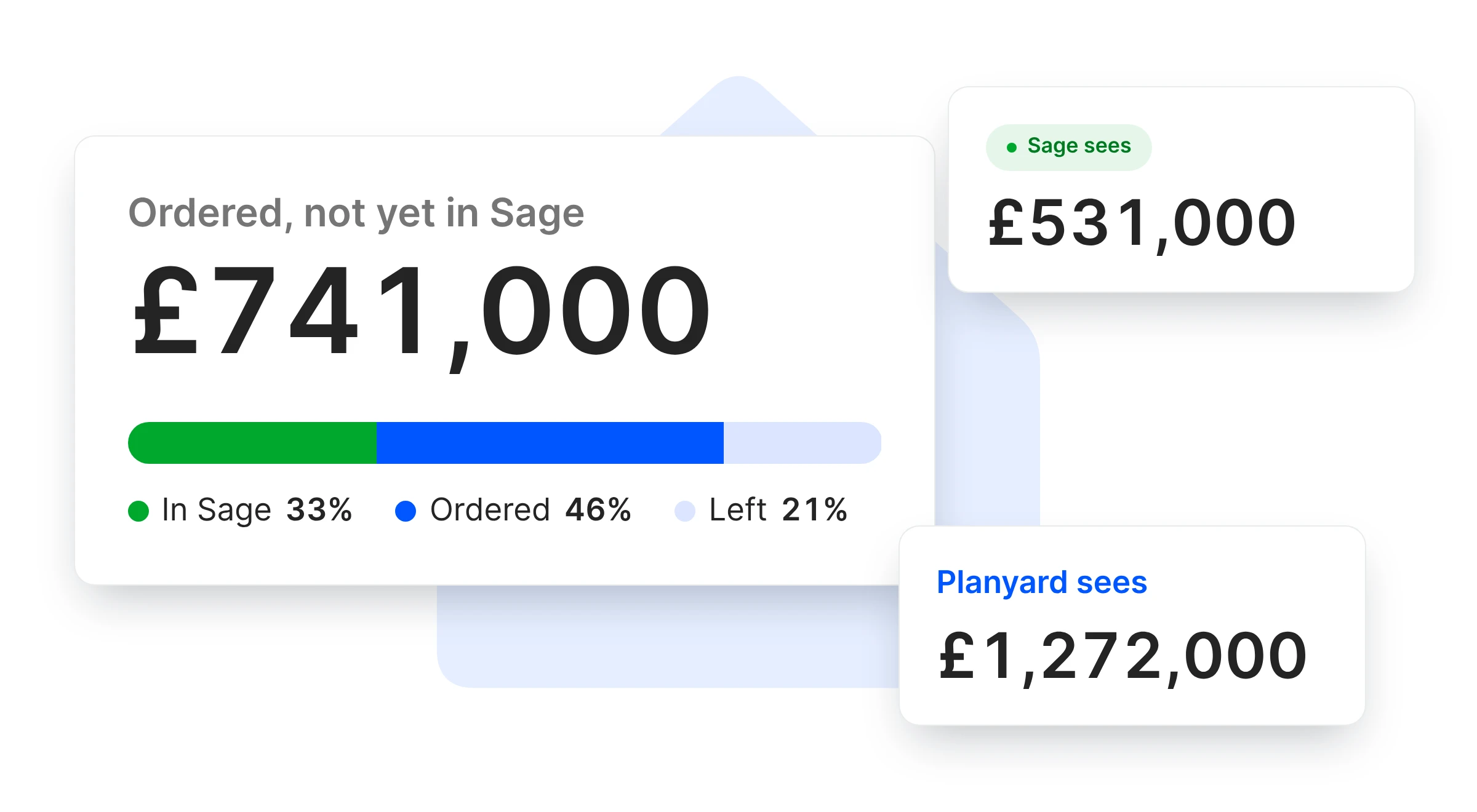
Sage only sees a cost when the invoice is entered, weeks after the order went out. Planyard counts the order against the budget immediately, so job costing shows what Sage has not seen yet.

Sage job costing

Committed from the order date

Not from the day the bill is entered

Remaining per budget line

What is left to order

Over-budget flagged

Before the order goes out

All orders in one list

No separate order tracker

"The system ensures that what gets measured actually gets managed. It provides a level of accountability that is baked directly into the platform, ensuring that every project detail is accounted for."

Read more
Sam Jarman, Director
Sam Jarman Director  ·  Rosetta Contracting  ·  Old Knebworth, United Kingdom

No more matching invoices to orders by hand

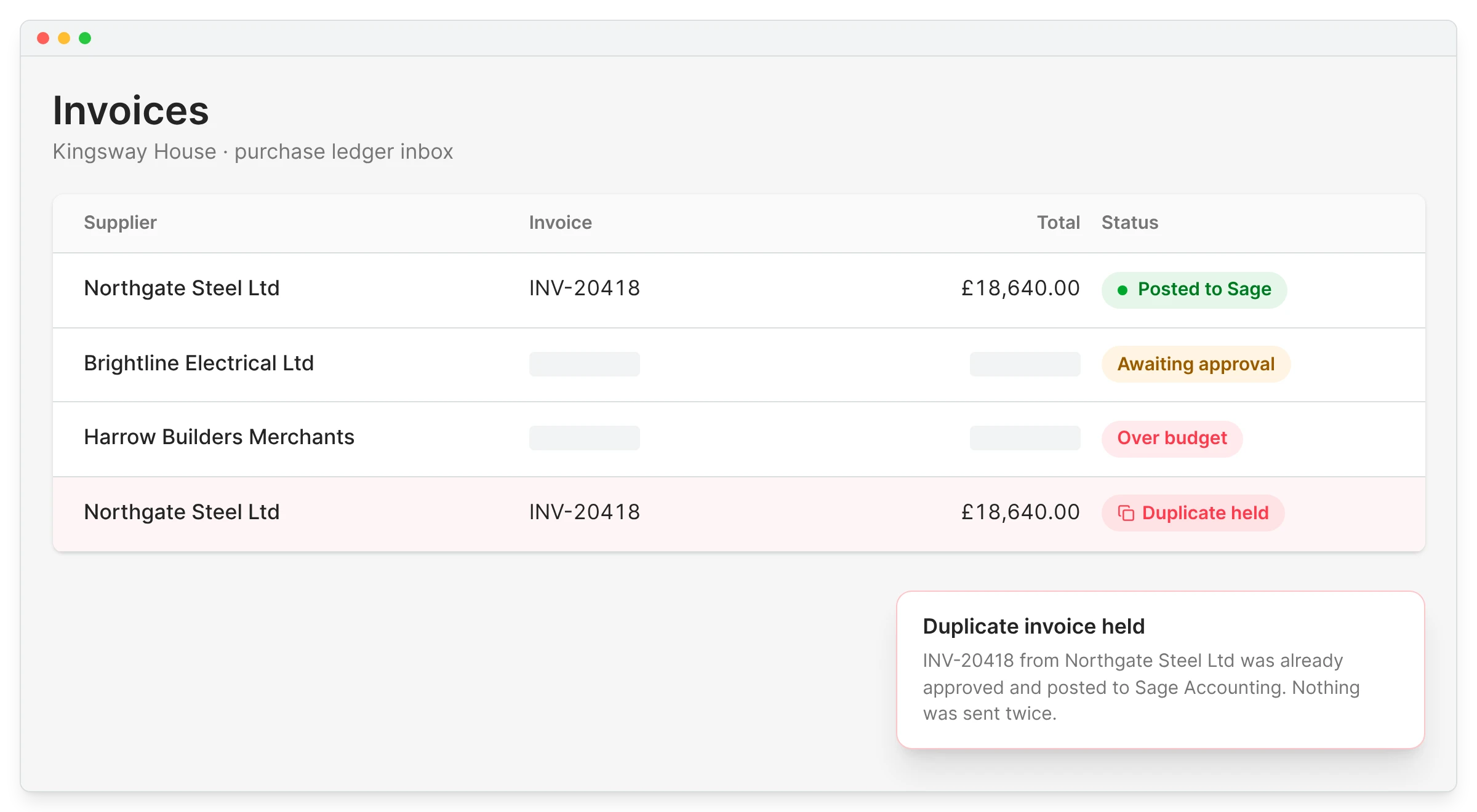
With a hundred invoices a month, finding each order, checking the price and chasing the difference takes days. Invoices are read automatically and paired with their order, with differences flagged and duplicates held.

One order can take several invoices, and Planyard tracks what is left to invoice on each.

Automatic pairing

Invoice to order to delivery

Differences flagged

Price or quantity outside the order

Duplicates held

The same invoice cannot be paid twice

Several invoices per order

Balance to invoice stays visible

"I’ve used other systems in the past that you need 3 or 4 days of training before you can even raise a purchase order on the system. With Planyard, you can just raise your first purchase order in 5 minutes in one go. You just Planyard it!"

Read more
Claire Hill, Estimator and quantity surveyor
Claire Hill Estimator and quantity surveyor  ·  Brown & Bancroft Interiors  ·  Bolton, United Kingdom

Only approved, matched invoices reach Sage

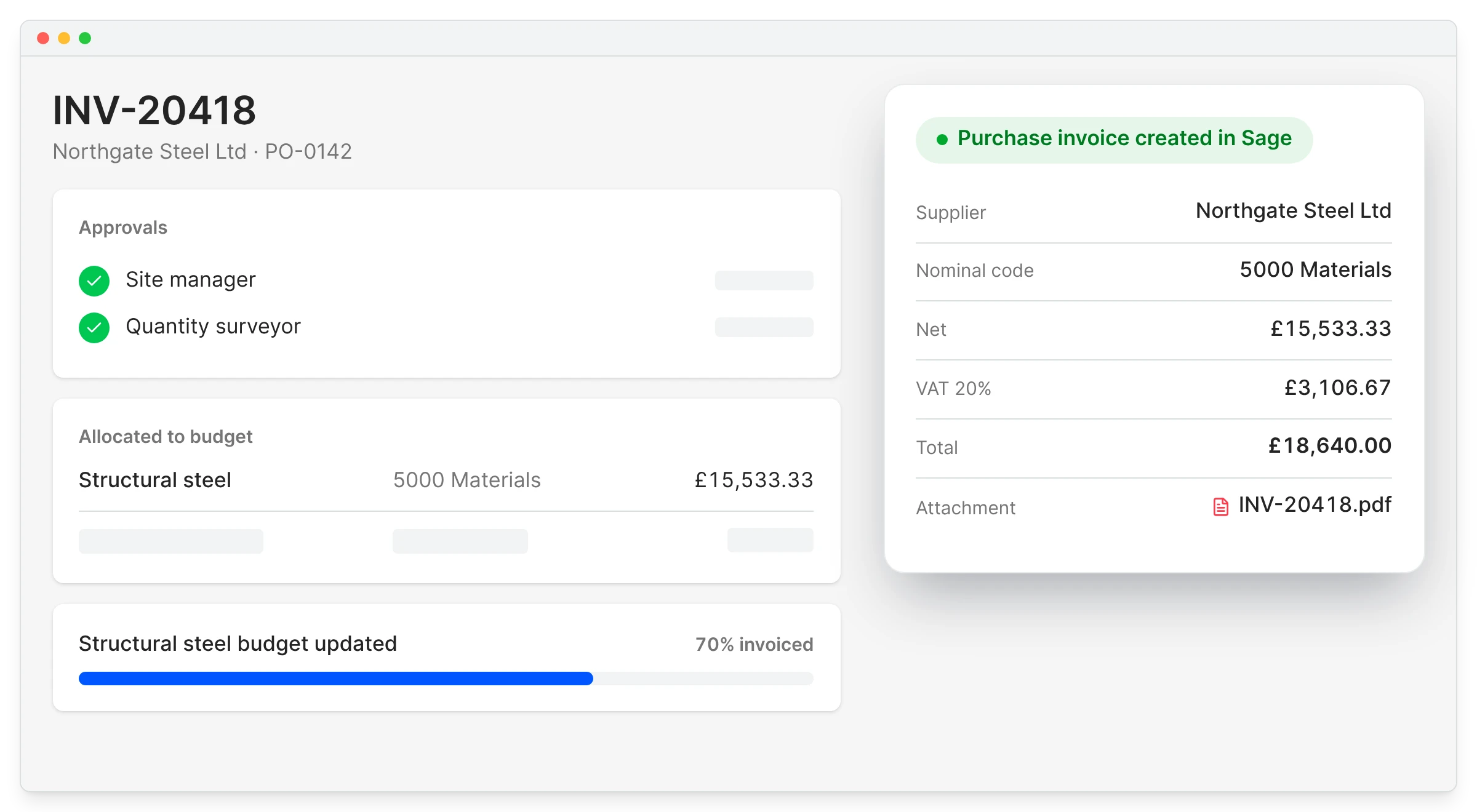
Orders stay in Planyard, where the project team manages them. Sage receives the approved purchase invoice with the supplier, nominal code, VAT and PDF, ready to pay through the Sage integration.

Sage Accounting integration

Orders stay in Planyard

Sage receives bills, not orders

Pre-coded

Nominal code from the budget line

PDF attached

The original invoice travels with it

Suppliers shared

Set up once in either system

"What I really like about Planyard is that you can take that zip file, unzip it, and essentially just dump all the invoices in at once. The system goes through and automatically picks out invoice numbers, dates, and other key details. Then, just assigning the cost codes is so much faster. The amount of stress that saves me is something I don't think I could even quantify."

Read more
Paul Treweek, Quantity Surveyor & Estimator
Paul Treweek Quantity Surveyor & Estimator  ·  DPTQS Ltd  ·  Cornwall, United Kingdom

Skyler Contracting was raising every purchase order twice. Now it is done once.

Grant Collins, a QS at Skyler Contracting, used to raise an order in one system and then re-create it in the budgeting software. Checking how much insulation was already ordered meant adding up purchase orders with a calculator.

Now he sees what is still to order on the budget and raises the order from there, saving two to four hours a week so far.

Skyler Contracting
Kent, United Kingdom
Read the case study →

Raise your next order against a budget

Set approval limits on one project and see which orders would have waited for sign-off.