CVR software for contractors using Sage Accounting

Stop losing days to the month-end CVR

Most CVRs are rebuilt every month from Sage exports and a spreadsheet, and some jobs never get one because nobody has the time. Planyard keeps cost, value and margin for every job current as orders, valuations and invoices are approved.

Free 14-day full-featured trial. No credit card required.

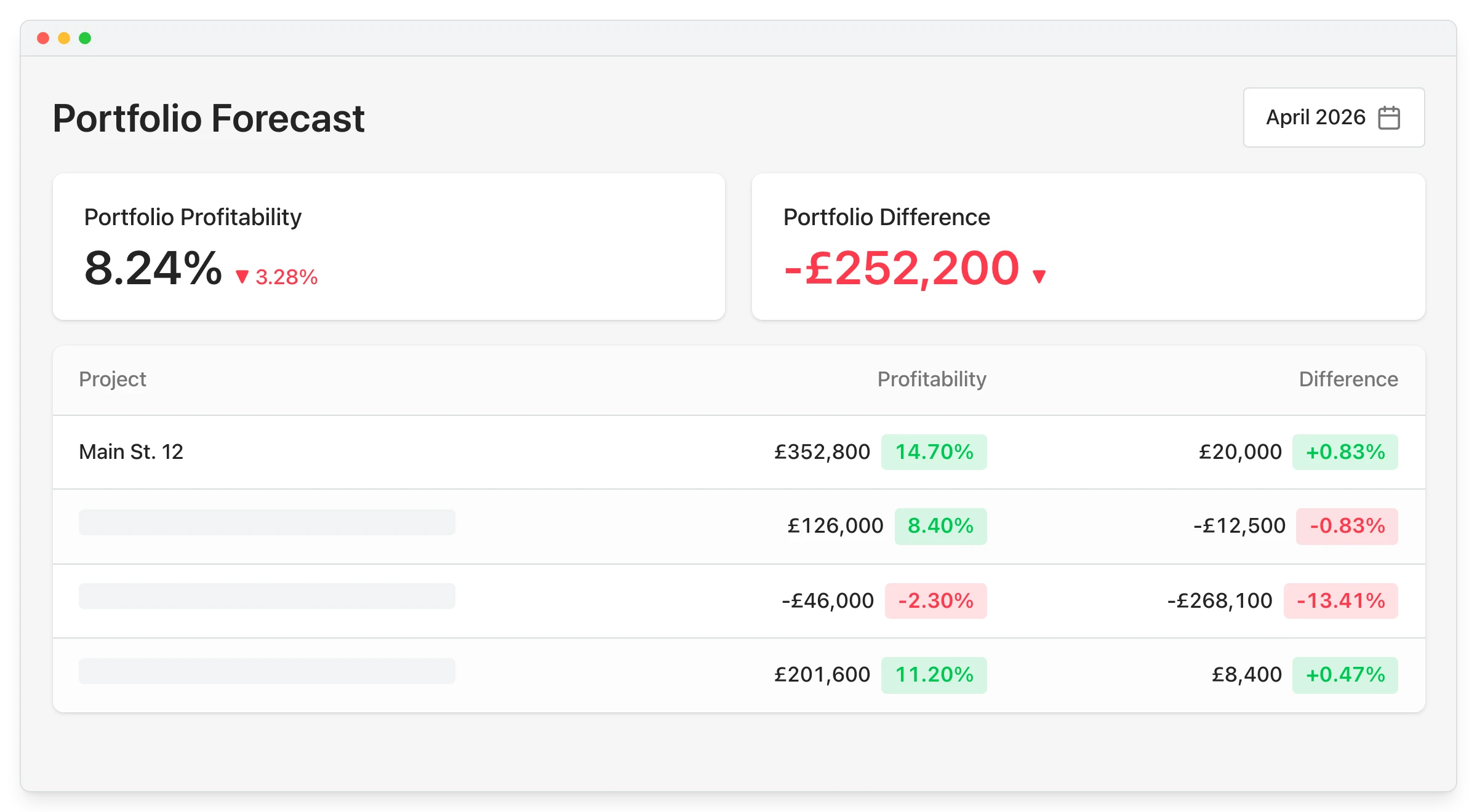
Portfolio CVR overview showing profitability forecast across all active construction projects

Why the CVR takes days, or does not get done

Cost comes out of Sage, value comes from the valuations and commitments come from an order log, and they all meet in a spreadsheet. By the time it is finished it describes last month, and one broken formula can carry straight into the report.

Cost exported from Sage

Invoiced cost only, keyed into the template

Commitments tracked separately

Unbilled orders in another file

Formula risk

One broken link drops a package

Days of work each month

Time the QS is not on the jobs

"Planyard has completely replaced my CVR process. Cost Value Reconciliation is essentially about tracking your budget against your actual spend to see exactly what remains, and that functionality is the absolute essence of the central core of Planyard."

Read more
Ian Holford, Managing Director
Ian Holford Managing Director  ·  Higgihaus Developments  ·  Bristol, United Kingdom

Cost, value and margin without the spreadsheet

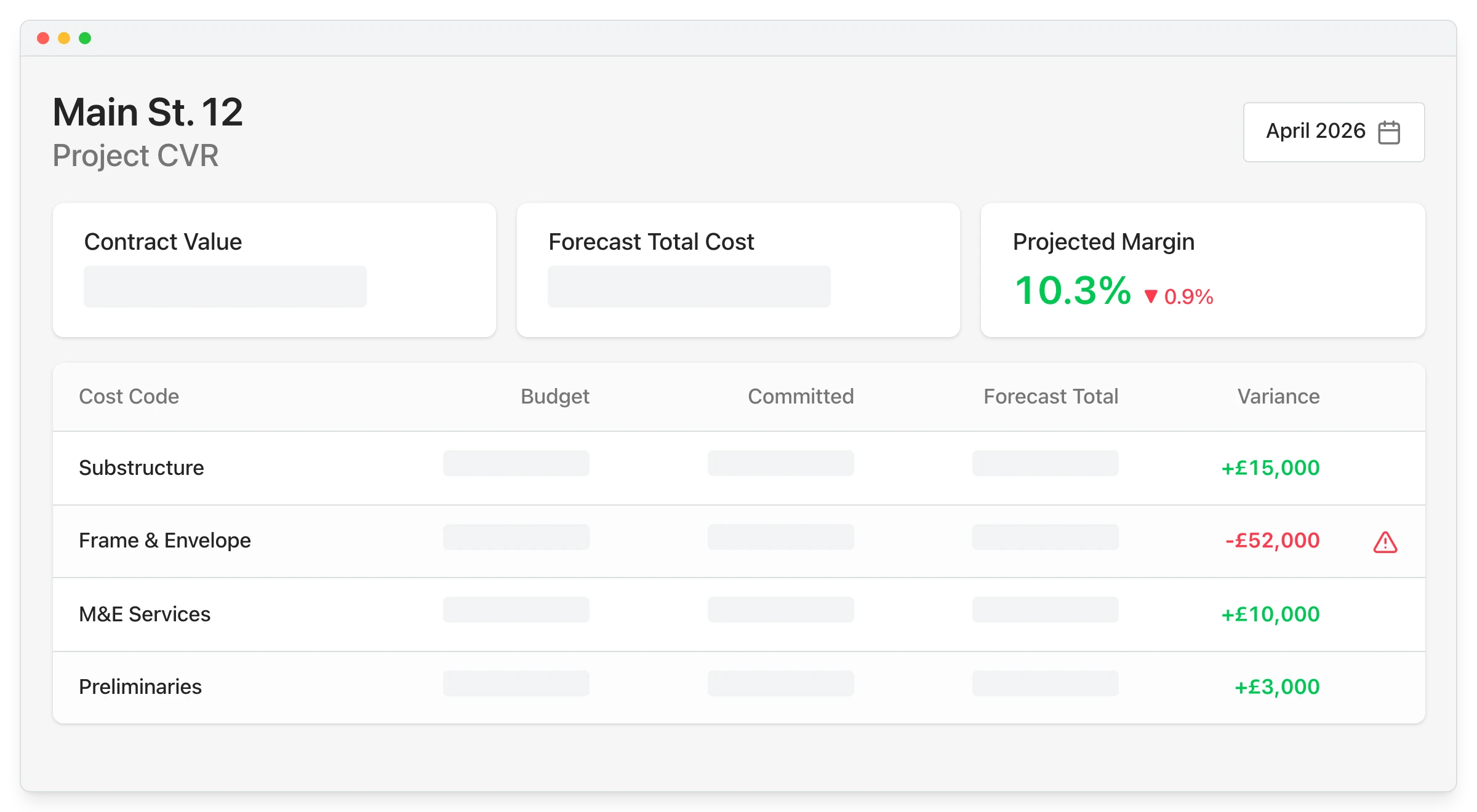
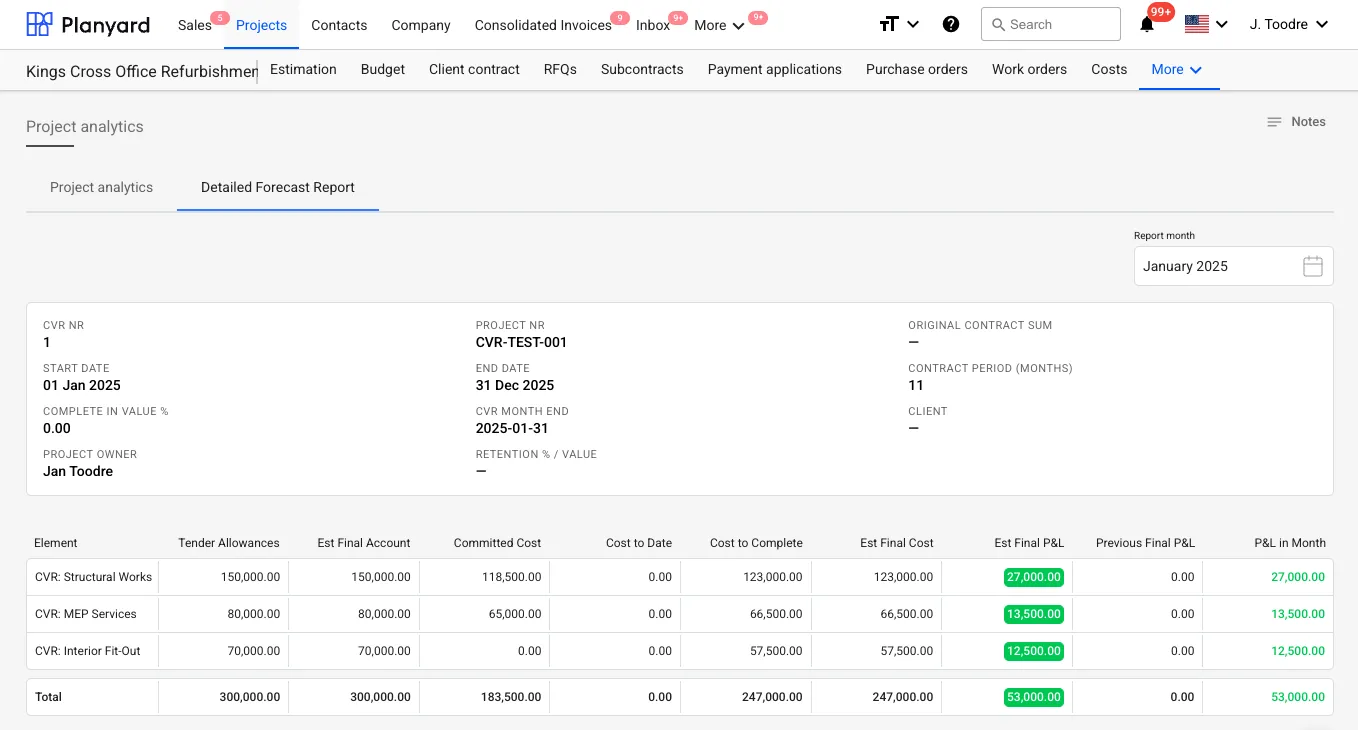
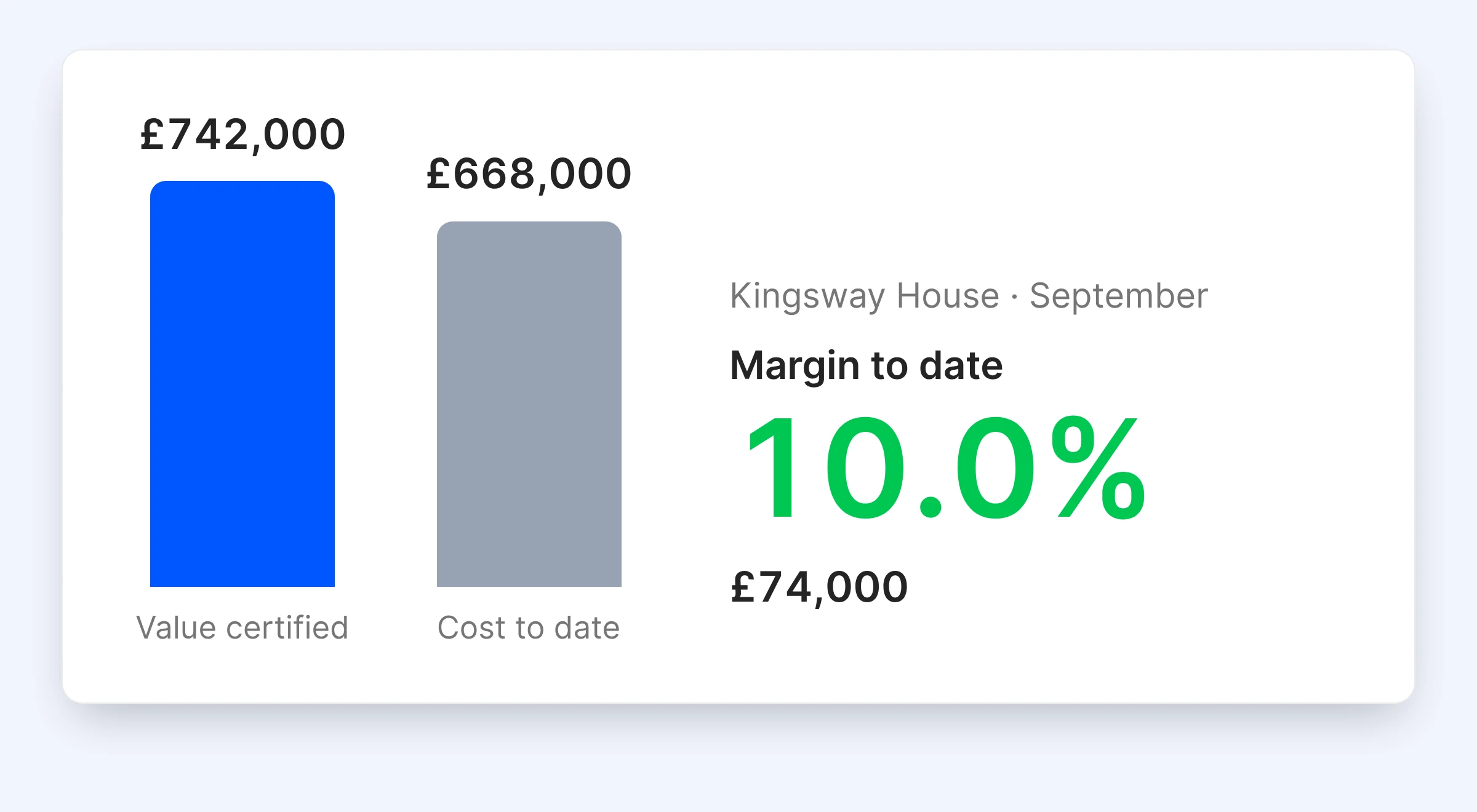
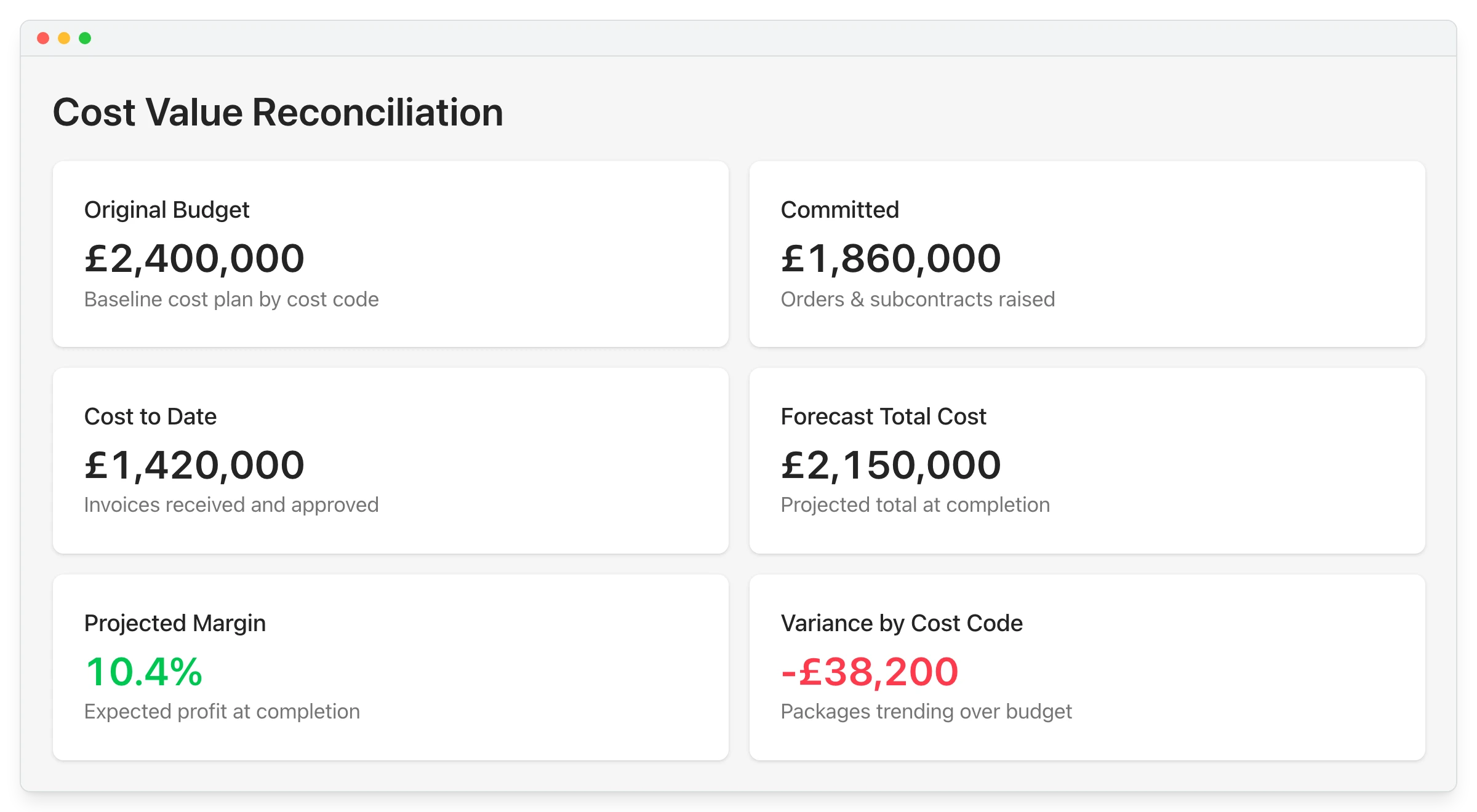
Each project’s CVR shows budget, committed cost, cost to date, value certified and forecast margin per cost code. The figures come from the orders, valuations and invoices your team already processes.

Subcontractor valuations

Cost to date

Approved invoices, the same ones in Sage

Committed cost

Orders and subcontracts, including unbilled

Value certified

Client applications per period

Forecast margin

Expected margin at completion

"Planyard can save about 15 minutes per subcontractor payment. When I'm dealing with 50 subcontractors, that's 10 to 12 hours a month. Add the CVR reporting and all of a sudden I've got two extra days free."

Read more
Gareth Evans, Commercial Manager at Vale Southern Construction
Gareth Evans Commercial Manager  ·  Vale Southern Construction Ltd  ·  Portsmouth, United Kingdom

Spreadsheet CVR or live CVR

The question you are asking Spreadsheet from Sage exports Planyard
Where does the cost come from?
Exported from Sage each month
Approved invoices, live
Are unbilled orders included?
Only if the order log is up to date
Yes, counted when the order is raised
How long does it take?
Days
It is already current
Can a formula break it?
Yes, one broken link drops a package
No manual transfer to break
Who can see it?
The QS
QS, PM and directors

See which package is eroding margin

A job can look fine in total while one package quietly loses money. Variance shows line by line, and every figure opens the order or invoice behind it.

Forecasting

Variance per cost code

Budget against forecast on every line

Drill to the document

Each figure opens its source

Variations included

Client and subcontractor changes

Retention tracked

Per package and per client contract

"When you look at your margin without using Planyard, you might think you’re making 21%. But are you really if things have been missed and you can’t see them? Planyard lets you see a true margin all the time."

Read more
Lee Covington, Owner
Lee Covington Owner  ·  E&N Group Ltd  ·  London, United Kingdom

Check where a job stands on any day of the month

You should not have to wait for month end to know where a job stands. Directors see every live job’s cost, value and margin on one screen, and you lock the period when you want a clean cut-off.

The approved costs behind the figures are already in Sage, so the two agree on everything that went through Planyard.

Sage Accounting integration

All jobs on one screen

Cost, value and margin

Month end in minutes

Check the figures, do not rebuild them

Period lock for cut-off

Clean month-end numbers

Same figures for QS and finance

One report, not two

"The spreadsheet process was prone to errors. If you didn't drag a formula down to include every row, you could suddenly drop £20,000 out of your price without realizing it."

Read more
Graham Eastwood, Office Manager
Graham Eastwood Office Manager  ·  Karringtons Ltd  ·  Kent, United Kingdom

Month-end CVRs took Brown & Bancroft three to four days. Now they take fifteen minutes.

Brown & Bancroft is a fit-out main contractor in Bolton, and month-end CVRs used to take three to four days in Excel.

With Planyard the figures are live, and checking every job at month end takes ten to fifteen minutes.

Brown & Bancroft Interiors
Bolton, United Kingdom
Read the case study →

Run this month's CVR from live numbers

Load your live jobs on the free trial and check cost, value and margin at month end instead of rebuilding them.