Subcontractor valuations for Sage Accounting users

Stop checking subcontractor applications in ten different layouts

Applications arrive as PDFs by email, each laid out differently, and the certified figure is typed into Sage by hand. With Planyard, subcontractors apply online against their order, your QS certifies with retention, and the certified bill posts to Sage ready for CIS.

Free 14-day full-featured trial. No credit card required.

Sage integration with Planyard construction software

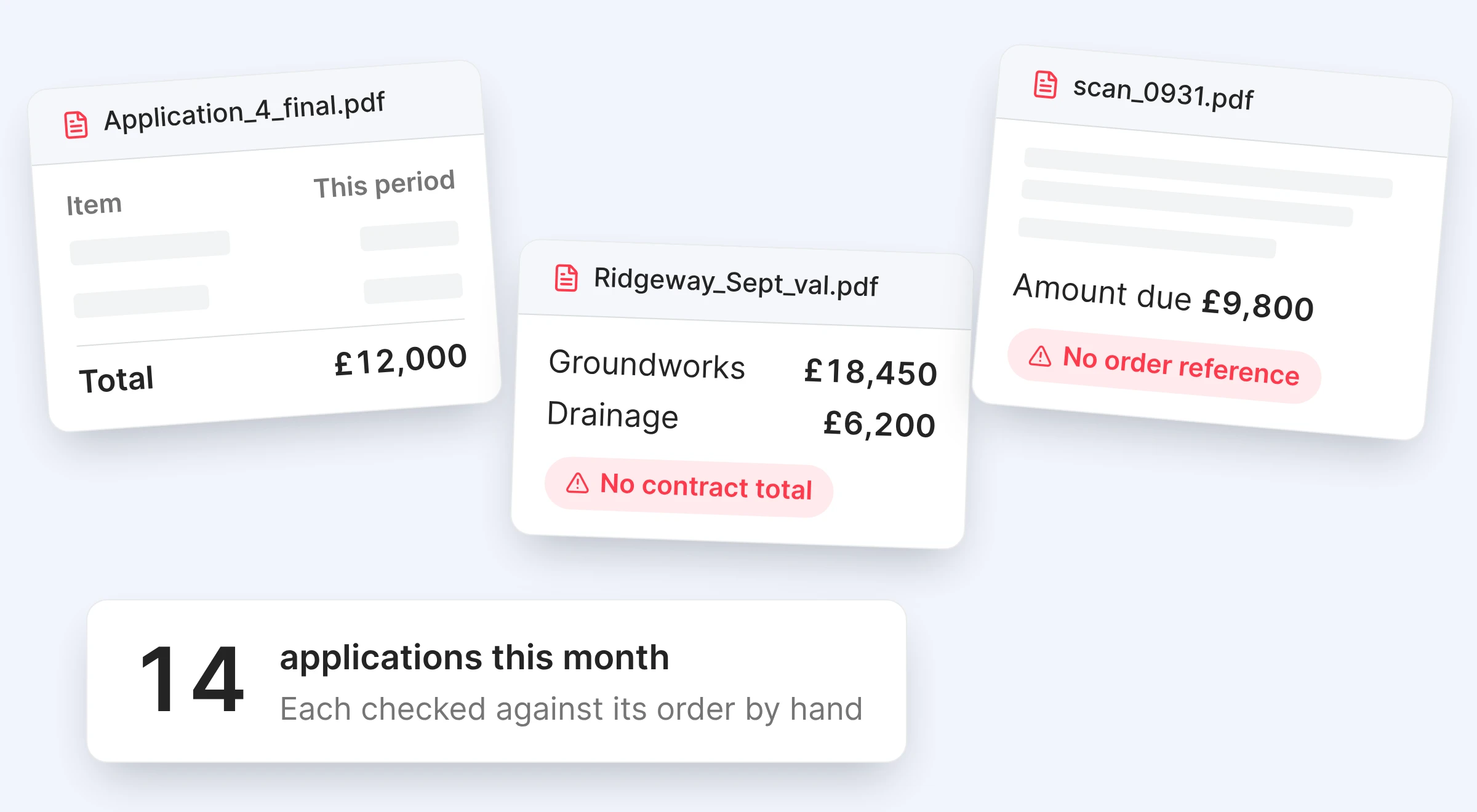
Every subcontractor sends a different layout

Applications arrive as PDFs by email, each in its own layout, and some only show amounts with no total budget. The QS checks them against the order in a spreadsheet, works out retention by hand and keys the certified figure into Sage.

A different layout from every firm

Hard to compare against the order

Manual checks

Previous certificates looked up by hand

Retention in a spreadsheet

Held and released outside Sage

Keyed into Sage

The certified figure typed in again

"A lot of the other subbies have just jumped straight onto it and clicked the link we sent them. They’ve been able to upload their valuations themselves."

Read more
Claire Hill, Estimator and quantity surveyor
Claire Hill Estimator and quantity surveyor  ·  Brown & Bancroft Interiors  ·  Bolton, United Kingdom

Applications in one format, against the order

Each subcontractor gets a link to their own order, with no account needed. They enter this period’s value line by line, attach their invoice and submit, so every application arrives in the same format.

A link to their own order

Applications against the agreed lines

Same format every time

No more reading a different PDF

Invoice attached

Arrives with the application

No account needed

Most submit first time without help

"Planyard can save about 15 minutes per subcontractor payment. When I'm dealing with 50 subcontractors, that's 10 to 12 hours a month. Add the CVR reporting and all of a sudden I've got two extra days free."

Read more
Gareth Evans, Commercial Manager at Vale Southern Construction
Gareth Evans Commercial Manager  ·  Vale Southern Construction Ltd  ·  Portsmouth, United Kingdom

Stop overclaims before you have to argue about them

An application cannot exceed the remaining value of its order and approved variations. The QS adjusts where the work does not match and certifies with retention applied.

Purchase orders

Capped at the order value

Lines over the remaining amount blocked

Variations included

Approved changes raise the limit

Retention held

On each certificate, released when due

Quick feedback

The subcontractor sees the certified amount

"The contractor would typically send over an email containing a zip file with about 150 invoices every single month. Trying to manually allocate each of those to the correct invoice in Excel, and then further allocate them to specific cost codes within the building to get a reasonable assessment of our spending by category, was an incredibly time-consuming and frustrating process."

Read more
Paul Treweek, Quantity Surveyor & Estimator
Paul Treweek Quantity Surveyor & Estimator  ·  DPTQS Ltd  ·  Cornwall, United Kingdom

Valuation questions, with email and with Planyard

The question you are asking Email and spreadsheets Planyard
What format do applications arrive in?
PDFs in different layouts
Online, against the order lines
Has anyone claimed more than the order?
Found by hand, if at all
Blocked at submission
How much retention are we holding?
In a spreadsheet
Per package, until released
How does the certified figure reach Sage?
Keyed in by hand
The certified bill posts on its own
Where is the CIS labour and materials split set?
Worked out on every bill
On the order, applied by Sage

No retyping the certified figure into Sage

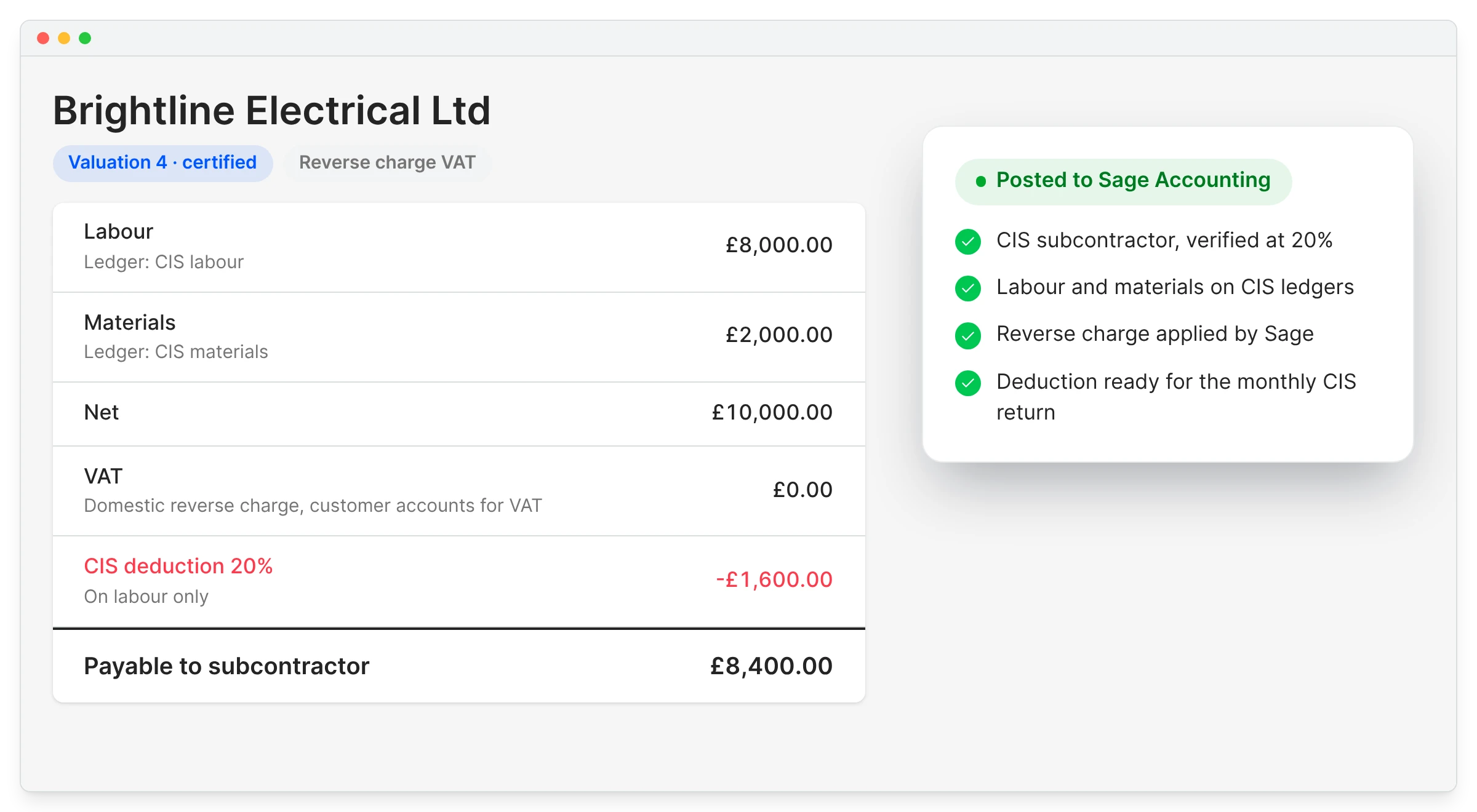
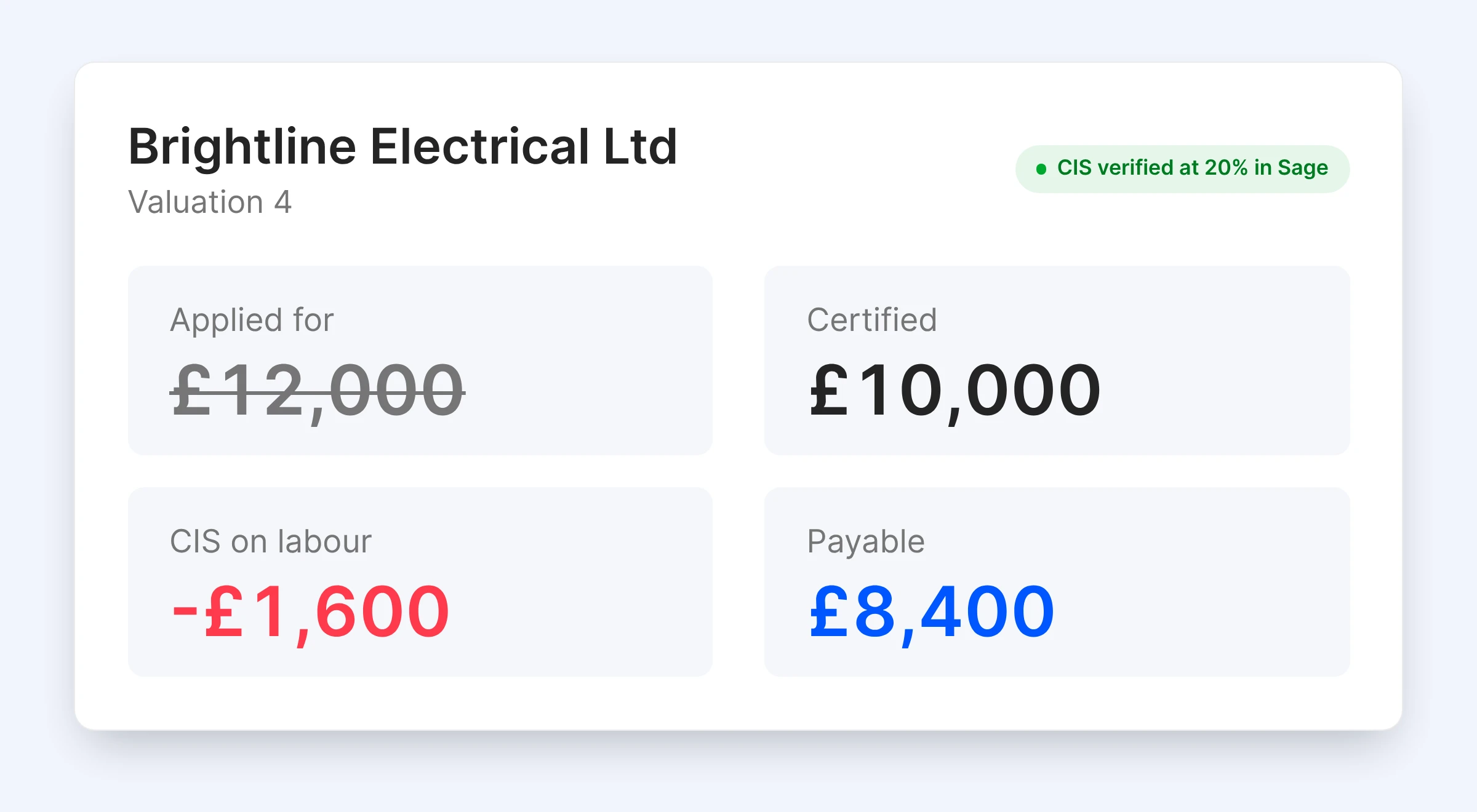
When the certified figure is keyed into Sage by hand, the bill and the certificate drift apart. Here the invoice is built from the certified valuation, so what was certified is what gets billed.

On approval it posts to Sage against the CIS subcontractor, and Sage applies the CIS deduction and reverse charge.

CIS and reverse charge

Invoice matches the certificate

No gap between certified and billed

Labour and materials split

Coded so Sage applies CIS

Retention recorded

Held amounts tracked per package

Budget and forecast updated

Cost lands on the right line

"I don’t need to worry about that piece of paper or invoice again. It’s not only set up correctly against the budget, but it’s also been sent off to accounts, so I don’t have to send any more emails or do any more work for those invoices to be received by the bookkeeper or the accountant."

Read more
Ian Holford, Managing Director
Ian Holford Managing Director  ·  Higgihaus Developments  ·  Bristol, United Kingdom

E&N Group's valuations used to arrive as PDFs in someone's inbox.

E&N Group is a London principal contractor that subcontracts each section of its jobs. Valuations arrived as PDFs by email and had to be checked by hand.

Now each subcontractor gets a link to their package, and almost all of them submit that way, even the least tech-savvy.

E&N Group Ltd
London, United Kingdom
Read the case study →

Collect the next round of applications in one format

Send subcontractors a link, certify with retention, and let the certified bill post to Sage Accounting.