
Verify each subcontractor once
Re-verifying every subcontractor with HMRC because you added a new system is a job nobody wants. Verify them in Sage as you do today, and Planyard uses the same record on orders, applications and invoices.
Sage calculates CIS, applies reverse charge and files your monthly return, but only from the bill it is given. Planyard keeps the subcontractor, the labour and materials split and the certified amount right, so every bill reaches Sage ready for CIS.
Free 14-day full-featured trial. No credit card required.
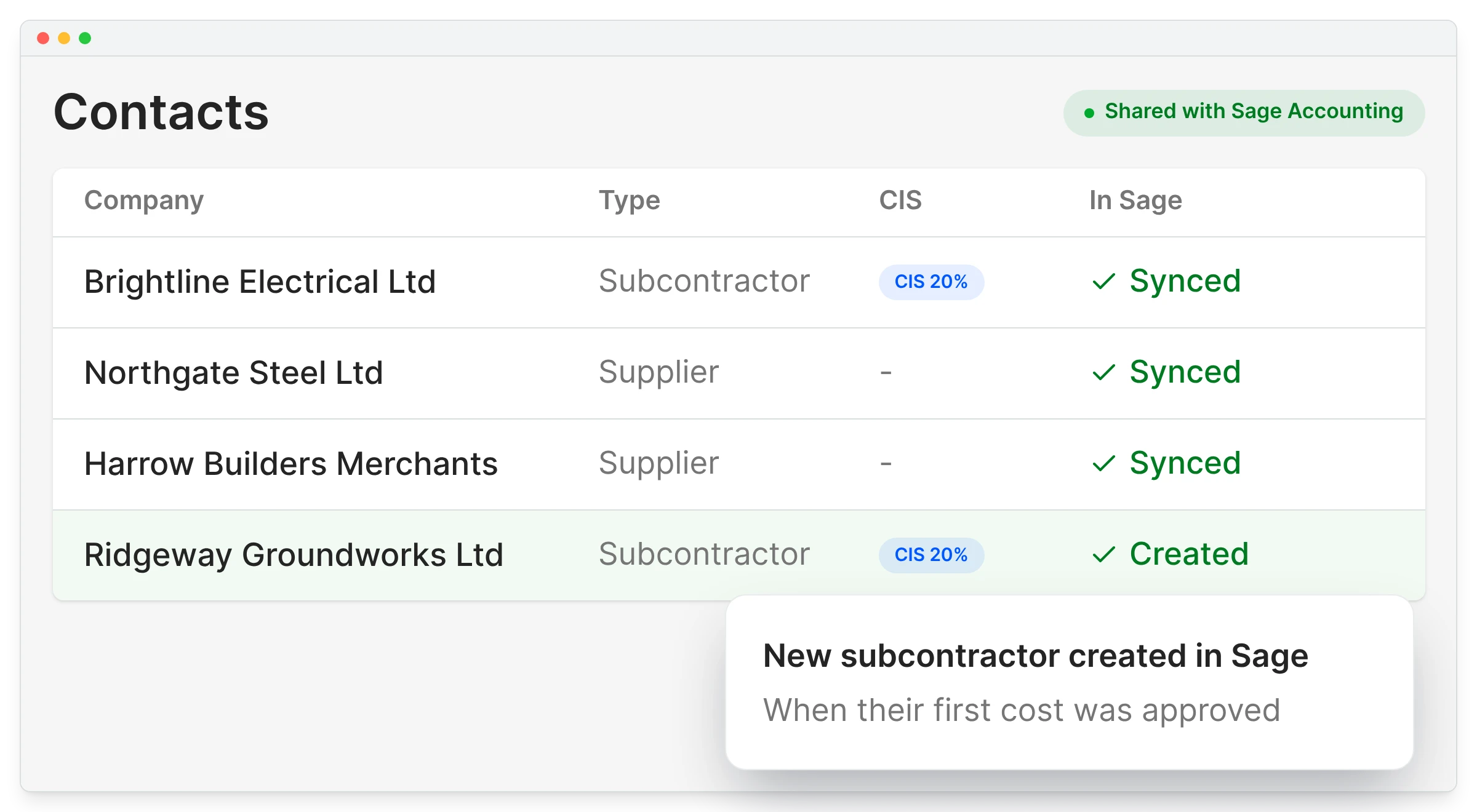
Re-verifying every subcontractor with HMRC because you added a new system is a job nobody wants. Verify them in Sage as you do today, and Planyard uses the same record on orders, applications and invoices.
The rate you set is the rate that applies
On every order, application and bill
No re-verification with HMRC
When their first cost is approved
"Keeping on top of your numbers in a development company is incredibly challenging. You have projects and budgets, but on top of that, you have VAT, CIS, and all sorts of incomings and outgoings that don't always tally up with your project budgets, which is a particular struggle."
Read more
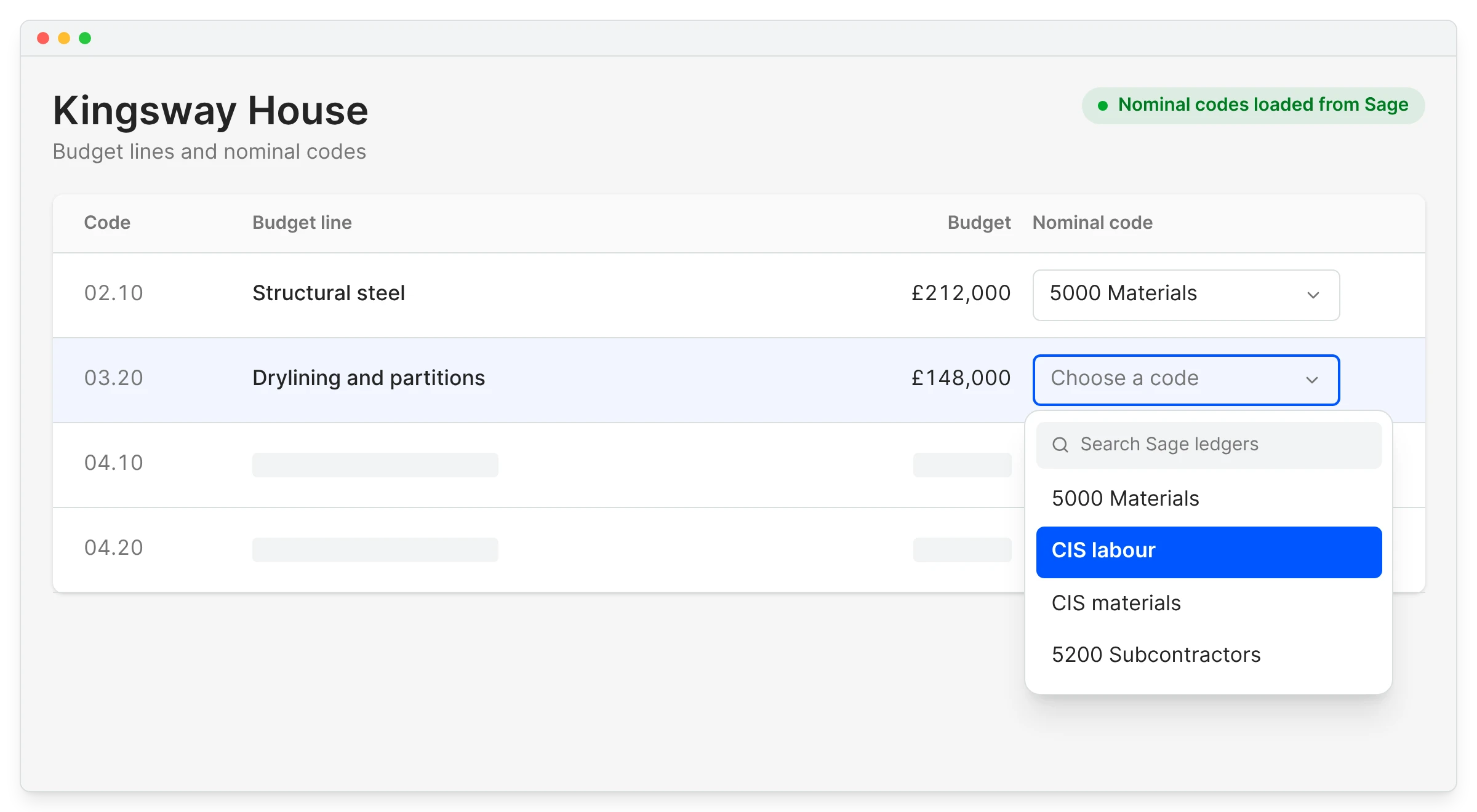
CIS applies to labour, not materials, and a split worked out again on every bill eventually goes wrong. In Planyard it is set on the subcontract order and carried through to each application and invoice.
Labour lines map to the CIS labour ledger and materials to CIS materials, so Sage deducts CIS from the labour only.
Sage Accounting integrationNot worked out again on every bill
CIS labour and CIS materials
Calculated by Sage
What the subcontractor will receive
"Since implementing the system, I haven't had a single complaint or support call from our subcontractors. Not one person has had trouble submitting their valuations, and no one has had to chase me for a payment outside of the system. It’s been completely seamless."
Read more
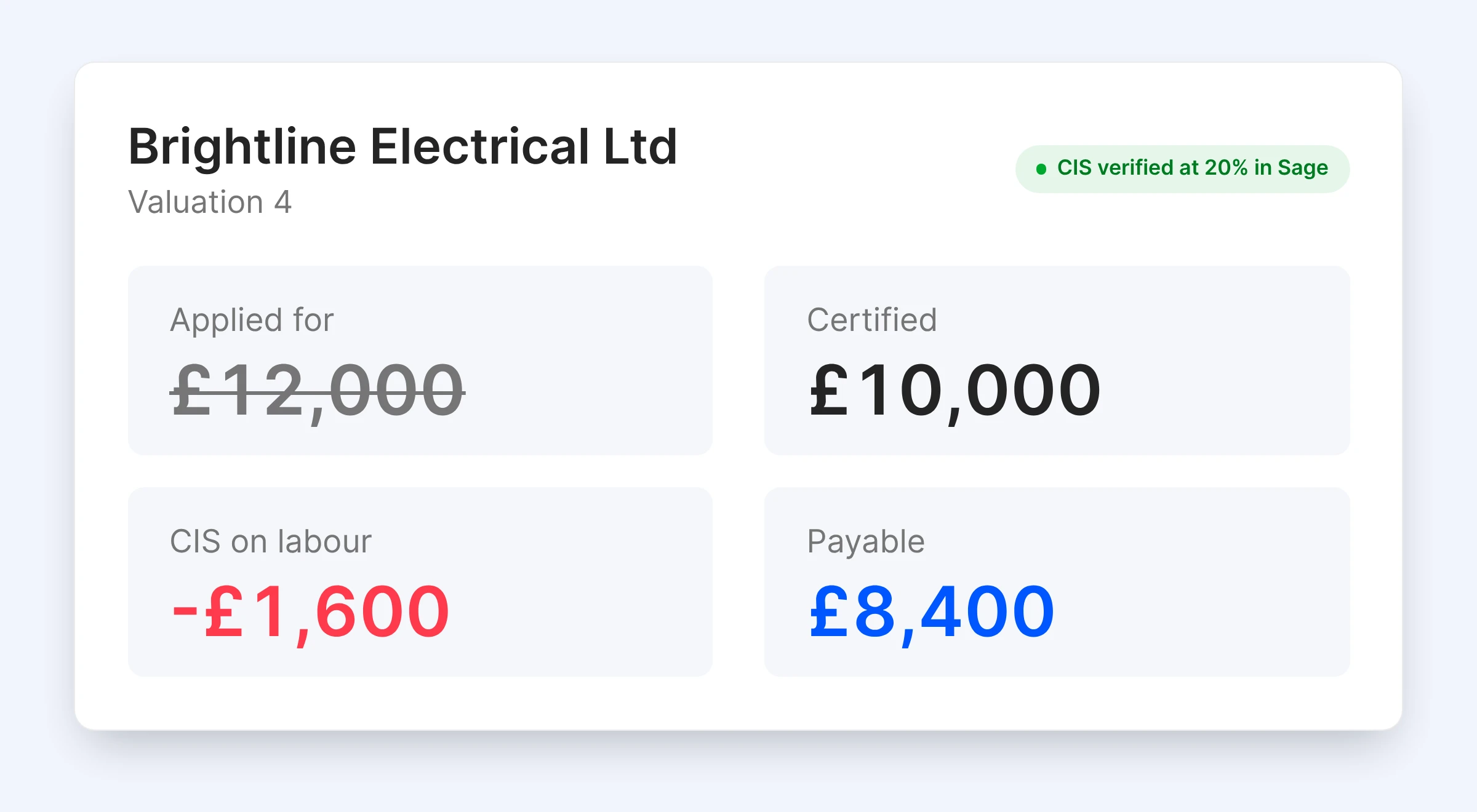
Applications come in every format, and it is easy to pay the figure on the invoice instead of the one you agreed. Subcontractors apply online against their order, and the QS certifies the amount and holds retention.
Only the certified value posts to Sage. See subcontractor valuations for how applications work.
Subcontractor valuationsEvery application in one format
Adjusted where the work does not match
Released when due
Not the amount applied for
"The contractor would typically send over an email containing a zip file with about 150 invoices every single month. Trying to manually allocate each of those to the correct invoice in Excel, and then further allocate them to specific cost codes within the building to get a reasonable assessment of our spending by category, was an incredibly time-consuming and frustrating process."
Read more
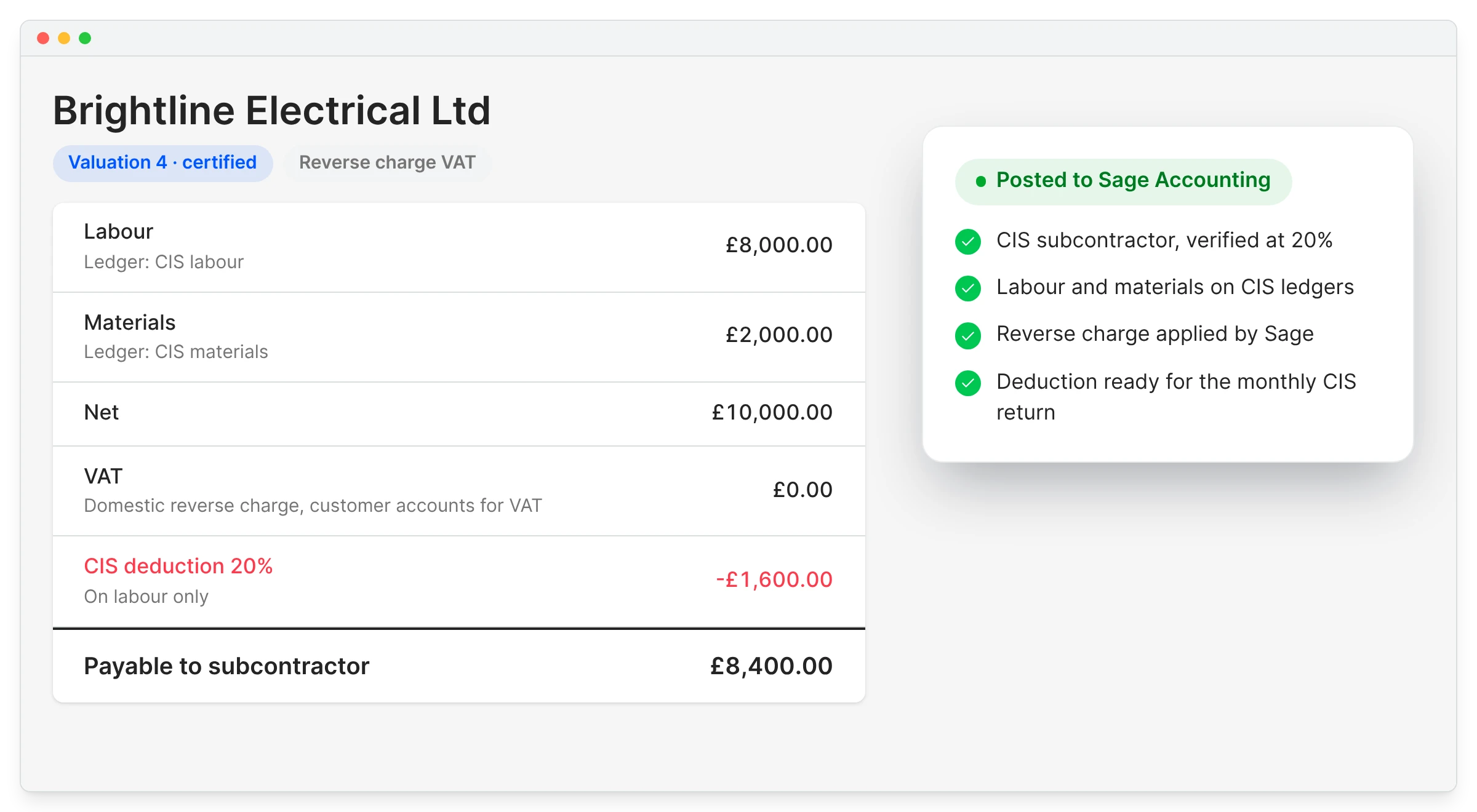
Month-end CIS corrections usually trace back to a bill posted against the wrong contact, or with labour and materials lumped together. Each approved bill posts against the CIS subcontractor, with labour and materials on their ledgers and the VAT treatment set.
Sage applies the deduction and domestic reverse charge, and the figures flow into your monthly return and deduction statements.
CIS status comes from Sage
On bills that arrive pre-coded
Evidence stays with the bill
Fewer corrections at month end
"Planyard can save about 15 minutes per subcontractor payment. When I'm dealing with 50 subcontractors, that's 10 to 12 hours a month. Add the CVR reporting and all of a sudden I've got two extra days free."
Read more
| The question you are asking | Sage Accounting alone | With Planyard |
|---|---|---|
| Who calculates the CIS deduction? | Sage |
Still Sage, from bills that arrive split correctly |
| Is domestic reverse charge applied? | Yes, if each bill is set up right |
Yes, on bills that arrive with the VAT treatment set |
| Where is the labour and materials split decided? | Keyed by hand on each bill |
Once, on the subcontract order |
| Was this application checked against the order? | In a spreadsheet, if at all |
Online, against the order lines |
| How much retention are we holding? | Not tracked |
Per package, until released |

Set the labour and materials split on a subcontract order and watch the bill post to Sage on the free trial.
We've got your questions covered. If you can't find the answer below, then feel free to contact us via the chat.
Sage does. Sage Accounting calculates the deduction and files the monthly return, and Planyard makes sure the bill arrives against the right subcontractor with labour and materials on separate lines.
Yes. The split is set on the subcontract order and carried onto every application and bill. Labour lines map to the CIS labour ledger and materials to CIS materials.
The approved bill posts against the subcontractor’s Sage contact, which holds their CIS status and rate. Labour and materials arrive on their CIS ledgers, and Sage works out the deduction for the monthly return.
Yes. Set the subcontractor up for domestic reverse charge in Sage, and the bill Planyard posts carries the matching VAT treatment. Zero-rated new build work posts at the zero rate.
No. Their CIS status stays in Sage, where you verified them, and Planyard uses the same contact record.
Yes. The payment notice shows the certified gross, the CIS deduction on labour and the net amount the subcontractor will be paid.
Yes, with a basic handoff: approved invoices are emailed to your accounts inbox or exported as CSV, and CIS is handled in Sage 50 as now. Sage Accounting, the cloud version, has the full integration.
 Go to site for