Construction budgeting software for Sage Accounting users

Stop comparing an Excel budget with Sage by hand

Sage records what you have spent but has no budget per job to measure it against, so the budget lives in a spreadsheet that is always out of date. Planyard holds the budget, commitments and forecast for each project and posts approved costs to Sage already coded.

Free 14-day full-featured trial. No credit card required.

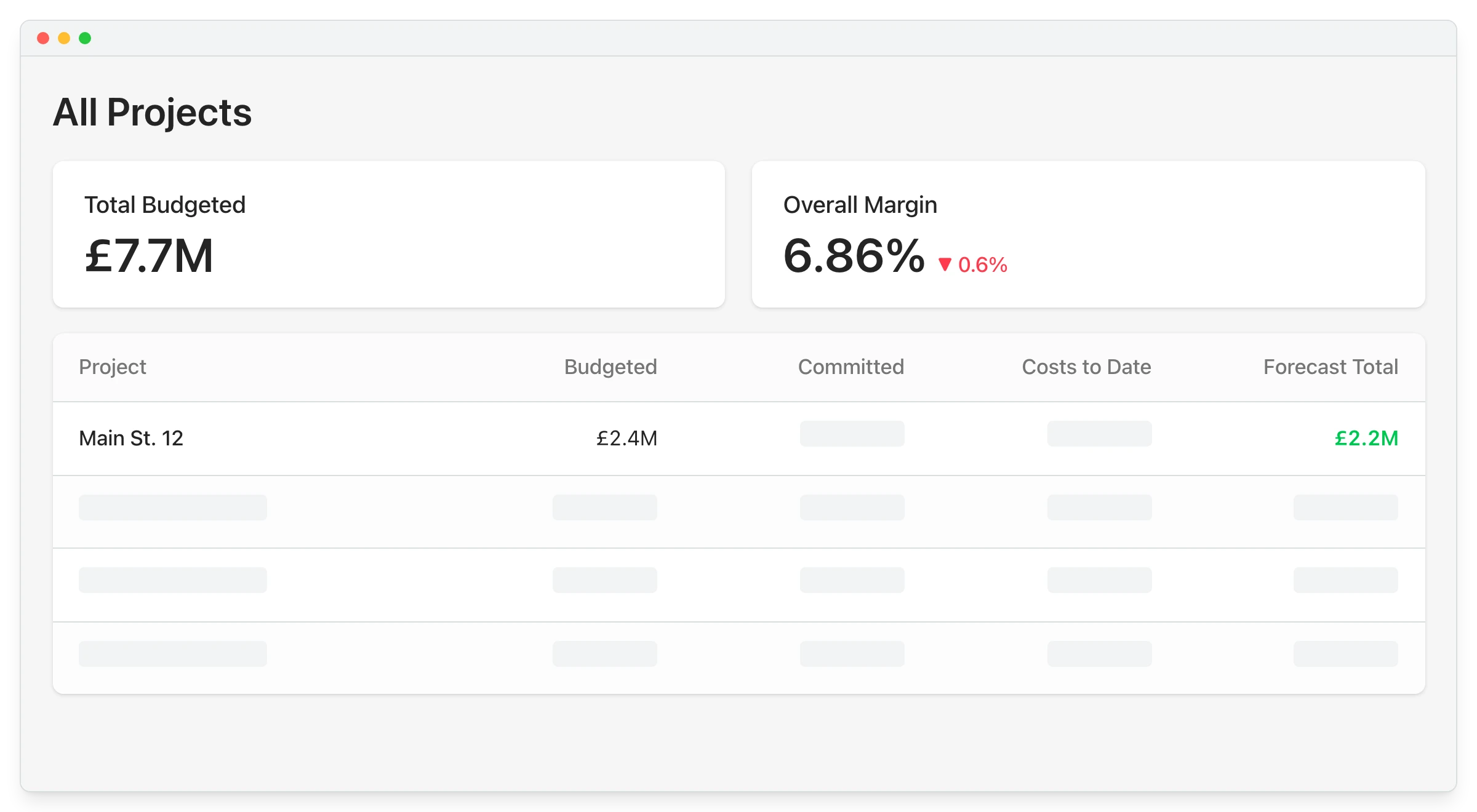
All projects budget overview in Planyard showing total budgeted, forecast totals and overall margin

Why the job budget is always a month behind

Contractors trust Sage for invoices, VAT and CIS, but it cannot show how a live job is tracking against the price you won it at. So the budget sits in Excel and gets compared with Sage when someone has time.

No budget per job in Sage

Sage tracks nominal codes, not packages

Spreadsheet budgets drift

Updated after the invoices arrive

Site and office disagree

The QS sheet and Sage report differ

Overspend found at month end

Too late to change the order

"Planyard takes your project budget and puts it very clearly on screen, allowing you to account for all your costs, invoices, and receipts as you process them before they even reach the accounting department. This gives you a live, real-time picture of exactly where your project budget stands at any given point."

Read more
Ian Holford, Managing Director
Ian Holford Managing Director  ·  Higgihaus Developments  ·  Bristol, United Kingdom

Turn the estimate into the budget without retyping it

Rebuilding the estimate as a budget takes a day and loses the detail you priced. Import the estimate or an existing spreadsheet with your own headings, cost codes and line items.

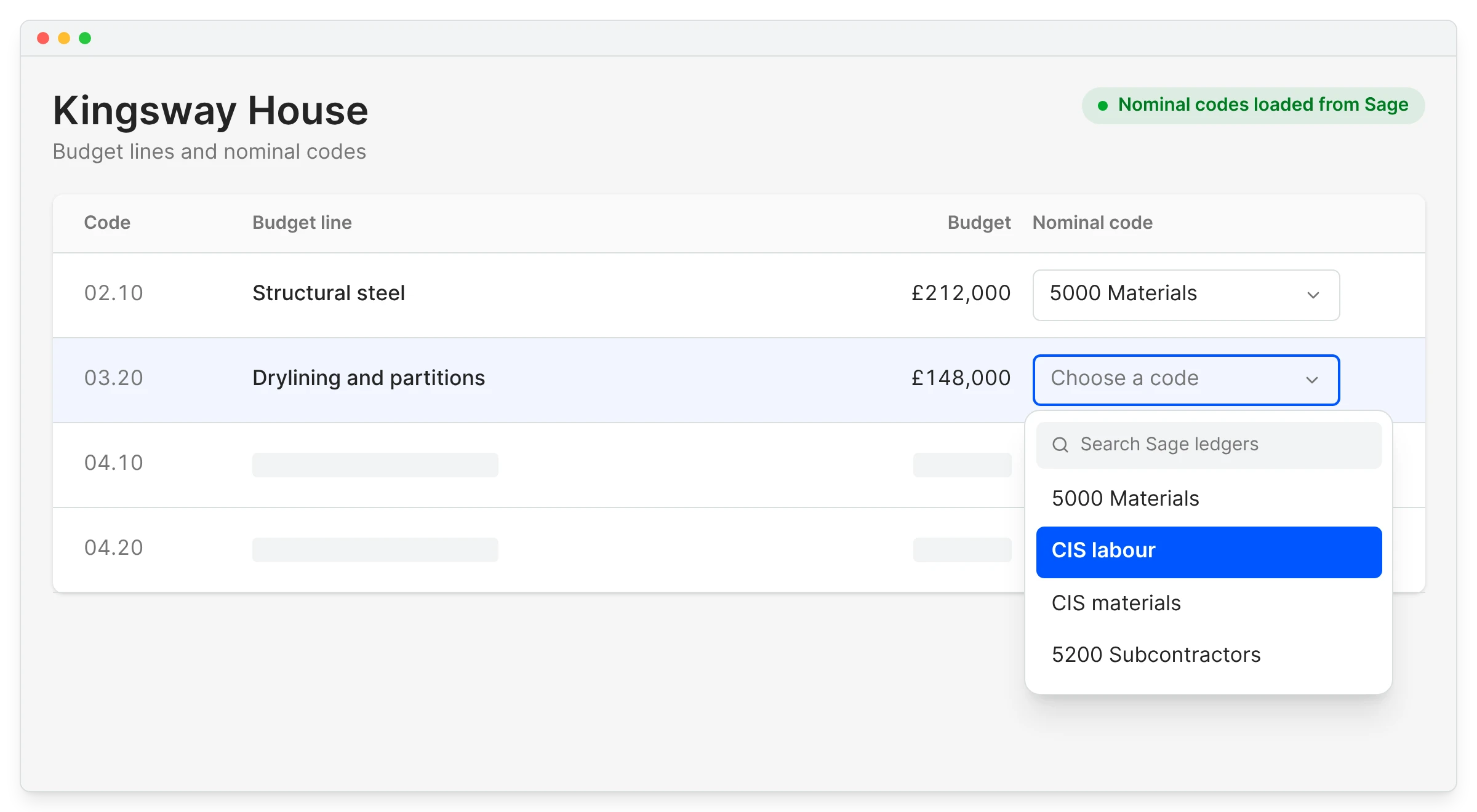
Each line maps to a Sage nominal code once, and the integration posts every approved cost with the right code.

Sage Accounting integration

Import from the estimate

Headings and cost codes as they are

Many lines to one nominal

Detail stays in Planyard

Revised budget kept apart

Variations move the revised figure

Templates for repeat work

Start the next job from the last one

"Now, I can just go into my material budget and see exactly how much we've ordered across every purchase order in one single view."

Read more
Grant Collins, Quantity Surveyor
Grant Collins Quantity Surveyor  ·  Skyler Contracting  ·  Kent, United Kingdom

Know what is left on every line before you order

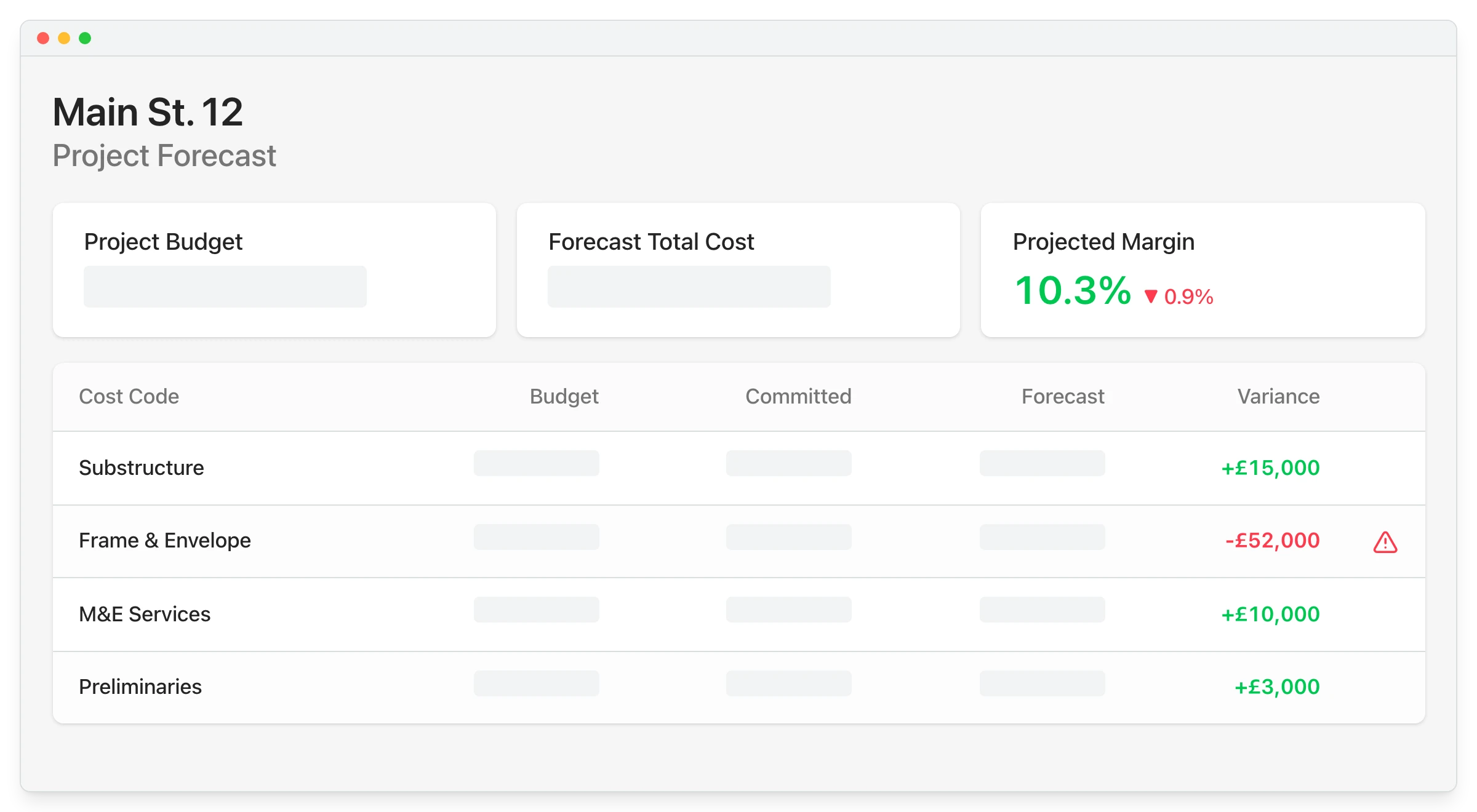
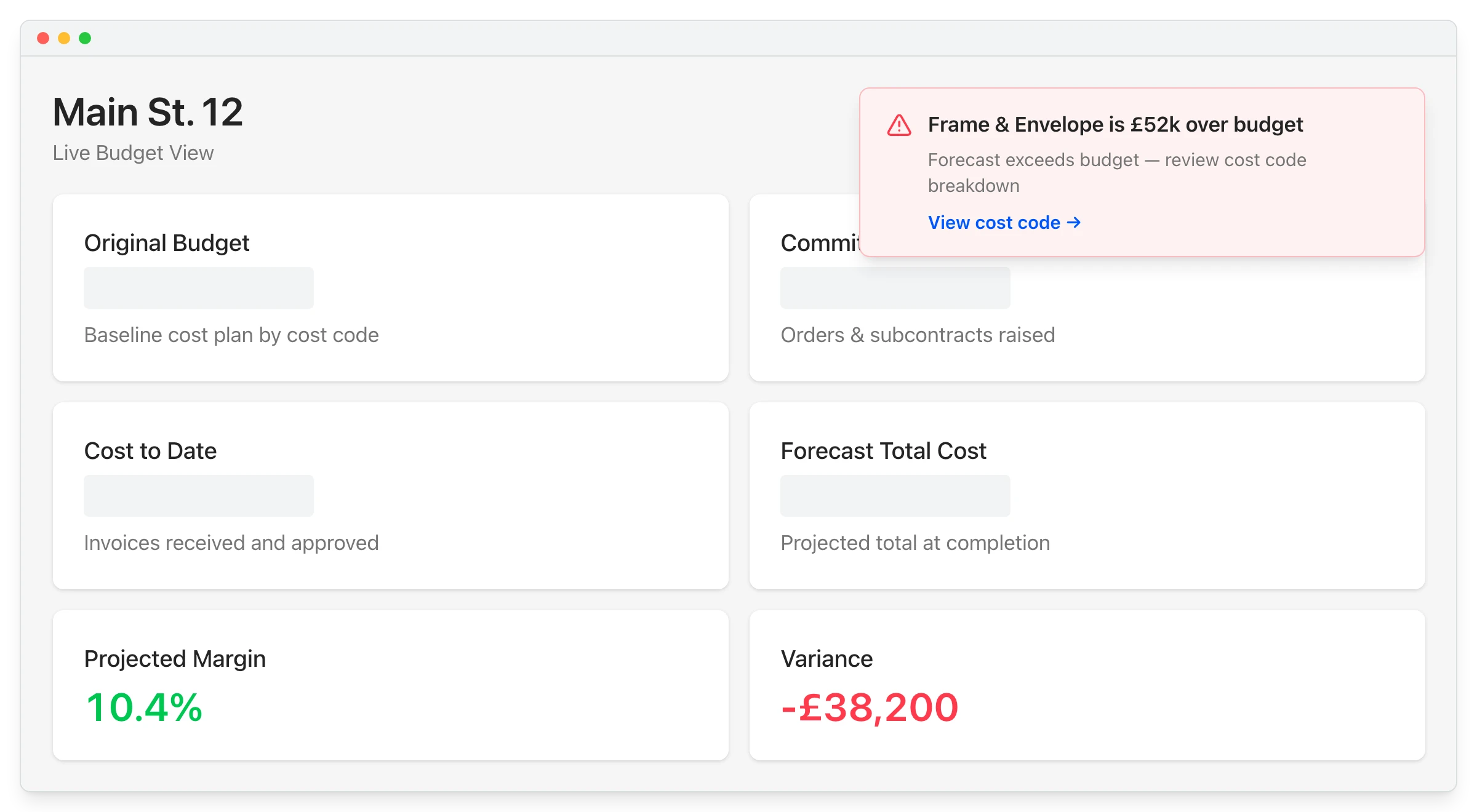
Ordering blind means finding out a package is over once the invoices arrive. Purchase orders and subcontracts count against the budget the day they are raised, and each line shows budget, committed, invoiced and remaining.

Purchase orders

Committed from the order date

Not from the day the bill is entered

Remaining per line

What is left to spend on each package

Variance warnings

Lines trending over budget are flagged

All projects in one view

Budget, forecast and margin together

"I can check the status of our budget whenever I need to, whether I'm out on-site using my phone or sitting at home on the laptop in the evening."

Read more
Sam Jarman, Director
Sam Jarman Director  ·  Rosetta Contracting  ·  Old Knebworth, United Kingdom

Budget questions, with Sage alone and with Planyard

The question you are asking Sage Accounting alone With Planyard
What is the budget for each job and cost code?
Not available
Imported from the estimate
How much is committed against each line?
Only once the bill is entered
Counted when the order is raised
What have variations done to the budget?
Tracked in a spreadsheet
The revised budget updates on approval
What margin will this job make?
Worked out by hand at month end
Live with every approval

Actuals that update without anyone typing

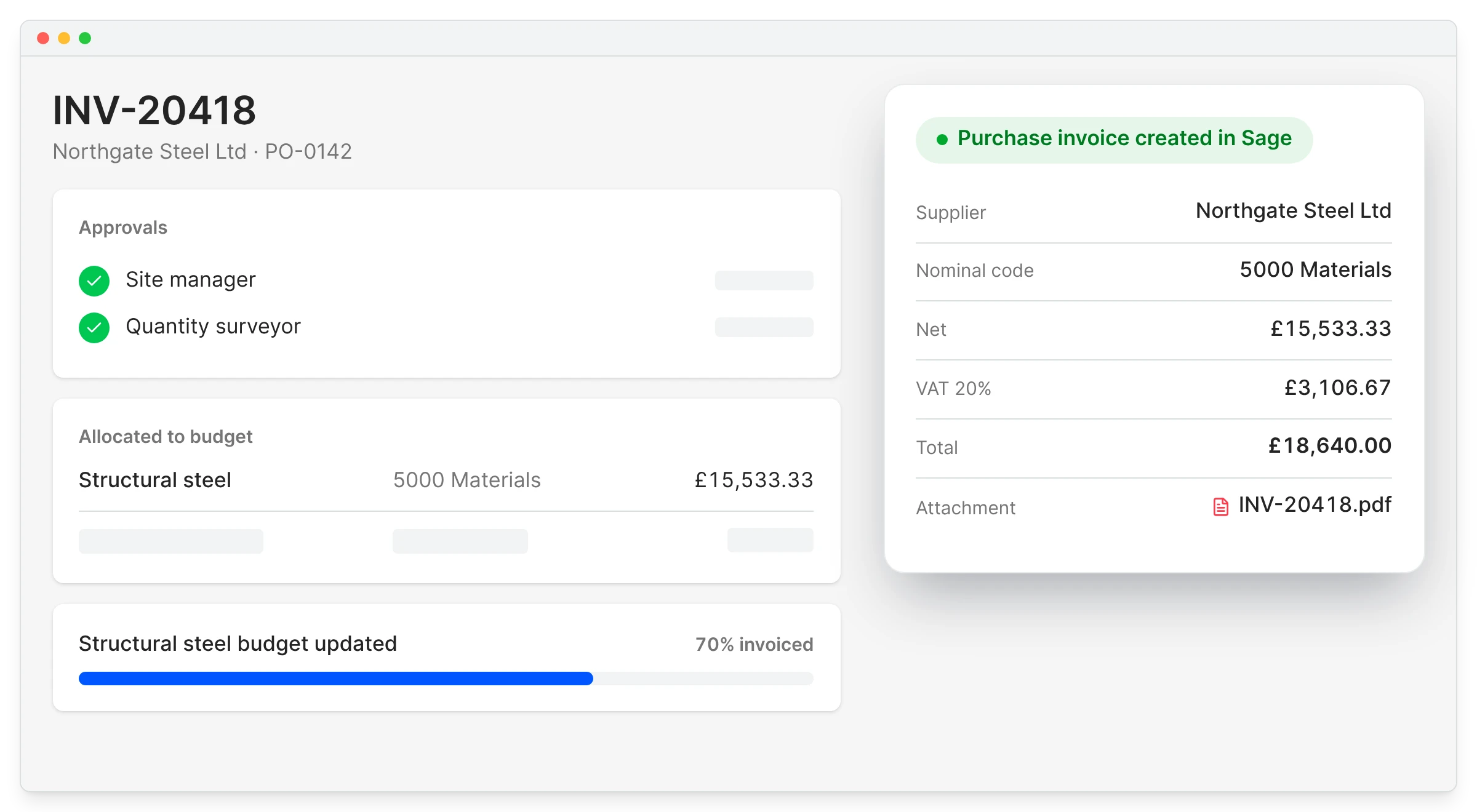
Updating a budget by hand from Sage reports means it is always behind the invoices. When the project team approves an invoice against a budget line, the budget updates and Planyard creates the bill in Sage with the supplier, nominal code, VAT and PDF.

Sage job costing

Approve against the budget line

The actual updates on approval

Nominal code from the line

Accounts do not re-code bills

PDF travels with the bill

Attached in Sage

Suppliers shared both ways

Set up once

"While spreadsheets are good for the tasks they were designed for, you are always open to human error. They serve a purpose, but for project management, they aren't ideal. You might forget to add a row, fail to adjust a formula, or make some other hidden mistake that stays buried in the data."

Read more
Claire Hill, Estimator and quantity surveyor
Claire Hill Estimator and quantity surveyor  ·  Brown & Bancroft Interiors  ·  Bolton, United Kingdom

Karringtons used to spend two to three weeks rebuilding budgets when a variation came in.

Karringtons builds high-end homes in Kent and South East London, three to five projects a year from £0.5m to £5m. Variations meant weeks of fixing Excel formulas and re-entering data.

In Planyard the budget follows the way each job is priced, and a variation no longer means a rebuild.

Karringtons Ltd
Kent, United Kingdom
Read the case study →

Turn your next estimate into a live budget

Import it on the free trial, map it to your nominal codes once and watch it move as costs are approved.