Ask a project manager how their job is doing and you will usually get a confident answer.
Ask what it will cost by the time it finishes, and the answer gets slower.
That pause is what construction cost control is meant to remove. Not by producing another report, but by keeping the numbers close enough to reality that the answer is already there when someone asks.
What construction cost control means
Construction cost control is the practice of tracking where a project’s money is going while the work is still in progress, so the team can act on problems instead of documenting them afterwards.
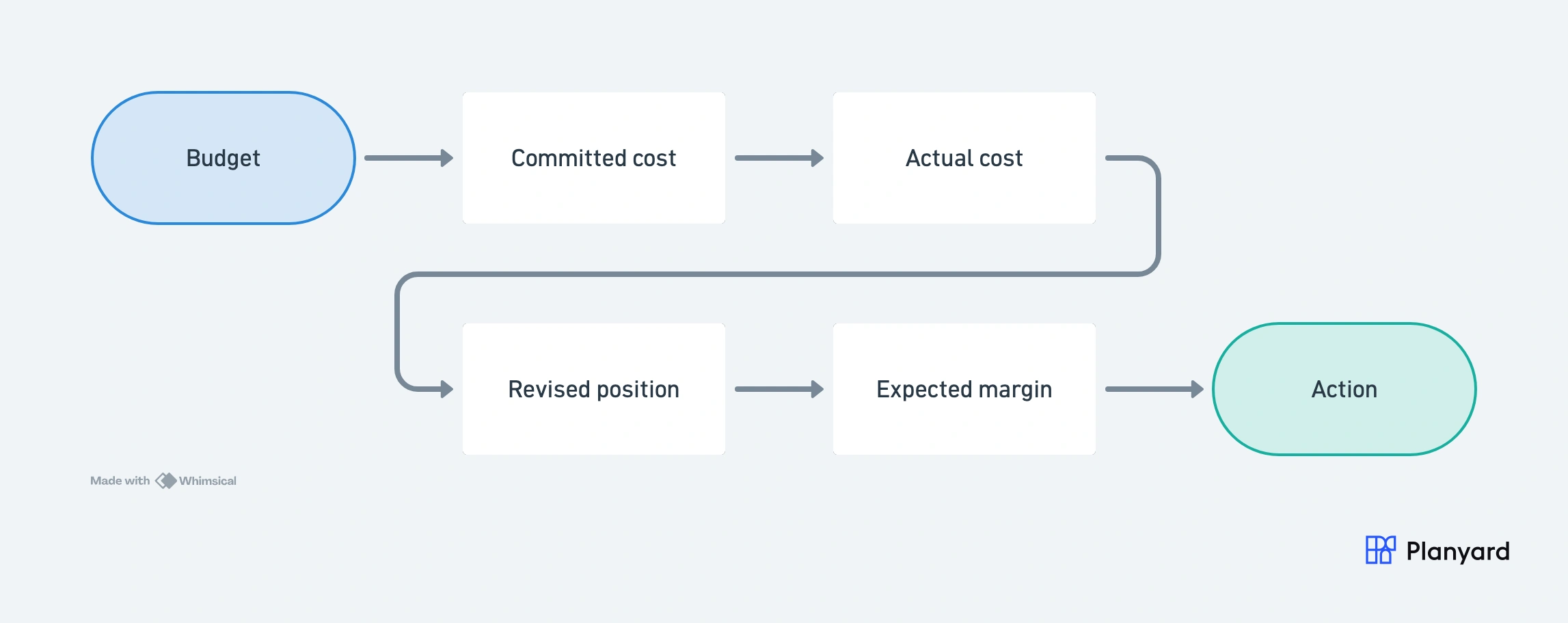
It runs on three numbers: the budget you planned, the costs you have already committed to through orders and subcontracts, and the costs that have actually landed as approved invoices. Put together they give you a revised cost position and an expected margin. Those two are the point. Everything else is bookkeeping in service of them.
"In summary, the most important thing for the company was to have an overview and control over costs, and to be able to immediately see where a cost has been entered and verify if everything is correct."
Read more: Bonava
Most cost control is really cost reporting
Here is the uncomfortable part. A lot of what gets called cost control in this industry is cost reporting wearing a better job title.
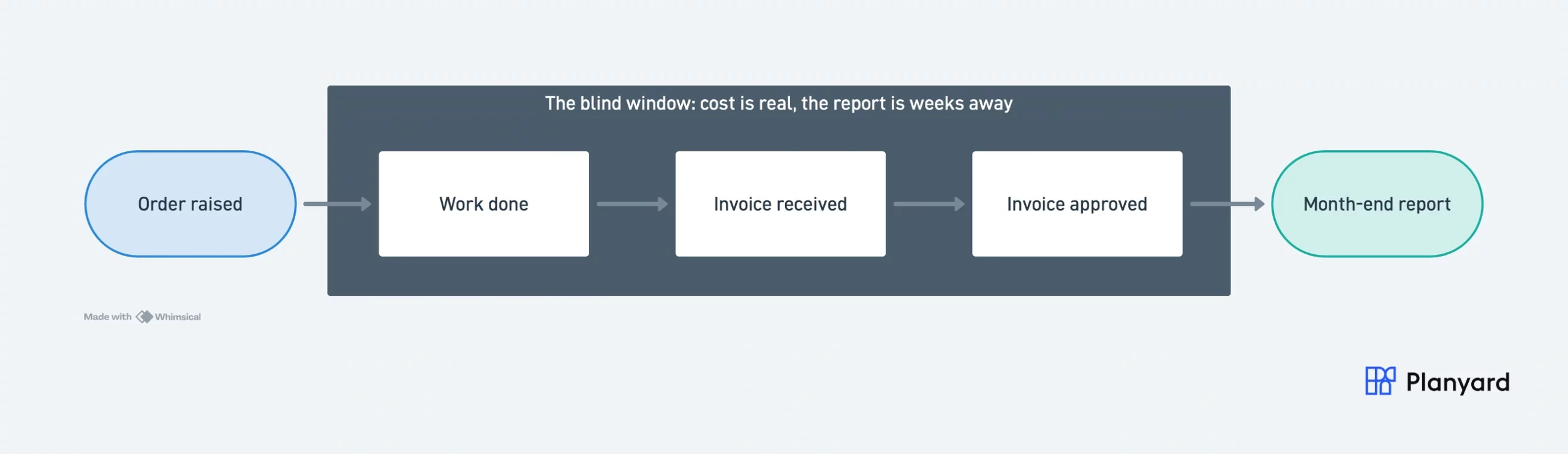
Reporting tells you what a job has cost. Control tells you what it is going to cost, early enough that you can still change the answer. A monthly cost report that arrives three weeks after the period it covers is an excellent piece of reporting and almost useless as control.
The dividing line is committed cost. A team that only tracks invoices is reporting. A team that tracks what has been ordered but not yet invoiced is controlling, because that is the only version of the number that exists while there is still time to do something about it.
Budget, committed cost, and actual cost
These three get used loosely in conversation and precisely in software, which is where most of the confusion starts.
- Budget is what the project was planned to cost, broken down against cost codes.
- Committed cost is what you have already agreed to spend through purchase orders, subcontract orders, and approved change orders. It exists from the moment the order is signed.
- Actual cost is what has been invoiced and approved. It always arrives later than the commitment that created it.
The gap between the second and third is where projects get lost. Most teams can tell you their actual cost to the penny and could not tell you their committed cost without an afternoon of digging.
A worked example: one cost code
Take a groundworks package with a budget of £120,000. Four months in, the picture looks like this.
| Line | Amount | What it tells you |
|---|---|---|
| Budget | £120,000 | What the package was planned to cost |
| Subcontract order placed | £96,000 | Committed the day the order was signed |
| Change orders approved | £11,500 | Committed as each one was agreed |
| Invoices approved so far | £64,000 | Actual cost to date |
Committed cost is £96,000 plus £11,500, so £107,500 of that budget is already spoken for. The uncommitted budget left is £12,500.
Now read the same package through invoices alone. You see £64,000 spent against £120,000 and conclude there is £56,000 left to play with. There is not. The real headroom is £12,500, and one more change order of any size puts the code over.
£56,000 of apparent headroom against £12,500 of real headroom, on a single cost code. Multiply that across forty codes and you have the reason projects go wrong quietly. The figures are illustrative, but the shape is one every commercial team recognises.
Where the month-end cycle actually goes wrong
The theory says costs are tracked continuously. The practice is a scramble in the last week of the month.
Subcontractor applications come in around the pay application date. The estimator assesses them, the PM confirms what was actually done on site, finance chases the invoices that have not arrived, and someone rebuilds the cost report from four sources. By the time the report is signed off, the site has moved on by two or three weeks.
Three people are looking at that report and asking different questions. The PM wants to know which packages are drifting. The estimator wants to know whether the pay application and the cost position agree. The director wants one number: are we still making the margin we priced?
The contract shapes this too. Change orders and compensation events flow differently under JCT and NEC, and the timing of when a cost becomes committed changes with them. If that is your world, we have written separately on JCT versus NEC cost control and on what the JCT 2024 changes mean for cost control.
How contractors manage cost control today
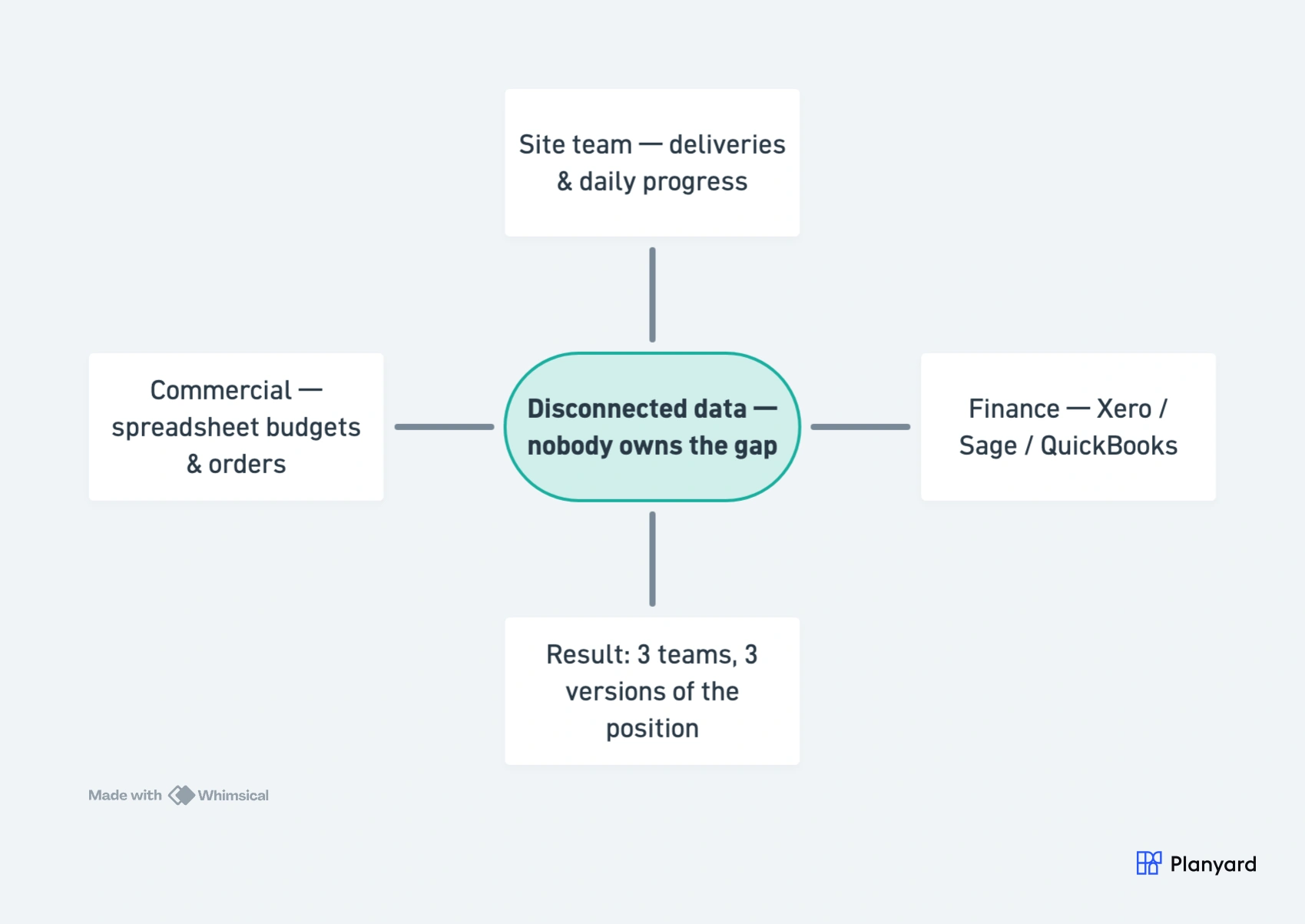
Most contractors are already doing cost control. They are just doing it across estimate sheets, budget spreadsheets, purchase order logs, invoice folders, and accounting reports that were never designed to agree with each other.
The setup varies by business. Small contractors, subcontractors, and house builders each need something slightly different, and teams running their books in Xero often add a dedicated cost control layer on top of Xero.
The problem is rarely effort. It is that the effort goes into assembling the picture rather than acting on it. Brown & Bancroft ran Excel-based cost reports and email-driven cost tracking before moving to a live view of each project. DPTQS hit the same wall from the estimator side, allocating around 150 invoices a month to cost codes by hand.
If you want the practical version of this, we have a step-by-step guide on how to make construction cost control easy.

See what live cost control actually looks like
Walk through budgets, committed costs, and invoices on a real project. No spreadsheet rebuild required.
Why spreadsheet-based cost control breaks down
Spreadsheets do not fail because they are bad tools. They fail because they cannot know anything you have not told them.
An order gets raised on site and the budget sheet does not move. A change order is agreed on a call and nobody writes it down until the next review. A formula stops one row short and £20,000 leaves the total without a sound. Each of these is small. Together they are why the number you are looking at on the fifteenth is not the number that was true on the first.
The breaking point is usually headcount rather than project count. One person holding the whole picture can keep a spreadsheet honest. Four people touching it cannot, and by then the file has become the thing everyone is careful around rather than the thing everyone trusts. If that is familiar, see our construction spreadsheet alternative for cost control.
"The contractor would typically send over an email containing a zip file with about 150 invoices every single month. Trying to manually allocate each of those to the correct invoice in Excel, and then further allocate them to specific cost codes within the building to get a reasonable assessment of our spending by category, was an incredibly time-consuming and frustrating process."
Read more: DPTQS Ltd
What good construction cost control looks like
Good cost control is simple enough to trust and detailed enough to act on. The test is whether you can answer the director’s question without booking a day to prepare.
| Aspect | Spreadsheet-based cost control | Construction cost control software |
|---|---|---|
| Updating costs | ❌ Manual updates after every invoice, order, or change | ✅ Costs update as orders, invoices, and changes are handled |
| Committed costs | ❌ Hard to see clearly before invoices arrive | ✅ Visible as soon as purchase orders and subcontracts are raised |
| Version control | ❌ Multiple files and versions, easy to lose track | ✅ One live project view shared across the team |
| Error risk | ❌ Formulas and links can break without anyone noticing | ✅ Structured workflows reduce manual entry and mistakes |
| Time spent | ❌ Hours or days spent rebuilding the picture each month | ✅ Faster reviews using live dashboards and connected cost data |
The construction cost control process, step by step
Whatever tools a team uses, a working process runs through the same six steps.
- Build the budget from the estimate. Break the accepted estimate down against cost codes, so every future order and invoice has a line to land on.
- Raise orders against budget lines. The moment a purchase order or subcontract is issued, it becomes a committed cost against that code. This is the step most spreadsheet processes skip.
- Record change orders as they are agreed. A change order changes both the commitment and the expected final cost, so it needs capturing when it is approved, not at month-end.
- Approve invoices against the order. As invoices arrive and are approved, committed cost converts into actual cost. Nothing should turn up that was not already anticipated.
- Review the revised position. For each code, compare budget, committed, and actual, then read the expected final cost and expected margin that fall out of them.
- Act on the codes that are drifting. Cost control only pays off at this step. The first five exist to make this one possible while there is still time.
Steps one to four are data capture. Five and six are the control. Teams that struggle usually spend everything they have on the first four and arrive at the last two with no time and no appetite.
How Planyard helps with construction cost control
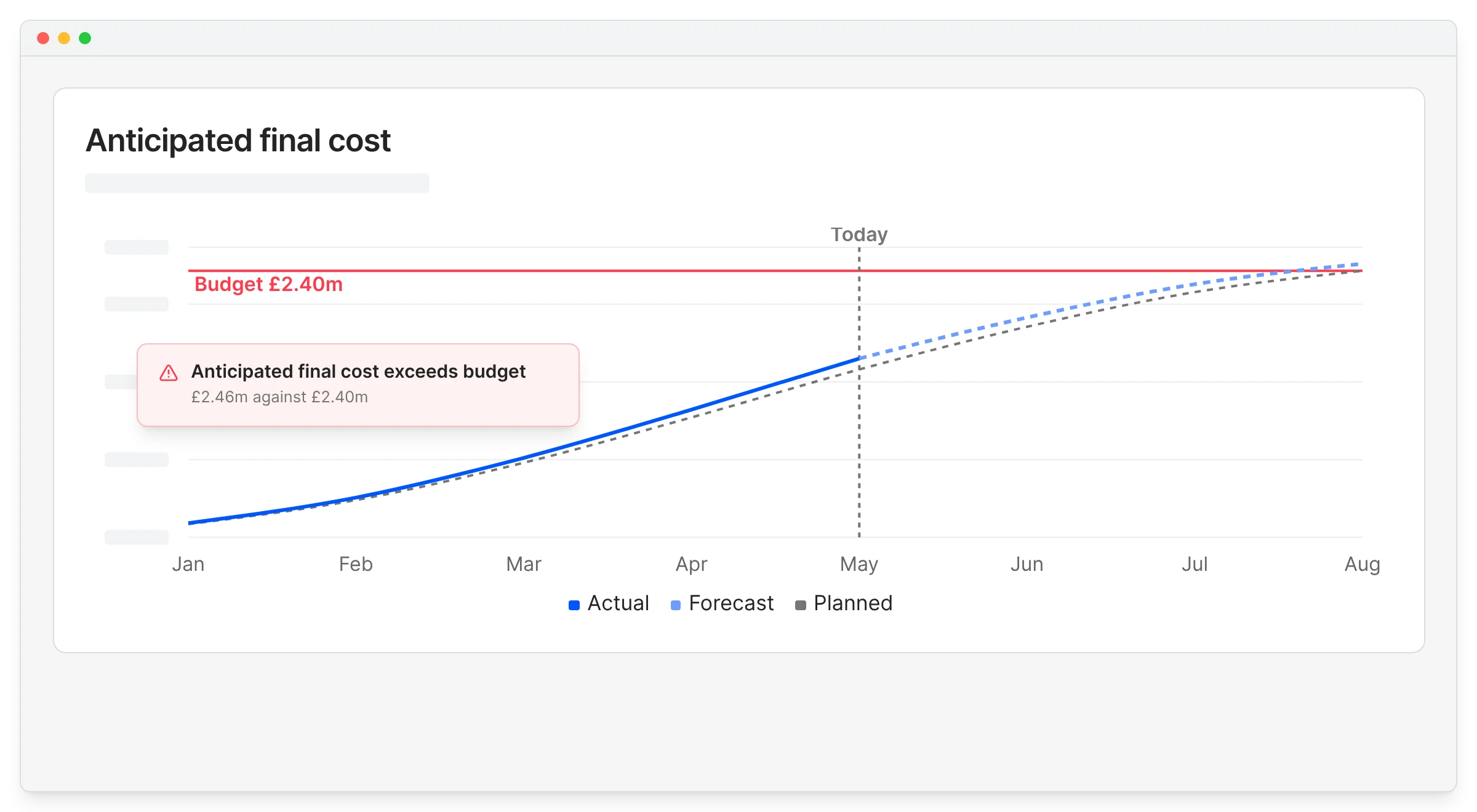
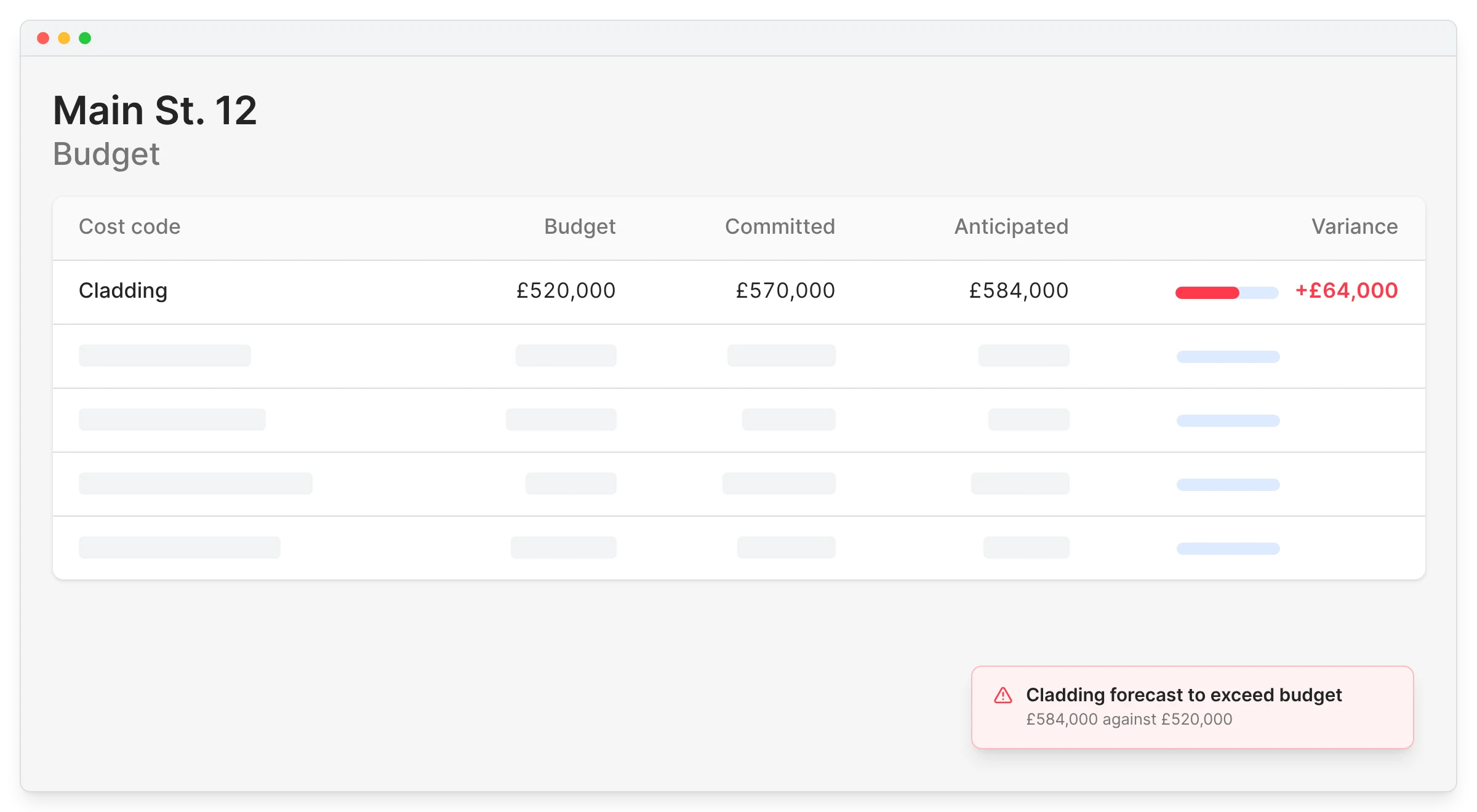
Planyard connects budgets, orders, change orders, and invoices in one workflow, so the cost position updates as the project moves rather than being rebuilt at the end of each month. Cost risk shows up when an order is raised, not when its invoice clears, and PMs, estimators, and finance read the same live numbers instead of three reconciled versions.
The full feature set lives on our construction cost management software page. Karringtons had that level of control almost immediately after moving over.
"It’s ultimately a full costing solution fór construction businesses. It’s not just a part of this. It gives them the ability to control the full cost."

See live cost control in Planyard
Budgets, committed costs, and invoices in one live view your PMs, estimators, and finance team all read the same way. Free 14-day trial, no credit card required.
 Go to site for