Approvals and purchase orders
Planyard manages purchase orders, subcontracts and supplier approvals in one place. Sage records only the approved cost once synced.
Looking for a Sage Business Cloud alternative for construction job costing? This page compares Sage Business Cloud Accounting (Sage Accounting) and Planyard — where each fits, what they cover, and how they work together for UK construction teams.
Short answer: Sage handles accounting, VAT and CIS; Planyard manages project-side budgets, approvals, valuations, and forecasting. Many contractors use both together — so only approved, fully coded costs hit Sage automatically.
On this page
Public ratings from Capterra UK.
| Programme | Rating | Summary |
|---|---|---|
| Sage Business Cloud Accounting | 4.2 / 5.0 |  Trusted UK bookkeeping and compliance; project costing, approvals, and forecasting often need add-ons or spreadsheets. Trusted UK bookkeeping and compliance; project costing, approvals, and forecasting often need add-ons or spreadsheets. |
| Planyard | 4.6 / 5.0 | Praised for ease of use, visibility, and clean Sage/Xero/QuickBooks sync. Reviewers highlight less manual entry and full audit trail. |
Quotes: “Planyard integrates seamlessly with Sage.” · “We finally stopped updating endless cost spreadsheets.”
| Feature | Sage Business Cloud (alone) | Planyard (alone) | Planyard + Sage |
|---|---|---|---|
| Multi-step approvals (routes, thresholds) |  Basic approval only Basic approval only |
Configurable multi-step approvals |
Full routing with audit trail before posting |
| 3-way match (PO ↔ delivery ↔ invoice) | Manual |
Automated, blocks mismatches |
Full 3-way match; only approved bills sync |
| PO control (raise against budget) | Not native |
Linked to live budgets |
Prevents over-commitment before posting to Sage |
| Invoice capture (email-in/OCR) | Supported (Sage Capture/AutoEntry) |
OCR + PO/valuation link |
Unified capture → approval → sync |
| Approval-only sync | Manual posting |
Automatic once approved |
Keeps ledger clean |
| Mapping to categories/accounts | Within Sage |
Uses synced Chart |
Accurate mapping with every posted bill |
| Attachments (PDF, refs in accounting) | Supported |
Auto-sends with post |
All bills arrive in Sage with PDFs and metadata |
| Live variance & forecasting (EAC) | Limited reporting |
Real-time CVR & forecasting |
Shared visibility across finance & site |
| CIS & domestic reverse charge | Applied in Sage |
Ensures correct coding and supplier linkage |
Coding enforced project-side; rules applied in Sage |
| Full audit trail | Financial approvals logged |
Full project approval history |
End-to-end transparency |
| No re-typing (site → budget → accounting) | Manual entry common |
Seamless workflow |
Fully automated, duplicate-free |
How they handle approvals, job costing, valuations, retentions and forecasting.

Planyard manages purchase orders, subcontracts and supplier approvals in one place. Sage records only the approved cost once synced.

Planyard manages subcontractor and client valuations and tracks retentions. Approved items flow to Sage as coded bills for payment.
No credit card required. No sales or IT support needed.

Planyard updates project CVR and EAC automatically as invoices and variations are approved. Sage reflects the same totals in financial reports.
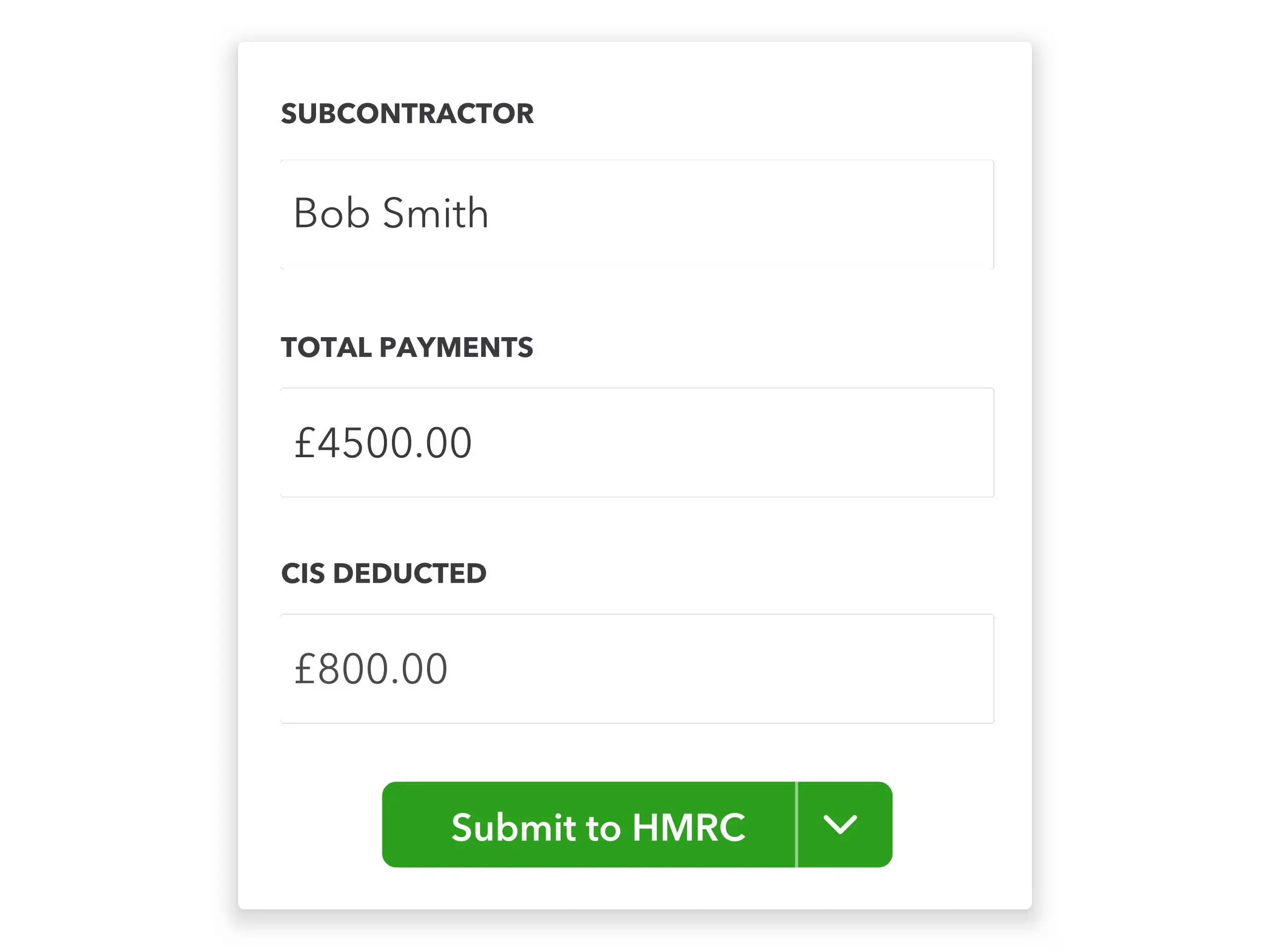
Sage applies CIS and domestic reverse charge VAT when posted bills arrive. Planyard ensures supplier linkage and coding so the deductions apply correctly.
| System | Typical duration | Typical steps |
|---|---|---|
| Planyard + Sage | 1–5 days |
|
| Sage alone | Immediate |
|
Planyard has transparent per-user plans and a free trial. Sage Business Cloud Accounting typically starts from around £14-£30/month. The Sage integration is included in all Planyard plans.
Cost Estimating
Estimating and Budget Control
Estimating, Cost Control and Purchase Orders Management
Full Functionality
Sage keeps your books compliant; Planyard keeps your projects profitable. Sage handles accounting, VAT and CIS, while Planyard manages budgets, purchase orders, valuations, retentions and approvals. The integration means only approved, fully coded costs reach Sage — no spreadsheets, no duplicates, no re-typing.
Sources and last updated. Sage Business Cloud Accounting UK documentation (CIS, VAT), Planyard Capterra UK listings, and customer case studies. Last reviewed 8 October 2025.
Archdesk is a configurable all-in-one ERP for construction; Planyard is the faster, lighter way to control budgets, POs, valuations, retentions and CIS next to Xero, Sage or QuickBooks.
Fieldwire helps construction teams coordinate drawings, tasks, and site progress. Planyard focuses on budgets, forecasting, and project finances — giving contractors full cost control that Fieldwire doesn’t provide.
We've got your questions covered. If you can't find the answer below, then feel free to contact us via the chat.
Yes. Only approved, coded bills post automatically to Sage with the supplier, nominal code, VAT, and invoice PDF.
No. Planyard handles project budgets and cost control; Sage remains your accounting and tax system.
Yes. You can run Planyard standalone for job costing and later connect it to Sage.
Usually 1–5 days. Connect Sage, import suppliers and categories, and start with a pilot job.
Yes. Planyard replaces job cost, valuation, and PO spreadsheets with live forecasting and approvals synced to Sage.
No credit card required. No sales or IT support needed.