Approvals and purchase orders
Planyard centralises POs, subcontracts and approvals. Sage 200 keeps the ledger clean once approved amounts are posted.
Comparing Sage 200 with a Construction add-on (e.g., Sicon) and Planyard? Here’s where each fits, what they cover, and how UK contractors typically use them together.
Short answer: Sage 200 + Construction add-on covers finance, CIS/RCT, and applications/valuations/retentions inside ERP. Planyard runs the project-side: budgets, POs, approvals, 3-way match, valuations and live forecasting. Many teams keep Sage 200 as the accounting system and use Planyard to control costs project-side with a basic handoff: approved invoices forwarded by email or exported as CSV.
Note: Without the Construction add-on, Sage 200 is limited for valuations and retentions; most contractors add this module.
On this page
Without the Construction add-on, Sage 200 won’t cover applications/valuations and retentions natively.
Public ratings from major software directories.
| Programme | Rating | Summary |
|---|---|---|
| Sage 200 | ~4.4 / 5.0 | Robust mid-market ERP for finance/stock; construction workflows rely on add-ons and partner setup. |
| Planyard | 4.6 / 5.0 | Praised for ease of use and visibility; helps teams ditch spreadsheet CVRs and duplicate entry. |
Quotes (public reviews): “Clear commercial visibility.” · “Approvals and audit trail save hours.”
| Feature | Sage 200 + Construction (alone) | Planyard (alone) | Using both (email/CSV handoff) |
|---|---|---|---|
| Approvals (routes, thresholds) | ➖ Finance-centric approvals | Multi-step, project-aware approvals |
Approve in Planyard; post approved totals into Sage |
| 3-way match (PO ↔ GRN ↔ invoice) | 2-/3-way match in POP |
Project-side 3-way match blocks mismatches |
Double control: site + finance checks |
| PO control (raise against budget) | ➖ POs; budget linkage via projects | POs tied to live budgets |
Prevents over-commitment before ledger posting |
| Applications, valuations & retentions | In Construction add-on |
Built-in for subs & clients |
Approve in Planyard; record in Sage |
| CIS (UK) / RCT (IE) | In Construction/CIS modules |
➖ Pre-codes suppliers & costs; CIS/RCT applied in accounting | Clean postings with correct suppliers/codes |
| Live CVR & forecasting (EAC) | ➖ Reporting via projects/WIP | Real-time CVR & EAC |
Single source of truth for commercial & finance |
| Mobile capture (email-in/OCR) | Via ERP/AP tools |
OCR + PO/valuation link |
Capture → approve in Planyard; then post |
| Attachments (PDF in ledger) | Supported |
Stored with approvals |
End-to-end audit trail |
| No re-typing | ➖ Manual keying common | Site → budget → approvals |
➖ Email/CSV handoff to Sage 200 (no API sync) |
Want automation? Sage Accounting has a native Planyard connection.
How they handle approvals, valuations, retentions, CIS/RCT and forecasting.

Planyard centralises POs, subcontracts and approvals. Sage 200 keeps the ledger clean once approved amounts are posted.

Planyard manages subcontractor and client valuations and tracks retentions. Sage 200 + Construction records applications/valuations and retention releases inside ERP.
No credit card required. No sales or IT support needed.

Planyard updates CVR and EAC automatically as invoices and variations are approved. Sage 200 holds the financials and WIP reporting.
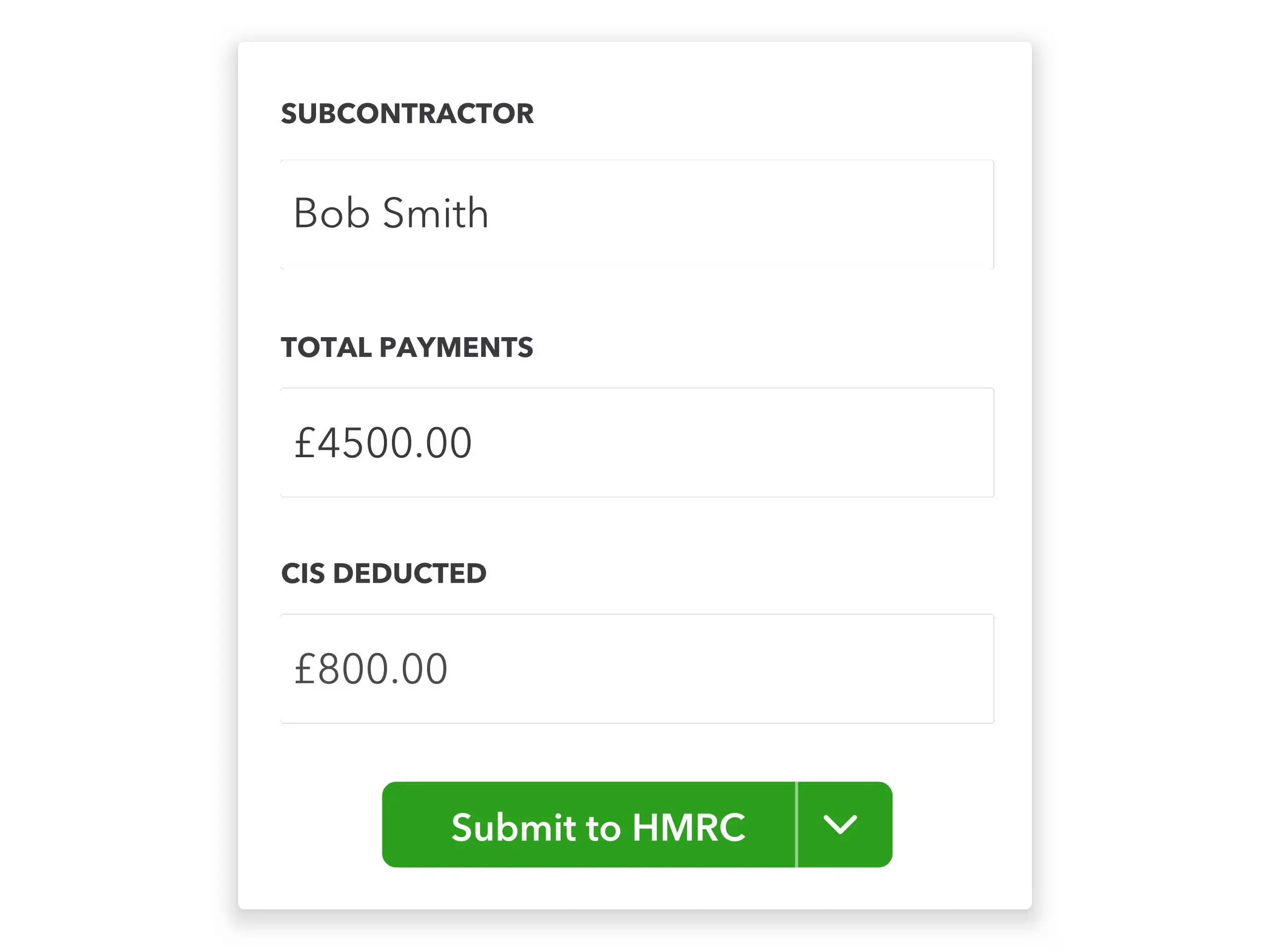
Sage 200 + Construction verifies subcontractors and calculates CIS/RCT. Planyard ensures suppliers and costs are correctly coded and approved before posting to the ledger.
| System | Typical duration | Typical steps |
|---|---|---|
| Planyard (email/CSV handoff to Sage 200) | 1–5 days |
|
| Sage 200 + Construction add-on | ⏳ Weeks to months (partner-led) |
|
Planyard has transparent per-user plans and a free trial. Sage 200 and Construction add-ons are partner-quoted (licences, modules, services).
Cost Estimating
Estimating and Budget Control
Estimating, Cost Control, and Purchase Orders Management
Full Functionality
Sage 200 (with a Construction add-on) keeps your books compliant and supports applications, valuations, retentions and CIS/RCT inside ERP. Planyard keeps projects profitable with budgets, POs, approvals, 3-way match and live forecasting. Most teams run them together — Planyard controls costs project-side and Sage 200 remains the system of record.
Sources and last updated. Product help for Sage 200 POP 3-way match and official materials for Sage 200 Construction/CIS add-ons; Planyard public listings and reviews. Last reviewed 8 October 2025.
QuickBooks runs your accounts; Planyard gives PMs live budgets, pay apps, POs and retentions that sync approved costs back to QuickBooks.
Archdesk is a configurable all-in-one ERP for construction; Planyard is the faster, lighter way to control budgets, POs, valuations, retentions and CIS next to Xero, Sage or QuickBooks.
We've got your questions covered. If you can't find the answer below, then feel free to contact us via the chat.
A basic one. Teams approve and code in Planyard; approved invoices are forwarded by email to accounts or exported as CSV for import. For a native connection, Sage Accounting is the Sage product Planyard syncs with fully.
No. Planyard handles project budgets, commitments, approvals and forecasting. Sage 200 remains your ERP and accounting system.
Yes — in accounting. Sage 200 Construction/CIS modules verify subcontractors and apply deductions/returns. Planyard ensures the costs are categorised and approved before you post them.
Planyard manages subcontractor and client valuations and tracks retentions. Sage 200 Construction records applications/valuations and retention releases in the ledger.
Planyard pilots in 1–5 days with an email or CSV handoff. Sage 200 + Construction is partner-led (typically weeks to months) depending on scope.
Yes. Planyard replaces job-cost, valuation and PO spreadsheets with live budgets, approvals and forecasting; Sage 200 holds the official financials.
No credit card required. No sales or IT support needed.
 Go to site for