Approvals and PO control
Planyard gives budget-linked POs and multi-step approvals with thresholds per role/project. Xero records the approved bill once synced; coding and attachments arrive ready for audit.
Comparing Xero and Planyard for construction job costing? This page sets them up as alternatives so you can decide quickly. We cover scope, job costing depth, approvals, 3-way match, valuations and retentions, reporting, and pricing clarity.
Short answer for buyers searching for a Xero alternative for construction: Xero is a great accounting system; Planyard is built for project-side cost control. Many teams start by picking one — then discover they work best together.
On this page

Public ratings from Capterra UK.
| Programme | Rating | Summary |
|---|---|---|
| Xero | 4.4 / 5.0 |  Trusted accounting and VAT/CIS. Job-costing depth is limited without add-ons. Trusted accounting and VAT/CIS. Job-costing depth is limited without add-ons. |
| Planyard | 4.6 / 5.0 | Praised by QSs for ease of use and instant visibility. Reviewers note clean Xero sync and reduced spreadsheet errors. |
Quotes used below are taken from public Capterra UK reviews (e.g., “integrates with Xero, avoiding entry in two places”, “live CVR without spreadsheets”).
| Feature | Xero (alone) | Planyard (alone) | Planyard + Xero |
|---|---|---|---|
| Multi-step approvals (routes, thresholds) |  Basic bill approval Basic bill approval |
Advanced routes & thresholds |
Full approval chain; posts only when approved |
| 3-way match (PO ↔ delivery/valuation ↔ invoice) | Manual checks |
Automated with mismatch blocking |
Complete 3-way match before posting |
| PO control (raise against budget) | Not native |
Budget-linked POs and commitments |
POs raised in Planyard; costs coded for Xero |
| Invoice capture (email-in/OCR) | Hubdoc/Xero Files |
OCR + auto-link to PO/valuation |
Capture + project link + approvals |
| Approval-only sync (no drafts/duplicates) | Manual posting |
Yes |
Keeps the ledger clean and audit-ready |
| Mapping to account codes & Tracking categories | In Xero |
Uses synced Chart & Tracking |
Accurate mappings on every posted bill |
| Attachments (PDF and refs in accounting) | Supported |
Sends PDF and references |
Always attached for audit |
| Live variance & EAC (CVR) | Static |
Real-time CVR & forecasting |
Finance & projects see the same live picture |
| CIS & reverse charge VAT | Applied in Xero |
Ensures supplier link & coding |
Coding enforced project-side; VAT/CIS applied in Xero |
| Full audit trail (who approved what, when) | Finance approvals |
Line-item project audit |
End-to-end audit trail |
| No re-typing (site → budget → accounting) | Often re-entry |
One continuous flow |
Duplicate-free, reference-rich sync |
How they handle POs, approvals, 3-way match, valuations, retentions and forecasting.

Planyard gives budget-linked POs and multi-step approvals with thresholds per role/project. Xero records the approved bill once synced; coding and attachments arrive ready for audit.

Planyard matches PO ↔ delivery/valuation ↔ invoice; mismatches are blocked. This prevents over-billing and quantity errors before anything reaches Xero.
No credit card required. No sales or IT support needed.

Planyard handles subcontractor/client valuations and retentions with clear audit trails. Approved values flow to Xero as coded bills with PDFs attached.
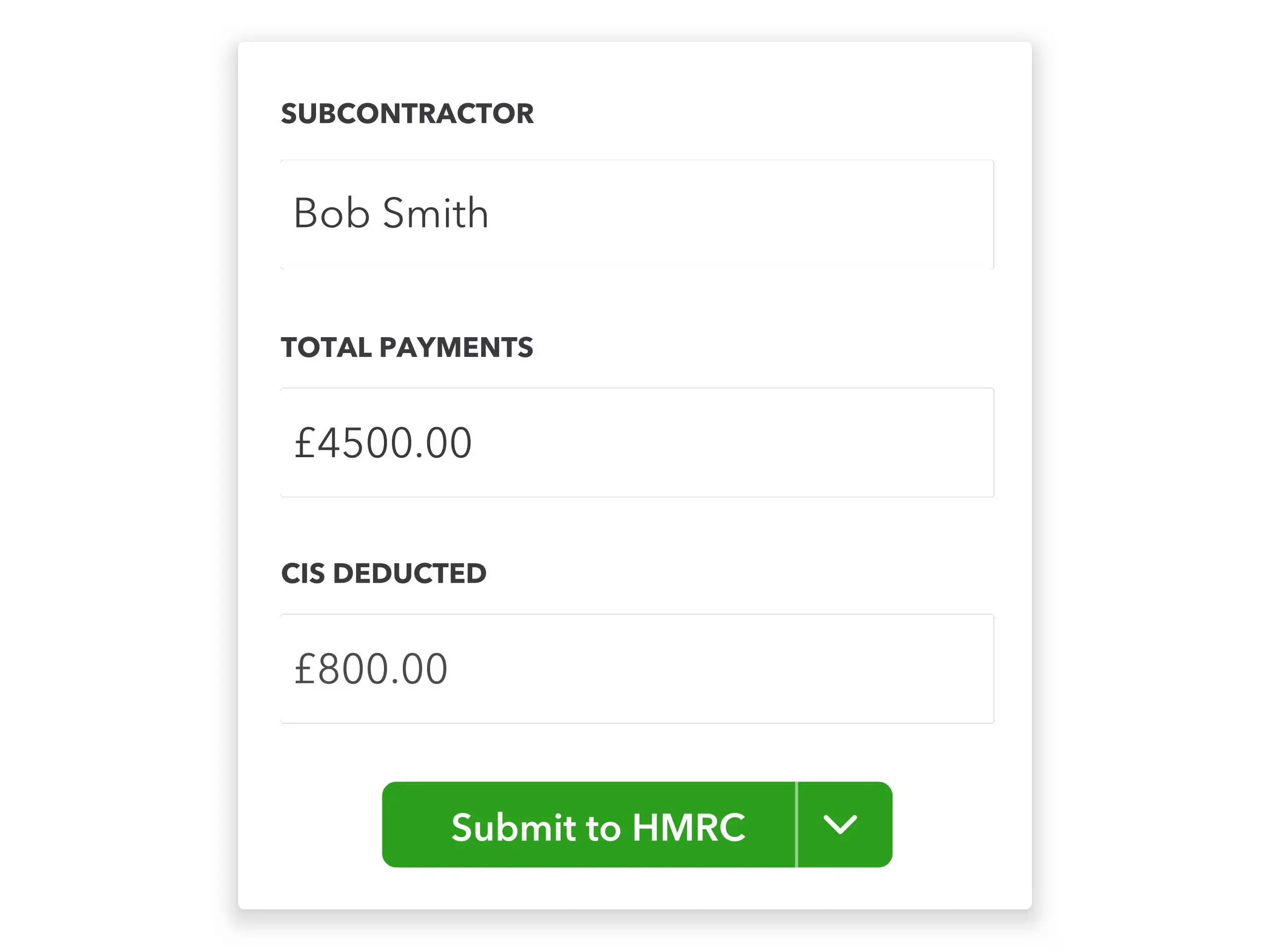
Xero applies CIS and VAT rules on the posted bill. Planyard ensures supplier linkage and coding so the right rules apply every time.
No credit card required. No sales or IT support needed.
Planyard updates EAC and profit forecasts in real time as orders, valuations and invoices are approved. Finance in Xero sees the same picture once bills are posted.
What to expect before you go live.
| Product | Typical duration | Typical steps |
|---|---|---|
| Planyard + Xero | 1–5 days |
|
| Xero (alone) | Same day |
|
Actual timelines vary by scope, data quality and internal capacity.
Planyard has transparent per-user plans and a free trial. Xero pricing starts from entry-level monthly tiers for accounting. The Xero integration is included in all Planyard plans.
Cost Estimating
Estimating and Budget Control
Estimating, Cost Control, and Purchase Orders Management
Full Functionality
If you’re weighing Xero or a Xero alternative for construction, the practical setup is Planyard + Xero. Planyard runs budgets, POs, approvals, 3-way match, valuations and retentions; Xero runs accounting, VAT and CIS. The result is a simple promise: only approved, fully coded costs hit your ledger — no drafts, no duplicates, no re-typing.
Sources and last updated. Capterra UK listings for Planyard and Xero; Planyard customer reviews and success stories. Last reviewed 8 October 2025.
ApprovalMax automates purchase order and bill approvals for finance teams using Xero or QuickBooks but doesn’t connect to project budgets. Planyard goes further, giving UK contractors live cost control with valuations, retentions, CIS workflows and forecasting built in.
4PS is ERP; Planyard adds lightweight commercial control—budgets, CVR, POs—next to your existing ledger.
We've got your questions covered. If you can't find the answer below, then feel free to contact us via the chat.
Yes. Only approved, fully coded bills post to Xero with supplier, account code, Tracking categories, VAT/currency, and the invoice PDF attached.
No. Planyard controls projects; Xero remains the accounting and tax system of record.
Yes. POs, deliveries/valuations and invoices are matched automatically, and mismatches are blocked until resolved. Approvals can be routed by value and role.
Email-in/OCR. Planyard auto-links invoices to POs or valuations, routes for approval, then syncs to Xero once approved.
CIS and VAT rules are applied in Xero. Planyard guarantees the correct supplier linkage and coding so the rules trigger properly.
Yes for project cost control. Planyard replaces spreadsheet CVRs, PO logs and valuation trackers with a live, auditable system that syncs approved costs to Xero.
No credit card required. No sales or IT support needed.